
The short version
One episode takes an empty map to a living hillside town: terrain shaped before anything is placed, flat streets from a community road kit, slope roads carved out of the hillside, a pier where the main road dies — and a do-it-yourself local mod that unlocks buying and re-typing any lot, opening with the game's own Town Hall and Library venue.
- Shape terrain first — hills, then river and pond, then streets
- Road pieces only work flat; carve mountain roads with terrain paint
- End the main road at a pier; reuse a boat and dress the dock with cargo
- Re-type any lot with a homemade local mod — buy it, sell it, save, flip the default
- Open public building with the Town Hall and Library lot type
- Grow ivy on the sunny walls; blue shutters lost to green on the spot
The island
Terrain first, roads second
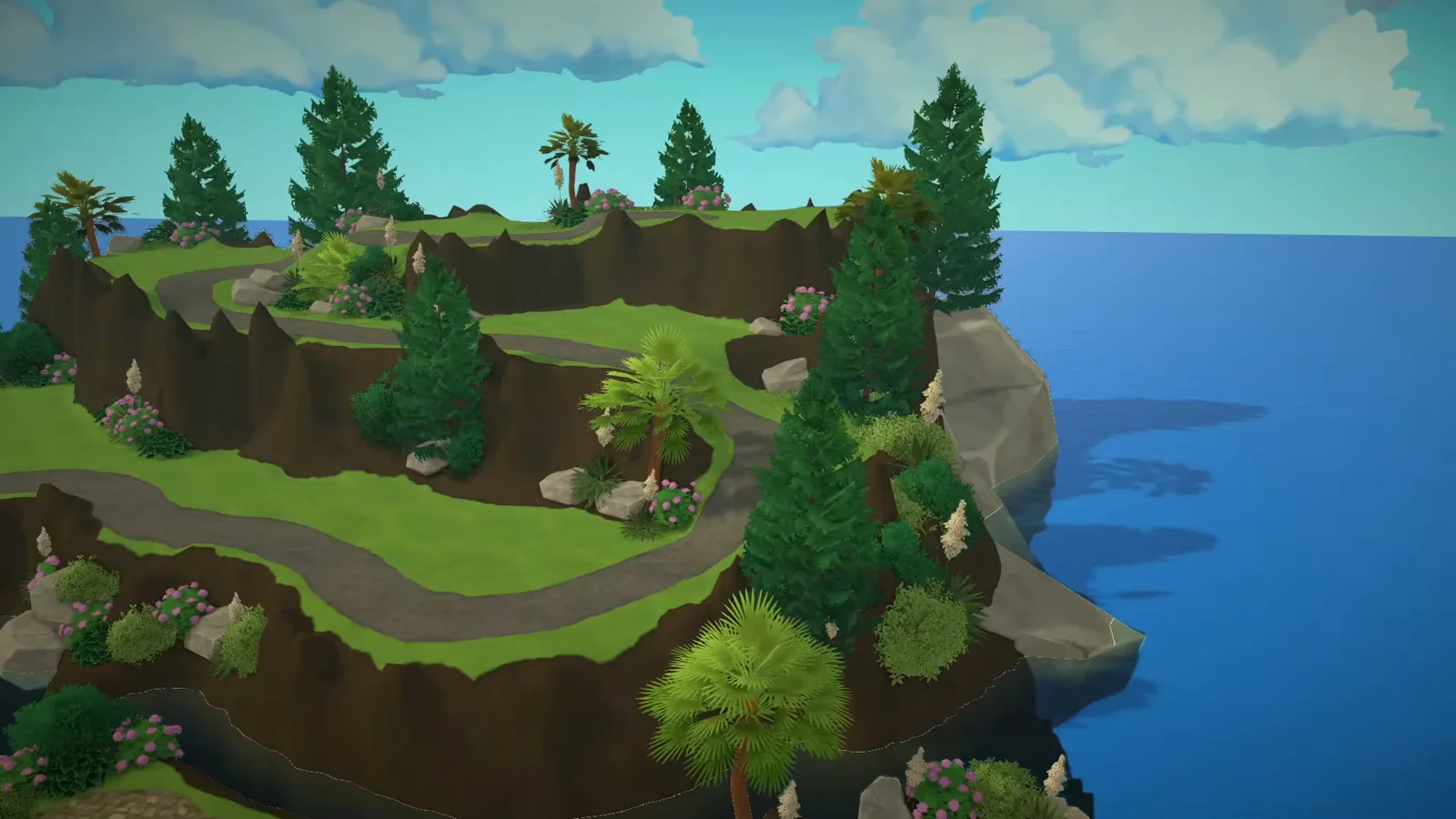
The episode builds the setting before the town: bare terrain sculpted into terraced hills, flat streets laid from a road kit, slope roads carved straight into the hillside, a pier where the main road dies, and an Adriatic-style rocky shore.
- 1
Sculpt the island before any street exists
Everything starts from the Terrain Height modes on a bare green island: hills raised, hollows carved for what will become a river and a pond. The water was not in the original plan — the creator added the small river and lake only after the shaped landscape convinced her the town needed them. Terraform first; a hillside town has nothing to climb without hills.
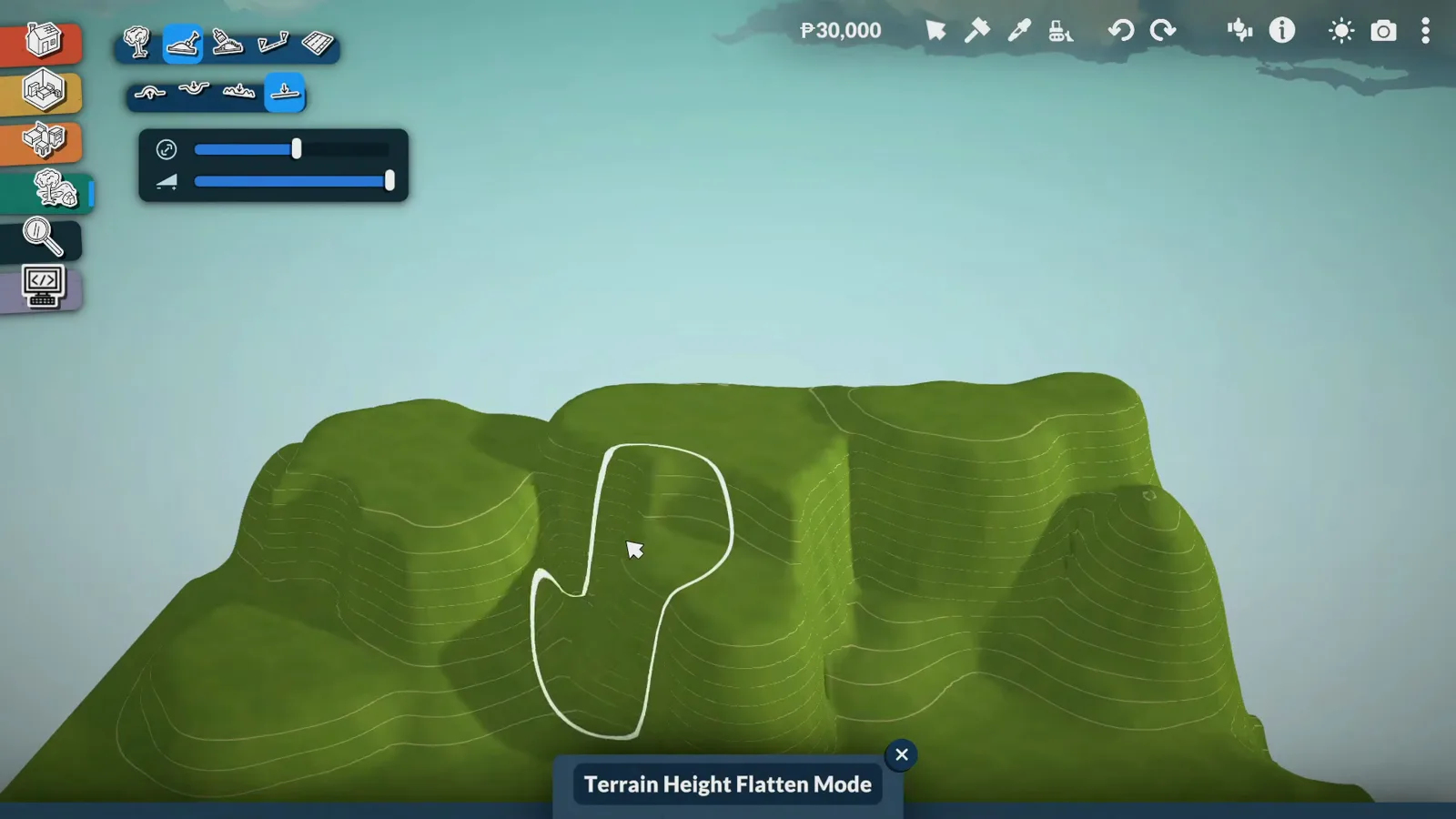
Hills first, water second, streets last.Watch at 0:40 - 2
Lay the flat streets with a road kit
For streets she uses a community road kit rather than fighting the game's road tools — the narration credits "a set of user content that I found on Reddit" and leaves the link in the description. The kit names itself elsewhere: the catalogue pieces carry the DBTW prefix, and her My Mods list shows DBTW Segmented Road Pack, installed from Steam Workshop. The catch, as she warns: the road pieces only work on flat surfaces.
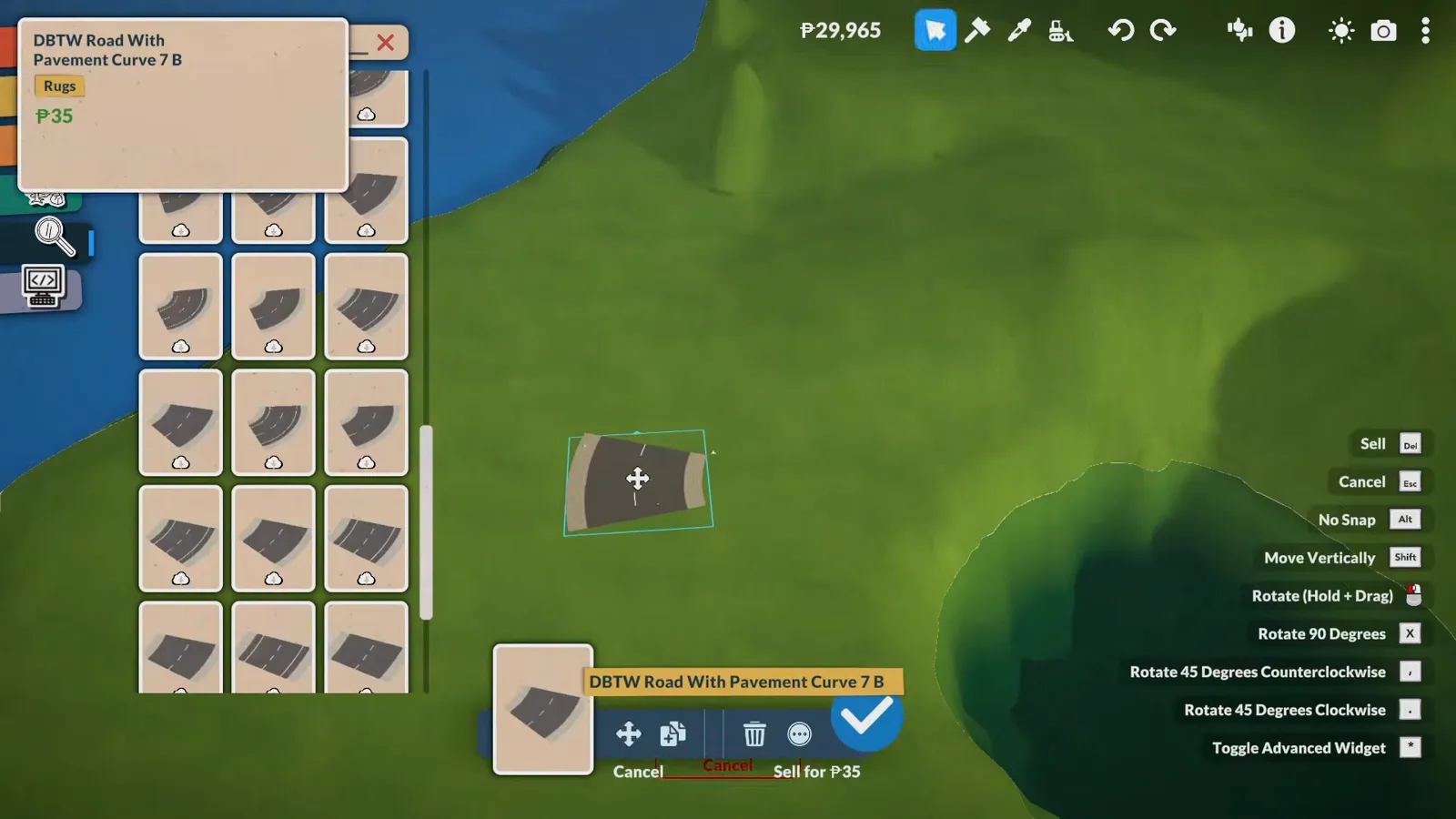
Kit roads on the flat part; everything steep gets carved by hand.Watch at 1:58 - 3
Paint the slope roads with terrain tools
Where the hillside rises, road pieces cannot follow — so the narrow, winding mountain roads you would see in Greece or Montenegro are dug and painted directly into the terrain. She prefers the result anyway: the roads feel organic, like they follow the landscape rather than a plan, which she calls the charm of the Balkans.
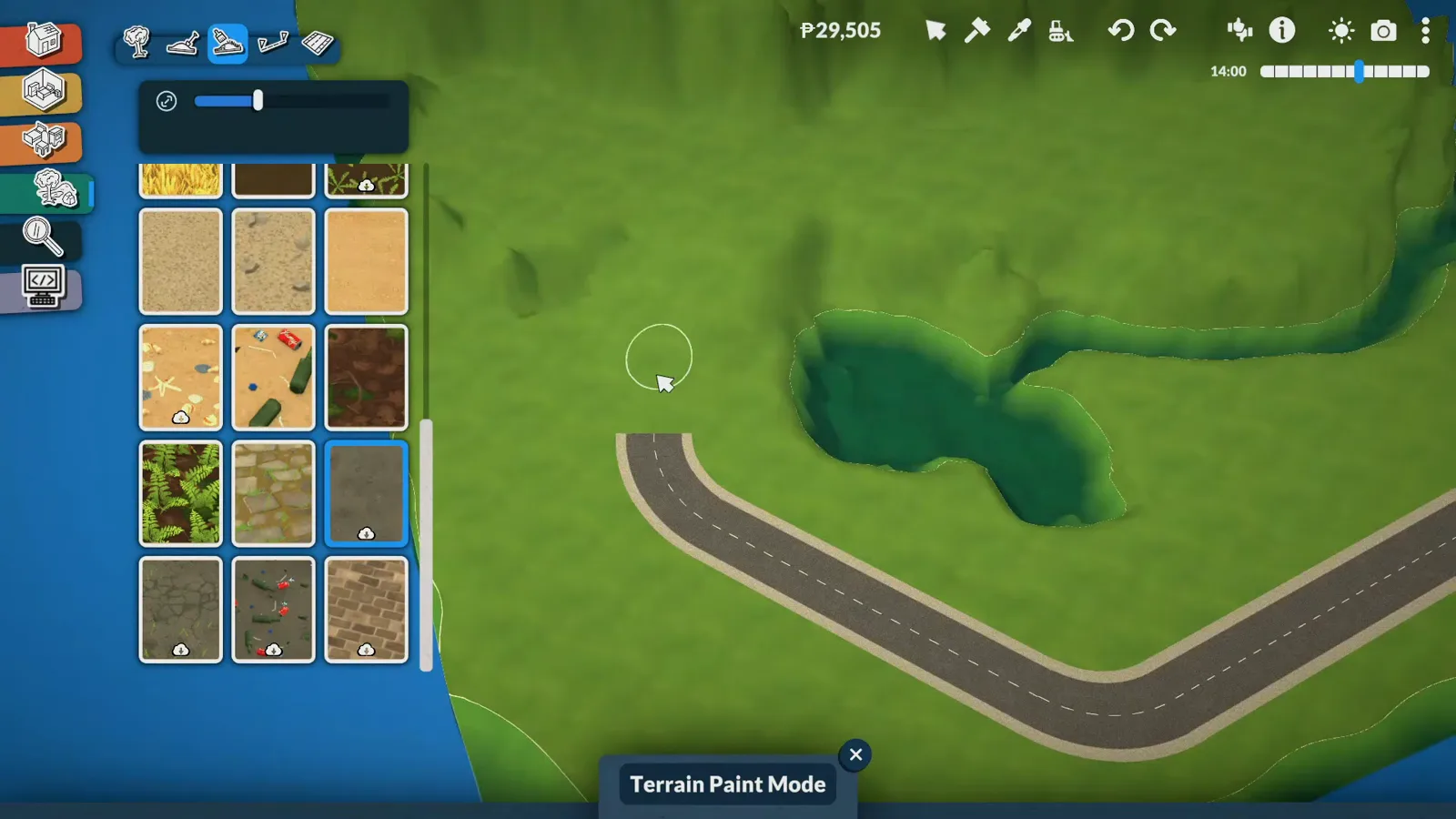
No road piece survives a slope — paint the road into the hill.Watch at 3:00 - 4
End the main road at a small harbor
The main road dies at the coast, so a harbor goes there — for now just a small pier on wooden pillars, with a full waterfront of restaurants and shops planned for a later episode. Even the pier has a story: she wanted to build a brand-new boat at the world's edge, but the camera "became my biggest enemy", so she moored a boat from an earlier build and dressed the dock with shipping containers and building materials to fake a delivery that just arrived.
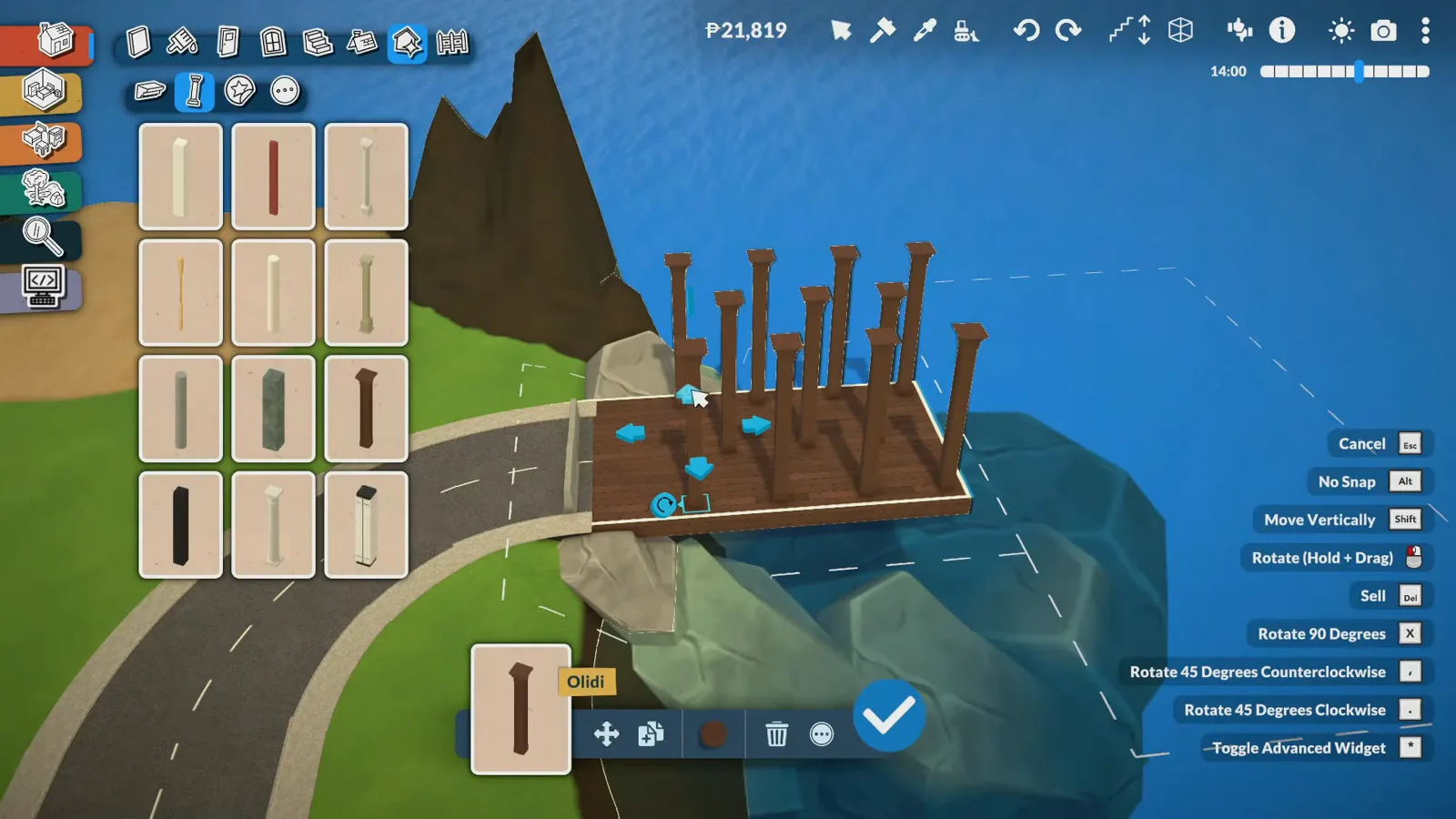
A working harbor needs a boat the camera can actually reach.Watch at 4:20 - 5
Ring the coast with Adriatic rock
The landscaping rule is lush, but not tropical: pines, palms, flowering grasses, shrubs and natural rock formations, with rocks and boulders of mixed sizes ringing the shore like the gravel beaches of the Adriatic coast. The restraint is deliberate — she avoided over-decorating so the island reads as a real place where nature is part of the landscape, not a kept park.
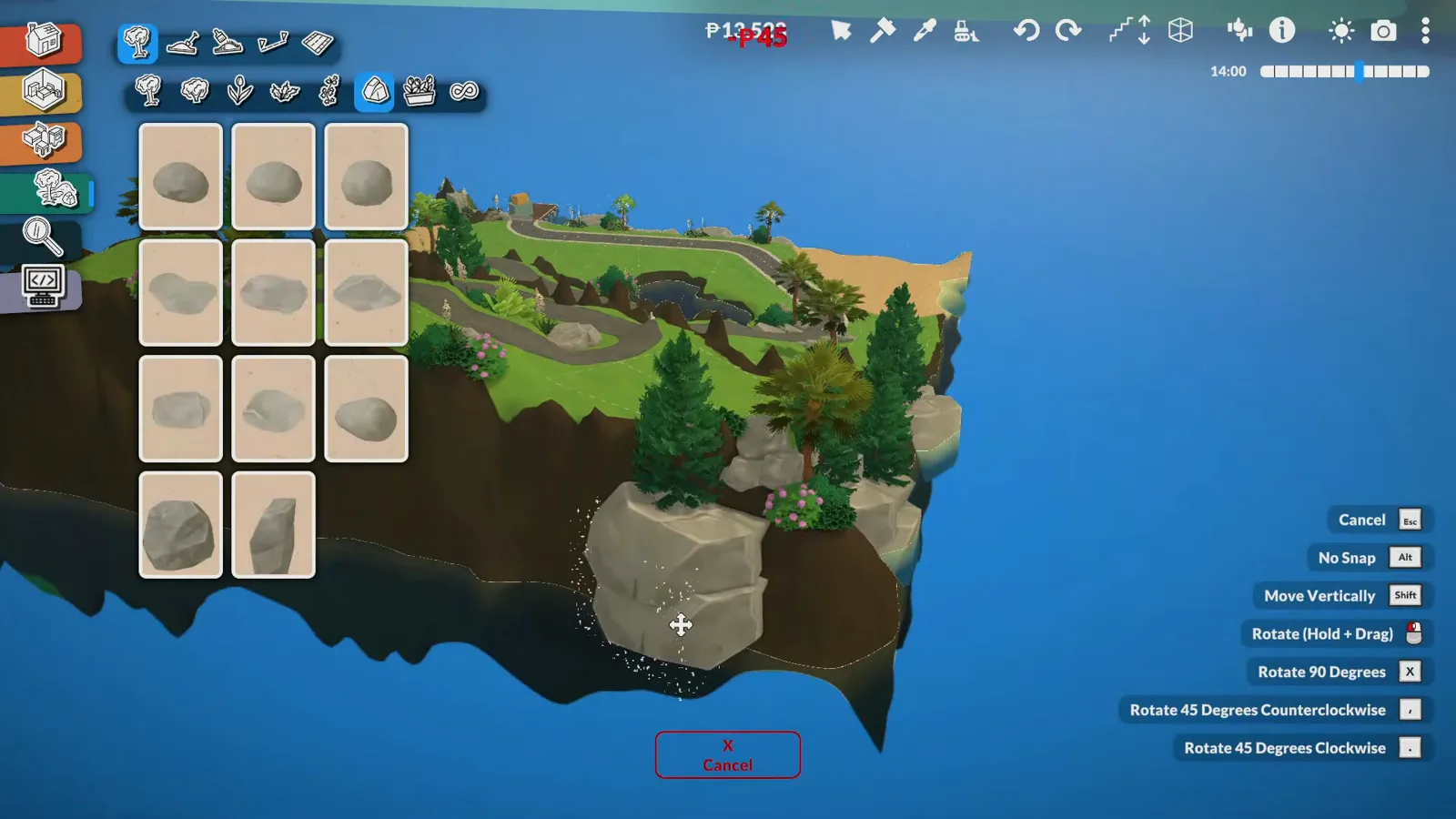
Lush but not tropical — and deliberately under-planted.Watch at 8:40
The plan and the lot trick
A color-coded plan, then a homemade mod
The whole island is zoned on a hand-drawn map with a legend. Then comes this episode's most reusable trick: an empty local mod that lets any lot be bought, sold and re-typed — shown here step by step, checkbox by checkbox.
- 6
Draw the town plan with a color-coded legend
Before the first public building, the whole island gets a plan: a hand-drawn map with a legend assigning districts — residential terraces on the hilly side, a central quarter for the town hall, library, schools and a grocery store with an apartment above, plus a medical center, two restaurants (one upscale, one family pizzeria — the game has no seafood yet), a beach and a park. The dock district was meant to be public space but landed residential; changing it is exactly what the next steps are for.
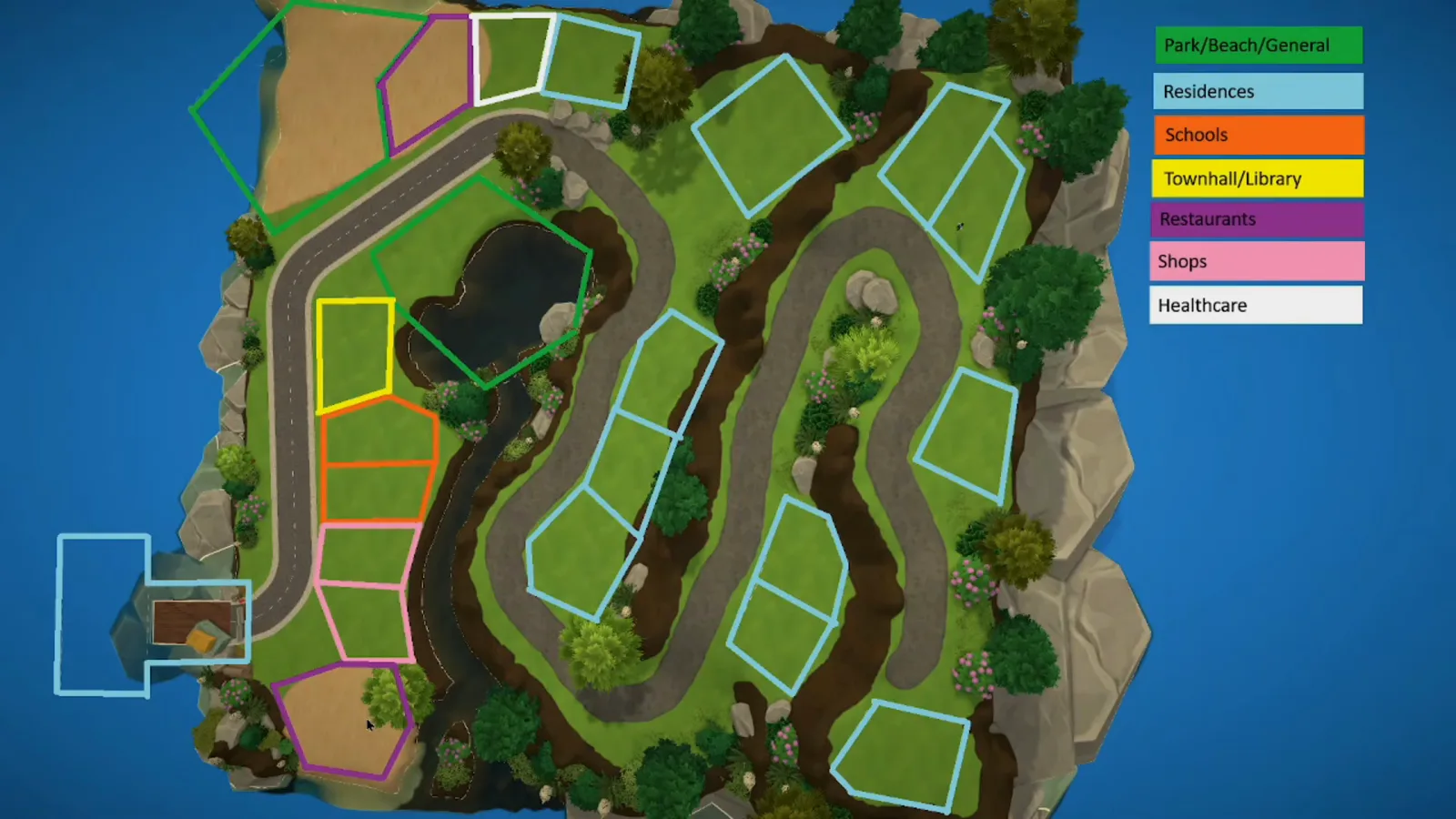
Plan in colors first — the legend is the zoning law.Watch at 11:00 - 7
Create an empty local mod for lot types
Paralives has no menu for re-typing a lot, so the fix is a mod you make yourself in a minute. From the home screen, open Mods and create a new one — the creator names hers "Local Mod - Lot Types" so future-you knows what it does — then select it and choose edit. Nothing is downloaded; the mod lives only in your game.
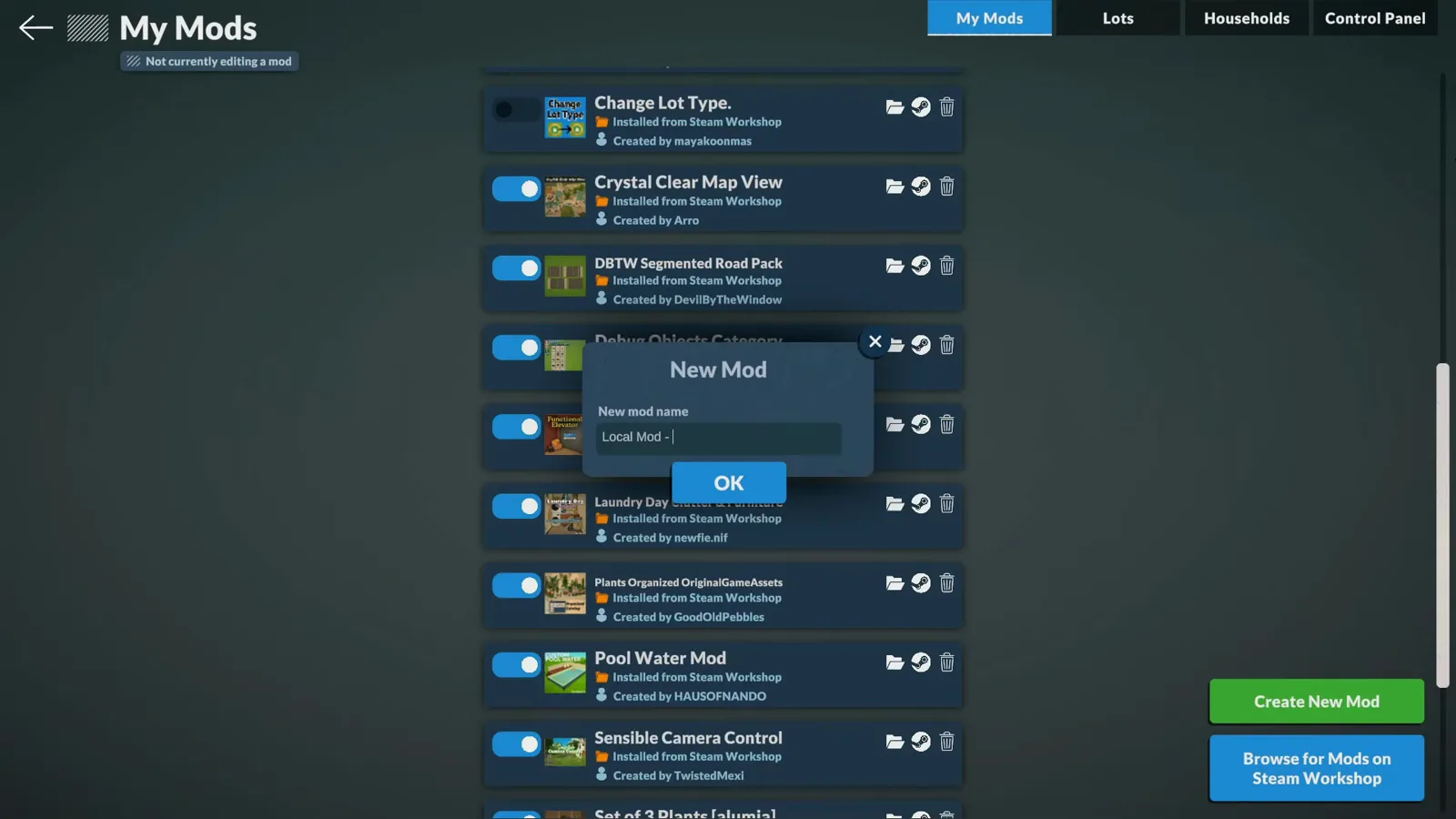
The trick needs no download — the container is an empty local mod.Watch at 12:55 - 8
Flip the lot rules in the Control Panel
While editing the mod, open the Control Panel and scroll to the city section: Lot Types. Enable "Can Buy All Lot Types" so Paras can purchase anything, then set the Default Lot Type — she used Park. Stop editing and load your world: every lot on the map now shows as the default type with a For Sale tag. The panel's list doubles as the game's full venue menu, from Residence to TownhallLibrary and Beach.
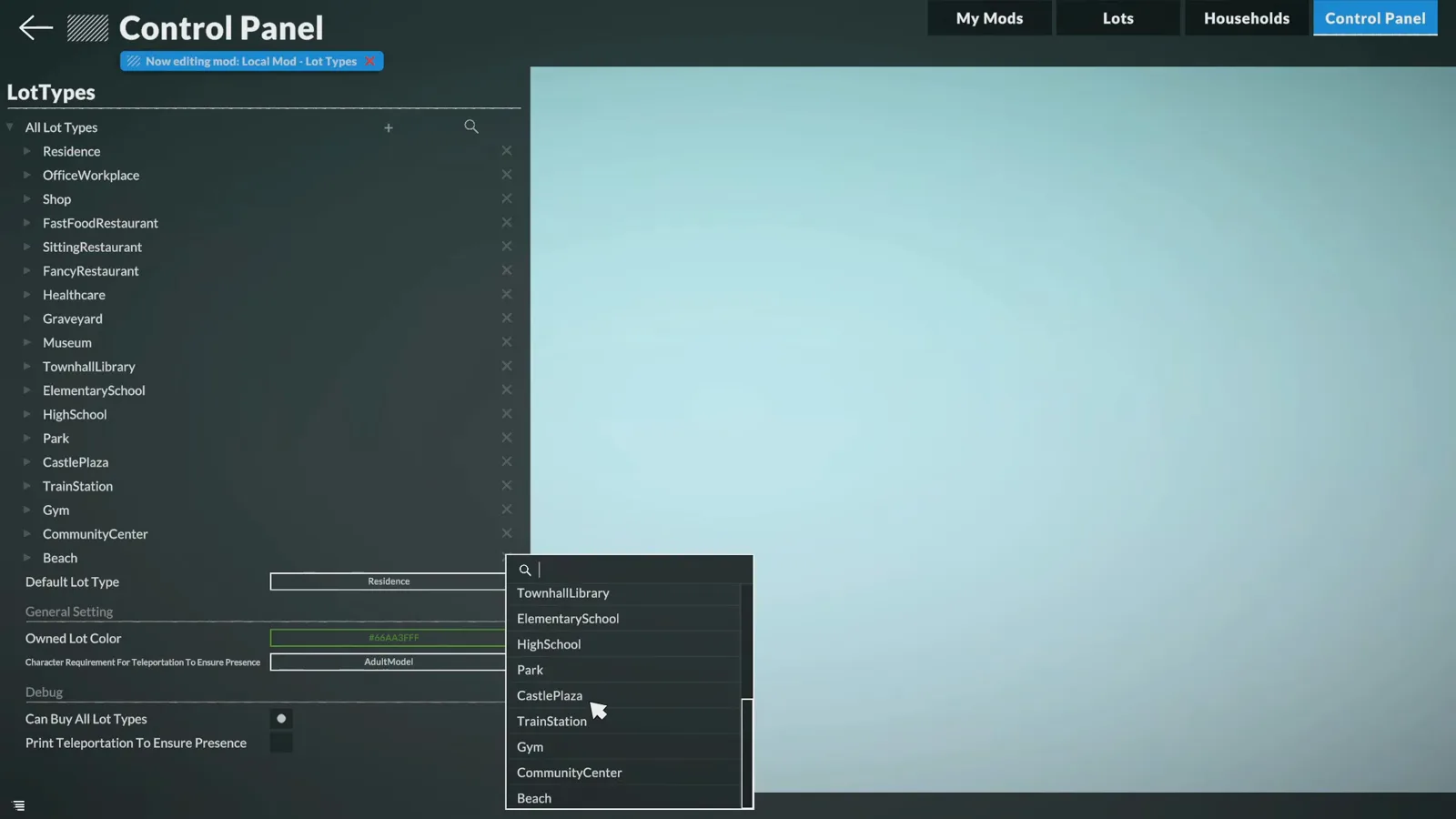
One checkbox and one dropdown — the whole cheat sheet.Watch at 13:40 - 9
Buy the lot you want to convert
Now the odd part the game never explains. In live mode, your household purchases the plot that should change type — here a small park lot for P3,270 — and then immediately sells it back. The creator admits it: "this is very important for a reason. I don't know why, but it is." The purchase is what stamps the lot so the second edit can find it.
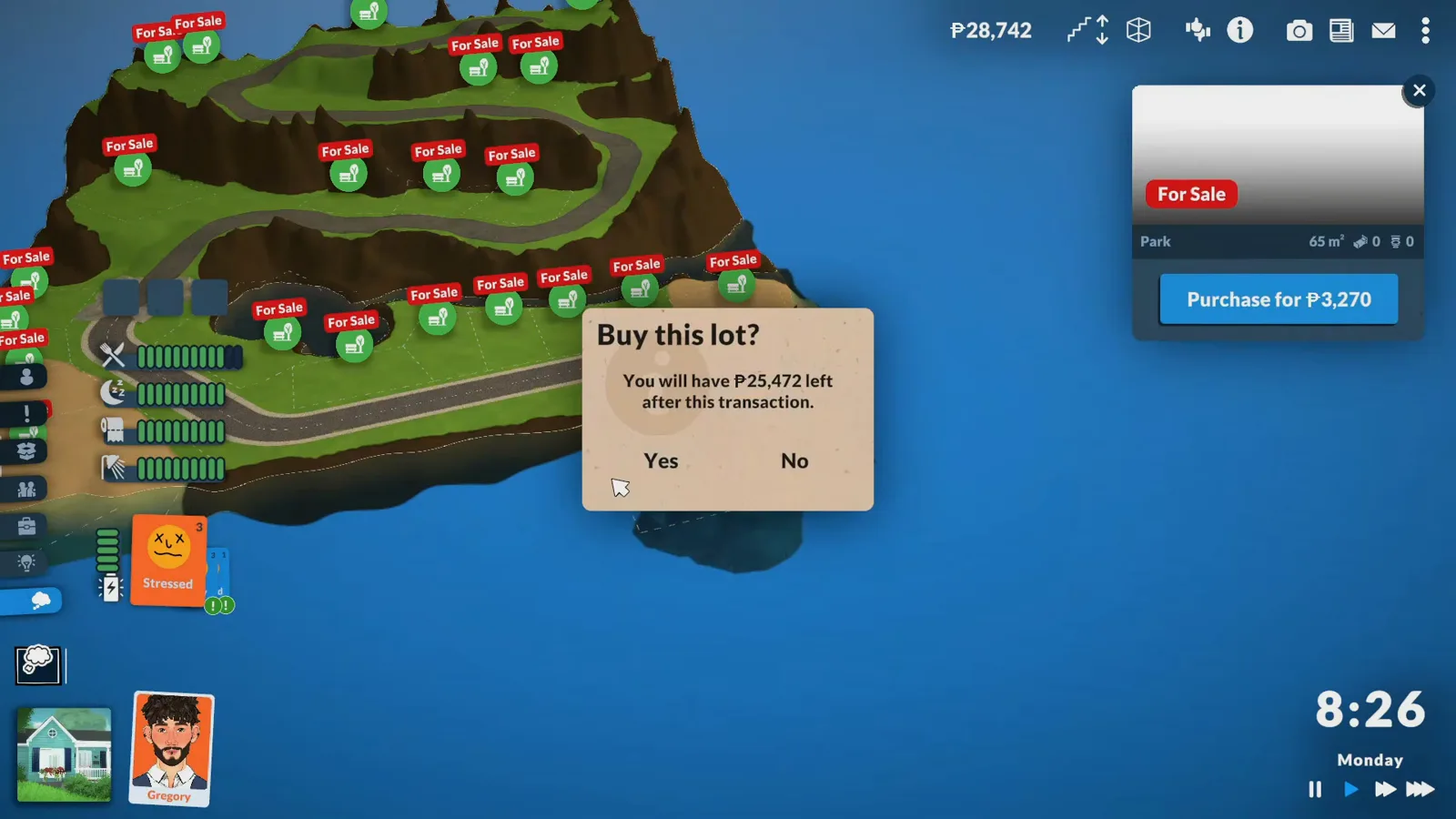
Buy it, sell it — the game's least intuitive required step.Watch at 14:18 - 10
Sell it back, save, then set the real type
Sell the lot from its own panel, then go to the main screen and save the game — she calls the save every bit as mandatory as the purchase. Only then do you edit the mod again and change the Default Lot Type to the type you actually want, residential in her case. Back in the world, the lots you touched keep the old type while everything else re-types — which is how she plans to turn the dock district public after all.
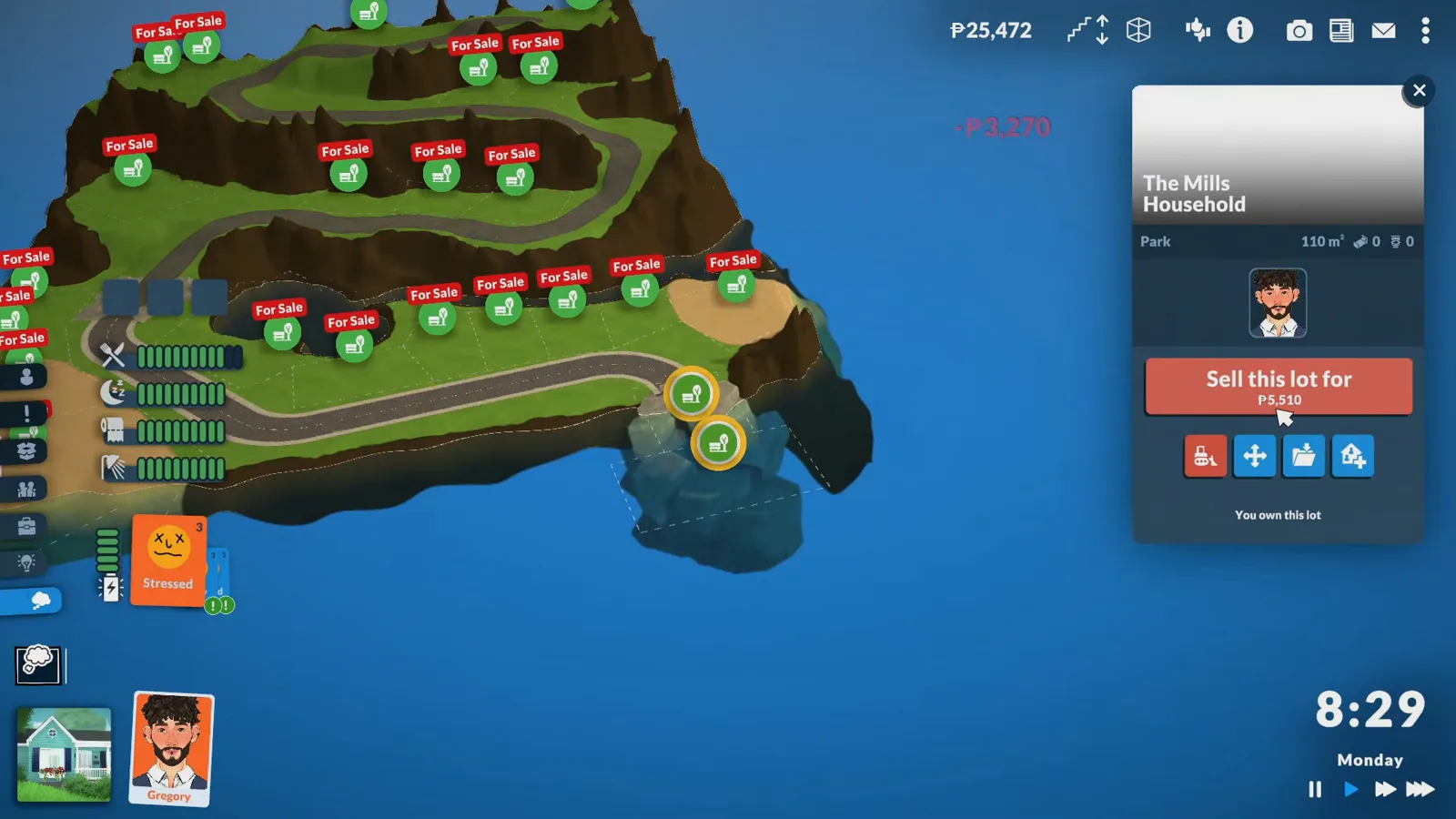
Sell, save, re-edit — in that order or it does not take.Watch at 14:22
Town Hall and Library
The civic anchor in stone and green
The first public lot is the game's own Town Hall and Library type: a stone facade built to look centuries old, shutters that switched from blue to green mid-build, ivy planted by sunlight — and a ground floor hiding a costly surprise.
- 11
Open the town with the Town Hall and Library
The first community lot is the game's own Town Hall and Library lot type — chosen after researching what public buildings a small island town actually needs, and visible by name in the mod panel's lot list. The shell starts like any build: walls up, then a dark red hip roof from the roof shape menu over the stone facade to come.
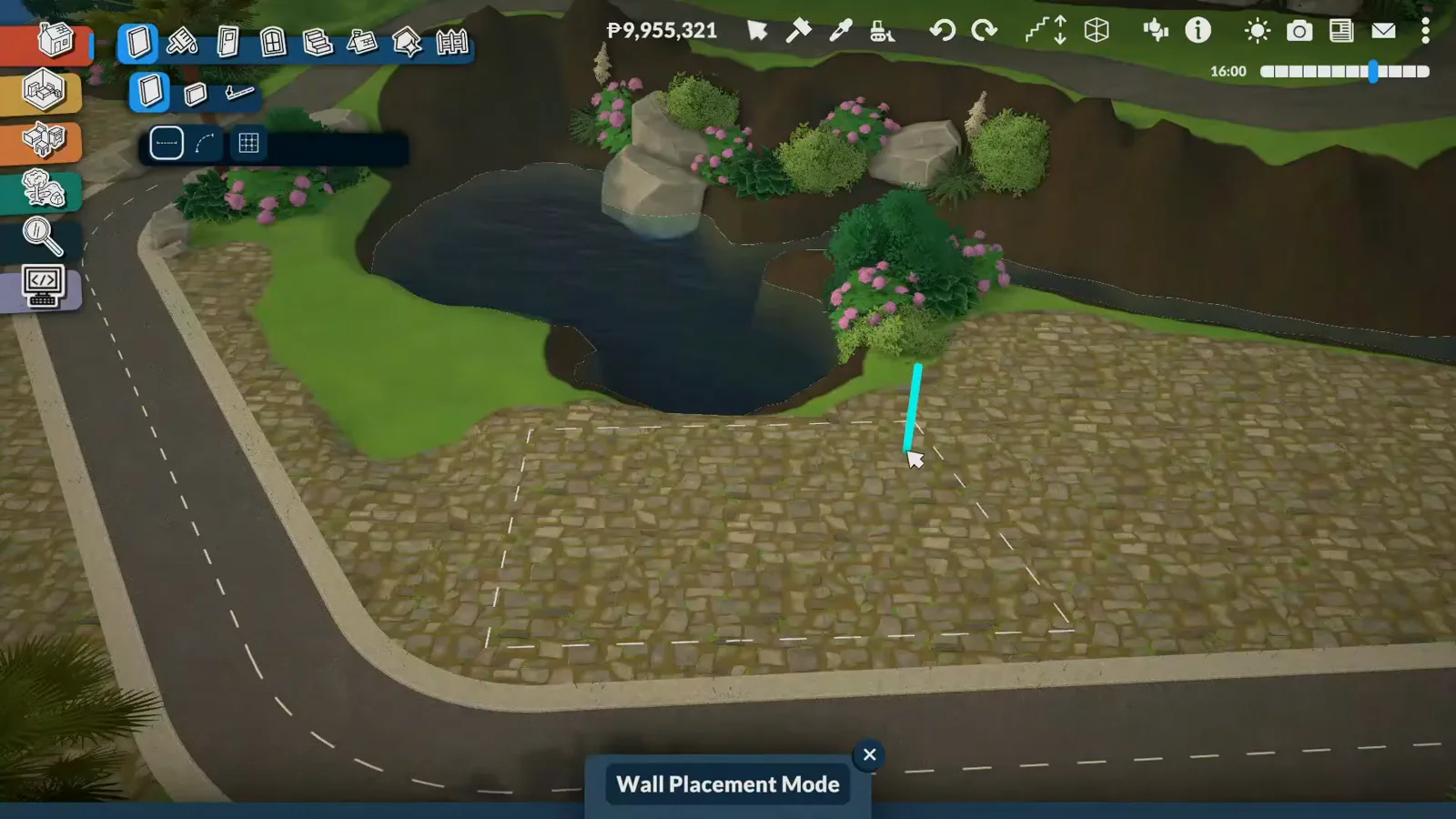
The civic anchor: one lot type, one roof to start.Watch at 15:00 - 12
Commit to stone walls and green shutters
The town hall reads as the island's oldest building — standing for centuries, restored rather than rebuilt — so it gets a neat stone facade and plenty of shutters. Blue was the original plan; after trying green against the stone, she switched for good. The wider town palette waits in the wings: blues, yellows and corals on future buildings, with the stone texture carried through all of them.
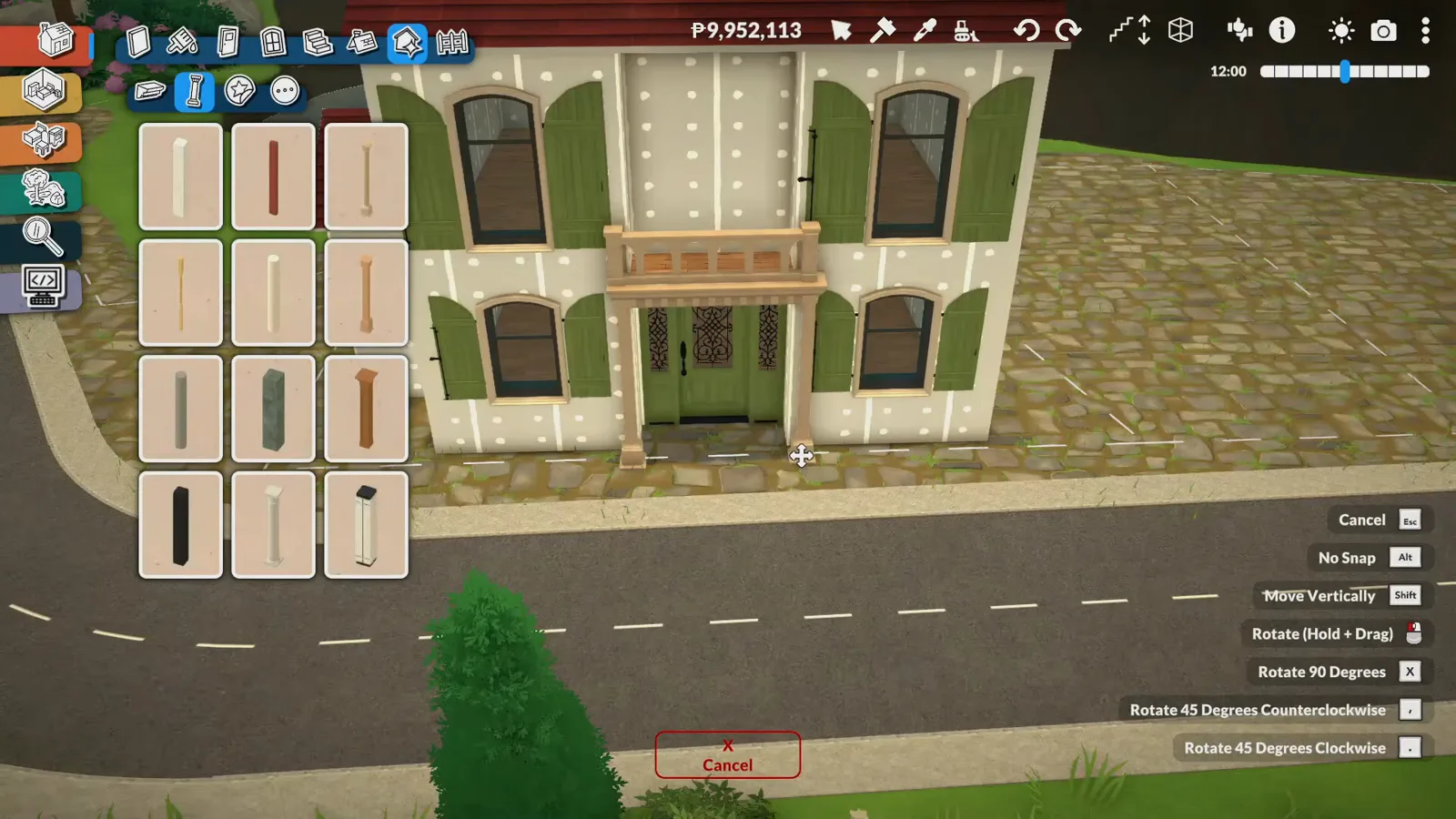
Blue was the plan; green against stone won on the spot.Watch at 17:00 - 13
Grow ivy only where the sun would hit
The climbing plants follow real-world logic: ivy covers the sides where the sun lands — mostly the left of the facade, a little at the front and back — and skips the right side entirely, because the neighboring building will one day cast its shadow there. It is exactly the kind of quiet storytelling that makes a build feel like it has stood for a hundred years.
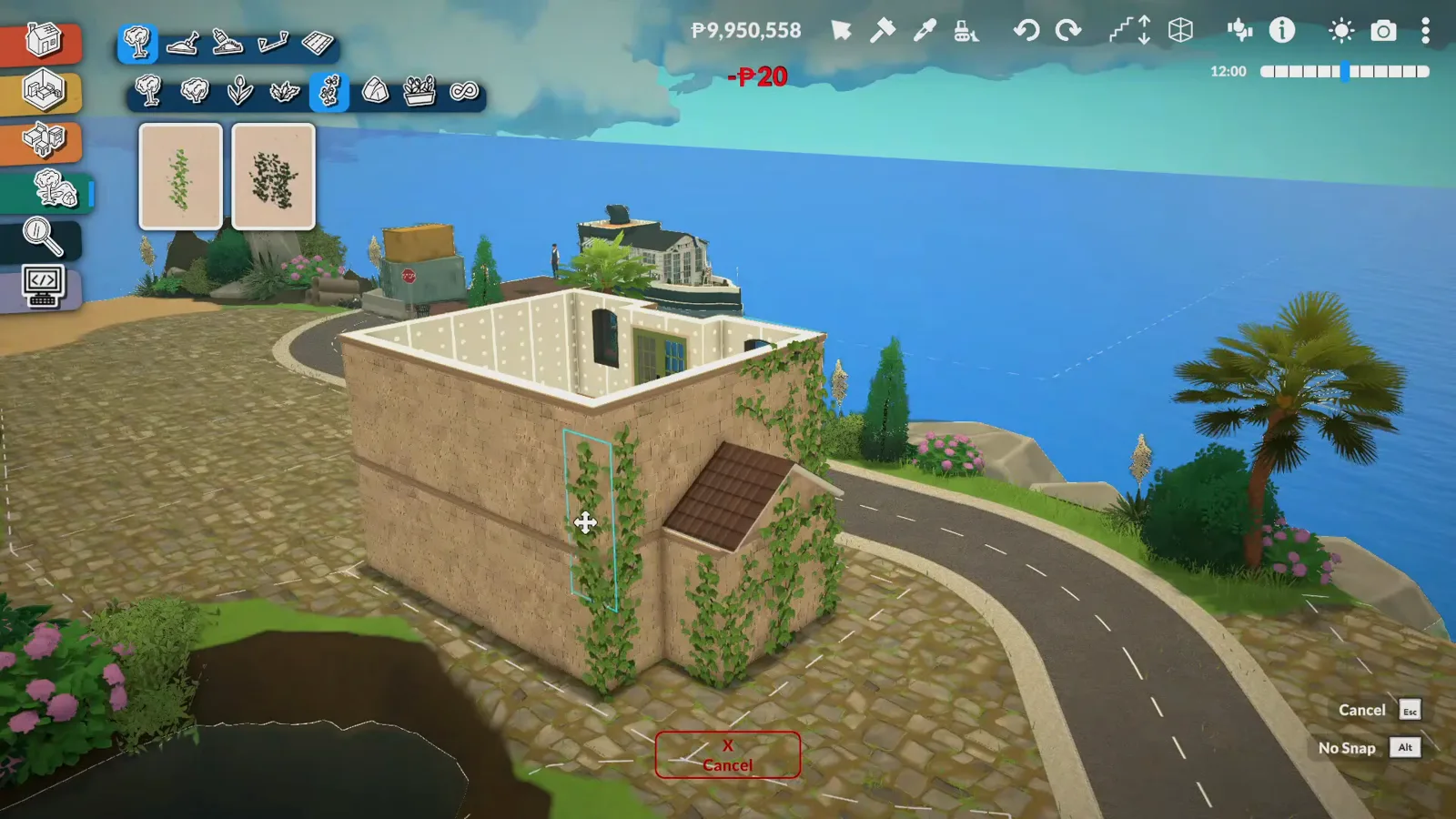
Sunward walls get the ivy; the shaded side stays bare.Watch at 18:20 - 14
Fit a reception, shelves and a surprise
Inside, the ground floor stays simple and functional: a reception desk, walls of bookshelves, seating and a small restroom, with the reading room and a computer area upstairs. Two discoveries along the way: the plot came out smaller than expected, so balconies and flower boxes had to be squeezed through the building code — and the individually placed books on the shelves turned out not to work at all. Some shelf models function; others are purely decorative.
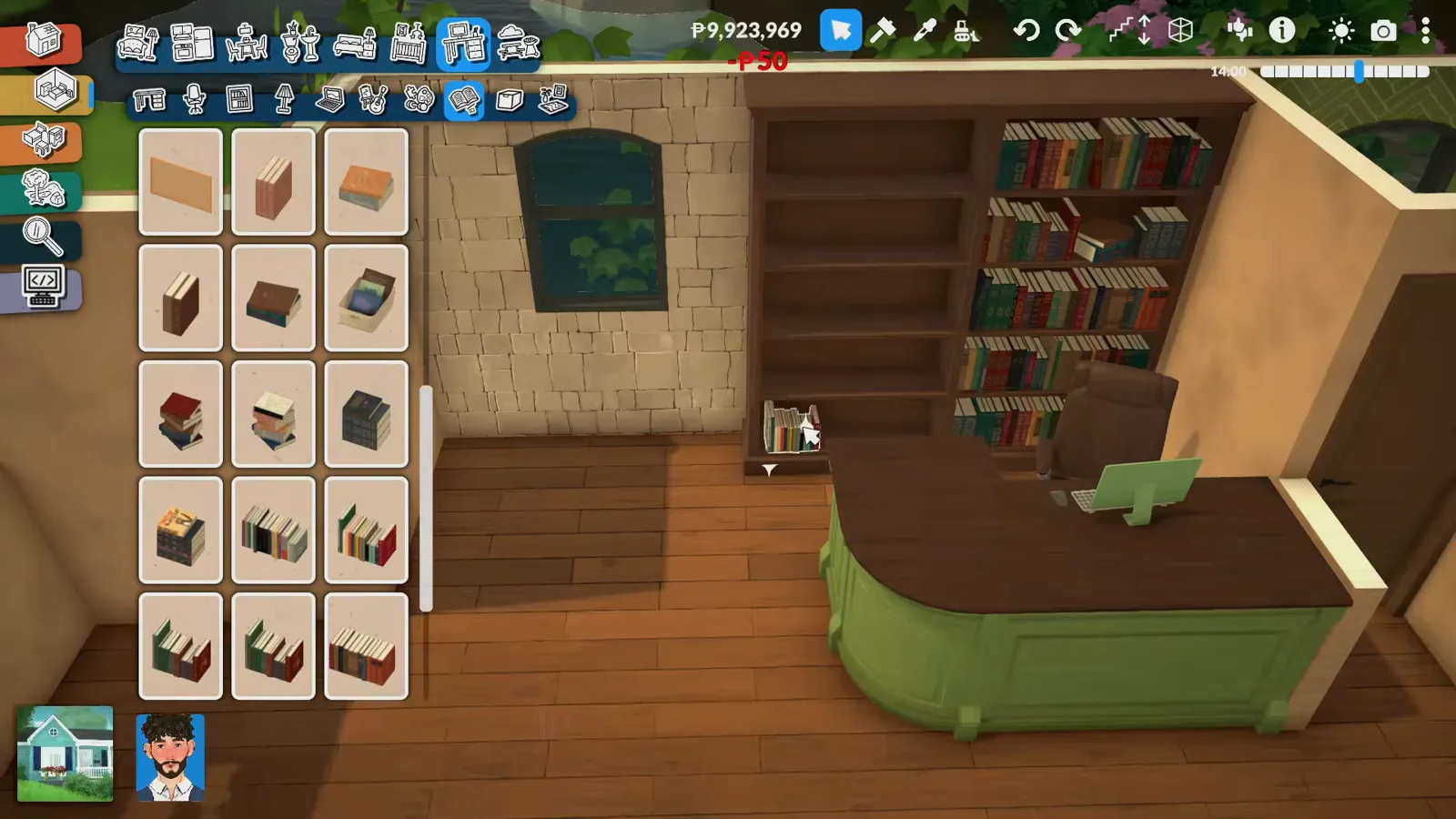
Reception, shelves, seats — and books that are only set dressing.Watch at 19:00
Limits and disclosure
The series is one episode old. Episode 2 — an elementary school, a high school and the town's first grocery store — is announced but not released, and the town still has no name. Whether the dock district ever converts from residential back to public space is never shown; the creator only says she will change it if she can.
Roads and mods, disclosed. The narration credits the streets to an unnamed "set of user content" from Reddit with a link in the description; the catalogue labels and her mod list identify it as the DBTW Segmented Road Pack on Steam Workshop. The lot-type modifier is not a download at all — it is an empty local mod you create yourself, and its Control Panel toggles are shown in full above.
Unverified: why the buy-then-sell step is required — the game never explains it, and no official documentation does either; whether the trick survives Early Access patches; how the home-business mod she mentions works, since she has not used it; and which shelf models in the catalogue are functional versus decorative. None of that is shown, so this page does not guess.
Mediterranean town FAQ
- How do you change a lot type in Paralives?
- Create an empty local mod (Mods, then Create New Mod), edit it, open the Control Panel's city section and choose Lot Types. Enable "Can Buy All Lot Types", set a Default Lot Type, and stop editing. Then in your world: buy the plot, sell it back, save the game, and finally change the Default Lot Type to the type you want. The lots you touched keep the default type; everything else re-types.
- Can roads go up slopes in Paralives?
- The road pieces in this build only work on flat surfaces, and the creator calls Early Access roads difficult enough that she planned around them entirely. Her slope streets are carved and painted directly into the terrain — narrower and windier than any road piece, which suits a Mediterranean hill road anyway.
- What is the DBTW Segmented Road Pack?
- The road kit this build streets its flat districts with. The narration only calls it "user content I found on Reddit" and points to the video description; the pieces carry the DBTW prefix in the catalogue, and the creator's mod list shows DBTW Segmented Road Pack, installed from Steam Workshop.
- Is the Town Hall and Library a real lot type?
- Yes — it is one of the game's own lot types and the first community plot this town builds. The creator picked it after researching what public buildings an island town needs: it gives Paras a place for administrative tasks plus a library to read and study in.
- Are the books on Paralives bookshelves functional?
- Not the individually placed ones — the creator discovered while recording that the single books arranged on her shelves have no interactions. Some full shelf models do work, others are purely decorative, and the game offers no list of which is which. Test shelves in live mode before your Para needs a novel.
Keep building
Mediterranean house build
The house-level version of the style — arched windows, corner walls and one palette inside and out.
Custom city build
An autumn-lit self-built city and its walkable waterfront, in fifteen steps.
Create a World reference
Every world-editor tool and limit behind this island, on one page.
Community lots guide
What community lots exist and how editing them works — the system this mod trick plugs into.
Ramen shop build
A tiny irregular lot turned into a Japanese noodle shop, frame by frame.
Stardew Valley in Paralives
Recreating the Stardew beach on a four-times blank map — same wave, another world.