
The short version
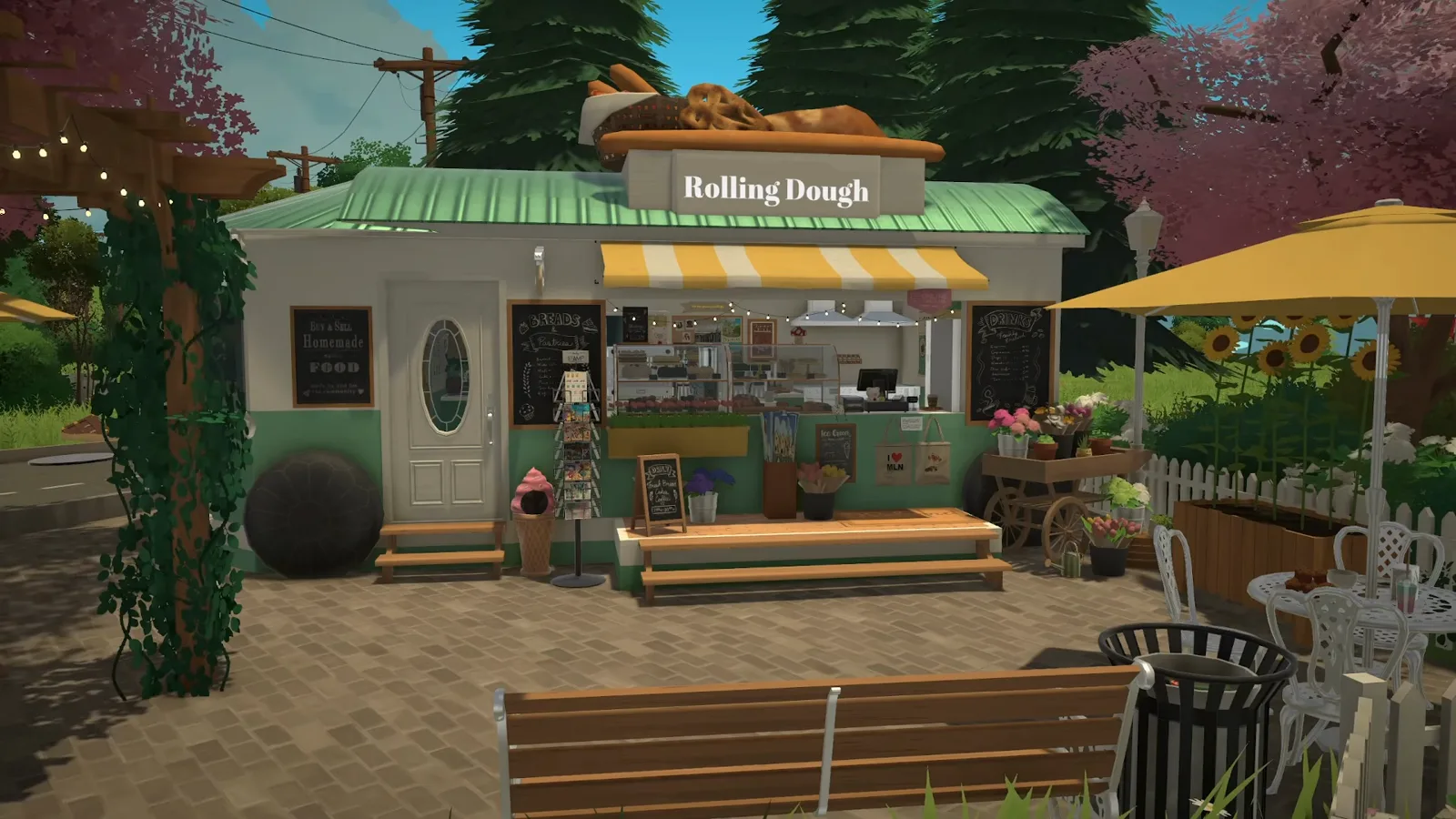
Paralives has no business system as of 0.1.8b — nothing can be sold, so this bakery is staging from counter to chalkboard. AmityAlcove builds the Rolling Dough, a parked vintage trailer bakery on the small triangular lot, and raises it on full walls instead of a platform because, by the creator's account, foundation-less builds can shift on their own and builds downloaded from the Steam Workshop can even disappear completely. Inside: the kitchen along the back wall, a coffee-bar island in the middle, cake cases at the serving window. Outside: a bread-sign roof, a flower cart and a picket fence. The name letters come from a Steam Workshop lettering mod.
- No retail mechanic exists in the game as of 0.1.8b — cakes, price chalkboards and the OPEN sign are set dressing; nothing can be sold.
- Build on full walls: by the creator's account, foundation-less builds can shift on their own, and Steam Workshop downloads can even disappear.
- The advanced transform tool can shift or lose parts placed on vehicles — the wheels and the roof bread go on almost last.
- The "Rolling Dough" letters come from a Steam Workshop lettering mod — the base-game catalogues have no lettering pieces.
The trailer shell
A parked trailer on the small triangular lot
AmityAlcove picks the small triangular lot on purpose: a food truck pulls in, parks, serves a neighbourhood and moves on — a temporary stand, not a fixed shop. The vintage trailer is built deliberately bigger inside than it would fit on a real road; practicality of the interior beats realism. And it goes up on full walls instead of a raised platform — for a reason that runs through the whole guide.
- 1
Park the trailer on the triangular lot
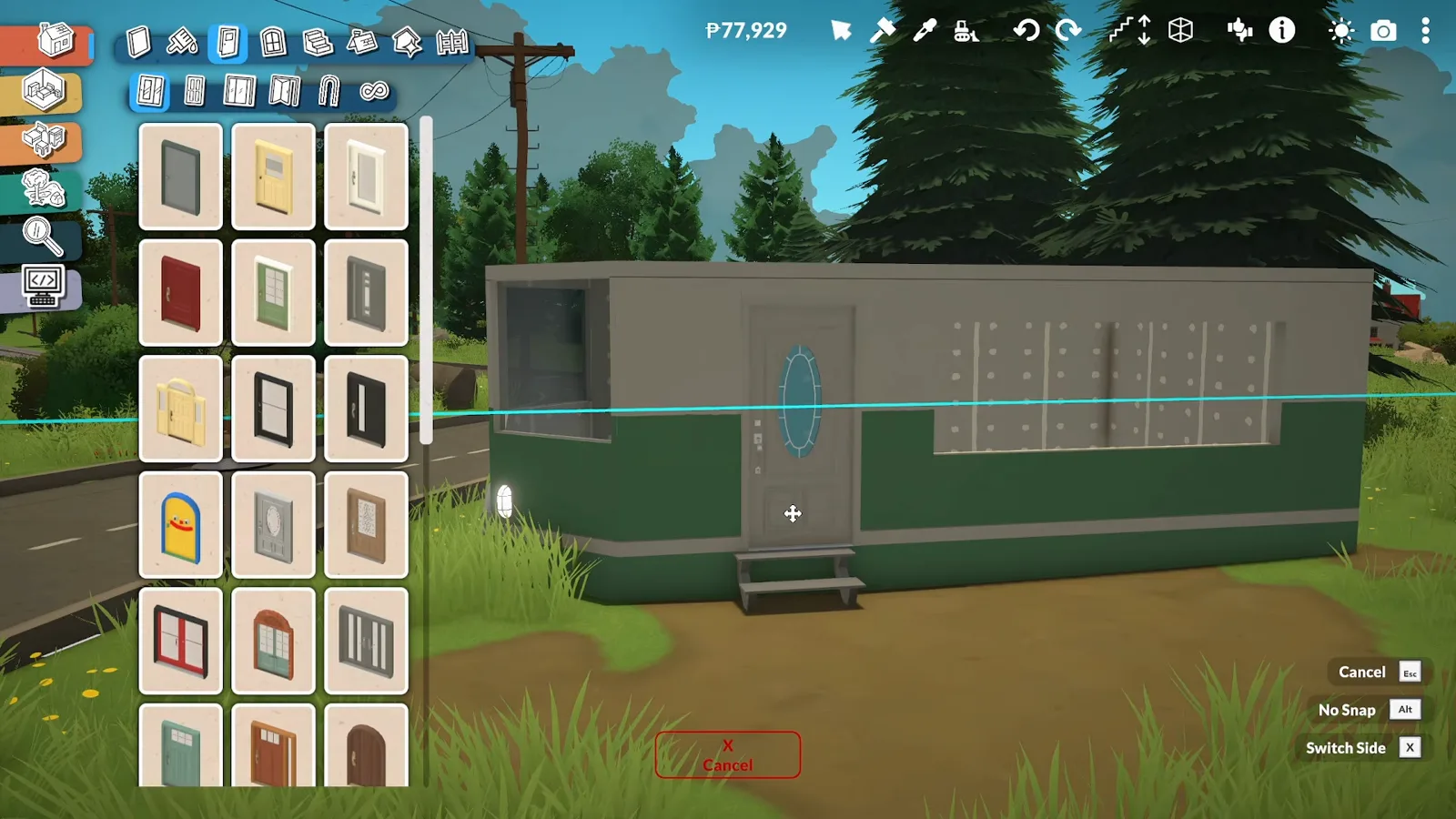
AmityAlcove picks the small triangular lot with intent: a food truck is meant to pull in, park, serve a neighbourhood and roll on — a temporary stand, not a fixed shop. The vintage trailer rises long and low, and the oval-window door is one of the first catalogue picks. Inside it is deliberately bigger than it would be roadworthy — the practical layout wins over realism.
A temporary stand on a temporary lot: the trailer starts long, low and green.Watch at 0:20 - 2
Glaze the shell — full walls, no platform
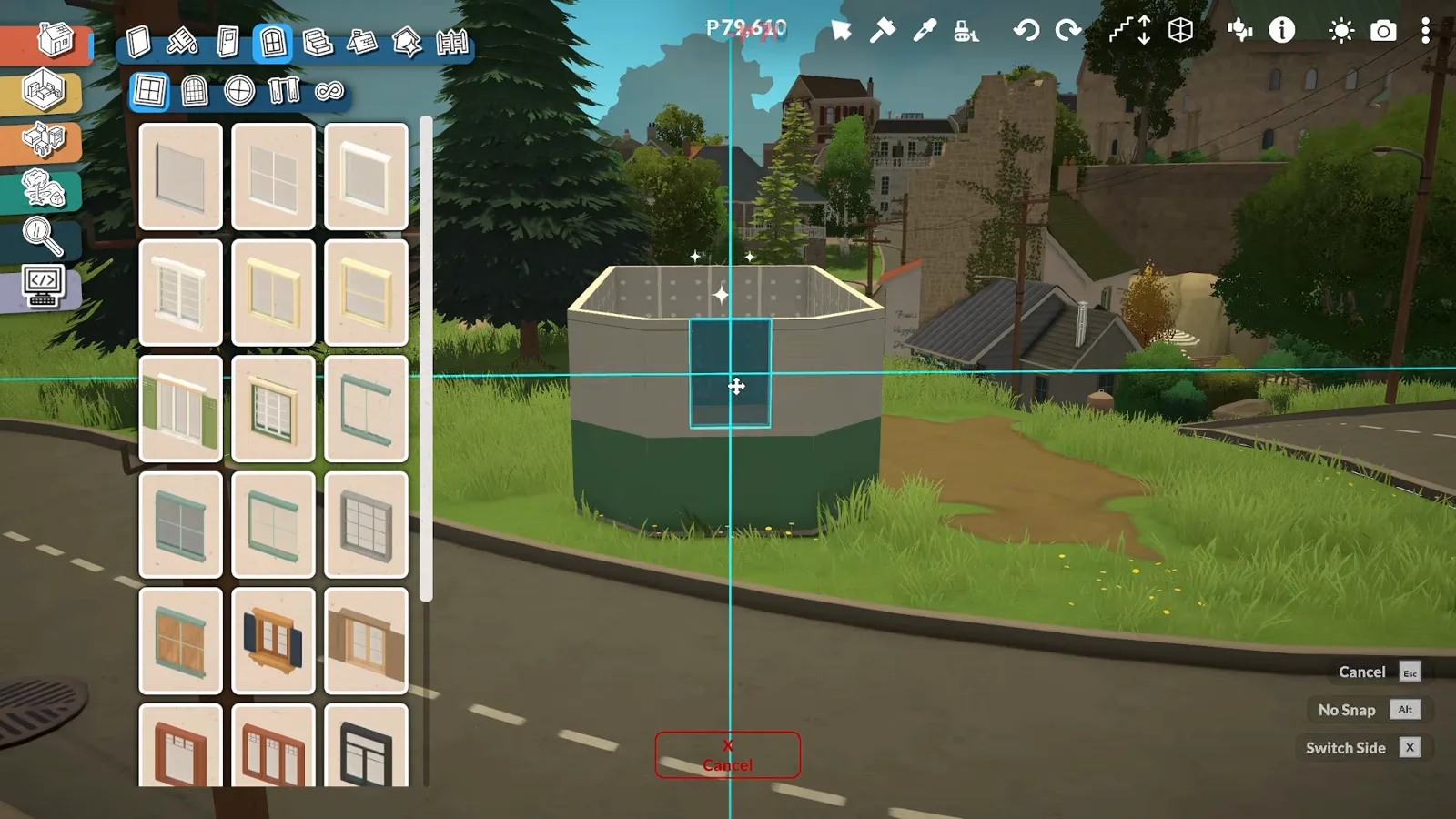
The trailer is built on full walls instead of being raised on a platform. The creator's stated experience: foundation-less builds can shift on their own, and builds downloaded from the Steam Workshop can even disappear completely. Full walls are less realistic for a vehicle, but they make the build reliable to download and use. The window catalogue fills the sides.
Full walls instead of a raised platform — the whole point is a build that survives being downloaded.Watch at 1:00 - 3
Put real bread on the roof sign
The sign board on the roof gets oversized, real-bread props: a giant boule, a baguette, a basket of croissants. Made very large on purpose so it reads from a distance, the bread becomes part of the sign — you can tell it is a bakery without reading a single word.
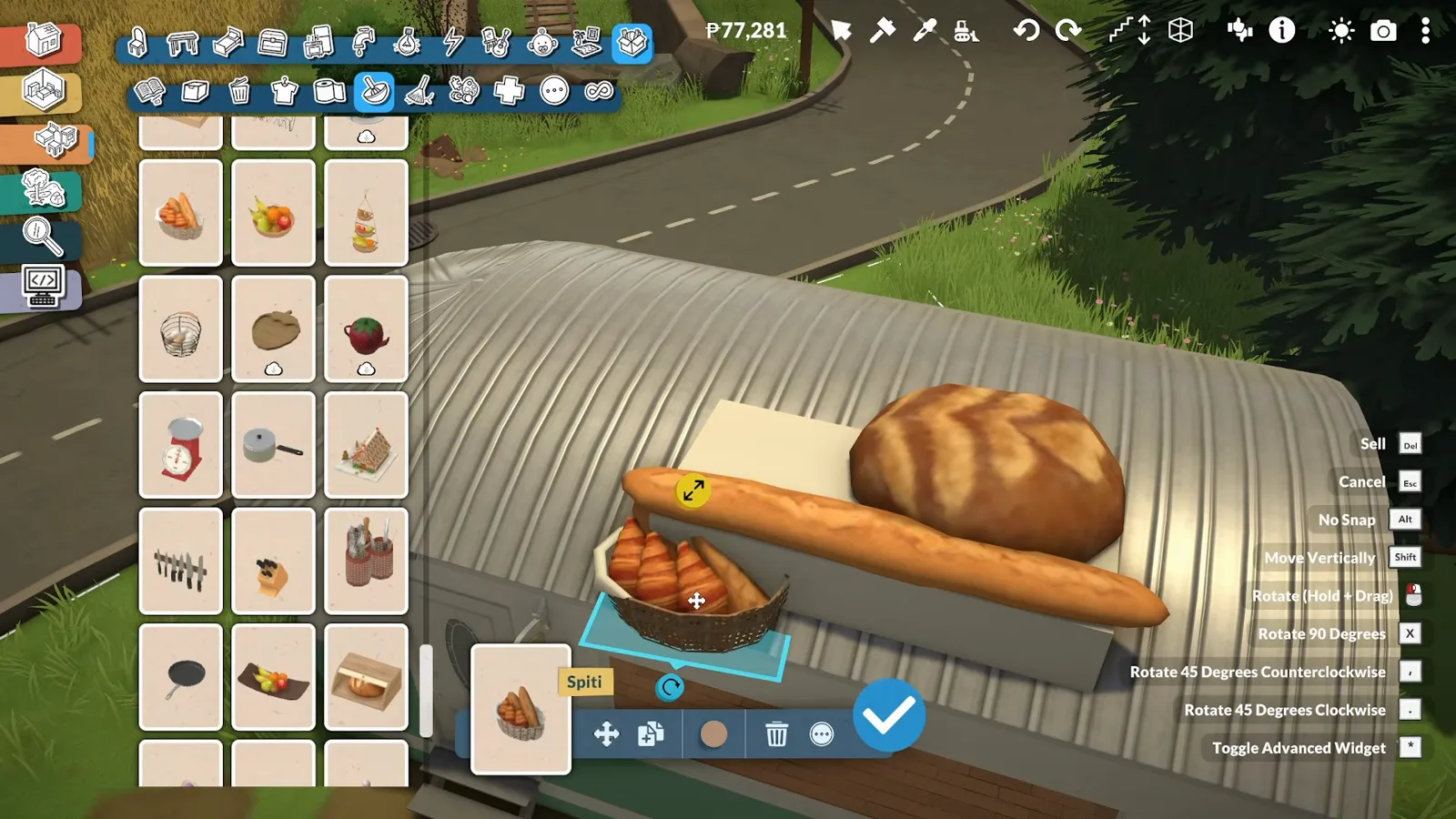
Oversized bread props double as the sign — a bakery you recognise before you read.Watch at 1:40 - 4
Curve the roof, keep the exterior simple
The corrugated roof rounds off at the ends of the trailer, drawn with the curved wall tool. The exterior stays deliberately plain: the advanced transform tool sees heavy use on vehicles, and every mounted part is one more chance for something to shift or vanish — simple walls mean fewer fragile pieces to babysit.
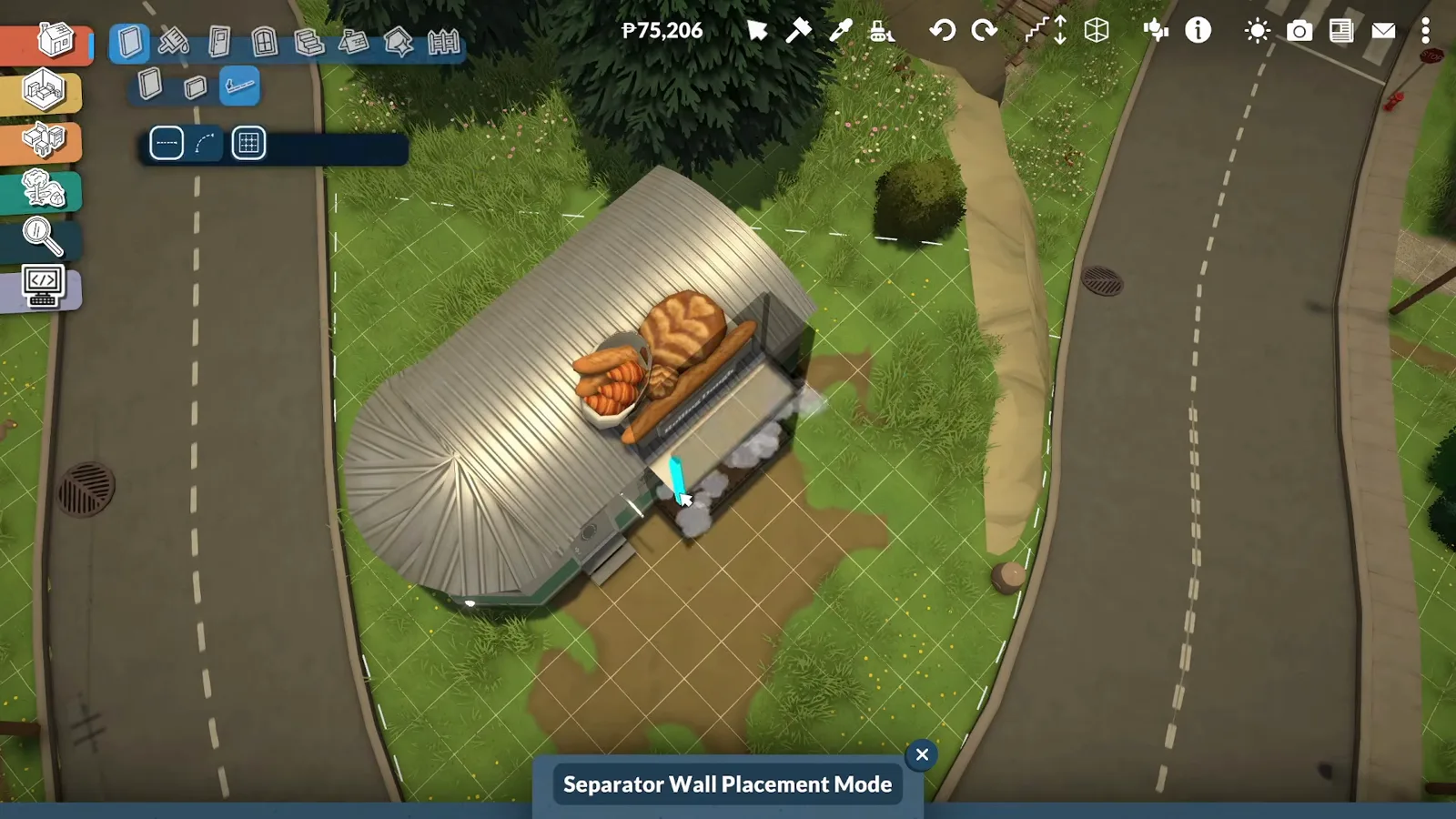
Curved wall tool, corrugated paint, and an exterior kept deliberately plain.Watch at 2:20
Inside: kitchen and staff corner
Ovens along the back, a coffee bar in the middle
The working flow decides the floor plan: the service counter and cake display cases sit on the side where customers walk up to order, while the ovens and prep counter run along the back wall. The centre island becomes a coffee bar with syrup pumps, a corkboard gathers travel photos, and flat rugs double as anti-fatigue mats.
- 5
Lay the counter run under the serving window
Inside, a functional workspace decides the floor plan: the service counter and the cake display cases go on the side where customers approach to order, and the ovens and prep counter run along the back wall to maximise space. The counter is cabinet pieces dragged into one long run beneath the wide serving window.
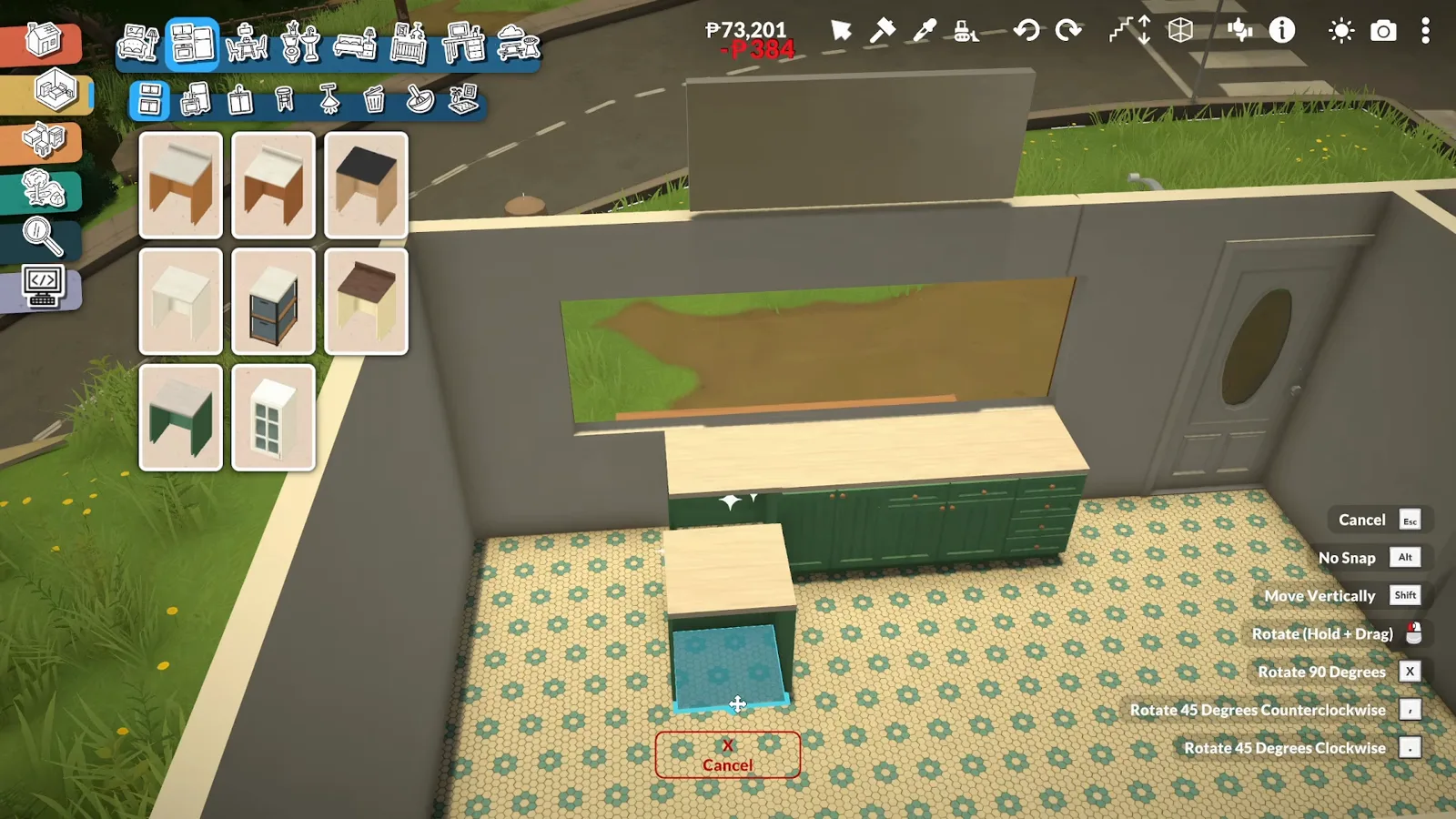
Service side under the window, kitchen along the back — the layout is settled before the appliances arrive.Watch at 3:00 - 6
Fit the ovens along the back wall
The back wall takes the working half of the kitchen: a double sink at one end, a big black range with twin extractor hoods at the other, green cabinets between. The centre island arrives too — it is about to become the coffee bar.
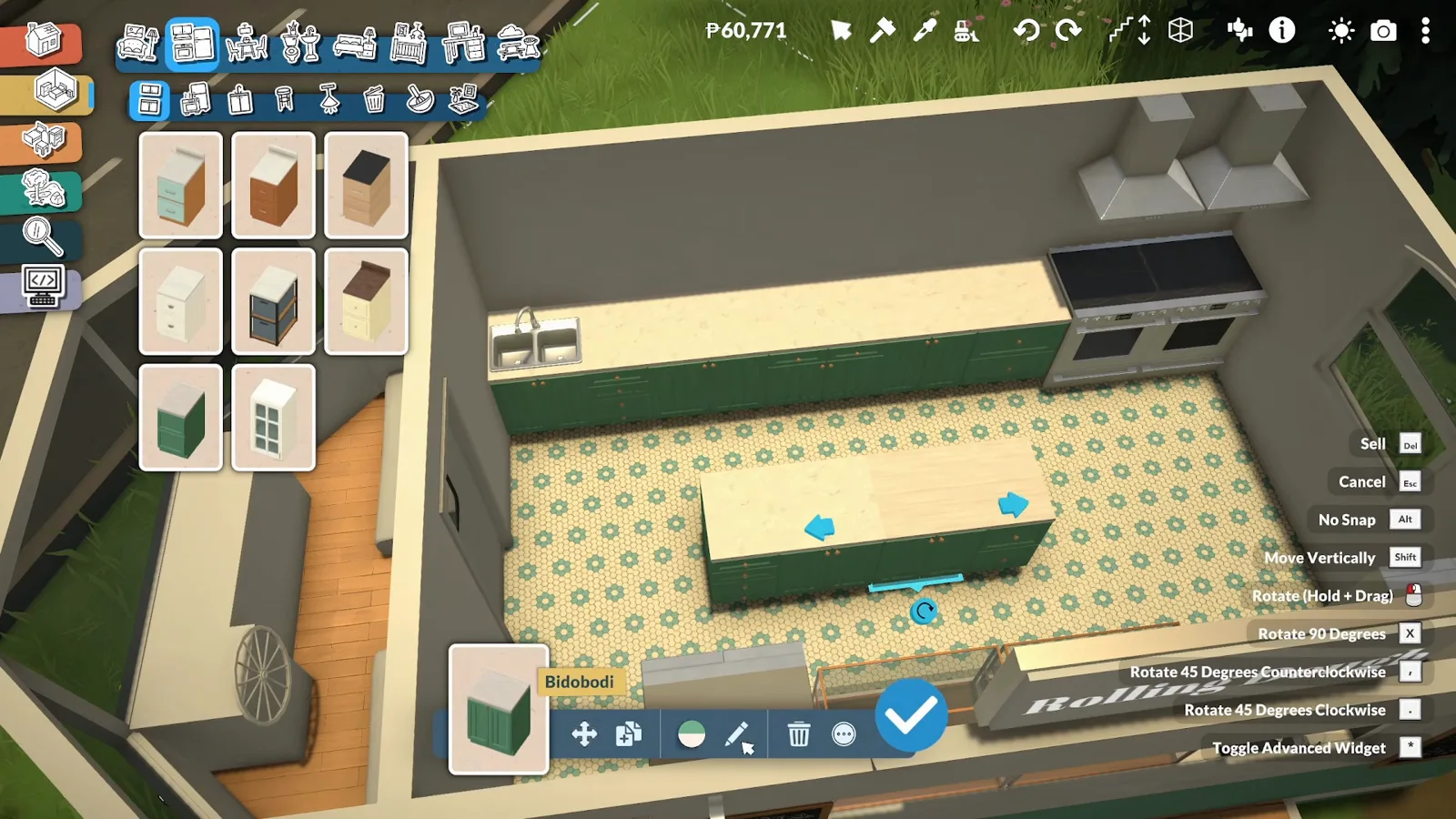
Sink, range, twin hoods — the back wall does the cooking so the counter can do the selling.Watch at 3:40 - 7
Hang a corkboard of travel photos
A corkboard goes on the back wall to display photos of the employees in places they have travelled to together — a personal touch that gives the bakery character and history. The rest of the design follows the same idea: a team that lives on the road, decorating with the memories it collects.
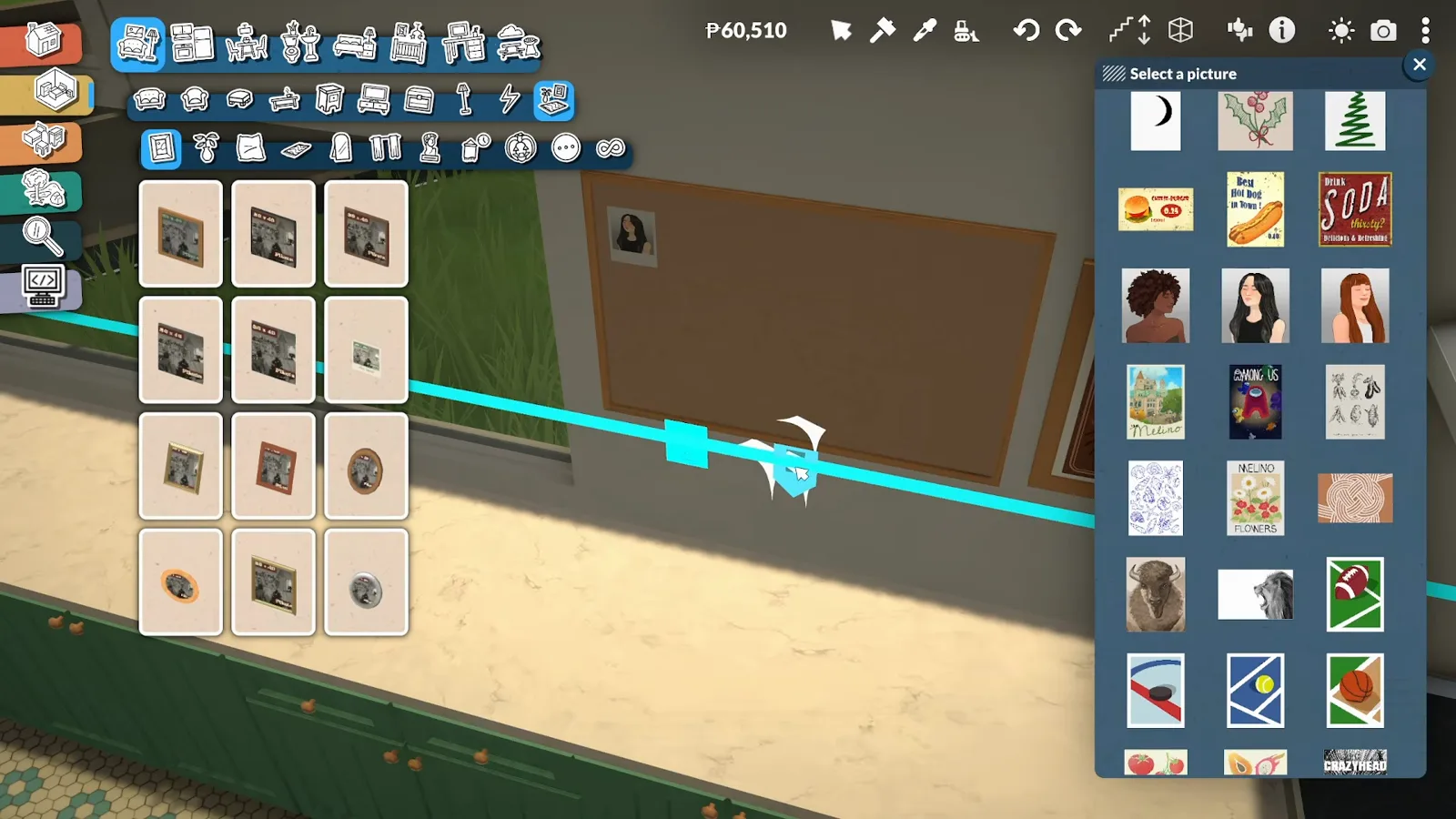
Employee travel photos on a corkboard — the decor tells the crew's story, not the catalogue's.Watch at 4:00 - 8
Scatter letter cards from the lettering mod
The letter pieces in this build come from a Steam Workshop lettering mod — they show up in the catalogue as Letter cards. Green letters punctuate the travel-photo corner, the same alphabet that will later spell the bakery's name outside. Paralives has no official lettering; these are cosmetic workshop pieces.
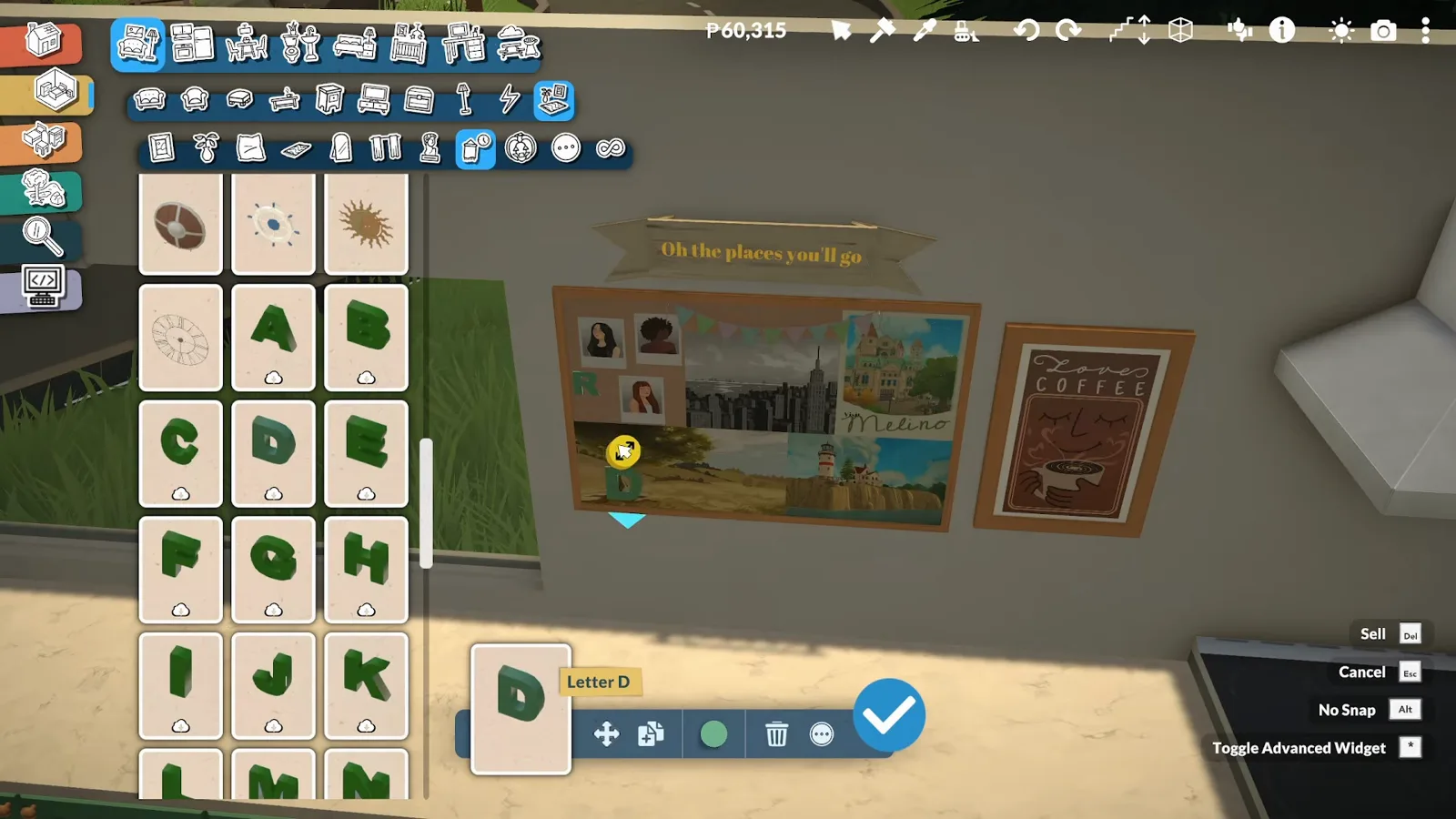
Letter cards straight from the workshop lettering mod — decor now, signage later.Watch at 4:40 - 9
Build the centre island into a coffee bar
The centre island serves as a coffee bar so the pastry shop can offer fresh coffee with its cakes: a lever espresso machine, a bean-to-cup brewer and twin grinders. The star is the syrup pump holder — instead of rummaging through a bunch of bottles, the barista just reaches over and pumps the syrup they need.
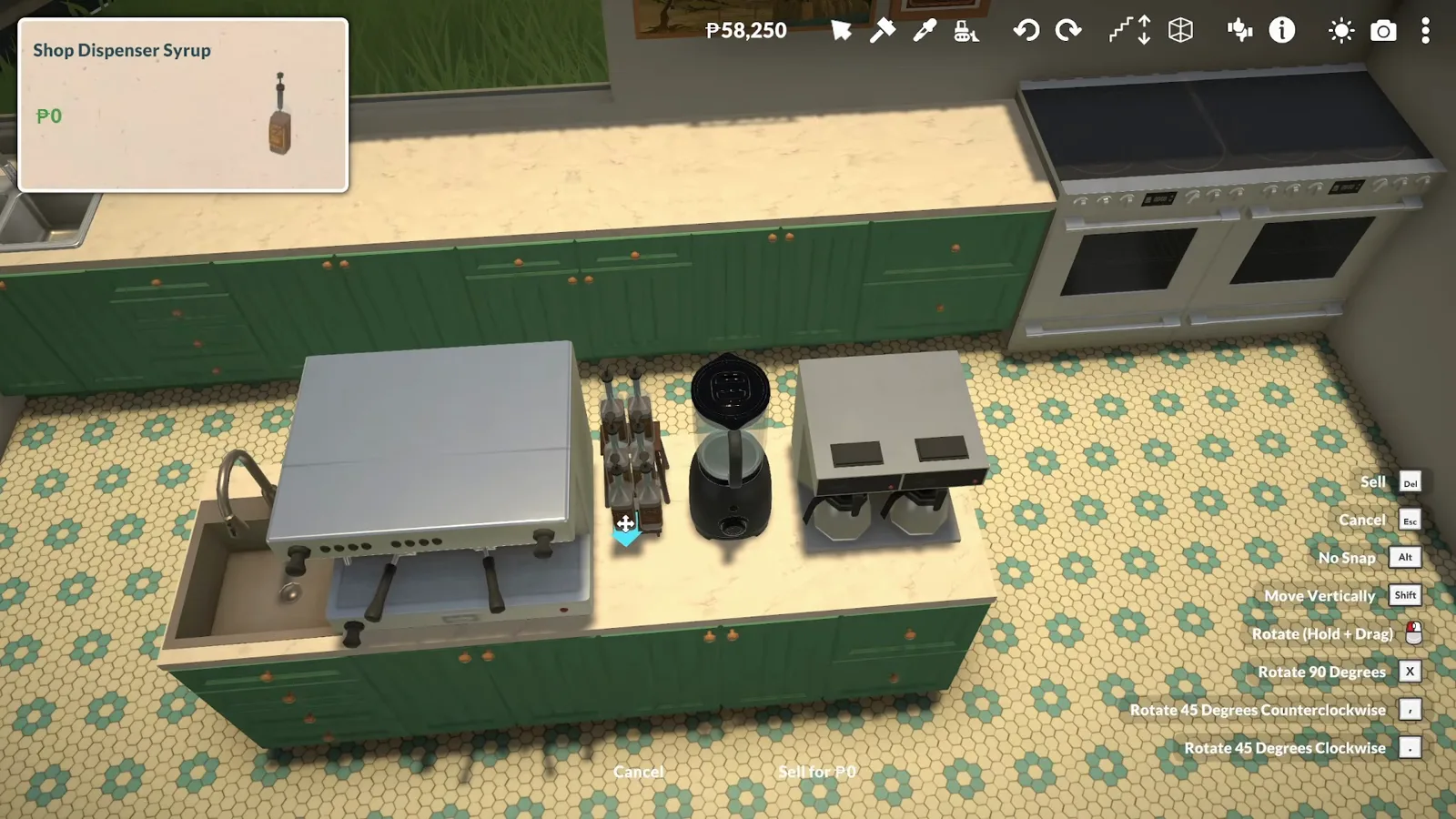
Syrup pumps within reach, grinders in a row — the island earns its spot in the middle of the kitchen.Watch at 5:40 - 10
Prop the prep counter and roll out the rugs
The prep counter gets working props — a rolling pin, mixing bowls, a dish rack. One honest gap: the creator forgot a dishwasher, and no large commercial mixer could be found on the Steam Workshop, so the bakers knead by hand. Flat rugs go down as anti-fatigue mats for a crew on its feet all day.
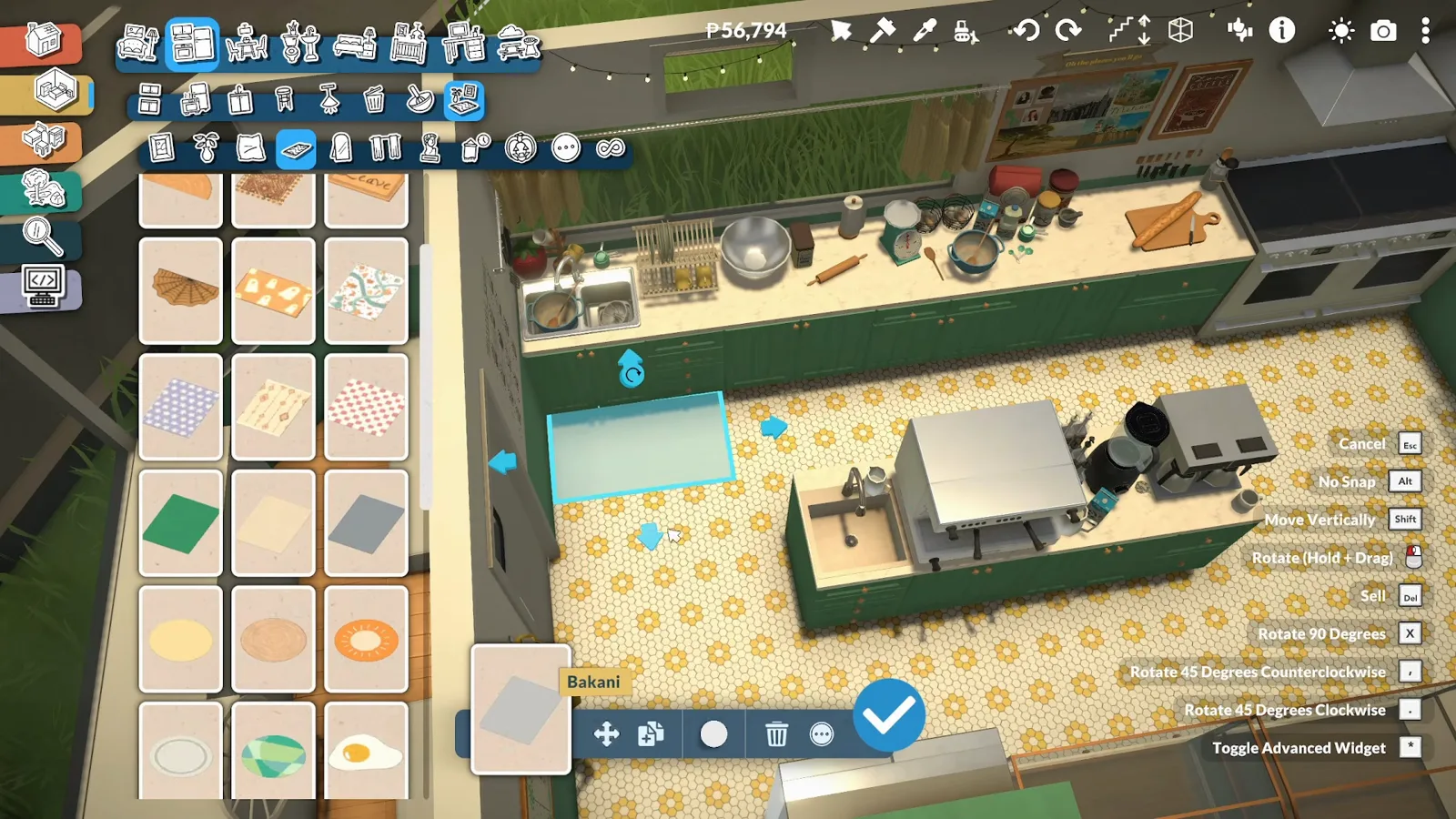
Anti-fatigue rugs, rolling pin, mixing bowls — and no dishwasher in sight.Watch at 7:20
Front of house
Cake cases, a flower cart and the driver's lounge
The glass display case fills with cakes brought over from the village café — the same cross-lot move the creator demonstrates in their cat café video. Outside, the trailer displays local-partnership products, the driver's area doubles as a break room, and the roof bread gets its final turn.
- 11
Stock the display case with cross-lot cakes
The glass display case fills with cream cakes, a chocolate cake and cupcakes — brought over from the village café, the same cross-lot move the creator demonstrates in their cat café video. A price-list chalkboard stands beside the case, and everything is arranged the tidy, appealing way a former barista would. Nothing here can actually be sold — it is staging.
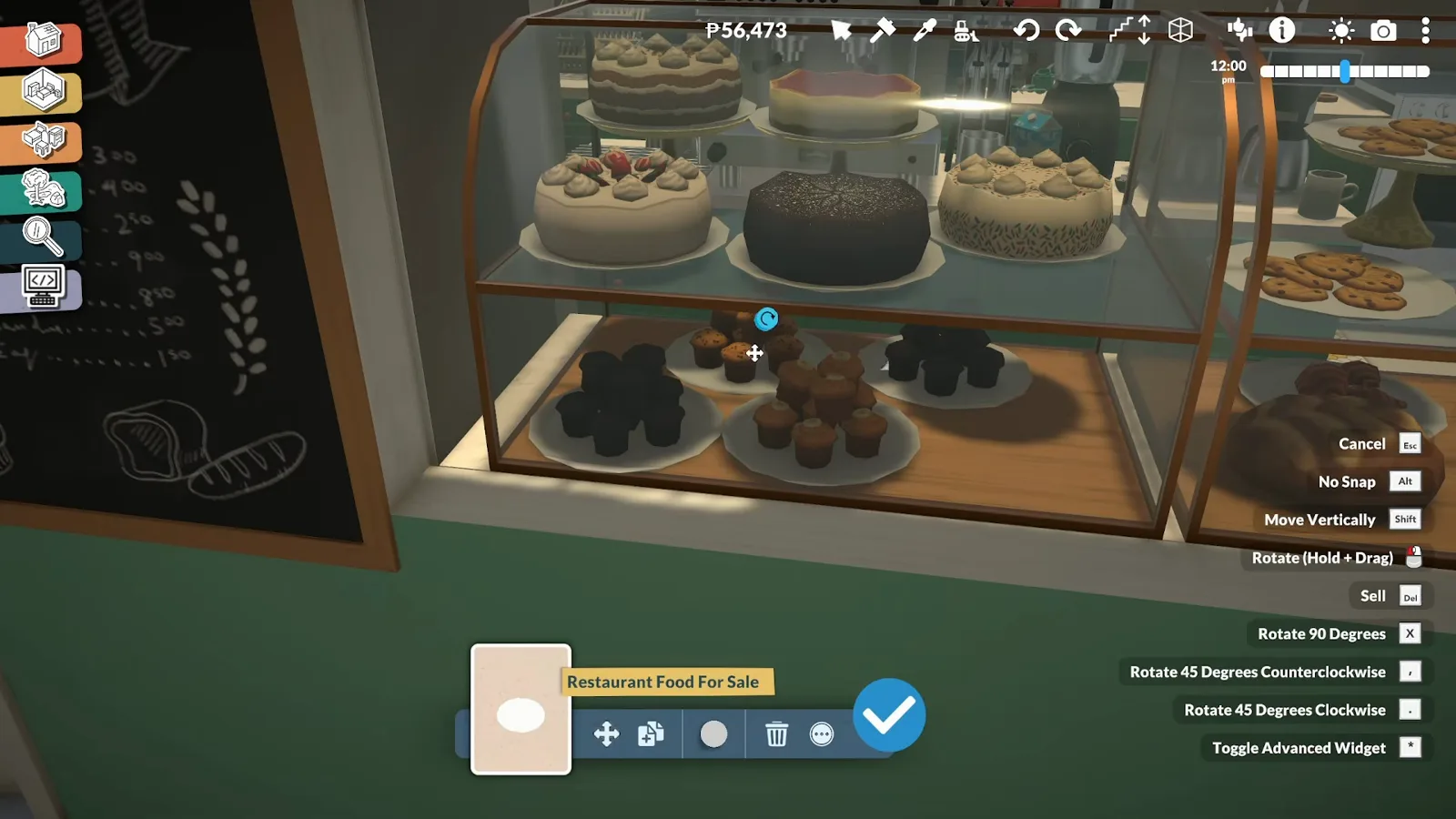
Cakes from the village café, arranged barista-tidy — a display that sells the look, not the goods.Watch at 8:20 - 12
Dress the service side for the neighbourhood
Outside, the bakery partners with local businesses and displays their products next to its own — wherever the truck parks, the team builds a little bond with that community. A flower cart of tulips stands beside the service window under the striped awning, with a DRINKS chalkboard on the wall.
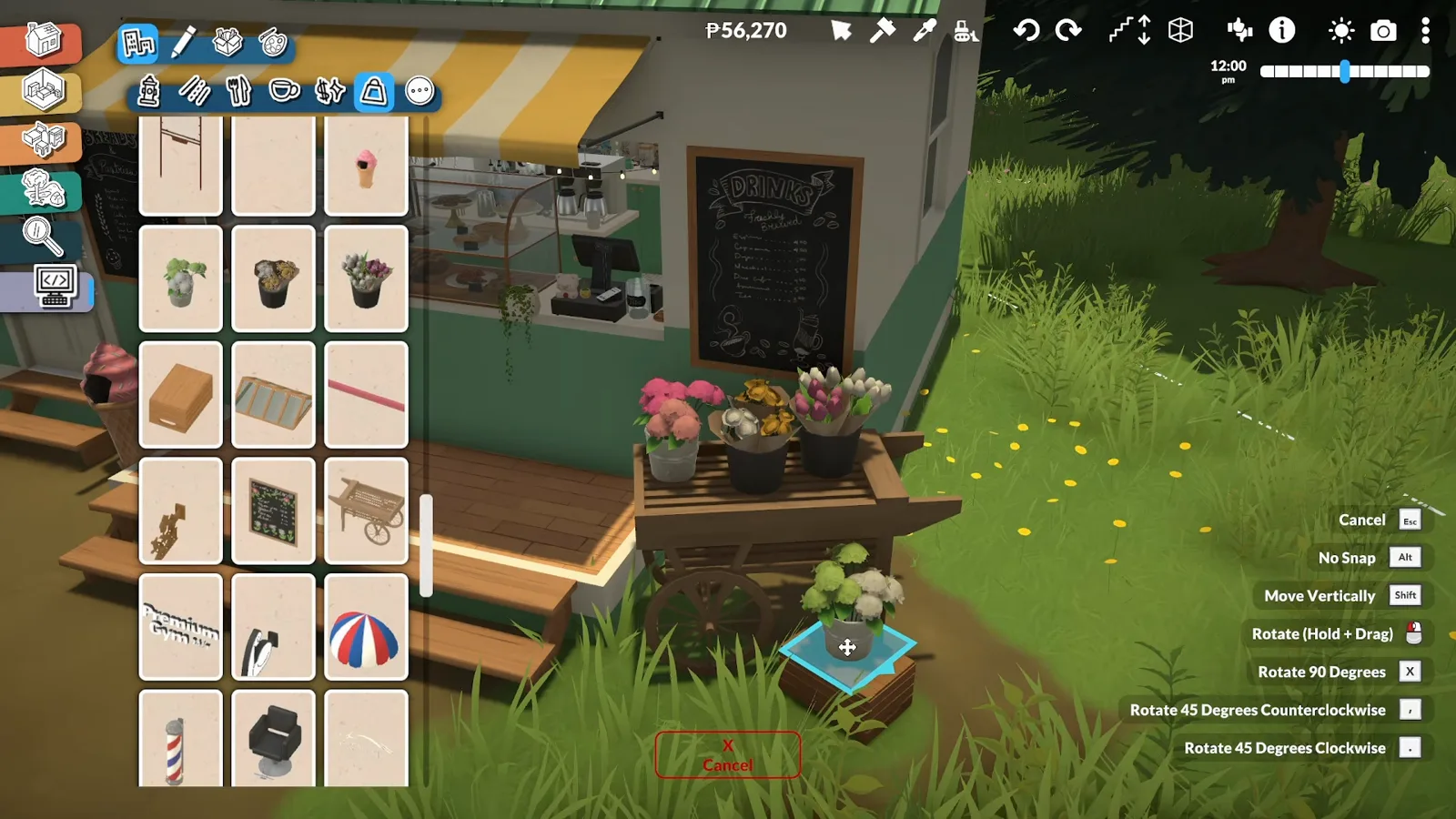
Local flowers beside the service window — every stop gets its own little market.Watch at 9:00 - 13
Turn the cab into the staff break room
The driver's area doubles as a welcoming break space for the employees: sofas with cushions, a sideboard with a TV, books and a teddy bear, a wagon wheel on the wall. Plenty of entertainment and comfortable seating for the crew that lives on the road.
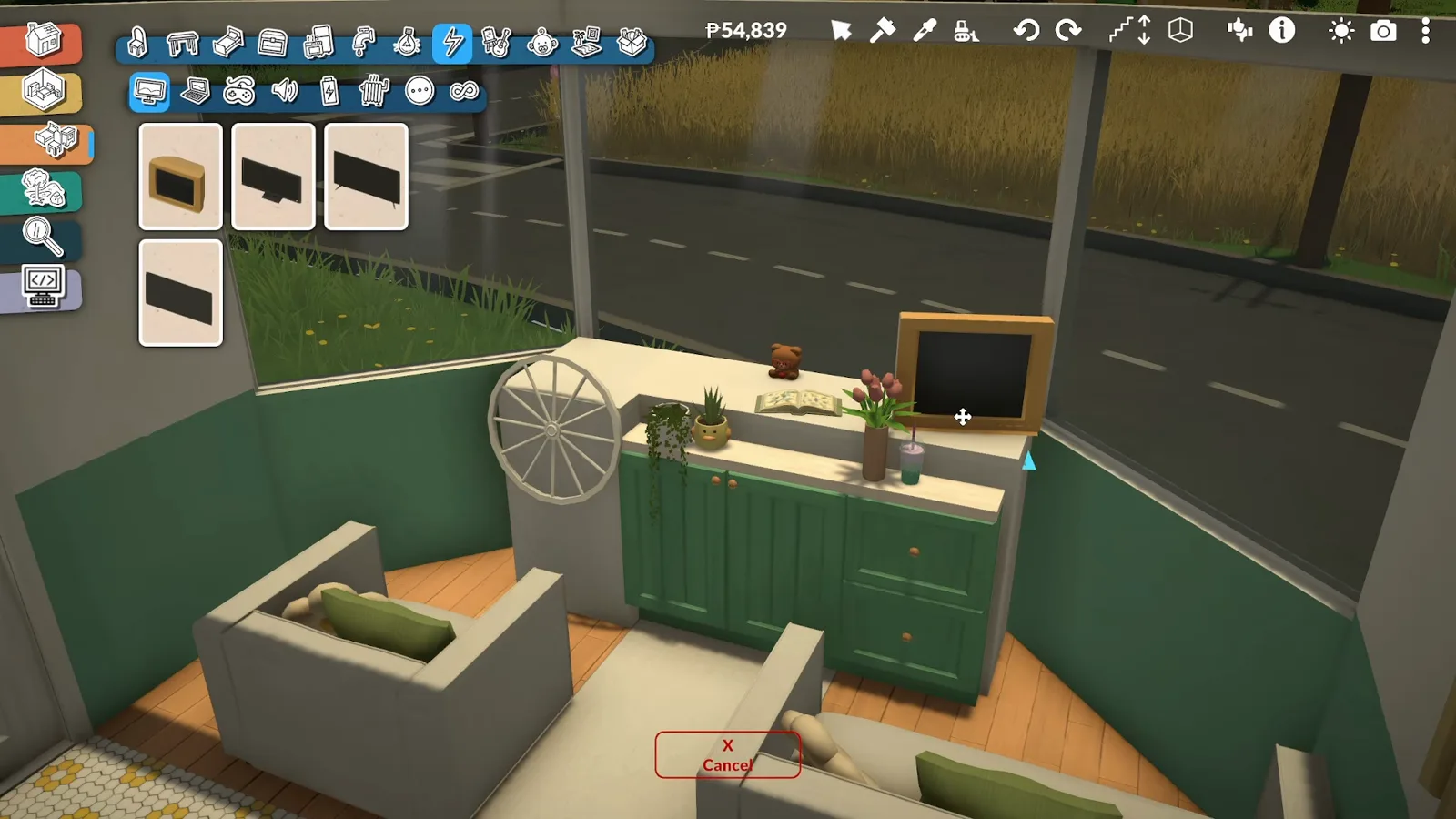
Sofas, a TV and a view of the road — the cab clocks out when the crew does.Watch at 10:00 - 14
Give the roof bread its final pose
Back up on the roof sign, the 3D rotation gizmo squares the bread away. Placing objects on vehicles means leaning on the advanced transform tool, which can shift parts as other elements go in — so props like these get their final nudge near the end, when the shell underneath has stopped moving.
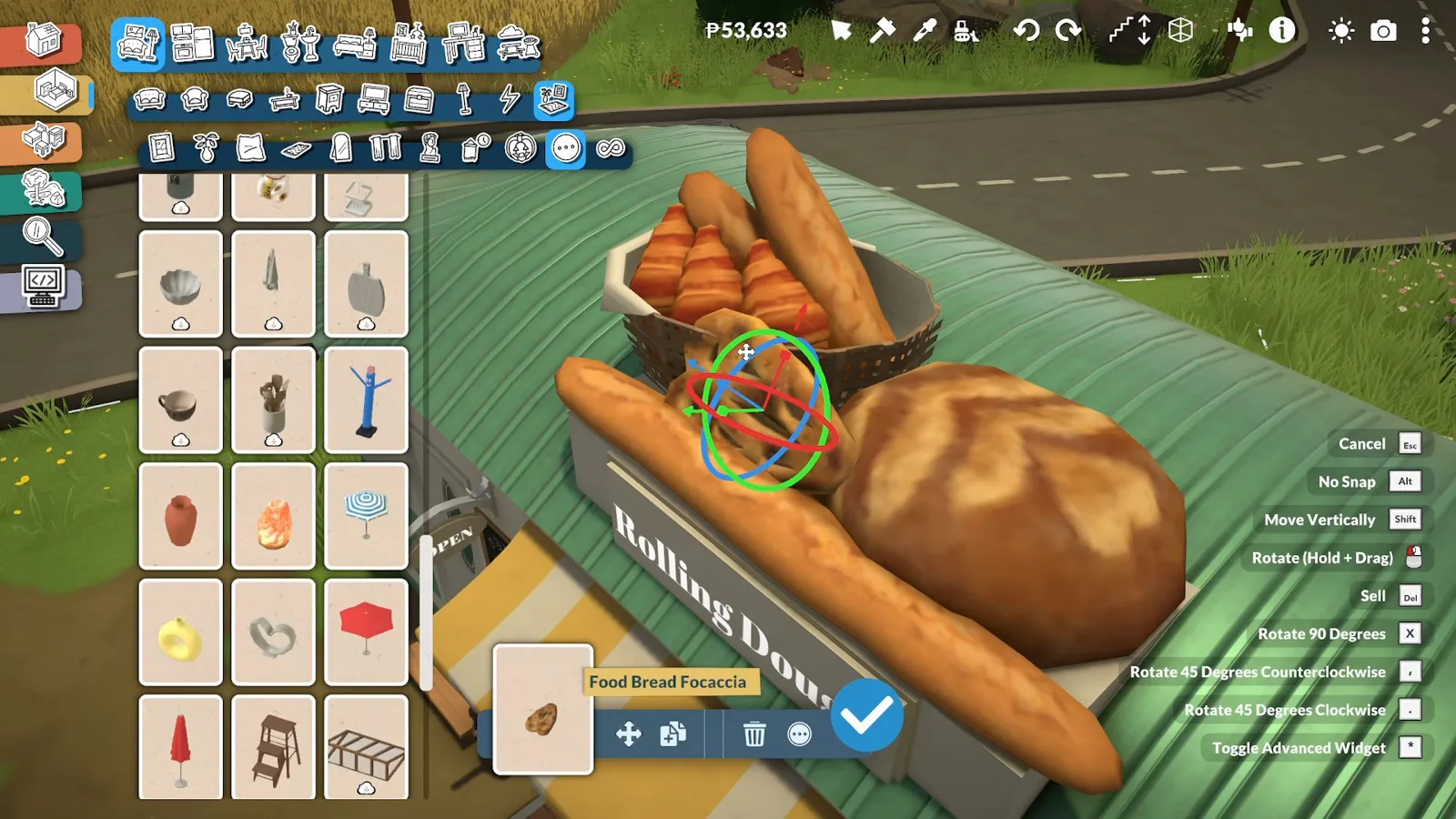
Red, green and blue rings square the bread away — the sign gets its closing pose.Watch at 10:20
Finishing touches
Fences, landscaping and the name on the wall
The wheels go on almost last, because the advanced transform tool can shift parts on vehicles while other elements are placed. Then a white picket fence frames the courtyard, pink trees and flowers move in — and a Steam Workshop lettering mod writes the name above the windshield.
- 15
Fence the lot and plant the landscape
The paved courtyard gets a white picket fence to frame it, and the landscaping moves in around it: flowers, shrubs and greenery so the lot feels welcoming, plus pink trees chosen because they complement the bakery's palette. Rest areas with seating and umbrellas give customers somewhere to eat and enjoy the company.
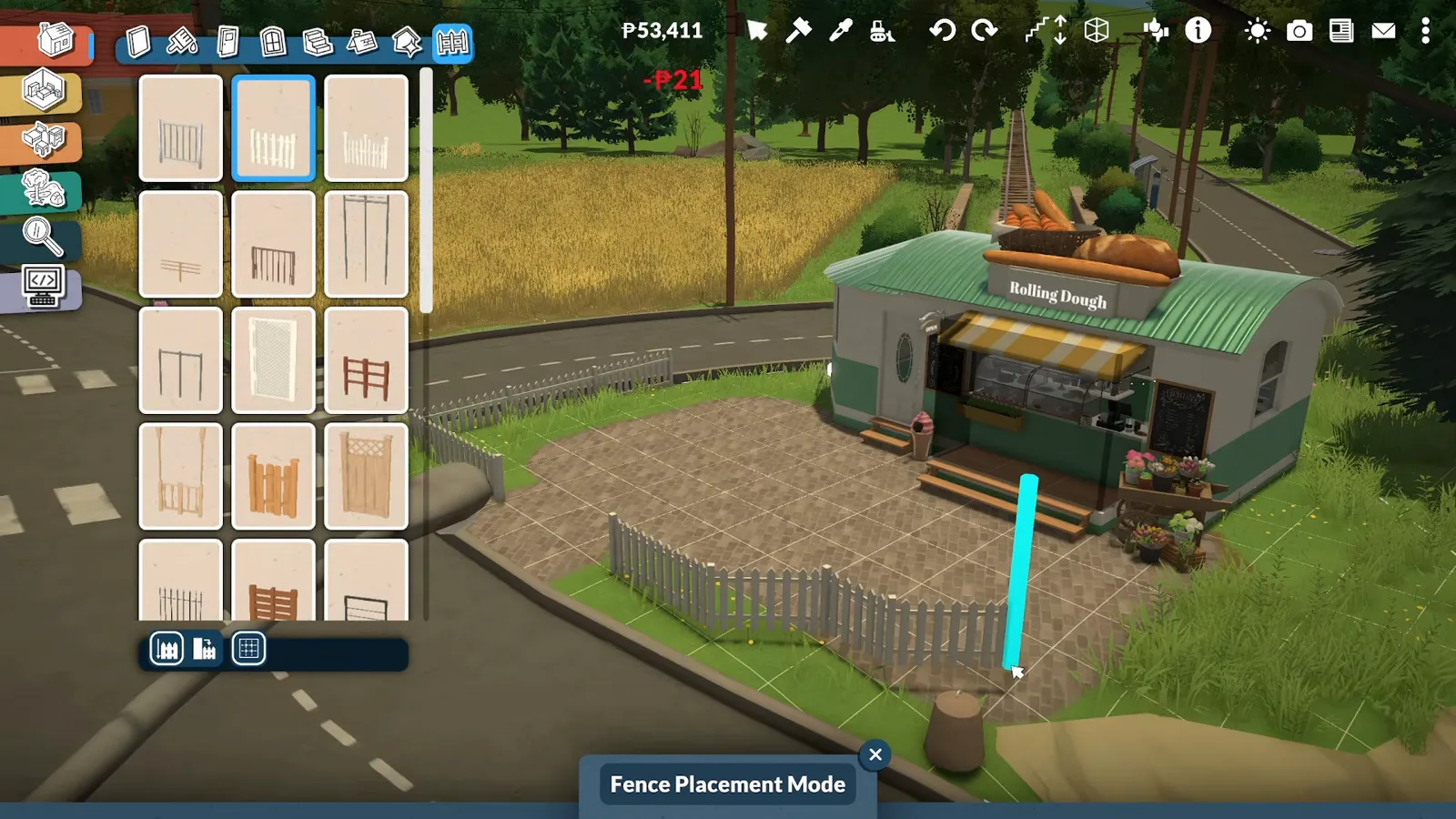
Picket fence, flowers and pink trees — the triangular lot stops looking temporary.Watch at 10:40 - 16
Spell the name above the windshield
First the wheels go on — almost last, because the advanced transform tool sometimes shifts parts on vehicles while other elements are placed, and late wheels keep everything aligned. Then the lettering mod spells ROLLING DOUGH in red letters above the door, readable straight through the front windshield. The mod was downloaded specifically for this build — cosmetic CC, since the base game has no lettering of its own.
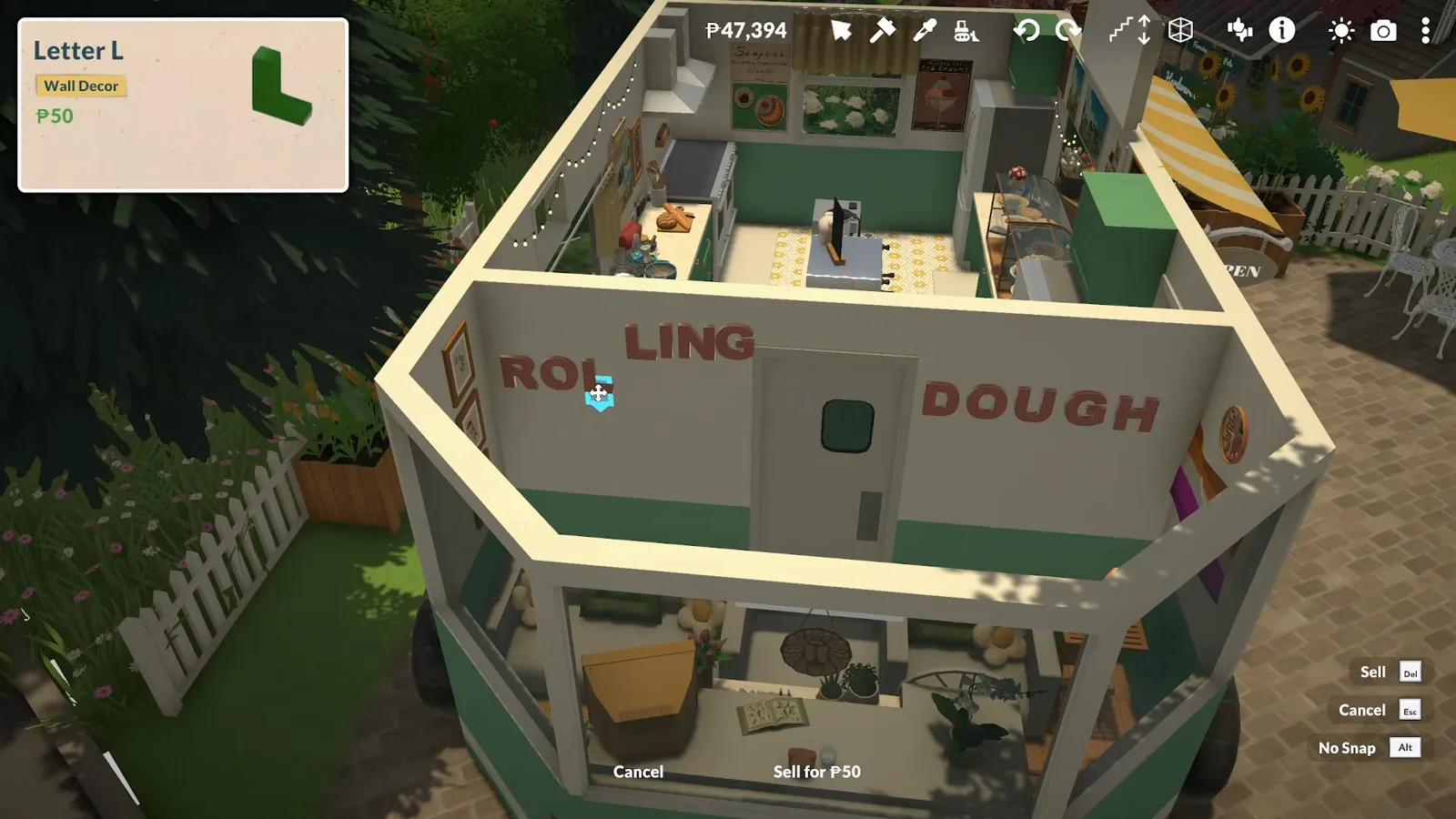
Wheels on, name up: the lettering mod finishes what the bread on the roof started.Watch at 13:00
A bakery is a build, not a business
As of 0.1.8b Paralives has no business or retail system — no bakery can open, price a loaf or sell a crumb, and there is no commercial lot type. Every counter, case and chalkboard in this guide is staging: the Rolling Dough trades on looking open, not on transactions.
The one mod in the build is the lettering: the Letter cards that spell the name come from a Steam Workshop lettering mod, downloaded specifically for this build, and they are cosmetic. The full-walls warning deserves the same honesty: it is the creator's stated experience from the video, not an official documented limit — foundation-less builds shifting on their own and workshop downloads sometimes disappearing are what the video reports.
Left deliberately unverified: whether the trailer stays put on every lot after a save-reload, which of the mounted props survive long play sessions, and whether a native business system will ever arrive — nothing bakery-shaped is on a published roadmap. If you searched for the café in town, that is the prebuilt Café Crème in Melino — a different thing from this travelling bakery.
Bakery build FAQ
- Can you build a bakery in Paralives?
- Yes, as a build — this guide walks through a complete one: AmityAlcove's Rolling Dough trailer bakery, with a kitchen, coffee bar, display cases and outdoor seating. What you cannot do is run it: the game has no business system as of 0.1.8b, so everything on the counter is staging.
- Does the trailer actually drive?
- No. It is styled as a food truck — a vintage trailer parked on the small triangular lot — but Paralives has no driving. The story is that it pulls in, serves the neighbourhood and moves on; in game it is a parked building on wheels, and the wheels go on almost last to keep the mounted parts aligned.
- Why full walls instead of raising it on a platform?
- Because of how fragile foundation-less builds can be. The creator reports that builds without foundations can shift on their own — and that builds downloaded from the Steam Workshop can even disappear completely. Full walls are less realistic for a vehicle, but they make the trailer reliable to download and reuse.
- Can customers buy the pastries?
- No — Paralives has no retail system as of 0.1.8b. The cakes in the display case, the price chalkboard and the OPEN sign are set dressing; nothing in the vanilla game can be marked for sale. A third-party shop mod can add a selling loop, but this build is pure staging.
- Is the Rolling Dough lettering in the base game?
- No. The letters come from a Steam Workshop lettering mod — they show up in build mode as Letter catalogue cards, and the creator downloaded the mod specifically for this build. Without it you can still build the trailer; you would just spell the name some other way, or leave the wall plain.
Keep building
Coffee shop guide
The sister commercial build: a corner café with a pastry counter — plus the mod that lets customers actually buy.
Bookshop guide
Shelves, genre signs and an apartment above the store — the paper-and-stories shop on the same street.
Flower shop guide
Bouquets in the window, a wrapping station and a flower field out back — a natural pair with the bakery's flower cart.
Supermarket guide
Aisles, shelves and produce bins — the big-shop build for when two display cases are not enough.
Create a World guide
Community lots and custom towns — where a travelling bakery finds its next parking spot.
Decorating guide
Clutter, posters, rugs and plants — the small props that make the trailer's story corner feel lived-in.
Hotel build guide
A five-storey seaside hotel with themed guest rooms and a rooftop wedding terrace.