
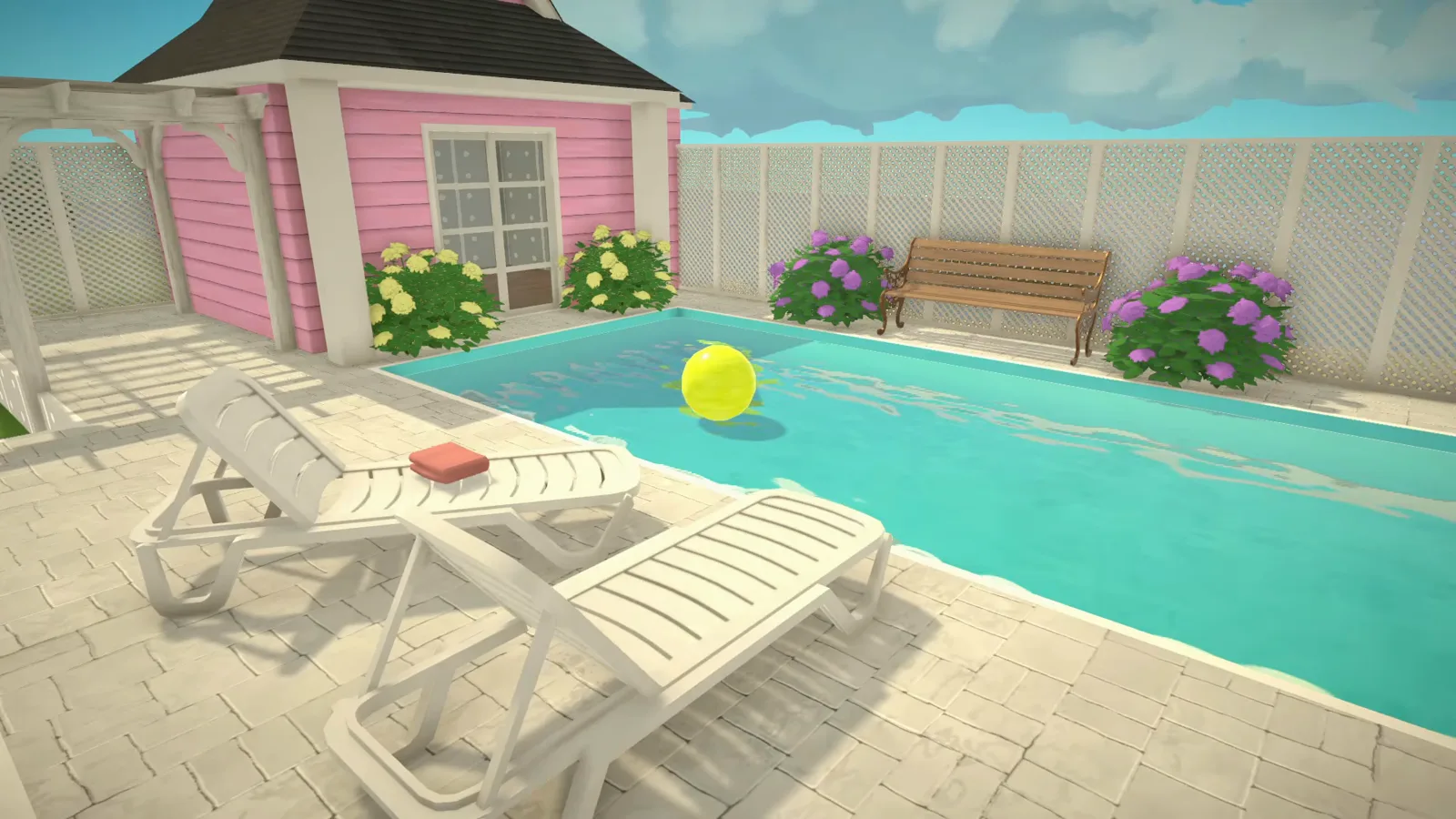
The short version
Paralives doesn't have a pool tool as of 0.1.9b — Pools and Swimming are officially planned for Early Access, with no date. Builders get water today three ways: the Custom Water Object mod, the free Town Water item with a console cheat, or a base-game fake-water plane. This guide walks all three with frames from the videos that demonstrate them.
- No pool tool exists as of 0.1.9b — Pools and Swimming are officially planned for Early Access, undated.
- The mod route: Custom Water Object (Mod) by Haus of Nando — a placeable, resizable, rippling water plane.
- The same object fills terrain-dug ponds; paint a sand ring to sell the shoreline.
- Stretched water bobs like a tidal wave — tile duplicates instead, per the walkthrough.
- Recolouring does nothing to the mod water; Style Creation red leaves it teal.
- Whether paras can swim in any of this water is unverified — no public source documents it.
The Workshop route
A real pool with one modded water object
As of 0.1.9b Paralives has no pool tool and no placeable water — the official development page lists Pools at the top of its build-mode plans for Early Access. What follows is the workaround KrystinMyrieXo demonstrates: ordinary build mode plus one Workshop water plane.
- 1
Get the water object from the Workshop
Paralives ships no pool tool as of 0.1.9b, so this build starts with one Workshop item: Custom Water Object (Mod) by Haus of Nando. Search the in-game Workshop tab, hit Subscribe, and the object lands in your build catalogue like any free item — exactly the route KrystinMyrieXo's walkthrough follows.
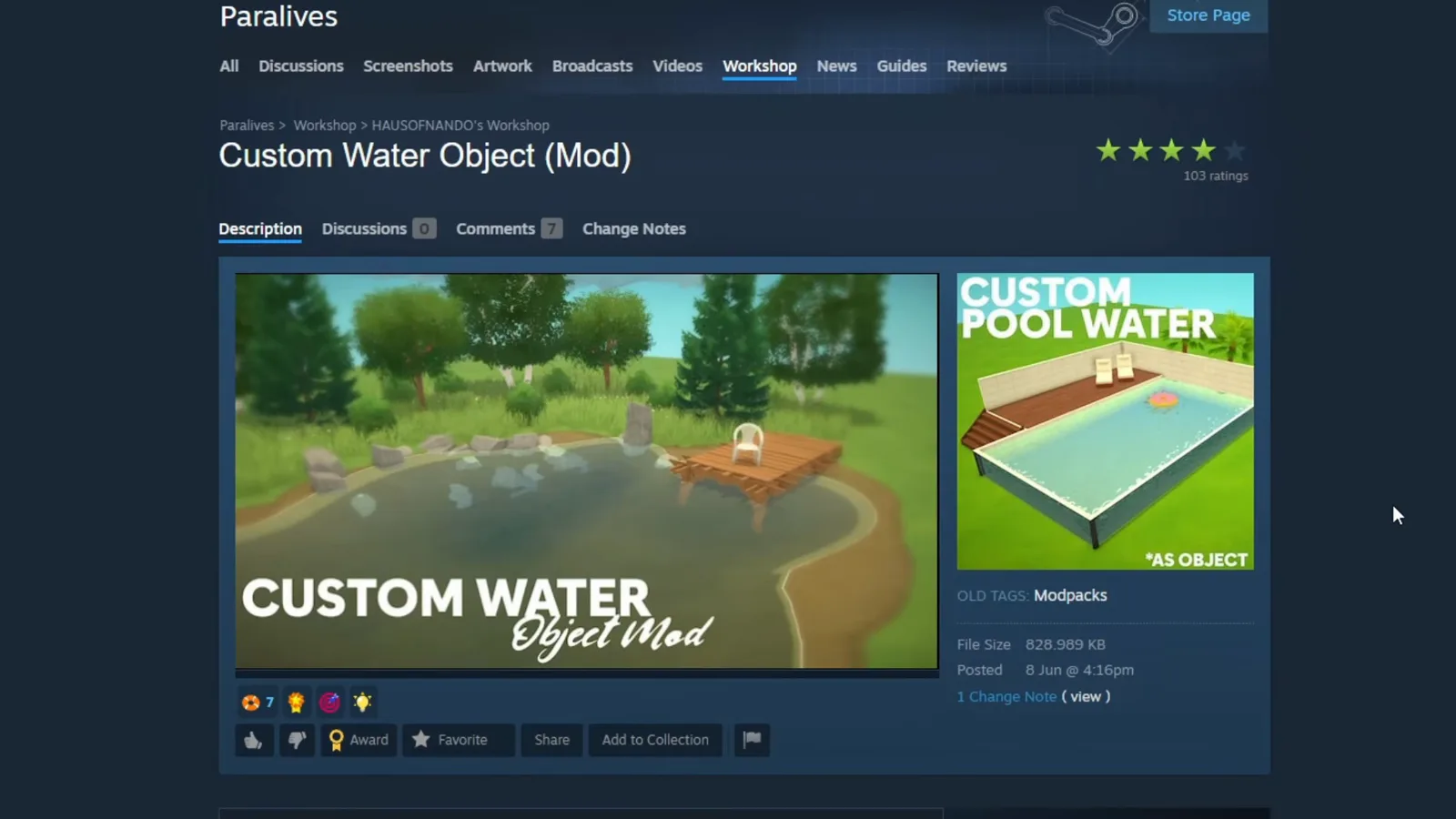
One subscribe click, and water becomes a placeable object.Watch at 0:10 - 2
Frame the basin with deck platforms
The pool itself is plain build mode. Lay wall sections into a U, raise the surrounding deck on platforms and sink the middle so the basin sits below the waterline — that raised-versus-sunken contrast is what reads as a pool rather than a room (per KrystinMyrieXo's narration).
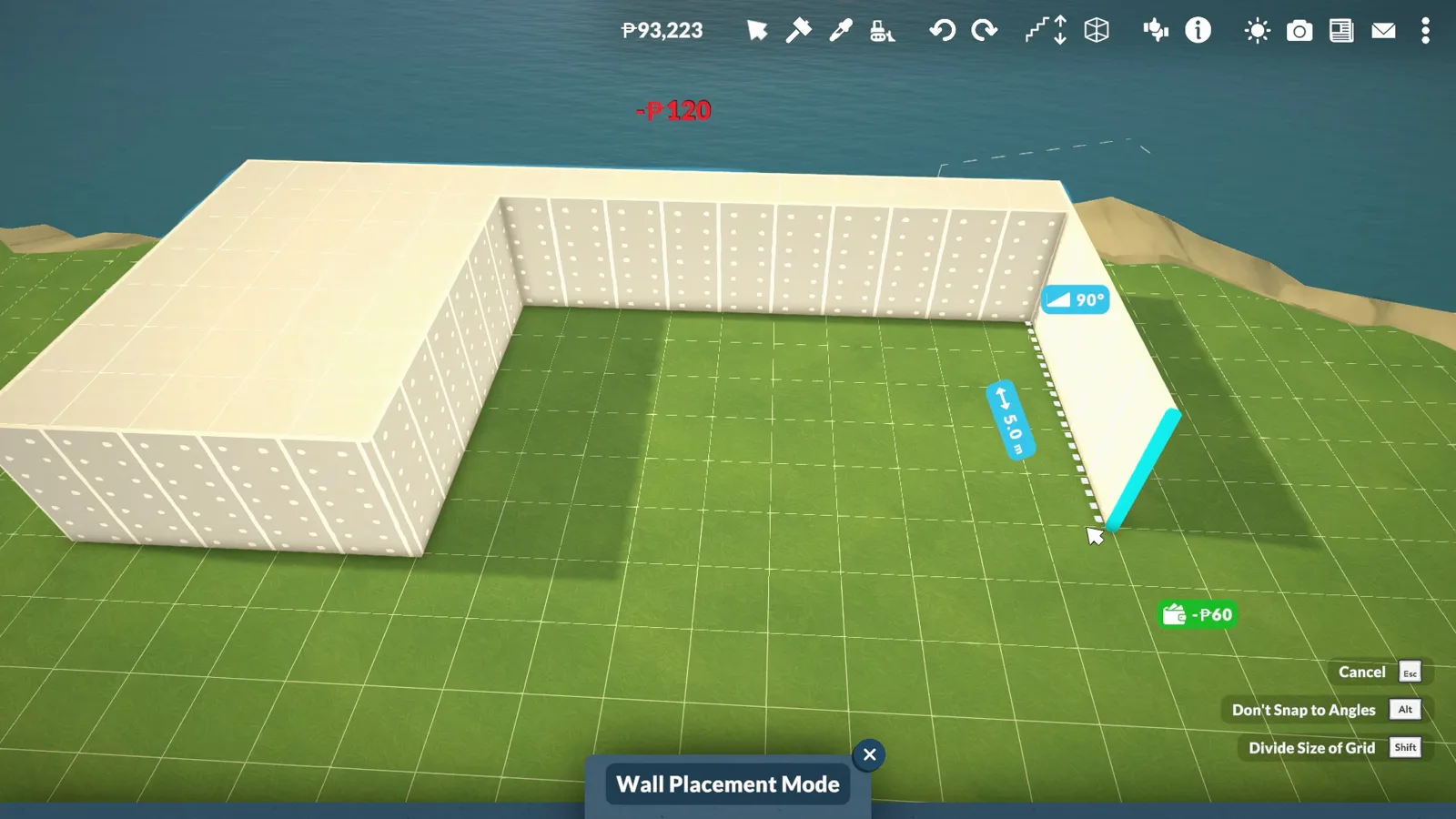
Deck up, basin down — ordinary walls and platforms do all the shaping.Watch at 0:42 - 3
Paint the basin a water blue
Before any water exists, the floor is the water colour. Switch to floor painting mode and pick a pool blue from the colour wheel, then match the walls to it — KrystinMyrieXo's trick for making the empty basin already read wet.
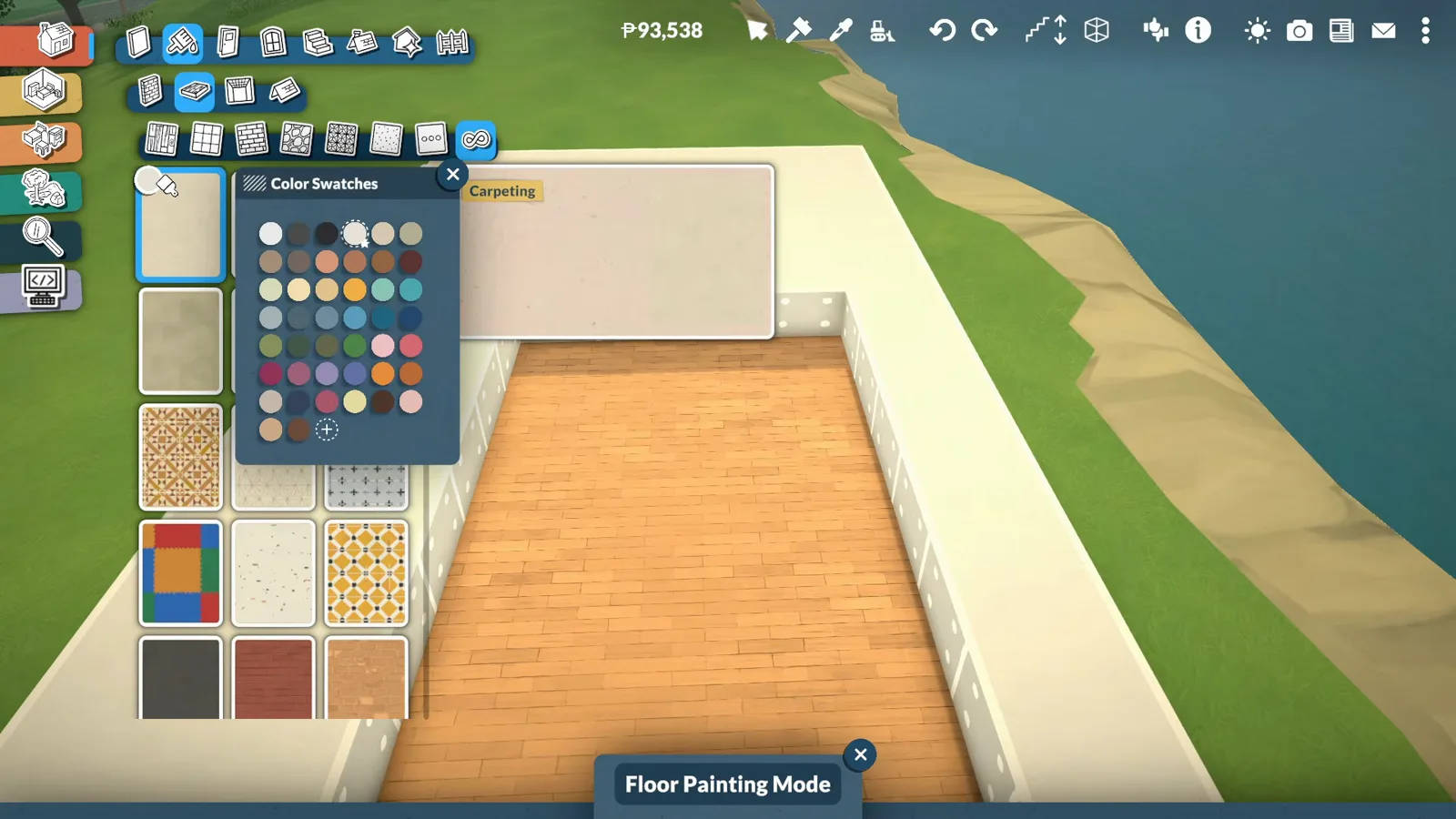
Blue floor plus matched walls, and the empty basin already looks like water.Watch at 1:10 - 4
Search “water” and place the water plane
Type “water” into the object search and look for the cloud badge — that's how the game marks Workshop items, per the walkthrough. Place the translucent water plane inside the shell and lift it toward the surface until it meets the waterline.
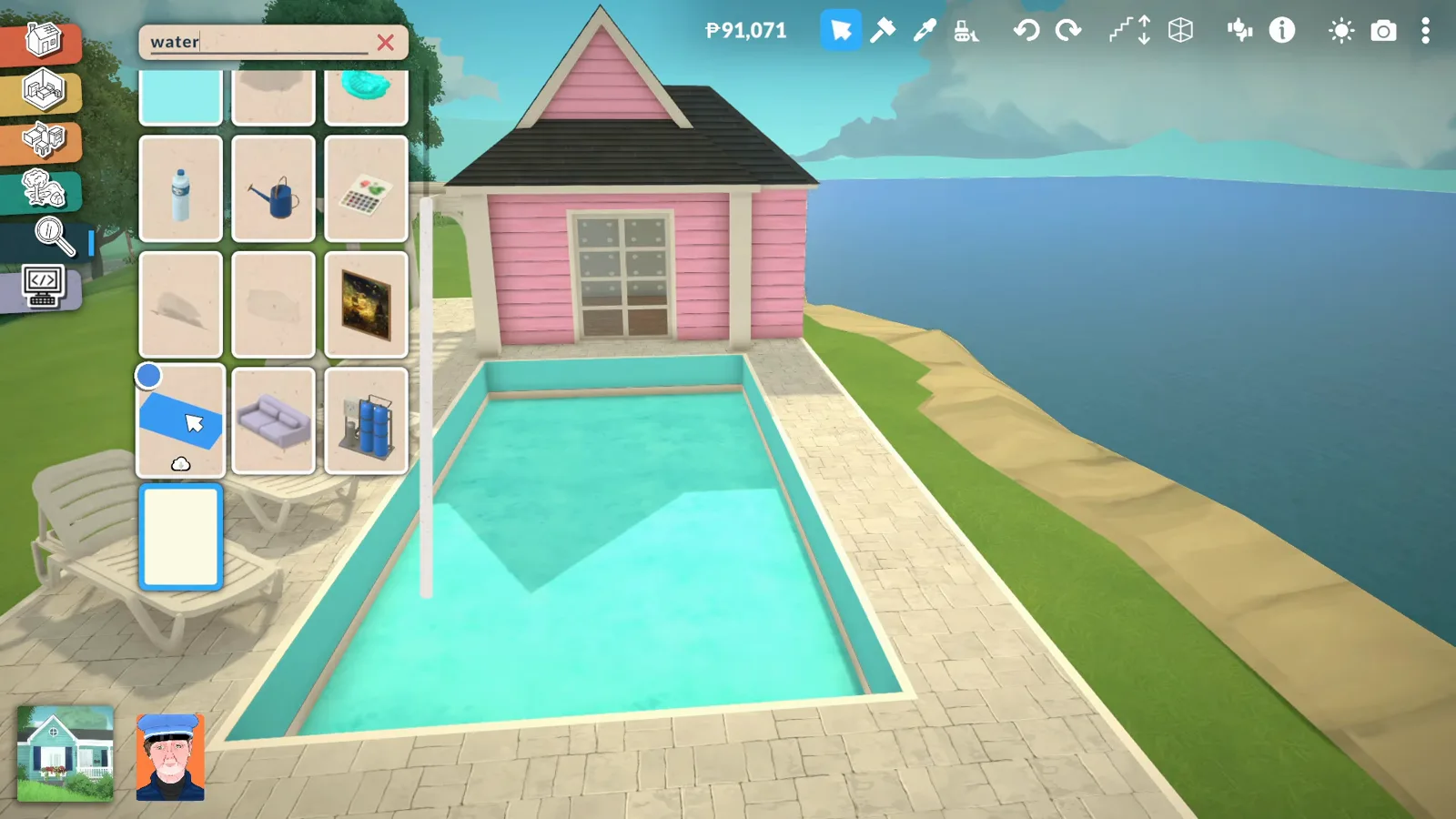
The mod water is a single resizable plane — no pool tool involved.Watch at 1:37
Same object, no walls
Turn the terrain into a pond
The water object doesn't care what holds it. Dig with the terrain tools, paint a shore, and the same plane becomes a pond — or a moat, as the narration suggests.
- 5
Or dig a pond with the terrain tools
The same water object fills holes as well as shells. On a second lot, KrystinMyrieXo switches terrain lowering on, drags out a rough circle and digs down, then smooths the edges so the bank doesn't look carved.
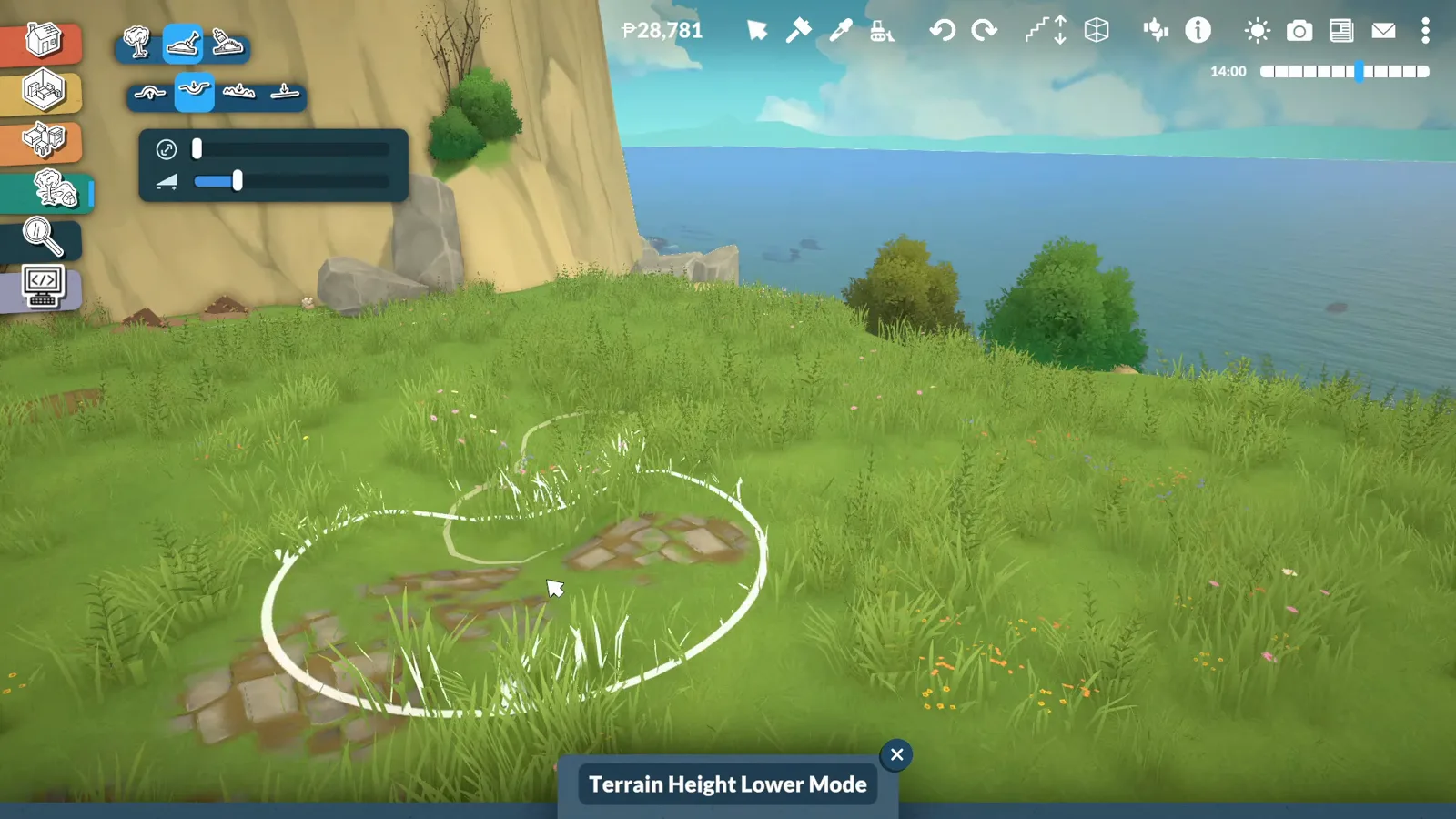
Dig first, smooth second — the water hides a lot of terrain sins.Watch at 2:13 - 6
Fill the hole and stretch the water to fit
Drop another water plane into the depression and stretch it toward the banks with the resize widget. One caveat the walkthrough demonstrates later: stretched water bobs — for big surfaces, tiled duplicates stay calmer.
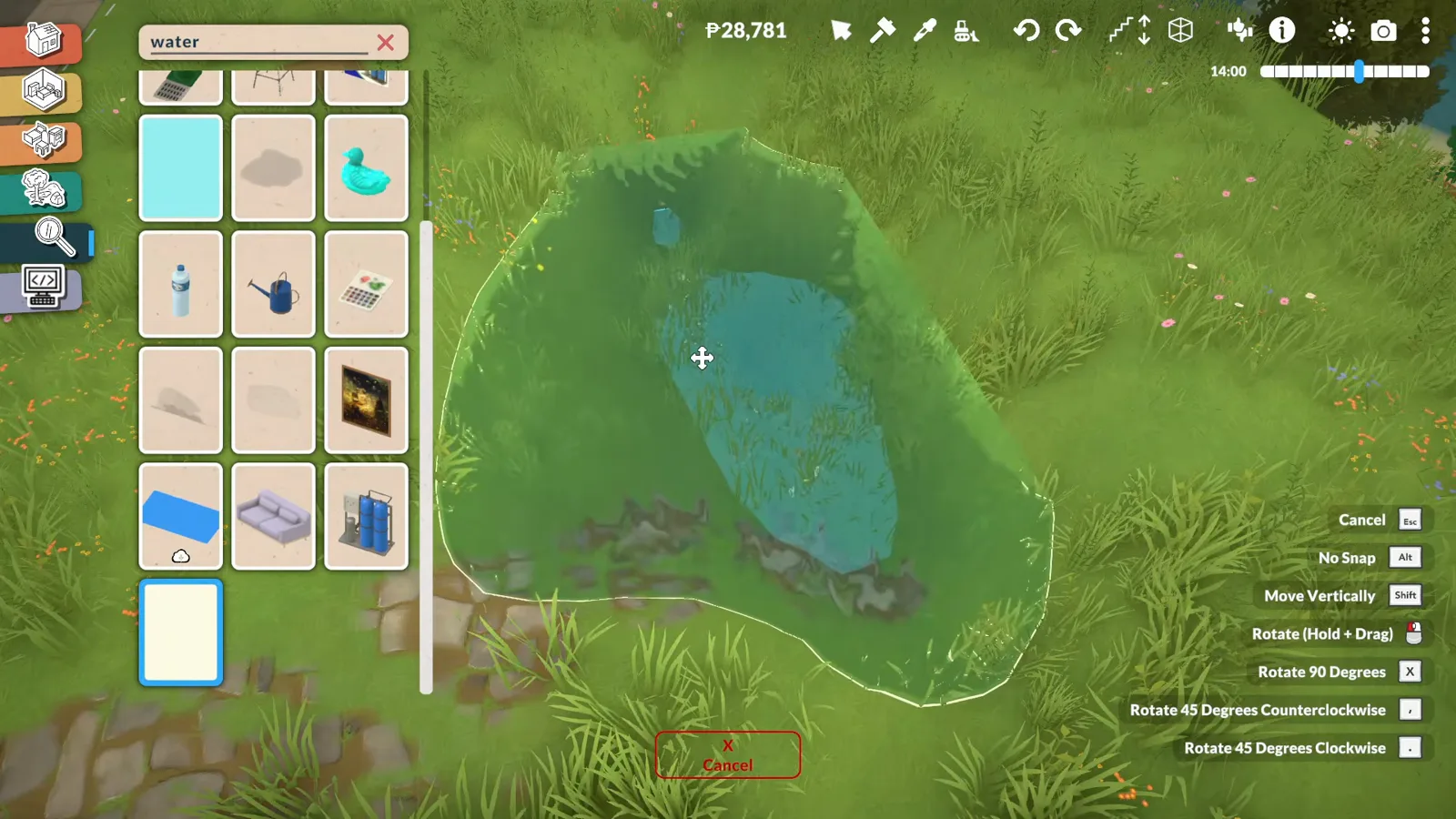
Stretch to fit here — but the bigger the single plane, the more it slops.Watch at 2:50 - 7
Paint a sandy ring around the pond
Terrain painting lays a sand-and-dirt ring where the grass would meet water, which sells the shoreline. Reeds and other marsh decorations break up the edge further — all base-game pieces.
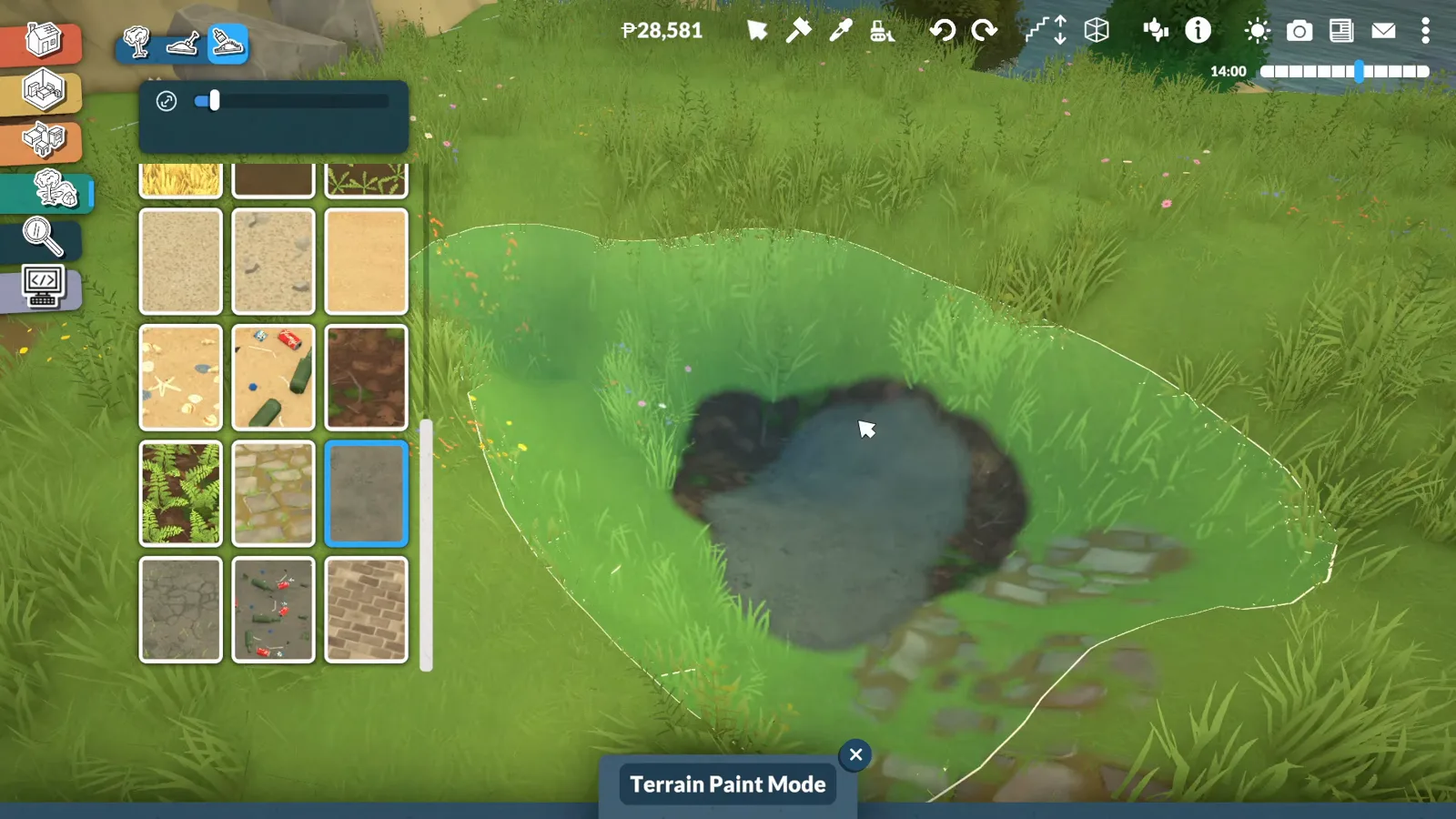
A painted shoreline reads as a beach; unpainted, it reads as a hole.Watch at 3:06 - 8
Go to live mode and add pond life
In live mode the water surface animates and reflections move — the payoff the video opens with. The Unpacking-collab duck set floats happily on top; KrystinMyrieXo drops the Water Puddle duck straight onto her pond.
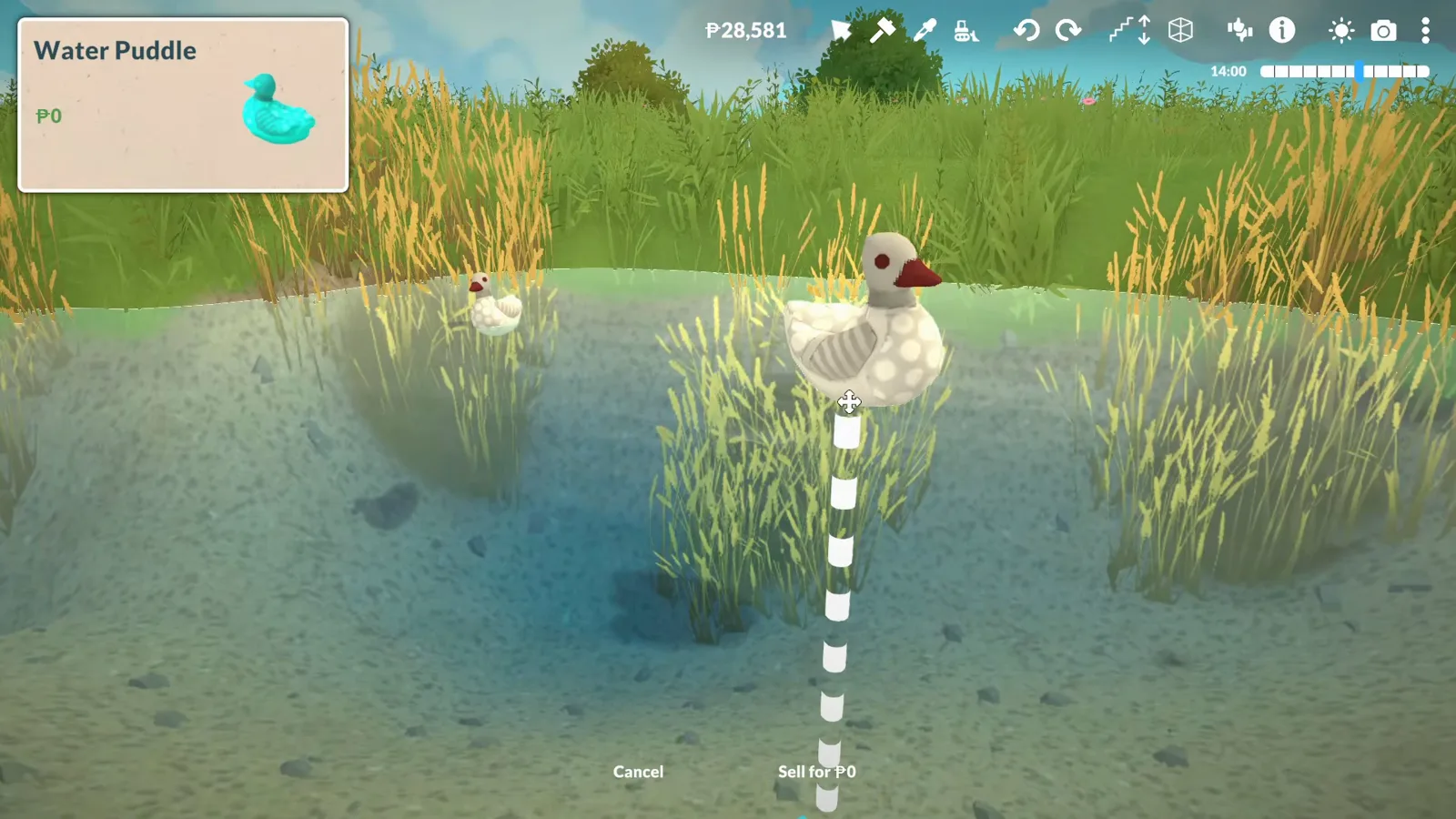
Live mode is where the water earns its keep — the surface moves on its own.Watch at 3:22
No download needed
Free town water — and what it won't do
The walkthrough also shows a free Town Water item for ocean-scale surfaces, moved with a console cheat. It comes with hard limits, which the video tests on screen.
- 9
The no-download option: free Town Water
The walkthrough's second route needs no Workshop item at all: searching “water” also surfaces a Town Water entry at zero pennies, presented in the video as the way to add ocean-scale water without downloading anything. The catch, per the same narration: it can't be resized and is finicky to steer.
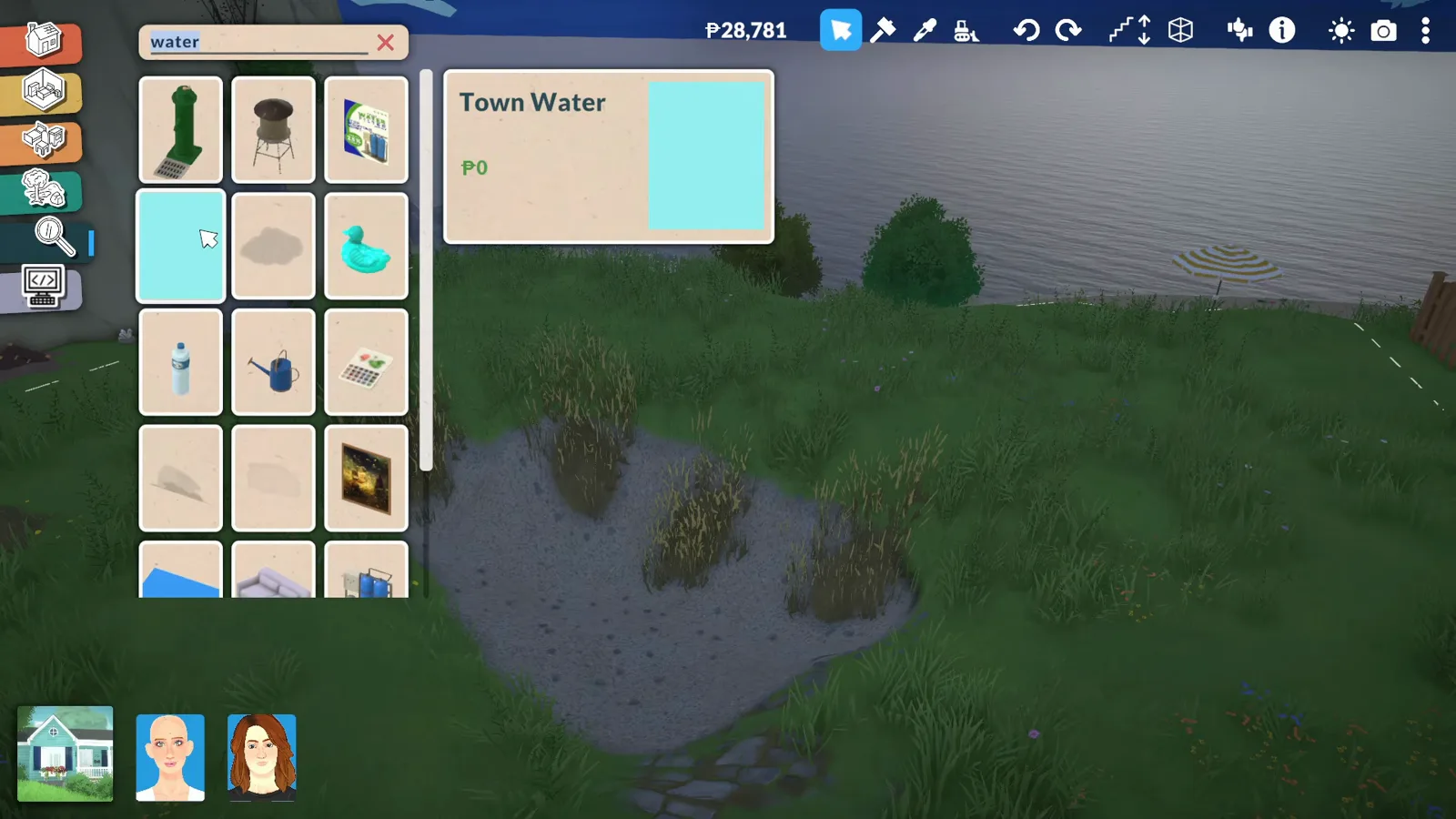
Free, huge, and stubborn — Town Water is ocean water, not pool water.Watch at 4:38 - 10
Enable Town Edit Mode with a cheat
To actually move that town water, the video opens the Cheat Commands console and runs toggleedittown — the frame shows the Town Edit Mode activation line. In town edit mode you can pick the water up, copy it and re-place it, which is how the walkthrough gets ocean water where it wants it.
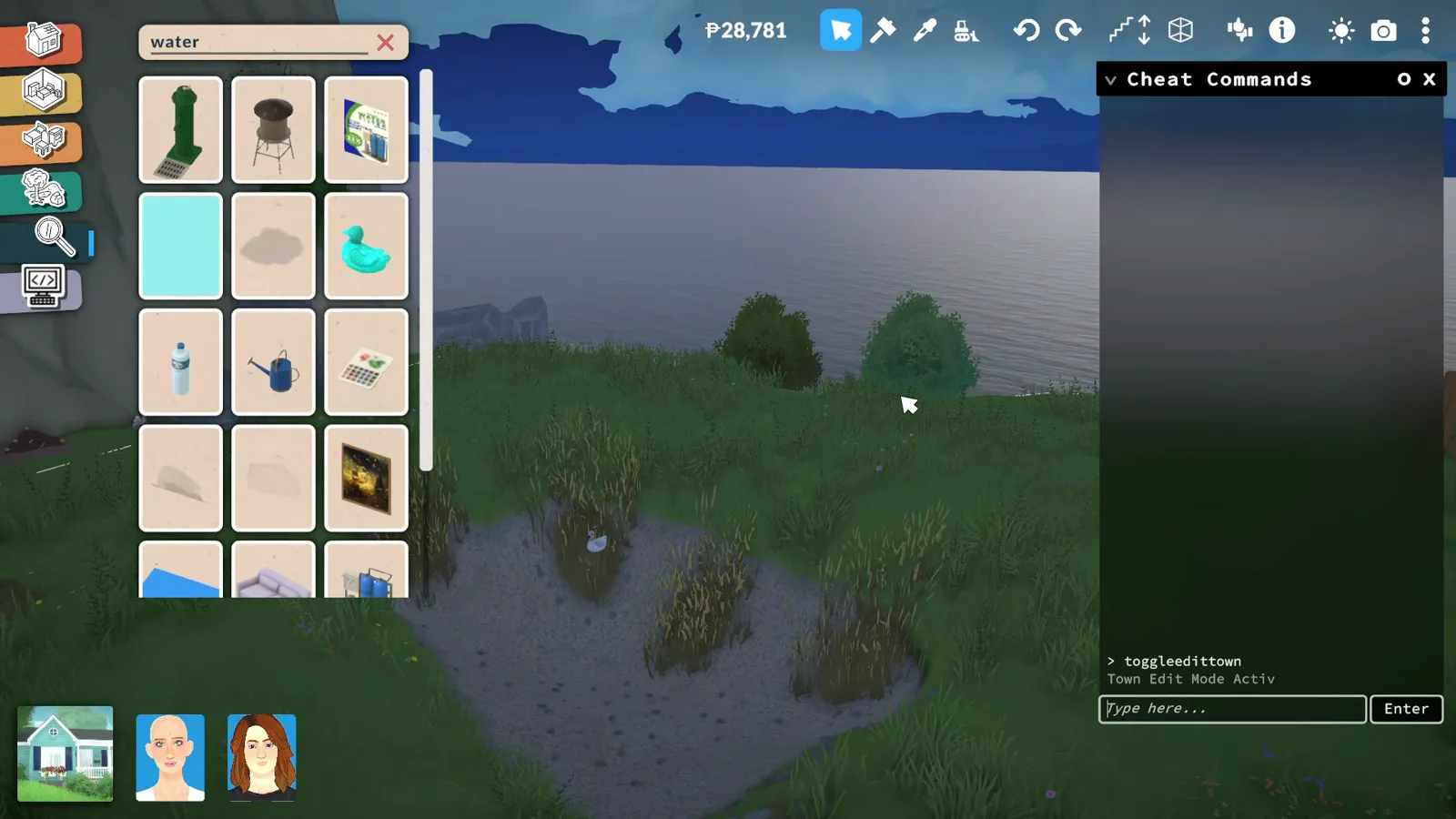
The console confirms the cheat; town water becomes movable.Watch at 5:10 - 11
Tile the water with duplicates, not resizing
The most practical tip in the walkthrough: make one water plane the right depth, then duplicate it side by side. Stretched water rises and falls like a tidal wave and can spill over the dock — duplicated tiles stay flat and calm (per KrystinMyrieXo's tests in the video).
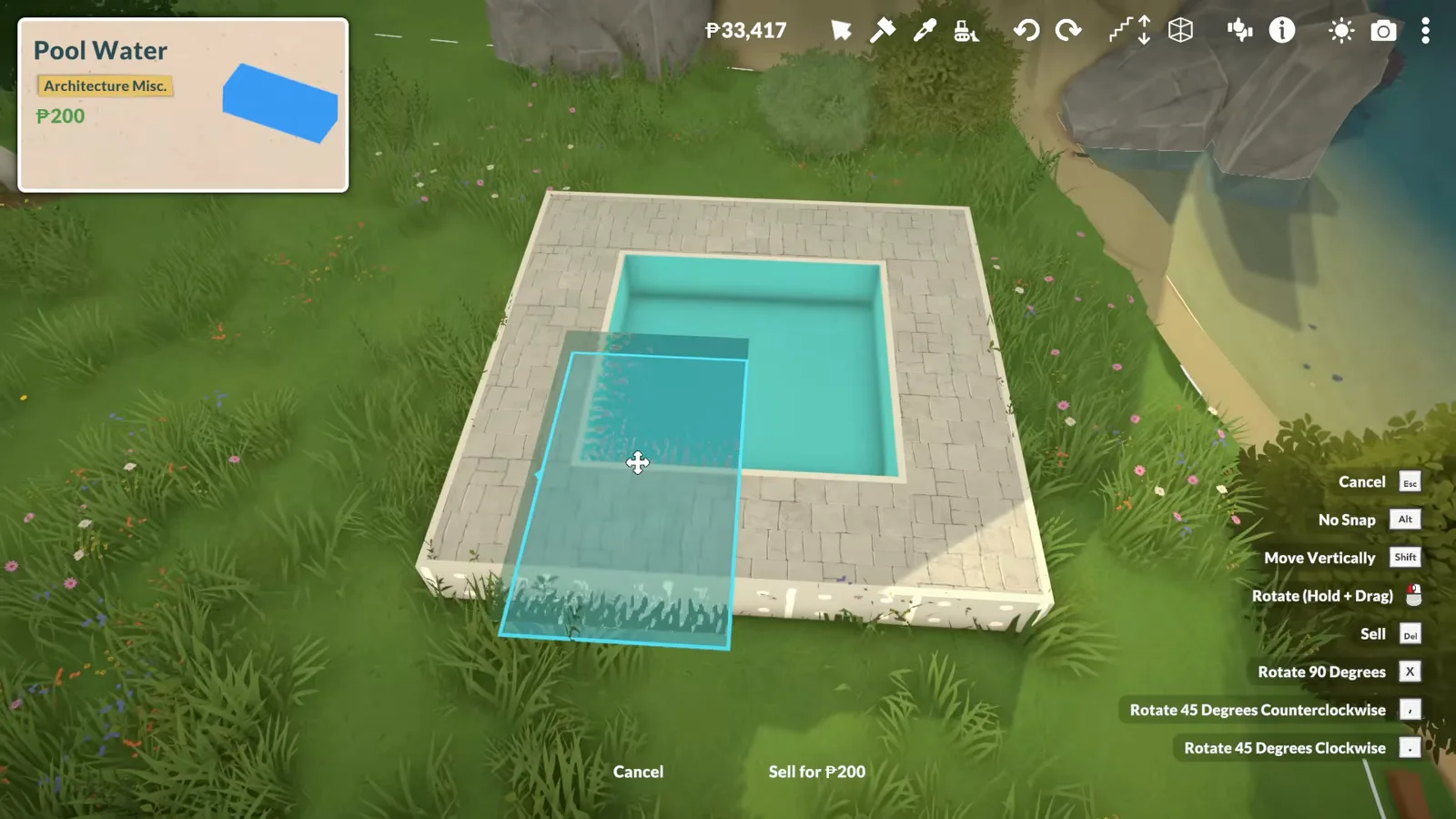
Copied tiles, not one giant plane — that's what keeps the surface still.Watch at 5:36 - 12
Know the limit: recolouring does nothing
Style Creation happily opens for the water object — the walkthrough picks a blood red for a vampire-pool test — but the surface stays its default teal. In the video, the mod water ignores recolouring entirely, so plan the basin paint around the blue you get.
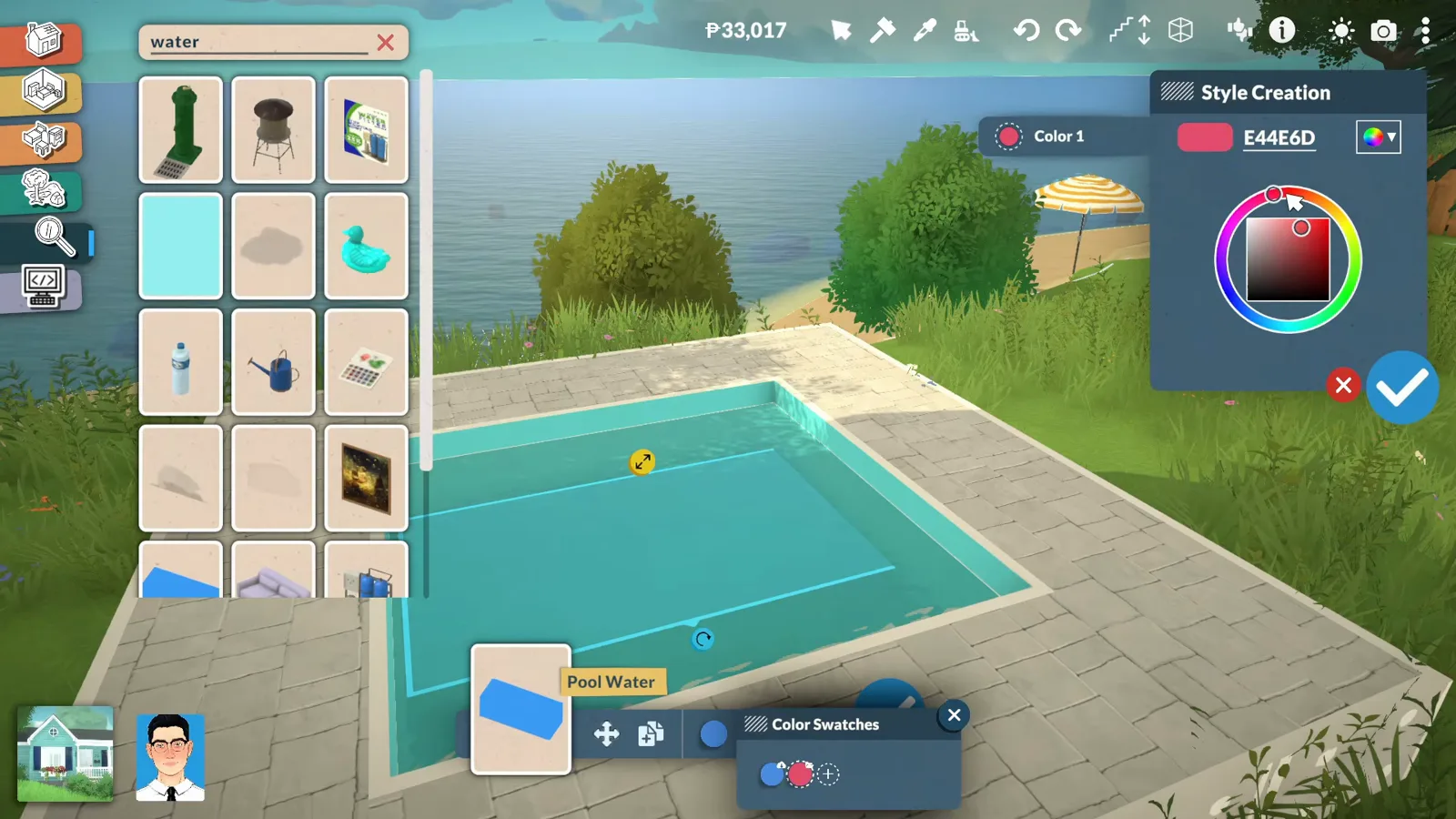
Red selected, water still blue — recolouring this object changes nothing.Watch at 7:14
Zero mods
The decorative fake-water route
ItsLeiCarlls' tutorial proves you can suggest water with nothing but base-game pieces. It never moves and nothing swims in it — but it costs nothing and can't break with a patch.
- 13
No mods? Start the shell with curved walls
ItsLeiCarlls' tutorial builds the same idea with nothing but base-game pieces. The shell goes down in wall placement mode with curved sections rounding the corners, after levelling the pad — no Workshop item in the catalogue at any point.
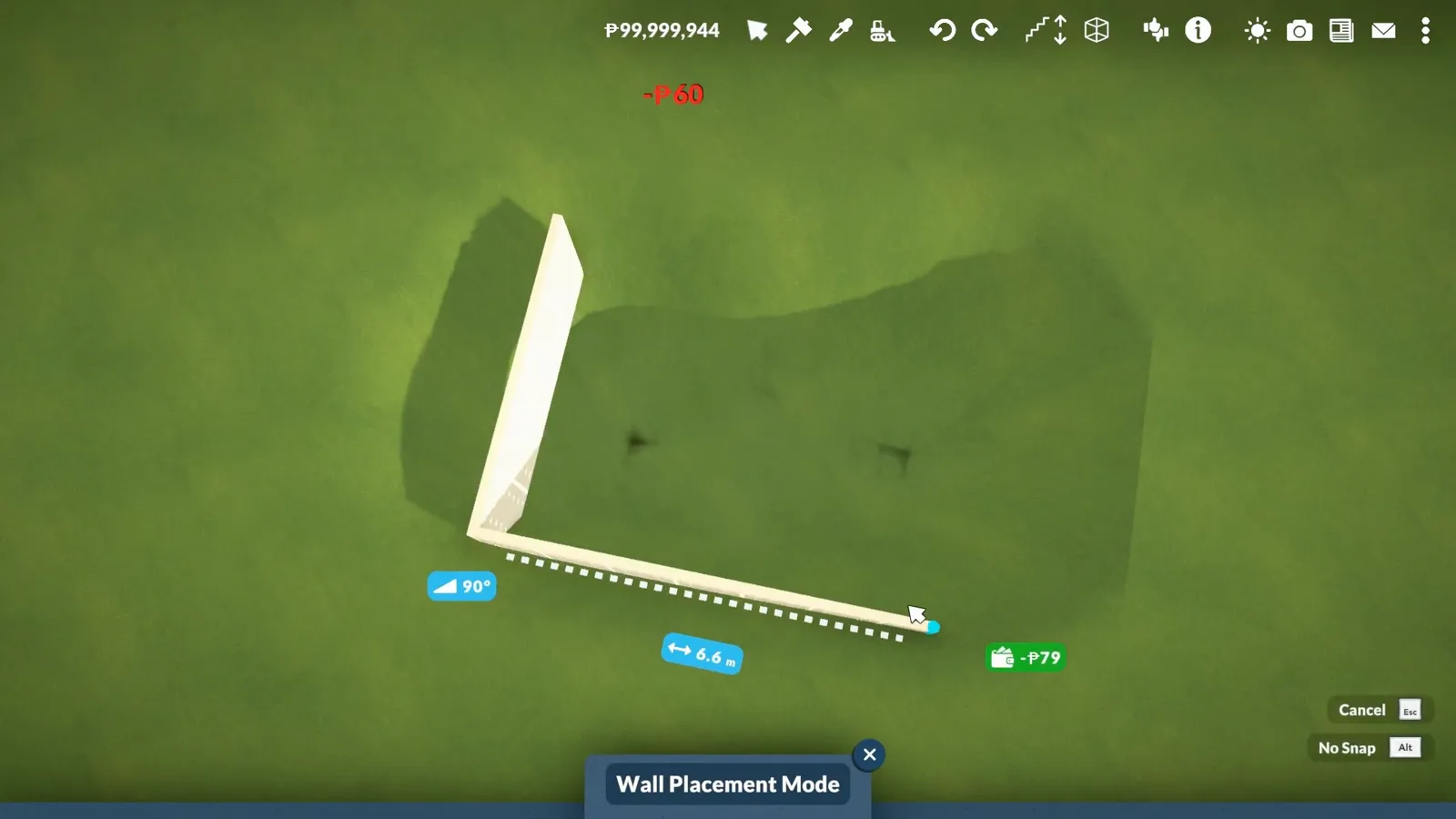
Curved corners, straight runs — everything here ships with the game.Watch at 0:10 - 14
Flatten the ground so the shell sits level
Terrain flattening evens the pad under and around the shell. A level seat matters more for a pool than a house — the waterline is horizontal, so any tilt shows (as the tutorial demonstrates before decorating).
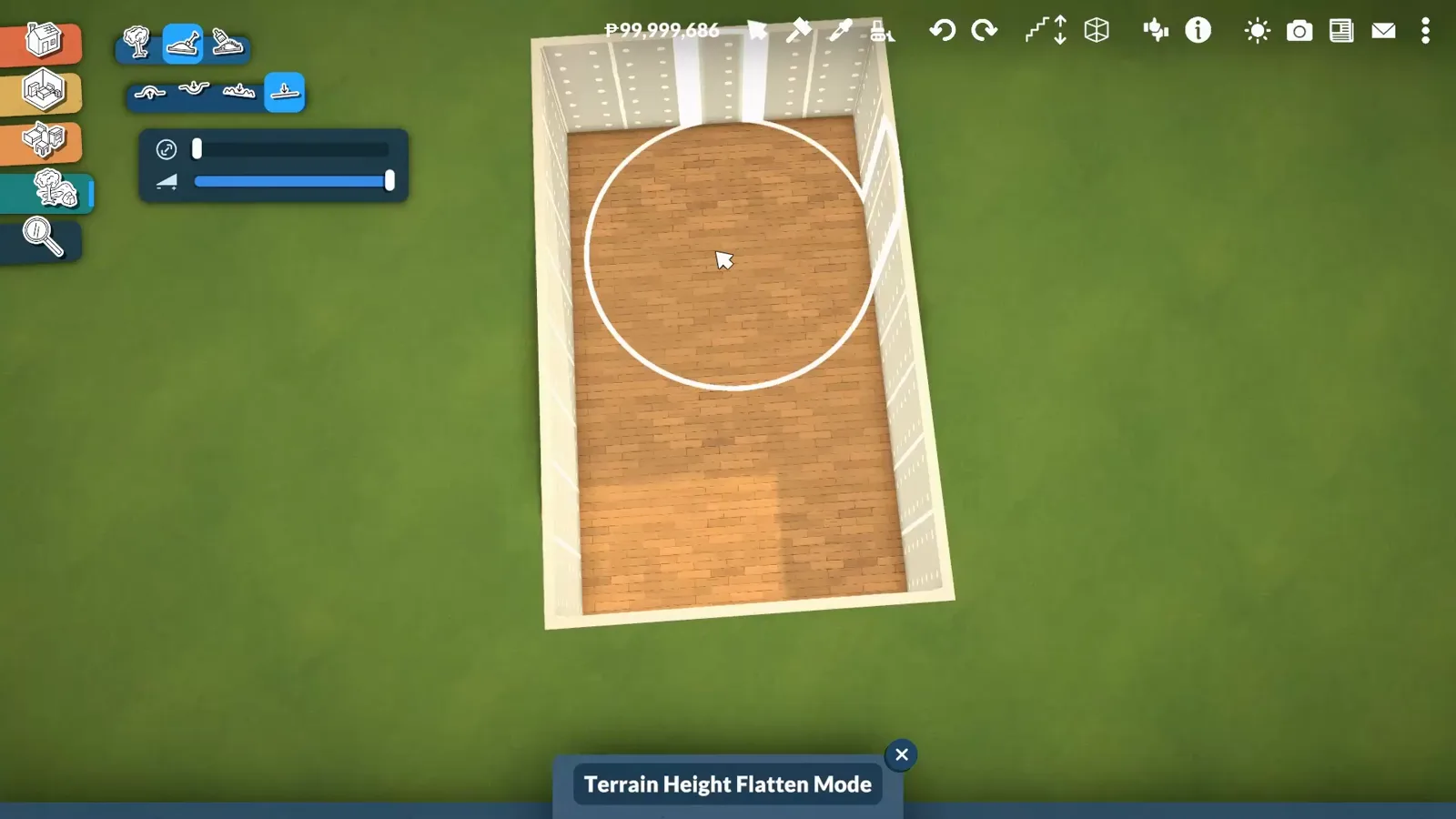
Flat pad first; the waterline forgives nothing else.Watch at 0:30 - 15
Fake the water with a textured plane
Instead of liquid, the tutorial stretches a flat plane with a photographic water texture across the basin and resizes it with the widget. It's pure decoration — a picture of water, not a surface the game simulates — and no public source we checked says paras interact with it.
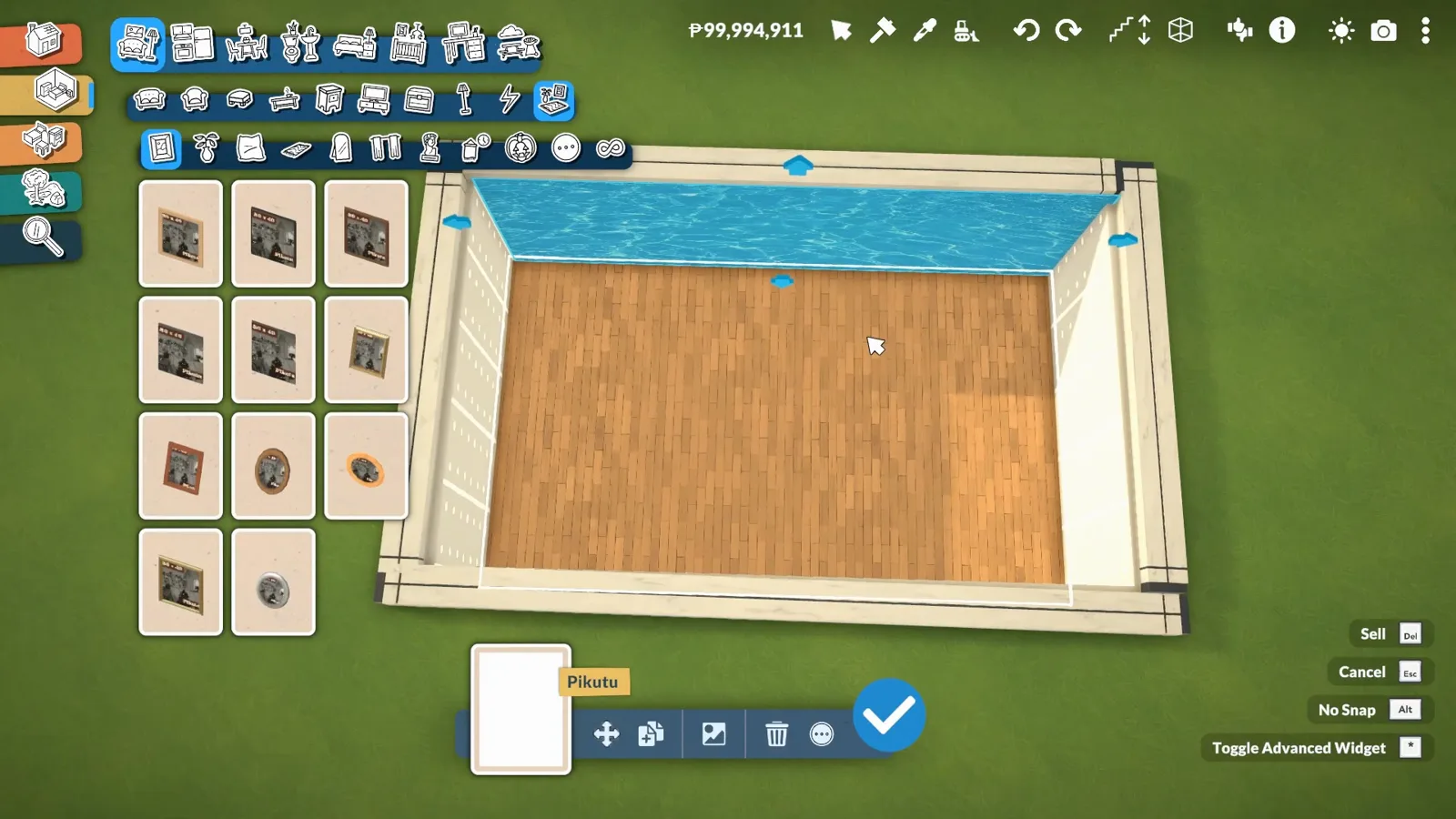
A water photo on a plane — the zero-mod trick for pool looks.Watch at 2:20 - 16
Dress the deck and call it a pool
Loungers, a parasol and a paving border finish the illusion — the tutorial searches “parasol” and stages the deck exactly as it would for real water. From three steps back, nobody can tell the water is a photograph.
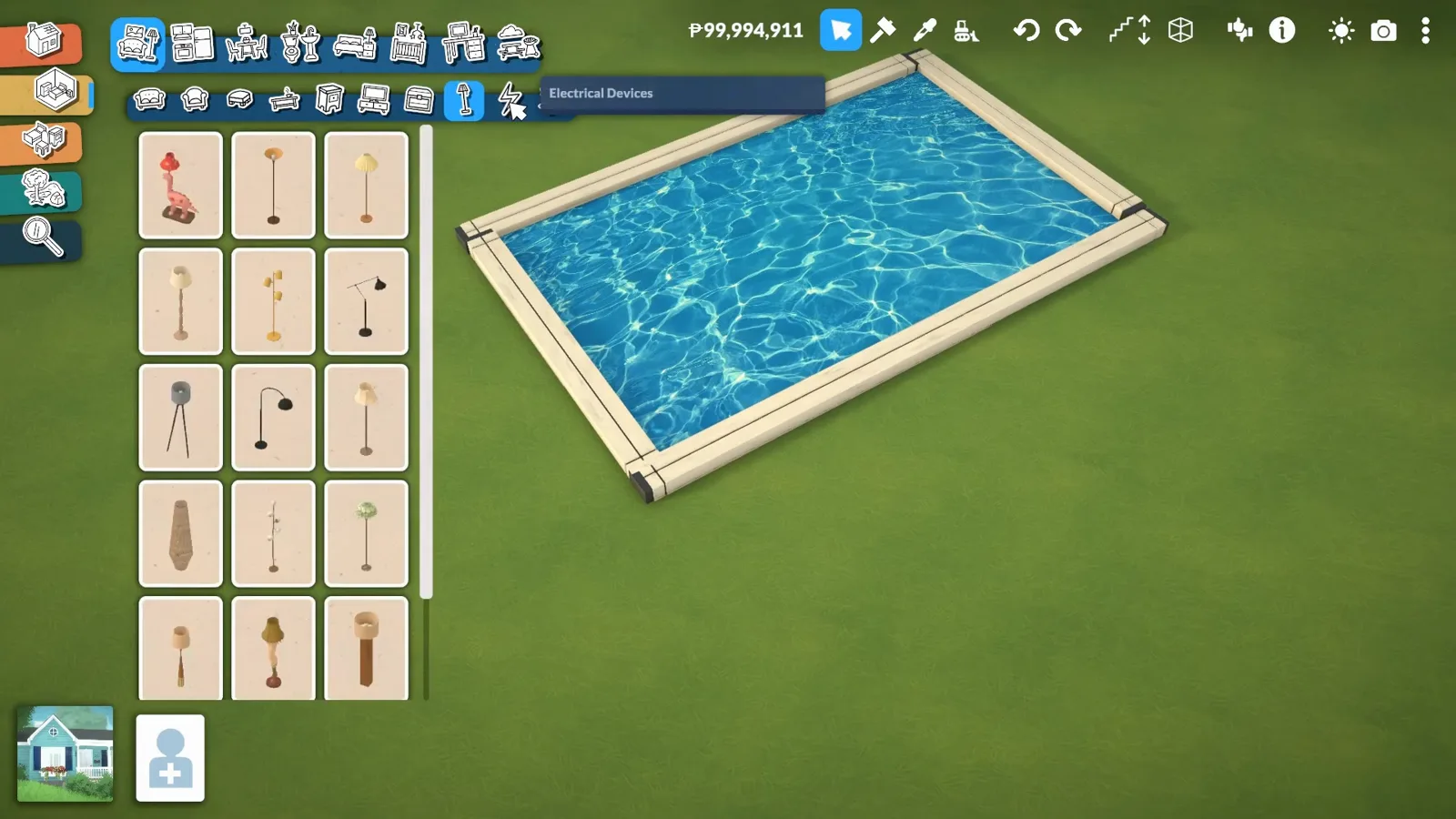
Furniture does the last 10 percent — the water never has to be real.Watch at 3:10
Pool-building questions
- Does Paralives have swimming pools?
- Not as of 0.1.9b. The official development page lists Pools (build mode) and Swimming (live mode) under “Planned to come out during Early Access”, and no patch so far has added pool tools or placeable pool water. Every pool on this page is a workaround — a modded water object, free town water or a decorative plane.
- Can paras actually swim in placed water?
- There is no swimming mechanic to use, and we found no public source — official or community — documenting paras swimming in any placed water object, so we flag it as unverified rather than guessing. If a mod's Workshop page claims swimmable water, hold the mod author to that claim; everything else on this page is decoration first.
- Can you make a pool in Paralives without mods?
- Yes, with two caveats, each straight from its source. The walkthrough shows a free Town Water item found by searching “water” — presented as needing no download, though it can't be resized and needs the toggleedittown cheat to move. The fully vanilla route is ItsLeiCarlls': a base-game water-texture plane over a painted basin, which looks the part but never moves.
- When are official pools coming?
- No date has been announced. Pools and Swimming sit on the official “Planned to come out during Early Access” lists without a timeline, and no patch so far has said otherwise. Check paralives.com/development for the current list.
- Is there a pool mod with ladders and pool objects?
- POOL TIME by BySimtect is on the Steam Workshop — a pack of pool objects such as a ladder, per BySimtect's own showcase video (credited below; we took no footage from it). We haven't tested the pack ourselves, so check its Workshop page for what's included and whether it survives the latest patch.
Go deeper
Paralives Workshop guide
Where mods come from — install them, trust them, and keep them from breaking your save.
Paralives terrain guide
Lower, smooth and paint — the full toolkit behind the pond route.
Paralives mods not working?
When a Workshop item vanishes after a patch, start here before rebuilding the pool.
Related builds
Paralives decks and patios
The raised deck around the basin is half the pool illusion.
Paralives walls guide
Curved sections, half walls and the shell techniques this build leans on.
Best Paralives mods
The rest of the Workshop shortlist, reviewed and patch-checked.
Paralives loft guide
Same wave, different shell — mezzanines done with platforms.
Paralives farmhouse guide
A whole-house build where a pond out front would fit right in.
Pond build
Garden water without the ladder — terrain basins, glass-surface ponds and ducks.
Houseboat guide
Platform and fake-water routes adapted to a floating home — plus what the official roadmap says about real houseboats.