
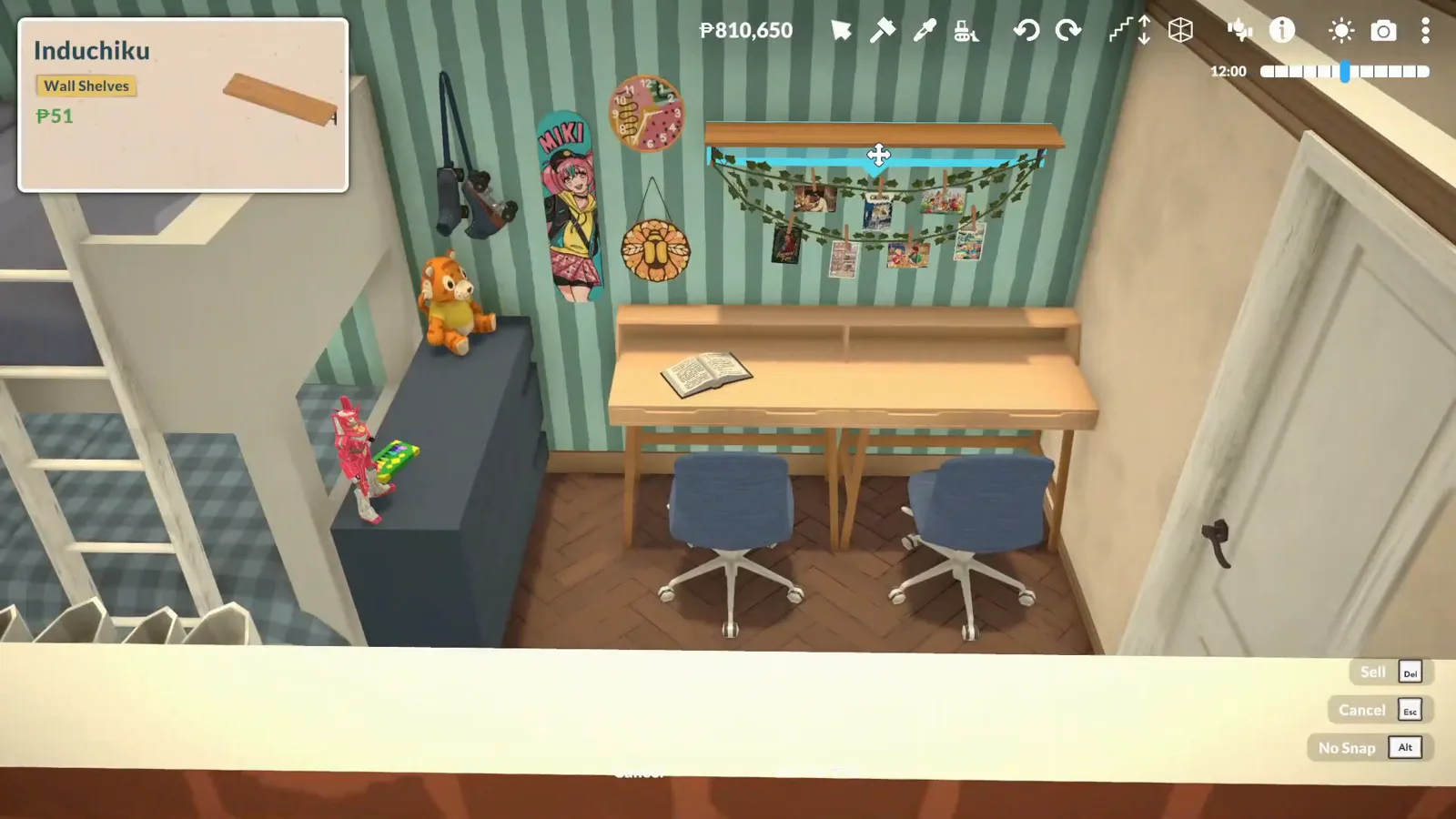
Bunk beds in Paralives right now
Paralives has no functional bunk beds as of 0.1.8b — you can build the look, but Paras cannot sleep in it. What the game does have: a flexible bed system. Beds stretch across the standard sizes and snap into place, beds flagged Free Height Adjustor can be raised into a loft position, and anything that fits can live underneath. The real bunk beds are officially confirmed — the developers announced them in an October 2025 dev chat — with no ship date.
- No bunk bed item in 0.1.8b — stacked-bed builds are decorative
- Functional bunk beds are confirmed: announced in an October 2025 dev chat
- The wiki's planned-features list files them under "planned after Early Access"
- Beds stretch across single to king sizes and snap into place
- Beds flagged Free Height Adjustor can be lifted into a loft position
- The workaround: two beds, resized columns, a ladder and a desk below
Group 1 · What beds already do
The bed system you already have
Before faking a bunk bed, it helps to know how flexible Paralives beds are out of the box. Iron Seagull's walkthrough puts every part of the system on camera: the resize handles, the size snapping, and a frame that can carry one mattress most of the way to the ceiling.
- 1
Select any bed — resize handles appear
Beds are resizable objects in Paralives. Click a placed bed and the row of round handles appears above it; every bed trick on this page starts from that one fact.
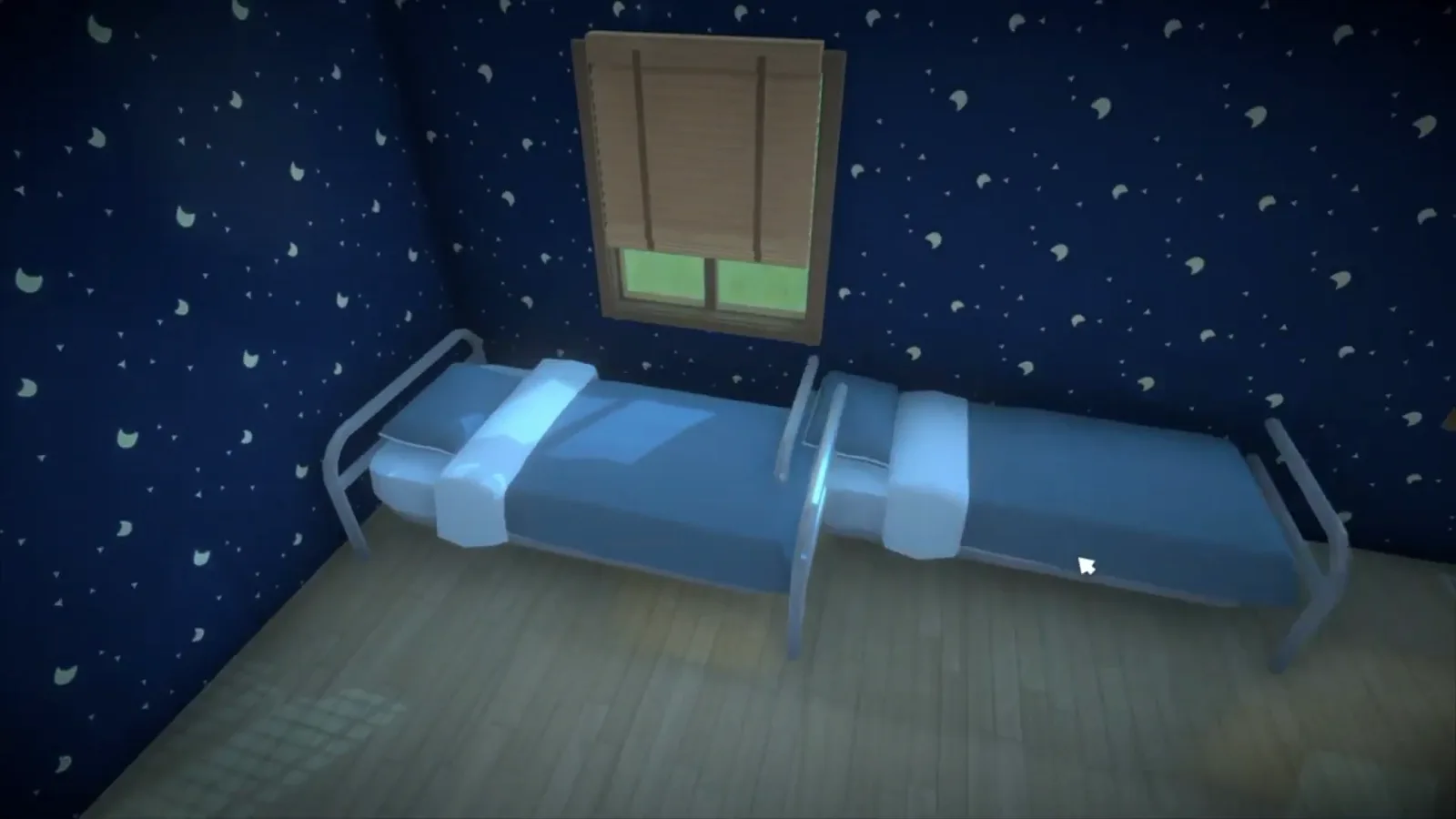
Every bed trick starts with these handles.Watch at 0:40 - 2
Stretch one bed across the standard sizes
Drag a handle and the bed grows from a single into a double, queen or king-width sleeping spot, snapping at the conventional sizes instead of stopping at random lengths. Alex Massé confirmed the snap on the official Discord: it acts "as a guide to help players design their bed."
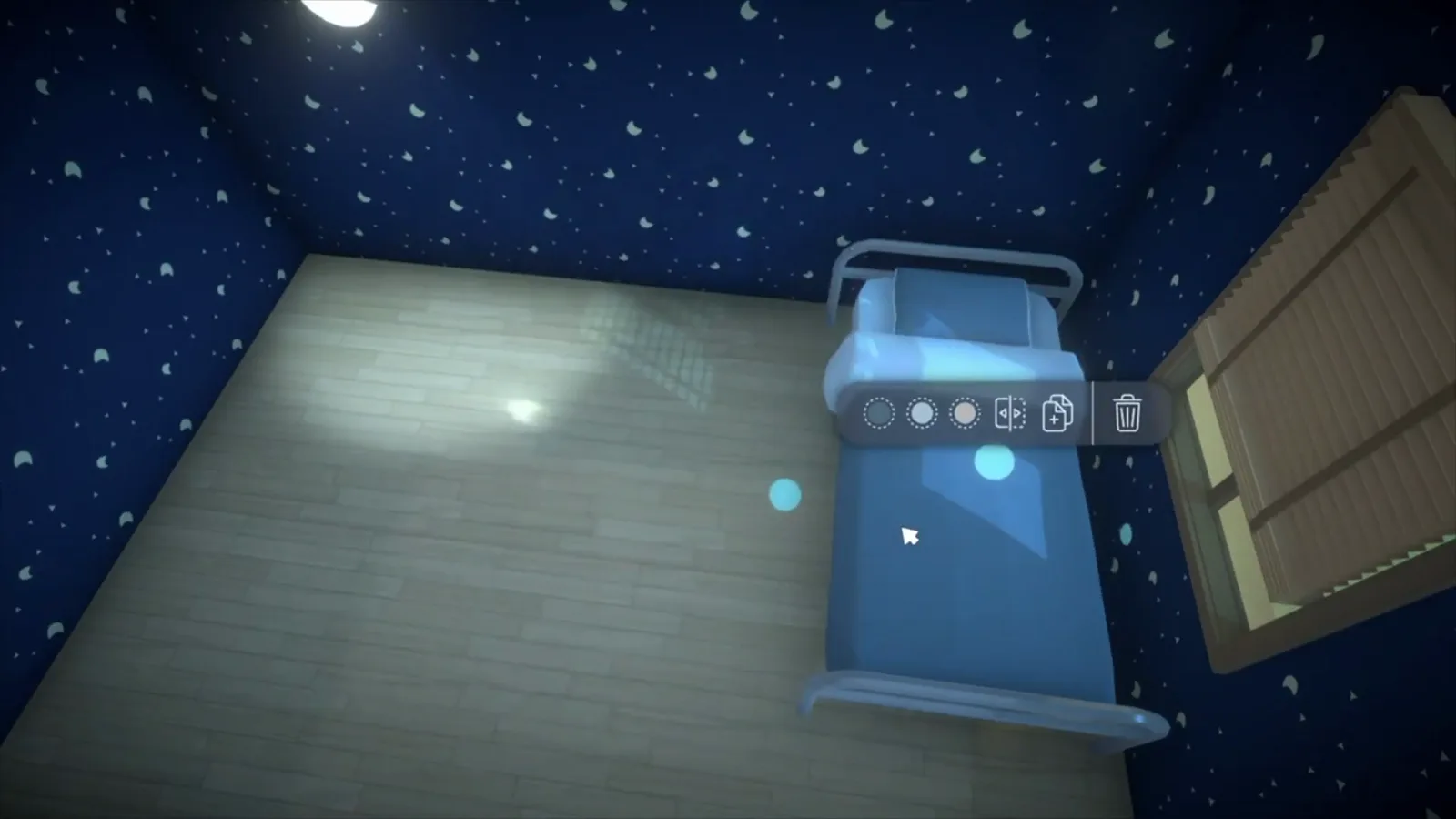
One bed, four conventional widths.Watch at 5:50 - 3
Height adjusts too — lift a bed up its frame
The handles move beds vertically as well. On a metal-frame bed, the sleeping surface can travel most of the way up the frame, turning one bed into a loft shape with open space below — exactly the silhouette a bunk bed needs.
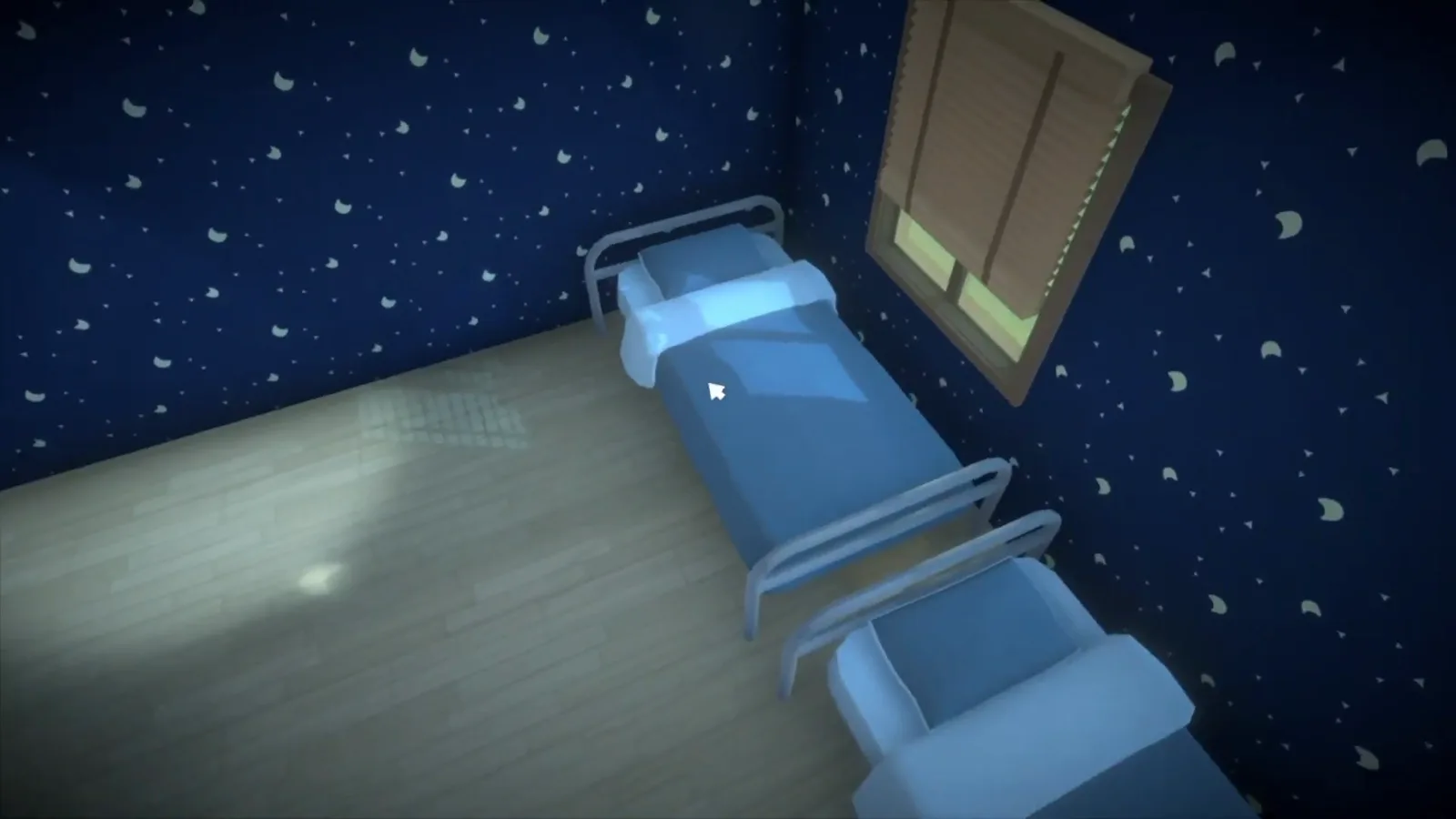
Same bed, new altitude.Watch at 1:40 - 4
Park a second bed underneath
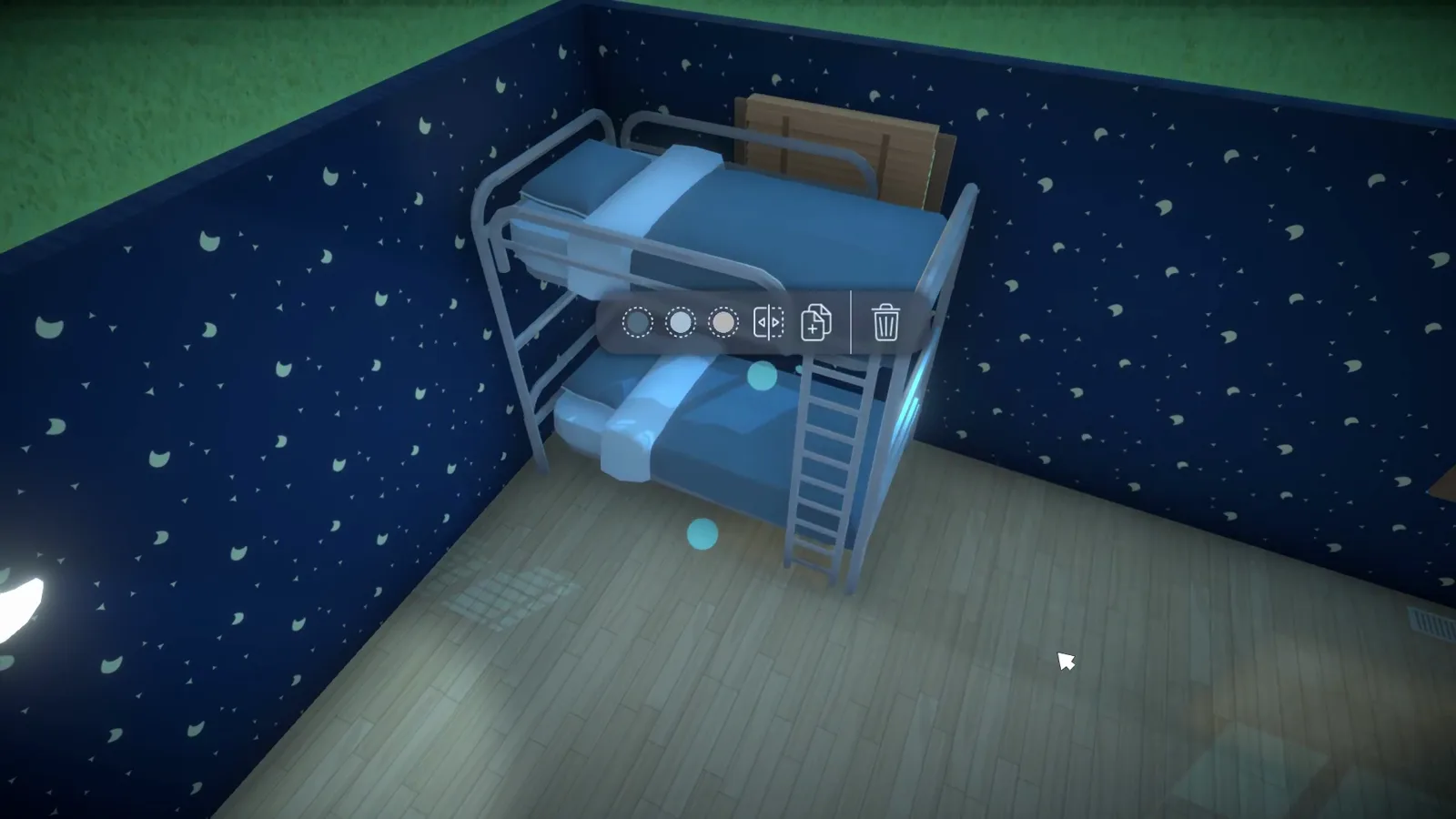
Bring in a second bed and the room has a bunk bed silhouette: two stacked sleeping spots and a ladder against the side. What it does not have is the function — Paras cannot be sent to the top bunk, because the game still recognises each bed as its own object.
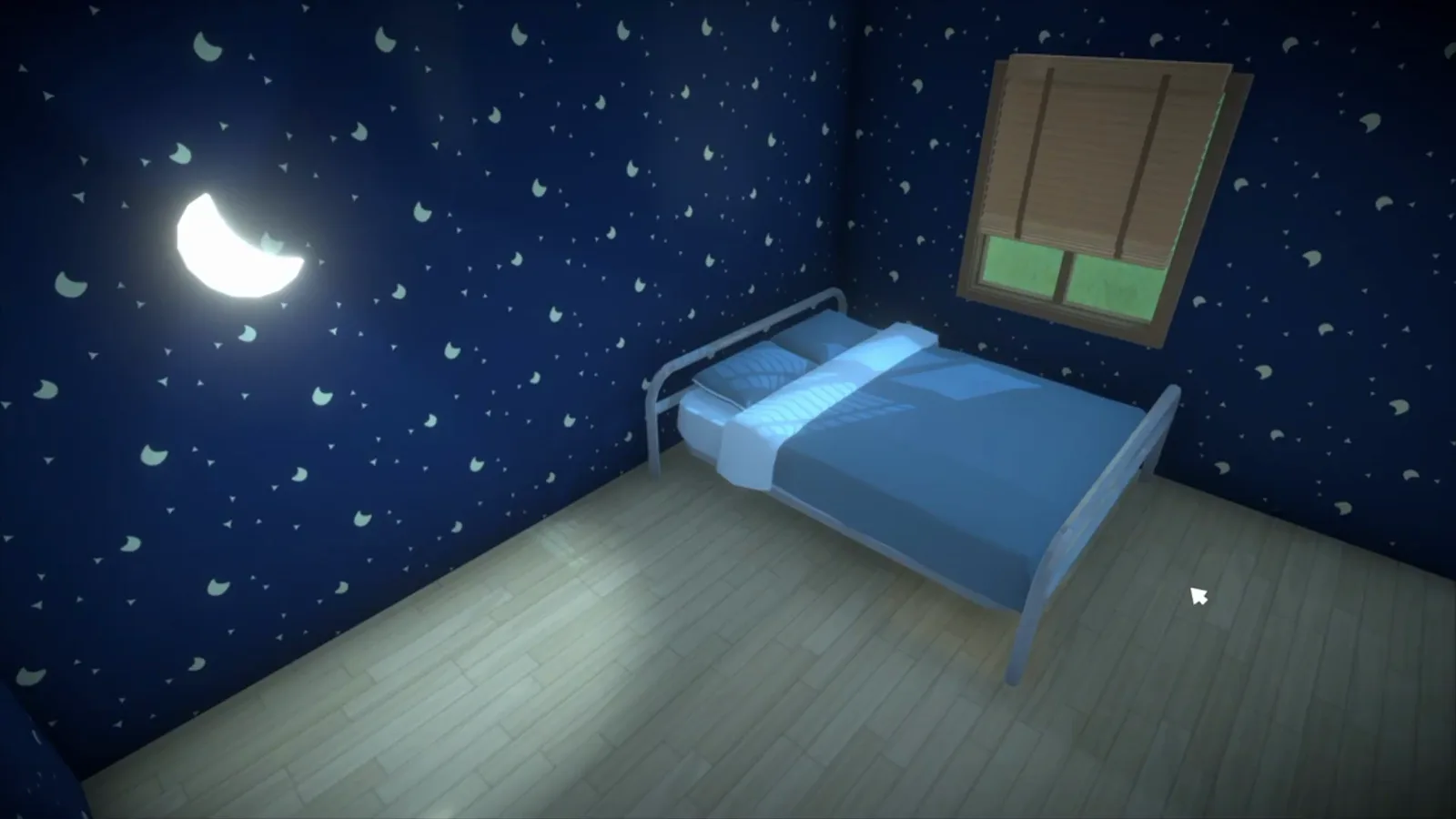
The look works today; the sleep command does not.Watch at 1:00 - 5
And split it back into two singles
Nothing here is welded together. Drag the top bed back down and the room has two ordinary singles again — the reversibility that shows this is the resizing system at work, not a hidden bunk bed item.
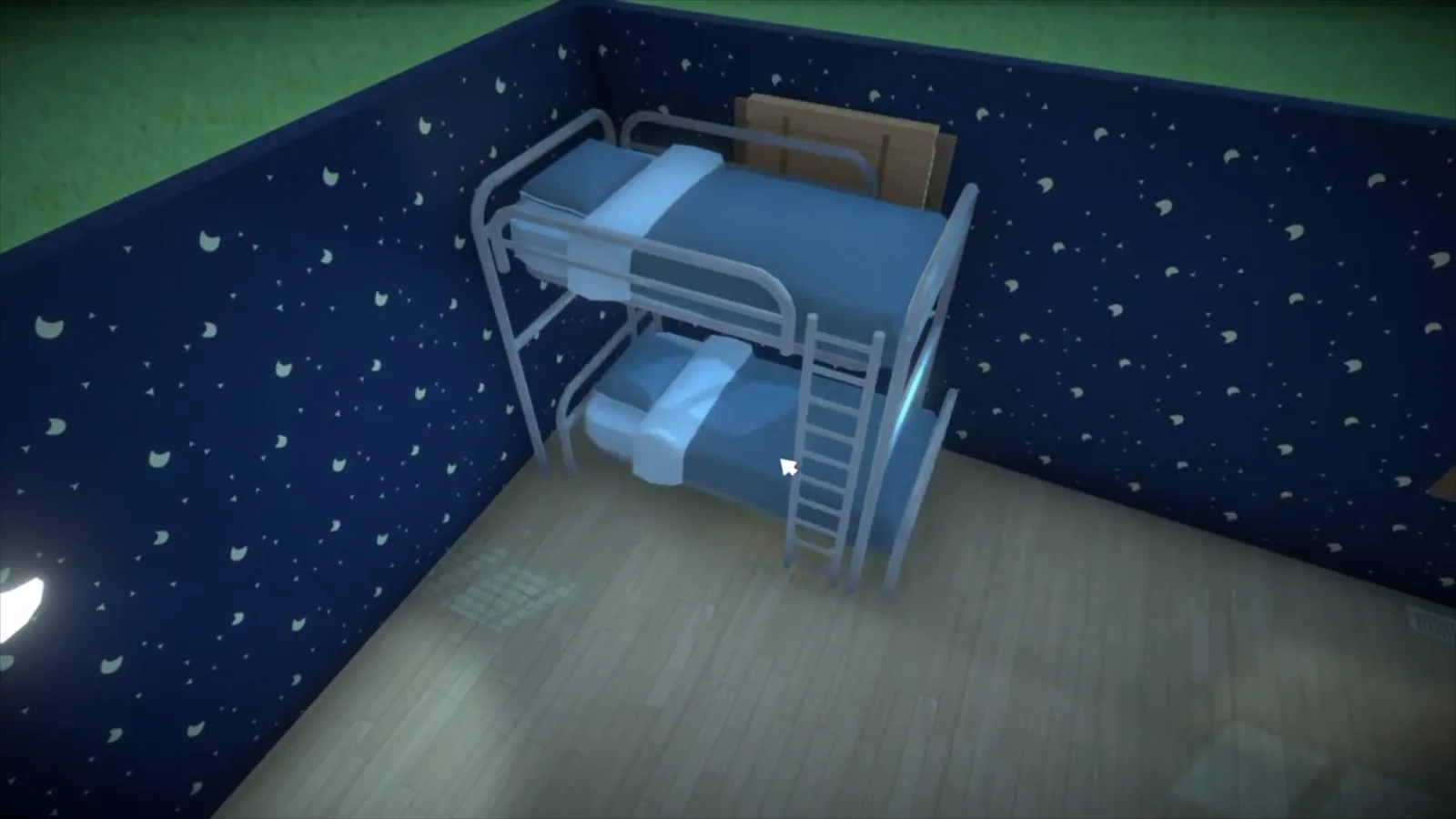
All the way back apart — it was never one object.Watch at 2:20
Group 2 · The workaround
Build a fake bunk bed that fools the eye
Panda Builds' kids room is the most complete on-camera bunk build we know of: a raised bed on resized columns, guard rails, a ladder and a desk for two underneath. One caveat he demonstrates himself: it is decoration — his Para could not climb in to sleep.
- 6
Pick a bed flagged Free Height Adjustor
Panda Builds starts in the catalogue: the bed he picks carries a Free Height Adjustor tag on its card, so its height can be dragged freely once placed. A slim ladder goes up against the wall first, so the climb line is set before the bed leaves the floor.
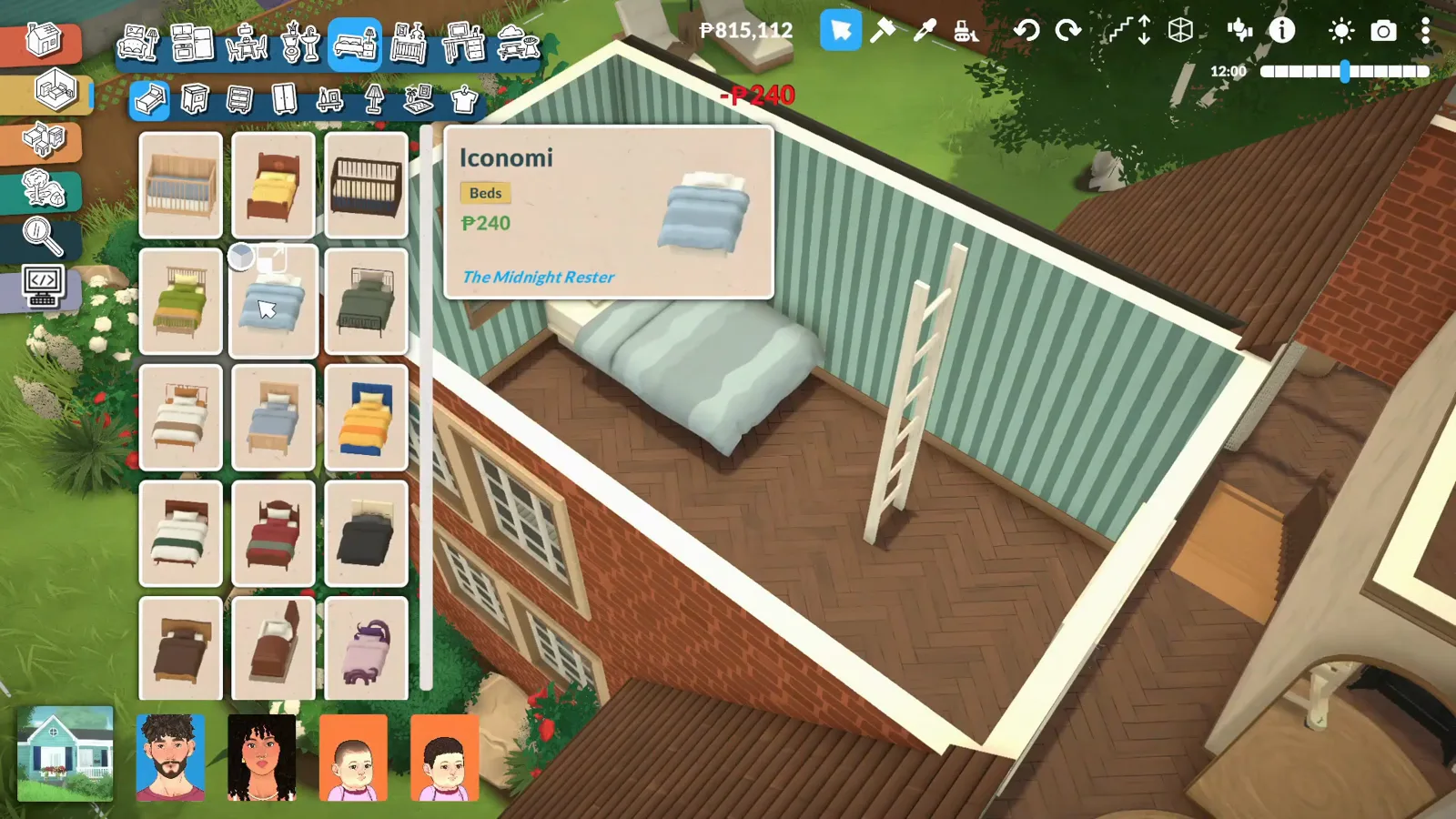
The catalogue flag that makes the top bunk possible.Watch at 22:28 - 7
Raise the bed, then set columns under it
With the bed hoisted to bunk height — the game lists Move Vertically (hold Shift (hold)) on every selected object — the supports come next. Panda resizes columns into thin beams and stands them between the two beds, so the raised one reads as held up on purpose rather than floating.
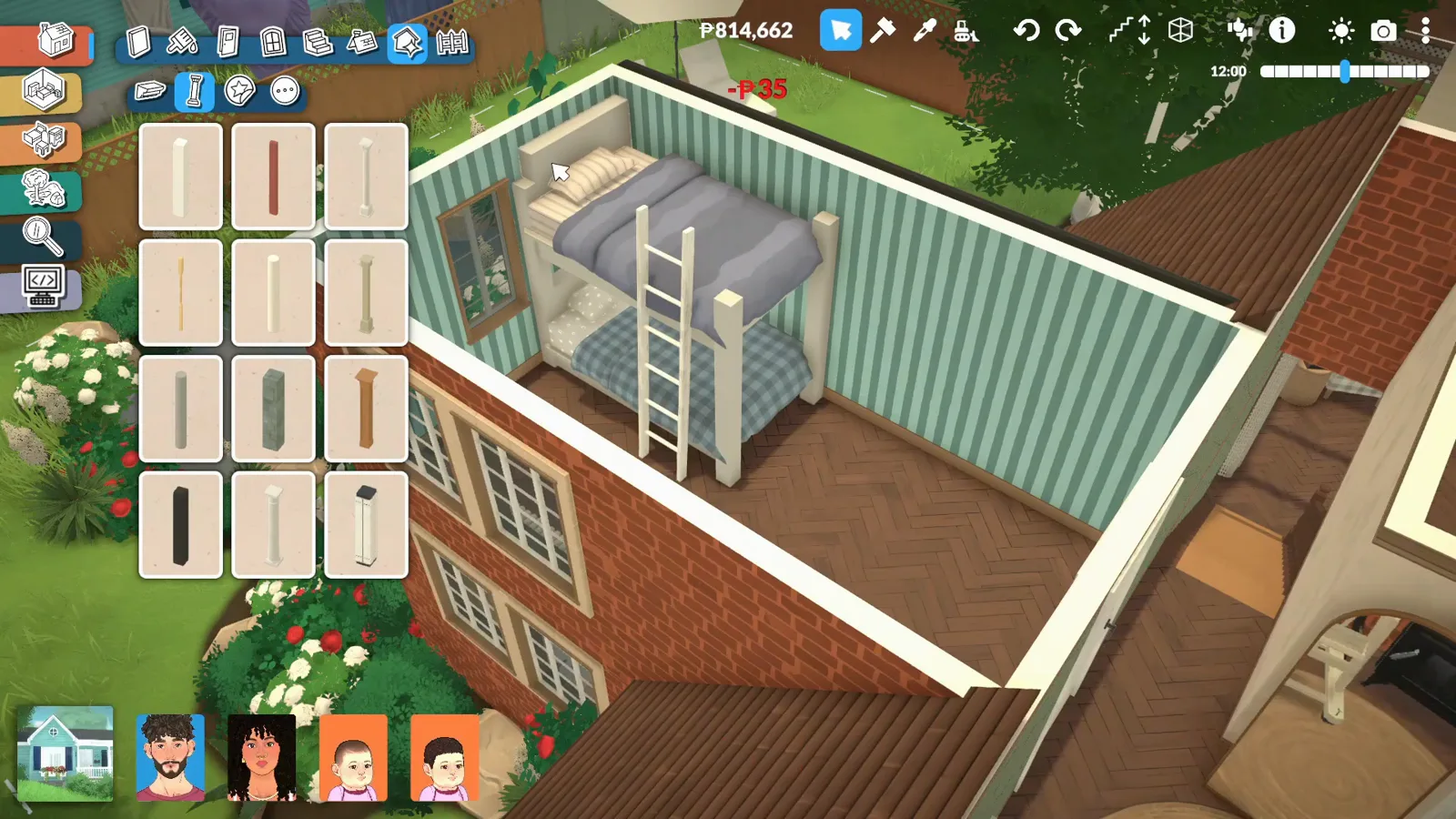
Columns resized into support beams.Watch at 22:56 - 8
Resize segments into headboard and rails
The top bunk has to look safe. More resized pieces become a headboard and low guard rails around the raised mattress — protection for the kid to not fall down, as Panda puts it. It is the same object resizing from step one, pushed into set-dressing.
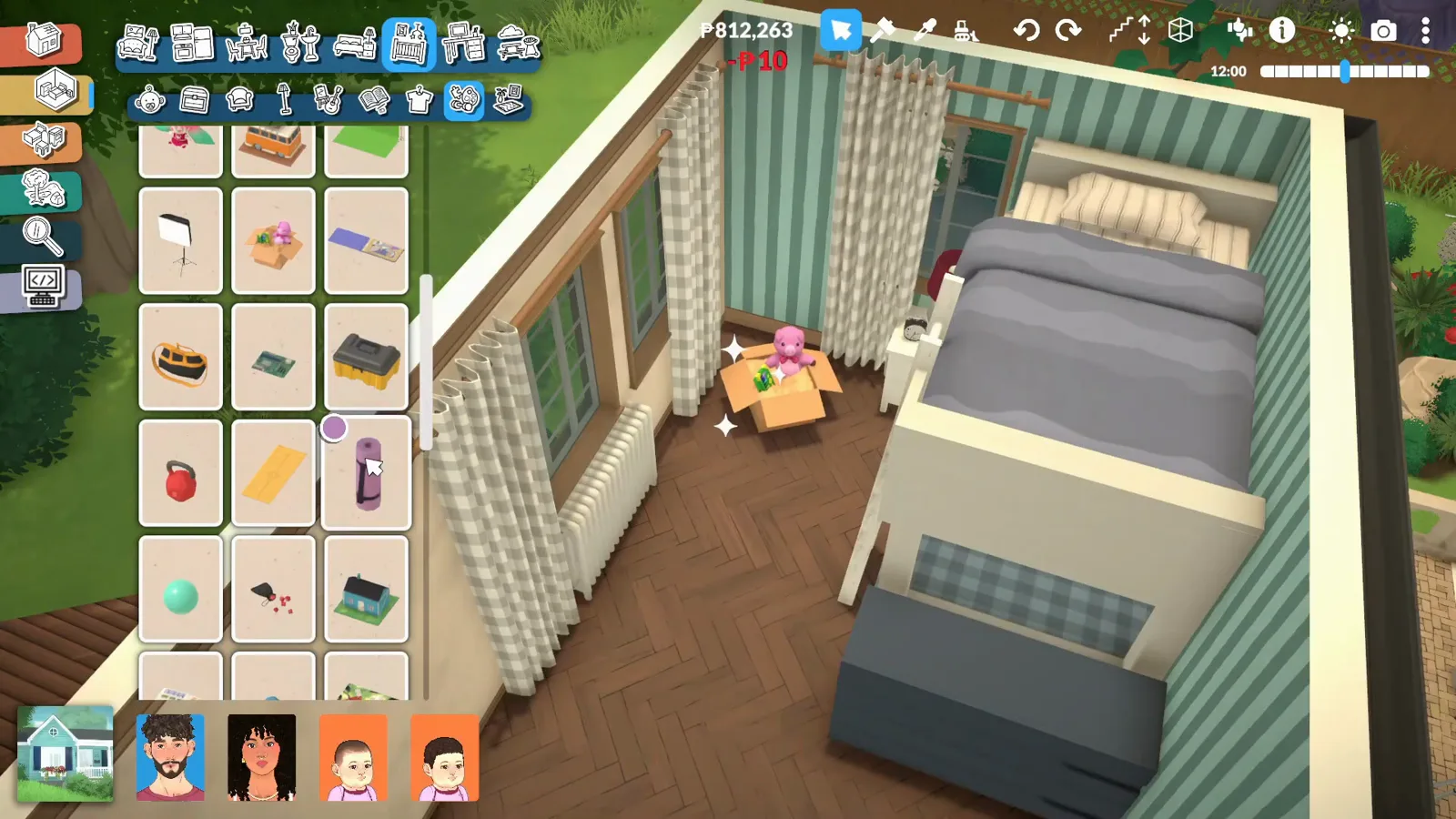
Guard rails from resized segments.Watch at 23:08 - 9
Give the space below a job: a desk for two
The clearance under a raised bed fits more than hopes. Panda slides a desk and two office chairs beneath the bunk — a shared homework station — and the official plan points the same way: Alex Massé wrote that you can place anything that fits under the top bed, a desk and a pedestal fan included.
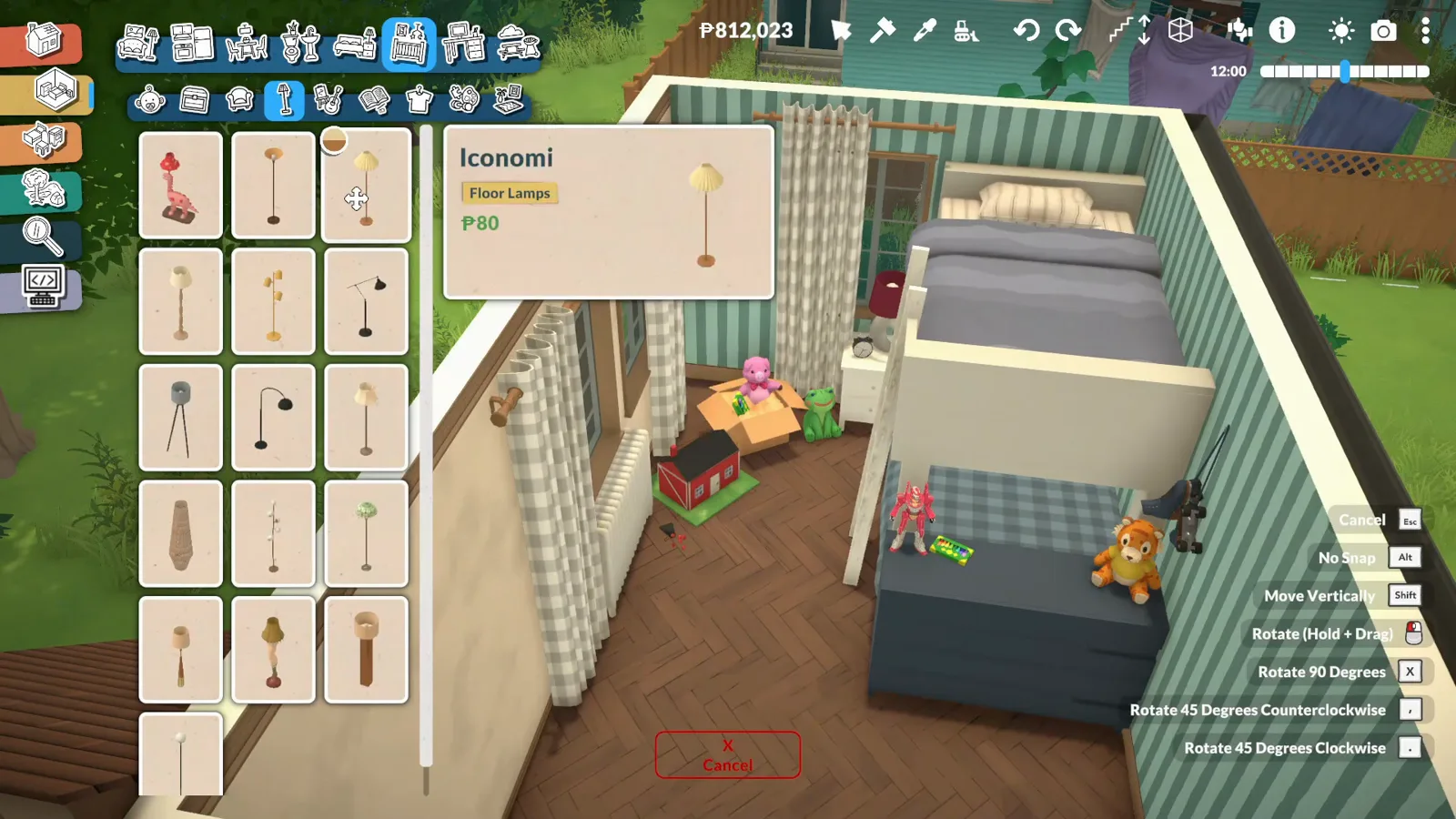
Under-bunk square footage, employed.Watch at 23:24 - 10
Drop in the lower bunk and connect the ladder
The second bed slides into the space the columns framed — the plaid-blanket lower bunk here — and the ladder now links the two levels. One honesty note from the same video: Panda tested the climb, and his Para could not get in to sleep. The build is decorative, and he says so on camera.
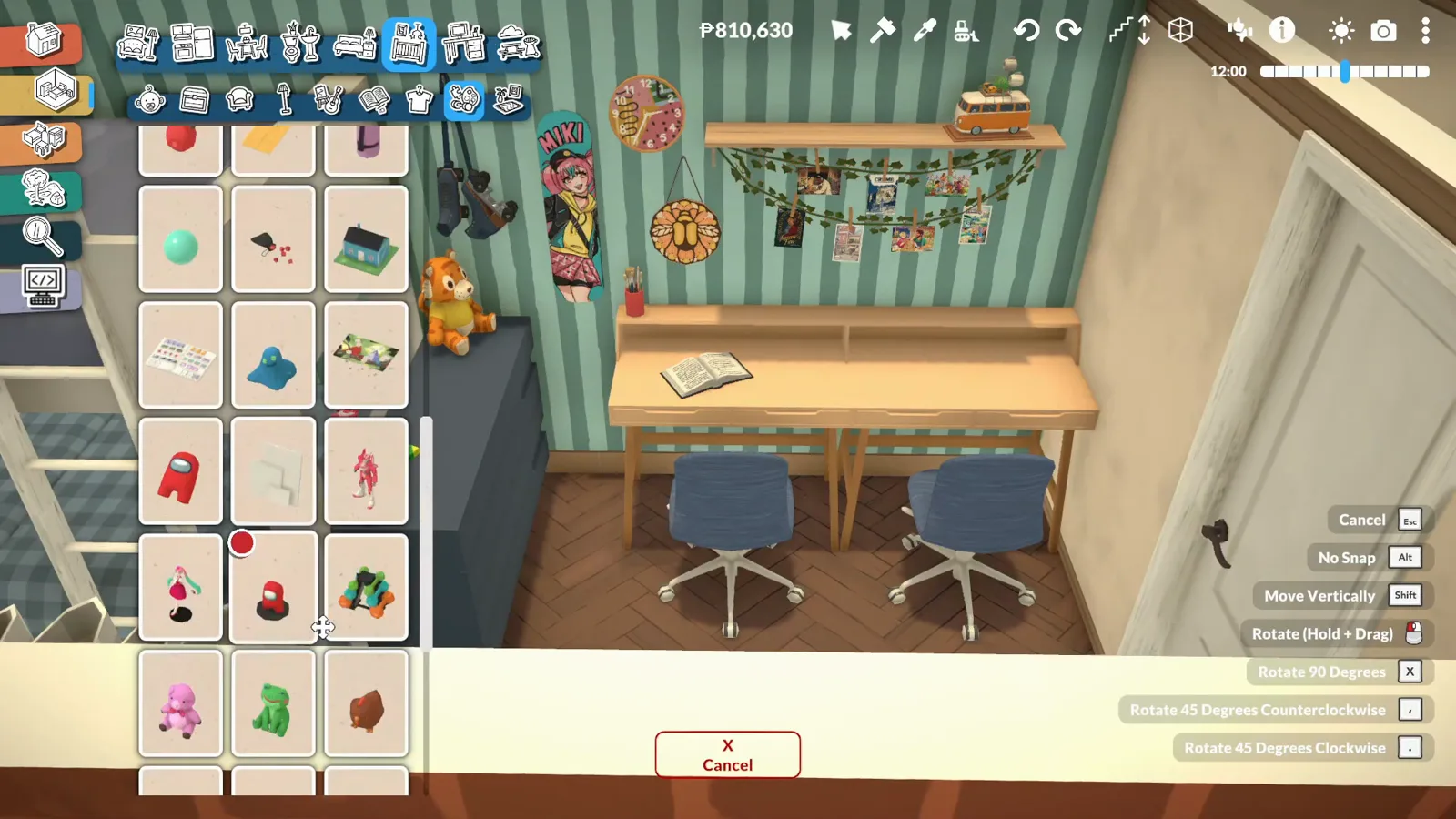
Two levels, one honest caveat.Watch at 24:12 - 11
Finish the room around the bunk
Wall shelves, bunting, toys and wardrobes turn the trick into a kids' room that photographs like the feature already shipped — which is the whole appeal. The build costs only time, and it all comes apart the day real bunk beds arrive.
The workaround's best angle.Watch at 23:56
Official progress, and where it stands
The confirmation trail is short and public. In an October 2025 developer weekly chat, the Paradevs confirmed that functional bunk beds are coming to the base game — the community wiki's planned-features list records them in its "planned after Early Access" column, citing that chat. The request itself came from the studio's Patron polls, where bunk beds were the most-wanted object.
The official design, as previewed by the studio: bunk beds will work as two separate objects — a raised bed with ladders attached, manually placed above a regular bed, with desks and other objects able to sit underneath. Bed sizing is part of the same package: any bed will transform across single, double, queen and king sizes, snapping into place as you drag. The sizing side is already playable in 0.1.8b; the bunk beds themselves are not.
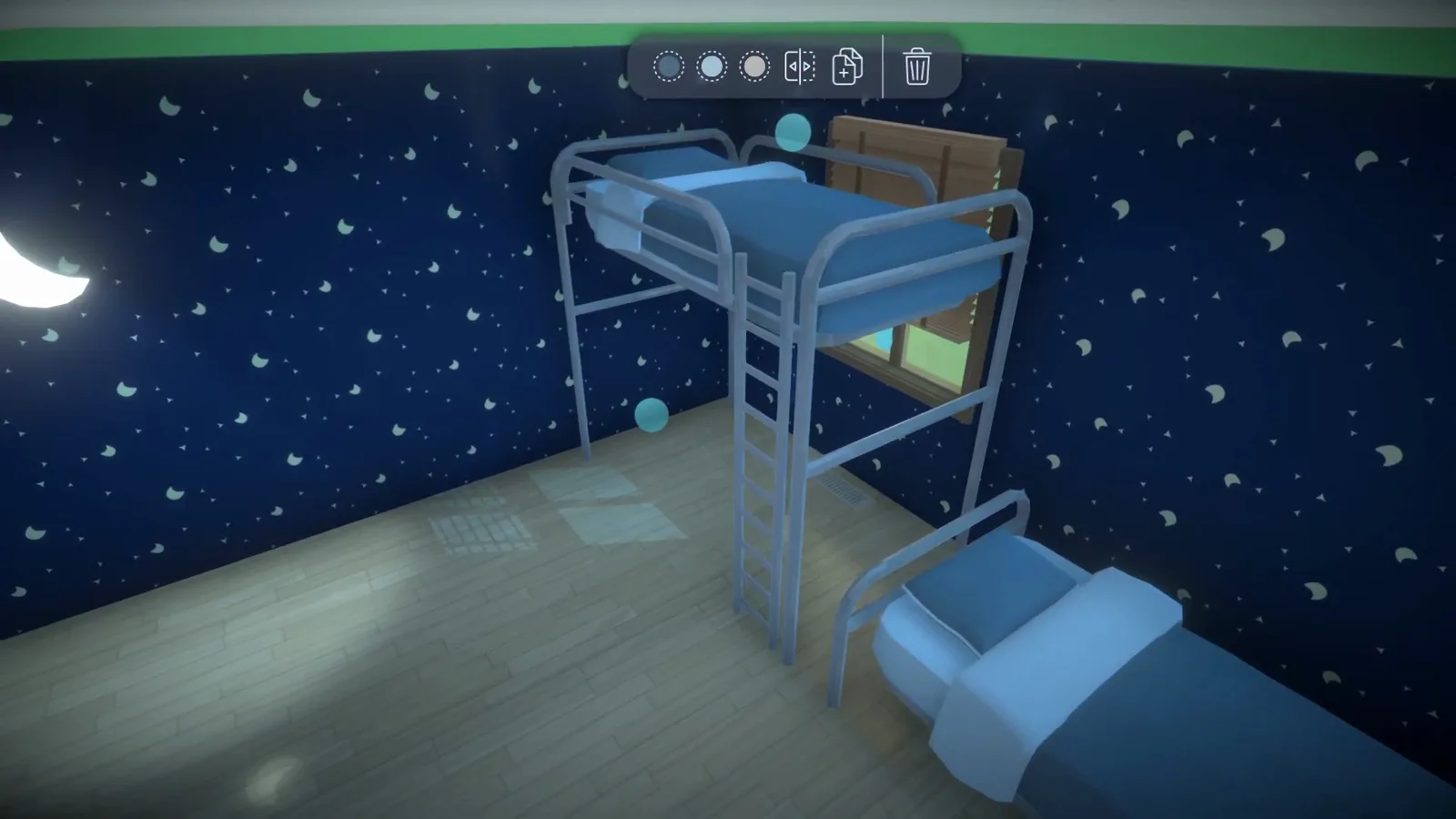
Two honesty notes. First, the official development page currently lists only a generic "more furniture and objects" entry — bunk beds are not named on the roadmap, so October's dev chat remains the confirmation to cite. Second, no ship date exists; anyone selling you a patch number is guessing. This page updates when the item actually ships — until then, the two builds above are the only bunk beds in the game.
Bunk beds FAQ
- Does Paralives have bunk beds?
- Not yet. No bunk bed item exists in 0.1.8b, and the stacked-bed workarounds on this page are decorative — Paras cannot sleep in them. Functional bunk beds are officially confirmed, though: the developers announced them in an October 2025 weekly dev chat, and the community wiki's planned-features list files them under "planned after Early Access". No release date has been announced.
- When are bunk beds coming to Paralives?
- Nobody outside the studio knows. The confirmation predates Early Access, the official development page names no bunk beds among its current entries, and no patch has shipped them yet. We won't invent a patch number — check the official news page or this guide, which updates the day they land.
- How do I make a bunk bed in Paralives?
- Two routes, both on this page. Quick: select a metal-frame bed, lift its sleeping surface up the frame, then park a second bed underneath. Fuller: raise a bed flagged Free Height Adjustor, stand resized columns under it as beams, add resized guard rails, connect a ladder and slide a desk below. Both versions come apart in seconds when the real feature ships.
- Can Paras sleep in a DIY bunk bed?
- No. Panda Builds tested it on camera: his Para could not climb into the raised bed to sleep. Why the game refuses raised beds has no published explanation — nobody has documented the rule, only the result. If sleeping Paras are the goal, keep beds on the floor and use the loft guide's platform builds, which Paras demonstrably can use.
- Is there a bunk bed mod for Paralives?
- None that we could verify. No working Paralives bunk bed mod surfaced while researching this guide. One caution: bunk bed mods are common for The Sims 4, and videos about those get tagged as Paralives content — check which game a video is actually about before installing anything.
- Is a loft bed the same as a bunk bed?
- Close cousins, same family of tricks. A loft bed raises one sleeping surface and spends the space below — a desk, a nook. A bunk bed stacks a second sleeping spot underneath instead. Our loft guide builds the raised half of this page's bunk with platforms and a reading nook, and its FAQ carries the same bunk-beds-confirmed note.
Keep building
Loft beds & loft rooms
The raised-bed half of this build, done with platforms and a reading nook below.
Platform building guide
Raised floors that carry beds, rooms and whole mezzanines — the structural cousin of the support posts.
Bedroom ideas
Finished bedrooms to borrow from — bunks and lofts included.
Move-objects & placement tricks
The vertical-move control this build leans on, plus the rest of the placement toolkit.
Build mode tutorial
New to the tools? Start here, then come back and stack.
All build guides
Every walkthrough and technique page on the site, one shelf.