
Quick answer
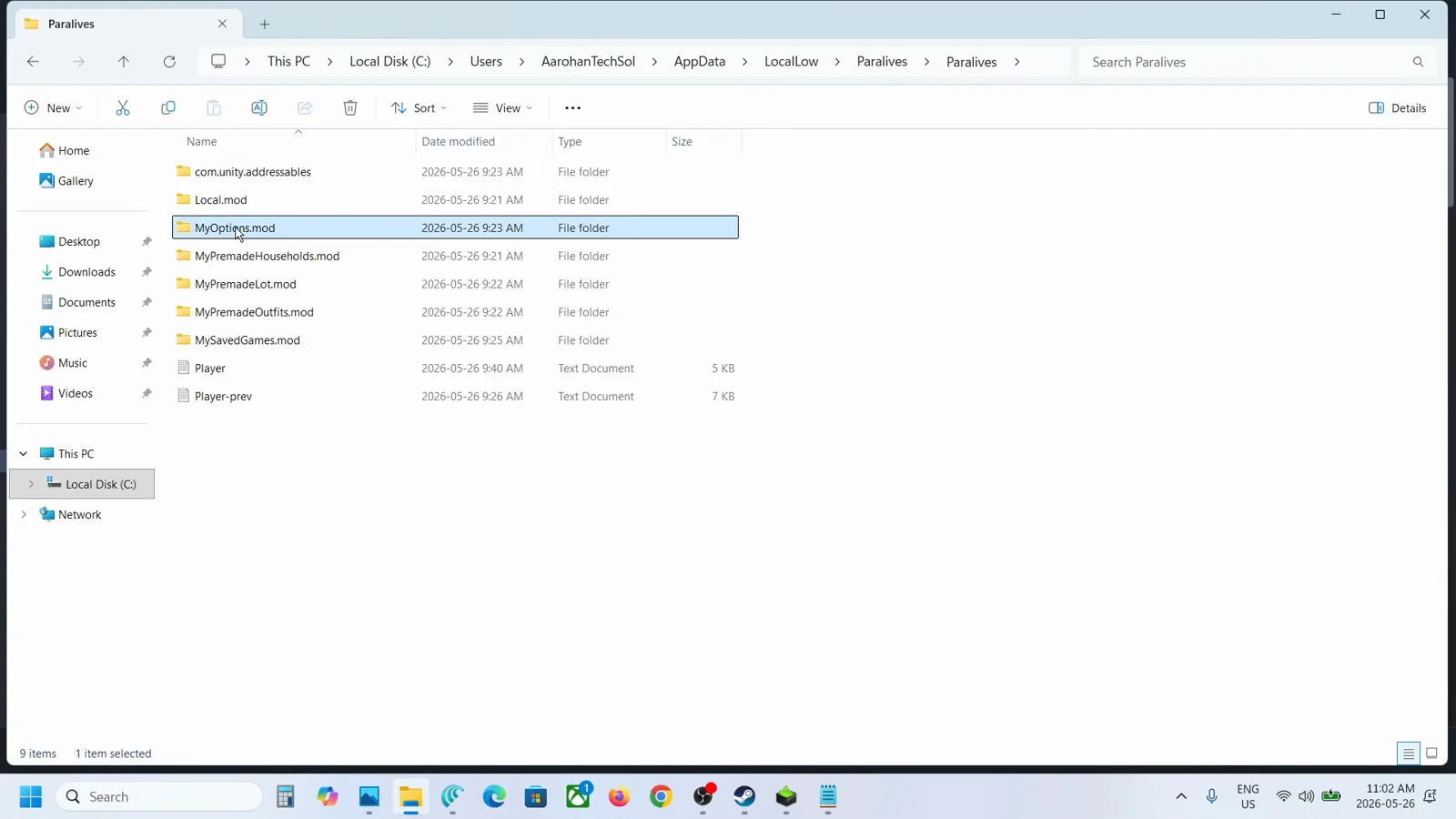
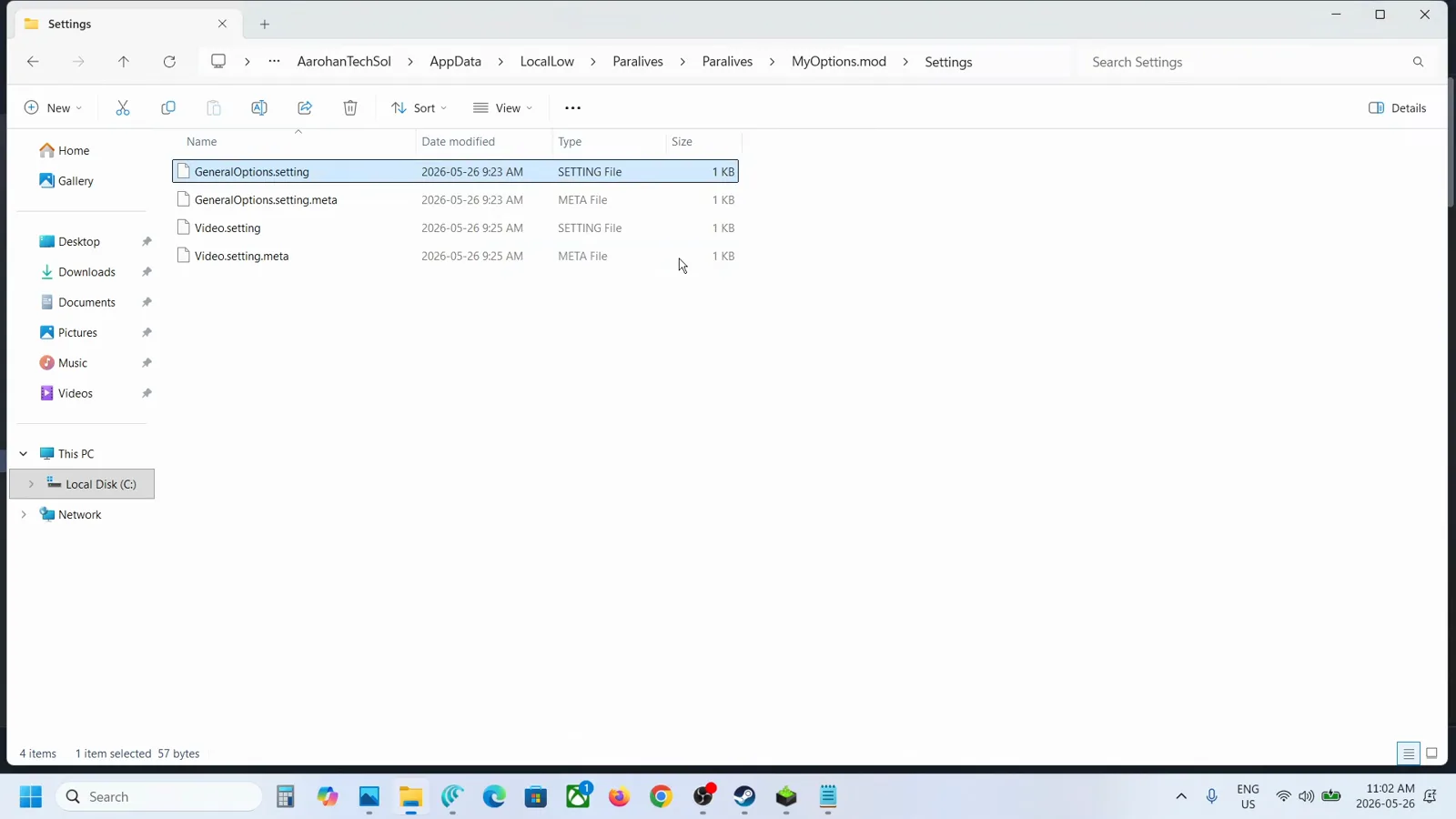
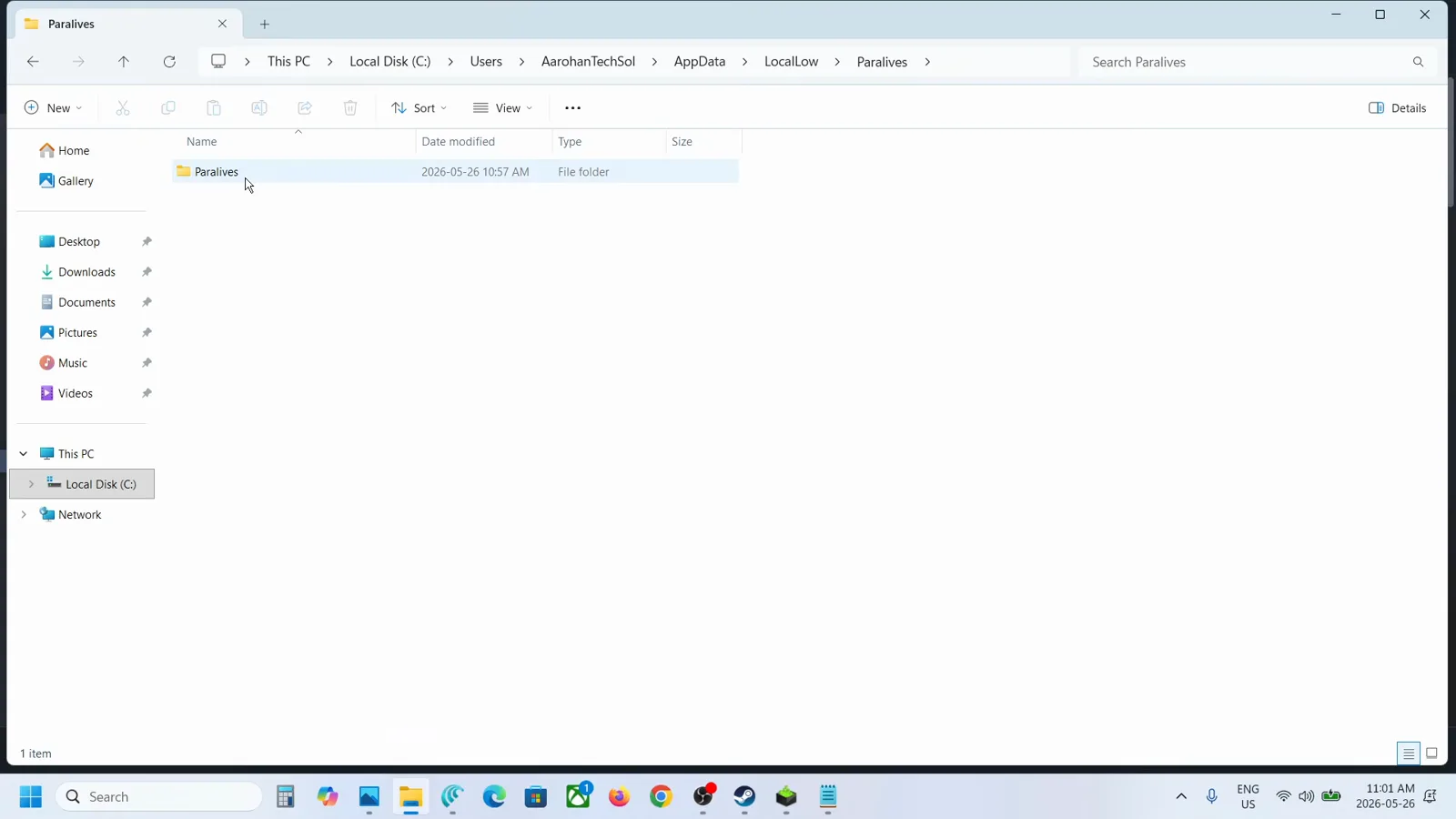
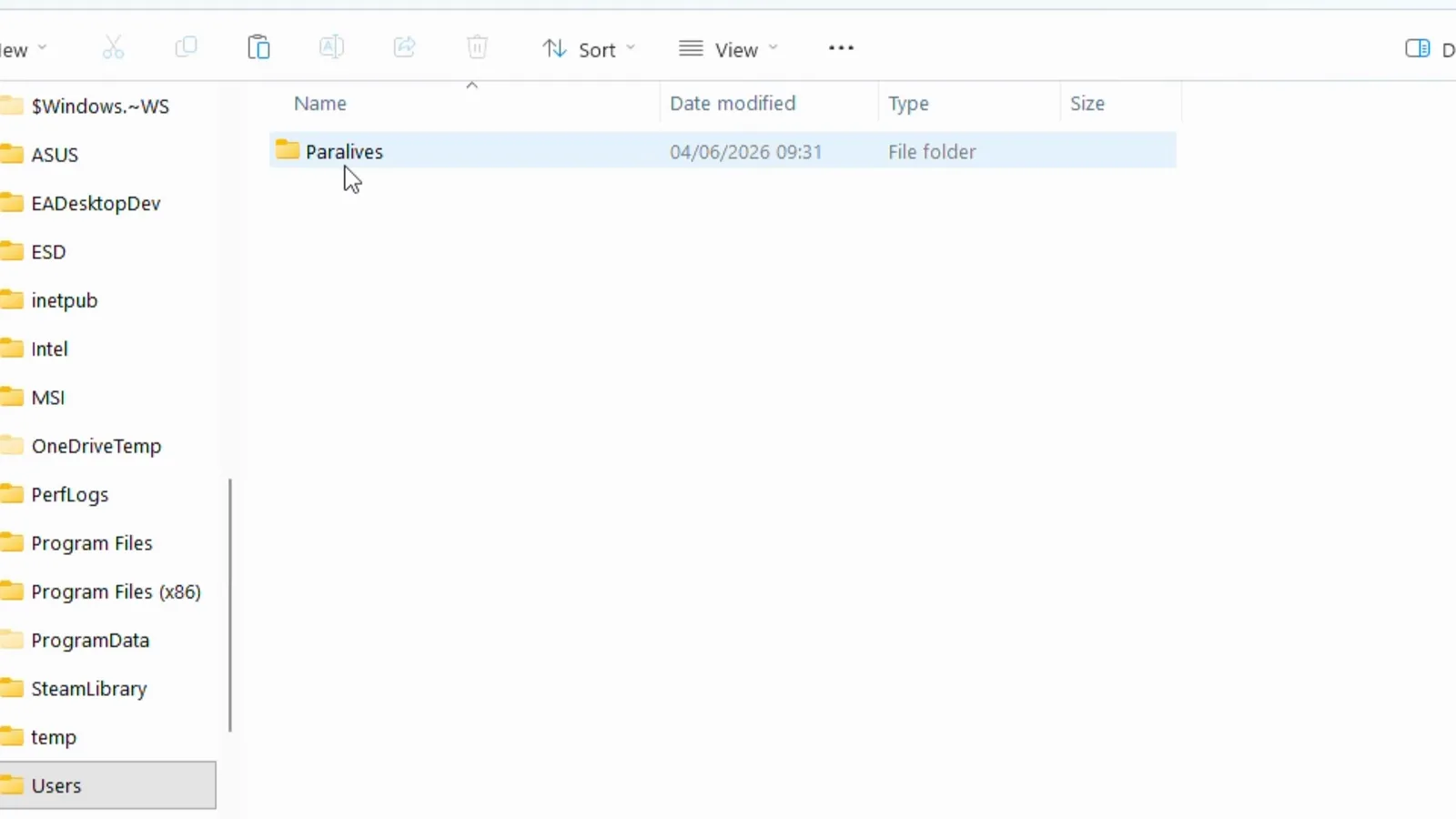
Where Paralives saves live
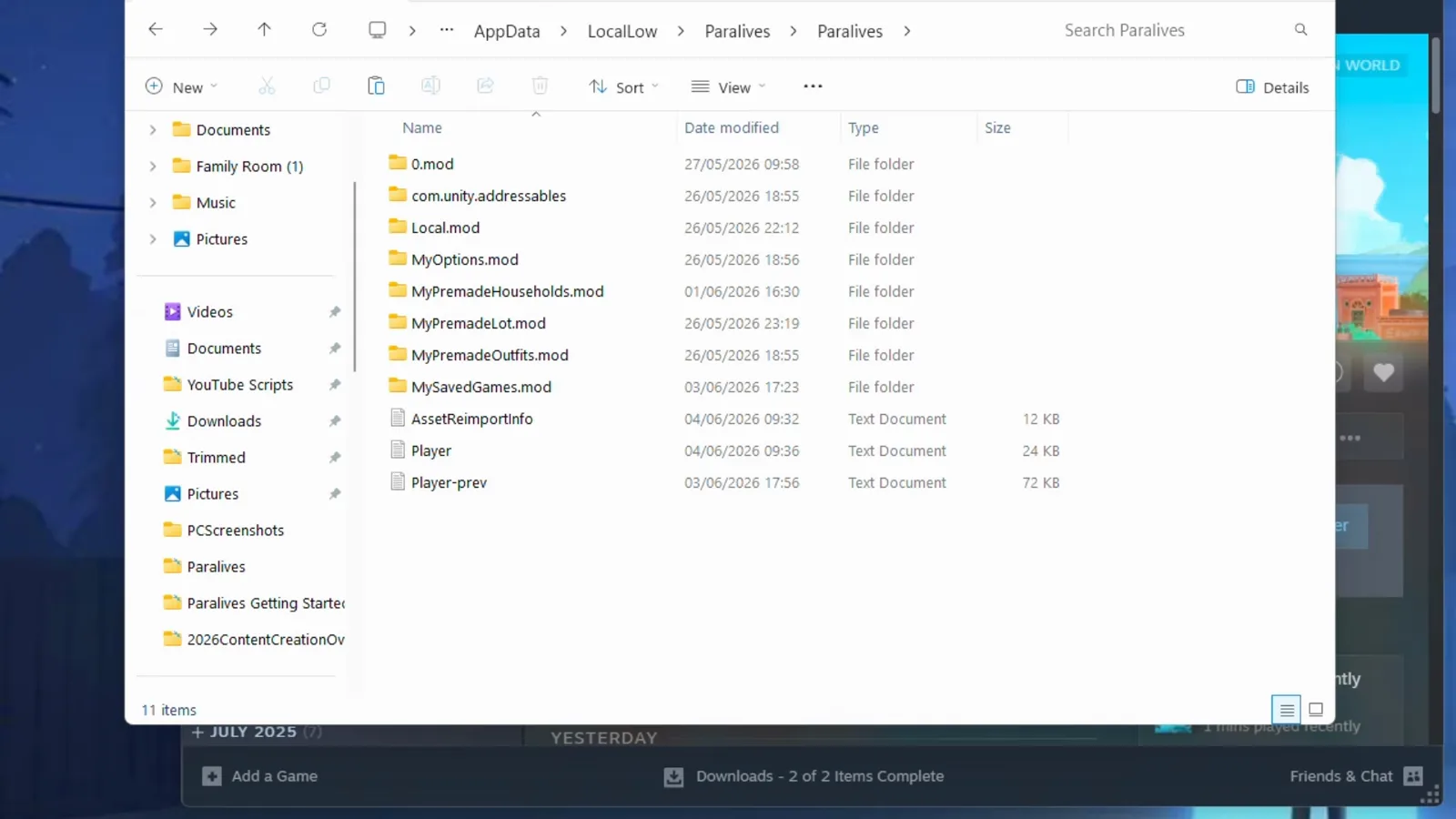
Every save is a folder named like 'Save File 1.saved' inside a folder called MySavedGames.mod, with a tiny .saved.meta file beside it. You back up by copying that folder — never a single file — and you repair by fixing the files inside it.
The Mac path changed on June 25–26, 2026. Some Mac players couldn't open saved games that week; the studio's official fix was to delete the old folder and move MySavedGames.mod into the new com.Paralives.Paralives path. On an older install, check the legacy path:
~/Library/Application Support/Paralives/Paralives/
Linux / Steam Deck: not officially documented. The Proton compatdata equivalent of the Windows path is the likely answer, but we haven't verified it — see the unverified list below.
The mental model
A save is a folder, not a file
Open MySavedGames.mod and every save looks like this — understanding the pieces is what makes the repairs below possible:
Save File 1.saved — the folder
The save itself. Everything needed to rebuild your town lives inside, which is why you always copy or zip the whole folder, never pieces of it.
Save File 1.saved.meta — the sidecar
A tiny file sitting next to the folder with the save's listing info for the Load Game menu. When it corrupts, the save 'disappears' from the menu — the official repair rewrites it with fixed values.
<id>.household / <id>.character
One subfolder per household and per Para, storing their data as JSON. A broken character file is the usual source of the JSON parse errors in Player.log.
<id>.town
The town state. When a save loads with the whole town missing, this folder is the casualty — and the official fix transplants one from a fresh save.
Patch 0.1.5 — June 27, 2026
Three safety nets the game now has built in
Before 0.1.5 there was no Steam Cloud, no autosave rotation, and saves could balloon to half a gigabyte. The patch notes say it best — verbatim:
“Smaller save files: New save files will now be 30MB in average instead of 500MB.”
“Multiple autosaves: The autosave feature will now keep the 3 last versions of each save file, allowing players to go back to a previous version in the Load Game menu.”
“Steam Cloud: Save files can now be synced on Steam Cloud to easily continue playing on a different computer.”
Steam Cloud
Steam Cloud sync, conflicts & Steam Deck
Patch 0.1.5 added Steam Cloud sync: 'Save files can now be synced on Steam Cloud to easily continue playing on a different computer.' Here is what that means in practice — including the parts nobody has documented.
What syncs
Your save folders under MySavedGames.mod sync through the Steam client once you're on 0.1.5 or later. Sync is handled by Steam, not the game: uploads typically happen when the game closes, and both Steam's global cloud setting (Steam → Settings → Cloud) and the per-game toggle (Properties → General → Steam Cloud) must be on.
Not uploading to Steam Cloud
Check the two toggles first, then let the game close fully — the upload runs at exit, not mid-session. Old saves are far bigger than new ones (~500MB vs ~30MB since 0.1.5), so a first sync of an old save can take a while.
Save conflicts
Play on two machines without letting sync finish and Steam will eventually ask which version to keep. How Paralives resolves this — a Steam-side dialog or last-write-wins — is not officially documented. Before clicking anything, back up the local save folder on both machines so neither side can be lost.
Steam Deck
The Deck is exactly the 'different computer' the 0.1.5 note describes: cloud sync is the official way to continue a PC save on Steam Deck. The Deck-side local path (the Proton compatdata equivalent of the Windows path) is unverified — but with sync working you never need it.
Playing on the Deck itself — controls, performance, verified status — has its own guide. Steam Deck guide →
Back up
How to back up a Paralives save
Two official in-game habits plus one manual file copy. Do all three and no patch can take your town.
- 1
Duplicate the save in the Load Game menu — official advice since patch 0.1.3: 'You can backup your saves from time to time by duplicating them in the Load Game menu.' The copy shows up as a separate save.
- 2
Rename saves with the pencil icon in the Load Game menu, so 'backup before 0.1.6' is findable the day you need it.
- 3
Save your household and lots to the library — the studio's content-level backup: 'You can save your household and your lots to the library to keep a backup and be able to use them in future save files.' Library items survive even a lost save.
- 4
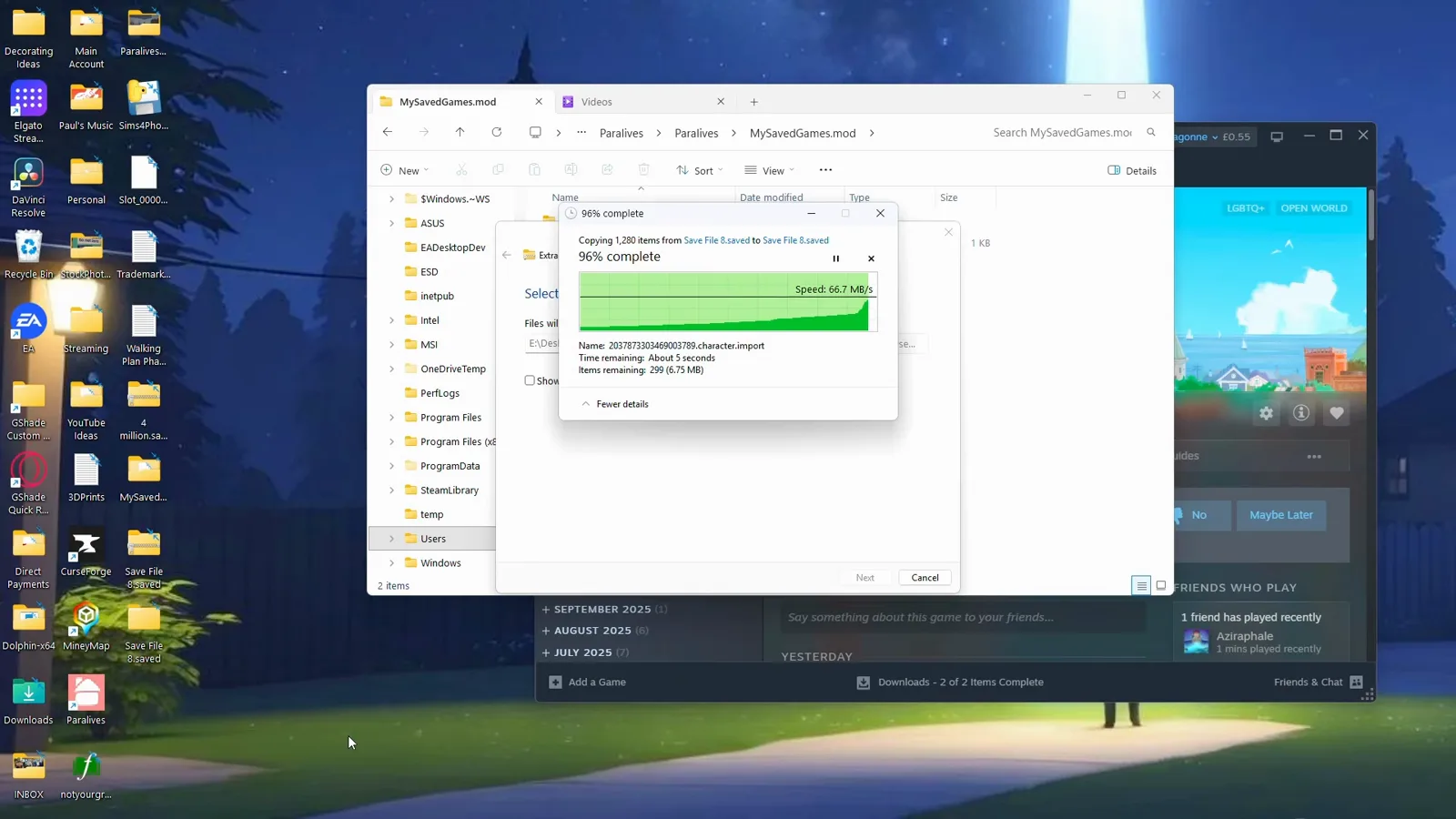
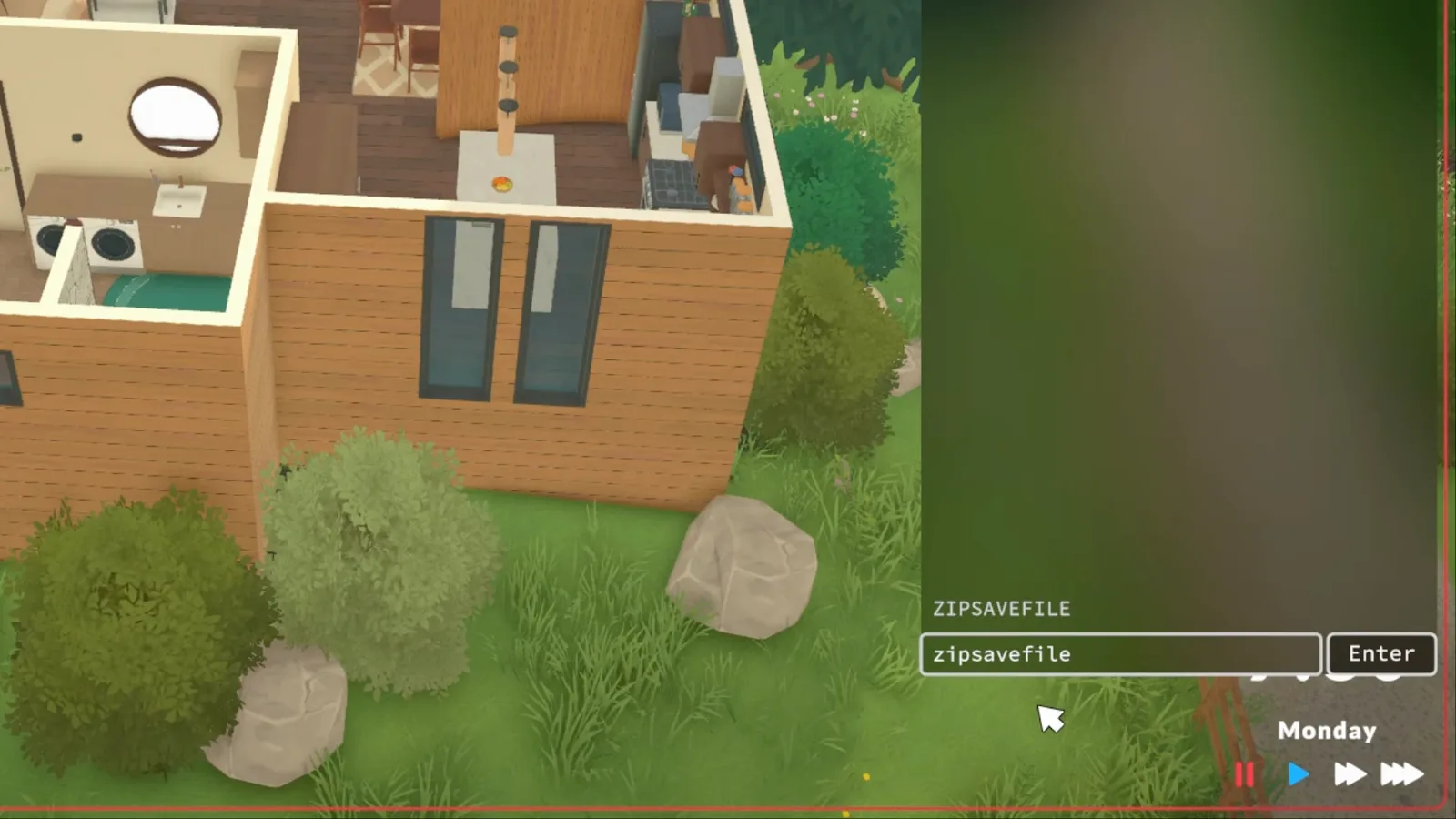
Manual copy, game closed: quit Paralives, open MySavedGames.mod at the path above, and copy the whole 'Save File N.saved' folder (with its .saved.meta sidecar) somewhere outside AppData. For a full backup, copy the entire Paralives folder under LocalLow.
How to restore a backup
Quit the game, paste the backed-up .saved folder back into MySavedGames.mod, and relaunch — the save reappears in Load Game. Since 0.1.5, Steam Cloud is itself a restore path when you move computers (Mac players will spot a steam_autocloud.vdf in the save area). If Steam ever asks whether to keep cloud or local files, pick the side you actually want — the conflict behaviour isn't officially documented.
Official repair
Fixing a corrupted save — the studio's own guide
Paralives Studio published a manual repair guide at paralives.com/news/fix-save-files (mirrored on the wiki, marked as written by the studio). Two warnings from it apply throughout: back up your save first, and some corruption has no manual fix yet.
1. Diagnose in Player.log
Reproduce the stuck loading screen, quit with Alt+F4, then open Player.log in the same LocalLow folder as your saves (the previous session is rotated to player-prev.log). The errors at the bottom name the file and the failure — that decides which fix below applies.
2. JSON parse error → run the file through a JSON fixer
If the log shows something like …character.import - JSON parse error: Missing a closing quotation mark in string., open each file the log names, paste its contents into a JSON-fixer website, and overwrite the file with the repaired JSON. The save should load after a restart.
C:\Users\<you>\AppData\LocalLow\Paralives\Paralives\Player.log
3. Meta file error → rewrite the .saved.meta
If the log says 'Could not read meta file … .saved.meta at line:', the file is usually empty or full of NUL characters. Replace its entire contents with exactly these five lines from the official guide:
GUID:4513815259518700000
Type:301
CreationTime:0
LastSaveTime:0
Playtime:0
For any other .meta type — gamestats.meta and friends — deleting the file is sufficient.
4. Whole town gone → transplant a .town folder
From the dev team's own troubleshooting thread: create a New Game in the same town, save and quit, rename both saves via the pencil icon so you can tell them apart, then in MySavedGames.mod delete the broken save's .town folder and copy the .town folder over from the new save. Your households reload onto a fresh town state.
If your error matches none of these, the guide says it plainly — those corruptions have no manual fix yet. Restore from your duplicate, an autosave version, or Steam Cloud instead.
Save error
“Cannot save right now a town event is loading”
If Paralives refuses to save with a message like Cannot save right now a town event is loading, you're not doing anything wrong. That exact wording is quoted, word for word, by several players in the studio's official Bug Reporting forum — but the studio has never documented the message, and no patch note through 0.1.9b mentions a fix. Here is what the reports agree on, and what to try.
What players report
The game runs normally, but manual save is refused with the message while a town event is loading in the background. One player couldn't save for hours; another reproduced it with all mods disabled — so custom content isn't the proven cause.
What to try first
Let the event settle: keep playing or let the town finish loading, then try saving again. If the message persists, quit to the desktop and reload — since patch 0.1.5 the Load Game menu keeps the 3 last autosave versions, so a restart rarely costs more than a few minutes of play.
Protect the session
Until this is fixed, save often and duplicate the save in the Load Game menu before long sessions — the same backup habit the studio has recommended since patch 0.1.3. Your last autosave is the safety net if a save attempt gets stuck.
If it keeps happening
Treat it as a live bug, not a broken save. Attach Player.log (the path is in the repair section above) and report it in Discord #bug-reports or the Bug Reporting forum. Player reports go back to May 2026 — include your build number and the last thing you did before the refusal.
Library, not save
The Library vs. a save file — what each one keeps
Searching how to “save a household, build or Para in Paralives” often means the Library — the game's content library — not the save files above. The distinction matters for backups: Library items travel between saves; save files hold the town itself.
Save files (.saved folders)
The town itself — every household, lot, relationship and story moment, inside MySavedGames.mod. Backed up by copying the folder (above). Lose it, and that town is what's gone.
The Library
Your content, deliberately saved outside any single save: households (with their Paras) and lots. The in-game Help guide: “Households can be saved to the Library to be shared on the Steam Workshop or loaded in another save file.” The studio's backup advice puts it plainly — Library items survive even a lost save.
What the Library is not
It doesn't hold your town's live state: loading a household from the Library doesn't resume relationships, skills or progress — those live only in the save file. There's also no documented “save this Para alone” option; the household is the unit the official sources mention.
Library items are exactly what gets shared on the Workshop — Workshop & library guide →
Chronology
Every save-related change since launch
Save stability has been the through-line of Early Access. The short version, patch by patch:
0.1.2
Known Issues already listed 'Save files not loading', and the patch 'might reduce the chances of future save files getting corrupted'. Items moved with the advanced widget could snap back on reload.
0.1.3
'Made improvements to the save system to reduce the chances of save files getting corrupted.' First official backup advice — duplicate in Load Game, save to the library — plus the link to the manual repair guide.
0.1.4
'Improved the save system to reduce chances of having save files that can no longer be loaded.'
0.1.4b
Hotfix: 'Fixed an issue where players would not be able to see or load any existing save files.' If a patch ever makes your saves invisible, check for a hotfix before assuming they're gone.
Mac — June 25–26, 2026
The Mac save-path incident: the save folder moved from the old Paralives/Paralives path to the com.Paralives.Paralives bundle path, and the official fix was a one-time manual move of MySavedGames.mod.
0.1.5
The big one: ~30MB new saves, 3 rotating autosaves in Load Game, and Steam Cloud sync — quoted above.
0.1.6
'Goodbye Charlie': new Paras are now correctly deleted from save files when you exit without saving after creating them — the 'Charlie Default' ghost-Para bug. Saving with a story card notification up also no longer deletes the card on reload.
0.1.6b
Bed stacking and group meals only — nothing save-related. This is the current build.
Unverified
What nobody has documented yet
We'd rather write 'unknown' than guess. As of 0.1.9b, no official source covers:
- What exactly triggers an autosave, and how the 3 kept versions are named in the Load Game menu.
- How Steam Cloud conflicts are resolved — a Steam-side dialog or last-write-wins — and whether sync can be toggled per save.
- Any official 'restore from Steam Cloud' procedure for a corrupted local save.
- The Linux / Steam Deck save path — presumably the Proton compatdata equivalent of the Windows path.
- How the .saved folder structure maps between Windows and Mac when Steam Cloud syncs across both.
- Whether duplicating a save in Load Game also duplicates its 3 autosave versions.
- Whether Paralives caps the number of save files, and how 'Save File N' numbering behaves when saves are deleted.
- What exactly triggers the “Cannot save right now a town event is loading” refusal, and whether a patch has addressed it — player reports date to May 2026 with no patch-note mention.
Save file FAQ
- Where are Paralives save files stored?
- Windows: C:\Users\[you]\AppData\LocalLow\Paralives\Paralives\MySavedGames.mod — each save is a 'Save File N.saved' folder, not a single file. Mac: ~/Library/Application Support/com.Paralives.Paralives/MySavedGames.mod (installs older than June 25, 2026 used ~/Library/Application Support/Paralives/Paralives/).
- How do I back up my Paralives save?
- In-game: duplicate it in the Load Game menu and save your household and lots to the library. Manually: with the game closed, copy the whole .saved folder out of MySavedGames.mod. Since patch 0.1.5, Steam Cloud also syncs saves between computers.
- Does Paralives have Steam Cloud saves?
- Yes — added in patch 0.1.5 (June 27, 2026): 'Save files can now be synced on Steam Cloud to easily continue playing on a different computer.' Earlier builds had no cloud sync at all.
- How many autosaves does Paralives keep?
- Since 0.1.5, the autosave feature keeps the 3 last versions of each save file, selectable in the Load Game menu — that's the official rollback path when a save goes bad.
- My save is stuck on the loading screen — can I fix it?
- Often, yes. Check Player.log: a JSON parse error is fixed by running the named file through a JSON fixer, a broken .saved.meta is rewritten with the official five-line replacement, and a missing town is fixed by transplanting a .town folder from a fresh save. All three come from the studio's repair guide — details above.
- How do I move my save to another computer?
- Easiest: Steam Cloud (0.1.5+) syncs saves automatically. Manually: copy the .saved folder and its .saved.meta from MySavedGames.mod on the old machine into the same folder on the new one — mind the different Windows and Mac paths.
- I lost my save after a patch — what do I do?
- Don't assume it's gone. Check the Load Game menu for autosave versions (0.1.5+), check both Mac paths on an older Mac install, and look for a hotfix — 0.1.4b fixed a bug where no saves were visible at all. Worst case, the .town transplant above has rescued 'everything is gone' saves.
- Why is Paralives not uploading to Steam Cloud?
- Three usual causes: Steam's global cloud setting is off (Steam → Settings → Cloud), the per-game toggle is off (Paralives → Properties → General → Steam Cloud), or the upload simply hasn't run yet — sync happens when the game closes, and a pre-0.1.5 save can be ~500MB versus ~30MB for new ones, so the first upload takes longer. Cloud sync itself requires patch 0.1.5 or later.
- How do I fix a Steam Cloud save conflict in Paralives?
- Carefully — no official source documents how conflicts are resolved. If Steam asks which version to keep, stop and back up the local save folder (MySavedGames.mod) on both machines first; then pick the newer one. With a copy on each side, a wrong choice is reversible.
- Does Paralives sync saves to Steam Deck?
- Yes, via the same Steam Cloud sync added in 0.1.5 — the Deck is the 'different computer' the patch note describes. Let the sync finish on both sides before playing, and keep in mind the Deck's local save path is unverified, so cloud is the supported route.
- How many save files can Paralives have?
- Multiple saves are fully supported: each is its own 'Save File N.saved' folder inside MySavedGames.mod and listed separately in the Load Game menu — the studio's own repair guide uses 'Save File 165.saved' as its example. Whether the game caps the count is not documented, so treat any specific limit you read elsewhere as a guess.
- What's the difference between saving the game and saving to the Library?
- Saving the game writes the whole town — households, lots, relationships, everything — into the .saved folder. Saving a household or lot to the Library stores it as reusable content outside the save, per the in-game Help guide, so you can load it into another save or share it on the Workshop. Do both: the save protects the town, the Library protects the builds and families you'd hate to lose.
- Why does Paralives say “Cannot save right now a town event is loading”?
- It's a reported save refusal, not something you did — players quote that exact message in the Bug Reporting forum, and the studio hasn't documented it or shipped a patch-note fix yet. Let the event finish and try again; if it persists, reload from the 3 autosave versions (0.1.5+) and report with Player.log. Details in the save-error section above.
Keep reading
Related guides
Save stuck on loading
The triage checklist for a save that hangs on the loading bar — triage there, repair here.
Crashing or freezing?
Startup crashes, Unity errors, loading-screen hangs and the crash-log locations — the crash-family triage.
Household management
The library is the official household backup — and the only way to carry Paras across saves.
Fixes hub
Crashes, low FPS, black screens and save problems — the full troubleshooting finder.
Paras & Families
The people inside your saves — lifestages, family guides and household life.
Patch notes archive
Every patch tracked — the save-system changes above live here with full notes.
Workshop & library
Households and lots saved to the library are your content-level backup — and shareable.
Last checked against Early Access 0.1.9b on July 31, 2026.