
The short version
Paralives only lets you edit residential lots out of the box. The town opens up through one in-game mod — no downloads, no external tools.
- Create a mod and enable Debug: Buy All Lot Types (Control Panel → Lot types)
- Stop editing the mod before loading a save, or every mod loads disabled
- Buy any For Sale venue from the map (M) — venue prices run into the millions
- Only the owning household can edit; cheat funds via Ctrl+F1 if you like
- Rebuild freely in build mode; Tab tests it in live mode
- Works on parks, cafes, museums — anything with a For Sale tag
Steps 1–4
Unlock town editing with one toggle
The whole trick is a single Control Panel setting packaged as a mod. Paralives ships a mod creator, so this never leaves the game.
- 1
Open the Mods section from the main menu
Paralives ships its own mod creator, so this whole workflow happens in-game — no external tools. From the main menu, open Mods: the screen has four tabs (My Mods, Lots, Households, Control Panel), a Create New Mod button, and a direct link to browse mods on the Steam Workshop.
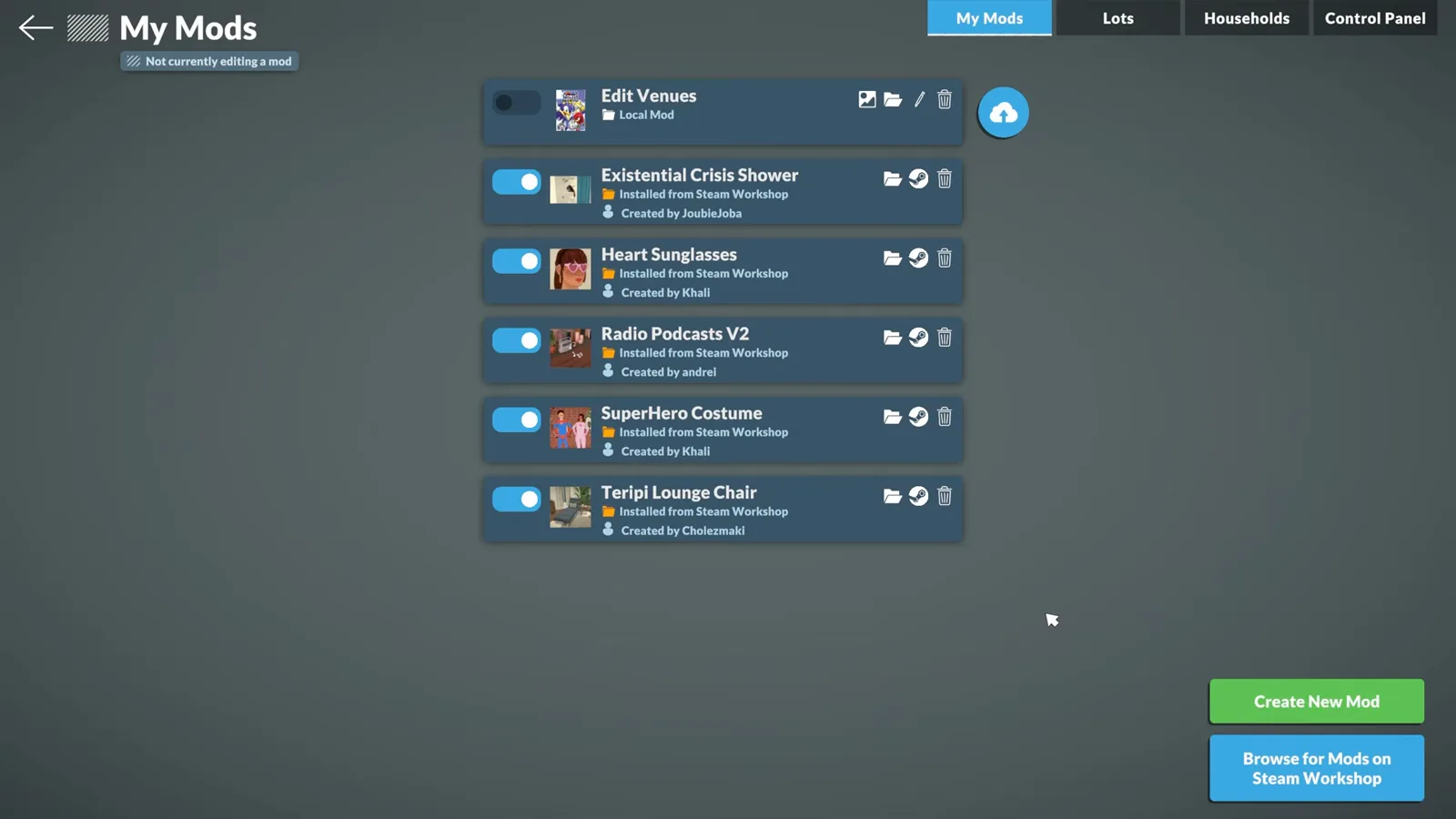
Everything happens inside the game — Paralives ships its own mod creator.Watch at 0:40 - 2
Create and name your editing mod
Click Create New Mod and give it a name you will recognise — the demo uses “Public Lots Edit”. This mod will hold exactly one setting. It is a plain in-game edit packaged as a mod, not a script mod.
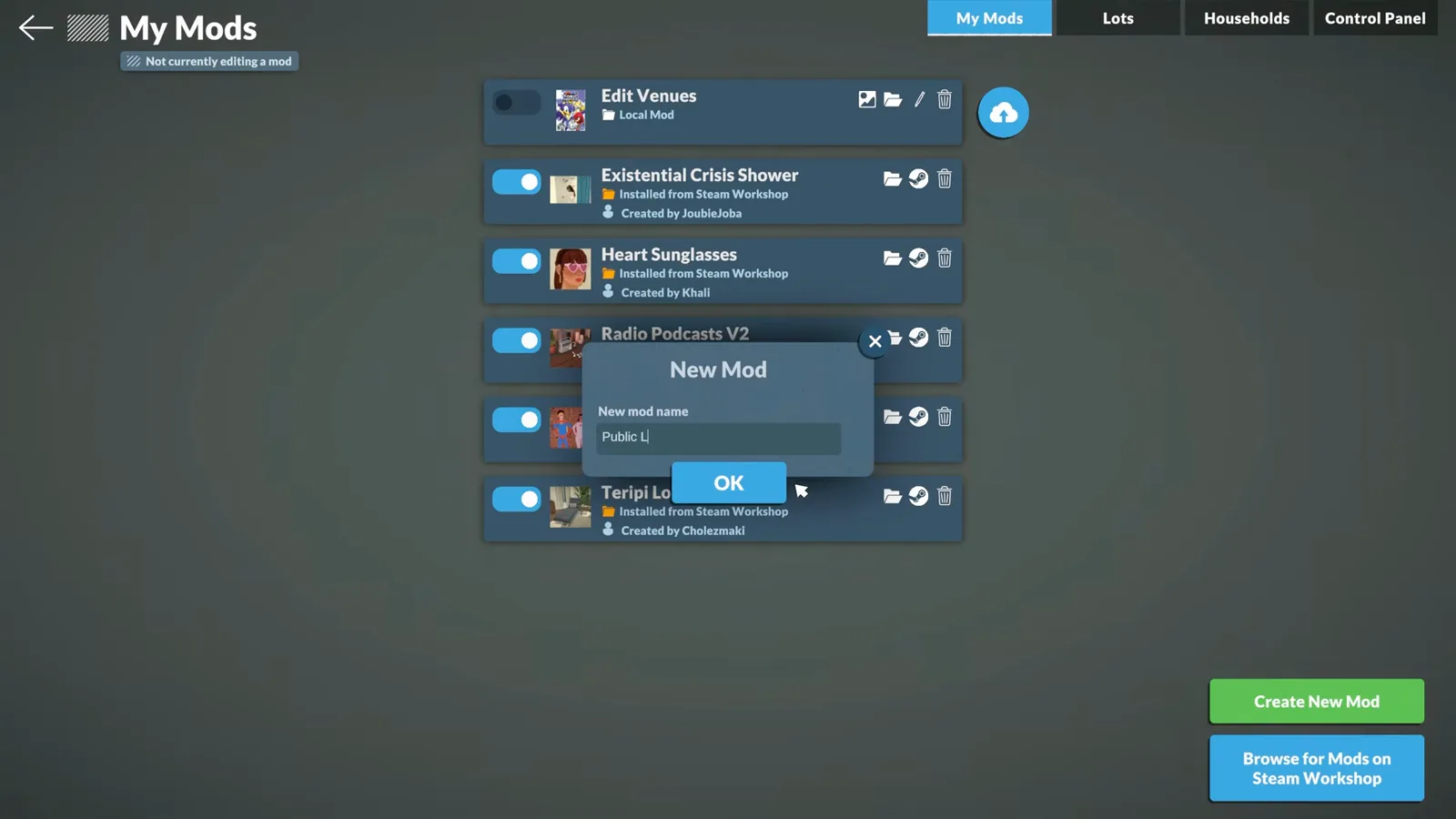
One mod, one toggle — the name is only for you.Watch at 4:32 - 3
Edit the mod, then stop editing when you're done
Choose Edit this Mod: every other mod in the list greys out with “Disabled while editing other mod” until you press Stop editing this mod. That state matters — the next step only works while your new mod is the one being edited.
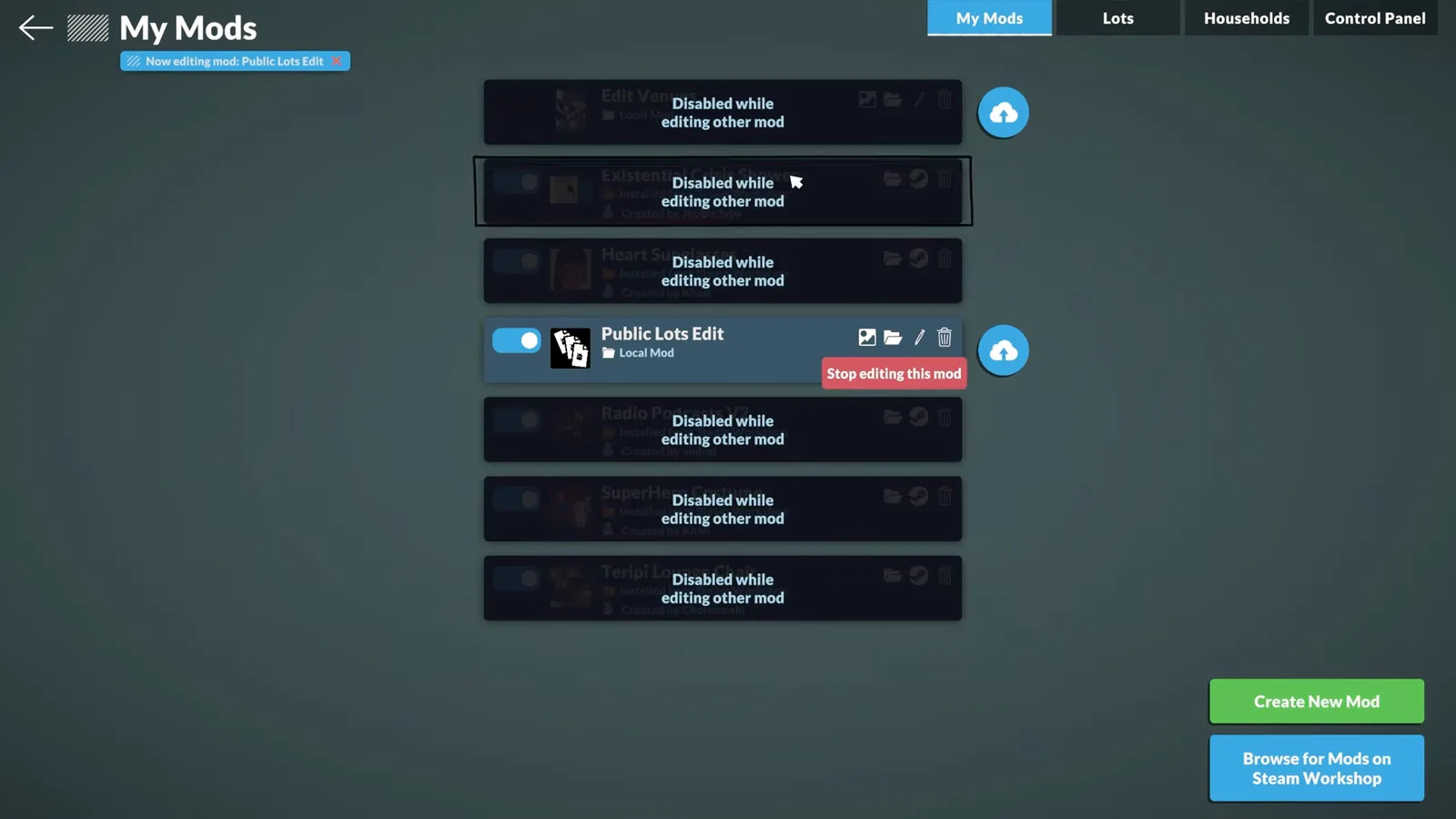
All other mods pause while one mod is being edited.Watch at 4:49 - 4
Switch on Debug: Buy All Lot Types
Open the Control Panel tab and find the Lot types section. Flip on Debug: Buy All Lot Types — that single switch is what makes community venues purchasable. Stop editing the mod afterwards so your whole mod list loads normally in game.
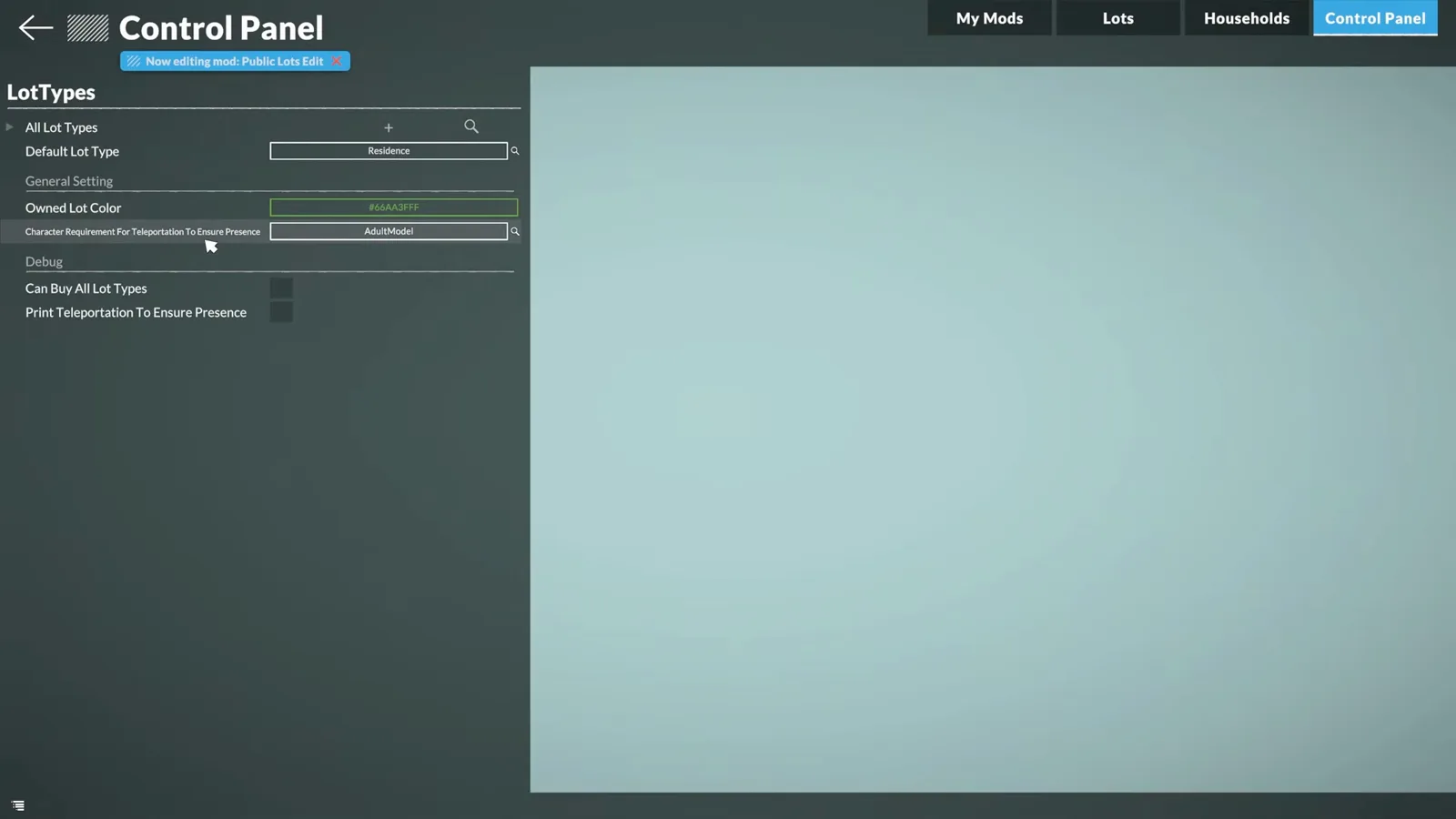
One toggle in the Lot types section unlocks every venue for purchase.Watch at 5:10
Steps 5–8
Buy the lot you want to edit
With the toggle on, the map becomes a real-estate catalogue. Venue prices are serious money — the video funds the purchase with the console.
- 5
Open the map — the whole town is now for sale
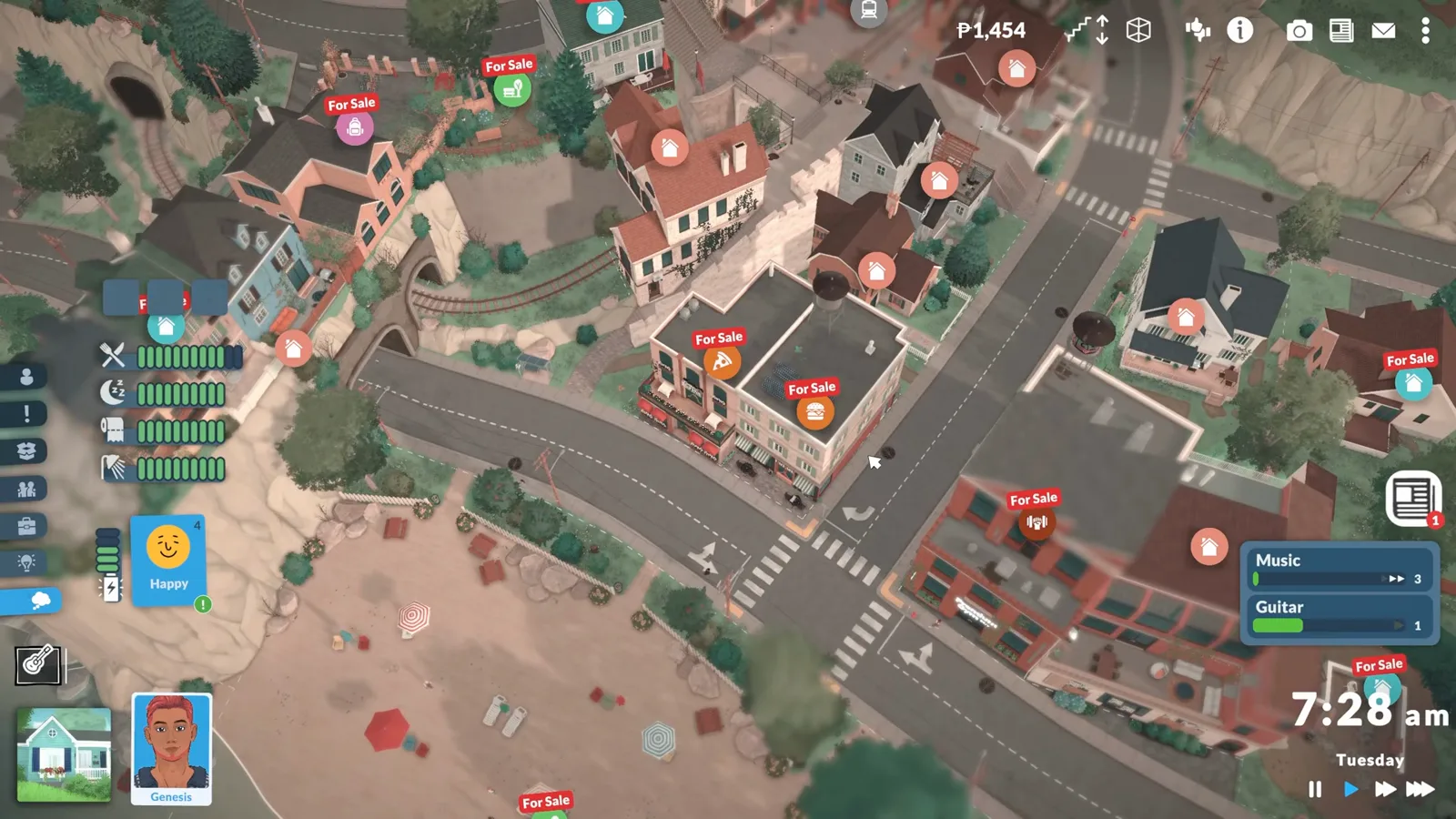
Load a save, zoom the camera out to map view (or press M), and every lot in town now carries a For Sale tag: houses, cafes, the museum, parks. Prices show when you click a tag. Lots a household already owns are not for sale.
Residential-only is gone: the entire map is buyable.Watch at 6:20 - 6
Expect venue prices to sting
Community venues are not cheap — one venue in this playthrough is listed at P9,998,110, and clicking it only produces a “You can't afford this lot” toast. A small park on the edge of town is the realistic first purchase.
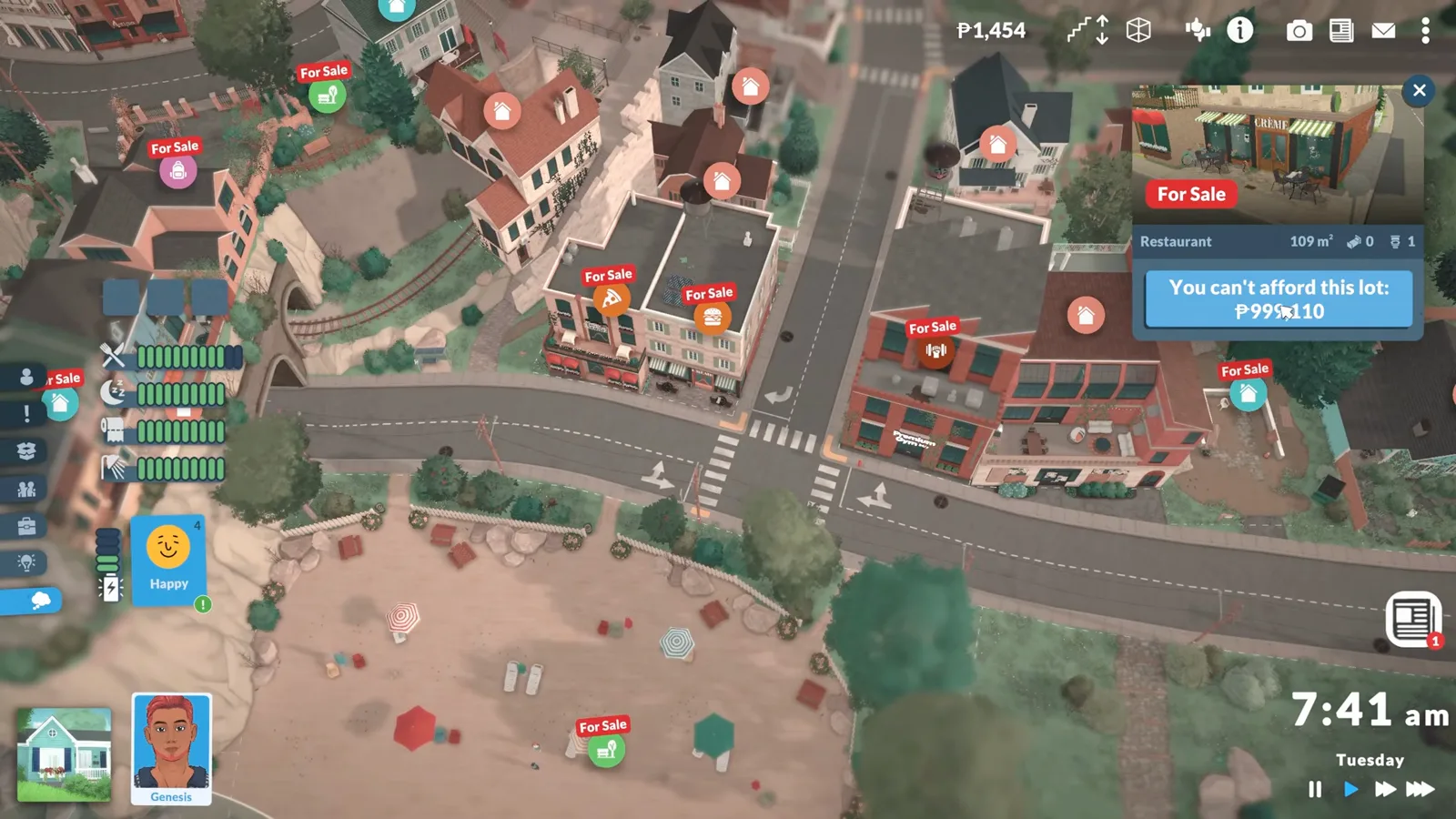
The cafe alone costs ten million paradimes — start with a park.Watch at 6:40 - 7
Top up with the money cheats if you want
Press Ctrl+F1 for the Cheat Commands console and type help to list everything. The two money cheats are piggybank (1,000 paradimes) and makeitrain (10,000) — matching our cheats list. Fund the household that will own the lot, or skip this and save up honestly.
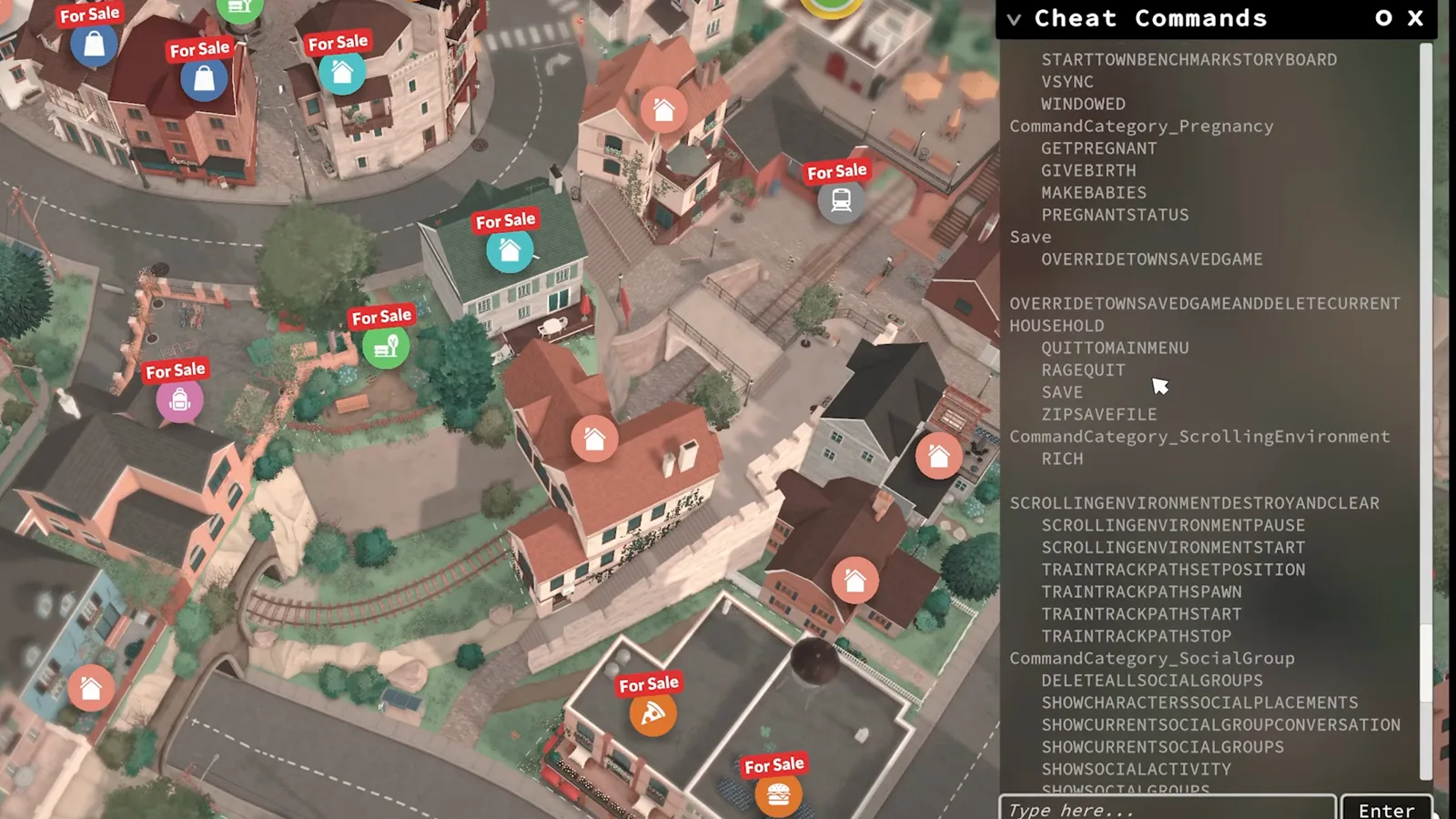
Ctrl+F1, then help — piggybank and makeitrain are the two money cheats.Watch at 7:10 - 8
Buy the lot, then switch to its owner
Buying is one click on the For Sale tag. The catch: only the owning household can edit a lot, so switch households to whoever just bought it. The owned-lot panel then offers Sell this lot, sell all walls and items, move, and save-to-library actions.
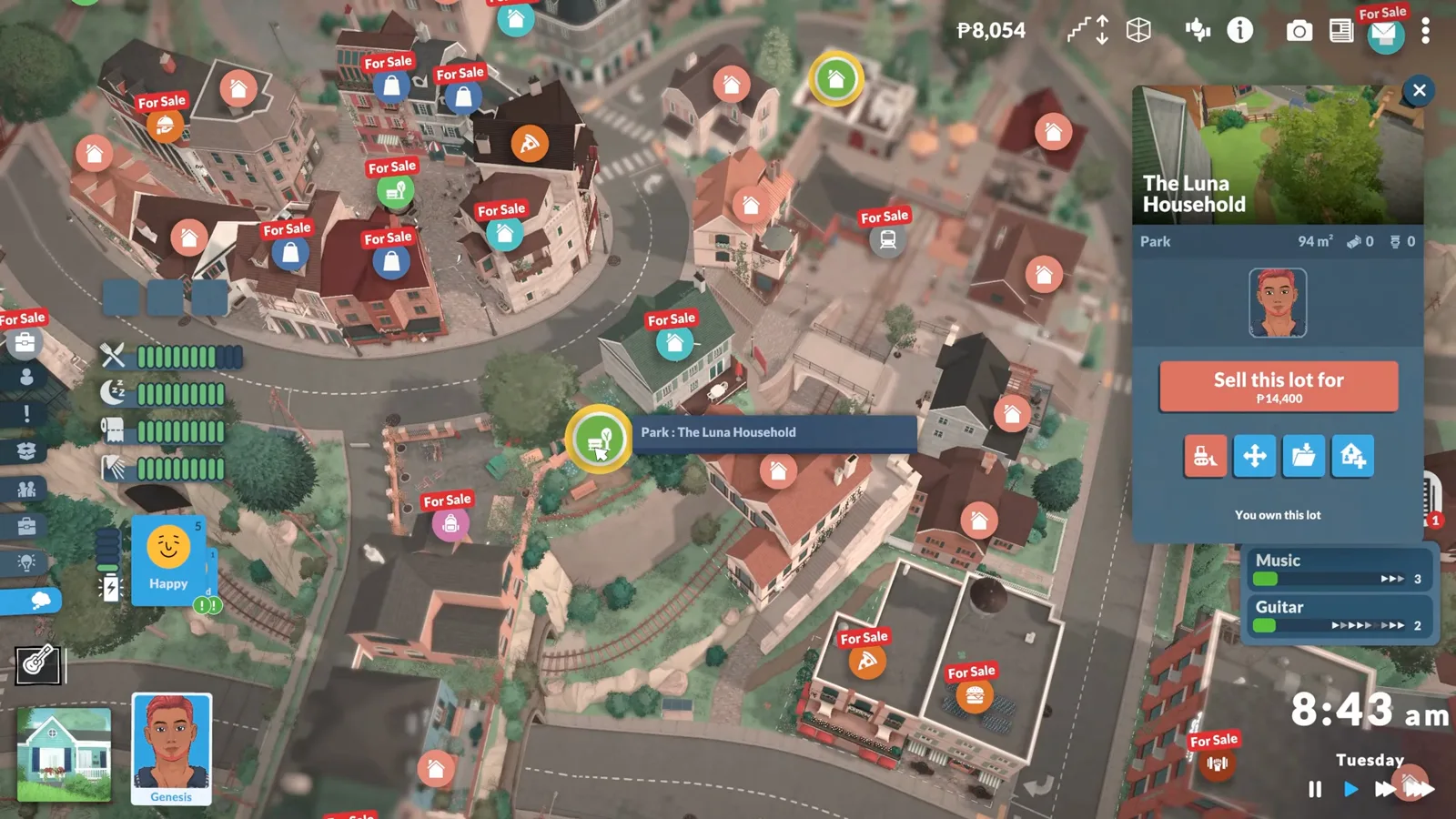
“You own this lot” — but only the owner household gets the editing tools.Watch at 8:14
Steps 9–11
Rebuild it like any residential lot
Once you own the lot and play its owner, the venue behaves exactly like a home build: full catalogue, same tools, same testing loop.
- 9
Rebuild it like any residential lot
Enter build mode on your new lot and the full catalogue opens: walls, roofs, terrain tools, and every furniture category. The demo drops a piano in a sea-view park — nothing about the venue type restricts what you can build.
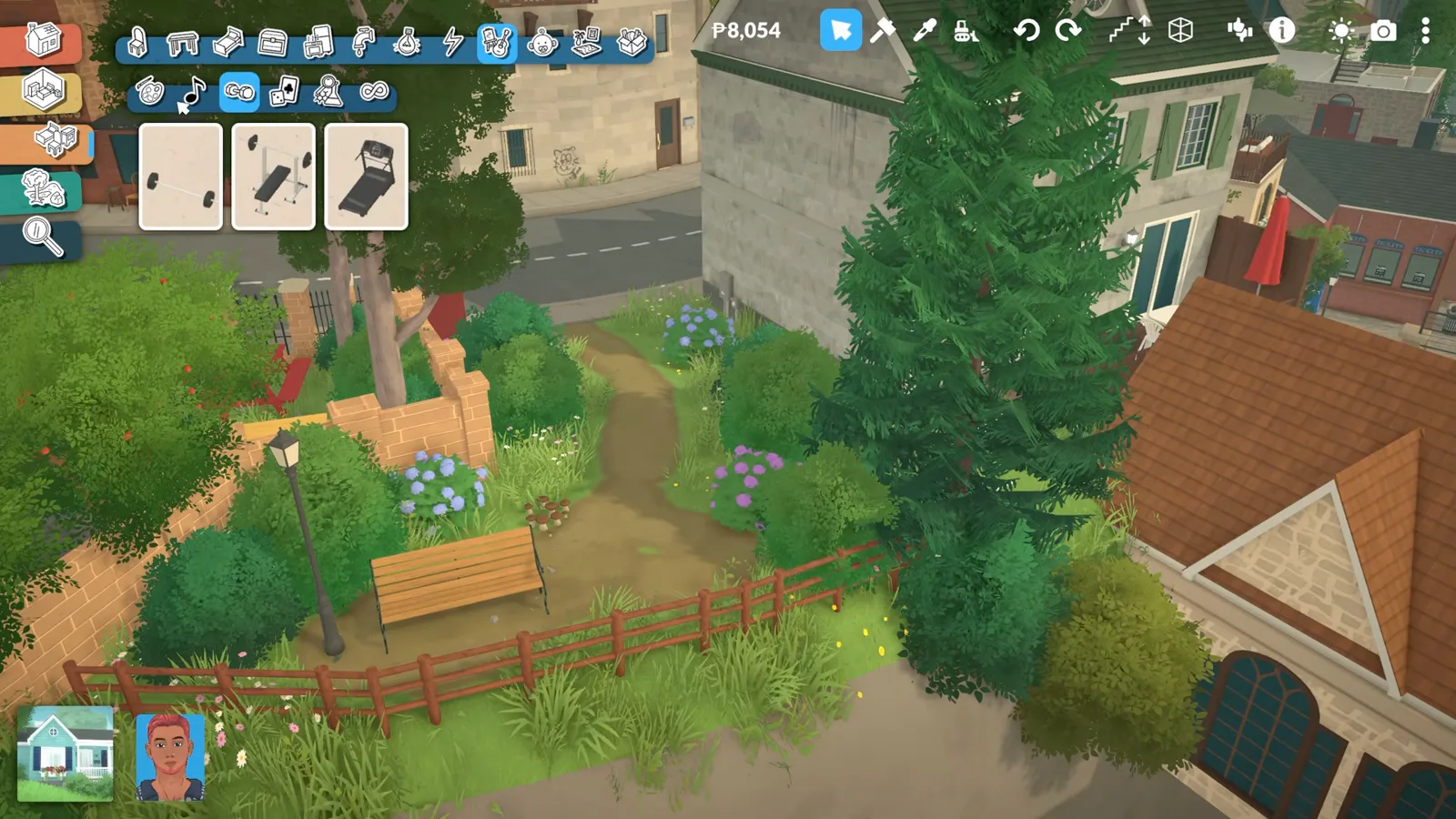
The park gets the full build catalogue — venue type does not restrict items.Watch at 8:53 - 10
Place whatever the space deserves
Items snap, stack and resize exactly as on residential builds. A keyboard piano by the fence, lamp posts along the path — the sort of things a public park should have had all along.
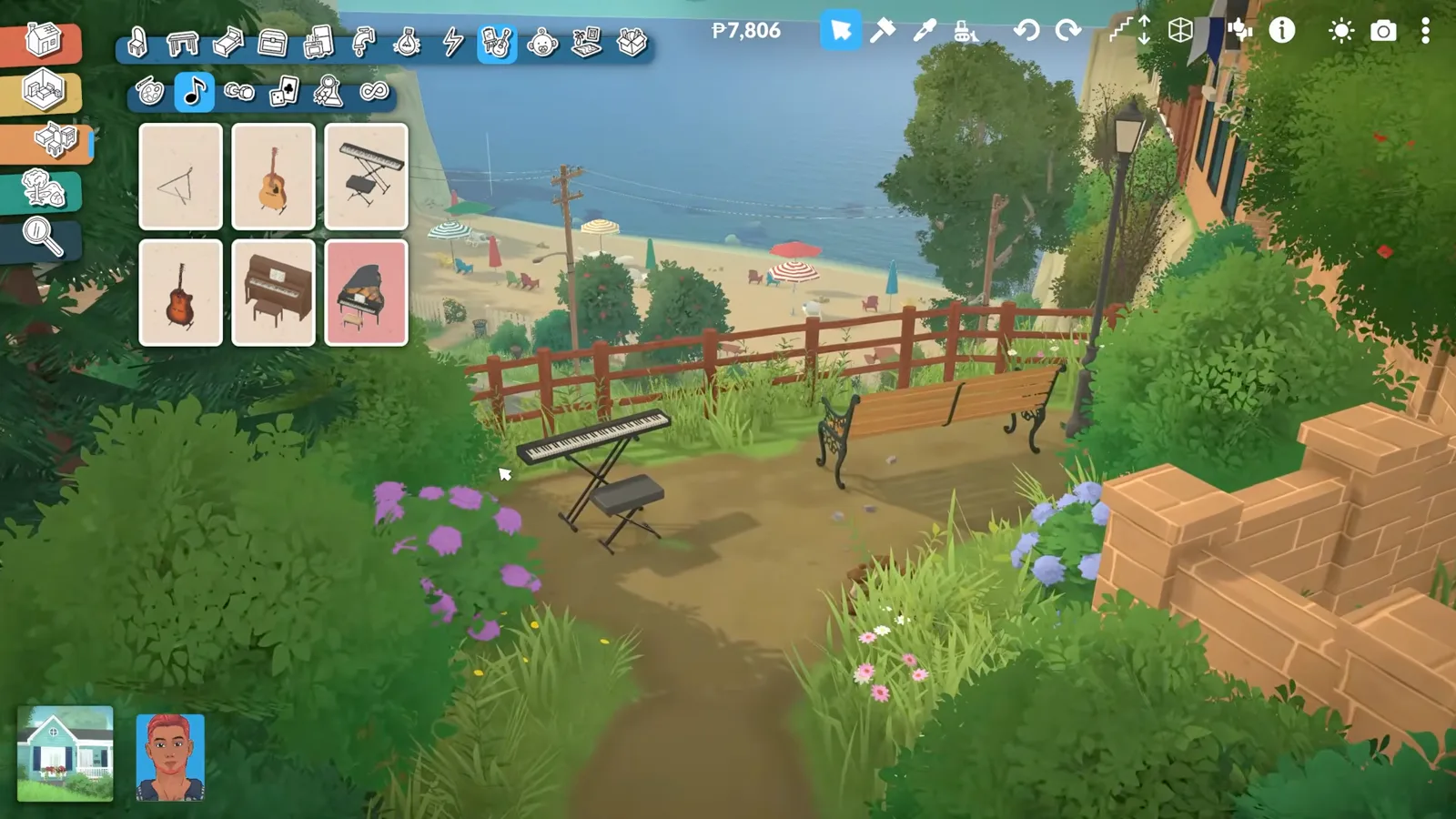
Sea view, bench, piano — the park is becoming a venue.Watch at 9:05 - 11
Test it in live mode with Tab
Tab toggles between build and live mode. Your Paras can walk in and use everything immediately — the piano plays, skills tick up. What you build here works exactly like an official venue's furniture.
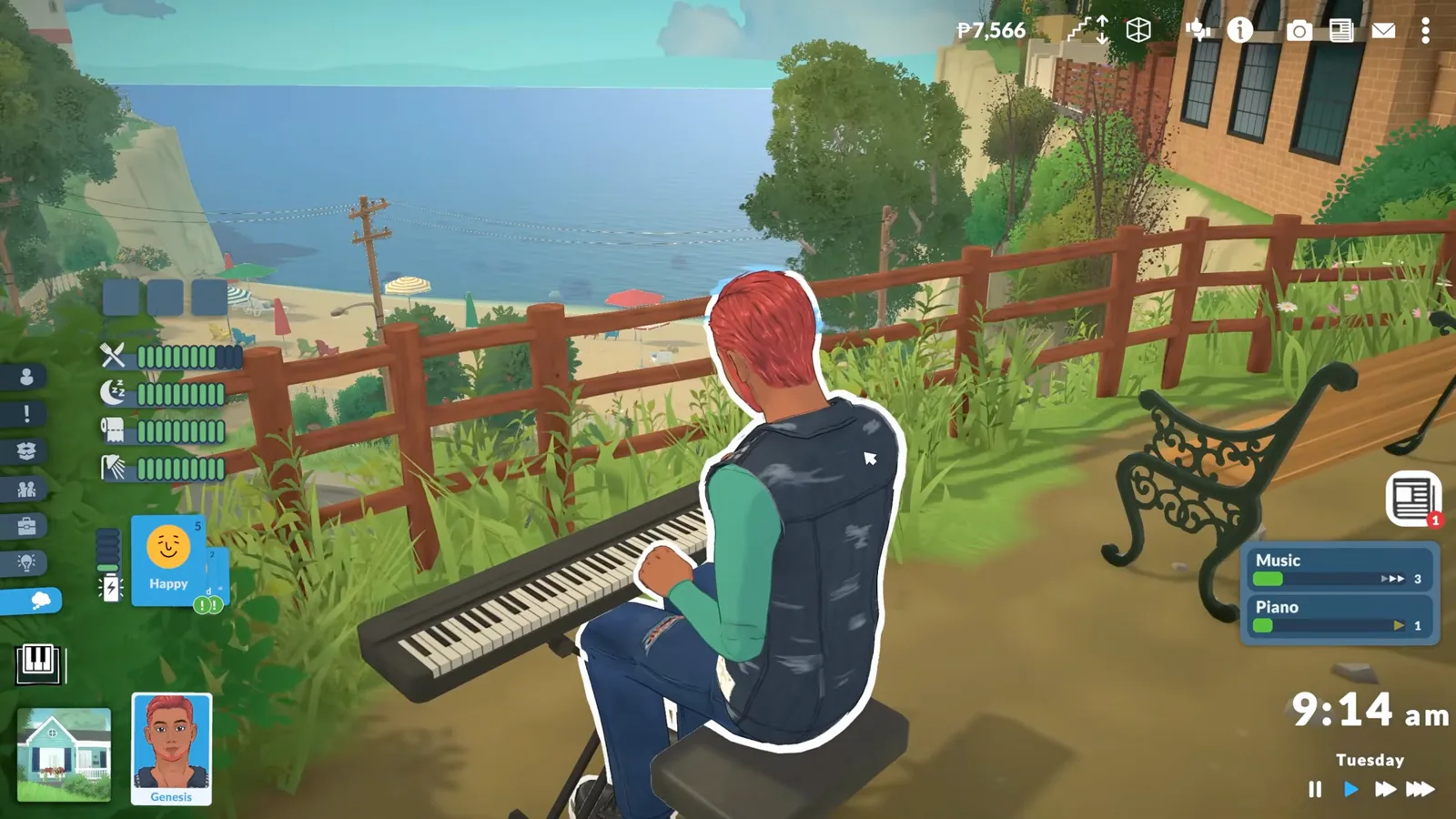
Genesis tries the piano — skills rise exactly as at home.Watch at 10:12
The Control Panel goes much deeper
Lot types is one section of a long list. The same Control Panel exposes sensor censor blur, train behaviour (how long trains wait at stations), window dirt and breakage rates, the frame-rate cap, social card cooldowns, and even custom newspaper articles you can write yourself.
Those settings are beyond this guide's scope, but they use the same create-a-mod-then-edit flow you just learned. If you enable a town-wide change, give it its own named mod so you can toggle it off later.
Want to go a step further than renovating? Our community lots guide builds a brand-new working store on a bought lot — opening hours, staff, customers — using the same unlock.
FAQ
- Can you edit public lots in Paralives?
- Not without a mod. By default only residential lots are editable. The in-game workaround is a one-setting mod: create a mod, enable Debug: Buy All Lot Types in the Control Panel's Lot types section, buy the venue on the map, and edit it as its owning household. The developers shared this method with the creator of the video this page follows — but it may change before the vanilla game gets official town editing.
- What is the toggle edit town cheat for?
- Toggle edit town is a console command (Ctrl+F1) that frees placement from lot boundaries — useful for building on empty terrain. It does not by itself make community venues purchasable or editable; that needs the Lot types mod toggle described above. Our Create a World guide covers the empty-terrain side.
- Can you edit townies in Paralives?
- Townies — the pre-made Paras who populate Melino — are not part of this workflow. Buying and rebuilding the lot they live on will not open a character editor. Our Paras guide covers what townies are and how the game treats them.
- Why can't I afford any of the community lots?
- Venues are priced like prime real estate — one venue in our source video costs P9,998,110. Either save up with a wealthy household (the realistic route), or use the money cheats piggybank and makeitrain from the Ctrl+F1 console. Money belongs to households, so the cheat has to run while the future owner household is active.
- Do I still need this after official town editing arrives?
- Probably not. Official town editing tools are promised for Early Access without a date. When they arrive, expect them to replace the mod toggle — we will update this page when that happens.
- Is using this mod safe for my save?
- It is a built-in game feature, not a script mod: the mod creator is part of Paralives itself, and the toggle only changes which lot types can be bought. Keep it as its own named mod so you can disable it, and normal mod hygiene applies — see our workshop guides.
paralives.build_edit_town_page.related_title
Build a functional community lot
Take the same unlock further: a working grocery store with opening hours, staff and customers.
Create a World — empty-terrain towns
No world editor yet? How players subdivide empty terrain into real lots with the console.
Paralives cheats list
Every console command we have verified, including the money cheats used here.
Download & place houses
Finished your venue? Fill your town with other players' lots instead.
How to move house
Moving a household into your new venue is a different workflow — here's that one.
Blueprints guide
In-game blueprints vs Steam Workshop sharing, and when to use each.