
The short version
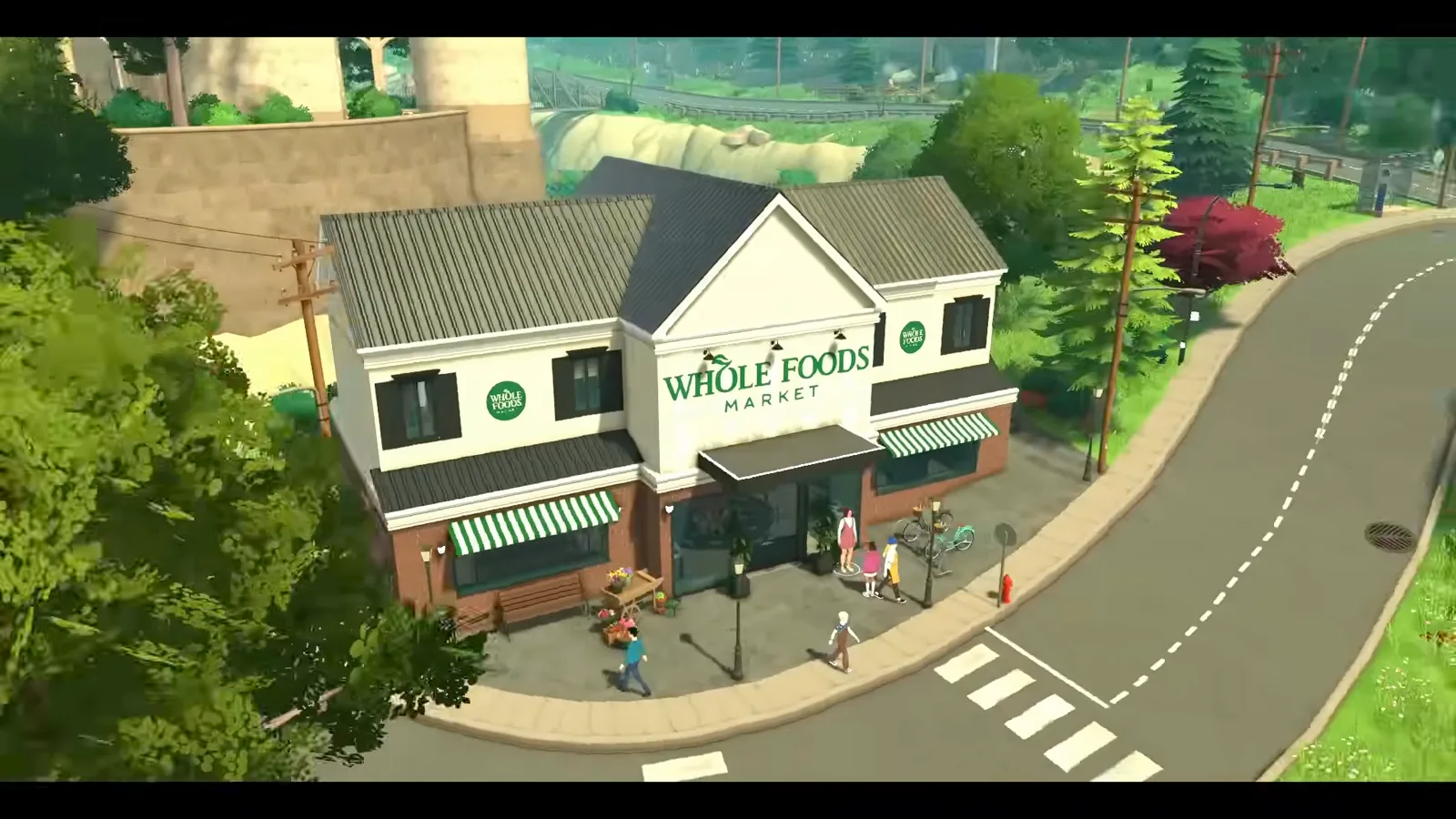
Replace Melino's default general store with a grocery store that actually runs: staff, customers, opening hours — all set from one Control Panel section.
- Same unlock as town editing: a mod with Debug: Buy All Lot Types
- Switch to the owning household (the store belongs to the Vargas family) before editing
- Debug-menu props — produce crates, cash registers — do the heavy visual lifting
- Opening Hours (default 9–21) and Max Amount of NPCs (default 5) run the shop
- Expect staff to wander the upstairs apartment; door locks don't persist yet
- Customers queue, browse and buy during opening hours — shown in the source video
Steps 1–5
Unlock the lot and clear it
The town-editing cheat plus one Control Panel toggle makes the default store purchasable — then the Vargas household strips it to a clean plot.
- 1
Open the console and run toggle edit town
Press Ctrl+F1 and enter toggle edit town — the same command our Create a World guide uses. It frees camera and placement from lot boundaries so you can reach the store lot and, later, decorate the street around it.
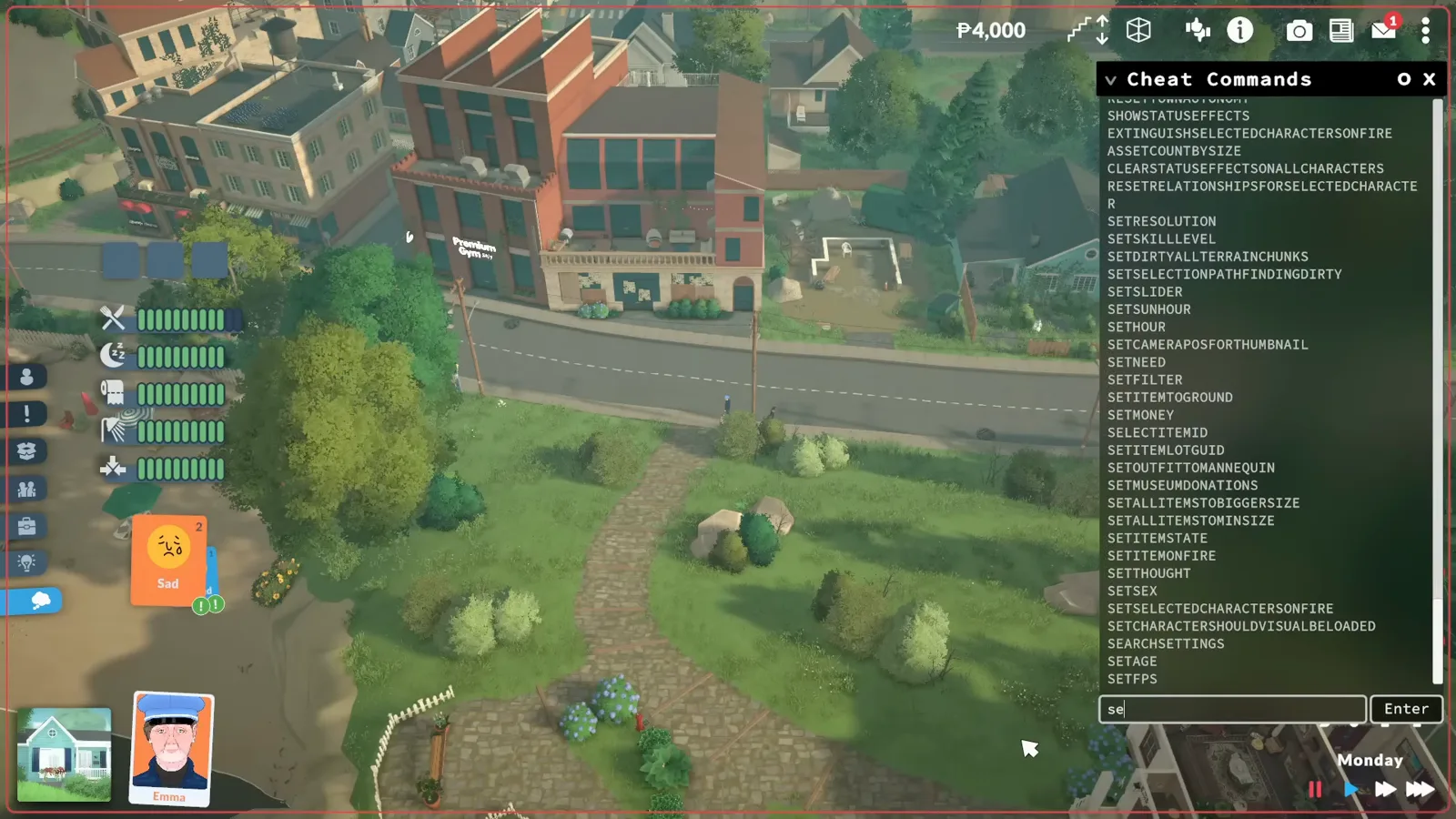
The console lists every command — toggle edit town frees placement.Watch at 0:42 - 2
Create a mod with Debug: Buy All Lot Types
Community lots cannot be purchased by default. In the Control Panel, create a new mod, edit it, and enable Debug: Buy All Lot Types under Lot types — then stop editing the mod. The creator warns: if you stay in edit mode, every mod loads disabled when you enter the game.
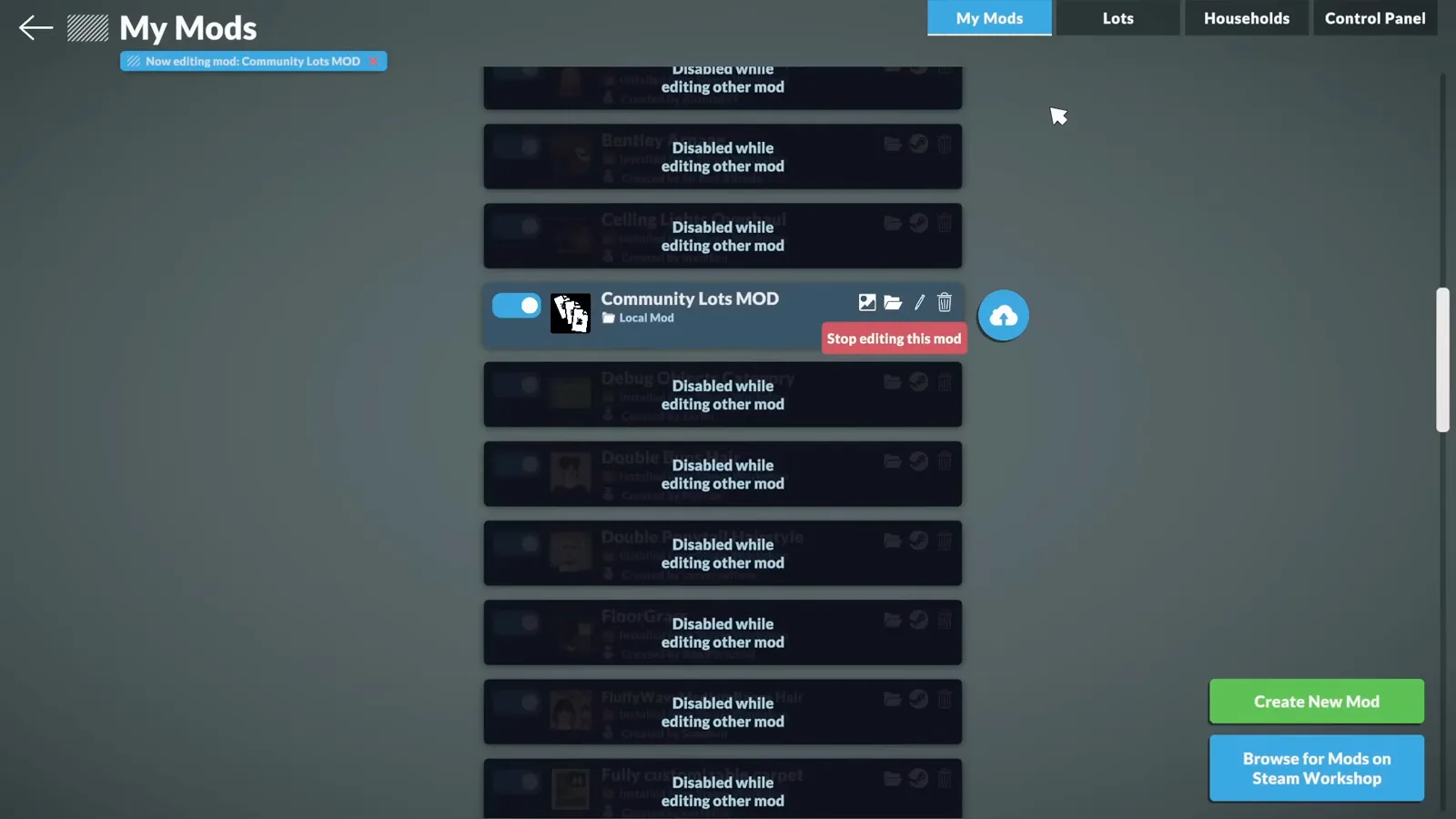
Community Lots MOD is enabled; everything else stays greyed until editing stops.Watch at 1:20 - 3
Switch to the household that owns the store
Melino's default general store belongs to the Vargas household. On the map, open the store's household card and choose Switch to this Household — only the owner can rebuild the lot.
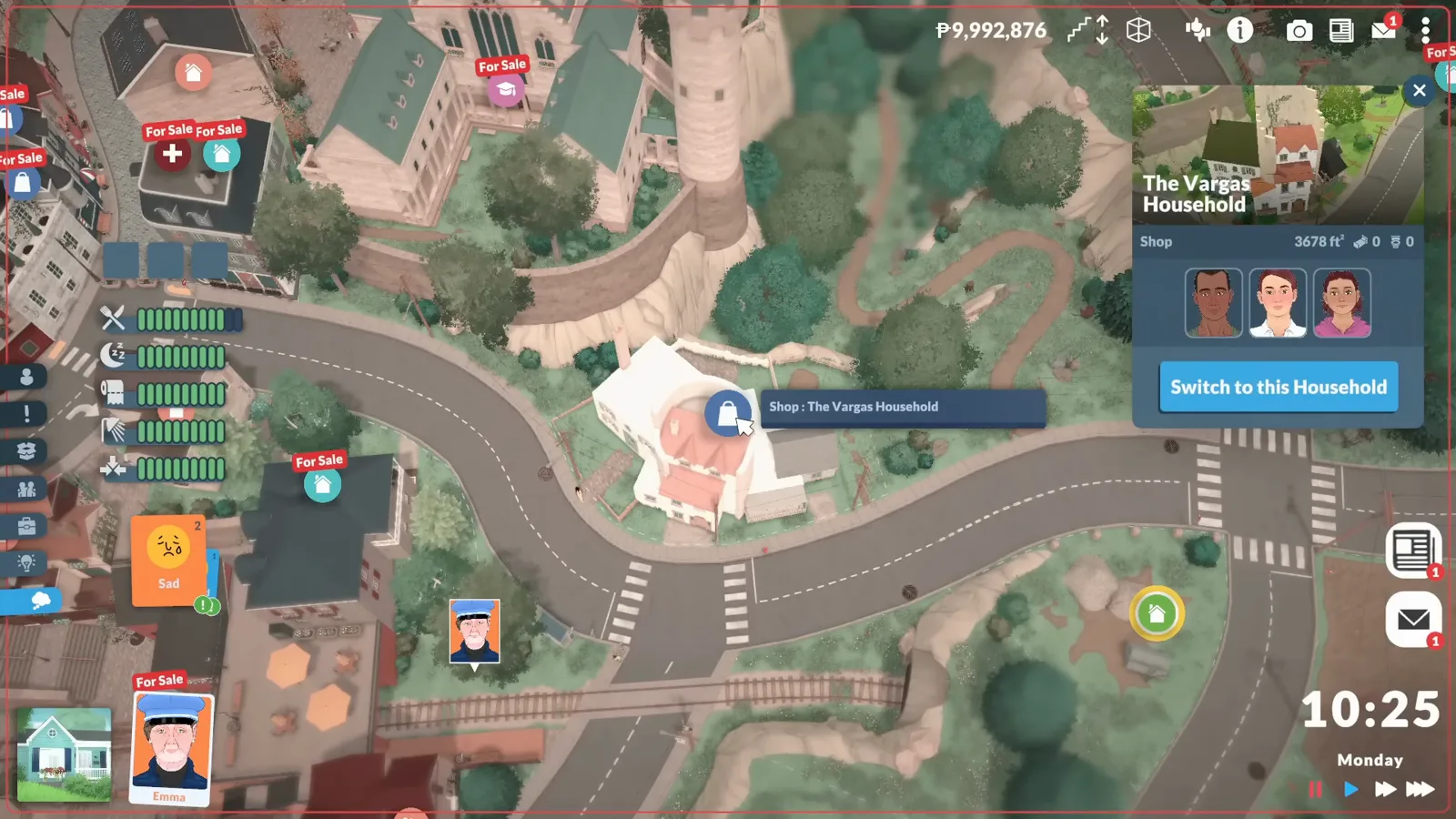
The store lot belongs to the Vargas household — editing needs their hands.Watch at 1:50 - 4
Clear the old building
With the Vargas household active, use the lot panel's “Sell all walls and items on this lot” to strip the store to an empty plot. Selling refunds some of the value, and the household keeps its upstairs apartment if you keep it standing.
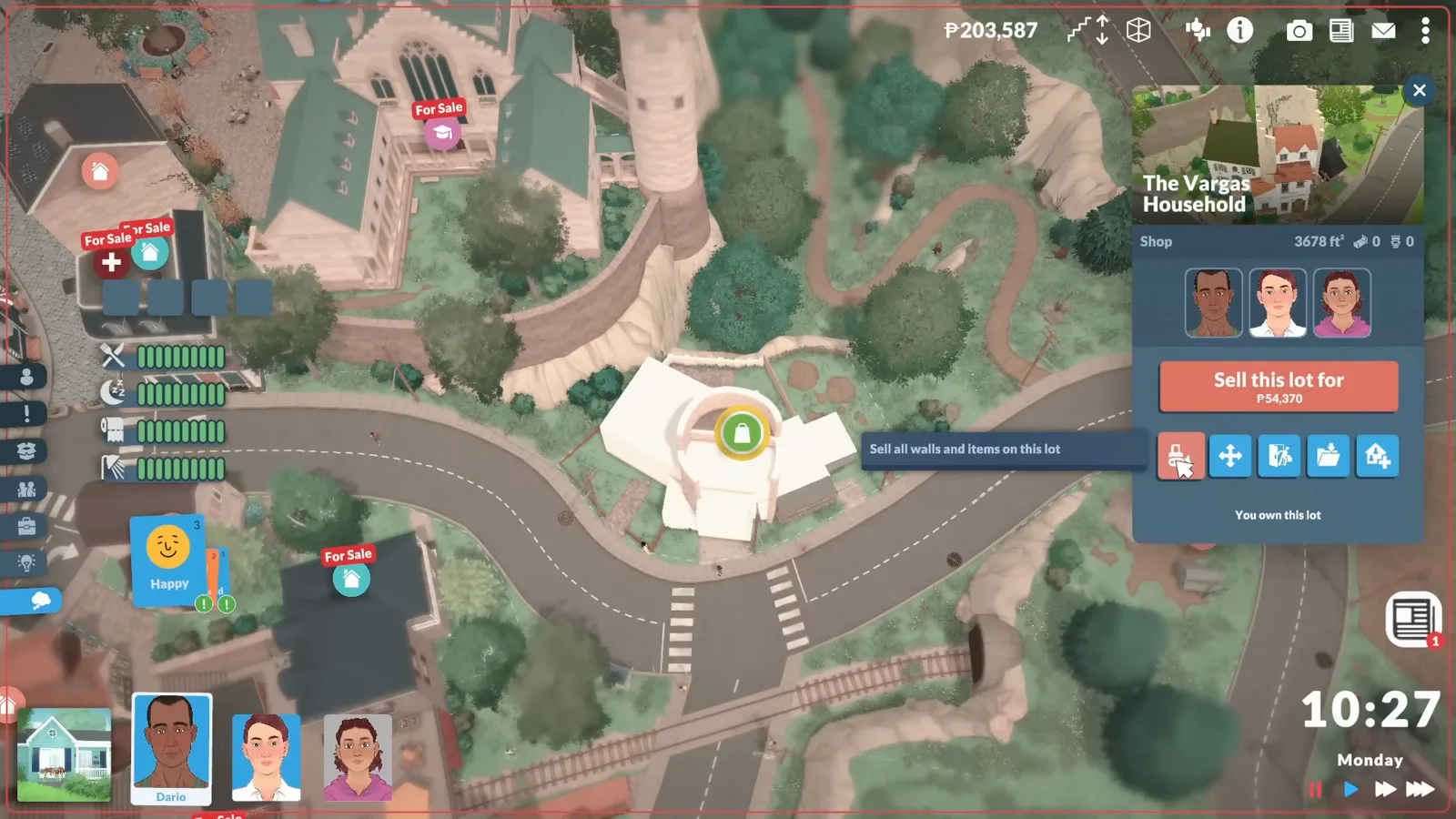
One tooltip clears decades of retail history.Watch at 1:57 - 5
Clean the plot and its surroundings
Old terrain paint survives the bulldoze. With toggle edit town still on, repaint the grass — and note that the cheat lets you paint beyond your lot edges, so tidy the verge but don't spill onto the neighbour's plot.
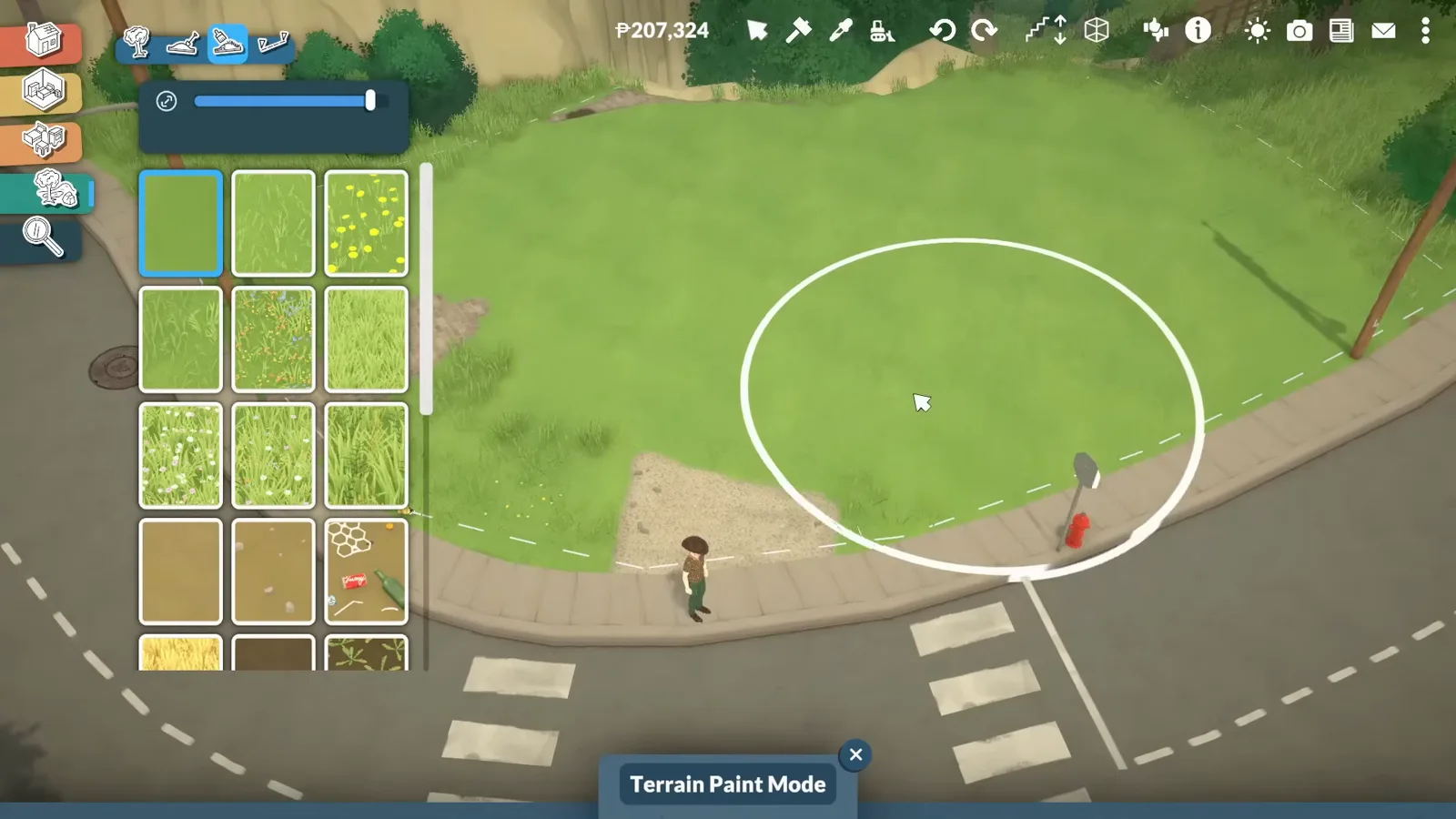
Terrain paint mode works past the lot line while the cheat is on.Watch at 2:23
Steps 6–9
Build a store that reads as a store
Facade, signage, produce aisles, a working checkout: the props that turn four walls into a grocery shop.
- 6
Build a facade that reads as a shop
Raised wall height, a flat metal roof, white molding — and a sign: a panel piece from the build catalogue with your own image moved in front of it using the advanced tool. The demo uses a supermarket logo; any exported image works as sign art.
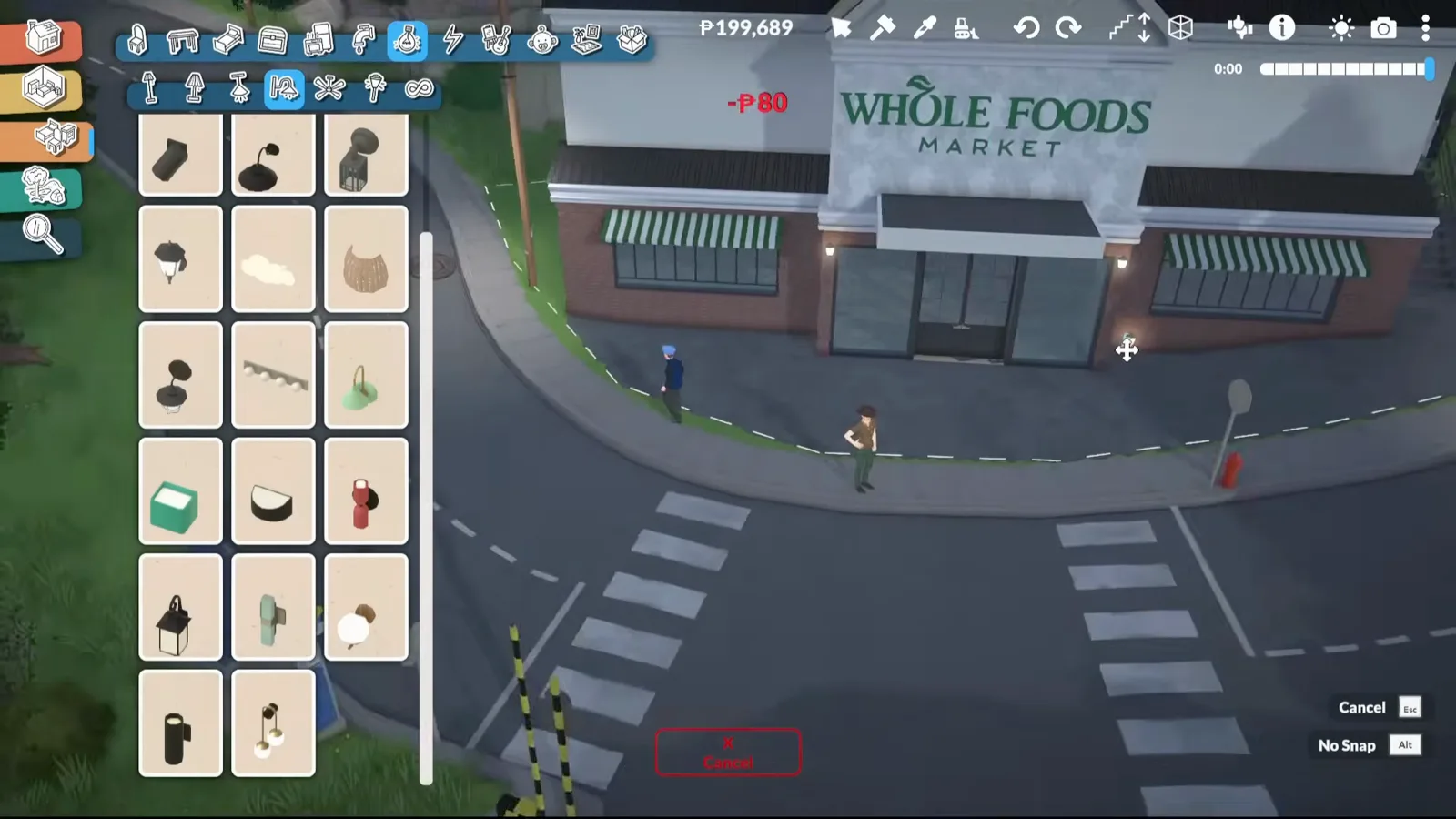
Panel piece + imported image + advanced tool = a believable storefront.Watch at 5:20 - 7
Stock shelves with debug-menu props
The game's produce displays, cash registers, street lights and bike racks exist in the world but not in the catalogue — a small unlocker mod adds the debug menu to build mode. Crates of fruit and vegetables do most of the work of saying “grocery store”.
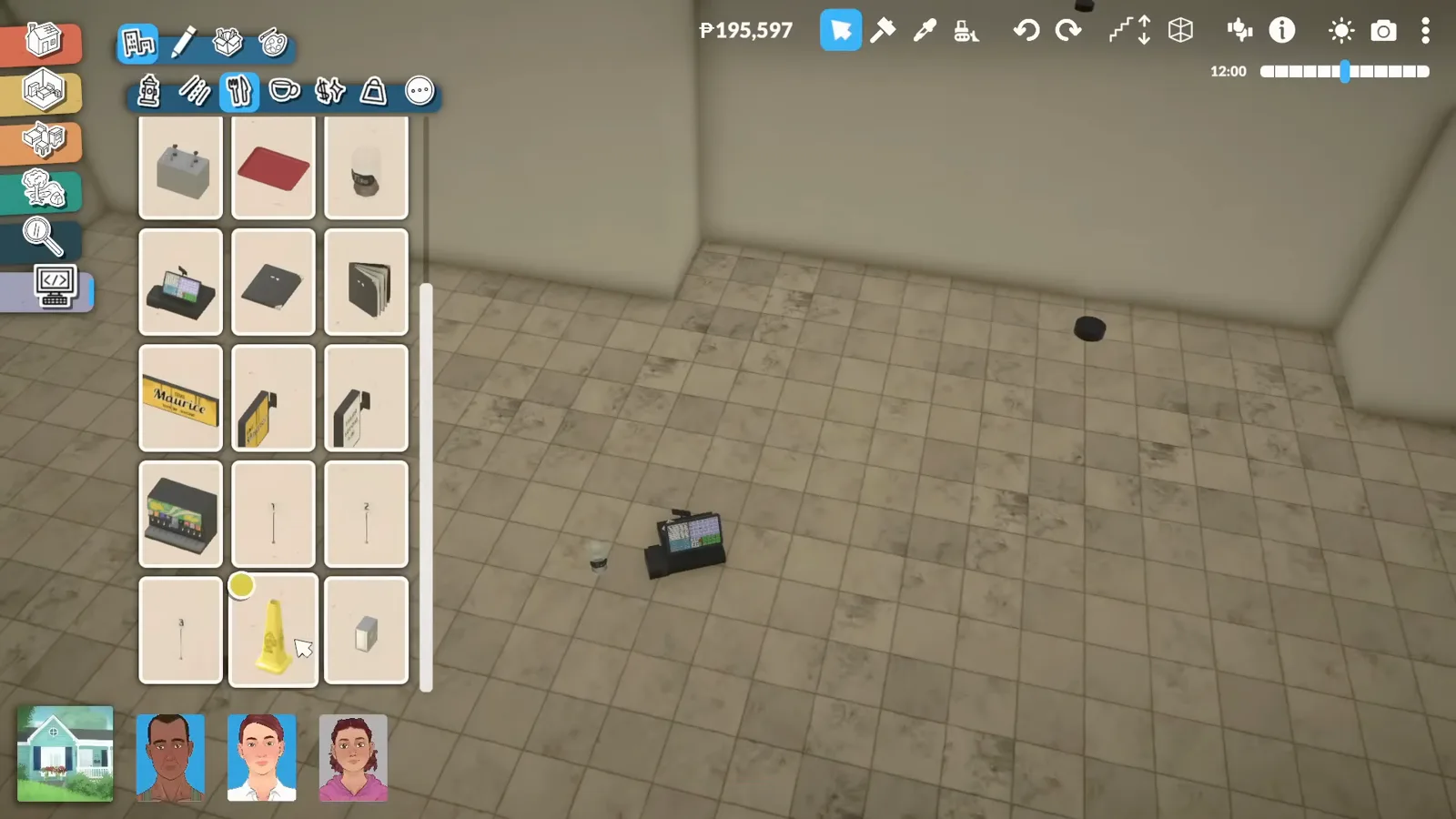
Fruit crates from the debug menu — the strongest grocery signal there is.Watch at 6:20 - 8
Build a checkout that works
A counter shrunk down with the resize tool plus a debug cash register reads as a checkout. Keep the recipe book nearby — the daily recipe pickups happen at the counter, so the store keeps the gameplay role it had as the default shop.
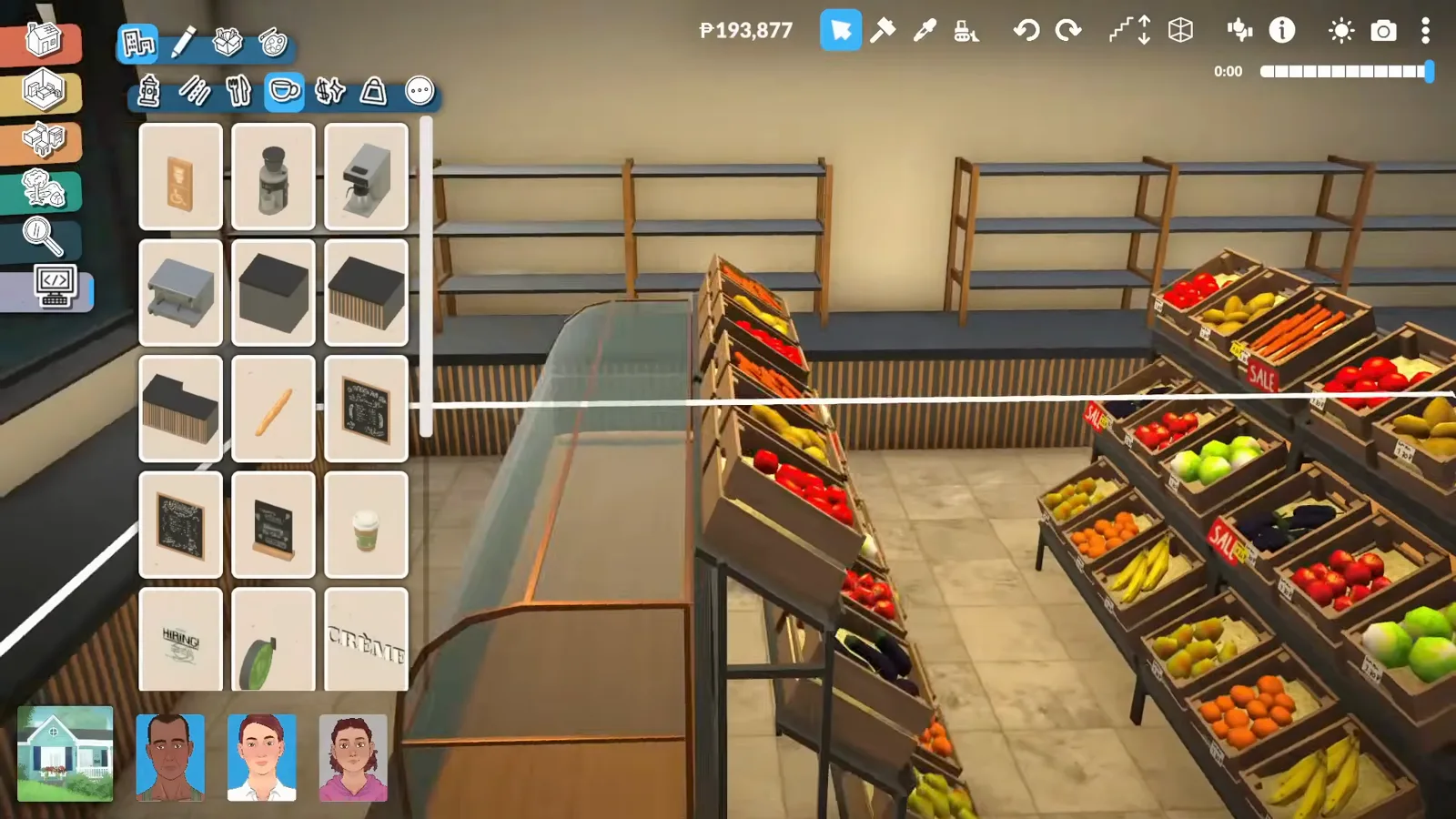
Shrunk counter + cash register: the checkout keeps its daily-recipe role.Watch at 8:20 - 9
Give aisles a purpose
Line the walls with counters and shelving, then theme corners: a pharmacy corner with medical items, household goods on community-center display stands. Theme beats volume — seven small aisles read better than one empty hall.
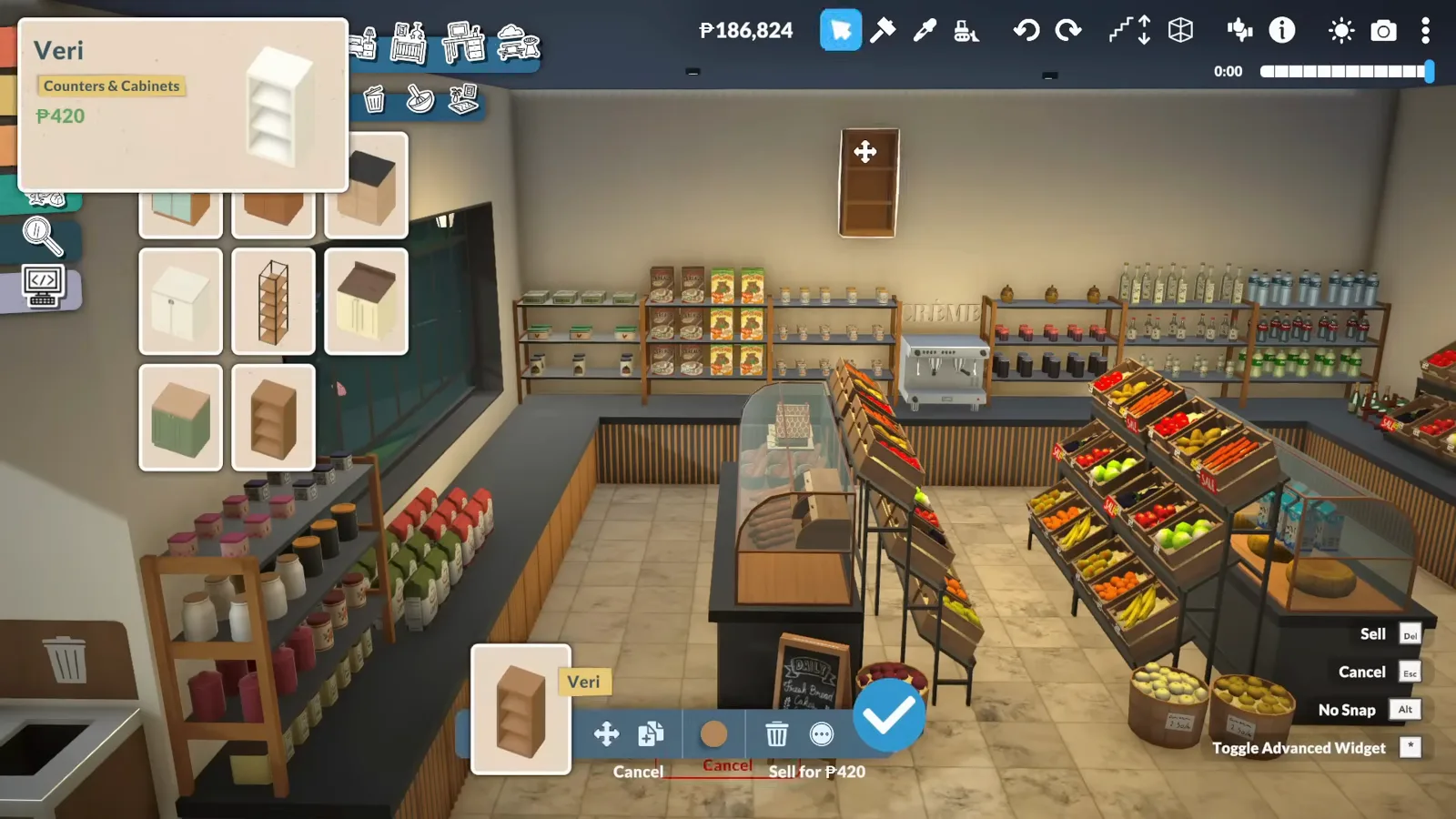
A cabinet here, a themed shelf there — the store gains departments.Watch at 10:15
Steps 10–12
Set the numbers that make it function
Hours, staff count, and the quirks of a lot that is both a workplace and somebody's home.
- 10
Set opening hours and staff count
Back in the Control Panel, the same Lot types section exposes Opening Hours Start and End (default 9 h – 21 h; the creator moved hers to 8 h – 22 h) and Max Amount of NPCs (default 5; she tested 10 and settled on 7). These numbers are what make the venue run itself.
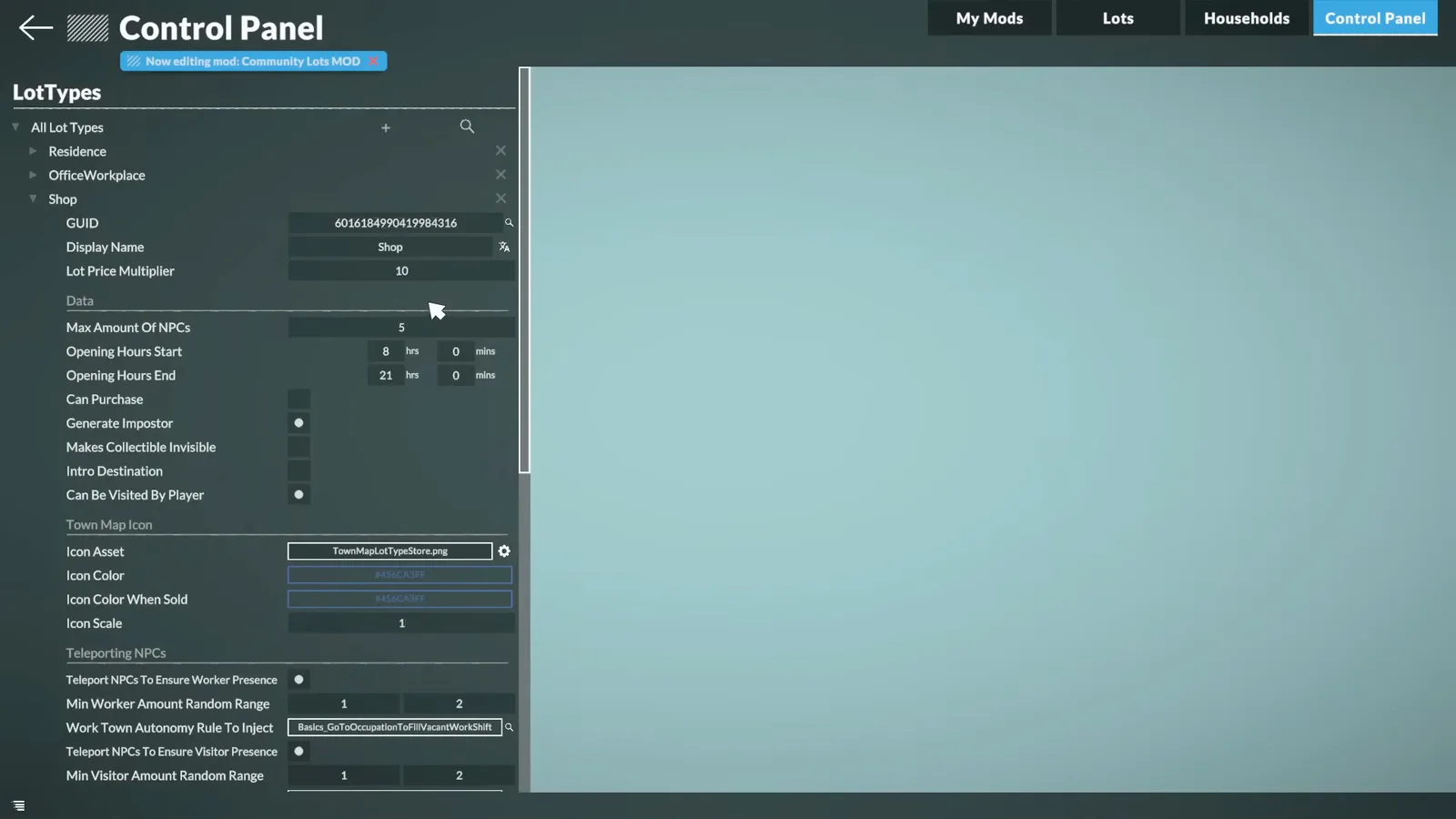
Hours 8–22, seven NPCs: the two fields that run the store.Watch at 20:40 - 11
Expect staff to wander upstairs
Staff who don't live on the lot will use the upstairs apartment — bathroom, kitchen, everything. A door-lock mod helps, but the creator reports the lock does not persist after saving and quitting, so it needs re-applying each session. Official per-Para door locks are on the community wishlist.
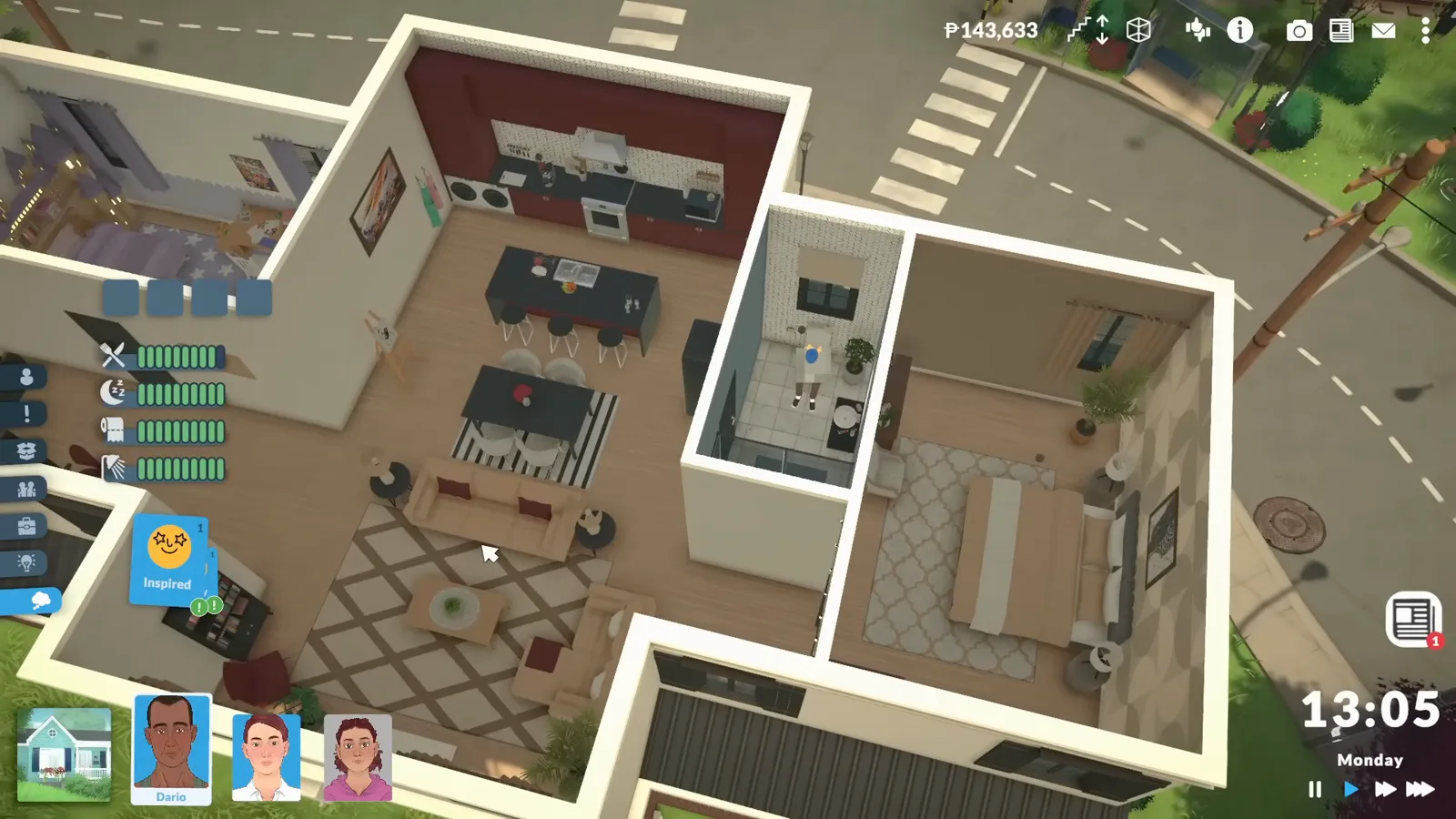
The Vargas family's apartment — and every staff member's favourite destination.Watch at 21:08 - 12
Watch customers actually shop
Once opening hours hit, NPCs queue at the register, browse the aisles and carry bags out — the store runs itself while you play another household. That is the difference between a grocery-store-shaped build and a functional community lot.
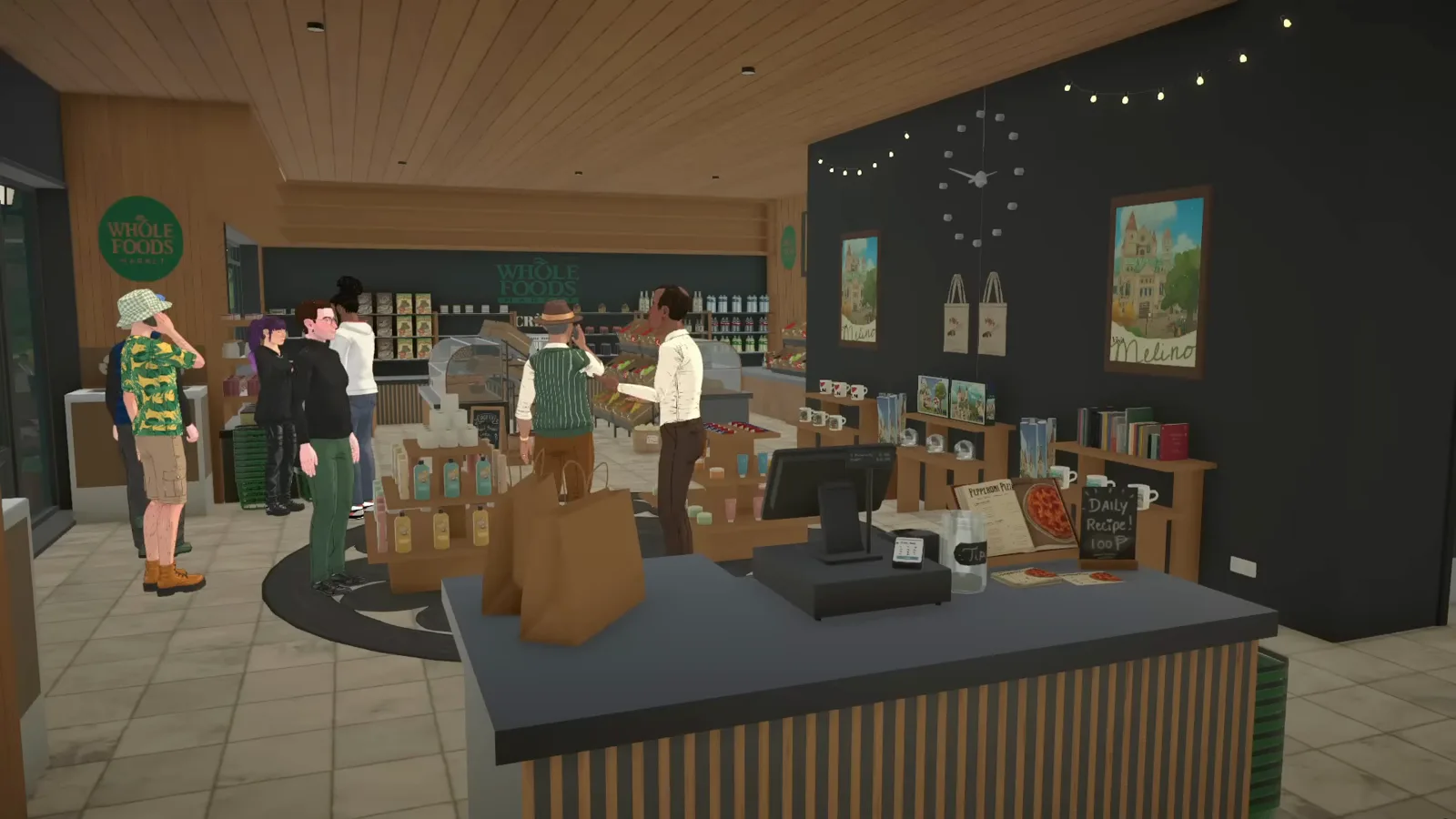
Queuing customers: the build has become a business.Watch at 23:05
Selling your own goods, and sharing the build
Two more creator-reported details round this out. The Little Businesses mod lets any item — cooked meals, paintings, furniture, electronics — be marked for sale from its menu, but it only pays out while you play the household running the store.
And because the Vargas household kept living above the store, their jobs, relationships and the store's daily recipe pickups all continue untouched. Renovating around a household works better than deleting and recreating one.
When the build is done, the creator uploads it to the Steam Workshop — our upload guide walks through that side. Our edit-town guide covers the lighter version of this workflow: renovating a venue without the retail machinery.
FAQ
- Can you open a shop in Paralives?
- Yes — with the same one-toggle mod as town editing. Buy a venue lot (or replace the default general store like the source video does), rebuild it as a shop, and set Opening Hours and Max Amount of NPCs in the Control Panel. NPC customers then shop during opening hours without you playing the household.
- Do customers actually come to community lots?
- They do, once the hours and NPC count are set. The source video shows NPCs queuing at the register and carrying shopping bags around the aisles in the evening. Headcount follows the Max Amount of NPCs field — the creator found 10 chaotic and settled on 7.
- Can I sell my own items and set prices?
- Not in the vanilla build catalogue. The Little Businesses mod adds a set-for-sale action for any item — cooked food, paintings, furniture, electronics — and the creator notes it only earns while the retail household is the one you're playing.
- Why do my store's workers keep going upstairs?
- Because the lot includes the owner household's apartment, and staff path to any usable bathroom or kitchen. Door-lock mods exist, but the creator reports locks don't survive save/quit. Until official per-Para locks arrive, expect to re-lock doors each session.
- Which lot should I buy for my first community build?
- The cheapest venue you can tolerate — the source video picked Melino's small general store and kept its household, its checkout recipes and its store-clerk jobs intact. Replacing a working default venue teaches the whole loop with the least money and the least to go wrong.
- How is this different from editing a town lot?
- Scale of ambition. The edit-town workflow stops at renovating a bought venue; this guide adds the retail layer — hours, staff, customers, and props that make it earn. Same mod unlock, same owning-household rule, bigger payoff.
paralives.build_community_lots_page.related_title
Edit town lots
The lighter version: buy and renovate any existing venue without the retail layer.
Community Center guide
The official venue this build borrows display stands from — and what it already does in vanilla.
Supermarket build guide
Building a grocery from scratch on a residential lot? Start here.
Restaurant build guide
Another functional venue archetype — dining, kitchen and the front-of-house feel.
How to install mods
The debug-menu unlocker and Little Businesses mod install like any Workshop mod.
Upload your own house
Finished your store? The creator's build ships via the Steam Workshop — here's that flow.