

The short version
Paralives has no retail system as of 0.1.8b — nothing can be sold, no customer shops and shelves never restock — so this supermarket is pure set dressing, and proud of it. Archilives raises one broad box on a coast-road lot, zones it like a real store (fresh produce, bakery and cafe, dairy, frozen, personal care, kitchenware, checkouts), then furnishes the staff rooms, a manager's office, goods receiving and a stockroom of stacked boxes. Everything is base game: no mod rings a till here, and none is needed. You can rebuild the store in your own world or in Melino.
- No retail system exists in the game — nothing on these shelves can be sold, and no Para ever shops here. The store is staging, built to look open.
- Zero mods: walls, half-walls, shelving, food props, the cow statue and editable signs are all base-game catalogue pieces.
- Zone like a real store: fresh produce by the entrance, bakery and cafe in the corner, dairy, frozen, personal care and kitchenware aisles, then checkouts.
- Back of house sells the illusion: a manager's office, staff rooms, goods receiving and a stockroom buried in cardboard boxes.
Lot, shell and car park
Buy the lot, pour the slab, raise the box
The supermarket starts as a big empty plot on a coast road in Archilives' custom world — recreate it anywhere, Melino included. The slab is paved at night, one broad box rises in Wall Placement Mode, the street seam gets flattened, then the car park is striped so the approach reads retail before any door exists.
- 1
Pick the lot and pave the floor
Archilives builds on a coast-road lot in his own custom world — the same store can go up in your own world or in Melino. First job before any wall: floor. A dark pavement material laid across the empty lot becomes the sales-floor slab and, later, the car park surface.
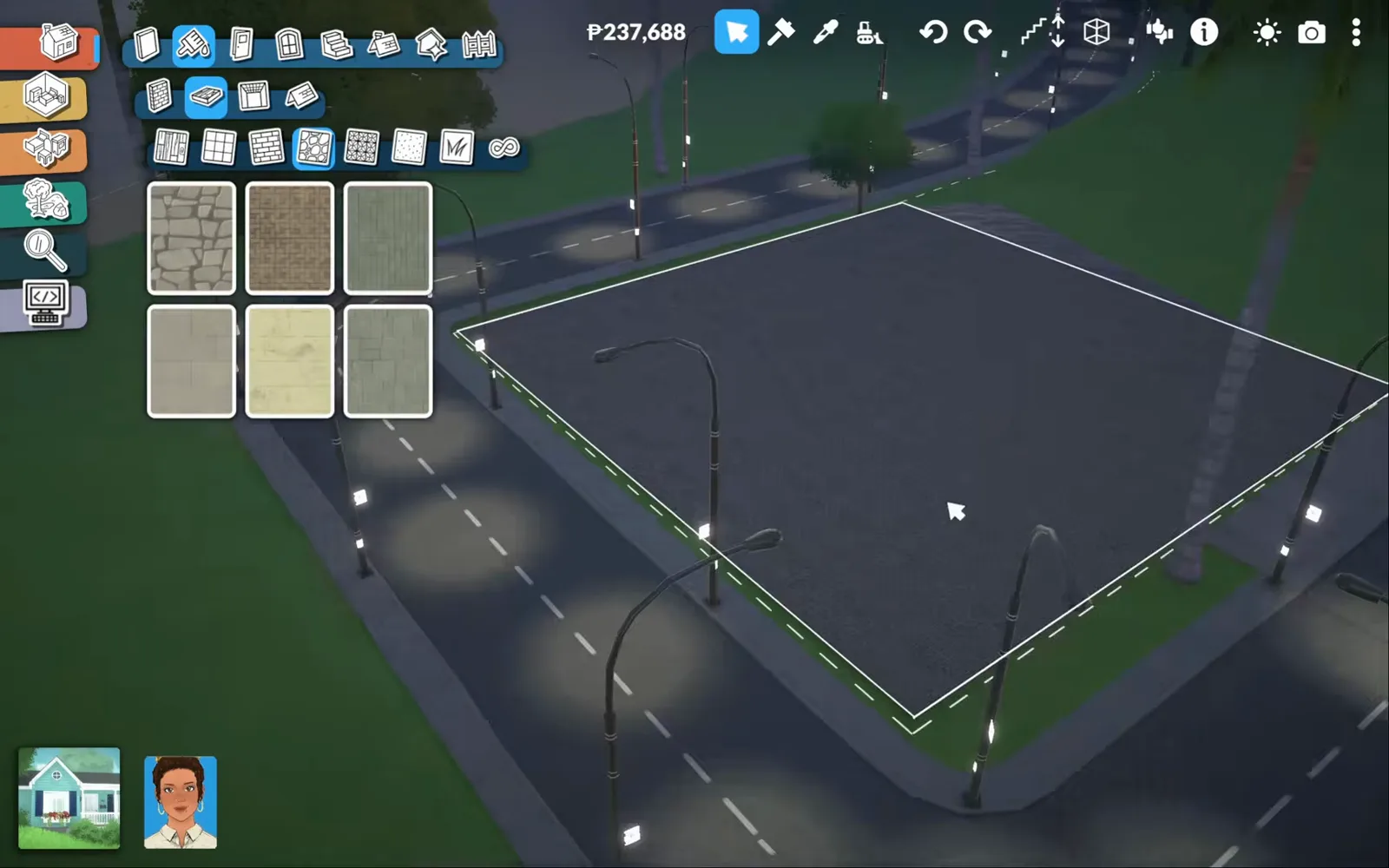
Night one: buy the lot, pour the concrete, sleep on it.Watch at 0:40 - 2
Draw one big box in Wall Placement Mode
The supermarket is a single broad storey, and its shell goes up in a few long runs. Wall Placement Mode pulls a white wall along the street side — the segment on screen measures 12 m — and the extra height is worth the money: tall walls hide ceiling lights, shelving and the boxy goods a real market carries.
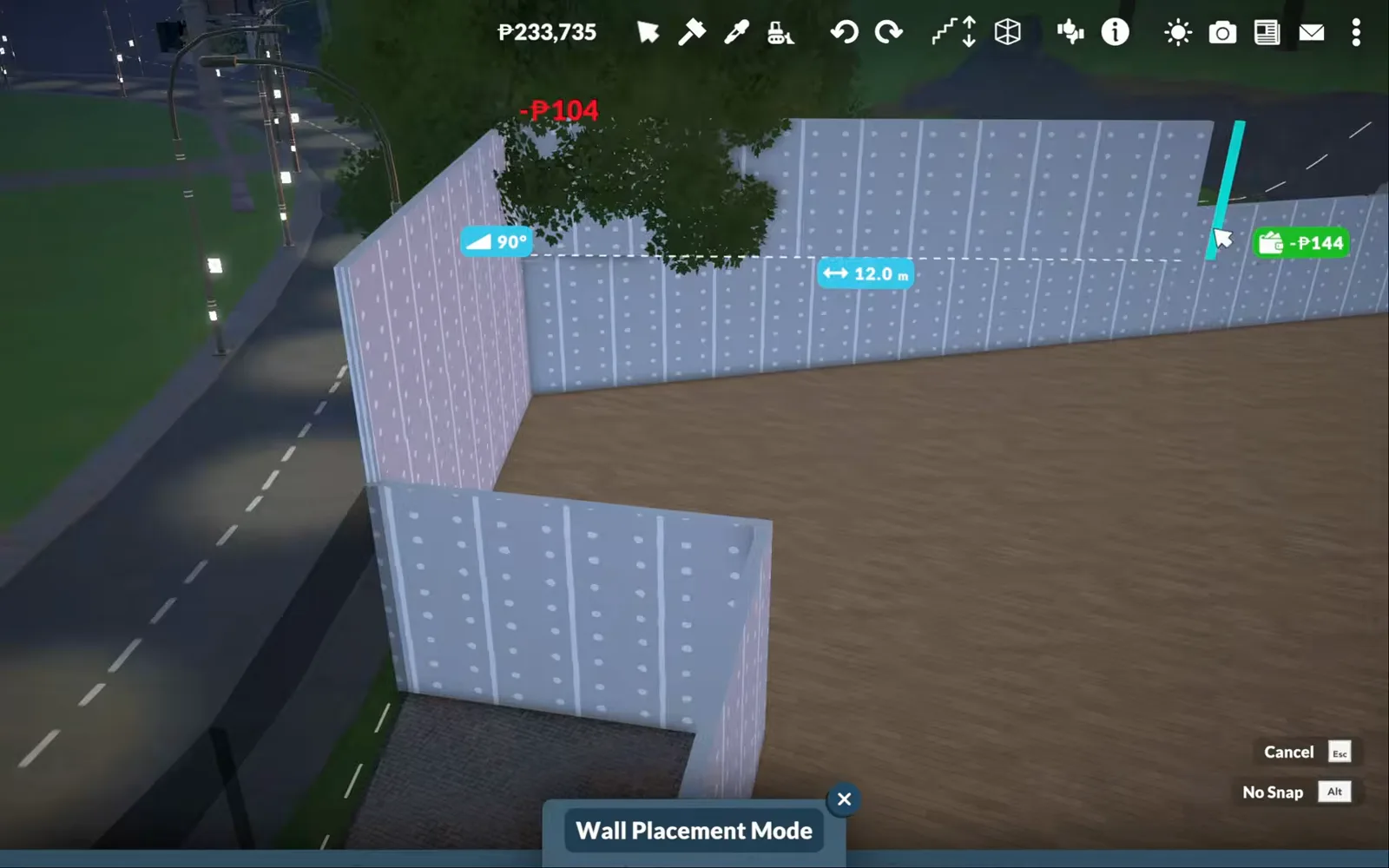
Twelve metres to one wall run — the box is big on purpose.Watch at 1:00 - 3
Flatten the seam at the coast road
The lot spills onto a curving street, and the junction is lumpy. Terrain Height Flatten Mode with a wide brush evens the ground where the car park meets the kerb, so bollards, lampposts and parked cars all end up level instead of floating or sunk.
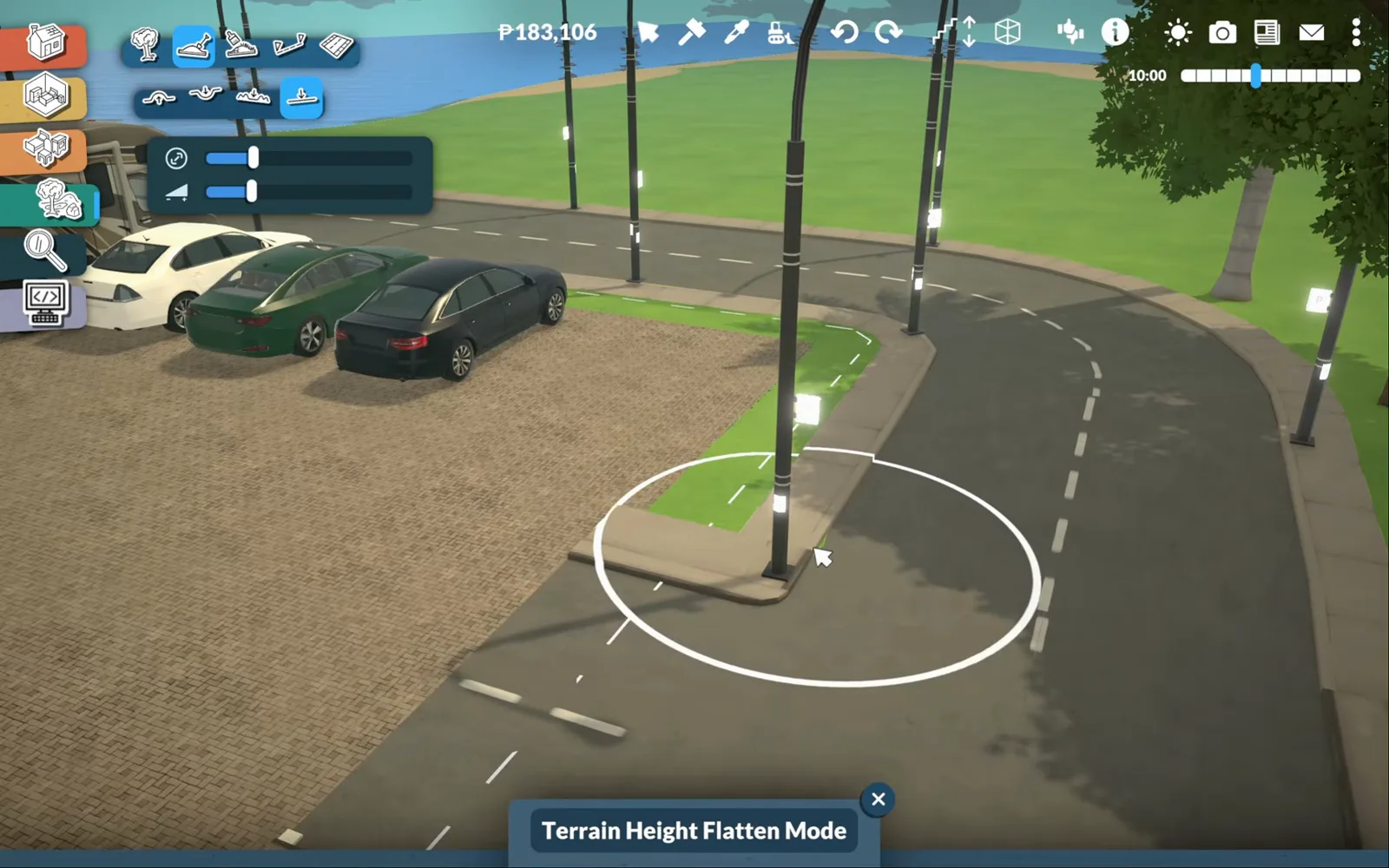
The coast road curves; the car park may not.Watch at 3:00 - 4
Stripe the small parking lot
A car park fronts the store, and it sells the retail story before the doors exist. Thin white strips mark the bays on the paving, a black sedan, a red hatchback and two white vans sit in them for scale, and yellow bollards guard the kerb from careless drivers.
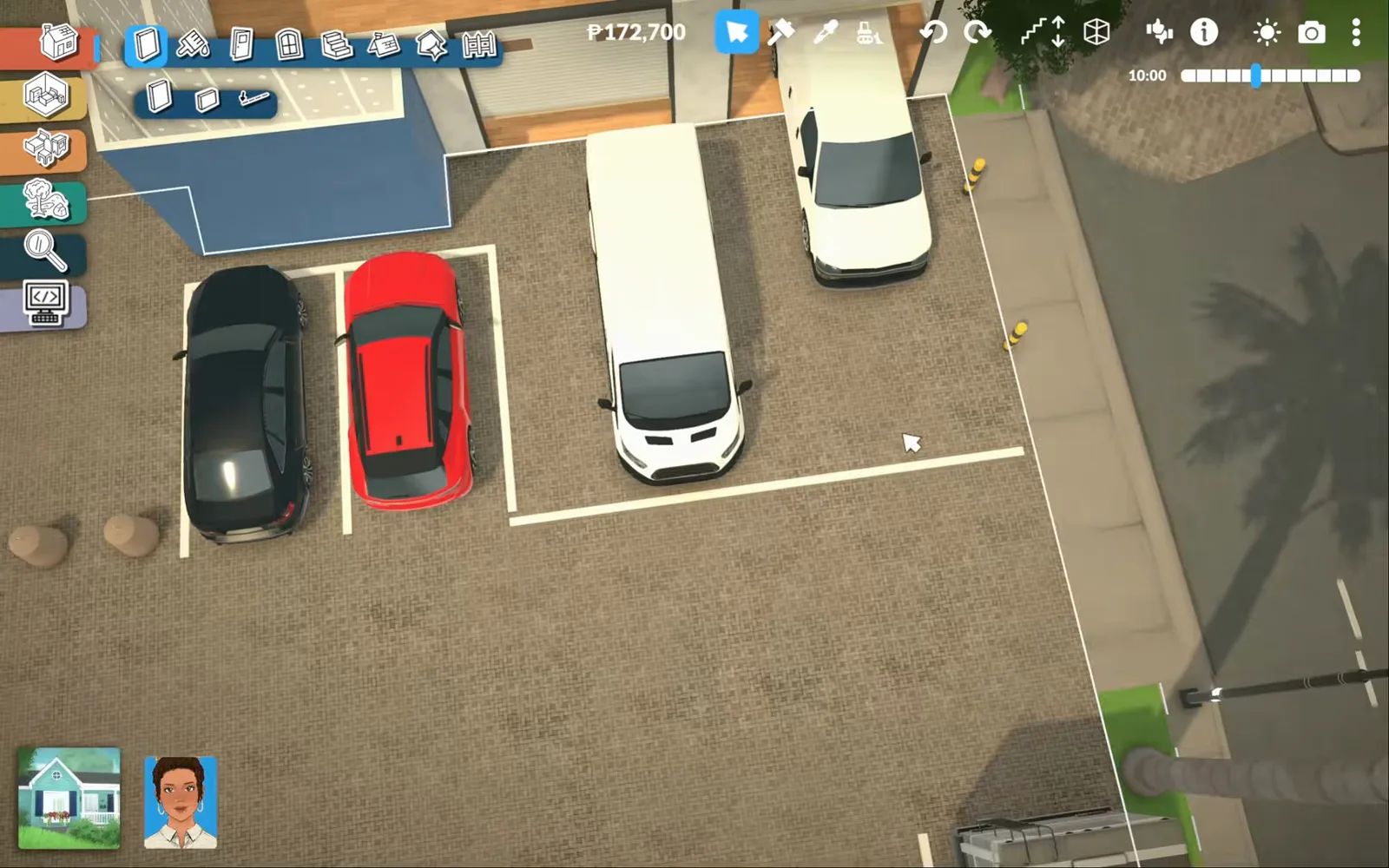
Bays, cars, bollards — from above, the lot already reads retail.Watch at 4:00
Fresh sections
Produce, fruit island, bakery and the first checkout
The front of the store is its freshest half: produce bins corralled by half-walls, an island of barrel fruit baskets, a glass bakery case with a cafe to match, and the first checkout turned into the corner. Everything here is set dressing — beautiful, and for sale to no one.
- 5
Corral the produce department with half-walls
Fresh produce sits right inside the entrance, and Half-Wall Placement Mode fences it off without hiding it: a 0.8 m knee wall turns wooden display bins into a department you can see across. Tomatoes, carrots, eggplants and grapes go in crate by crate, in repeating rows.
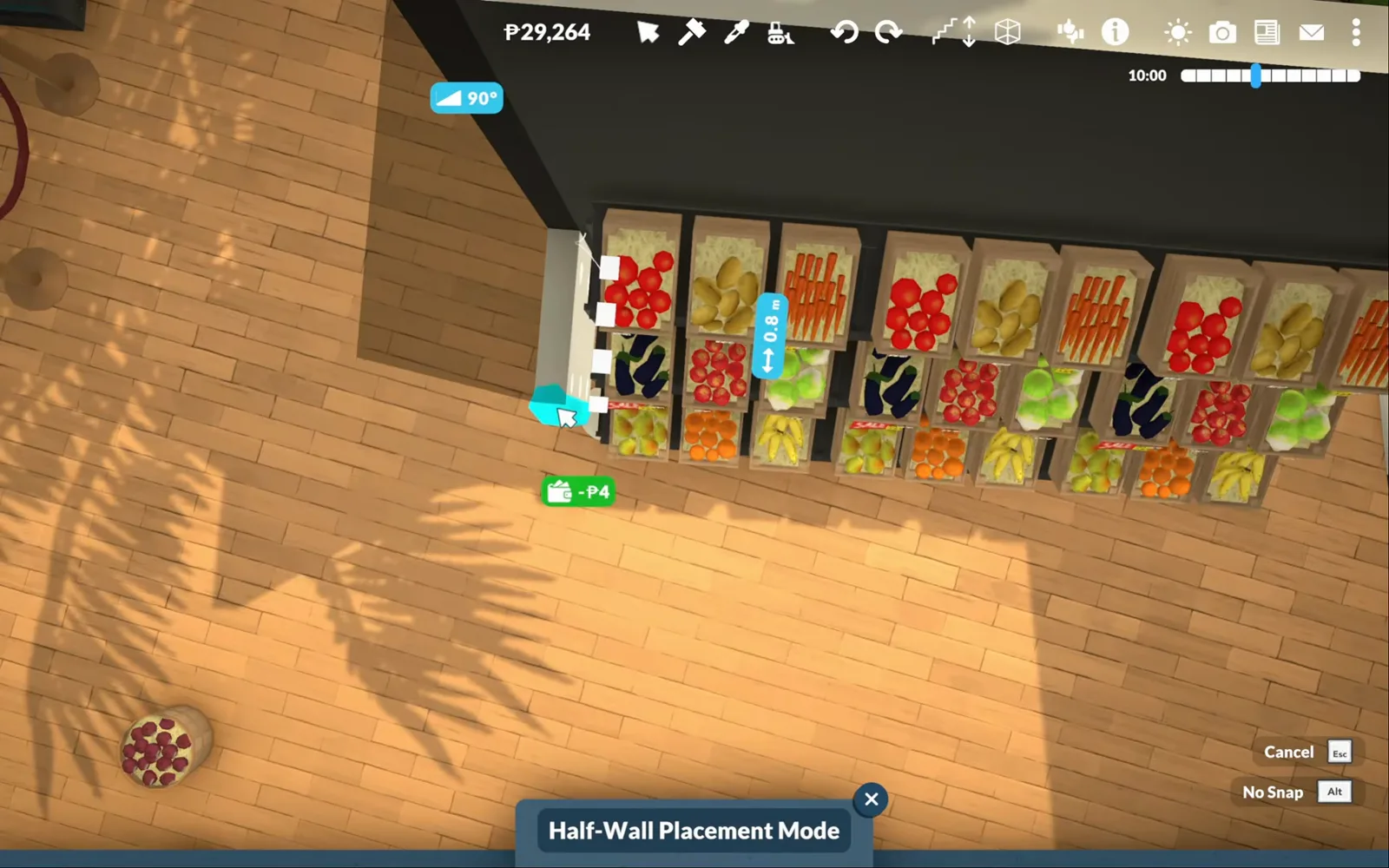
A half-wall makes a department; full walls would hide the stock.Watch at 5:20 - 6
Build the island fruit display
The centrepiece is a low island of barrel baskets — plums, bananas, oranges, kiwis — with potted herbs ranged on a wooden riser through the middle. Placed from above, a small sign rotates into the display with the gizmo, while the cafe catalogue waits open at the left for the bakery corner next door.
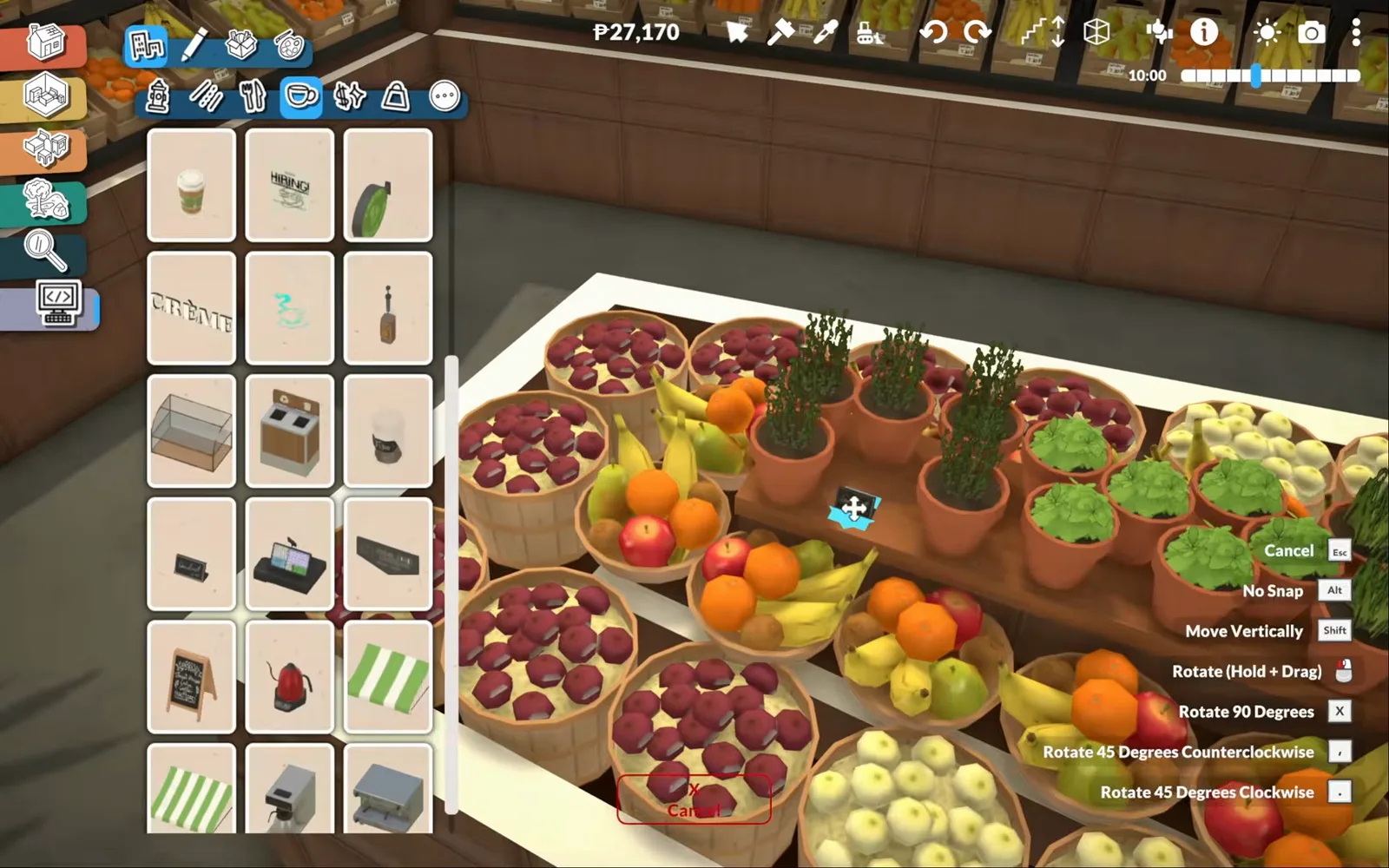
Barrel baskets, herb pots, one small sign — the display that sells the whole store.Watch at 7:00 - 7
Glass in the bakery corner
Bakery and cafe share one corner. A glass display case takes baguettes on the top shelf and croissants in bowls below, while the same catalogue supplies the coffee grinder, the chalkboard menus and the round tables behind it. The pastries never run out, because nothing here is ever bought.
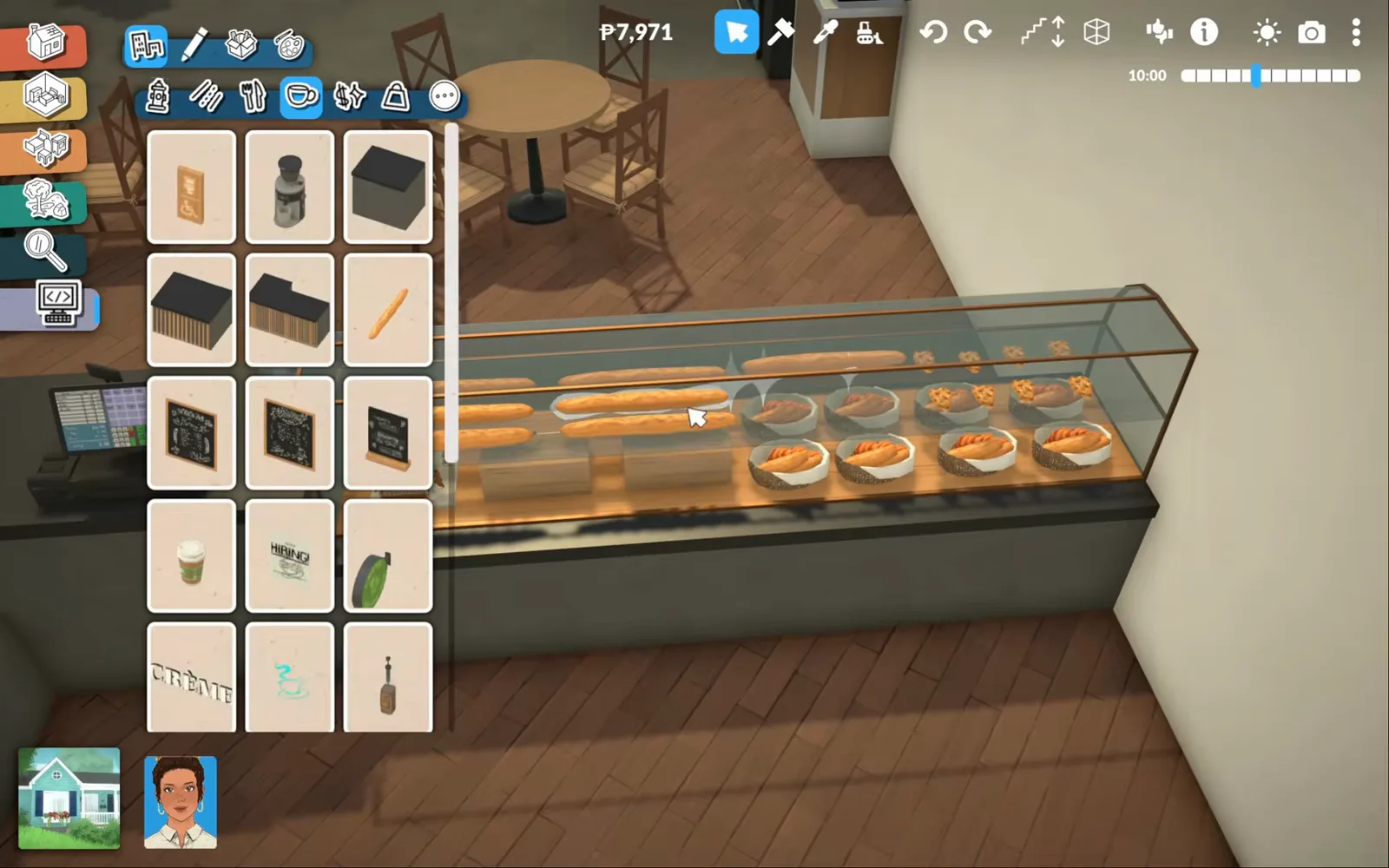
Baguettes up top, croissants below — the cafe catalogue dresses the corner.Watch at 9:20 - 8
Add the first checkout
A dark counter turns an L beside the bakery case, carrying a register, a card terminal and a cup for the cashier who will never ring a sale. Wall shelves of bread and a tray of pastries finish the corner, so the queue zone and the till read as one unit.
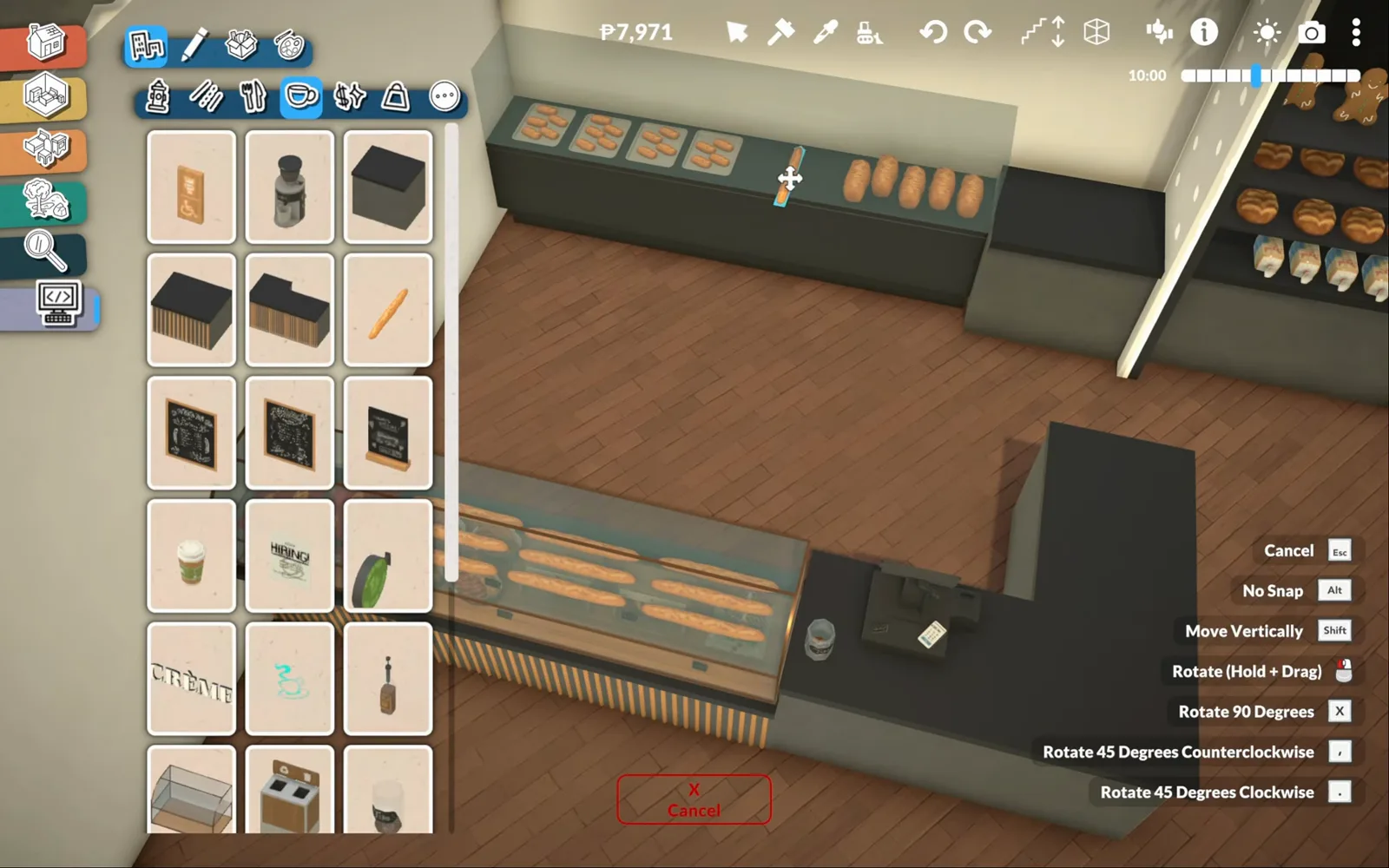
Register, terminal, bread wall — checkout number one.Watch at 9:40
The aisles
Dairy, frozen, personal care, kitchenware, ice cream
The middle of the store is shelving and patience: a milk pyramid under a cow mascot, a signed frozen wall, tall toiletry racks, glassware shelves and an ice-cream freezer found through catalogue search. Duplicate and recolor do the heavy lifting — one placed bottle becomes a whole row.
- 9
Raise the milk pyramid, cow included
The dairy department gets merchandising: a spotted cow statue — Pippin, says its item card — stands on a stepped wooden riser tiered with milk bottles placed by hand. It is pure theatre, it costs a small fortune in clicks, and it is the best photo op in the store.
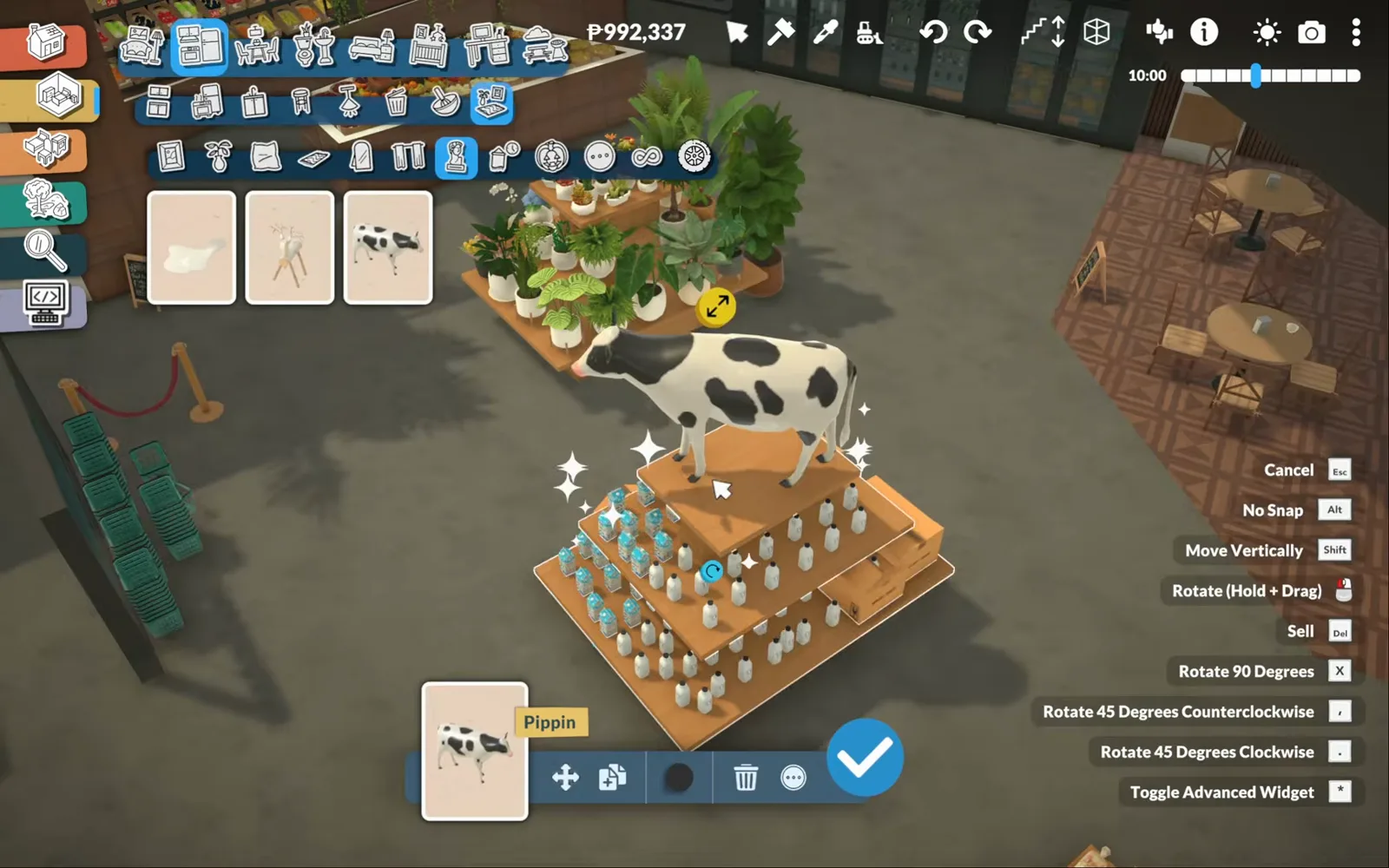
A cow on a milk pyramid — dairy merchandising, Paralives style.Watch at 14:20 - 10
Sign the frozen wall
Chilled and frozen gets one handwritten script sign — a 'Frozen' board hung above a wall of glass-door freezers, with a stepped display of wire baskets in front. From three steps away the sign does the whole department's job: the glass wall reads as the cold aisle.
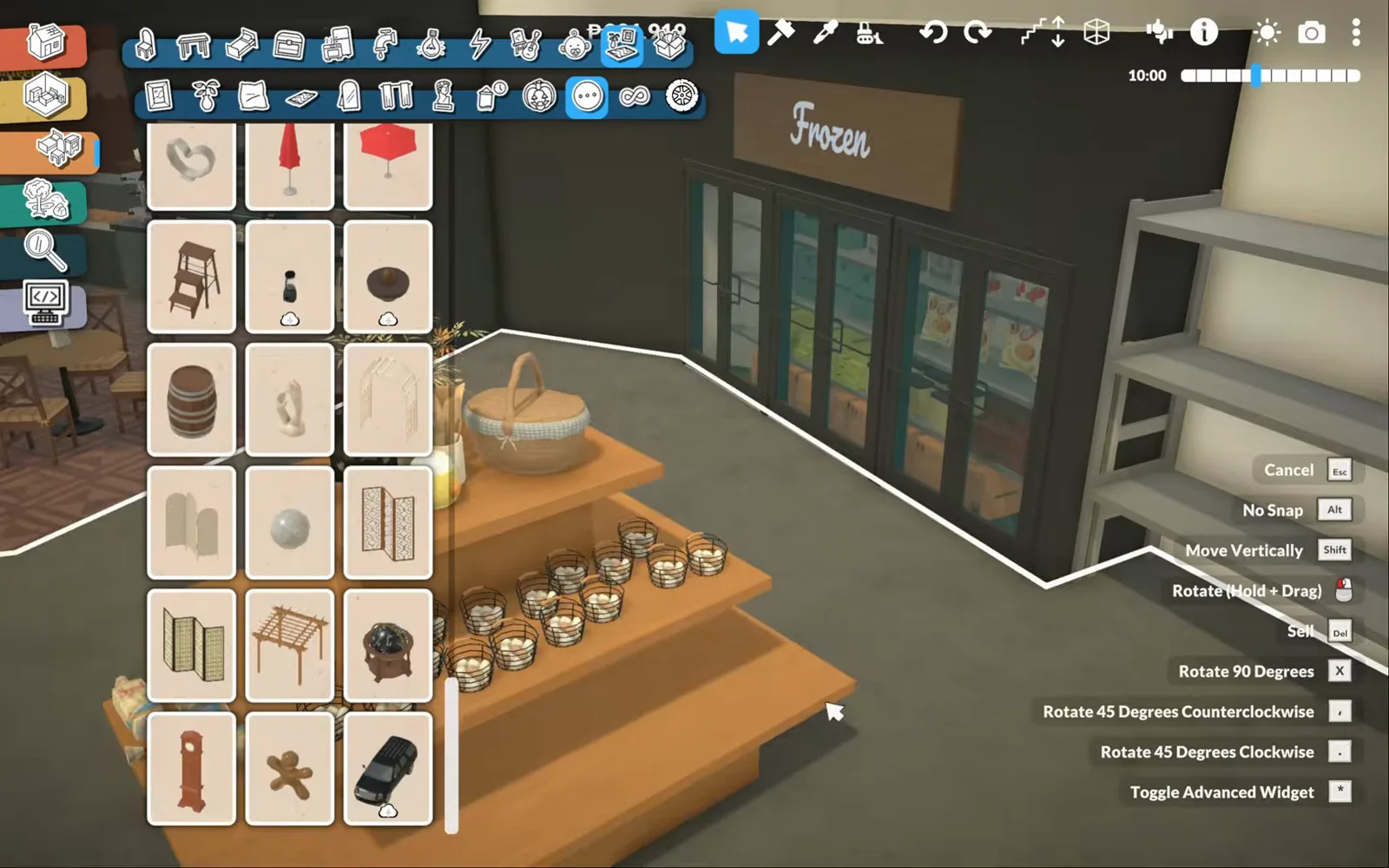
One script sign turns a glass wall into the frozen department.Watch at 14:40 - 11
Stock the personal-care aisle
Cleaning and personal care share tall grey shelving: body wash, deodorant, soap, shampoo, toothpaste and toilet paper ranked row by row. Duplicating one placed bottle — the item card says Perfume01 — beats placing each one, and the recolor dot on the card varies the range.
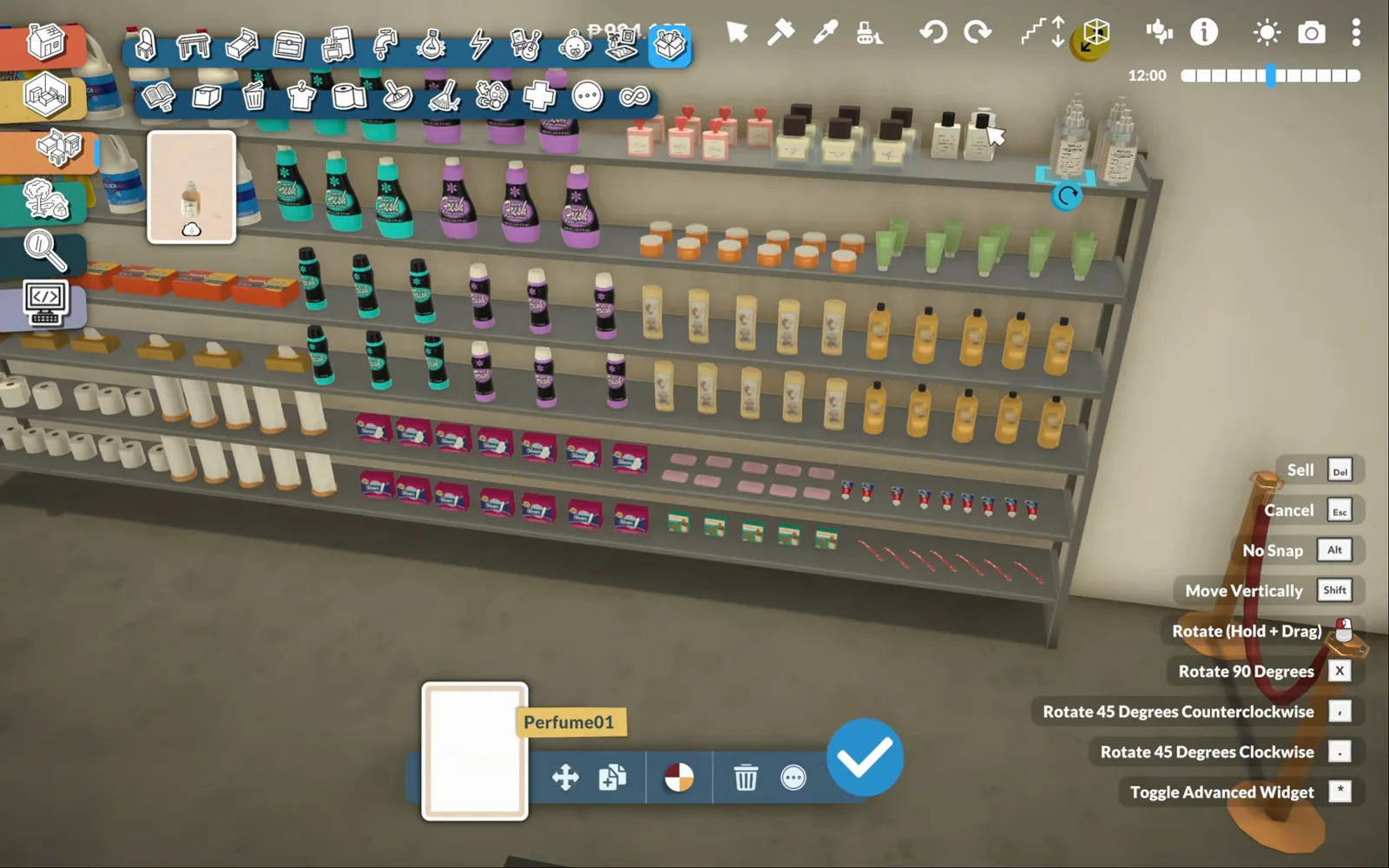
Duplicate, recolor, repeat — one bottle becomes a whole aisle.Watch at 18:00 - 12
Dress the kitchenware shelves
The next shelving run turns domestic: stacked tumblers, wine glasses and swing-top bottles up top, frying pans and lidded pots below, all from the kitchen clutter catalogue. Clear glass reads best against grey metal — from across the aisle, it looks like stock.
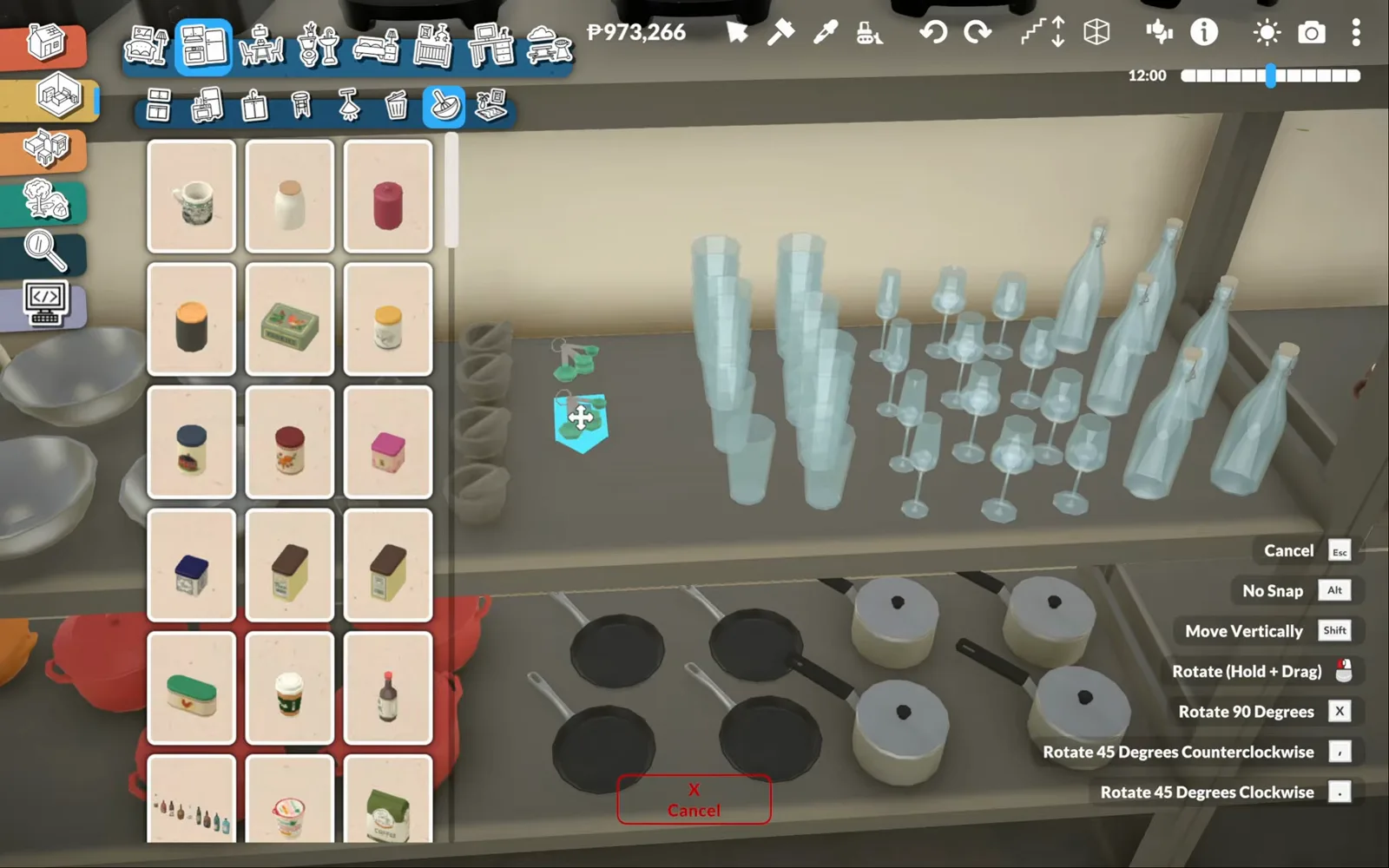
Glassware up, pans below — the aisle that photographs well.Watch at 18:40 - 13
Search the catalogue for ice cream
The fastest way to dress a freezer is to search. Typing 'ice' surfaces ice-cream cones, tubs and a chest freezer, and the cones end up in a mint display cart under glass, floodlit by a pendant lamp. The cold treats are decorative forever — nothing melts, nothing sells.
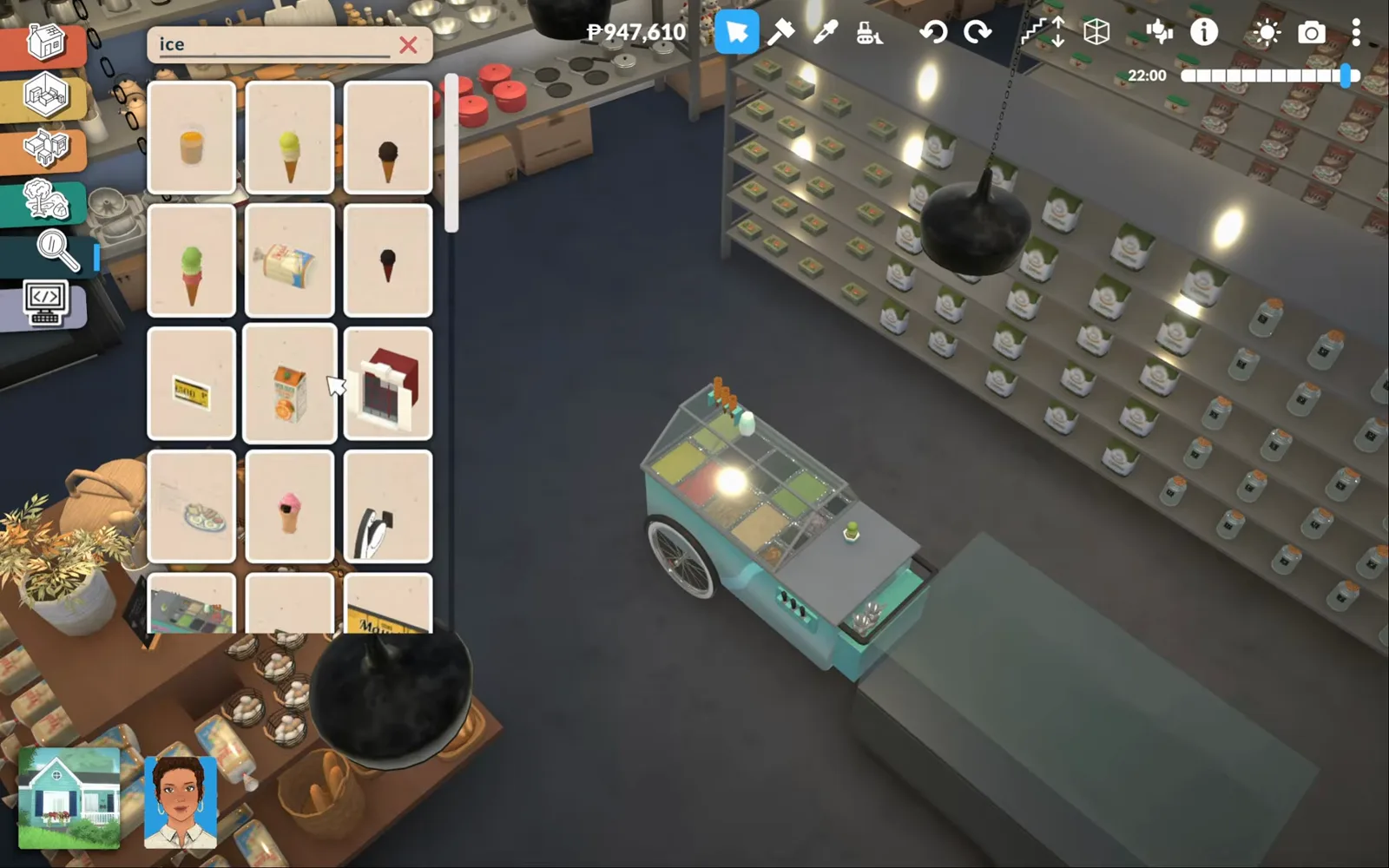
Search 'ice', dress the freezer — dessert is served, permanently.Watch at 21:20
Signs and back of house
Labels, the manager's office and the stockroom
The last stretch labels every aisle with editable hanging signs, then moves behind the scenes: a manager's office watching the floor, and a receiving room of racked, stacked boxes that will never be unpacked. When the stockroom looks like delivery day, the supermarket looks real.
- 14
Rename the hanging signs
Section signs are hanging boards with editable text. Pick the rename control on the item card and the Edit dialog takes any label — 'Tools' over one aisle, 'Bath &' being typed over the next — so the sales floor writes its own headings, aisle by aisle.
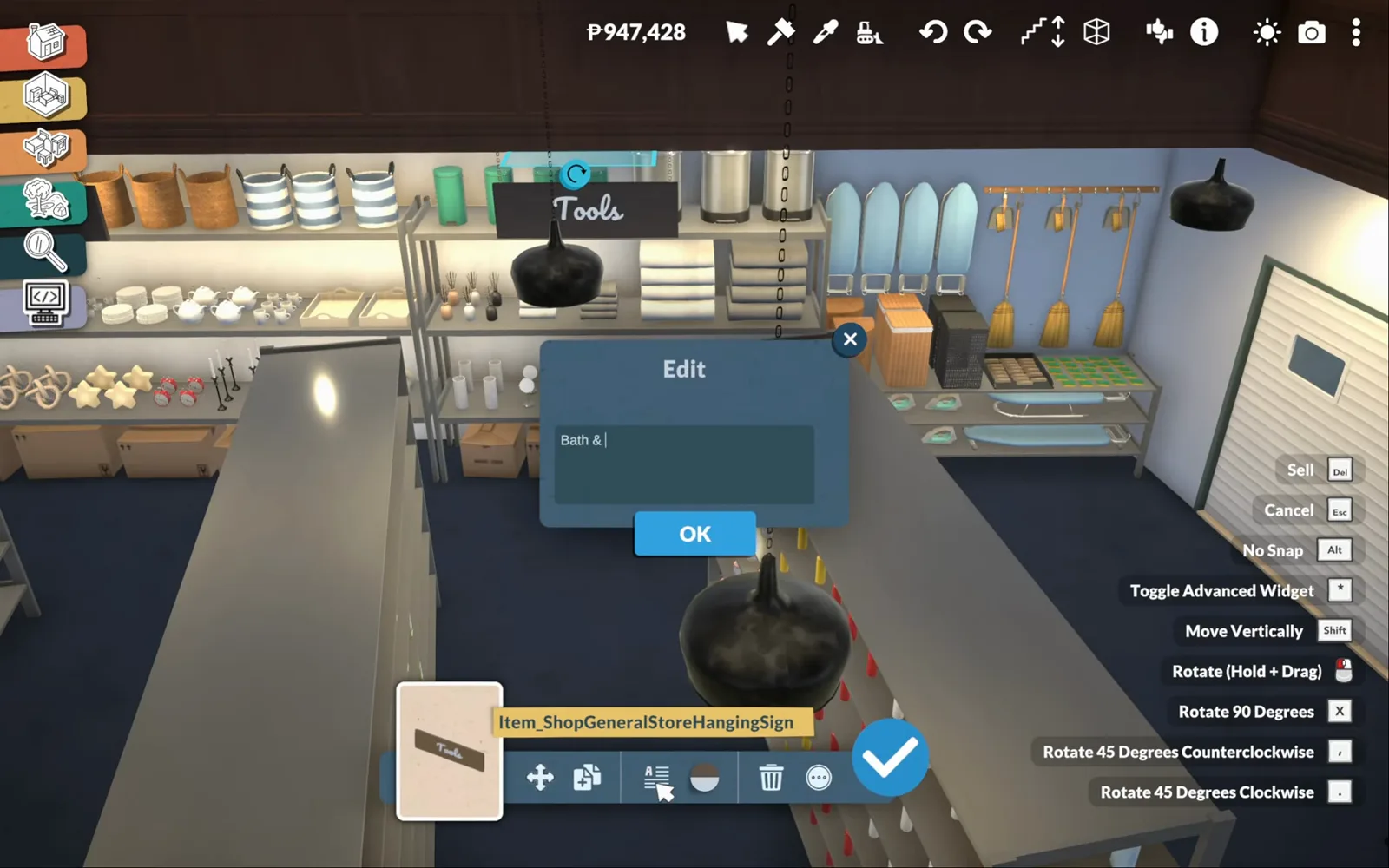
Tools, Bath & Laundry — every aisle writes its own heading.Watch at 22:00 - 15
Furnish the manager's office
Behind the sales floor sit the staff rooms: a changing room, a staff bathroom and the manager's office. The office is one pedestal desk and one chair — the office-chair catalogue runs from executive leather to gaming neon — plus a delivery box and a window onto the aisles.
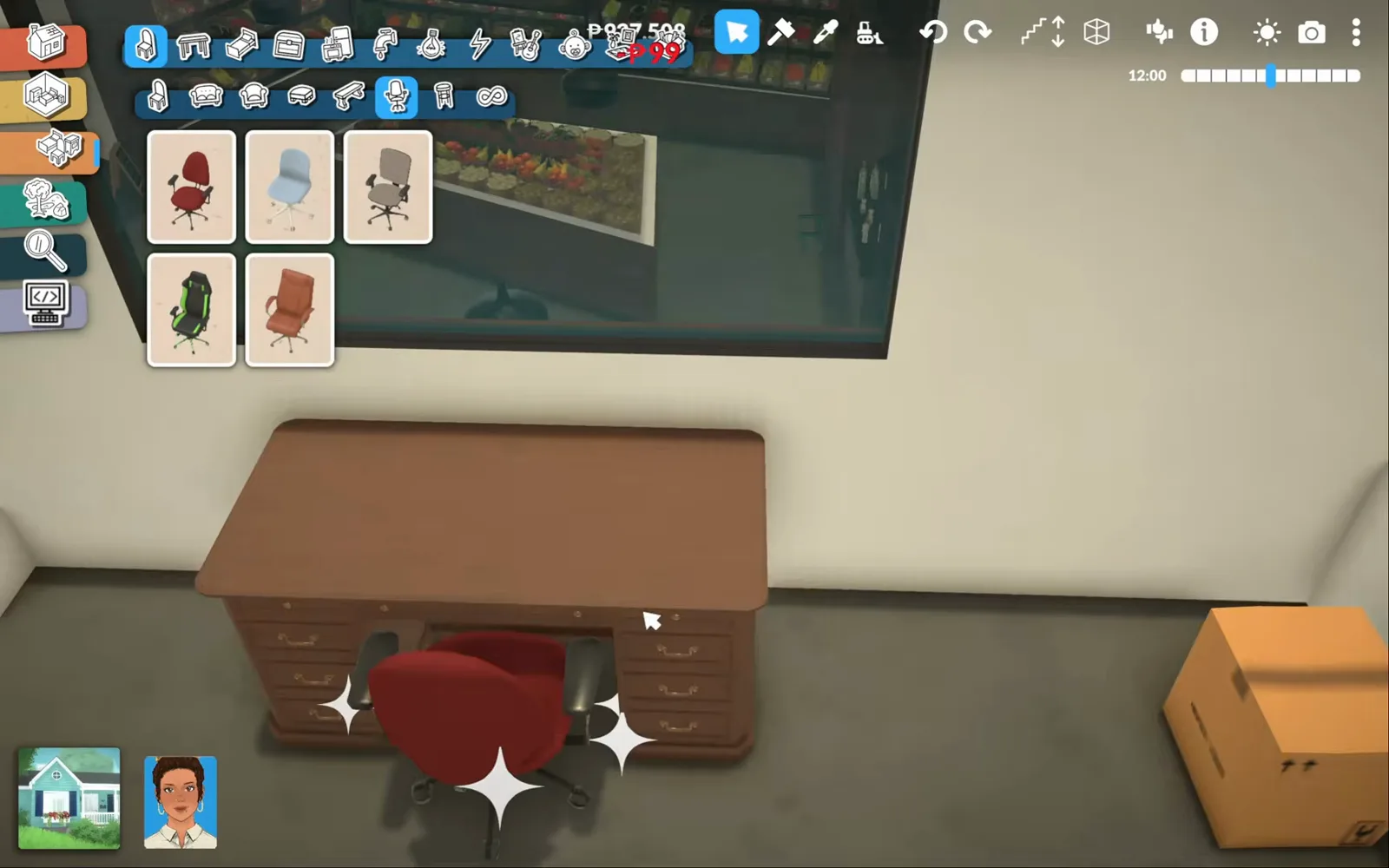
One desk, one chair, one window on the aisles — management, furnished.Watch at 25:20 - 16
Pile the stockroom to the rafters
Goods receiving and storage close out the build: metal racks buried under orange cardboard boxes, stacked upright, tipped over and piled high the way a real stockroom looks on delivery day. The box catalogue supplies every size — and nothing here will ever be unpacked.
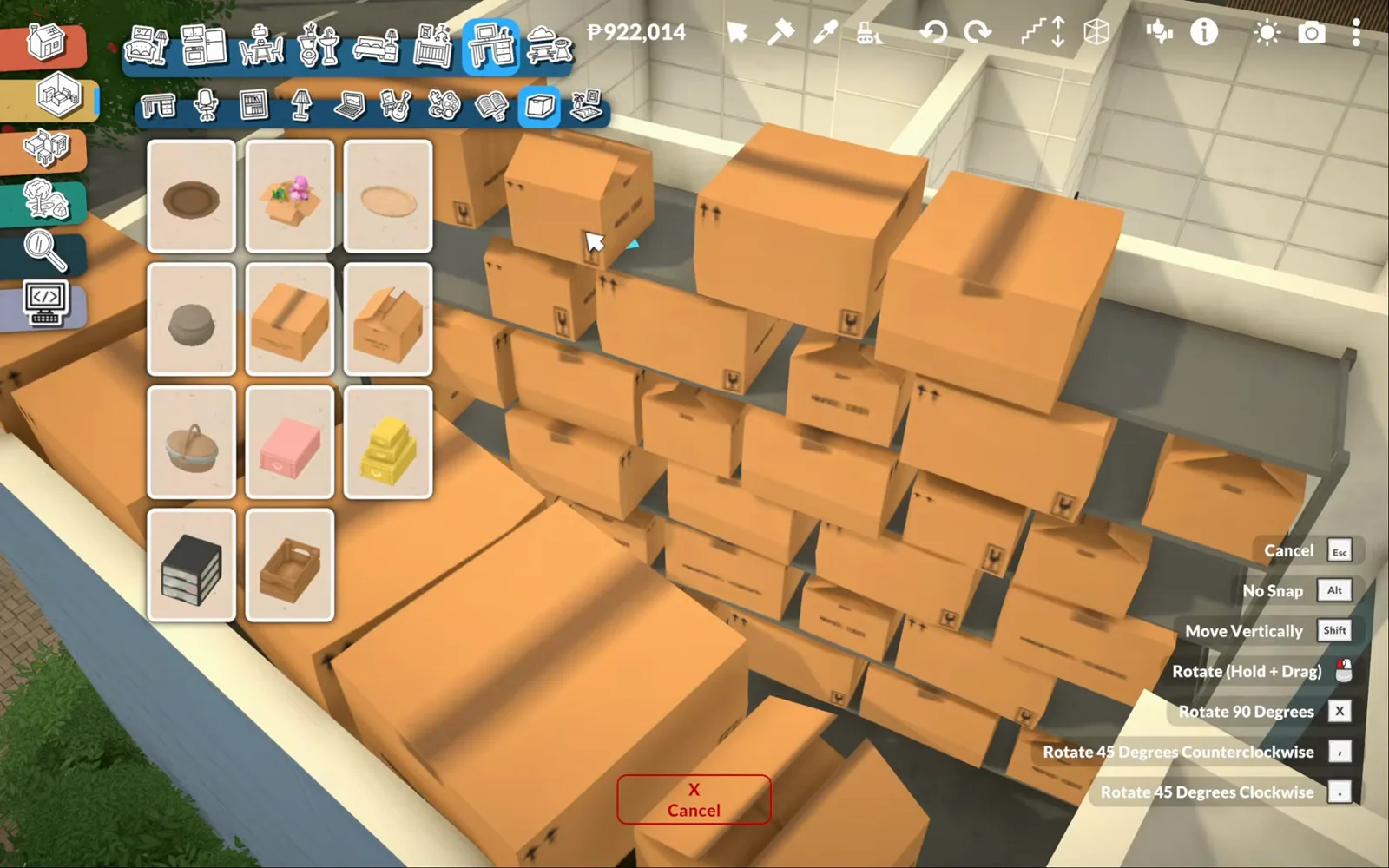
Receiving day, frozen forever — the back room that makes the front look real.Watch at 27:40
A supermarket is a build, not a business
Search the Paralives wiki for retail and you will find nothing — as of 0.1.8b the game cannot sell an item, no customer shops and no shelf ever restocks. Every shop scene on this page is staging: the store is dressed as if it were open, and it stays dressed.
That is a feature, not a gap, if you know it going in. The build needs no mods at all — every bin, bottle, sign and the cow itself comes from the base-game catalogue. Our coffee shop guide demonstrates the only selling loop that exists today (a Workshop mod marks small-shop items for sale); nothing of it runs here, and this page claims nothing beyond set dressing.
Left deliberately unverified: the lot's exact dimensions (the video never states them; the widest wall run visible on screen measures 12 m), whether Archilives shares the world or the build as a download, and whether a future update adds any retail system. If you searched for the grocery store in town, that is Susan's General Store in Melino — a prebuilt spot to visit, not a business to run.
Supermarket build FAQ
- Can you run a store in Paralives?
- No. As of 0.1.8b Paralives has no retail or business system — nothing can be priced or sold, and no customer ever pays. A supermarket like this one is a build: the shelves are stocked by hand and stay that way. The only selling loop in the game today comes from a Workshop mod, demonstrated in our coffee shop guide; this supermarket uses no mods at all.
- Will customers buy things from the shelves?
- No. There is no shopping interaction in the game — the full shelves and the cars in the car park exist for screenshots, town realism and storytelling. The till never rings.
- Is there a grocery store in Paralives?
- Yes, as a place, not a business: Susan's General Store is a prebuilt town spot in Melino that you can visit with your Paras. You cannot take it over or run it — for a store of your own, the supermarket in this guide is built from scratch in any world.
- How big is the supermarket lot?
- The video never states a lot size, so this guide will not guess. Archilives builds on a coast-road plot in his own custom world; the widest wall run visible on screen measures 12 m, the store is one broad single-storey box, and the plot also holds a small parking lot. Any large town lot — or a plot in your own world — works the same way.
- Does the supermarket build use mods?
- No. Every step here is base game: walls, half-walls, terrain tools, shelving, food props, the cow statue and the editable signs all come from the vanilla build catalogue. Which also means no downloads that can break when the game updates.
Keep building
Create a World guide
Coast roads and custom towns — build your own world the way Archilives built his, supermarket included.
Decorating guide
The clutter layer: duplicate, recolor and place the small props that turn shelves into stock.
Coffee shop guide
The mod-powered shop down the street: a smaller commercial build where the Little Business mod actually rings a till.
Bookshop guide
Another vanilla retail build — genre signs and shelves dressed the same duplicate-and-label way.
Flower shop guide
Bouquets in the window and a wrapping station — the next shop along the street.
Bakery build guide
A trailer bakery with a full pastry kitchen — the same staging tricks in a tiny curved shell.
Hotel build guide
A five-storey seaside hotel with themed guest rooms and a rooftop wedding terrace.