
The short version
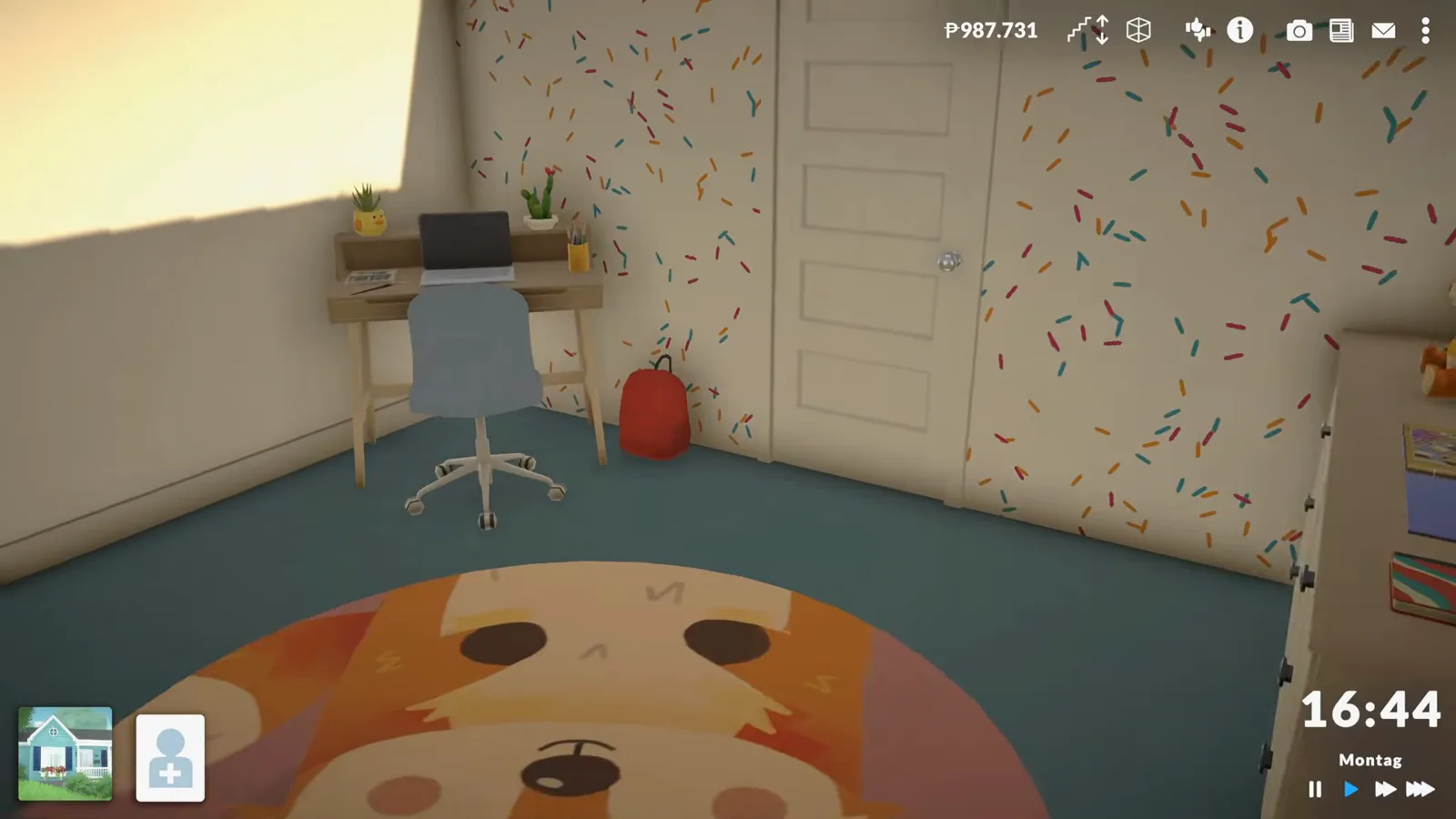
Paralives has no dedicated nursery system as of 0.1.8b — a nursery is a regular room staged with regular furniture, and nothing in the game requires or recognizes one. In episode 8 of their Early Access series, Kaddi Gaming wraps up the bathroom from last time, then builds this children's room for a school-age kid: a single bed dragged narrower with the size handles, teddy-bear bedding from the style editor, a dice nightstand with a forest-spirit lamp, a dresser recoloured to two-tone wood, a round rug carrying a fox artwork from the image picker, and a homework corner with laptop and school backpack. Crib-style beds do exist — they sit at the top of the bed catalogue, and in-game babies sleep in cribs — but this room is deliberately built for a child, and the creator calls it a first draft.
- No nursery mechanic exists as of 0.1.8b — the room is staging with normal furniture, chosen to look right for a kid.
- Beds resize: drag the size handles and the single bed narrows until "it can't get any narrower than this."
- Style Creation splits the bed into blanket, sheet, frame and boards — each takes its own colour and print, teddy-bear print included.
- Rugs take custom pictures: the image picker's artwork cards include the fox that ends up on this rug.
- Cribs exist — crib-style beds top the bed catalogue and in-game babies sleep in cribs — but this room is staged for a school-age child.
- The first two minutes wrap up the bathroom from the previous episode; the creator's laundry verdict — none has ever happened — is their own observation.
- Creator's verdict: a first draft — blankets elsewhere, more colour, maybe confetti, next episode.
Before the nursery
Finishing last episode's bathroom
Episode 8 starts with housekeeping: the bathroom from the previous video gets its towels, hexagon shelves, a shower care series and a laundry basket. It's a useful reminder that Paralives builds happen room by room, episode by episode — and that the children's room, the adult's room and the kitchen are what's left on the list.
- 1
Hang towels and hexagon shelves to close out the bathroom
Episode 8 opens in the bathroom from last time. A towel goes onto the hook by the shower — and the creator reaches for an eyedropper tool that Paralives build mode doesn't have yet, wishing colours could be copied directly between objects. Two hexagon storage shelves go up on the tiled wall, and a small care series for the shower lands on the shelf beside them.
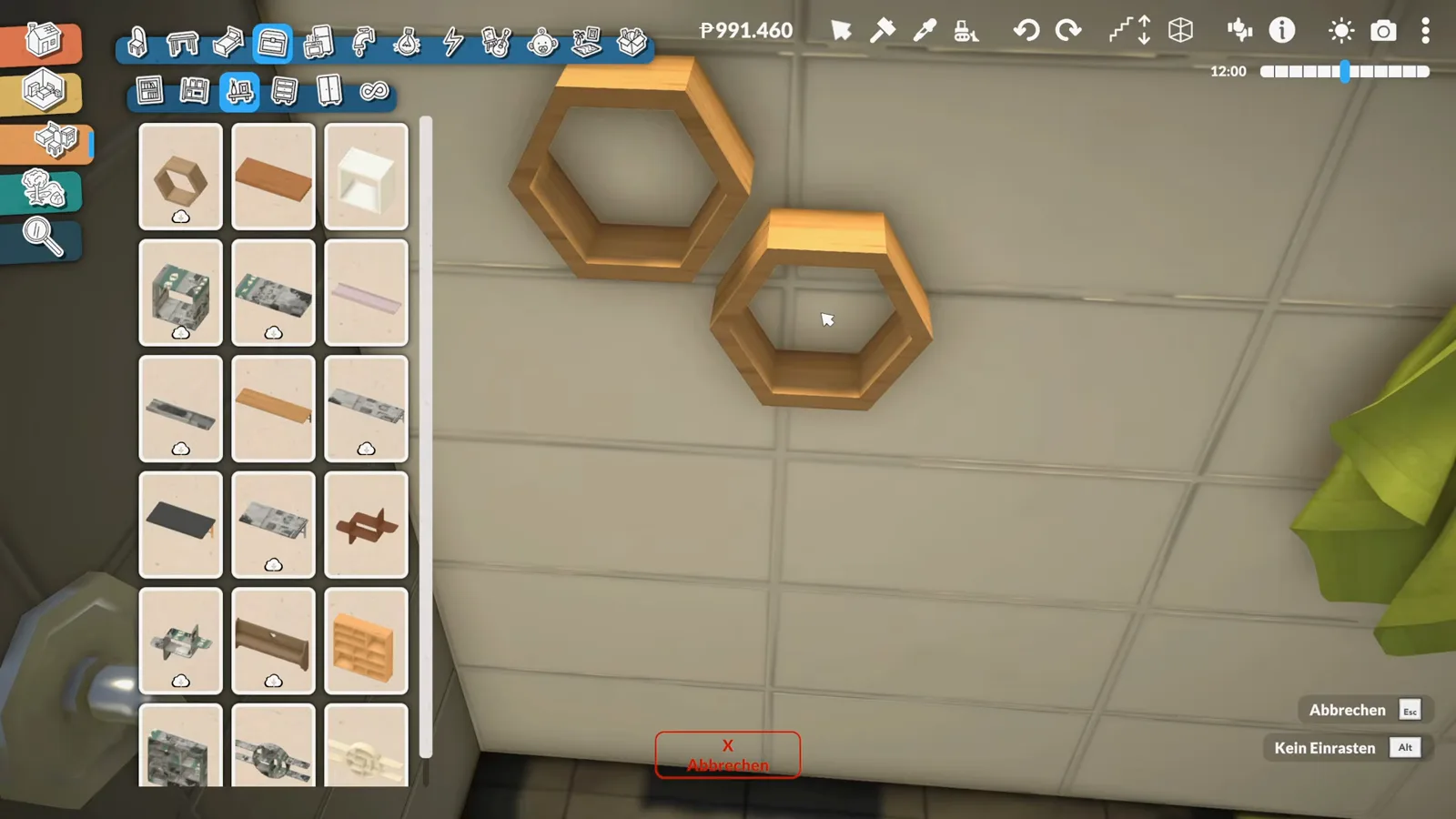
Series housekeeping first: hexagon shelves and a towel finish last episode's bathroom.Watch at 1:00 - 2
Add a laundry basket and ask the big laundry question
A lidded laundry hamper gets tucked beside the toilet — which prompts the creator to wonder how washing even works in Paralives: "I don't recall us ever having done any laundry here." That is their own observation, and nothing in the game so far has proved them wrong. With a second little shelf placed, the bathroom is declared ready for use, and the list moves on: children's room, adult's room, kitchen.
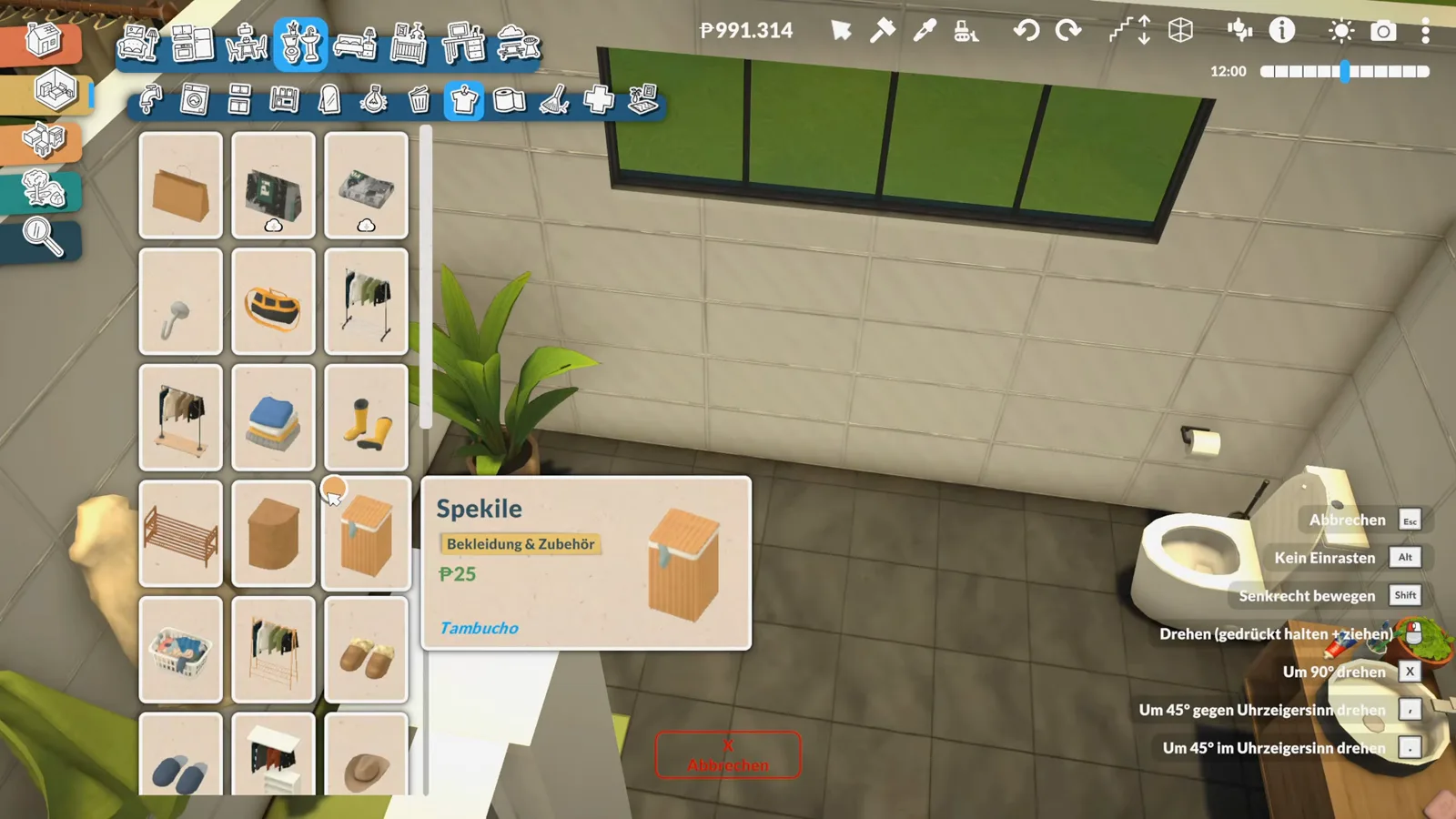
The hamper is staged and ready — whether washing ever happens is still an open question.Watch at 2:00
The bed corner
A normal bed, narrowed and patterned
The nursery's centre is deliberately ordinary: "I would really like the child to have a normal bed." The single bed gets dragged narrower, patterned teddy-blue in the style editor, and flanked by a dice nightstand, a forest-spirit lamp — and, once the glare gets fought back, a darker floor under it all.
- 3
Open the bed catalogue and pick a normal bed
The children's room is an empty, very yellow shell. "Where are the beds?" The category holds single beds in every style — and crib-style beds at the top, the kind in-game babies sleep in. A children's storage armchair gets a look, but the creator is firm: "I would really like the child to have a normal bed." A plain wooden single bed wins.
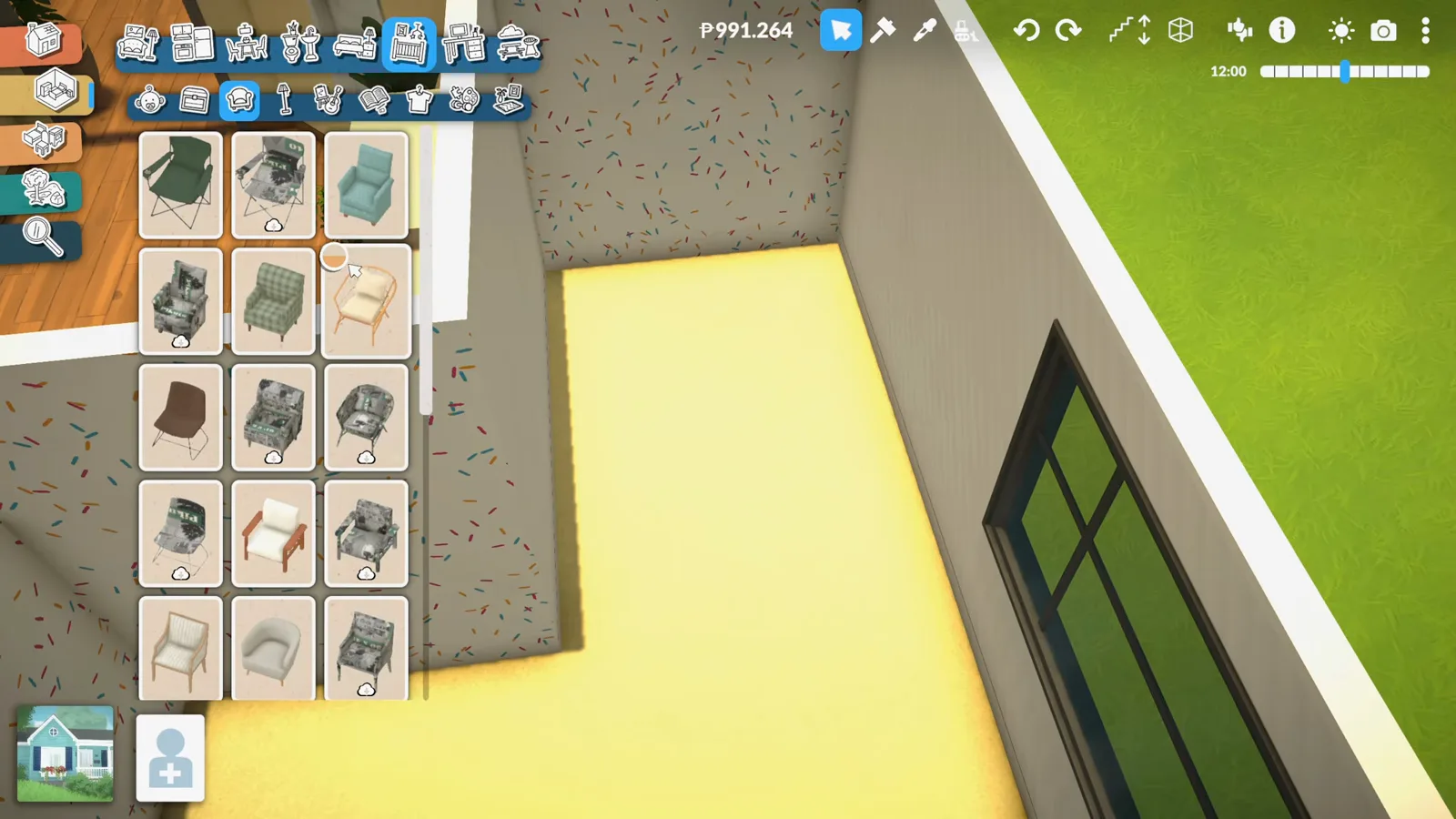
Crib-style beds top the catalogue; the pick is a plain single bed anyway.Watch at 3:00 - 4
Place the bed and drag it narrow
The single bed drops into the corner and gets its first once-over with the colour bar at the bottom of the screen. Then the size handles come out: the bed is dragged narrower until, to the creator's delight, "it can't get any narrower than this" — a slim, kid-sized footprint in a small room. "That would be my colour combination," they say of the first palette try.
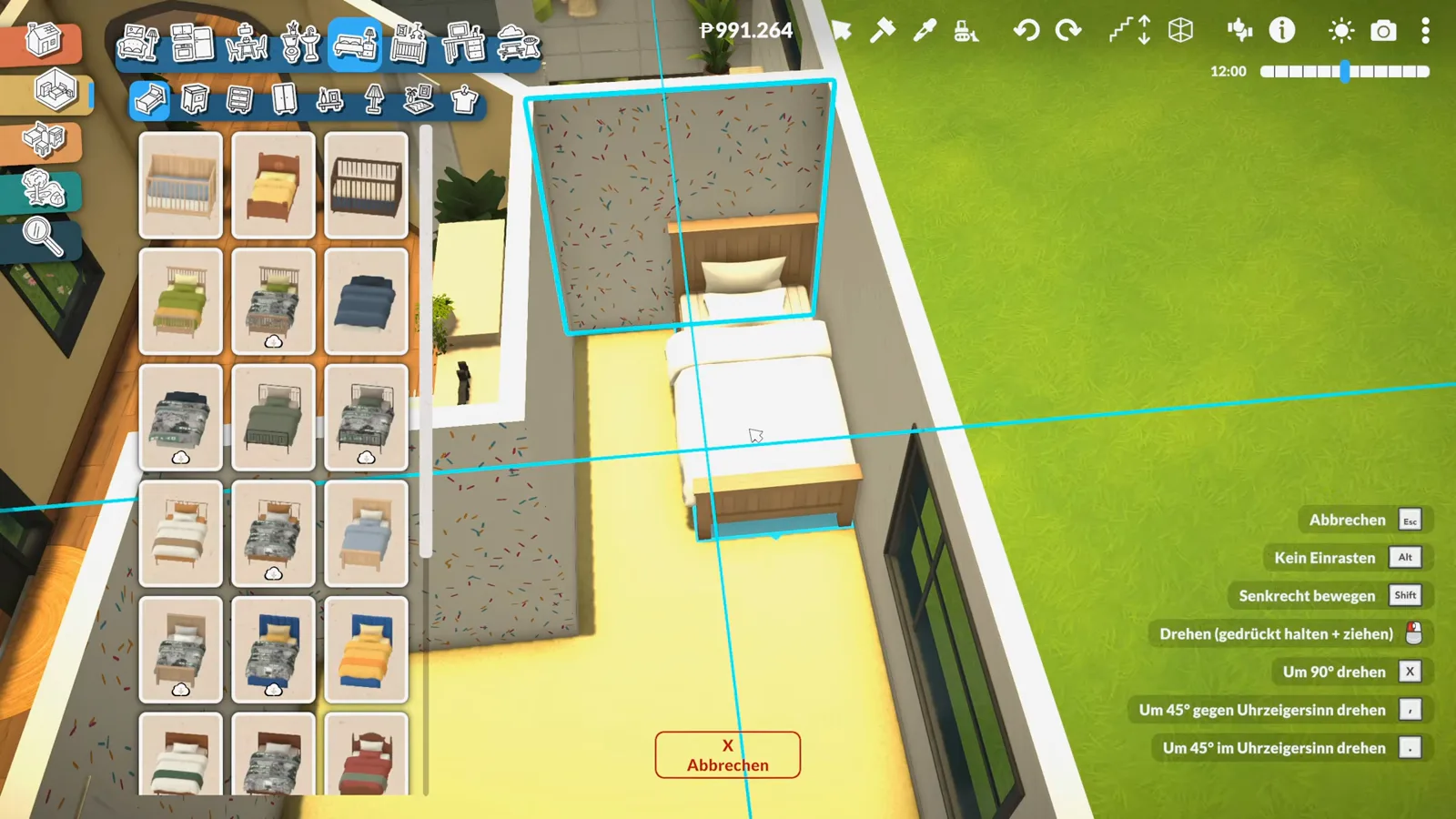
Small room, smaller bed: the size handles pull the single bed in to kid scale.Watch at 3:52 - 5
Open Style Creation and pattern the bedding
Paralives' Style Creation is the star of this step. The bed splits into parts — blanket, sheet, frame, boards — and each takes its own colour from the colour wheel or its own print from the pattern grid: a quilted brick weave first, then dots, then a teddy-bear print that finally sticks. The blanket lands on a soft blue. "I think I'm more in favor of blue."
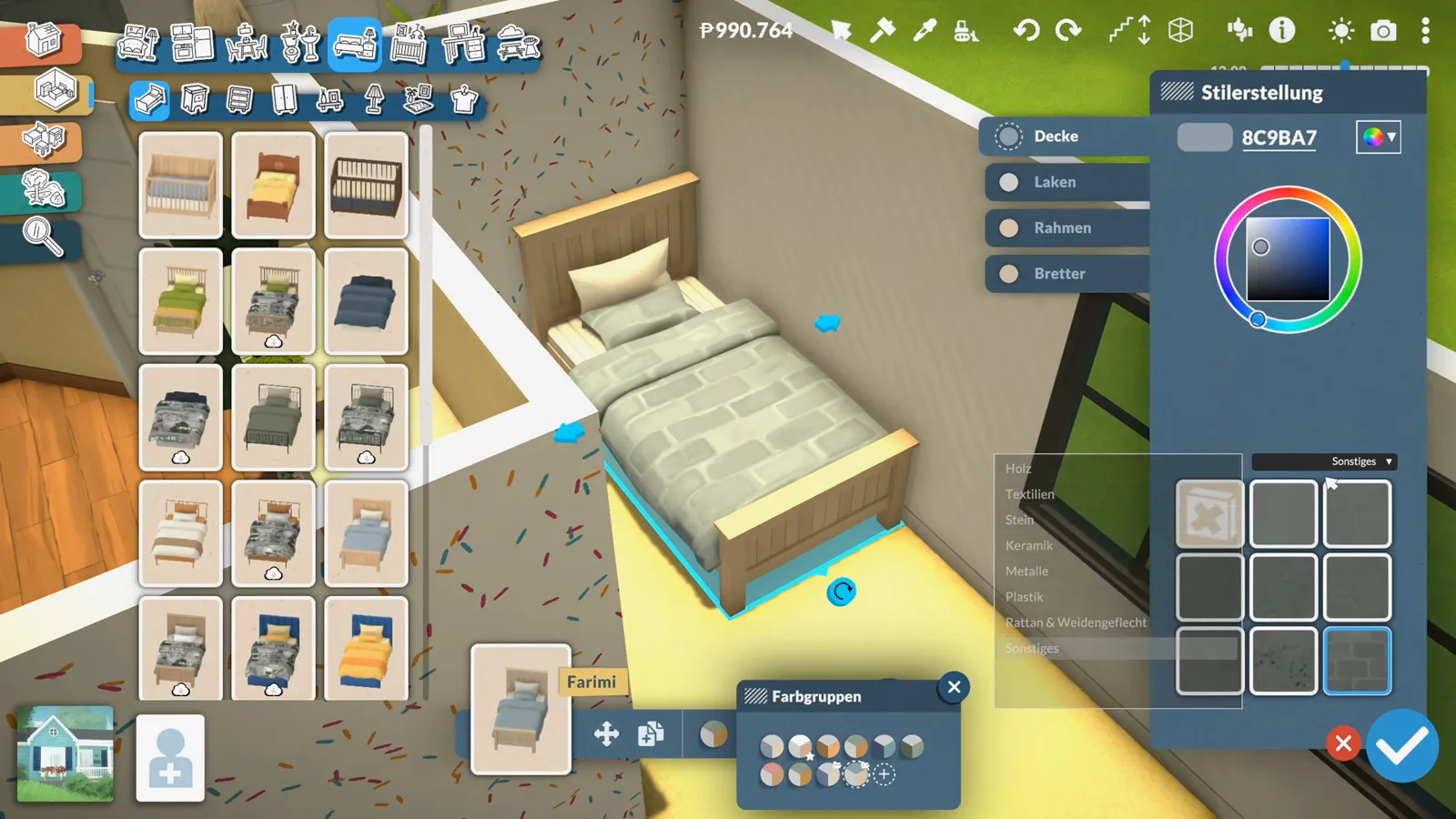
Blanket, sheet, frame, boards: every bed part takes its own colour and print.Watch at 4:40 - 6
Recolour a dice nightstand and add the forest-spirit lamp
A dice-shaped nightstand lands beside the bed and goes blue to match — "I would make that one blue," and it fits. On top goes what the creator calls the Totoro lamp, a little grey forest-spirit light. There's a wall detour too: the colourful wallpaper behind the bed bothers them, but the texture can't be changed here, so the wall keeps its confetti for now.
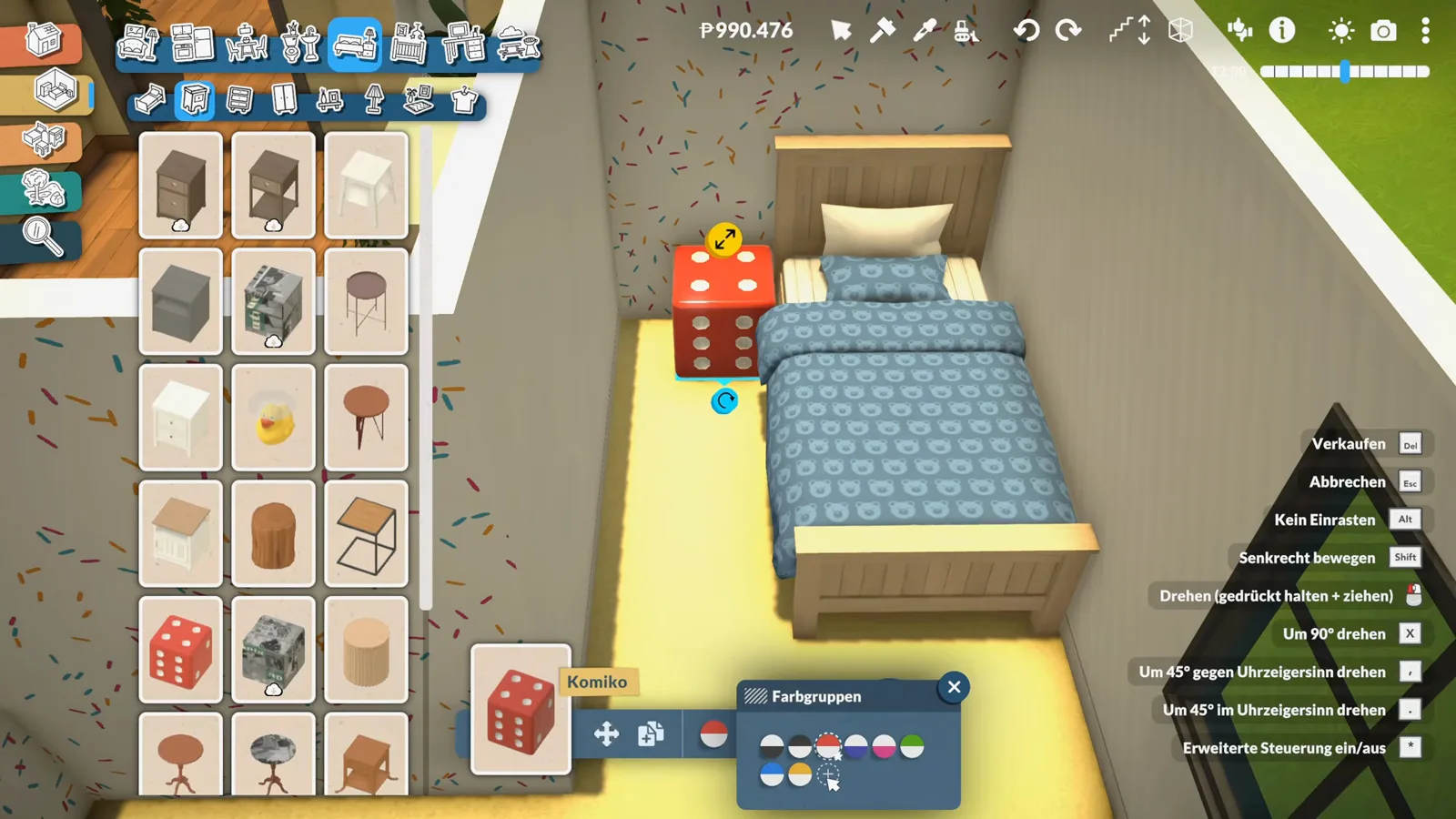
A dice nightstand goes blue, and what the creator calls the Totoro lamp moves in on top.Watch at 5:40 - 7
Swap the floor before the room gets any brighter
"I think I need a darker floor in here somehow. Yes, because otherwise it's all too bright." The floor tool opens with its swatch cards and colour grid, and the glaring yellow floor is replaced with a muted teal-green that calms the whole room down — and gives the confetti wallpaper a backdrop that can actually carry it.
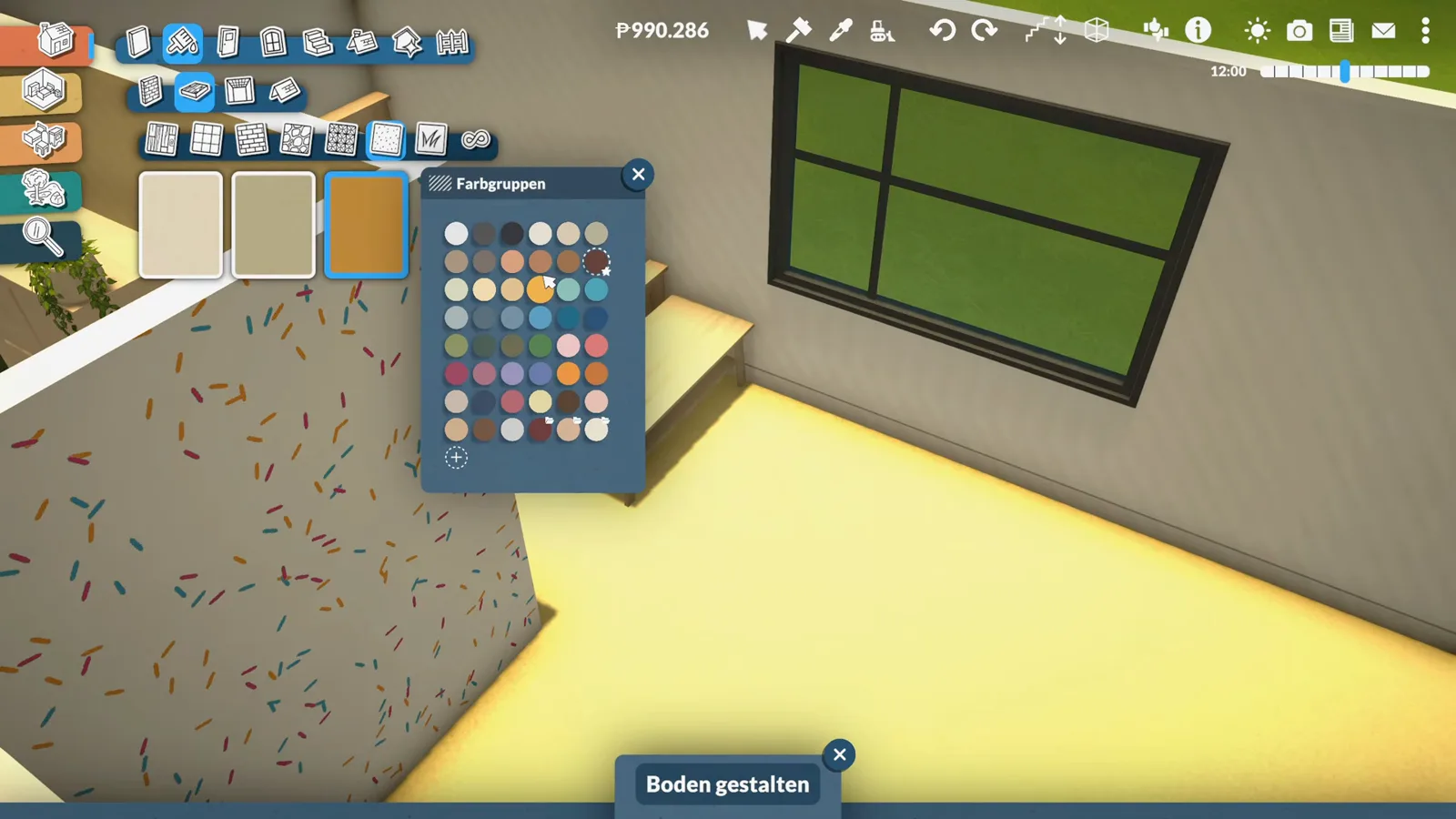
Out with the glare: a darker floor settles the room and flatters the confetti walls.Watch at 7:40
Storage and displays
Benches, dressers and one very good rug
Kid rooms live on their floors and surfaces. A bench at the foot of the bed becomes a display shelf for plant, piggy bank and night-light; the alarm clock is set to merciless; a dresser goes two-tone wood and cream; and a round rug takes a custom fox artwork straight out of the image picker.
- 8
Style the bed bench with a display plant
A wooden bench at the foot of the bed becomes the room's display shelf. First on: a leafy potted plant — the plant catalogue runs from ferns to cacti, and the pick is deliberately kept small, because small things display better. "Something cool to put on display," as the creator puts it.
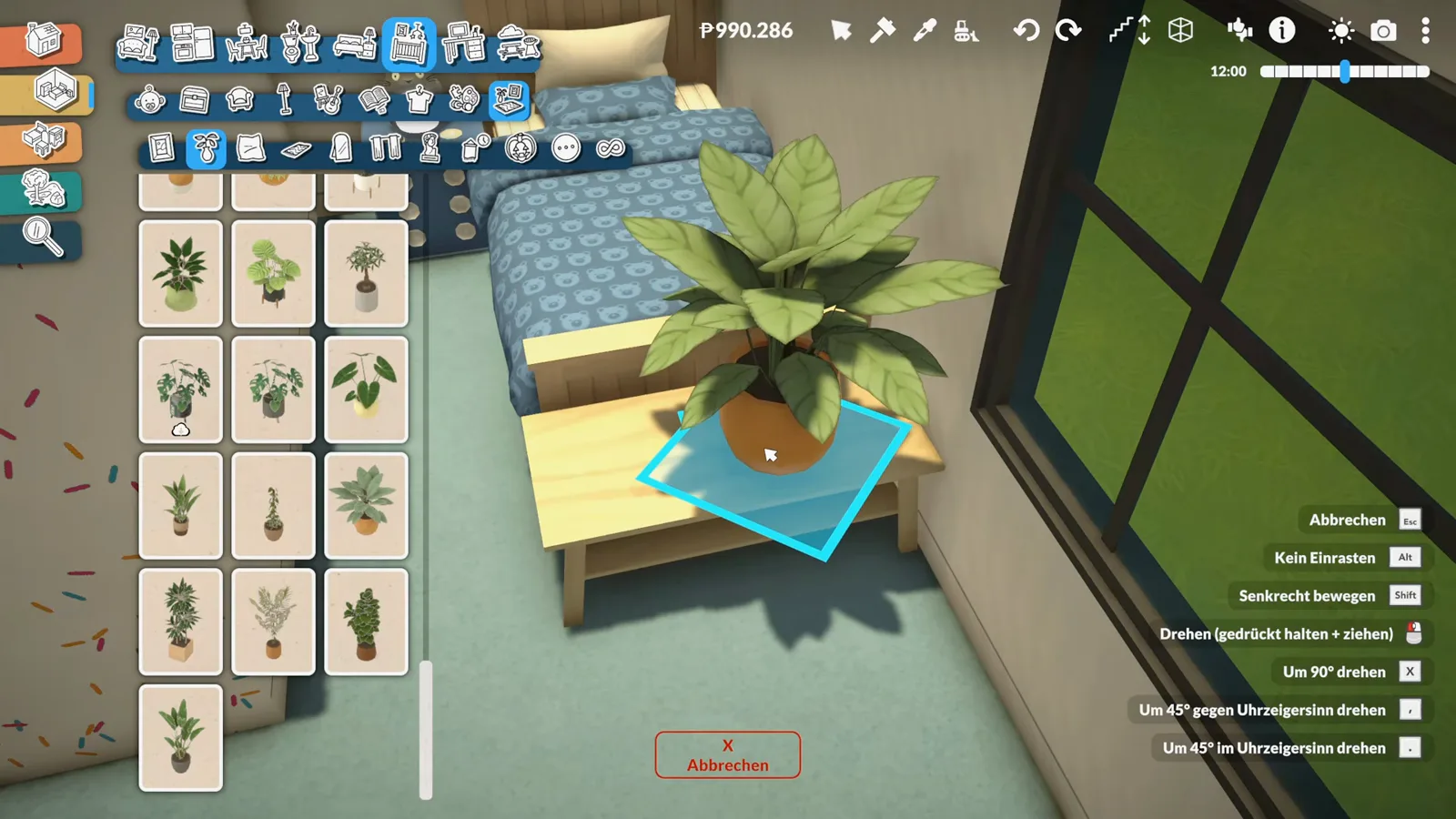
The foot-of-the-bed bench starts its second life as a display shelf.Watch at 8:20 - 9
Pass on the sculptures, place the piggy bank
The decorations category gets a skeptical browse: "Guys, you'll have to explain to me what these sculptures are. These are not sculptures to me." What the room actually gets is a pink piggy bank on the bench next to the plant, plus a small glowing night-light piece. Kid logic beats gallery logic.
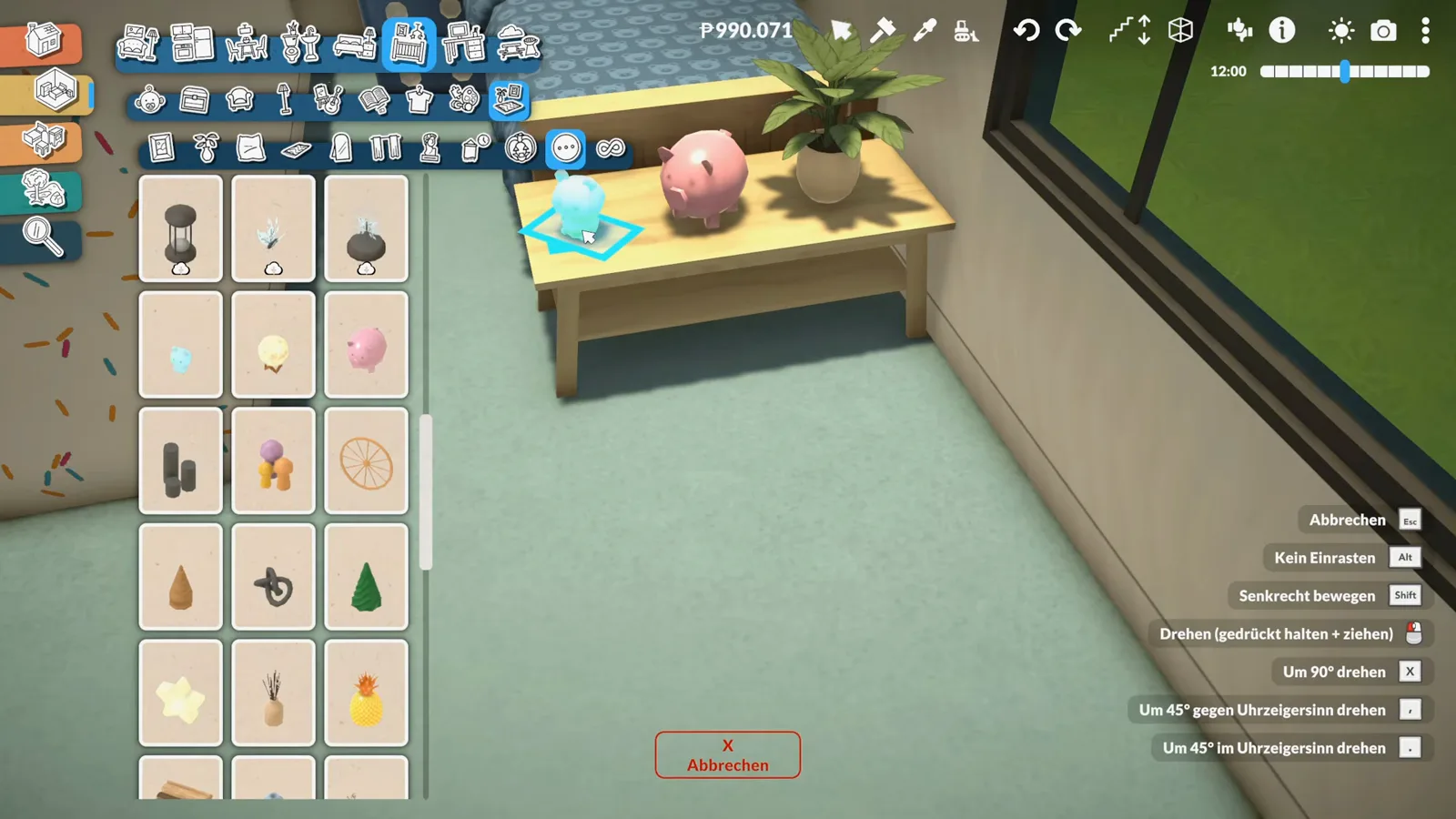
Sculptures: questionable. Piggy bank: essential.Watch at 9:00 - 10
Set a nasty alarm and bring in the dresser
A small blue alarm clock joins the bench, and the creator sets it "at a really nasty time so that they absolutely have to get up." Then the storage arrives: a tall dresser with a row of deep drawers takes the wall by the window, picked from the dresser catalogue because its size suits the room.
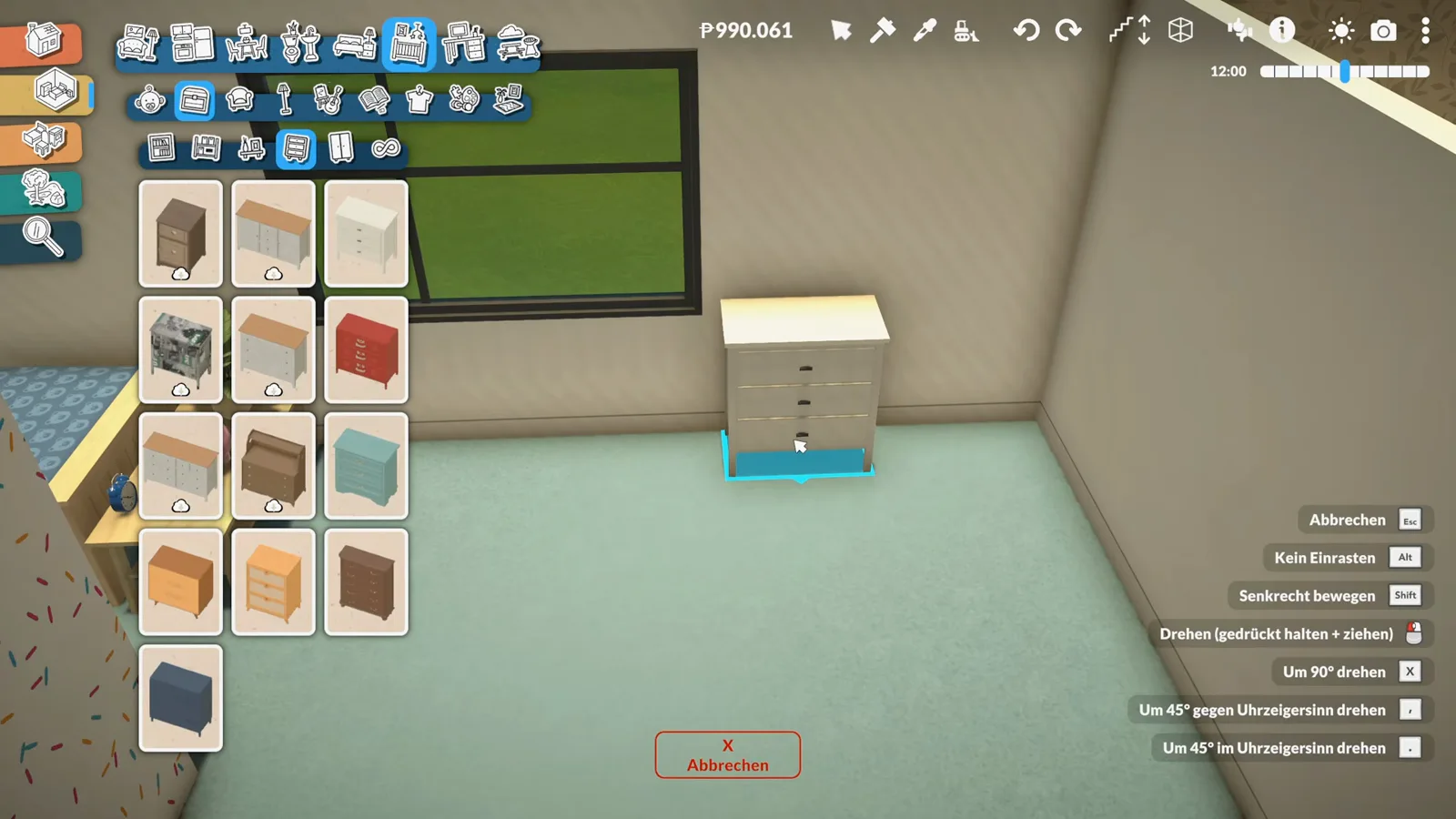
The alarm is set to merciless; the dresser takes the window wall.Watch at 10:00 - 11
Recolour the dresser to wood and stack it with books
The colour groups panel reopens for the dresser: the body goes warm wood while the drawer fronts stay creamy — "the handles can stay as they are." Books follow on top: random volumes, the creator notes, can be stacked on furniture without worry. A teddy settles in beside what the creator recognizes as a plushie from Paralives' official Unpacking collaboration.
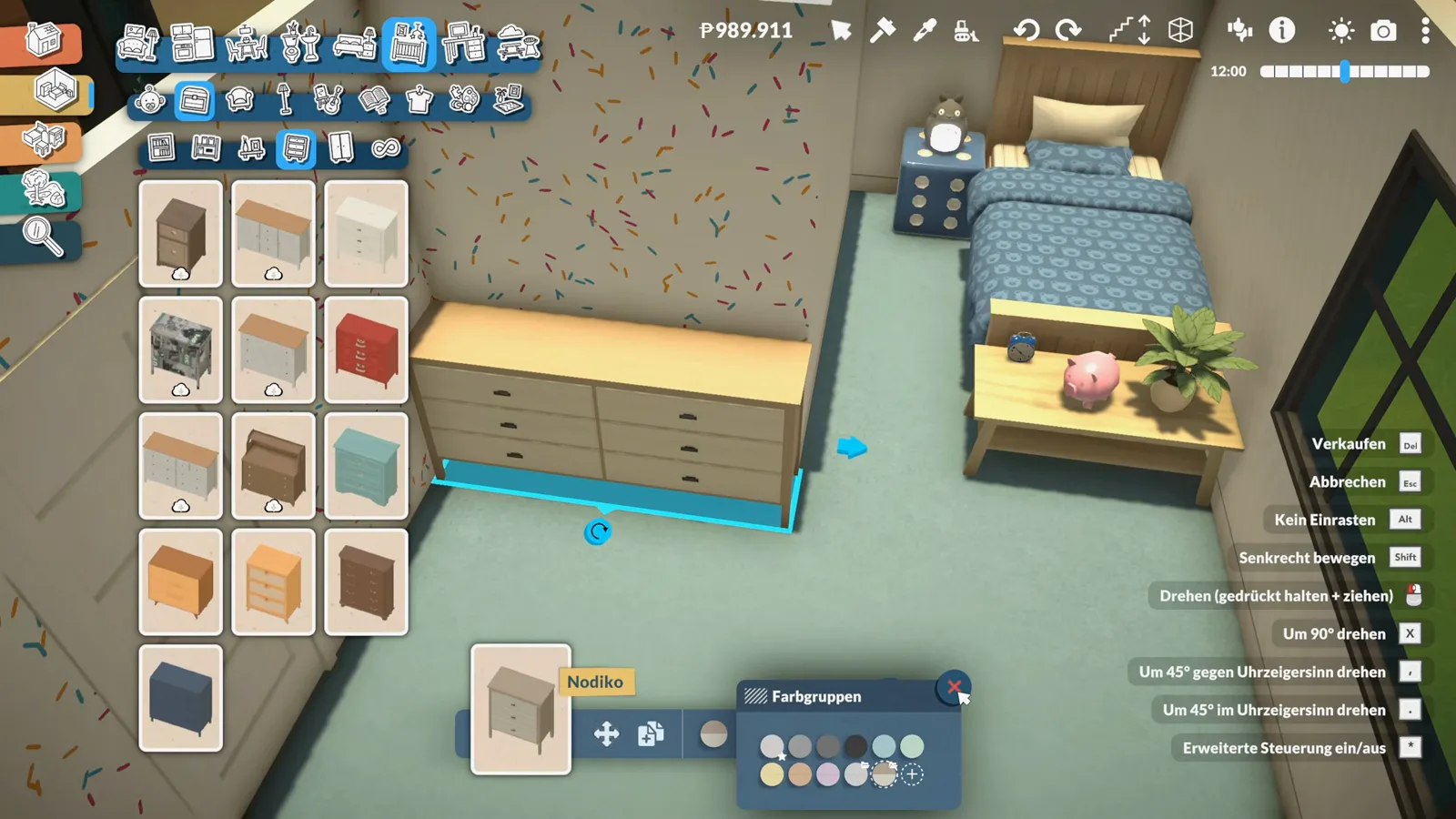
Wood body, creamy drawers: the dresser matches the room, books included.Watch at 10:40 - 12
Lay a round rug and pick the fox artwork
"Now we need a nice carpet — maybe something round." An Among Us rug gets a long look first, but the winner is a round rug with a twist: Paralives rugs can carry a picture. The image picker offers a wall of artwork cards — foxes, ducks, dogs, abstract prints — and the fox illustration wins on the spot. "Oh no, this is a great rug."
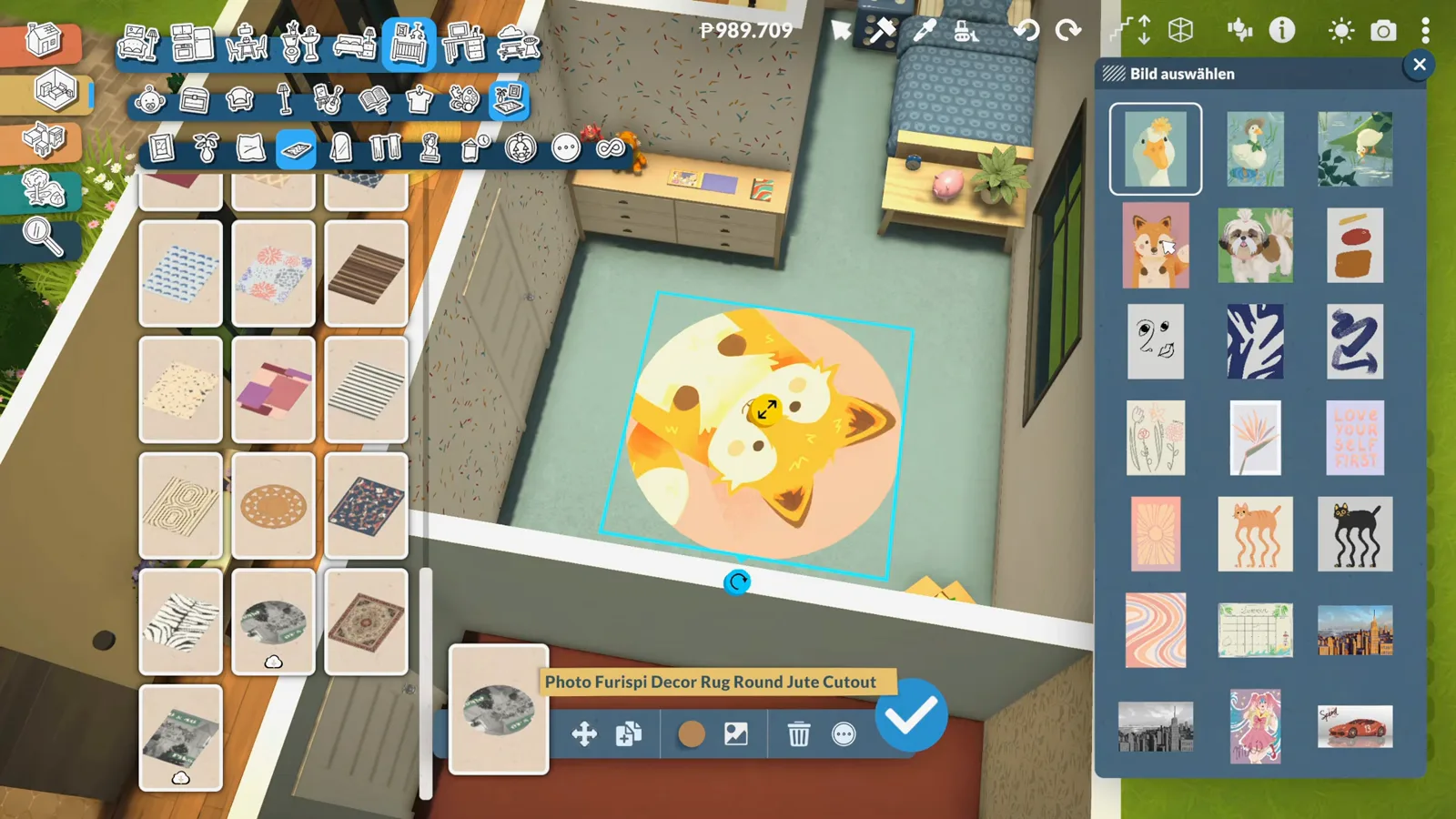
Round rug, custom artwork: the fox face was one card in a whole gallery.Watch at 12:20
Homework corner
Desk, laptop, backpack: the school-age finish
What makes this a kids' room rather than a baby's nursery is the school-age staging: a desk with a swivel chair, a laptop shrunk to size for homework, a red school backpack dumped by the closet, and a hobby catalogue worth of interests to grow into.
- 13
Build the homework corner: desk and chair
"The child definitely needs a desk too." A writing desk and a white swivel chair take the nook by the closet, and the desk colour gets a critical pass — "I don't find any of the colors that great right now" — before settling. A pencil cup, a paint kit and a watercolour box from the hobby catalogue turn it into a proper craft-and-homework station.
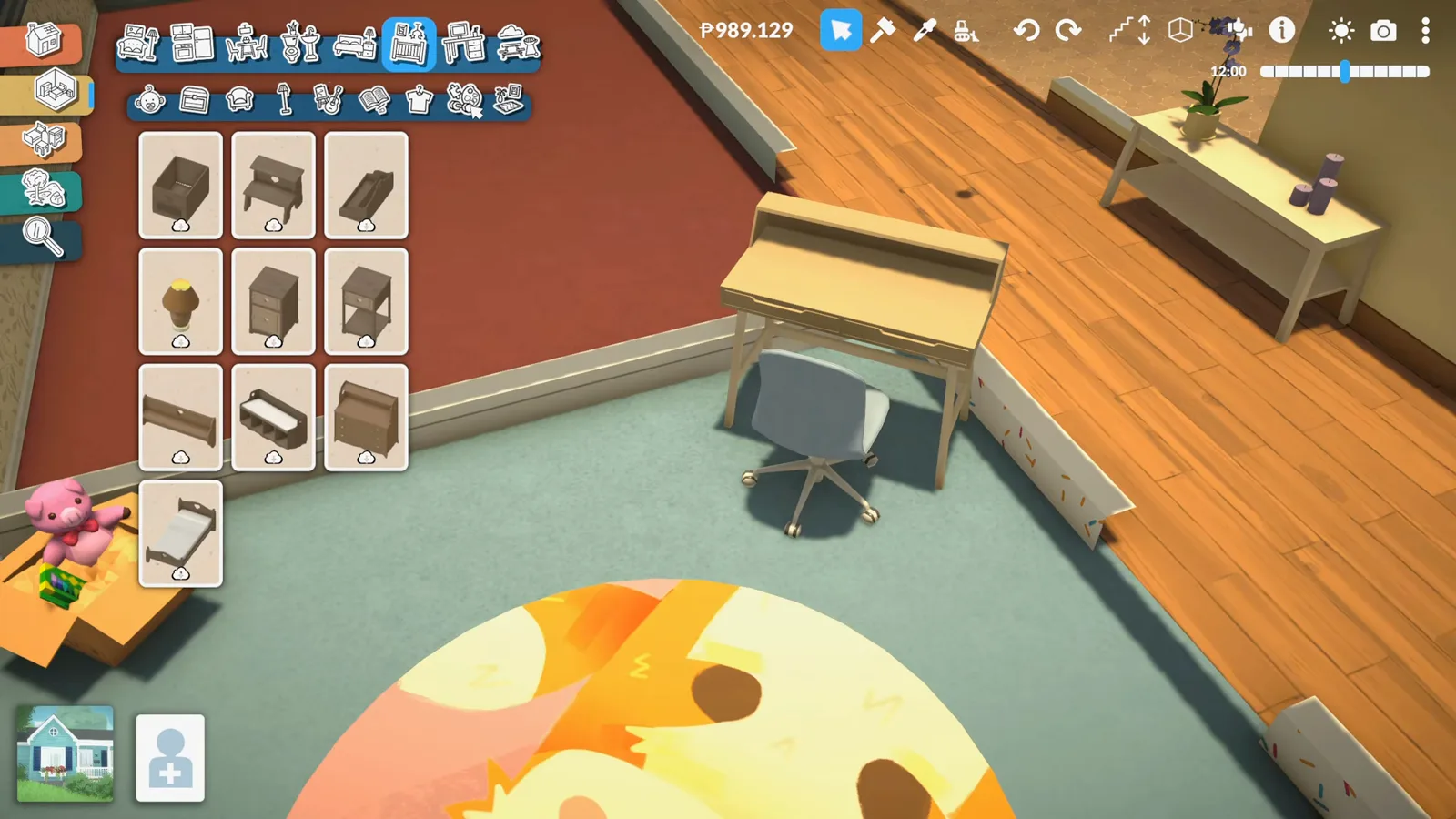
Desk, chair, paint kit: the homework corner opens for business.Watch at 13:40 - 14
Put a laptop on the desk for homework
"They need a laptop in there, right? Or something along those lines, definitely. So they can also do their homework." The laptop goes on the desk and is shrunk a size with the scale tool so it sits neatly under the shelf. A tiny cactus in a white pot takes the last spot on the desk ledge — the second cactus of the build.
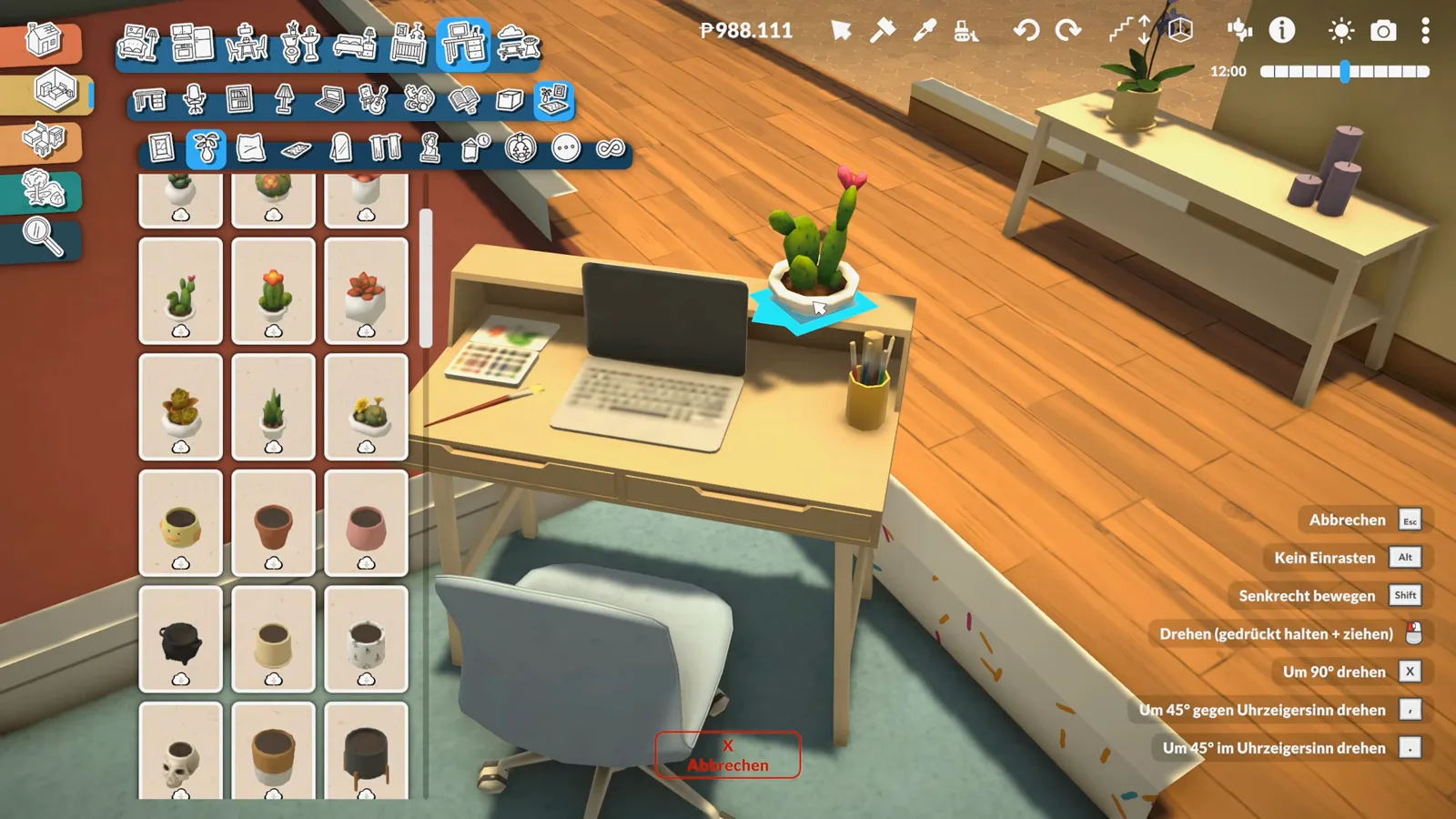
Laptop scaled to kid size, homework ready — cactus overseeing.Watch at 15:02 - 15
Prop a red school backpack by the closet
The clothing and accessories catalogue hides the last big prop: a school backpack. The red one comes home and leans against the closet doors, right where a kid would dump it after school — and the creator likes it precisely because it carries references to hobbies. The room finally reads as lived-in.
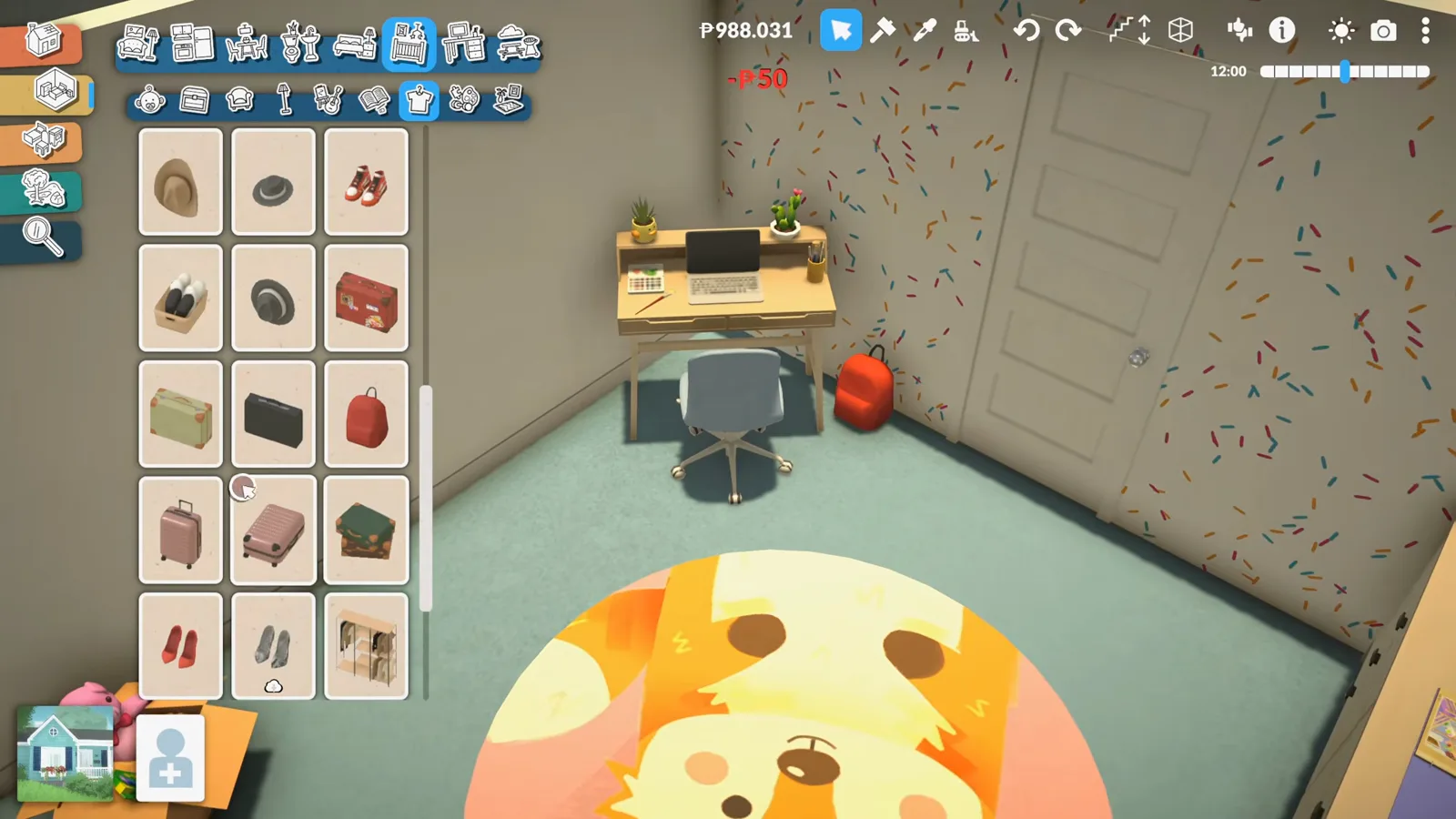
Backpack by the closet: the one prop that makes the room a kid's room.Watch at 16:02 - 16
Browse the hobby wall and call it a first draft
The hobby catalogue gets the closing browse — guitar, telescope, keyboard, treadmill, easel — the same interests the school backpack references. The verdict is generous but honest: "This is definitely the first draft for the children's room." Blankets still need doing elsewhere, everything is a bit too white, and more colour is coming — "maybe I'll turn everything into confetti after all." The series picks it up next time.
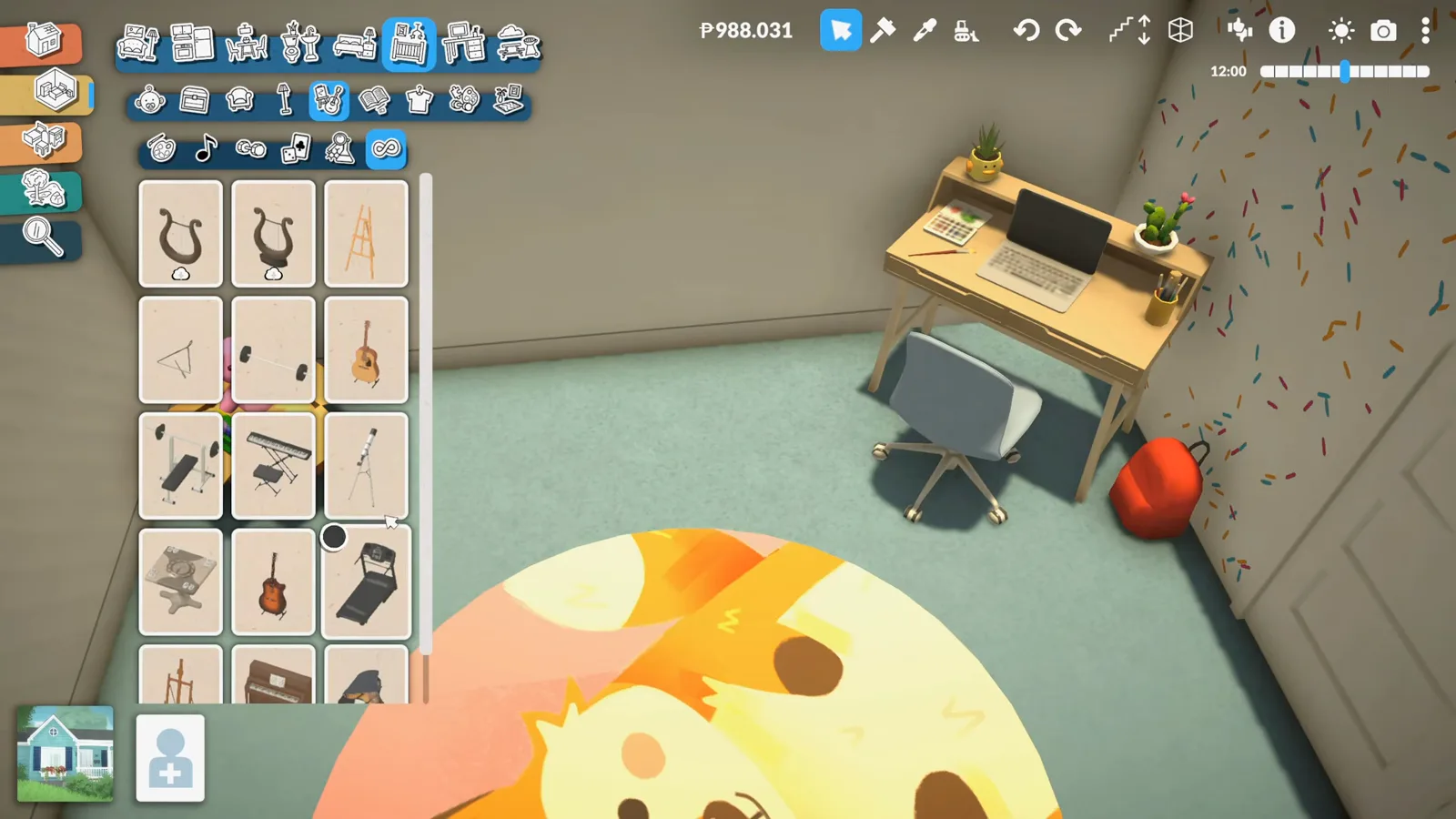
Guitar or telescope next? The first draft is declared done.Watch at 16:22
A nursery is an intent, not a system
As of 0.1.8b Paralives has babies, toddlers and cribs — a pregnancy ends with a baby that sleeps in a crib from the bed catalogue — but there is no nursery system: no room has to become a nursery, and no piece of furniture reacts to the name. Everything in this guide is staging intent, chosen to look right for a child.
This video stages for a school-age kid, not an infant: a normal single bed, a homework desk, a laptop, a school backpack. To stage for an actual in-game baby instead, start from the crib-style beds at the top of the same bed catalogue — visible in step three — and borrow from the baby-care routines the game does have.
The creator's own musing fits the whole guide: "Children's room is, well, a rather flexible term, isn't it?" Kids in Paralives age up on the lifespan you set, so a room like this should stay easy to re-stage — the fox rug and the desk will survive every childhood; the teddy bedding, maybe not.
Nursery build FAQ
- Can you build a nursery in Paralives?
- Yes — as a build, not a system. There is no dedicated nursery mechanic as of 0.1.8b: you stage a nursery like any other room, with normal furniture from the build catalogues. That is exactly what this guide walks through, step by step, from a narrated speed build.
- Can a baby actually use this room?
- Babies and cribs exist in Paralives — a pregnancy ends with a baby that sleeps in a crib, and crib-style beds are visible at the top of the bed catalogue in this very video. But this specific room is staged for a school-age child with a normal single bed. The video doesn't show a baby nursery, and this guide won't pretend it does.
- Is this a nursery or a toddler room — what about toddler beds?
- Honestly: neither, in system terms. It's a kids' room built for a child — the creator explicitly wanted "a normal bed" for the child and filled the room with school-age props: homework desk, laptop, school backpack. Smaller and crib-style beds do appear in the bed catalogue if you want to stage for a younger kid, but this build doesn't place one.
- How did the bed get so small?
- Paralives beds resize. After placing the single bed, the creator drags the size handles until "it can't get any narrower than this." The same scaling is used later to shrink the laptop to kid size on the desk.
- How does the teddy-bear bedding work?
- With Style Creation. The bed splits into parts — blanket, sheet, frame, boards — and each part takes its own colour from the colour wheel and its own print from the pattern grid. The creator tries a quilted weave and dots before settling on the teddy-bear print in blue.
- What's the deal with the fox rug?
- Paralives rugs can carry a picture. The creator places a round rug, opens the image picker and picks the fox illustration from a gallery of artwork cards — after considering an Among Us rug first. It's the single most distinctive move in the build.
- Does the build use mods?
- Some. Several catalogue cards in the video carry the Steam Workshop cloud badge — kids' furniture and shelving among them — so the creator mixes workshop pieces with base-game furniture. The Among Us and Unpacking items reference official in-game collaborations, not mods.
Keep building
Bedroom ideas for grown-ups
The adult room is still on this series' list — start with these staged adult bedroom ideas.
Bunk beds build guide
For shared kids' rooms: stacking beds when one nursery is not enough.
Cottage build guide
A family cottage shell that a room like this drops straight into.
Babies and toddlers guide
What the game actually does with babies: cribs, bottles, diapers and toddler care.
How to have a baby
The pregnancy window is exactly when to build the nursery — here's the full timeline.
Aging and lifespans
Kids grow up on your lifespan settings — plan the room to survive every stage.