
The short version
A platform in Paralives is not a tool — it is an ordinary floor slab raised to any height and treated as floor. This guide builds them the way two builders do on camera: a room trick that leaves a slab at wall height, a dragged slab stretched bit by bit across a deck, and ground sunk with the terrain tools for a lower level. Stairs snap to the edge, landings chain the long drops, furniture floats up with Shift — and the one known failure mode, platforms drifting after a save, gets its own step.
- No dedicated platform tool exists — a platform is a floor slab raised off the ground
- The room trick: build four walls, lay a floor across the top, delete the walls
- Long drags get refused with a red warning — extend the slab bit by bit instead
- Outdoor stairs snap to the platform edge; hold Shift to settle their height
- Sink the terrain with the height tools to give a platform a lower storey
- Platforms and stairs breaking after a save is creator-observed in Early Access — save often
Platform basics
Raise a floor and it becomes a platform
Paralives has no platform button, which is why every builder opens the same way: get a slab, then get it to height. These four steps cover the room trick, the drag handle, the refusal you will hit on long drags, and the column frame that fakes a thick slab edge.
- 1
Build a room, then let the platform replace it
The fastest platform in the video starts as four walls: the creator builds a room, lays a floor plate across its top, then deletes the walls and keeps the slab at the room's height. As he describes his workflow, he was building rooms, making a platform on top of them and deleting the rooms — the walls only ever exist to give the slab its height.
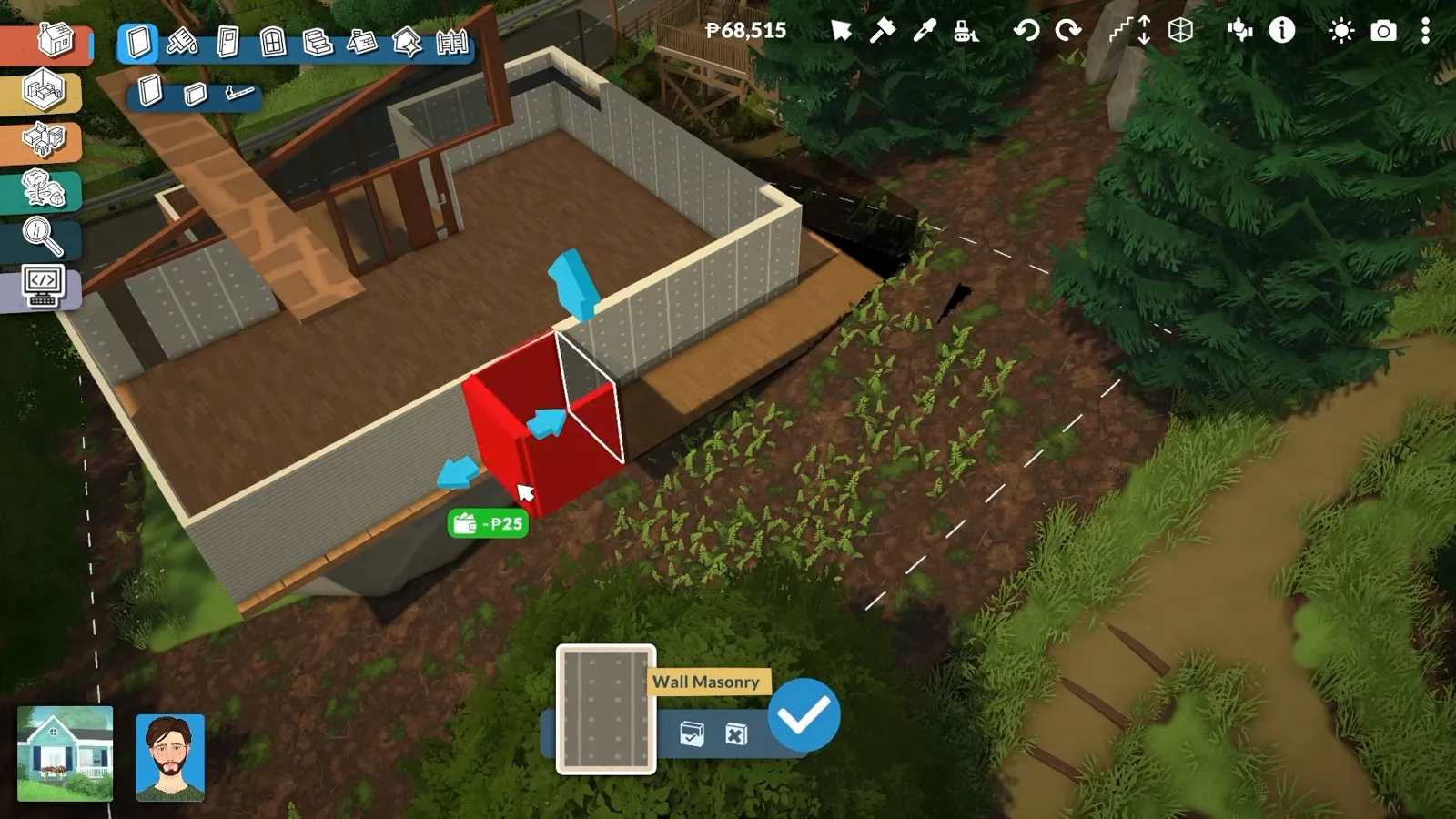
The room trick: the walls give the slab its height, then come down.Watch at 11:10 - 2
Set the height with the vertical drag handle
Platform height is a drag, not a number. Pick the slab up and the arrows appear: pull vertically and a dashed line reads the distance to the ground while a tag keeps the width honest. The creator adjusts his slabs this way all through the build — a platform can sit one step above the lawn or a full storey up.
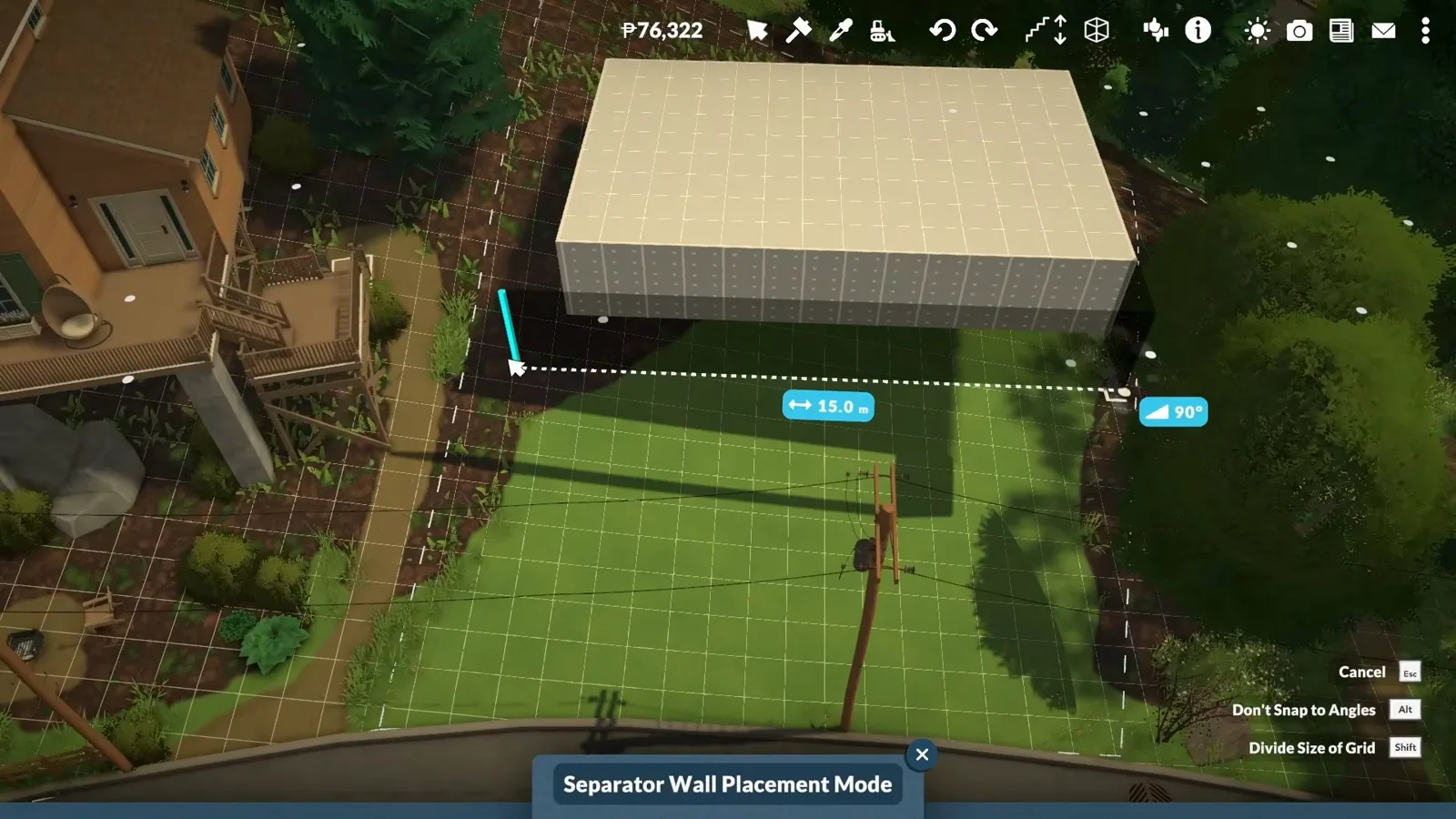
Drag height, read the distance — platforms have no fixed levels.Watch at 0:17 - 3
Extend the slab bit by bit when the game refuses
One drag across the whole lot gets refused — the red cannot-intersect warning appears and the edge snaps back. The creator's fix, which he demonstrates on his back deck: stretch the platform in short hops and it follows the whole way. He notes he could not extend it right away at all until he worked in small steps.
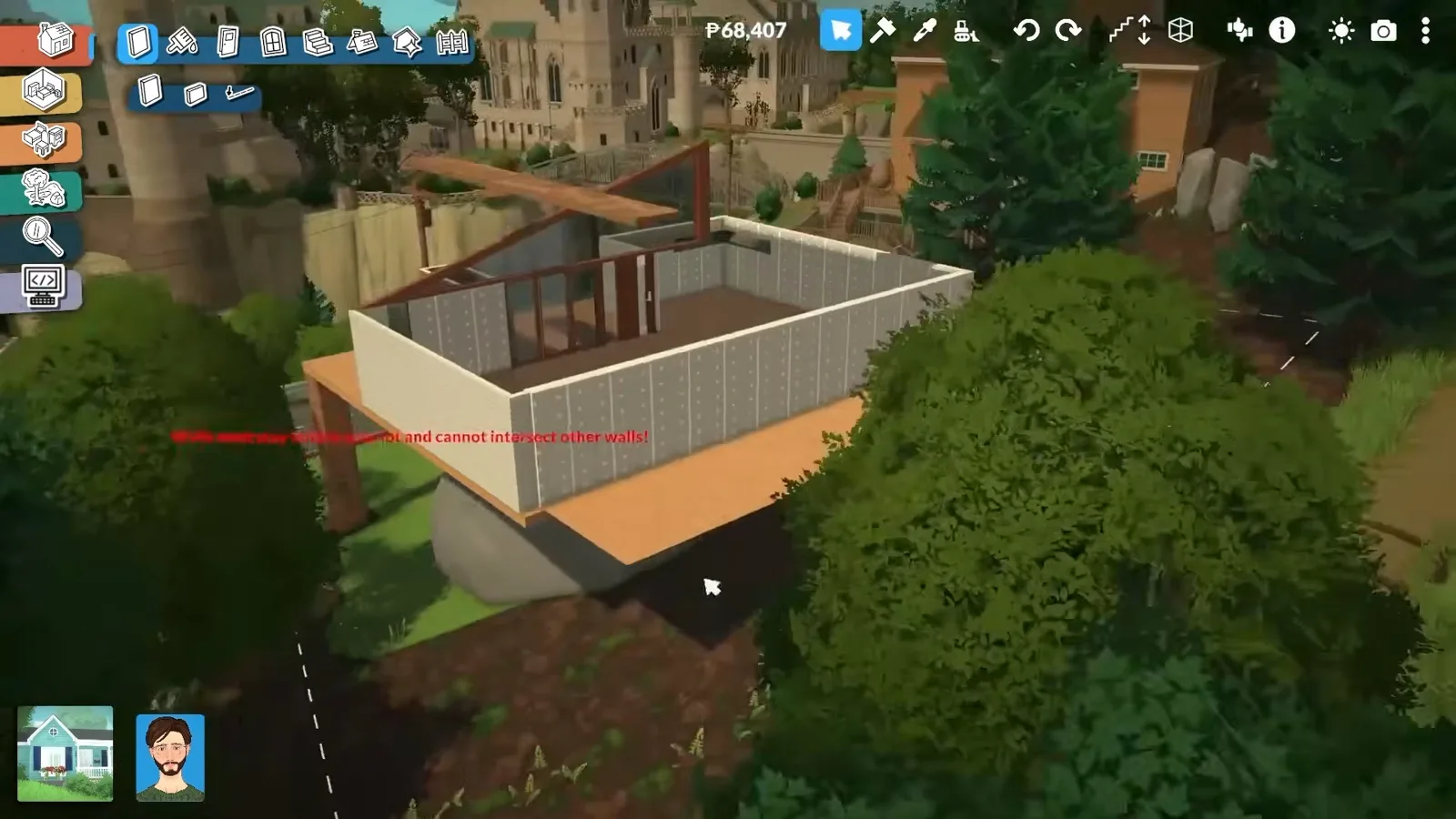
The red warning means: shorter drags.Watch at 11:20 - 4
Fake the thick slab with a column and beams
There is no tool for thickening a platform, so the creator stands a round column under the deck and crosses two beams through it. As he puts it, he wanted the platform thicker and the game simply has no tool for that yet — the column frame does the job, and the beams double as the deck's visible structure.
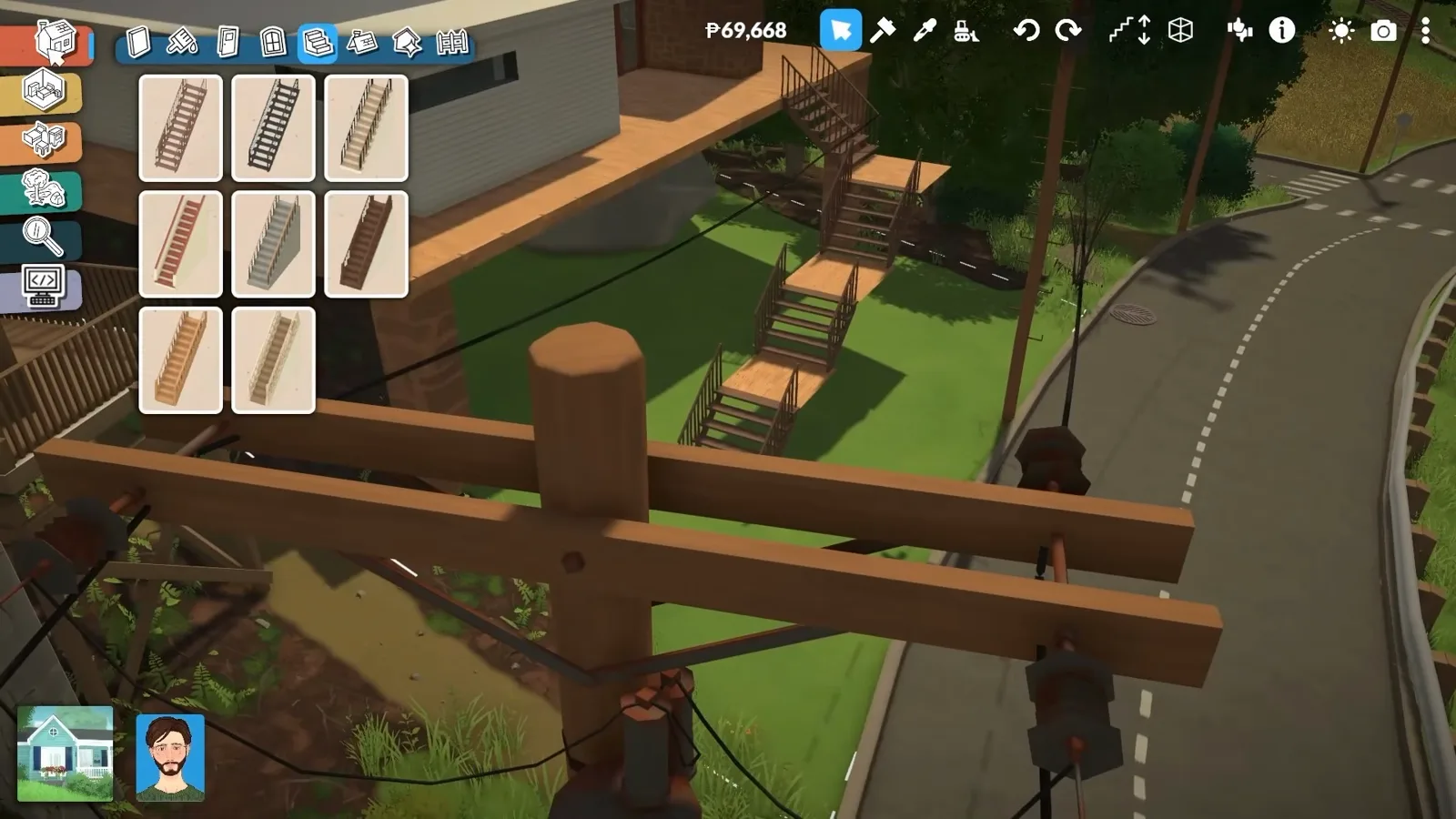
No thickening tool — a column and two beams stand in for one.Watch at 11:03
Stairs and access
Get Paras up onto the slab
A platform nobody can reach is sculpture. Stairs attach to open edges, but the alignment is exact, long drops need landings between flights, and fine height work is a held-key drag — all four steps are on camera here.
- 5
Snap outdoor stairs to the platform edge
Stairs attach straight to an open edge: pick a flight from the stairs catalogue, hold it against the side of the slab until the cyan glow marks the snap, and confirm. The creator hangs a metal flight off his deck toward the street — the refund tag above shows the previous attempt being sold as he repositions it.
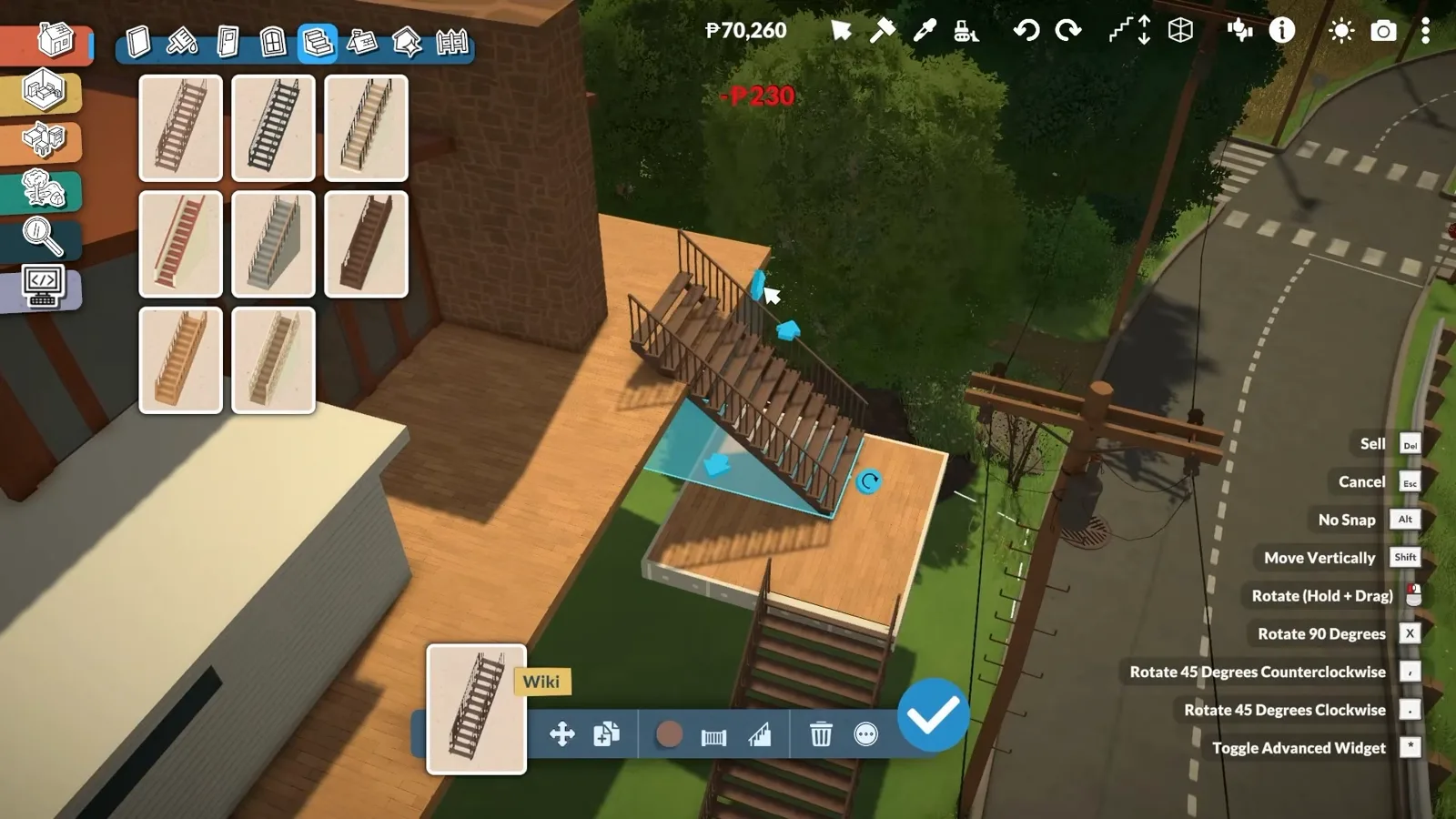
The cyan glow is the snap; the menu lists every drag shortcut.Watch at 9:30 - 6
Expect friction where stairs meet the platform
Aligning a flight against a raised slab is the fiddliest part of the whole workflow. The staircase accepts one exact spot along the edge — until the height and the landing line up, the preview refuses to confirm, and a rushed placement leaves a visible kink in the railing. Nudge, release, repeat until it sits flush.
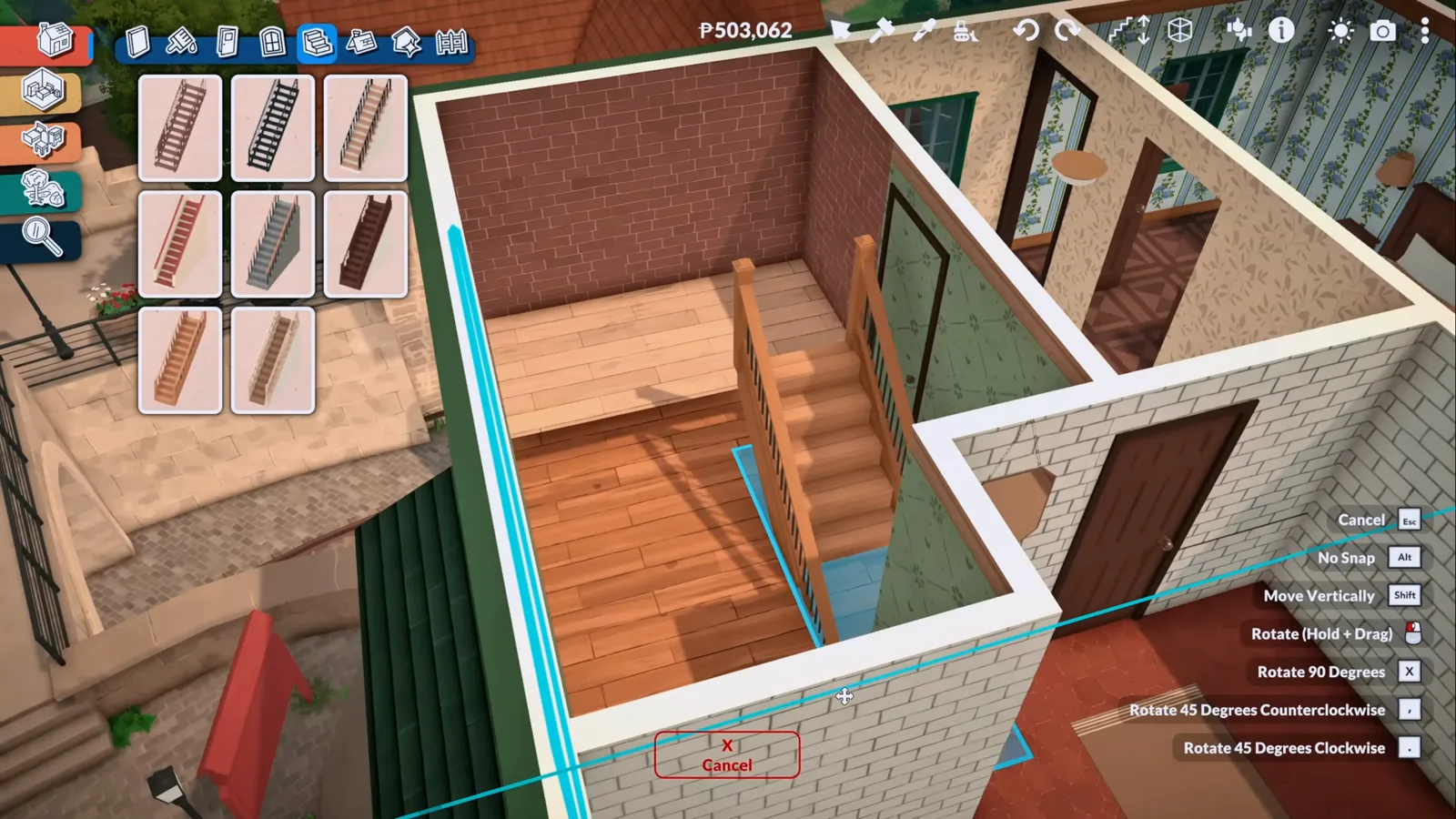
The flight only accepts one exact spot along the edge.Watch at 2:02 - 7
Chain landings down a long drop
A deck this high needs more than one flight: small platform squares become landings between flights, breaking the fall into switchbacks a Para can actually walk. The bottom flight is being repositioned in this frame — the sparkles mark the live drag — and from the street the whole chain reads as one staircase.
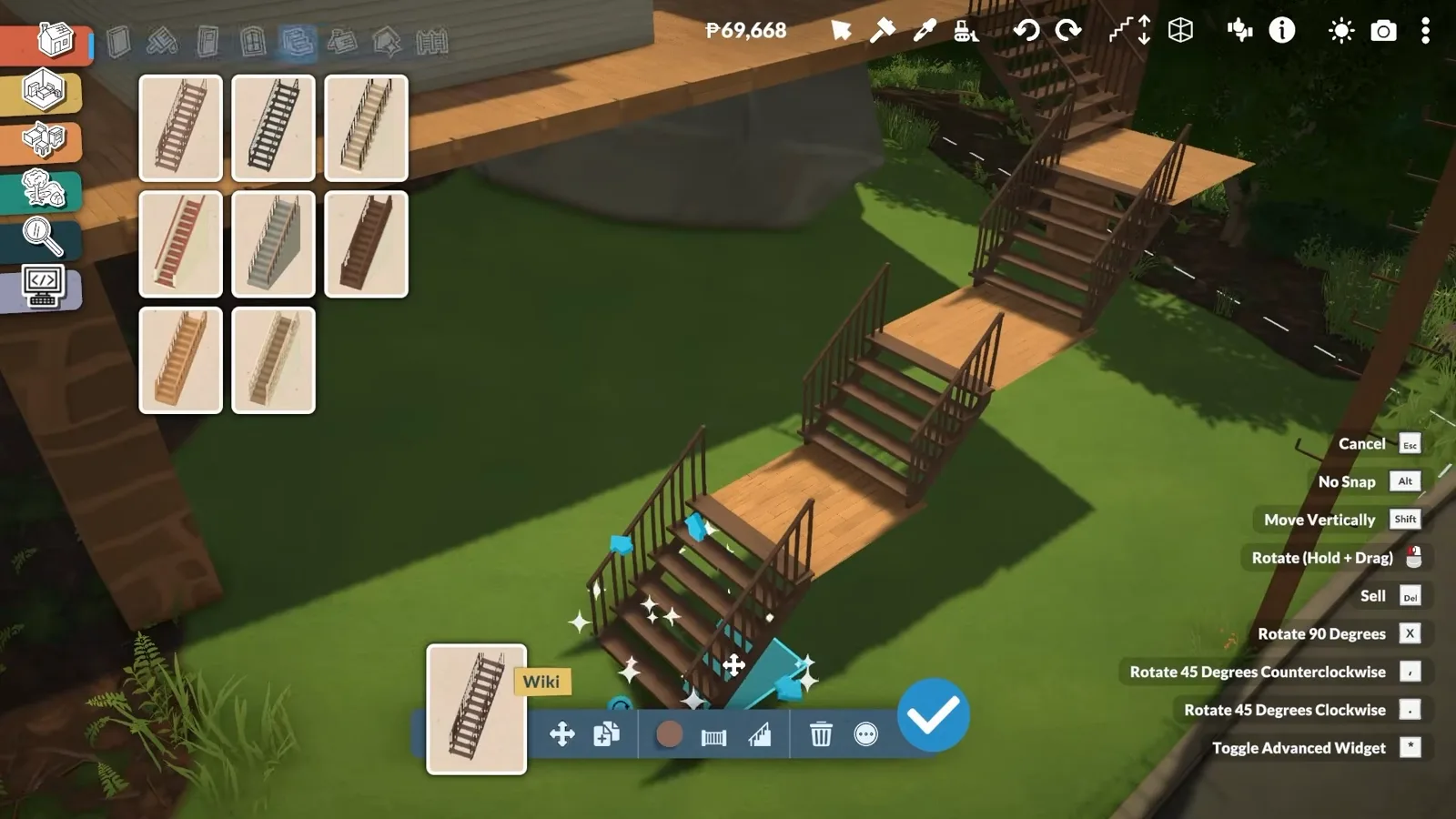
Landings between flights turn one big drop into walkable switchbacks.Watch at 11:01 - 8
Settle each flight with the vertical drag
Flights rarely land at the perfect height on the first try. Hold Shift (hold) and the flight lifts free of the grid — raise or lower until its top step meets the landing, then release. The white outline in this frame is the flight mid-move, one nudge from flush.
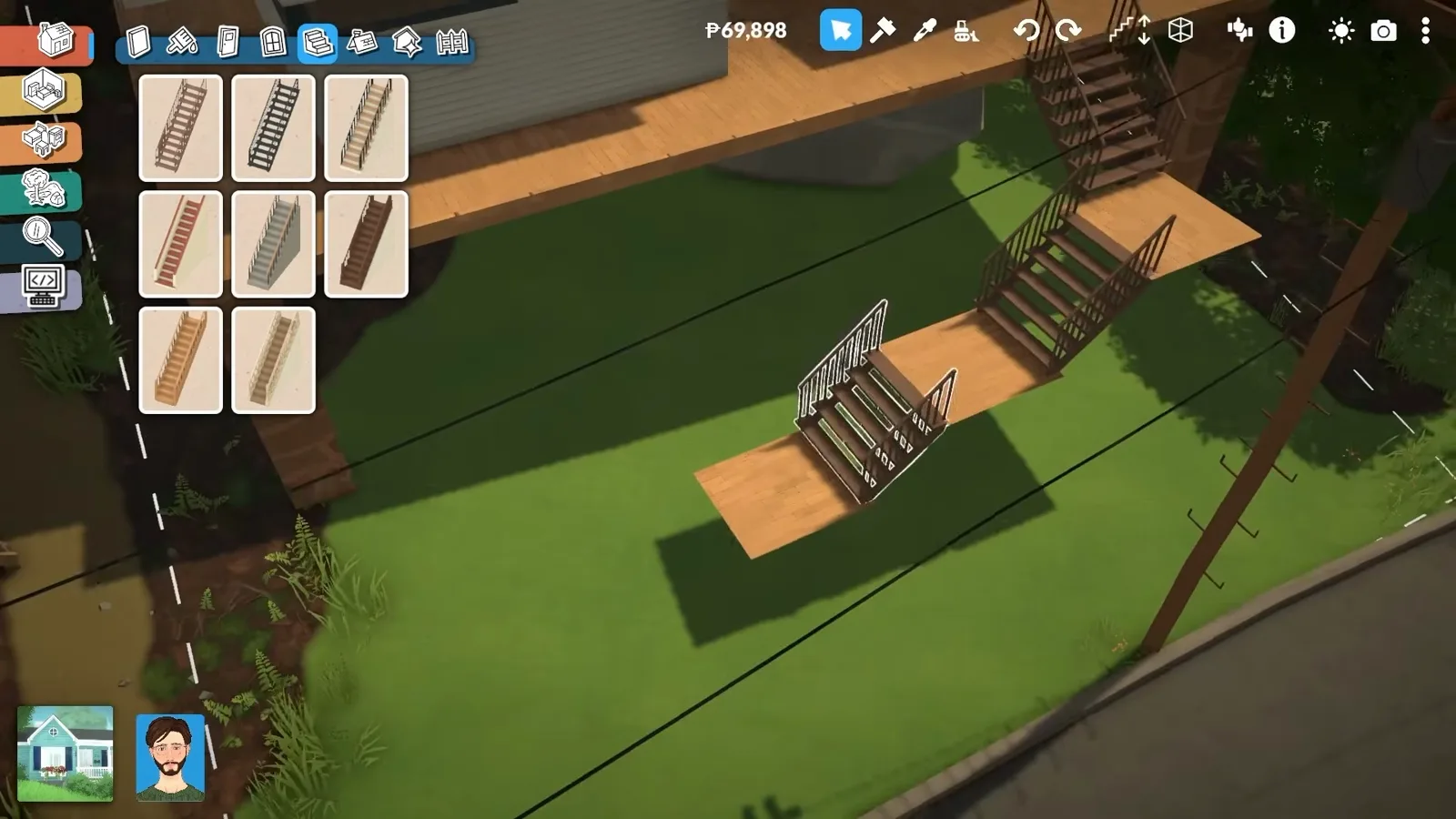
{move_vertically} lifts the flight off the grid for fine height work.Watch at 10:55
Split levels and sunken rooms
Stack levels without stacking storeys
Platforms are how a single-storey plan gains a half-storey or loses one. Sink the ground for a sunken room, delete a wall to open a raised level inside a preset house, give the new slab its own finish, and frame it with a beam when it should feel like a nook.
- 9
Sink the terrain for a lower platform
For the platform he wanted lower than all the others, the creator reached for the terrain tools instead of the floor ones: smooth the ground down under the spot, then build the slab at the new ground level. As he explains it, sinking the terrain is how that last platform finally sat lower than its neighbours — and the same move gives any build a sunken room.
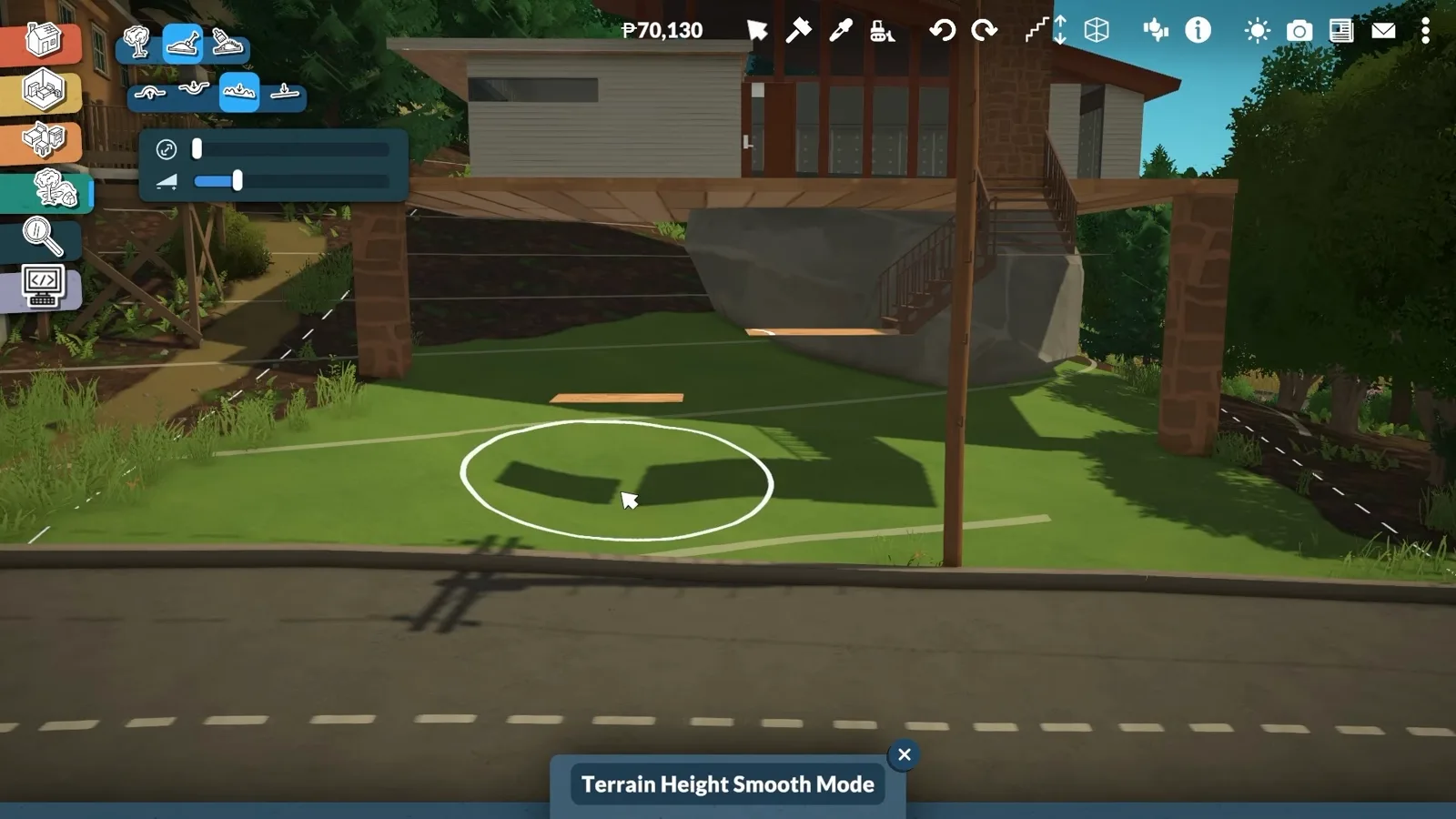
Lower the ground, not the slab — same result, fewer refusals.Watch at 10:31 - 10
Delete a wall to open the platform level
Inside a preset house, a platform level starts with demolition. Sledgehammer Mode (K) turns the target wall red and shows the refund — one click and the cramped room opens into the space the platform needs. The floor plate stays; only the wall goes.
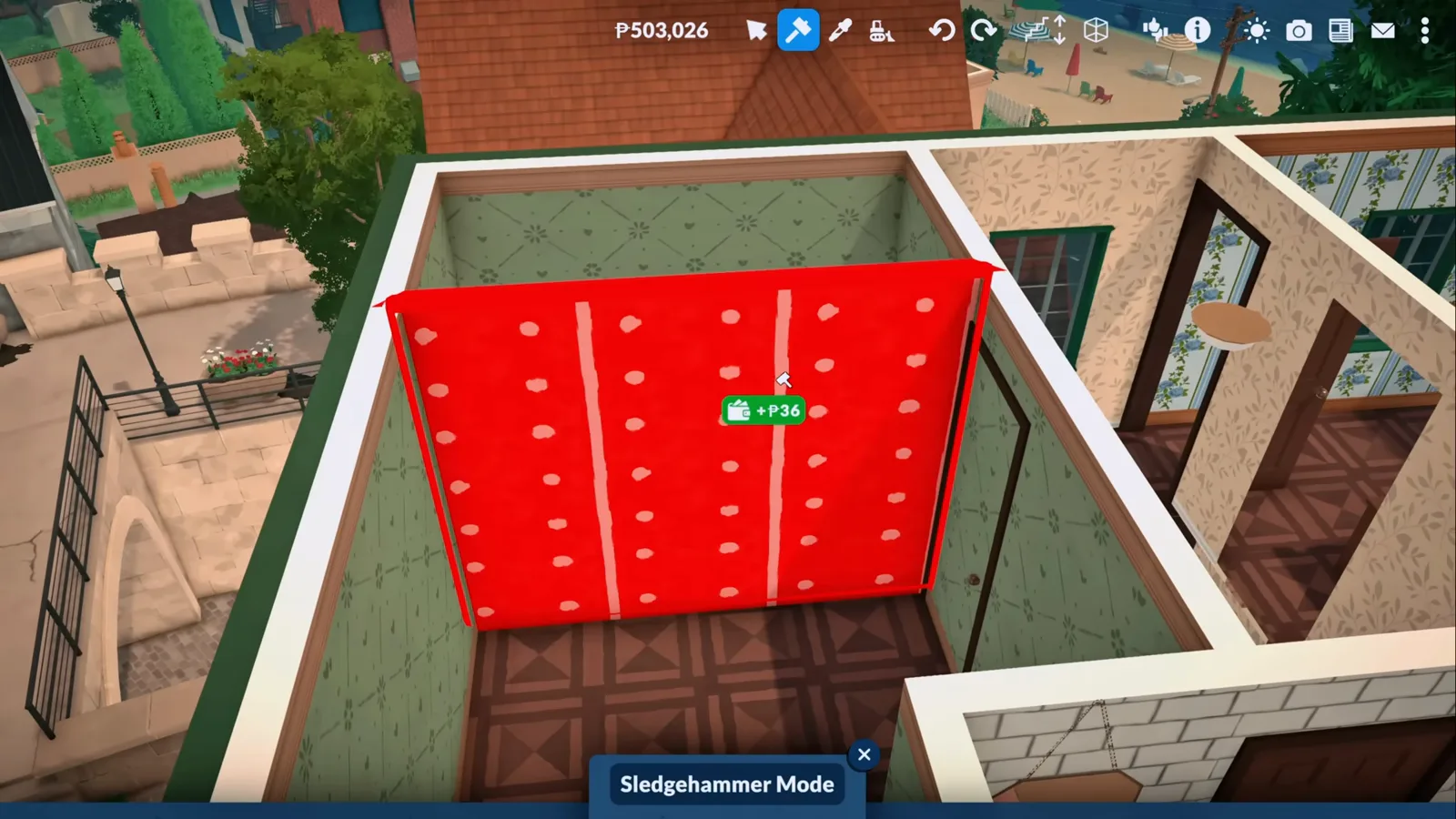
One wall down, the room is ready for its platform.Watch at 1:47 - 11
Give the platform floor its own finish
The new slab does not have to match the floor it floats above. Floor painting reskins the platform in its own swatch — here a pale patterned wood set against the darker parquet around it — so the raised level reads as a deliberate zone rather than a leftover piece of ceiling.
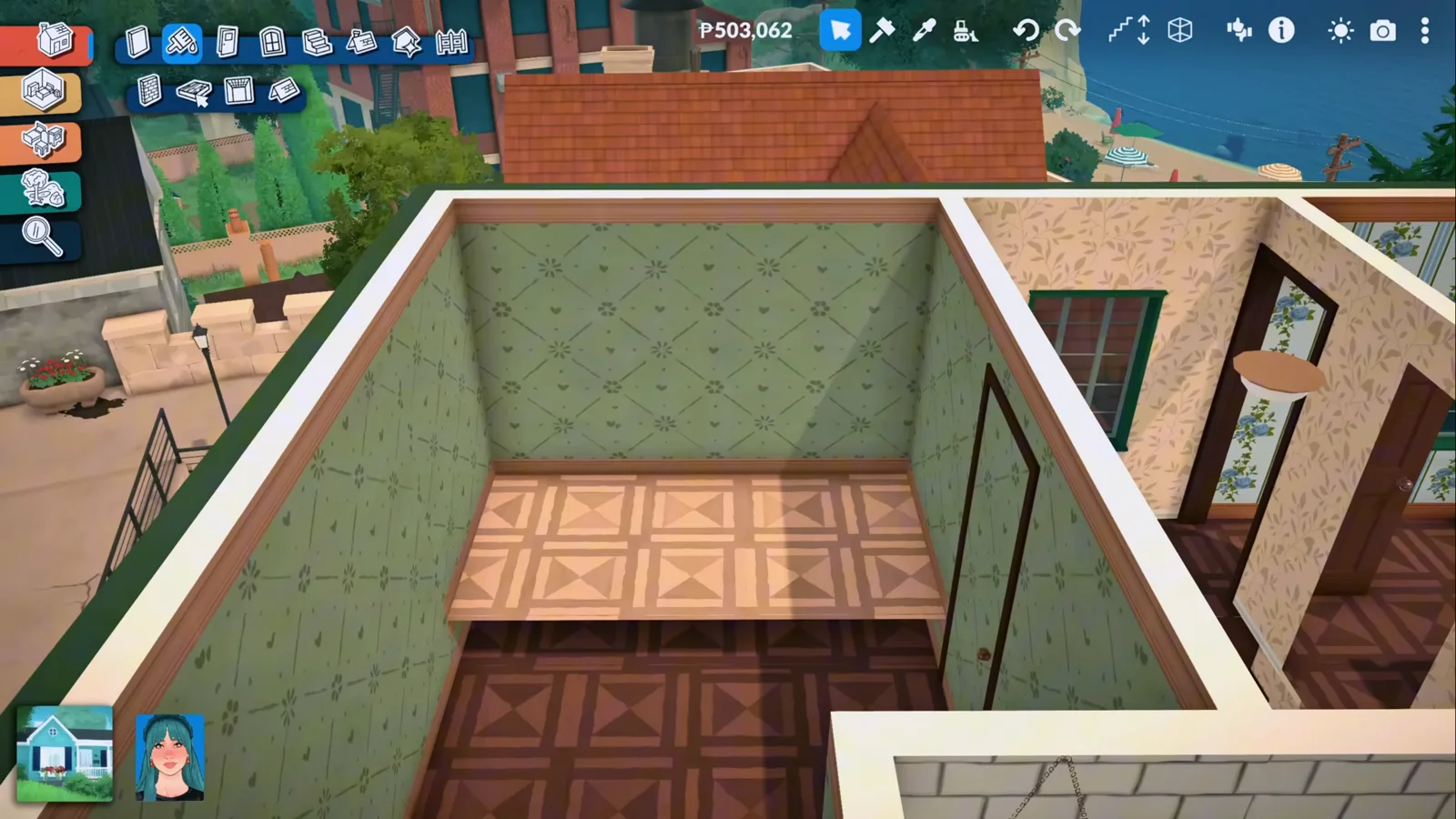
Its own finish is what makes the platform read as a zone.Watch at 1:50 - 12
Frame the platform with columns and a beam
Two columns at the platform corners and a beam across the top turn an open slab into a room within a room. Raise or lower the beam until it closes over the bed just enough to read as a nook — here a wooden beam sits squarely across two posts, framing the platform bed with the window behind it.
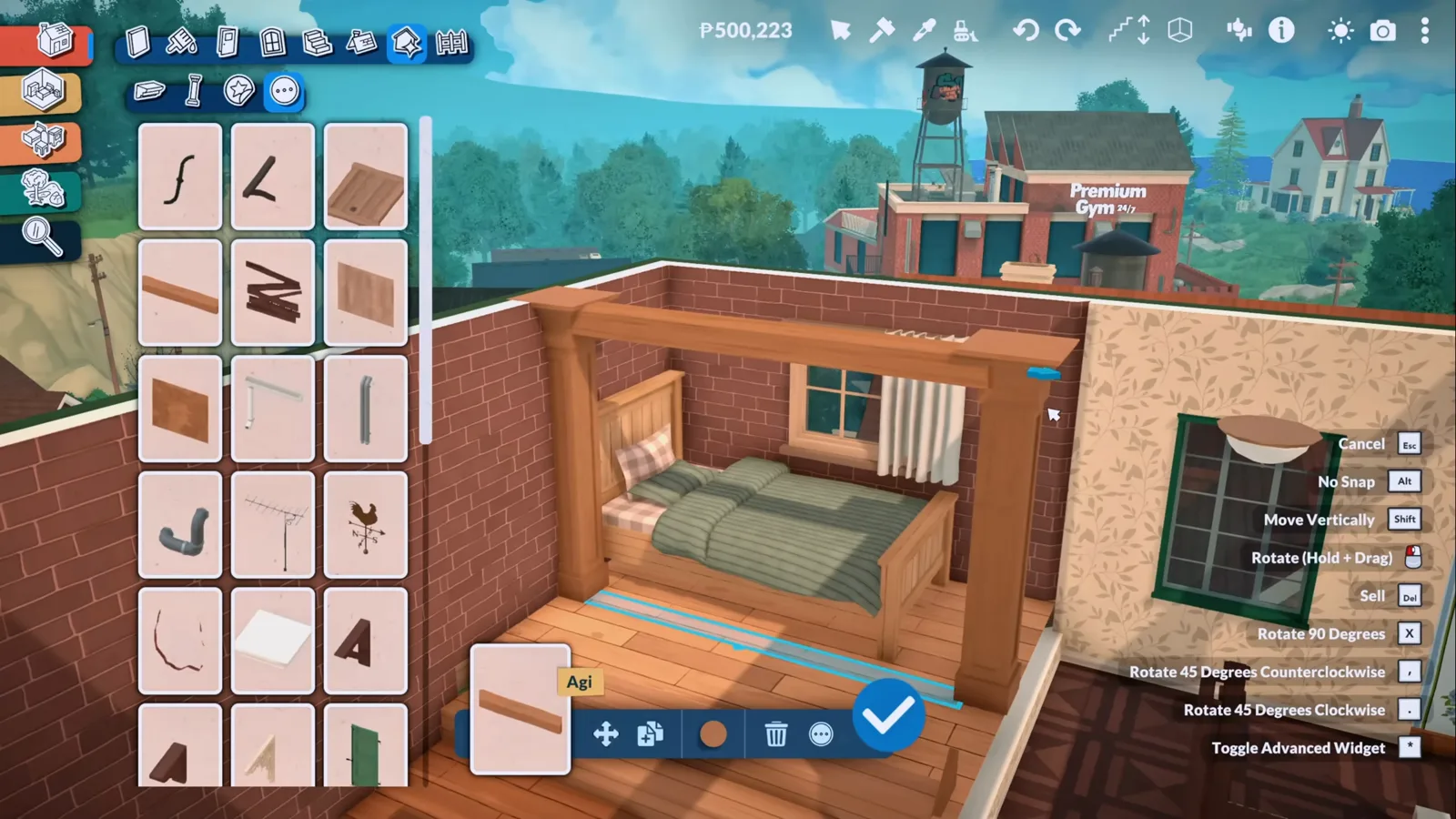
Columns plus one beam: the platform becomes a nook.Watch at 3:27
Living on platforms
Furniture, proof, and the one bug to know
A platform earns its keep when a Para uses it. Beds float up with Shift, live mode proves the slab counts as floor — and the video also captures the failure mode nobody else documents: work that vanished between sittings.
- 13
Lift furniture straight onto the slab
Nothing snaps a bed to a platform, so you do it by hand: drop the bed against the slab, hold Shift (hold) and float it up until it sits level on the wood. Objects are not locked to the grid, so the same drag works for desks, shelves and plants — anything that should live up on the platform.
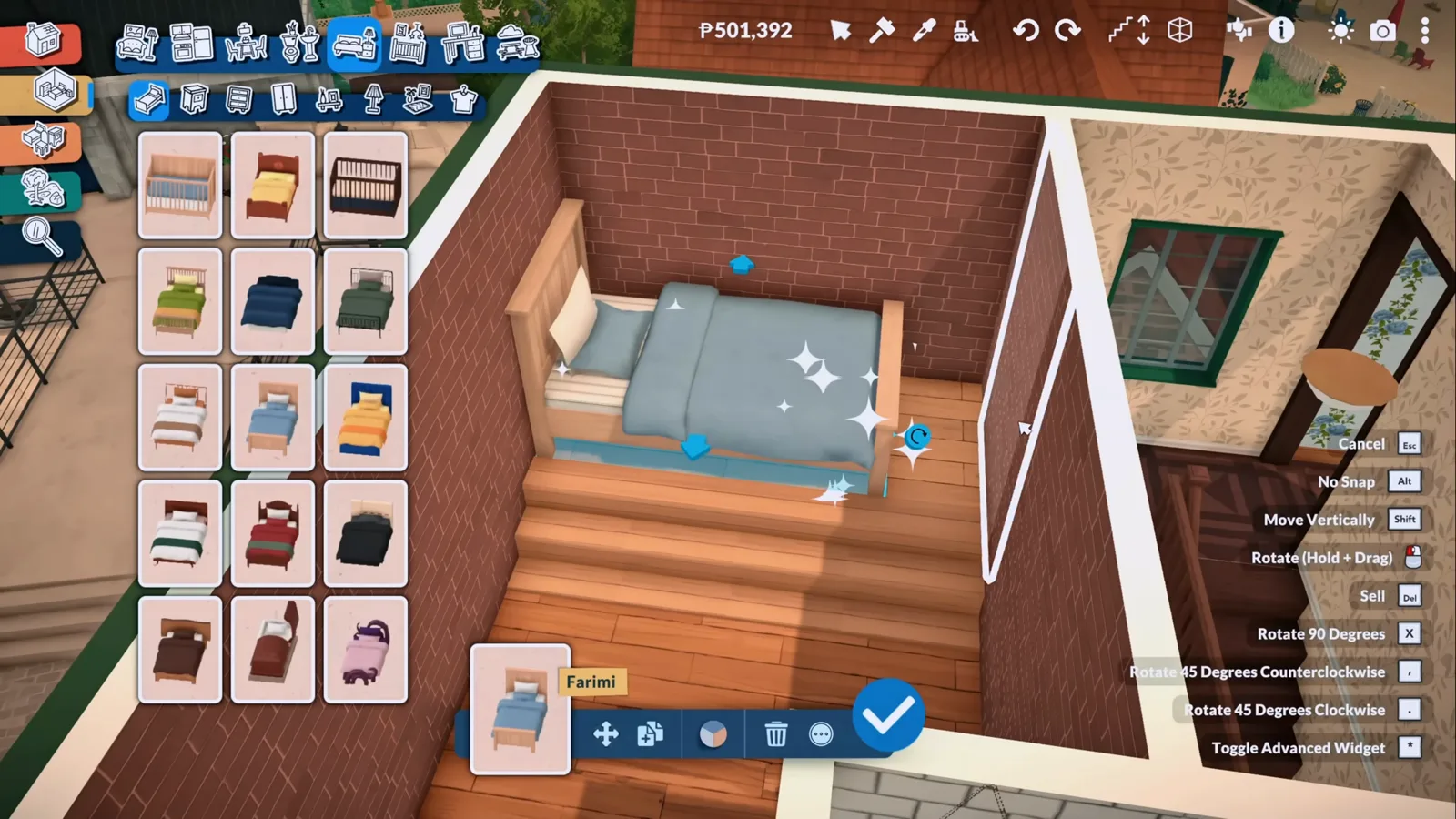
{move_vertically} floats the bed up to platform height.Watch at 2:25 - 14
Prove it in live mode
The test that matters: send a Para up. Here she stands on the finished platform beside her bed in live mode — needs bars, portrait and the household checklist all running normally — and the video shows her sleeping in it without clipping. If a Para can live on the platform, the platform is real floor.
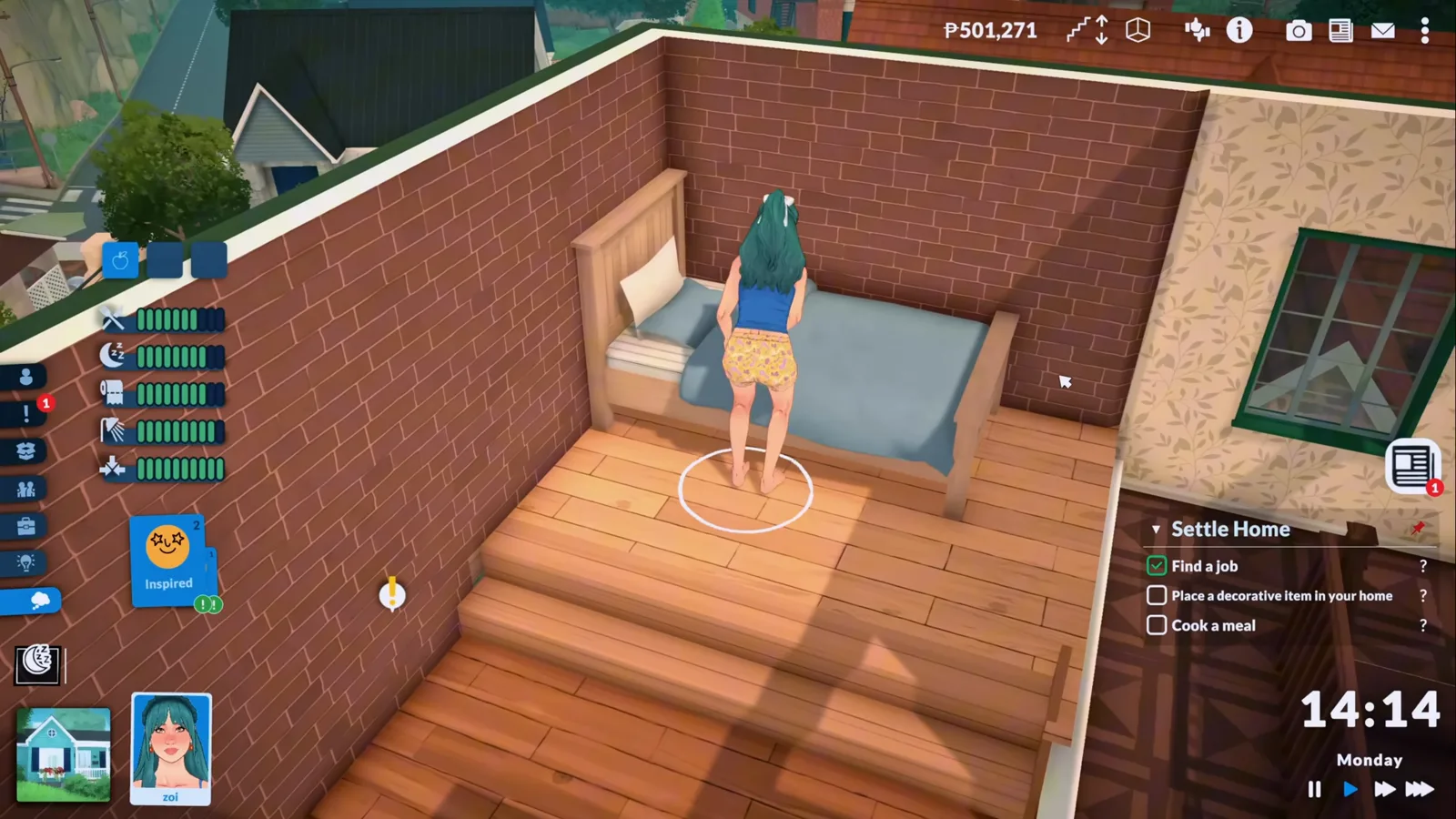
Live mode is the proof a platform counts as floor.Watch at 2:30 - 15
Save over and over while the build is young
The one habit the creator repeats on camera is saving — again and again between platform edits, because he has watched finished work vanish. His stairs, he narrates, were gone after he left the lot and came back another day. Frequent saves are the rollback this page's last step is about.

His insurance policy for the failure mode in the next step.Watch at 9:53 - 16
Know the failure mode: platforms that drift
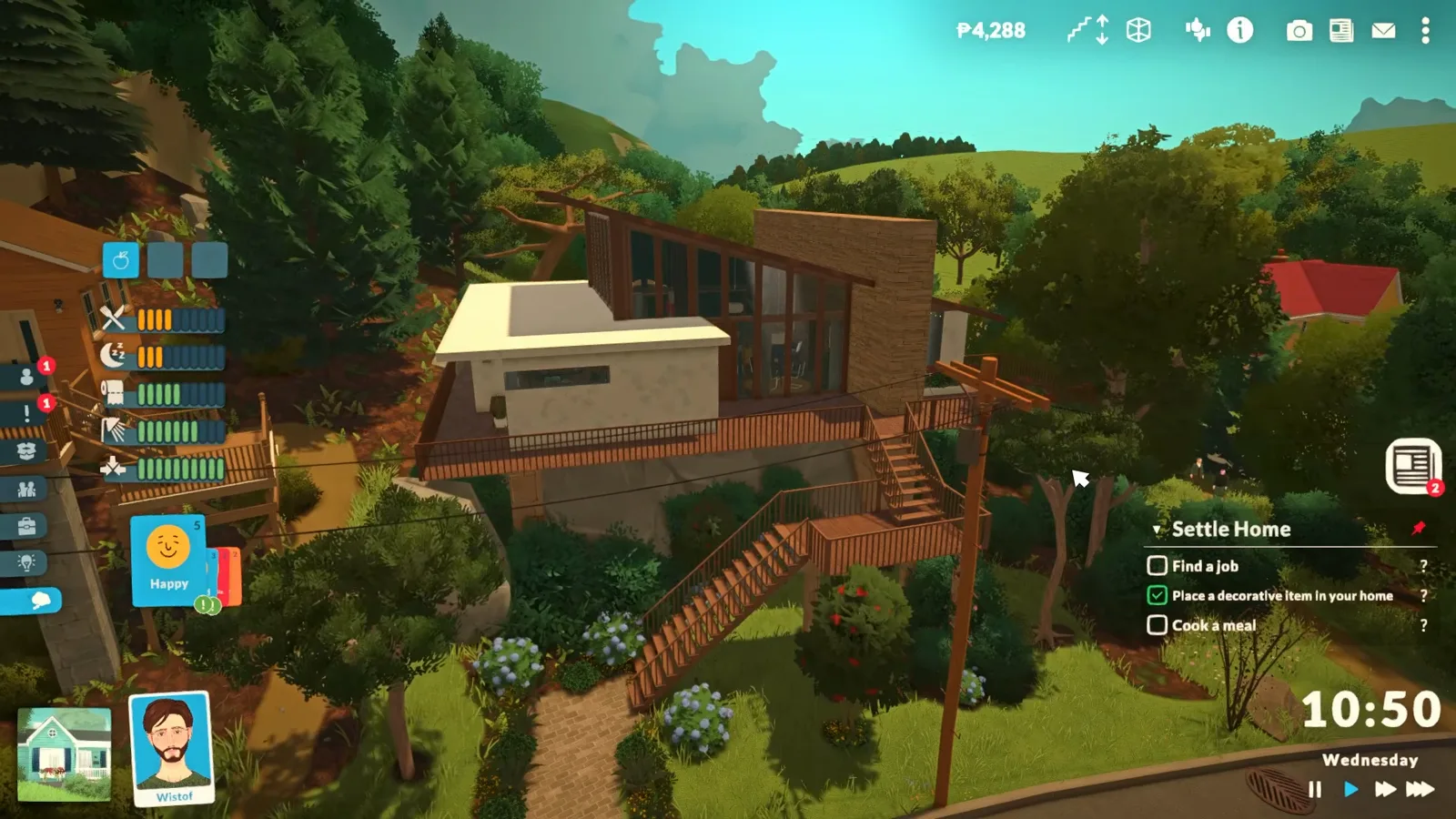
The video opens on the cautionary tale: after saving and returning to the lot on another day, the creator found his stairs missing and his platforms floating far above where he placed them. A build heavy on terrain edits and removed ceilings made it worse, he says, and he asks players to report the same. As of 0.1.8b this is creator-observed, not a documented rule — but a platforms page that hid it would be a guide to heartbreak.
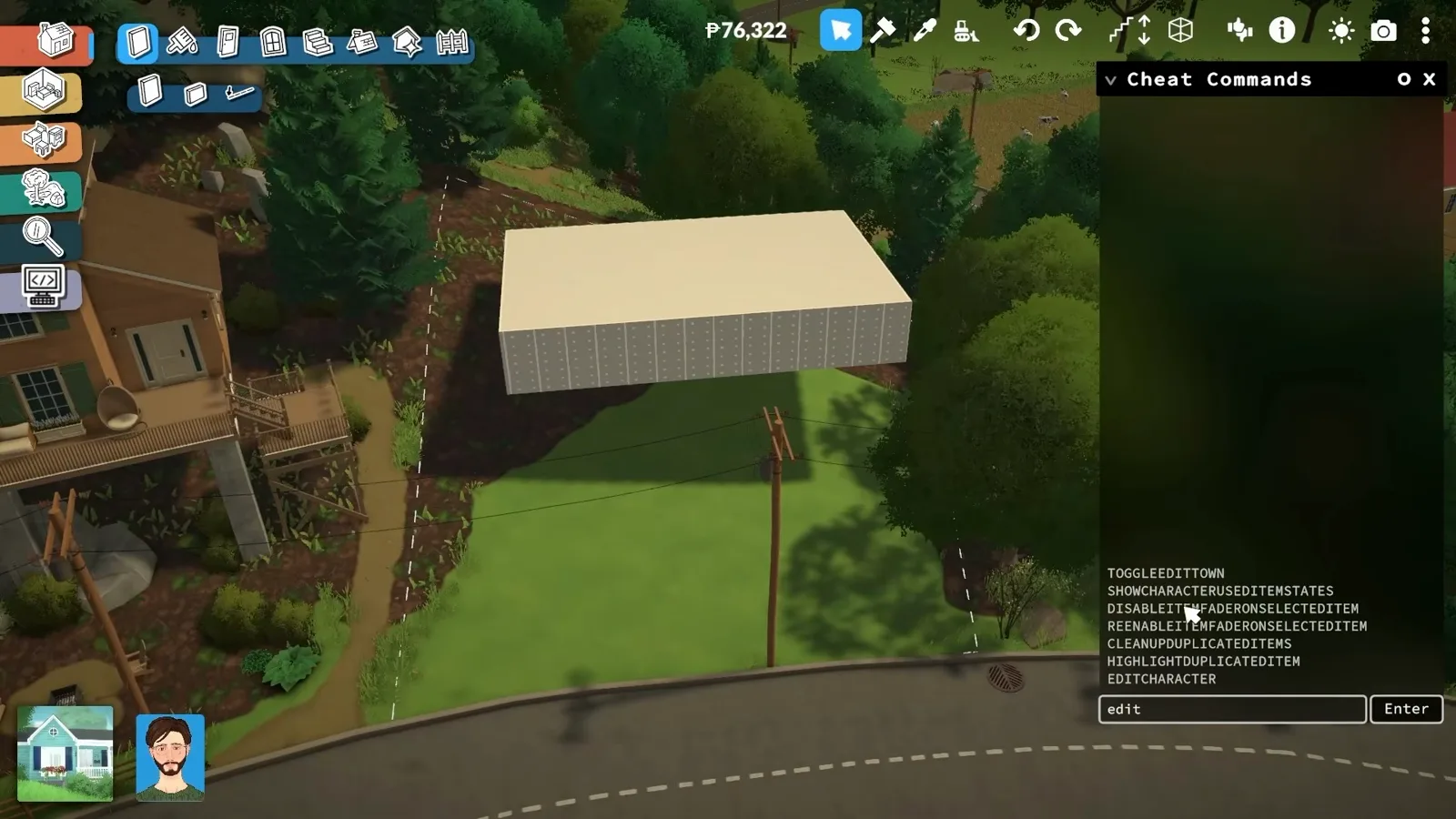
The opening montage shows the drift the narrator came back to.Watch at 0:10
Platform questions, answered from the footage
- Is there a platform tool in Paralives?
- Not by that name. As of 0.1.8b platforms are floor slabs you raise with the same drag controls as everything else — the official build-mode feature list promises that any floor of a building can have split levels and platforms of any height. The page above shows the three ways builders actually get one: the build-a-room-then-delete-it trick, a dragged-out slab, and ground sunk with the terrain tools.
- Why did my platform and stairs break after saving?
- You are not doing it wrong. In the video above, the creator returns to his lot a day after saving to find the stairs gone and the platforms floating far above their spots — he ties it to a build heavy on terrain edits and removed ceilings, and reports it as a bug rather than a rule. Nothing official documents it yet, so treat frequent saves as your rollback, and re-placing the piece — his own fix — as the remedy that usually works.
- How do I put stairs on a platform in Paralives?
- Hold a flight from the stairs catalogue against the open edge of the slab until the cyan glow appears, then settle the height with the Move Vertically key. Long drops take a chain: small platform squares as landings between flights. Officially, stairs can adjust in size to reach split levels and platforms when the step up would be too high for a Para to climb naturally.
- Can Paras actually walk and sleep on platforms?
- Yes. The bedroom build above ends with a Para walking onto the platform, standing beside her bed and sleeping in it in live mode with no clipping. Once built, a platform behaves as ordinary floor — the friction is all in placing stairs and furniture, not in using them.
- Is a platform the same as a split level or a foundation?
- They overlap but are not the same. A split level cuts one storey into two short ones connected by a few steps; a platform is a free-standing raised slab that can sit inside a room, on a deck or on top of another room; a foundation is the plinth a whole house stands on. The bedroom above is a platform inside an ordinary room — for wall-to-wall level splits see the split-level guide, and for mezzanine plans the loft guide.
Go deeper on the tools
Stairs
Every flight style and the resizing controls, for the chain of landings this build hangs off its deck.
Foundations
Raising the plinth a whole house stands on — the platform's whole-building cousin.
Floors
Floor painting and split-level slabs, the tools behind the height drags and the painted finish on this page.
Keep building
Split-level house
Whole-storey level splits with walls and stairs, where each level is a room rather than a free-standing slab.
Loft
A mezzanine built the same way: raise half a floor, climb to it, and live in the double-height leftover.
Attic room
The storey your landing platform serves: an attic kept usable by parking the roof a floor up and dragging it down.
Shipping container
Two stacked corrugated boxes where the paint does the whole look — a whole-house take on small-footprint living.
Terrain tools
Raise, lower, smooth and paint the ground — step 9's sinking explained properly.
Build mode tips
The placement modes, snapping rules and workarounds this page leans on, collected in one place.