
The short version
This guide condenses a full gameplay walkthrough into the loop that matters in your first hours: storyteller, needs, skills, a first job and the nightly rhythm.
- Storytellers are Paralives' difficulty settings — balanced by default, Ricardo is harder, Stella the dog is easy — and you can swap them anytime from the three-dots options menu.
- Draw a storyteller page every night: money, wants, goals and career boosts make them feel almost overpowered early on.
- Keep hunger, sleep, bathroom and hygiene green; a hidden fun need appears after long stretches of work or practice.
- Mood decides skill training speed — hover the progress bars, and train main skills directly through a computer's Learn about.
- Jobs run on application points from skills, personality levels and work experience, so new Paras start at rank 1.
- Good performance pays a daily upgrade point for ranks or perks; three strikes end a job, and postings refresh at midnight.
Your first minutes
Find your feet, then pick a storyteller
Paralives drops you in with almost no tutorial, so four controls carry the whole game: Tab (or the house icon at the bottom left) swaps between live and build mode, keys 1, 2, 3 and 0 set slow, medium, fast and pause, and right-clicking a Para's photo card snaps the camera to them. With that sorted, the first real decision waits at the top of a new game.
- 1
Meet the three storytellers
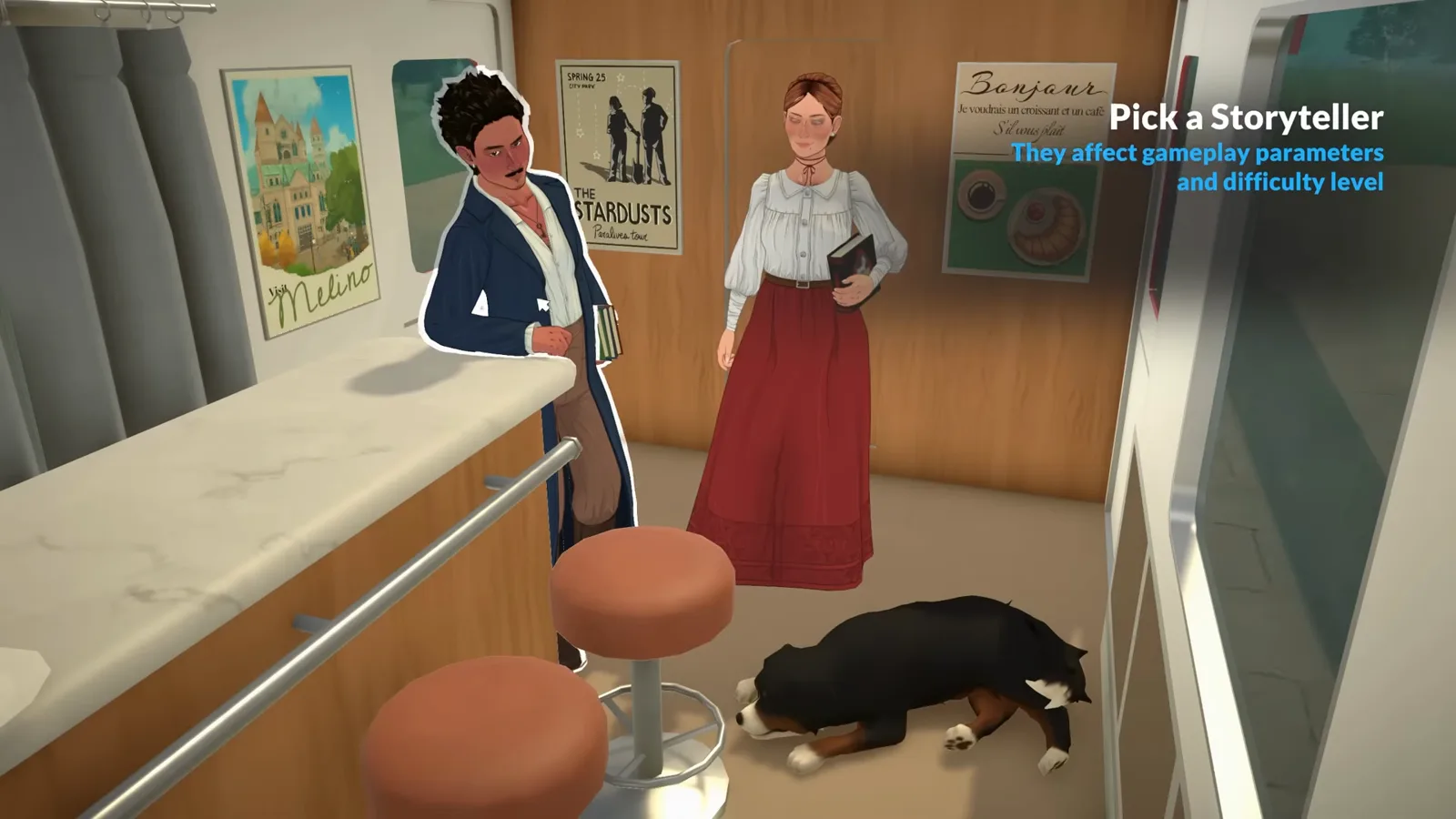
A new game asks you to pick between three storytellers, and the video treats them as difficulty levels: Maxence for a balanced experience, Ricardo for a bigger challenge, and Stella the dog for the easiest ride. The choice screen says it outright — storytellers affect gameplay parameters and difficulty. And the choice doesn't lock you in, as the next step shows.
Left to right: the balanced default, Ricardo, and Stella the dog.Watch at 1:37 - 2
Tune aging, pregnancy and starting funds
Open the options menu (the three dots at the top right) and you can switch or customize a storyteller at any time. The customization panel holds the levers that shape a whole save: whether Paras age and how long life stages last, pregnancy duration and labor length, the chance to become pregnant and to have twins or triplets, career options, and the household's starting funds (2,000 P in the video's save).
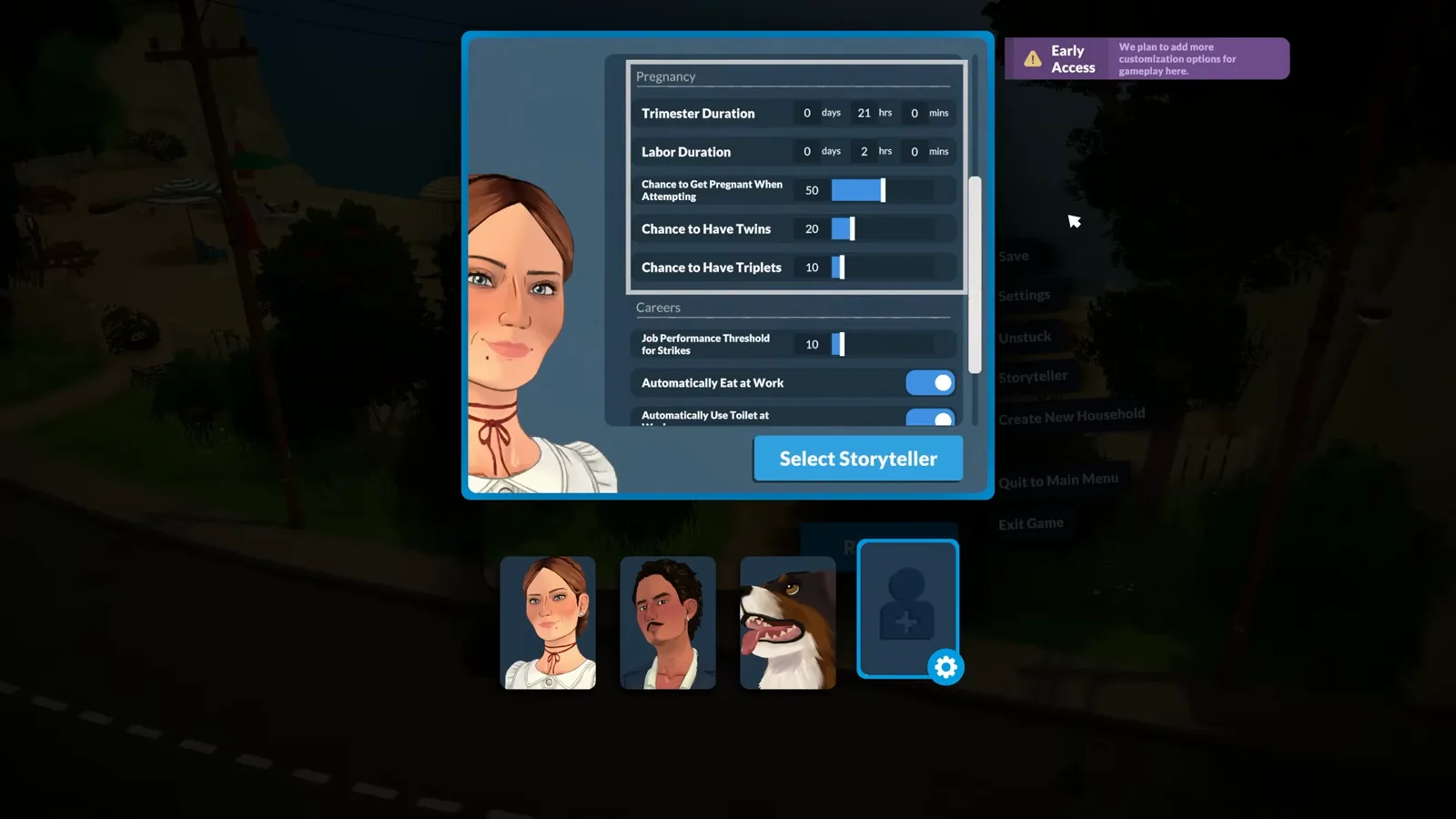
The same panel also toggles aging and edits individual life-stage lengths.Watch at 2:30 - 3
Draw a storyteller page every night
Storytellers keep playing after setup. Each night, the storyteller icon on the right of the screen lets you add a page to your Para's story. Pages grant concrete boons — money, extra wants, life goals, career boosts, or the +3 learning-speed bonus to every skill in a group shown here. The video's verdict: pages are strong enough to feel a little overpowered, so make picking one a nightly habit.
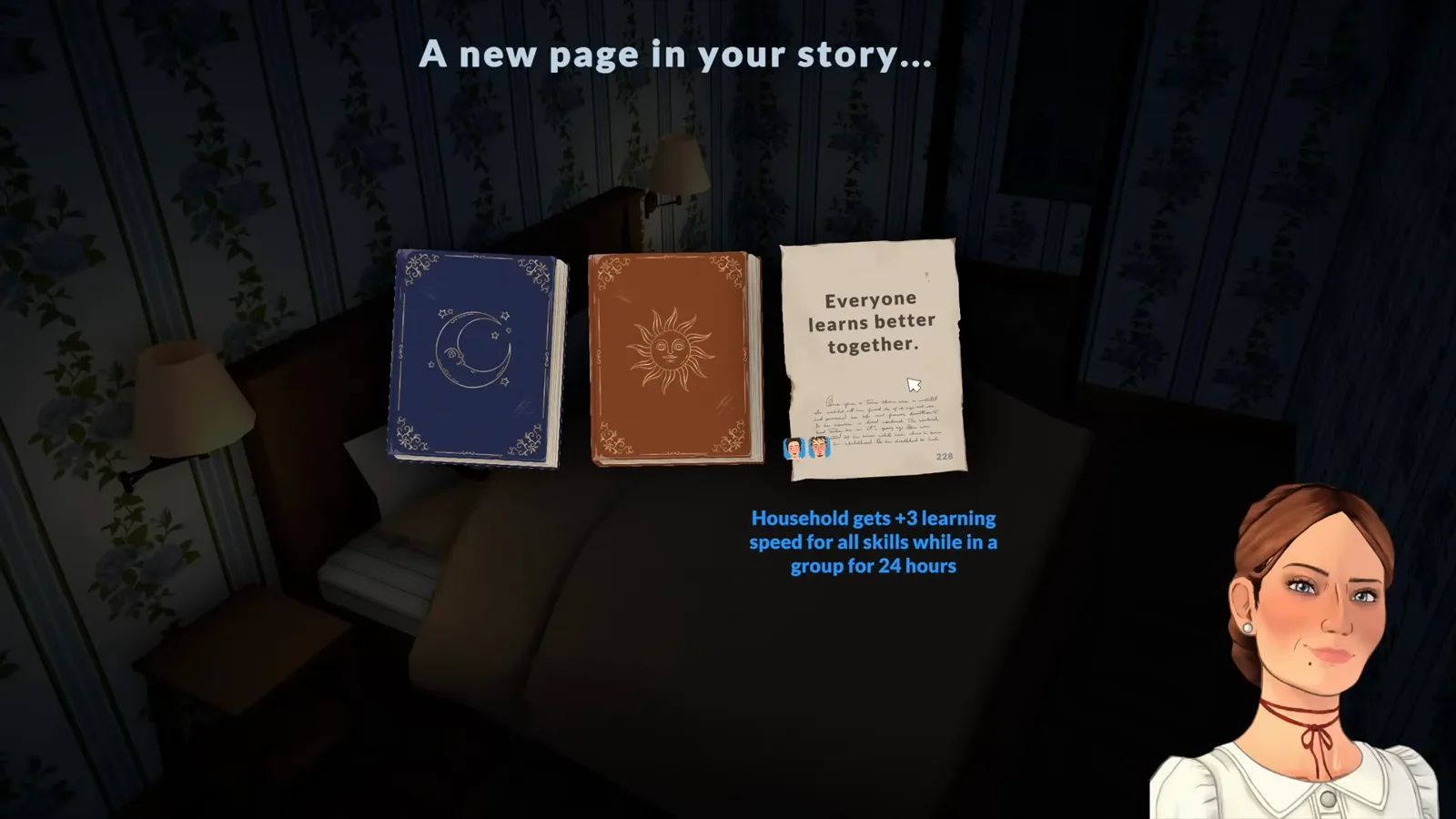
A new page appears every in-game night.Watch at 2:50
Read your Para
Needs, moods, wants and goals
This is the heart of live mode: four needs to keep filled, mood cards that convert into wants, and the big goals that storyteller pages hand out.
- 4
Keep the four basic needs green
Every Para tracks four basic needs: hunger (eat), sleep (sleep), bathroom (the video argues it's really a bladder need — a toilet solves it) and hygiene (shower or bath). Two details reward attention: illness can make a need get ignored until your Para recovers, and physical personality levels add extra hunger bars so a fit Para stays full for longer.
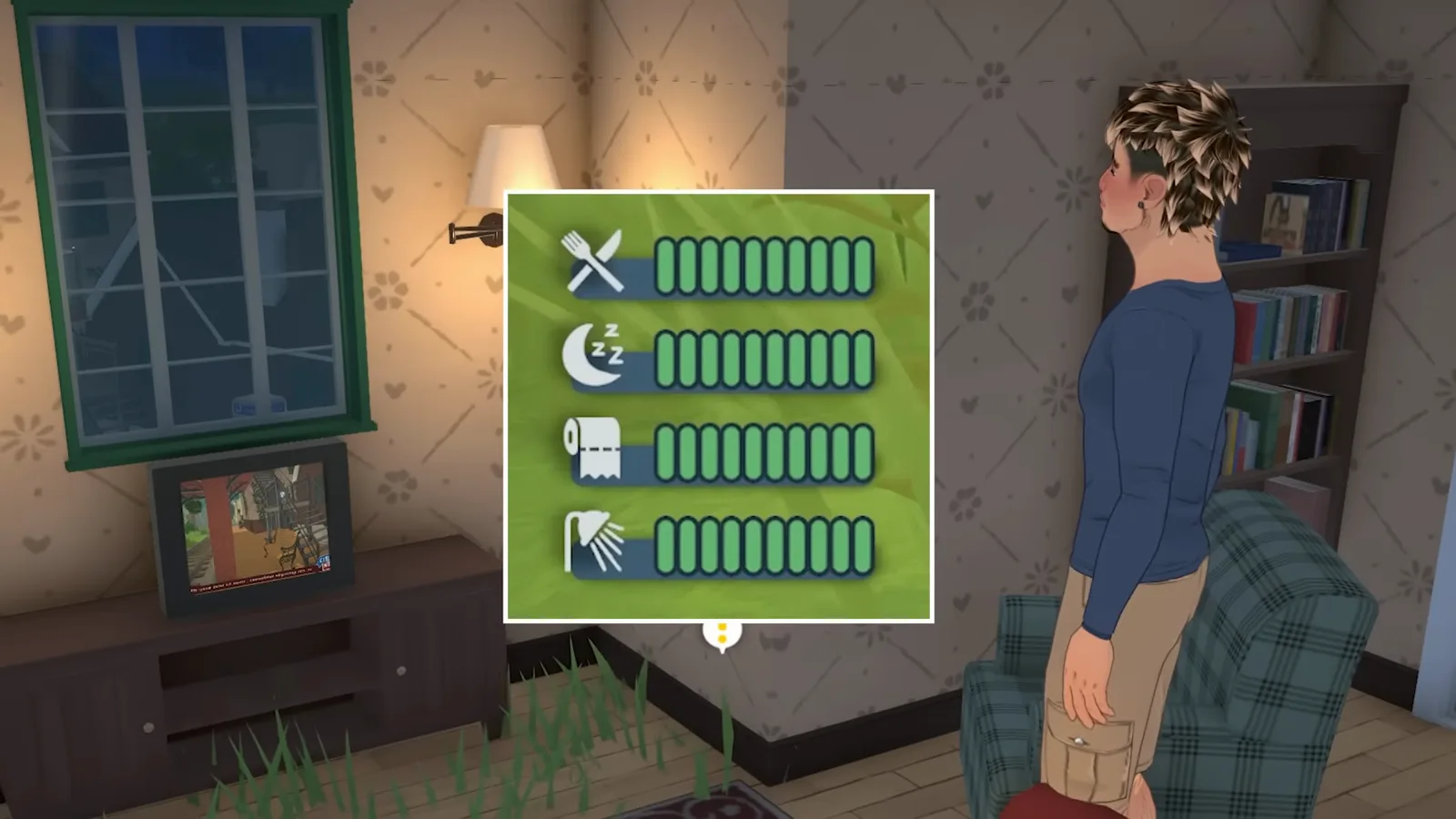
Hidden needs can appear on the same panel — more on those in the skills section.Watch at 3:13 - 5
Turn moods into wants for easy points
The cloud-shaped thoughts tab at the bottom shows mood cards with a running score — hovering the Happy card in the video breaks a +4 bonus down into its sources. Cards with a green exclamation mark can be clicked to pick a reaction, which works like choosing a want. Accepted wants sit in the three squares above your Para's needs and pay about 15 personality points each when completed.
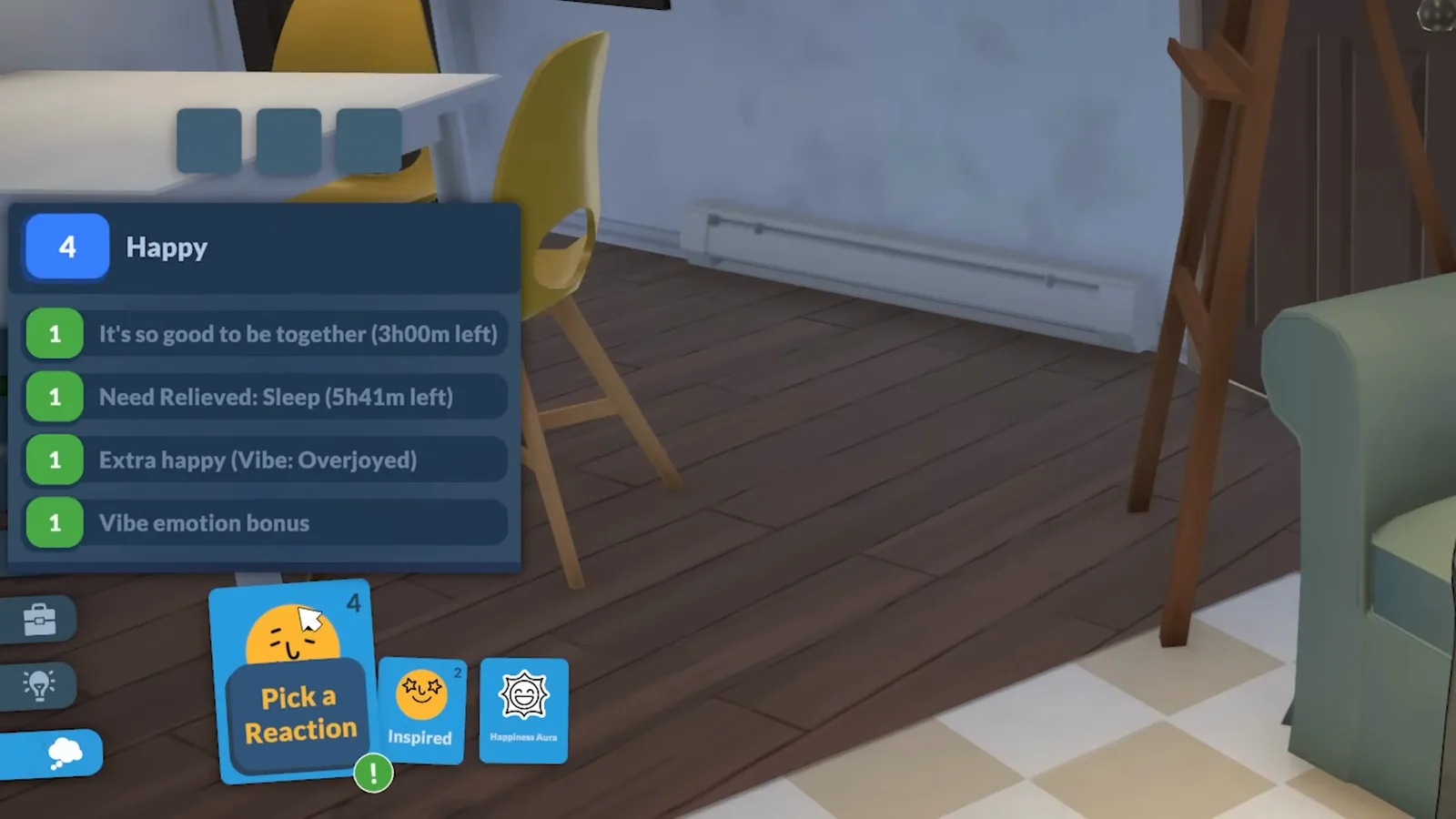
The number on a mood card shows how strongly your Para feels it.Watch at 5:00 - 6
Chase goals for the bigger payouts
Storyteller pages can also hand your Para goals — wants' bigger siblings. Goals live in the exclamation-mark sidebar panel, build progress across days (the video's Para is working through Breadwinner, Big House and Breadwinner II), and award personality points on a much larger scale than wants.
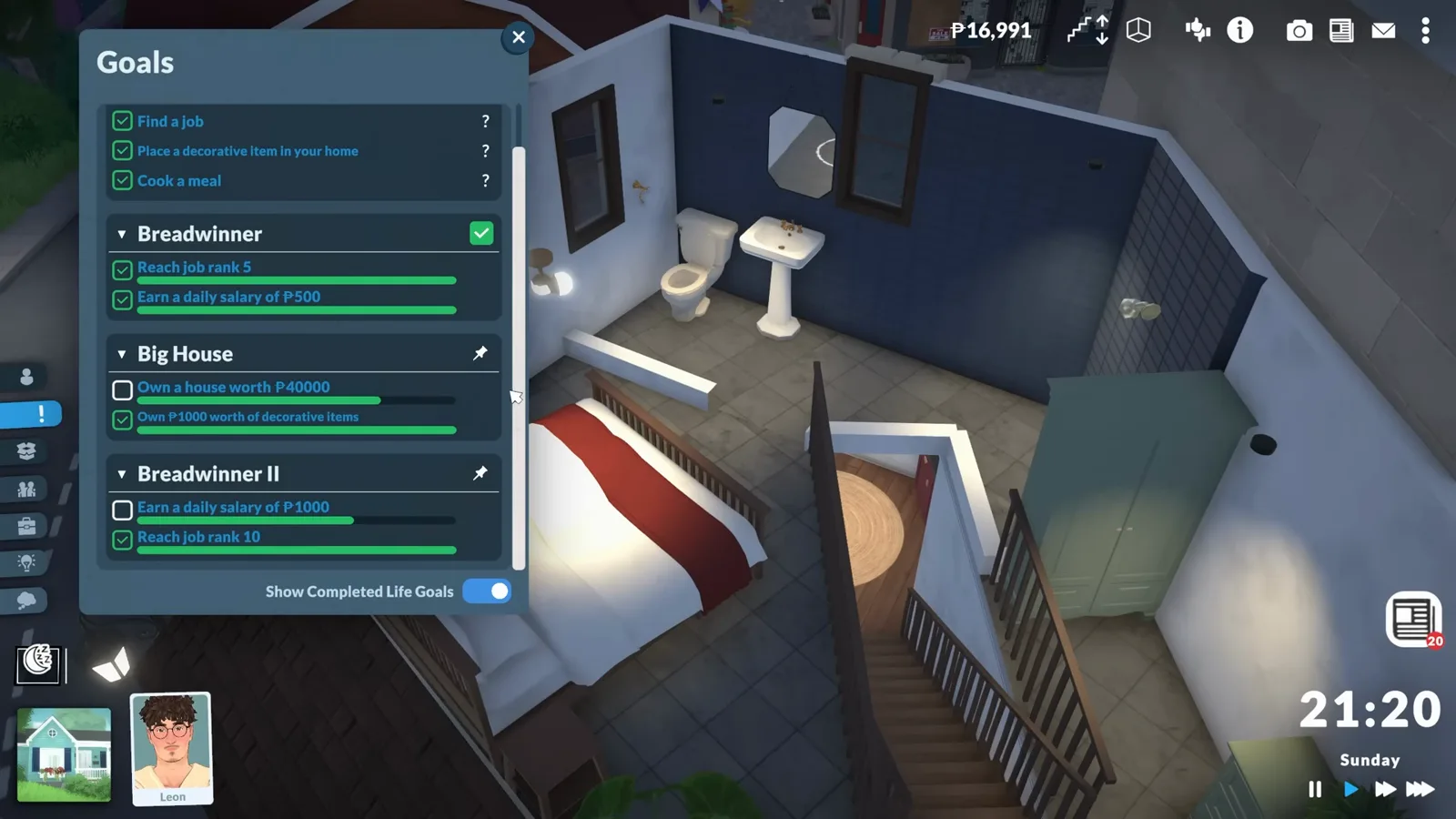
Toggle 'Show Completed Life Goals' to keep the list tidy.Watch at 5:50 - 7
Spend personality levels on perks
Personality points feed a personality level, visible on your Para's profile. New Paras start with one vibe, one social perk and one talent; leveling up unlocks more perks and occasionally hands you a point for the physique, mind, creativity or charisma stages — even a fourth stage the Para Maker never offers. The video's favourite is the Happy Dreamer vibe, which piles on skill levels while the Para sleeps. The level icon sits at the top left; the profile tab also shows age and aging progress.
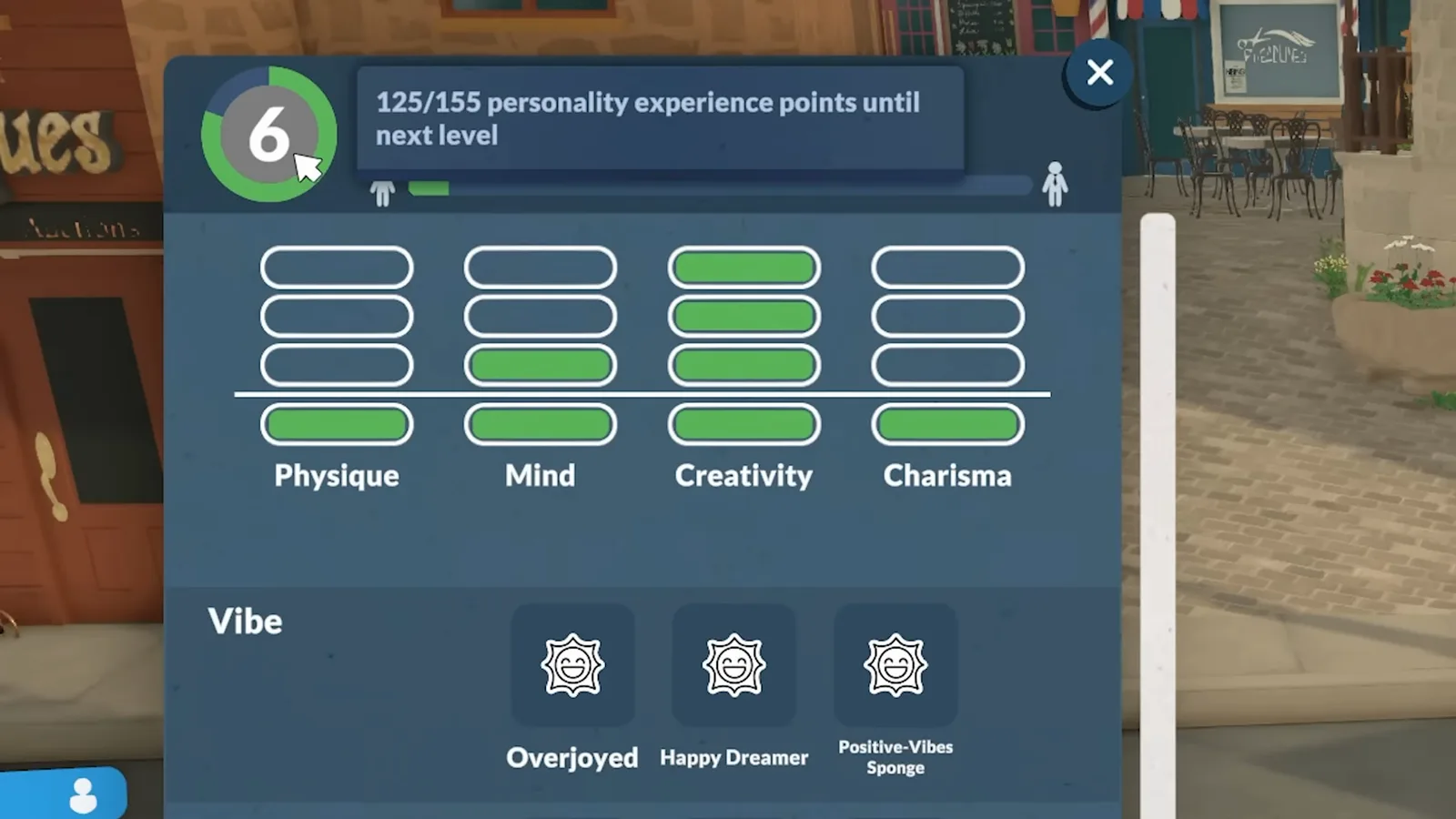
This Para is 30 points away from the next level.Watch at 6:40
Train smart
Skills level with your mood
Paralives ties learning speed directly to mood. Understanding that one interface quirk gets you visibly more progress out of the same playtime.
- 8
Know the seven main skills and their sub-skills
Paralives currently has seven main skills, and most of them hide sub-skills — music splits into guitar, piano and triangle. The skills panel shows the nesting. The fastest lever: any computer, then Learn about, trains any of the seven main skills directly. Training a sub-skill also feeds its main skill, but only at a reduced rate.
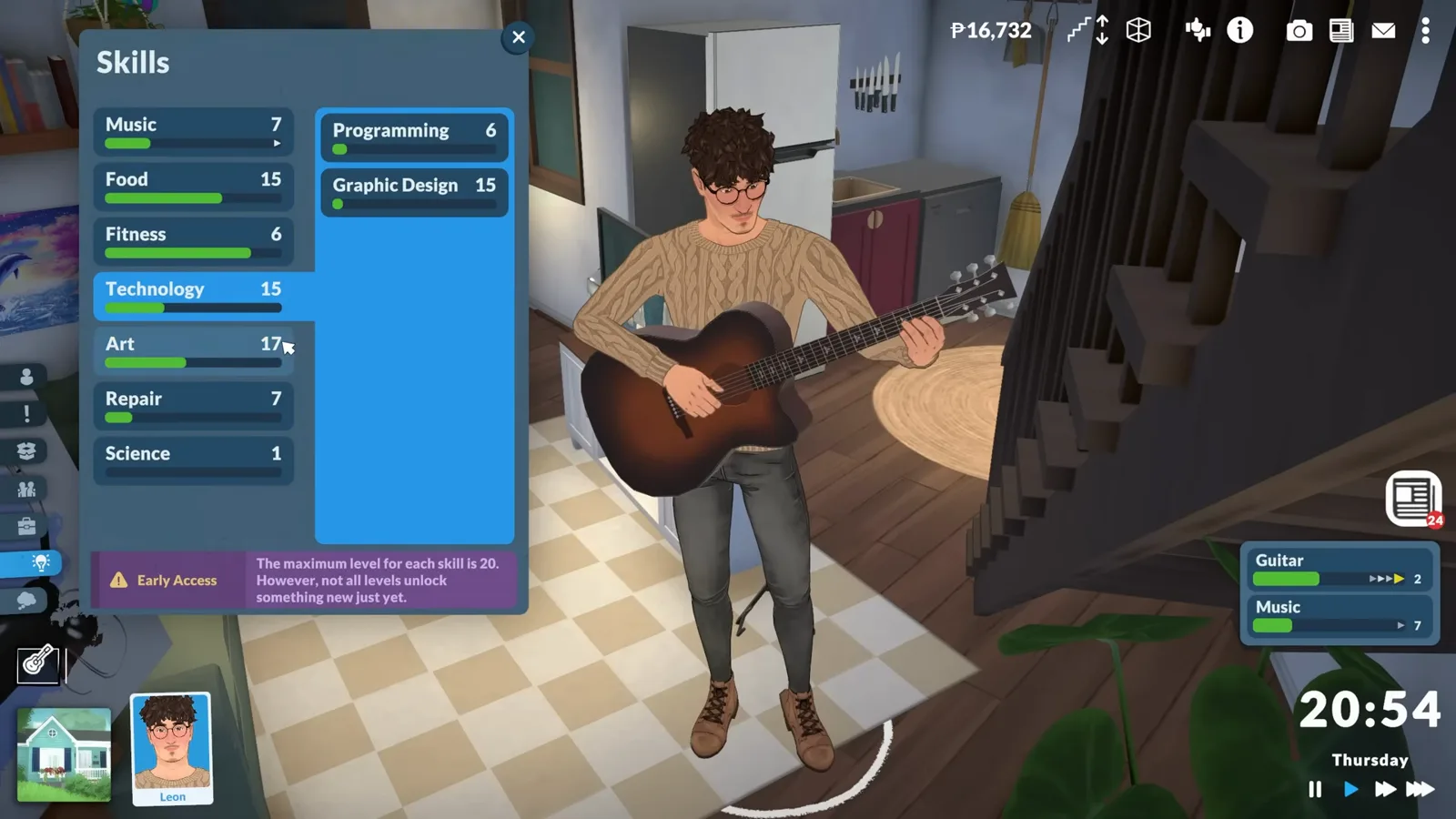
Sub-skill practice always trickles experience into its main skill.Watch at 7:00 - 9
Hover the progress bars before you train
Skill training speed is mood-driven. Progress bars appear on the right of the screen while a Para studies; hovering one shows the current learning speed and every modifier behind it. A bad mood drags training to a crawl, and boredom halts it completely — wait out the bored card or fill the hidden fun need. One more catch from the video: sub-skill training only passes the base rate to the main skill, so to level a main skill fast, train it directly at a computer while your Para is in a great mood.
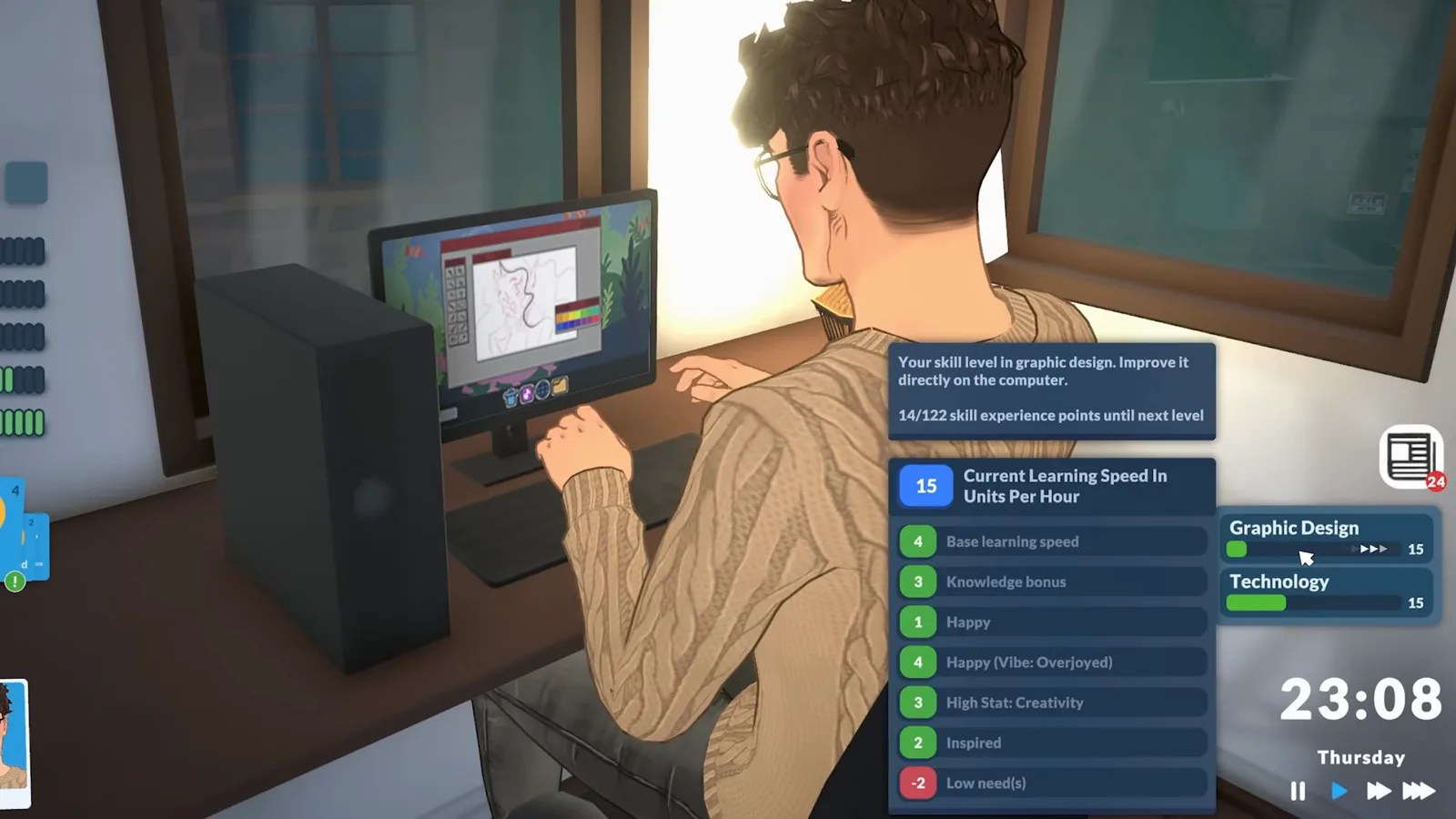
Green rows speed training up; red rows slow it down.Watch at 8:00
Earn a living
From first job to promotion
The career system is the deepest system in Early Access: application points, performance meters, work perks and a few traps the video demonstrates clearly.
- 10
Open the job list from any computer
Teens and older can work — teens just have to dodge school hours. Click a computer (or your Para) and choose Find a job to browse postings sorted into categories like business, art, science and food. Every posting also offers schedule options, so pick the shift that fits your household's day.
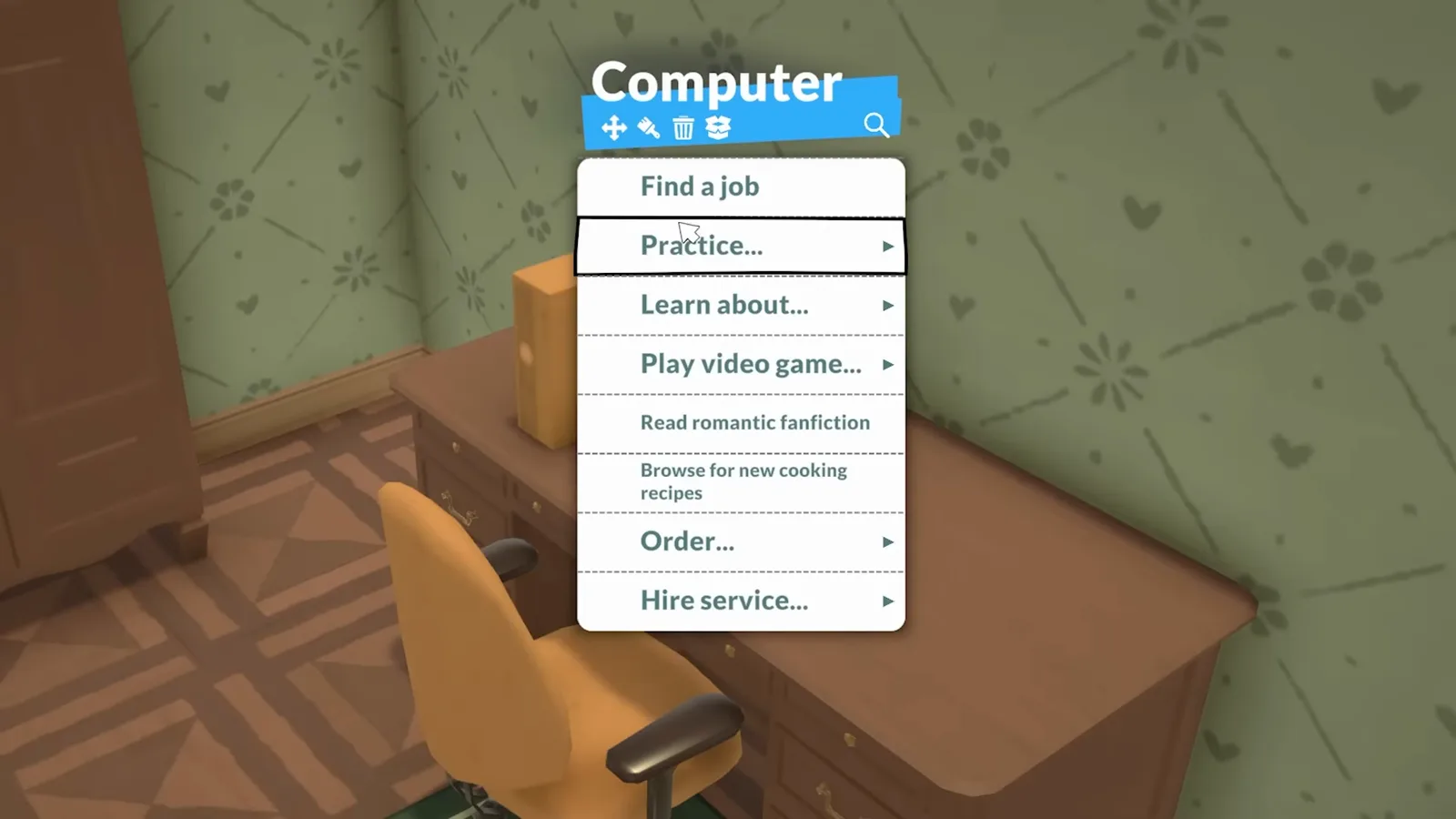
Your Para's phone opens the same job search.Watch at 9:08 - 11
Qualify with application points
Every posting demands application points, revealed by hovering it — and higher ranks demand more. Points come from skill levels, personality levels and prior work experience, and each career weights them differently, which is why a fresh Para only qualifies for rank 1 work at first. The video's Para clearly doesn't make the cut for the research careers on screen yet; that's normal in week one.
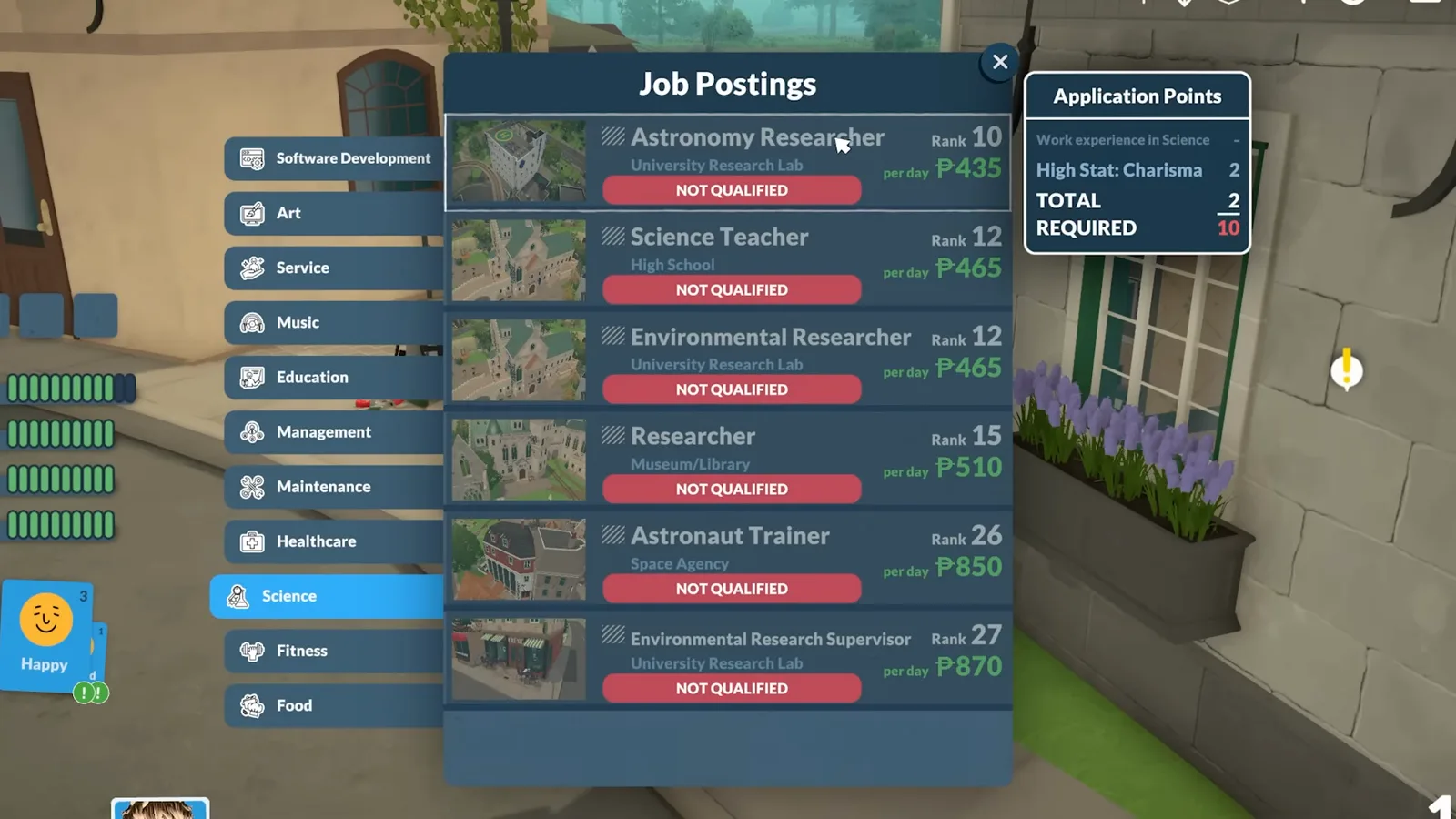
Ranks climb from 1 into the twenties as postings demand more points.Watch at 9:40 - 12
Convert performance into upgrade points
Each job lists exactly what drives its performance — mood plus the relevant skills for the video's character artist. Keep performance healthy and your Para banks an upgrade point at the end of every workday. Spend it on a rank (and a pay bump) or on a work perk; perks occupy three slots to start, and deleting one is a hover-and-X job. Let performance slide and strikes appear — three strikes and the job is gone. One quirk worth knowing: your job title never changes as you rank up, and job postings refresh daily at midnight.
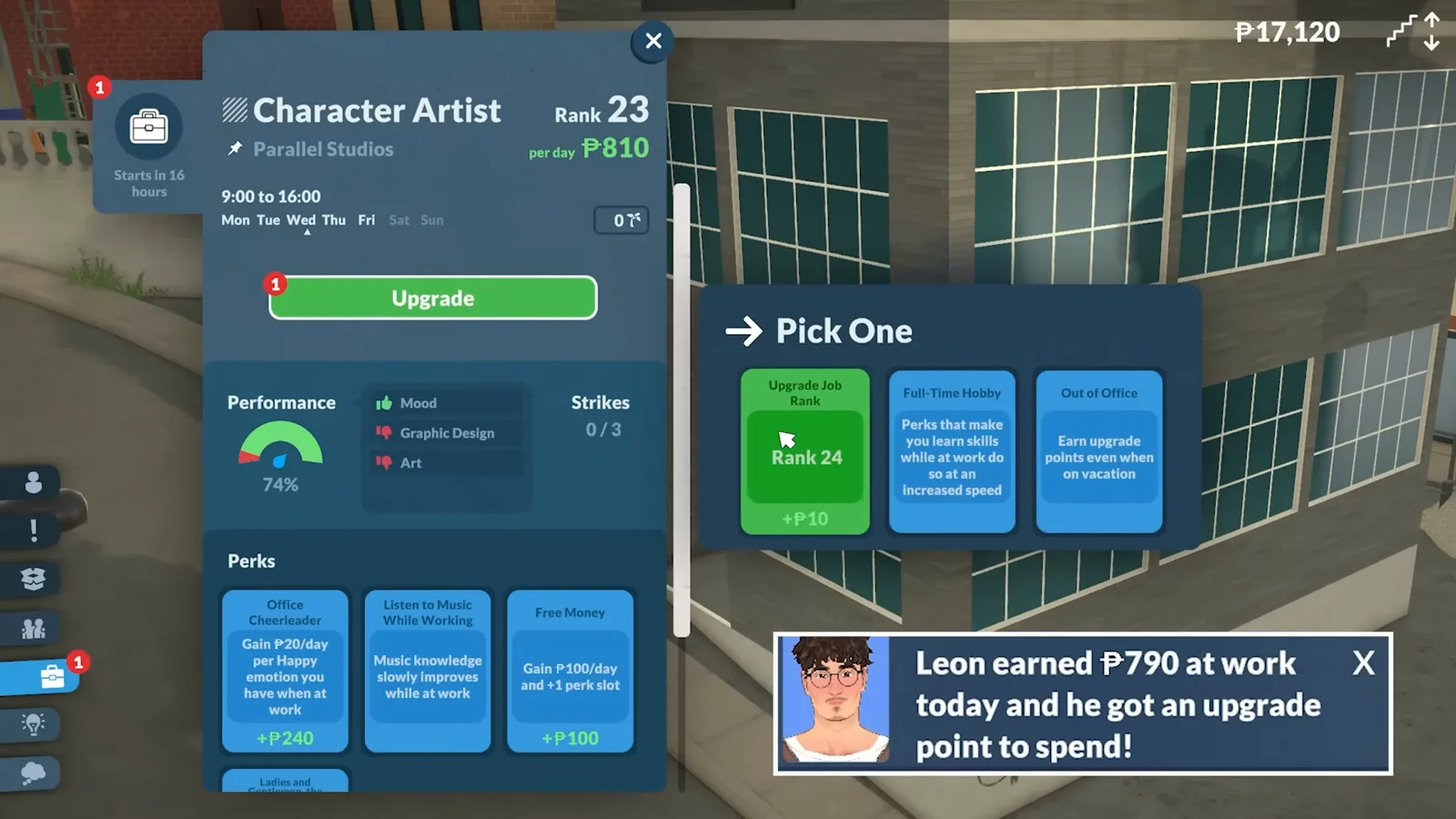
That workday also paid out P790 in wages.Watch at 11:20
Live the loop
Socializing and the daily round
Between work and sleep sits the part you'll actually live in: holding conversations, paying bills and finding something to do in town.
- 13
Steer conversations with cards
Socializing starts with any chat. A progress bar fills next to your Para's photo icon as they talk; when it completes, an exclamation mark appears and you pick cards that push the conversation in a direction — some show their success chance, especially the flirty ones. The storyteller can jump in with a relationship label (the video lands Friend +2), and every label and level is listed in the social panel for everyone your Para knows.
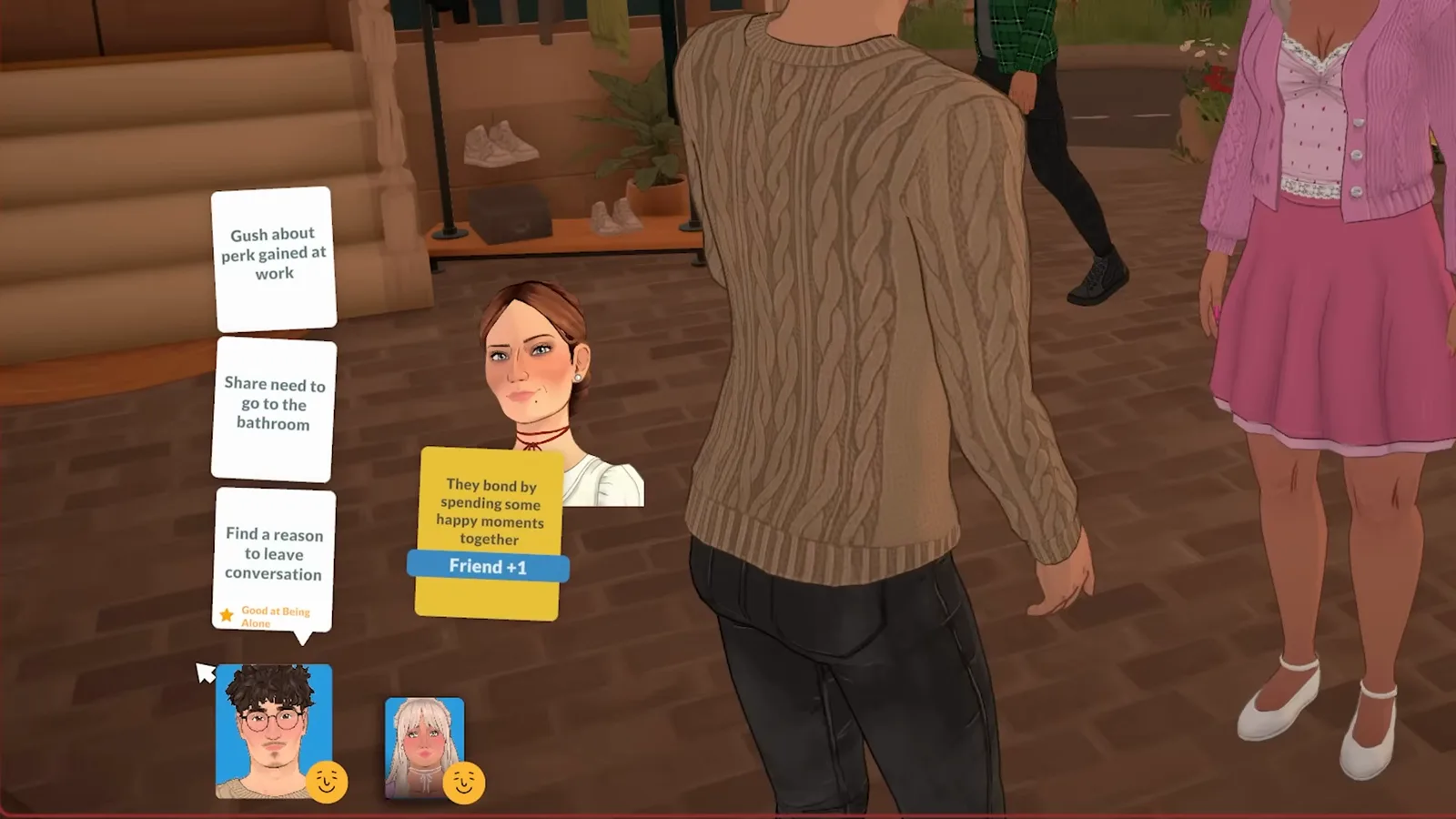
Higher labels unlock more social interactions.Watch at 13:32 - 14
Settle bills from the mailbox
Bills arrive from time to time. Check the mailbox or click the mail icon in the top-right toolbar and settle the statement — the video's covers municipal taxes, electricity and even unemployment benefits for one in-game day. While you're clicking objects: the same interaction menu hides the packing box icon that stores an item in your Para's inventory, plus move, recolor and delete options.
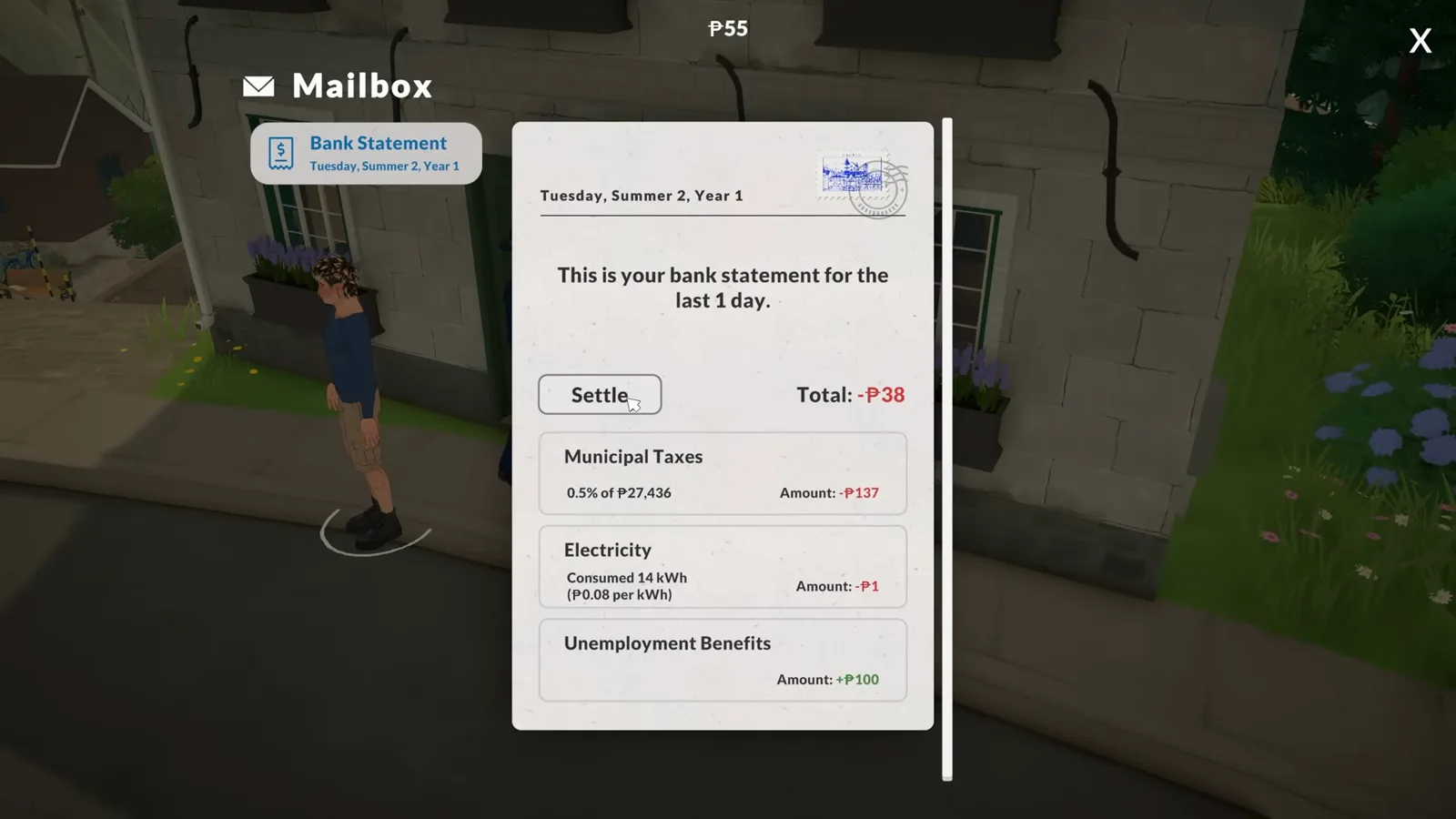
Unemployment benefits can show up as a negative line.Watch at 14:08 - 15
Find something to do in the newspaper
The newspaper icon near the bottom right lists events happening around the world — the video calls it the answer to not knowing what to do next. Each event carries a Show on map button that drops a pin on its venue. And if a Para is out and about when you need them home, hover their photo icon and click the bed symbol to send them back.
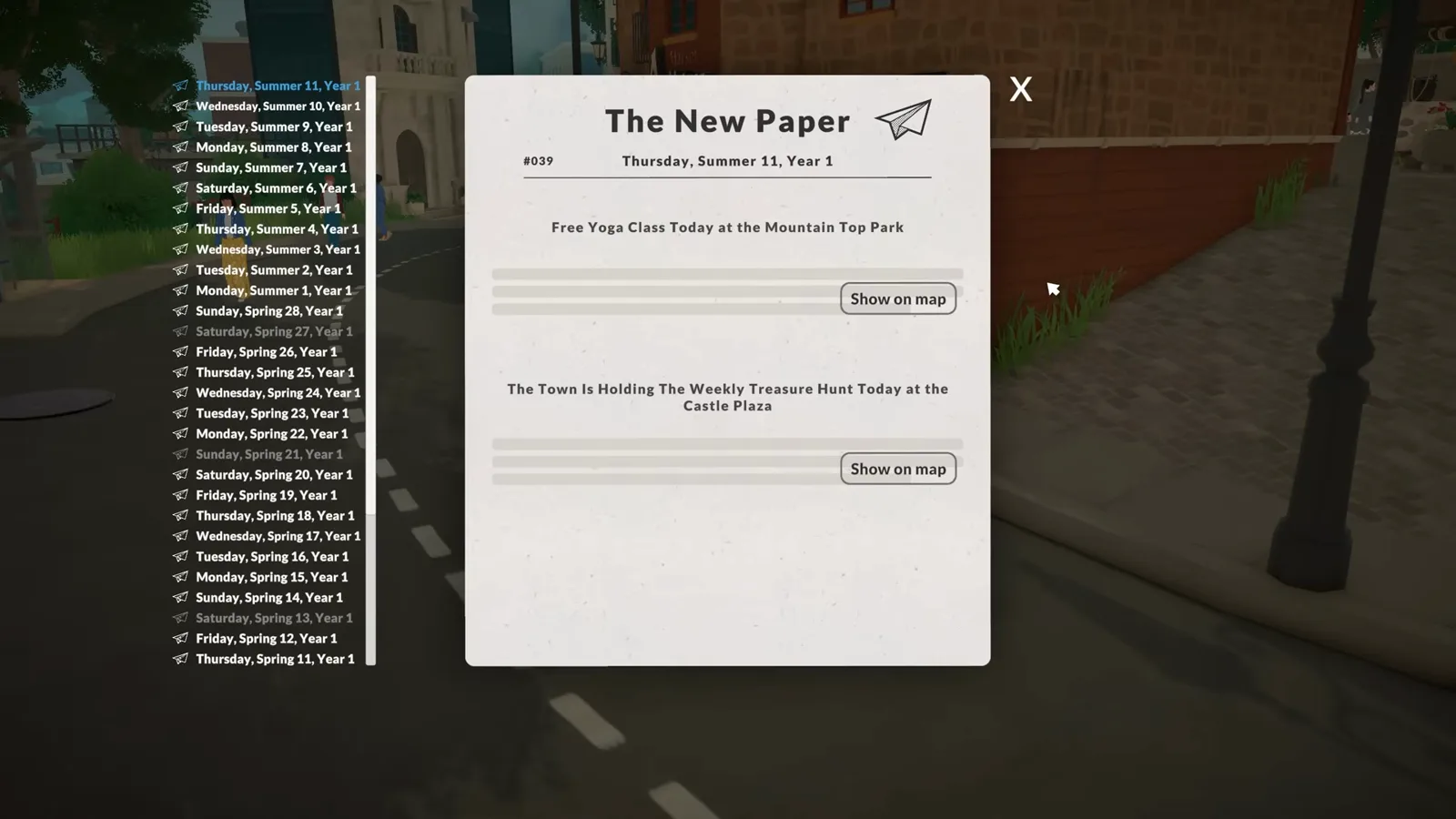
A great first stop on any in-game morning.Watch at 14:32 - 16
Command the whole household at once
Drag a selection square around multiple Paras to group them, then give one command the whole group follows — handy for family outings. One last stop for your shopping list: the hobby objects that matter most for gameplay live in build mode under the orange furnishings tab's hobby subtab. That closes the first-hour loop — draw a page tonight and see how much smoother day two feels.
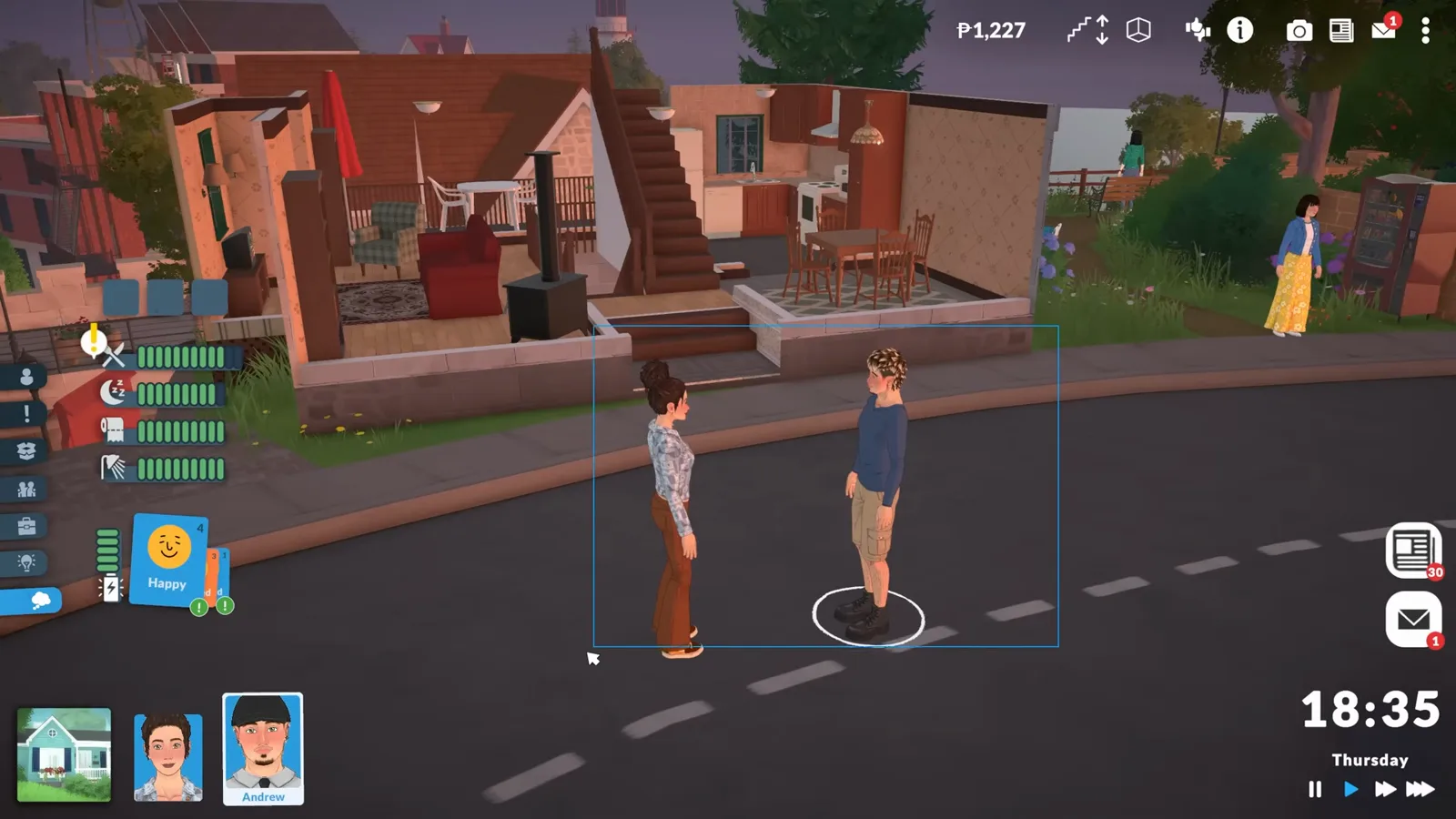
One command now applies to every grouped Para.Watch at 14:44
Beginner questions, answered
- Can you change the storyteller after starting a save?
- Yes. Click the three-dots options button at the top right and choose Storyteller — the video swaps between all three mid-game. Custom settings like aging, pregnancy rules and starting funds are editable from the same menu at any time.
- What is the difference between wants and goals in Paralives?
- Wants are small tasks worth around 15 personality points that sit in the three squares above your Para's needs. Goals are the long-running versions, tracked in the exclamation-mark sidebar panel, and they pay out on a much larger scale. Storyteller pages can grant both.
- Why are my Para's skills leveling up so slowly?
- Mood drives learning speed. Hover the training progress bars on the right of the screen to see the modifiers, keep your Para in a good mood before training, and remember that boredom freezes progress until the card wears off or the fun need is filled. Training a main skill directly via a computer's Learn about action gets every positive boost.
- How do you qualify for better jobs?
- Postings require application points earned from skill levels, personality levels and prior work experience, each weighted differently per career. Hover a posting to see its requirement. Because job titles never change as you rank up, moving up means applying sideways to a higher-ranked posting your points now cover — and the list refreshes daily at midnight.
- Can a Para have more than one job?
- Yes, as long as the schedules don't clash. Each posting offers shift options when you accept it, and the occupations tab tracks every job's title, rank, pay, schedule, vacation days and workplace. Workdays themselves play out as rabbit-hole events.
Go deeper on each system
The three storytellers, in depth
Every default and custom storyteller setting — aging, pregnancy, funds — compared side by side.
The full needs reference
What fills each need, how fast it drains and which hidden needs personality perks add.
Life goals & townie requests
Every goal family, its reward scale and how storyteller pages feed into them.
Skill guides
Training routes per skill, sub-skill lists and the mood modifiers that change learning speed.
Careers hub
Every career track with ranks, pay and the skills each performance bar wants to see.
How to make money (no cheats)
Legit income routes for early-game households, from first jobs to sellable collectibles.
Keep exploring
Things to do in Paralives
The full index of activities, hubs and guides for whenever the newspaper runs dry.
Para Maker tutorial
Build your first Para step by step — appearance, personality and identity.
Hidden features & secrets
Quiet quality-of-life tricks and secrets the game never explains.
Paralives FAQ
Quick answers to the questions new players ask first.