Save-safe fix
Fix a Paralives save that won't load
Save hangs at the loading screen, refuses to load from the main menu, or shows a corrupted thumbnail. Recover without losing the household.
- Platform:
- PC / Mac / Steam Deck
- Last verified:
- 2026-05-27
Symptoms
- Loading bar stops at 60% and never completes
- Save thumbnail shows a question mark
- Game returns to main menu silently after clicking Load
- A save file that used to load fine is now not loading at all
- Save gone or disappeared from the Load Game menu after a patch
- Save shows as corrupted — the load starts, then kicks back to the main menu
Fix by when it crashes
Stuck on the loading screen
The bar stalls and never finishes. Disable Workshop mods that touch save data (household editors, save tools), then load an earlier autosave from the Load Game menu — since patch 0.1.5 it keeps the 3 last versions of each save. Not a crash: if Paralives hangs before the main menu, that's the crash family on our crashing page; and if the game refuses to save with "a town event is loading", that error is covered on the backup-saves page.
Save file is missing / gone
Each save is a folder named like 'Save File 12.saved' inside MySavedGames.mod. If it is missing, check Steam Cloud finished syncing before you launched, then look for the .saved.meta sidecar — a save with a broken meta file shows as a question mark, not as gone.
Corrupted thumbnail / corrupted save
A question-mark thumbnail usually means the .saved.meta sidecar is damaged, not the whole save. The studio's manual repair guide at paralives.com/news/fix-save-files covers JSON parse errors and broken .meta files — try it before giving up on the household.
Try in order
- 1Close Paralives. Open C:/Users/[you]/AppData/LocalLow/Paralives/Paralives/ and locate the save — each one is a folder named like 'Save File 12.saved', not a single file.
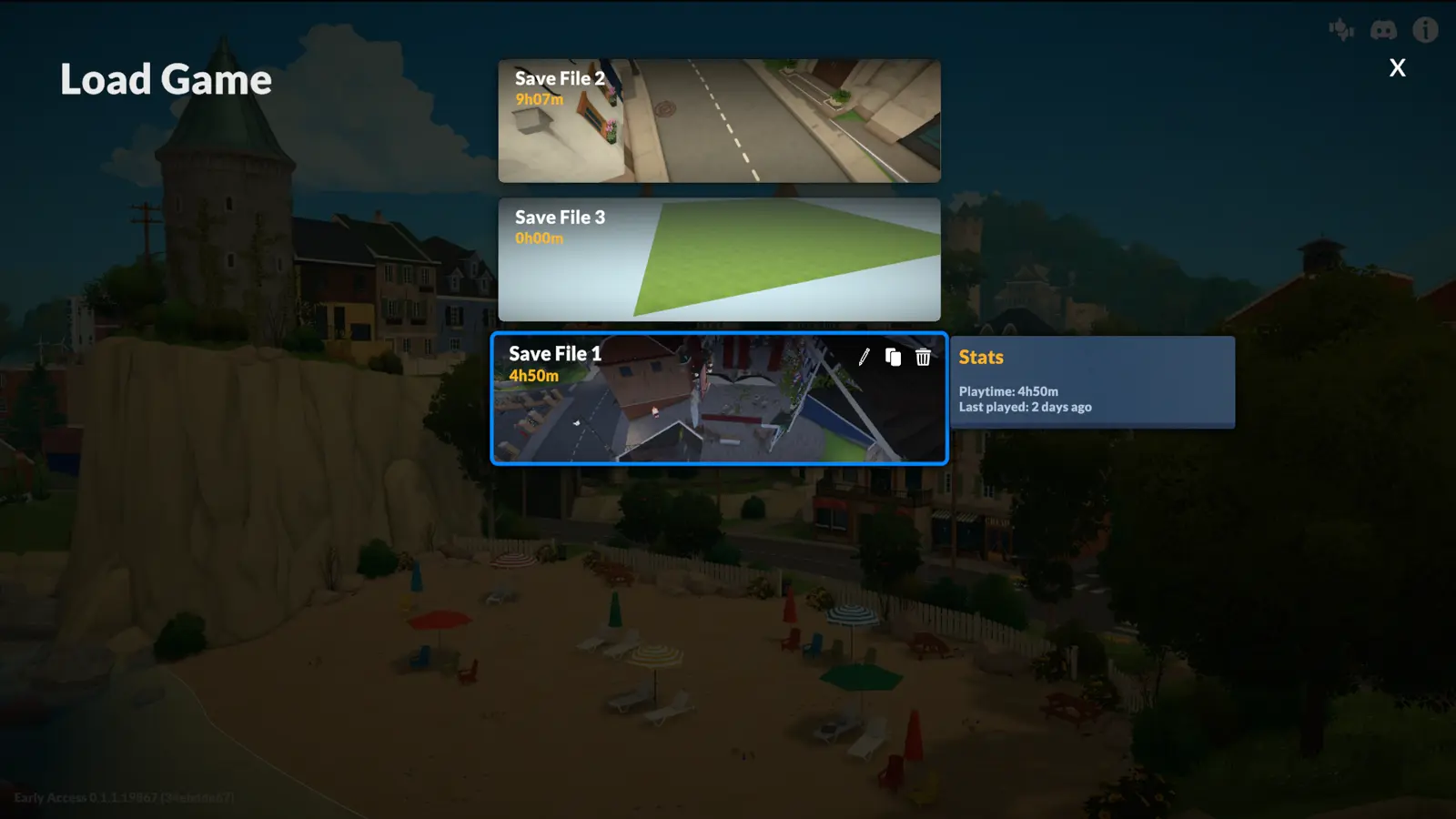
- 2Duplicate the save from the Load Game menu first — that's the official in-game backup. For a manual copy, quit the game and copy the whole 'Save File 12.saved' folder (plus its .saved.meta sidecar) somewhere safe. Don't delete the original yet.
- 3Since patch 0.1.5, the Load Game menu keeps the 3 last autosave versions of each save — load an earlier one from there instead of renaming any files.
- 4If an earlier version loads, you've recovered the household at a slightly earlier state. Re-save only once you're sure it's stable.
- 5Disable Workshop mods that touch save data (especially household editors) before re-saving.
Save loading FAQ
- Why won't my Paralives save load?
- The three most common causes: a broken .saved.meta sidecar (thumbnail shows a question mark), a Steam Cloud sync that never finished, or a mod that edits save data. Work through the scenarios above in order — most saves recover without losing the household.
- Can I recover a deleted Paralives save?
- Since patch 0.1.5 the Load Game menu keeps the 3 last autosave versions of every save — load an earlier one from there first. If the whole save folder is gone, check Steam Cloud and the recycle bin; there is no in-game undelete.
- Does Steam Cloud sync cause save problems?
- A half-finished sync can present an older or empty save. Let Steam finish uploading before quitting, and if a save looks wrong after switching machines, force Steam Cloud to re-download the remote version before loading.
- Is a stuck loading screen a crash or a save problem?
- It depends on when it sticks. Hanging before the main menu is the crash family — drivers, installs, overlays. Hanging after you picked a save is the save — this page. And a game that refuses to save ("Cannot save right now a town event is loading") is a third thing: a reported bug with workarounds on our backup-saves page.
If it still happens
Zip the whole '.saved' folder along with Player.log and post it in the Paralives Discord with a description of the last action before the freeze. The studio also publishes a manual repair guide for JSON parse errors and broken .meta files at paralives.com/news/fix-save-files.
Report on the Paralives Discord →