
The short version
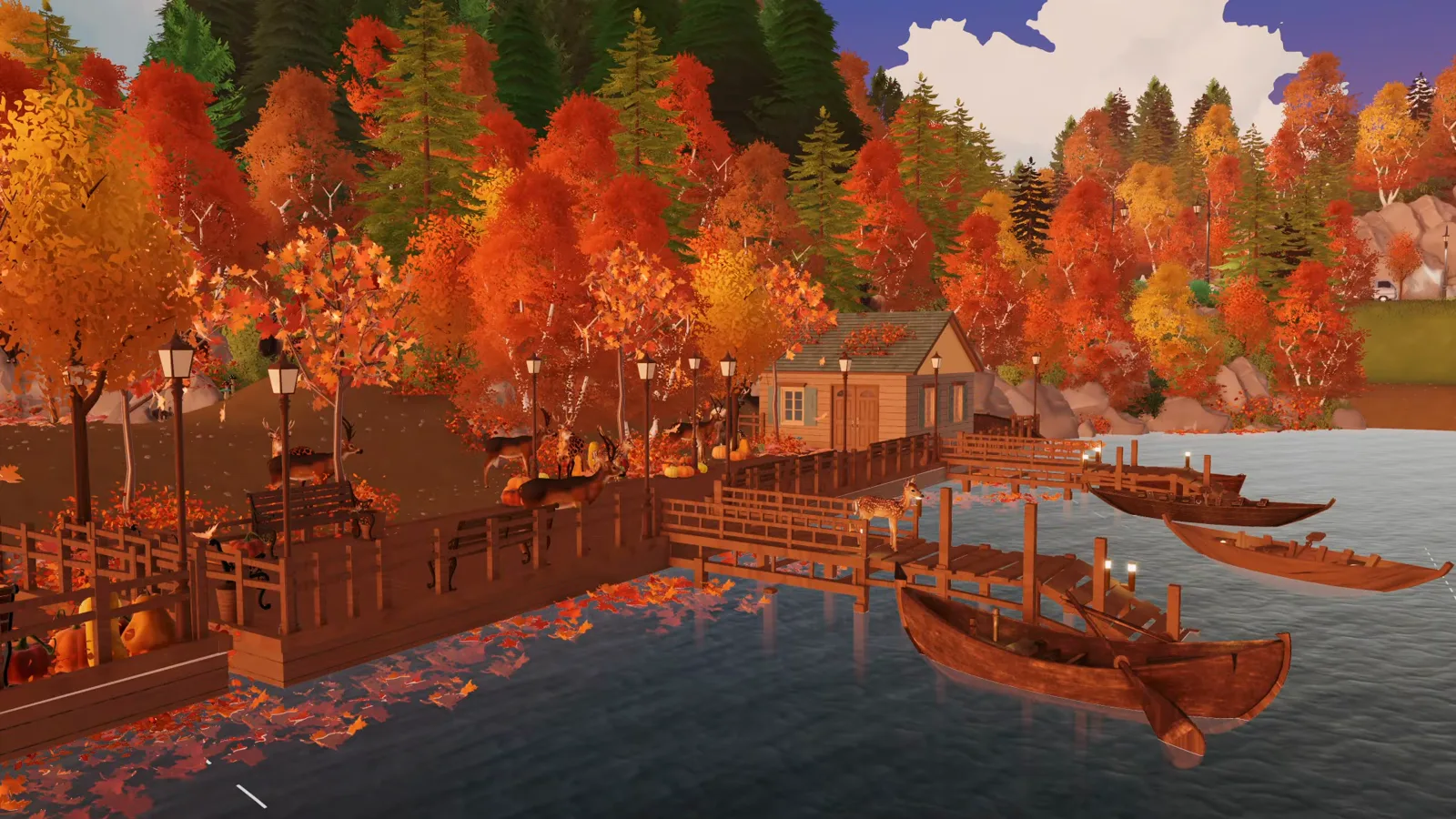
DejanDeoBuilds is 67+ hours into Bellora, a custom city built from scratch. This episode turns its lakeshore into an autumn waterfront — everything the video teaches is below, with every mod-dependent step flagged.
- Season the whole city, not one lot — mix deciduous trees into the evergreen forests and line the streets with them too.
- Hold Shift while placing a tree to raise or lower it: hides exposed roots and builds a layered, dense forest.
- A dock is a rectangle of walls painted to wood — but Paras only climb it if a functional staircase is placed and tested.
- Walls outside a lot get no ceiling, so the dock gets no walkable floor — buy a lot section in city editing first.
- The Terrain tool can replace the staircase with one shallow step a Para can still climb.
- Boats, stone bridges, leaf piles and every animal in this build are the creator's own free workshop mods, not base game.
First pass
Decide what autumn should touch
Bellora is a custom city, so nothing about the season is automatic: every street, forest and shoreline is a decision. This is where the episode lands before a single new tree is placed — the target the rest of the build works toward.
- 1
Open the city map and mark what the season must change
Bellora was built from scratch in this world — over 67 hours of play across five episodes. Before touching anything, the episode pans across the whole lot map to pick targets: the forests around the lake, the streets uphill, and the floating road by the shore. Planning at map scale is what stops autumn from becoming one decorated corner.
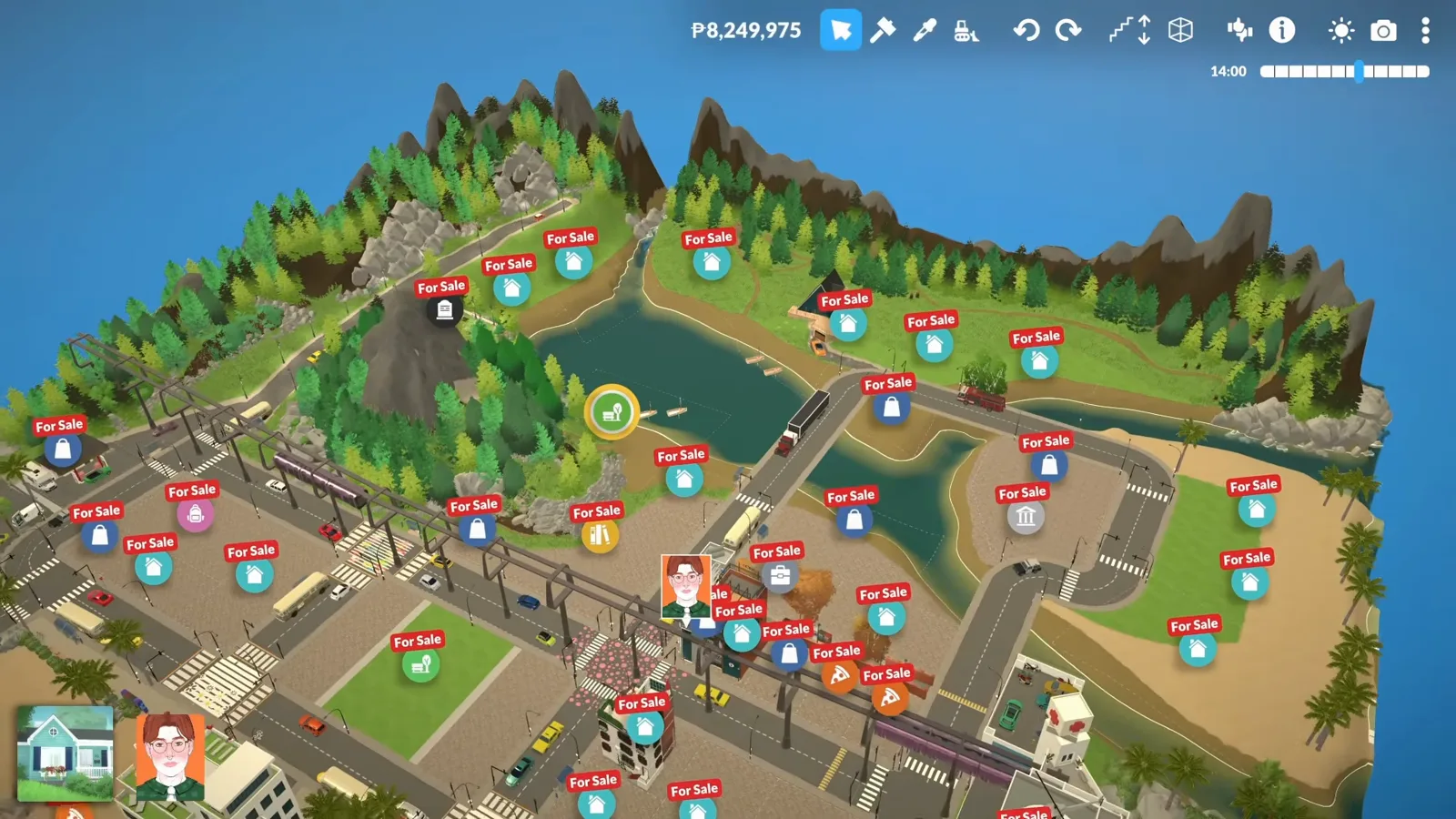
The whole-city view before a single tree moves.Watch at 7:07 - 2
Line the streets with seasonal trees
Autumn doesn't stop at the forest edge: deciduous trees go into the city itself, along streets and roads, so the whole map feels connected to the season. The episode treats the colour as infrastructure, not decoration — if a road crosses the map, it carries the palette with it.
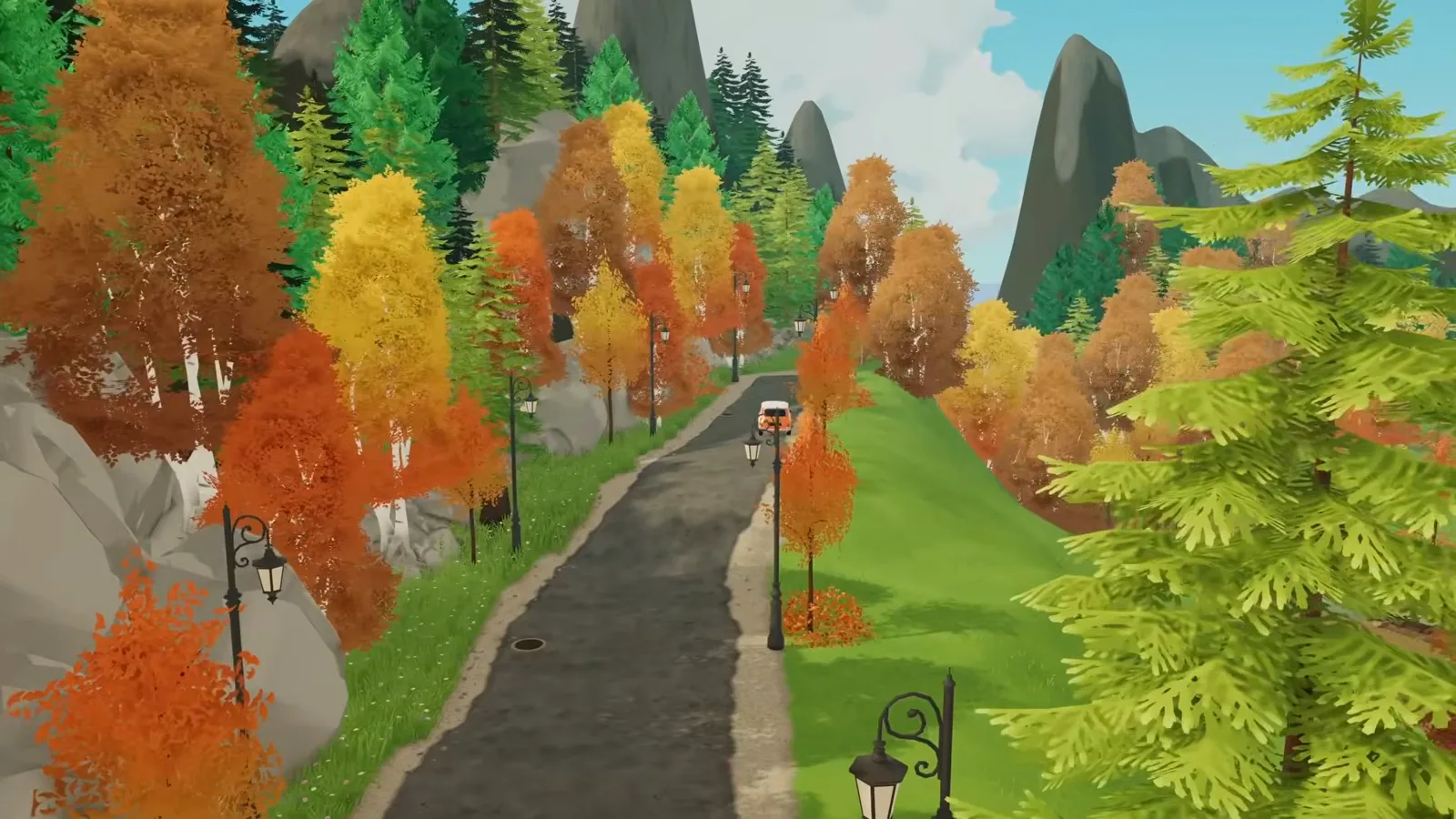
Street planting keeps the season city-wide.Watch at 1:50 - 3
Mix deciduous trees into the evergreens
The forest transformation starts by filling the existing woodland with deciduous trees — orange, yellow, red and brown layered against the deep green of the pines. The goal is a forest that looks thicker and richer, not one that was replaced: new trees mix with old so Bellora's original character survives.
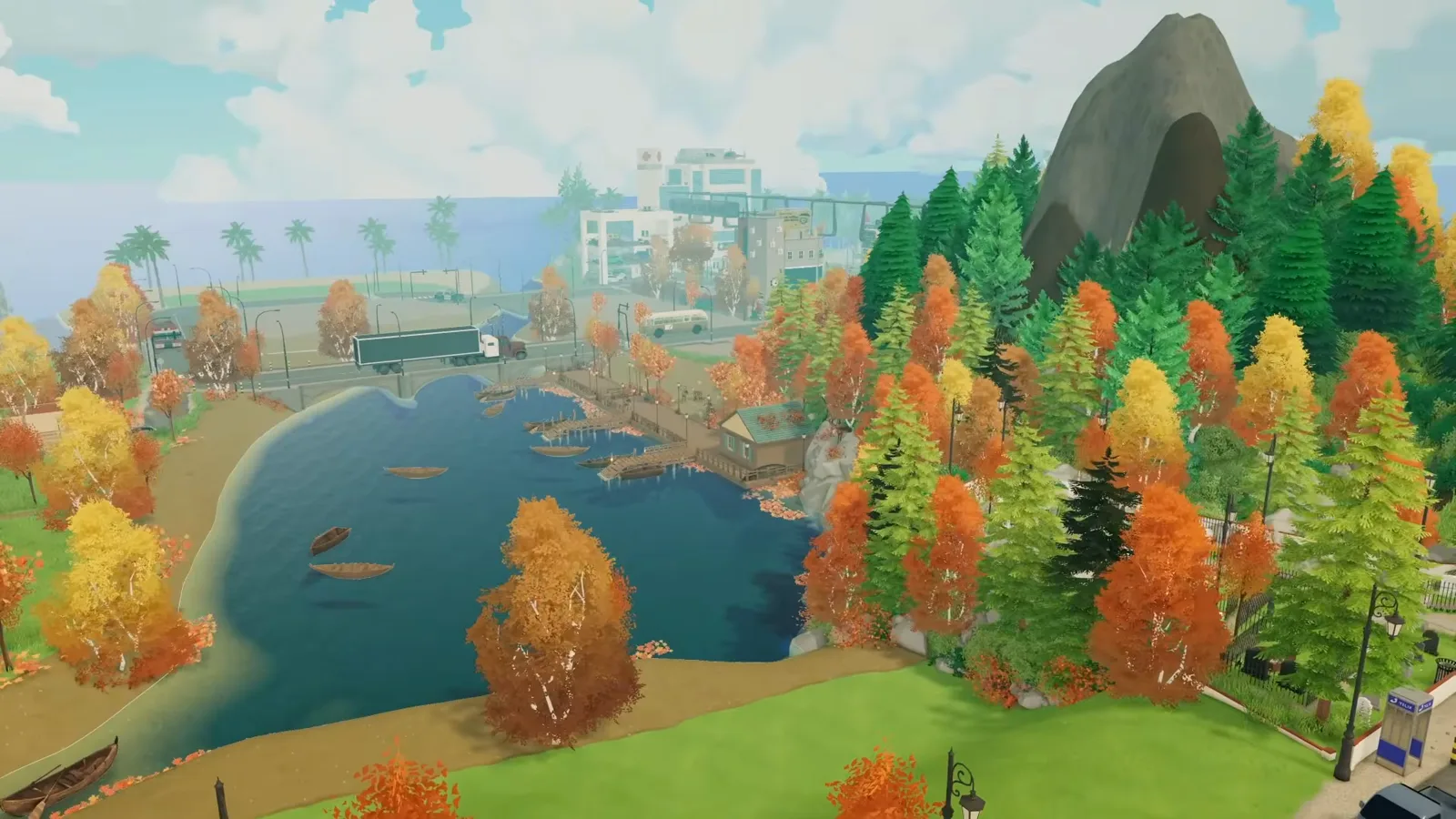
Warm shades layered against the pines, not swapped for them.Watch at 1:40 - 4
Aim the shoreline at a small harbour
The target for this stretch of lake: a small, peaceful harbour with wooden piers reaching over the water and small boats scattered between them. Knowing the destination first is why the dock steps later have a shape to converge on.
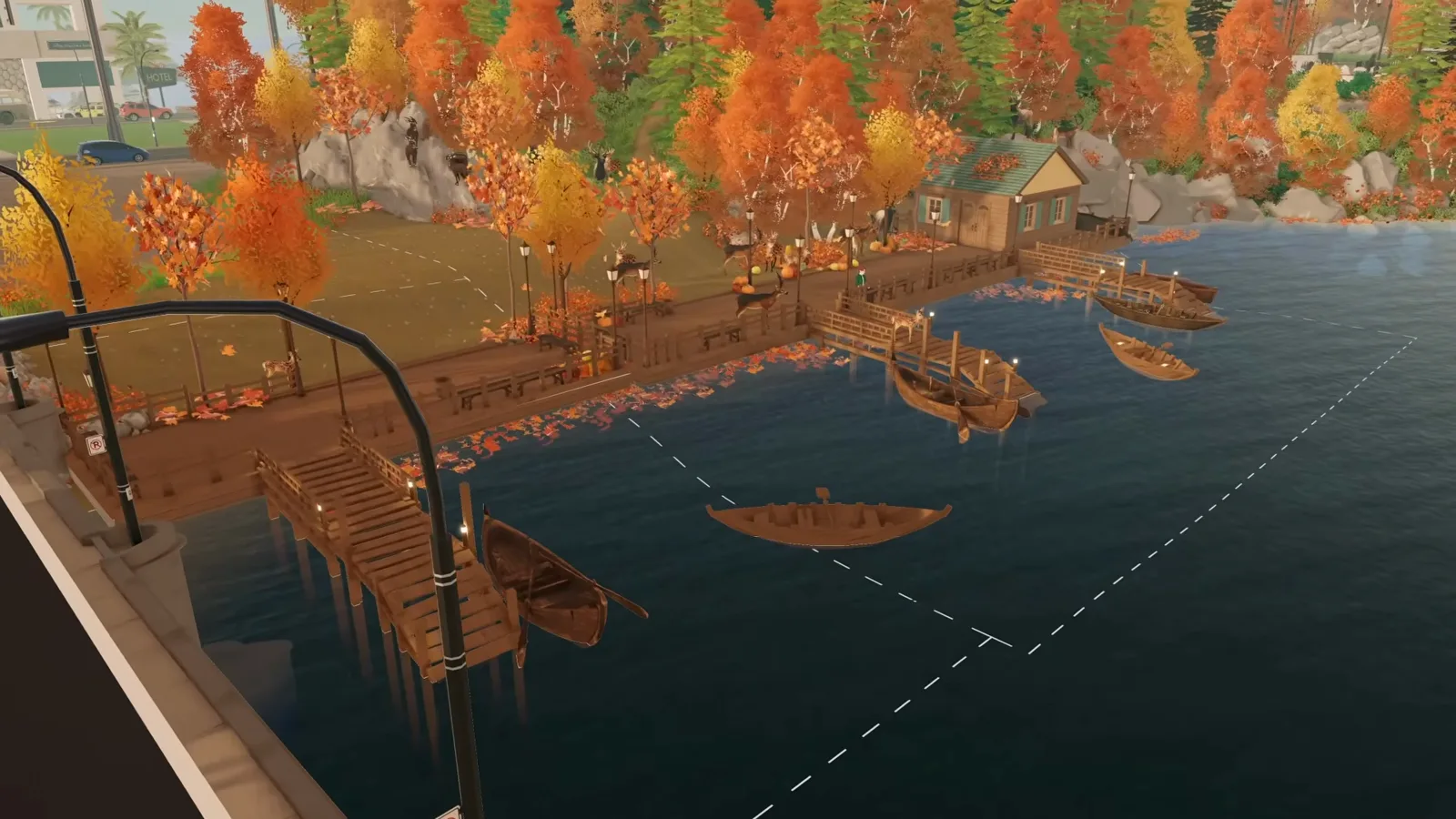
Piers plus boats — the harbour formula the rest of the build serves.Watch at 3:05
Planting
Replant the forests and streets
The episode fills Bellora's existing forest with deciduous trees, starting at the base of the mountain and working up through the rocks — then repeats the same pass along the streets so the whole city reads as one season.
- 5
Work the forest edge by hand, in passes
Planting starts at the base of the mountain and climbs toward the rocky ground, new trees dropped between the evergreens so the forest stays natural. The video speeds up the repetitive stretches — honesty worth copying: dense forests are grind, and that's normal.
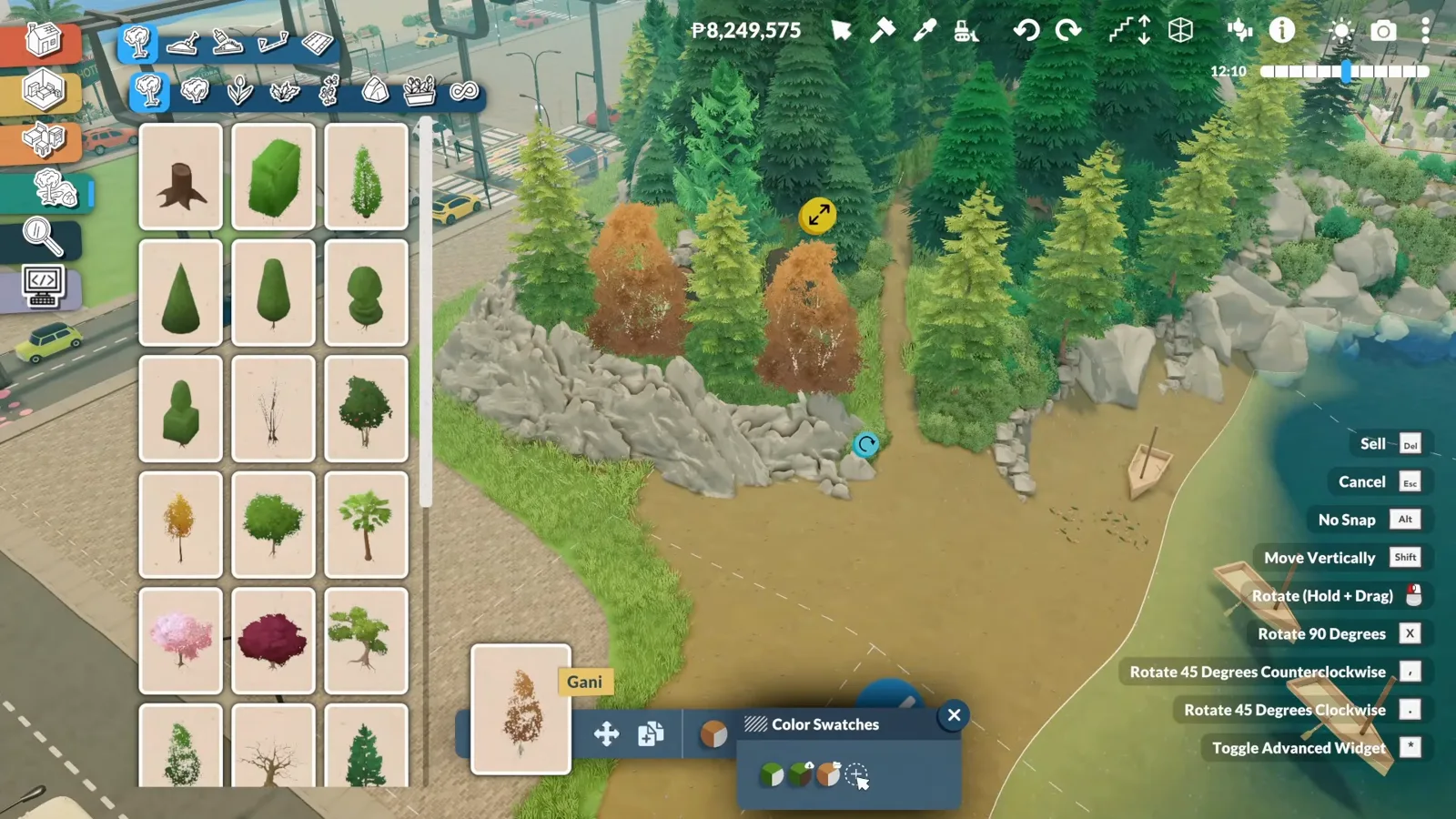
Catalogue open, working the shoreline in passes.Watch at 7:20 - 6
Hold Shift to raise and lower every tree
While placing, Shift moves a tree up or down to match the rocks and terrain around it. That single habit hides exposed roots, staggers heights, and turns a flat treeline into layered forest. Later the same trick goes the other way: tiny trees squeezed between big ones add volume where the streets felt empty.
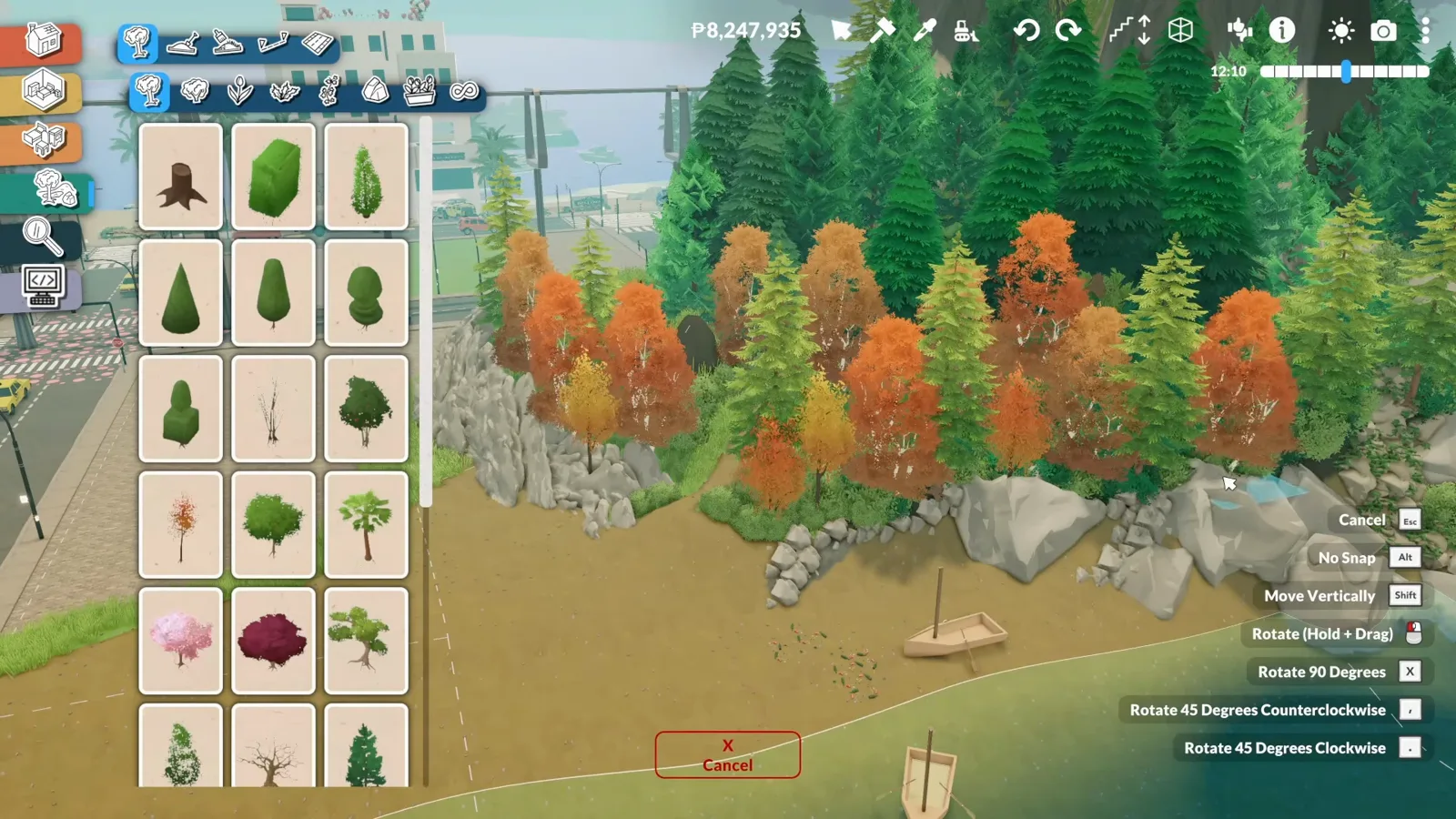
Height staggering is the difference between planted and wild.Watch at 7:50
Waterfront
Build a dock Paras can actually use
The centrepiece of the episode: a wooden pier built from wall shells, with the two placement rules the game enforces — stairs for pathing, and a bought lot for the floor.
- 7
Build the dock from regular walls
The creator's dock recipe: place regular walls as a rectangle, then push and pull the shell until the footprint sits right over the water. One warning from the video — don't sink the walls too deep into the ground, because wall placement gets difficult down there.
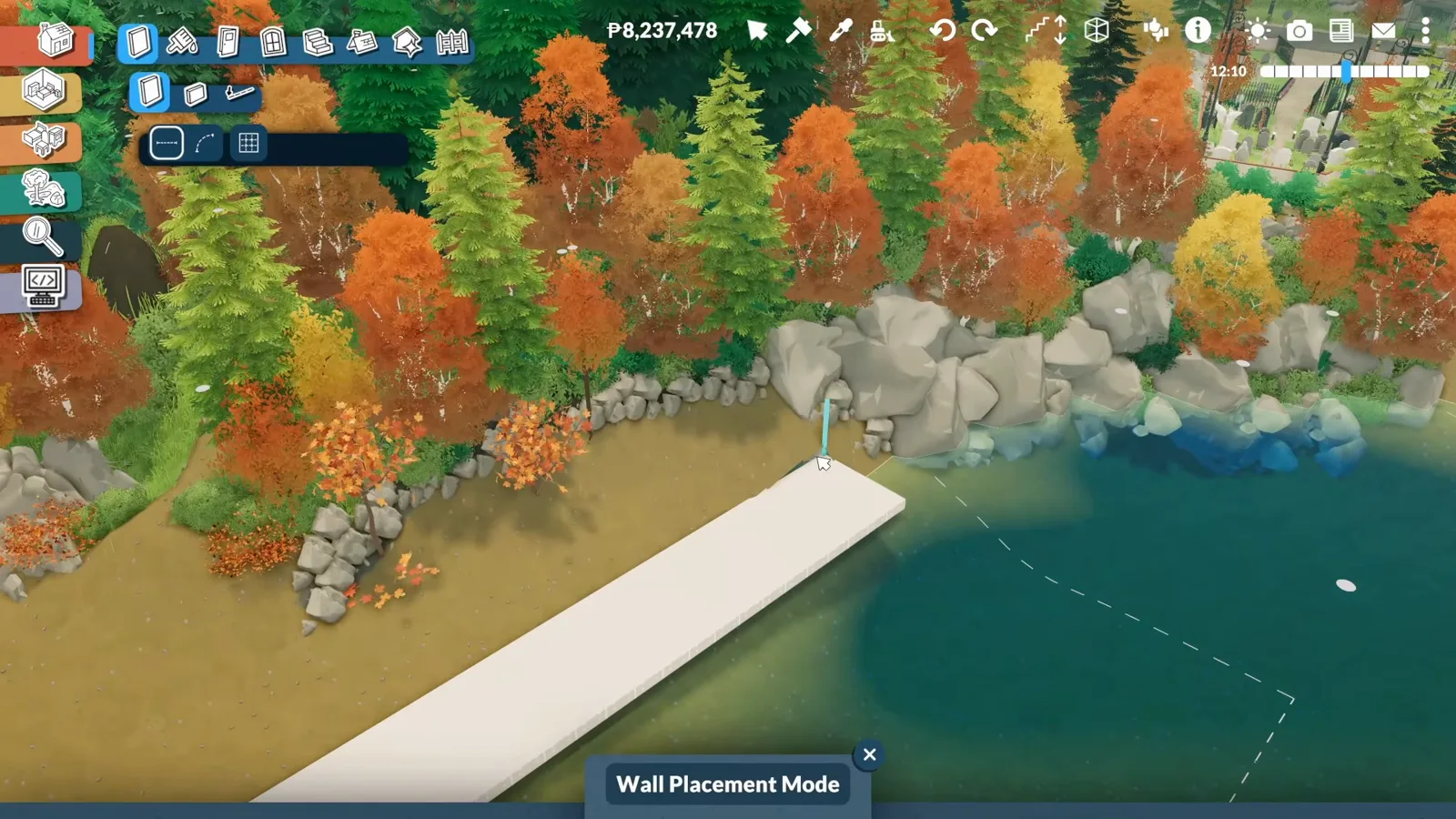
A rectangle of walls — the whole dock starts here.Watch at 11:40 - 8
Paint the shell into wooden decking
Walls read as walls until painted. The shell gets warm, natural wood tones so the finished dock blends into the autumn shore — the same palette discipline as the piers and the little harbour hut later.
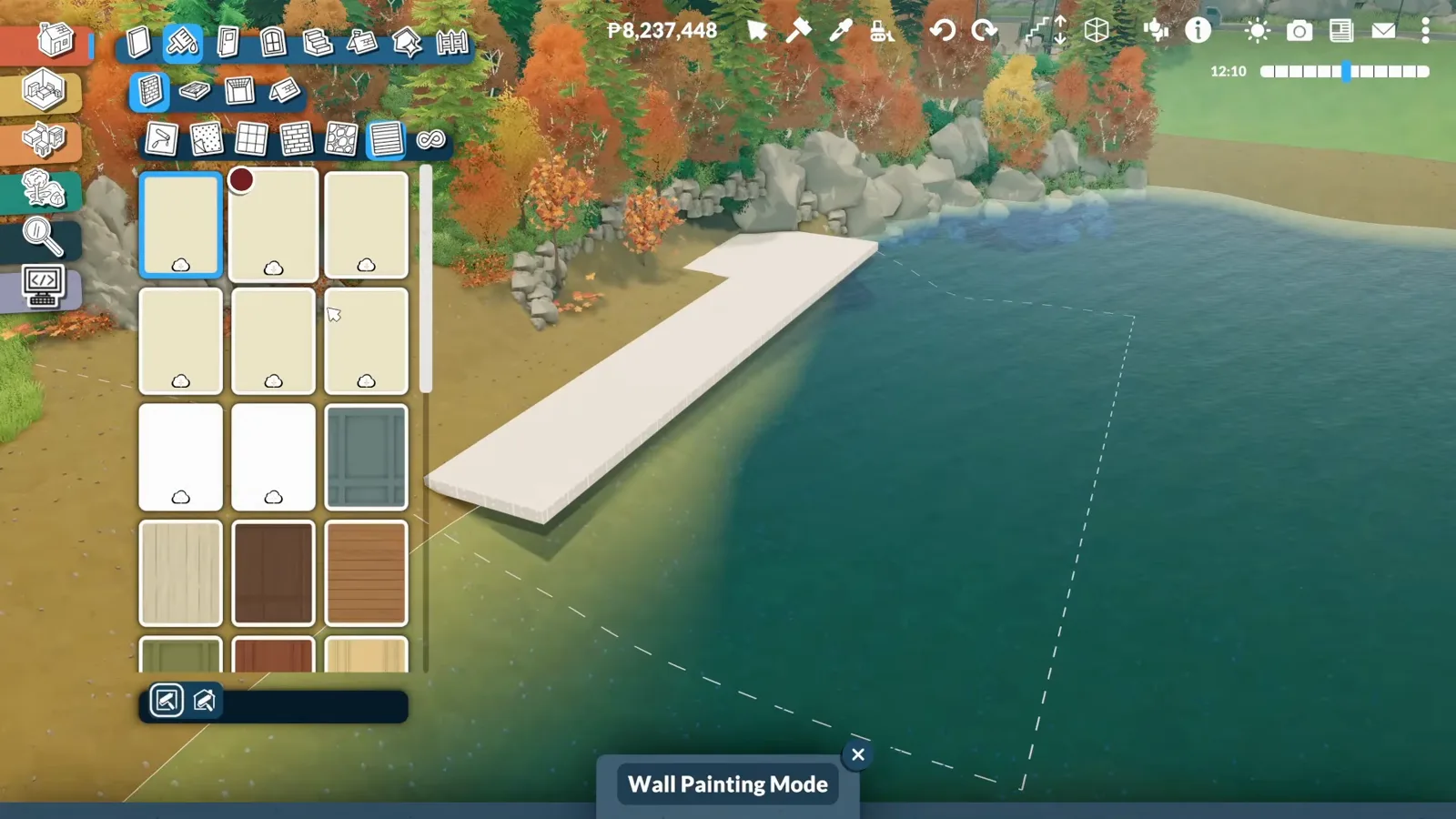
Same trick as any room — paint decides the material.Watch at 12:25 - 9
Place a staircase — then test it with a Para
The rule the video hammers: Paras refuse to walk onto a dock without a functional staircase. Place one, then immediately bring a Para over and watch them climb it. The advanced placement tool presses the stairs down until they sit almost flush with the deck.
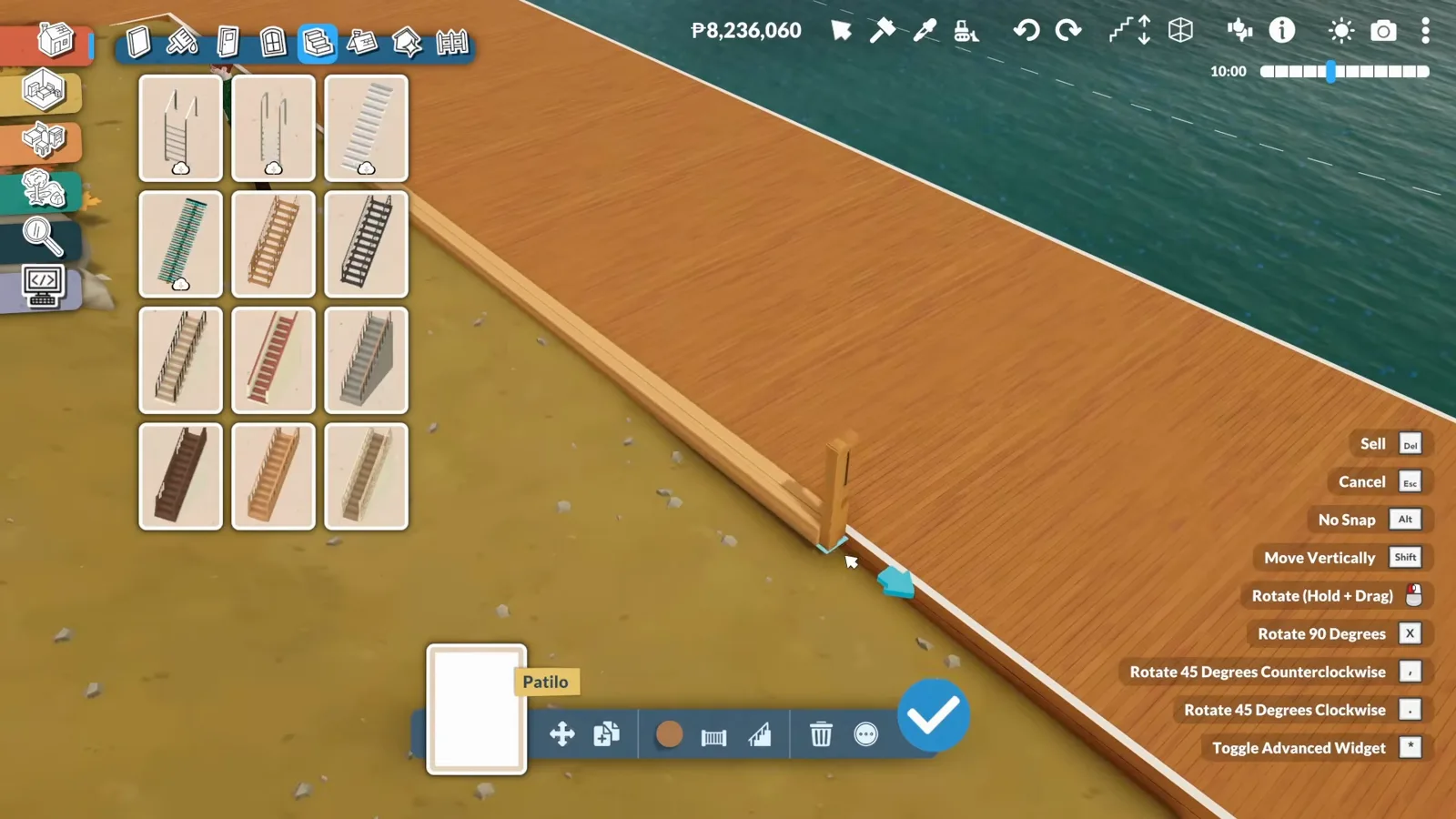
If the Para won't climb, nothing else matters.Watch at 13:39 - 10
Buy a lot section — or the dock gets no floor
The episode's hard-won discovery: a wall shell built outside a lot gets no ceiling, and without a ceiling there is no deck surface to lower so Paras can walk on it. The fix runs through city editing — under the TOGGLEEDITTOWN cheat, which the narration calls "toggle city editing" — and ends with buying a new lot section around the dock from the For Sale map (the same flow as our edit-town guide). Once the lot exists, the ceiling appears and the dock finally works.
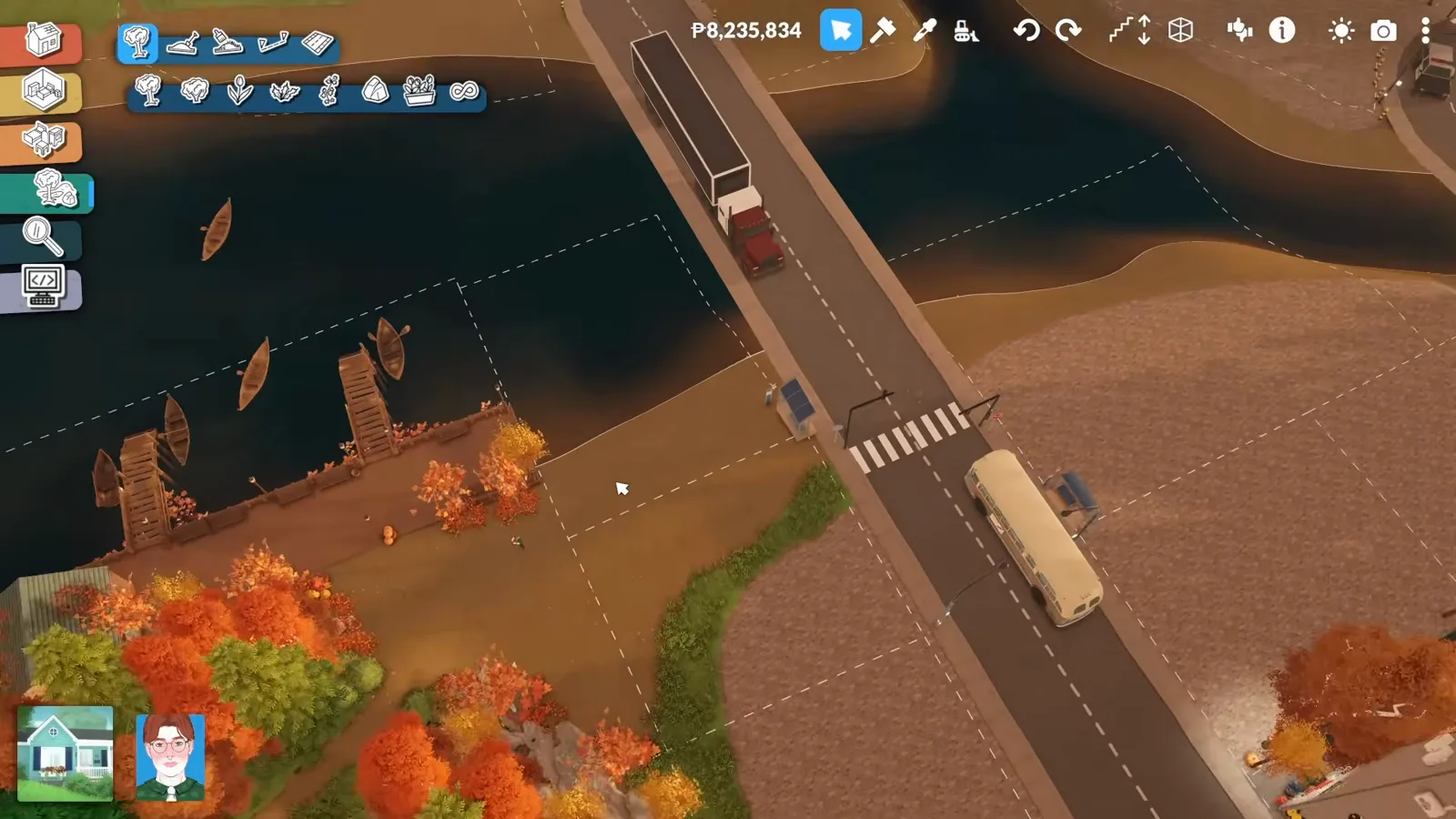
No lot, no ceiling — and no ceiling, no walkable dock.Watch at 17:54 - 11
Let the Terrain tool replace the second step
For the second dock the creator refuses a two-step staircase — it would break the look. Instead the Terrain tool lowers the shore until a single shallow step is enough, then the Para test confirms the one-step climb. Same access rule as the stairs, solved with ground instead of parts.
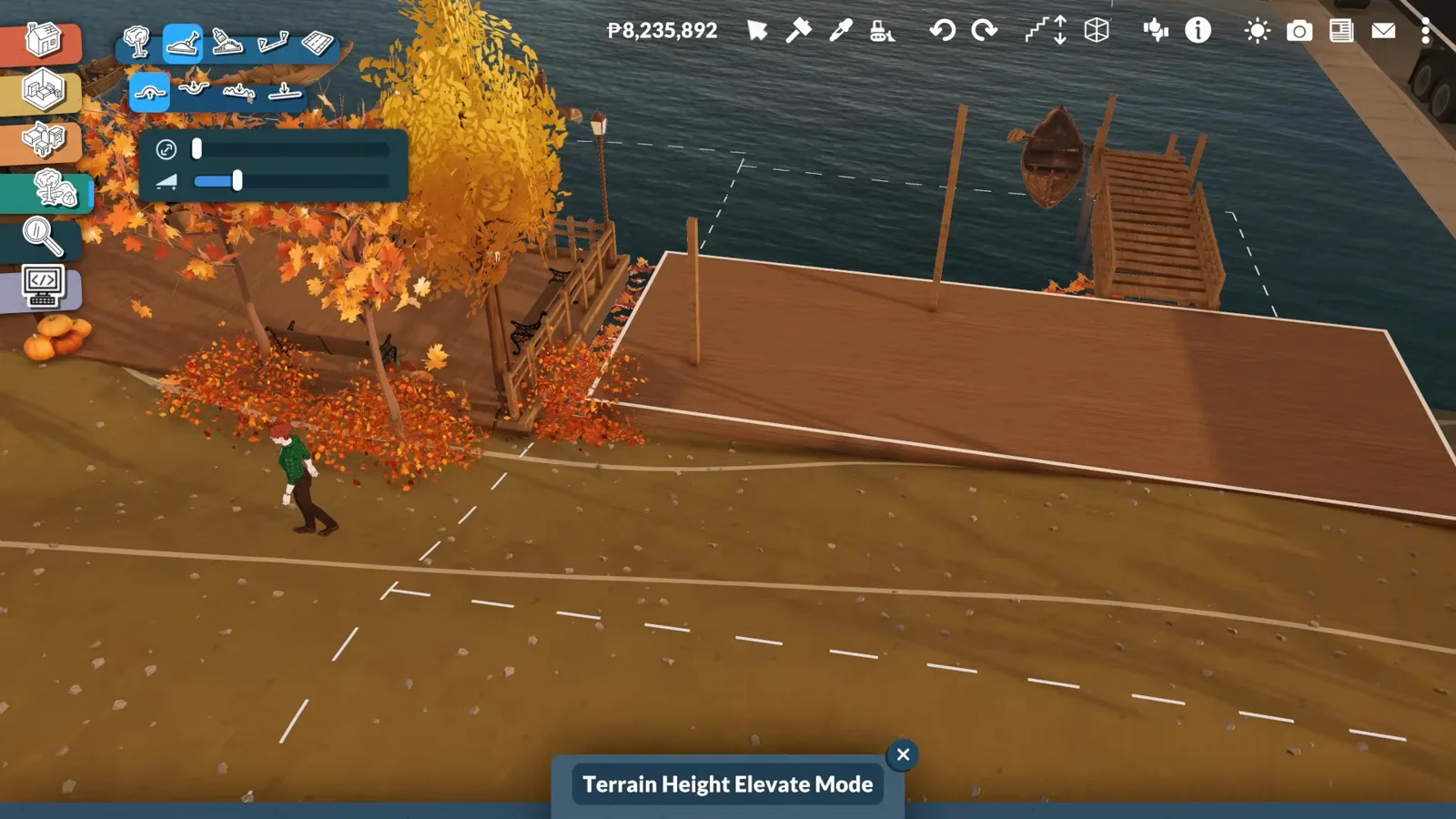
One shallow step, verified by a Para, looks like none.Watch at 20:22
Bridges & wildlife
Stone bridges, animals and the night test
Mod pieces carry the last mile — bridges, boats and animals — and a night pass checks that lamps, benches and floating leaves hold the atmosphere after dark.
- 12
Replace the floating road with a stone bridge (mod)
A road that just floats over water kills the illusion, so the episode spans it with stone-arch bridge pieces — one of the creator's own workshop mods. Each bridge is pushed wider until it reads as masonry, the arches left open for passing boats (the clearance is more romantic than realistic — his own joke). Because they're his mod pieces, lamps can be placed on the bridges at angles the base game wouldn't allow on streets.
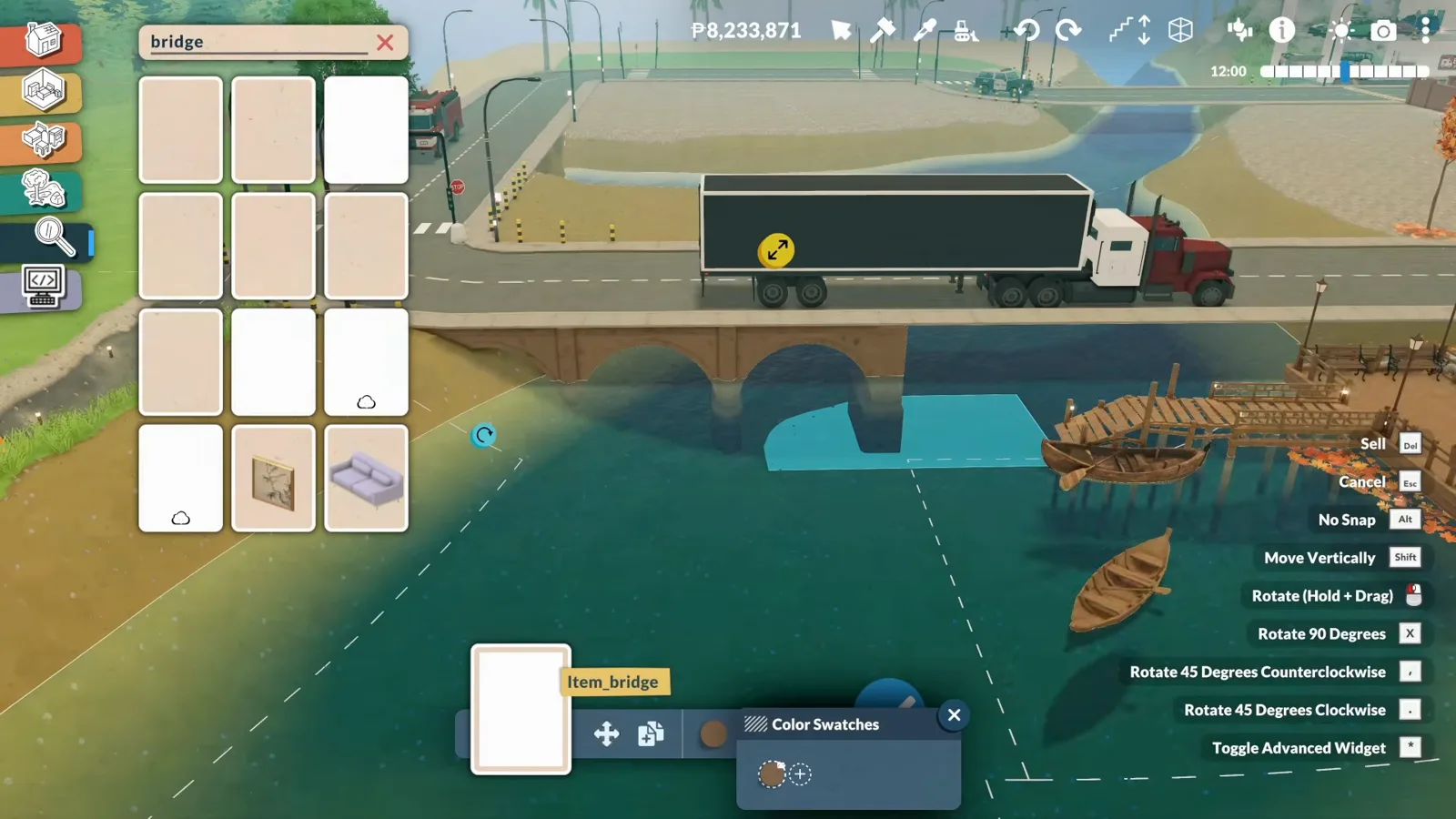
Mod bridges under a real road — the truck proves the scale.Watch at 25:23 - 13
Hide the dangerous animals deep in the forest (mod)
Every animal in this build — deer, wolves, wild goats, squirrels, rabbits, moose and this mother bear with two cubs — comes from the creator's wildlife mod. The predators are deliberately tucked into the deepest part of the forest trail, so the walk in gets quietly scarier the further you go. The cubs are scaled-down adults; the video admits there wasn't time to sculpt proper variants.
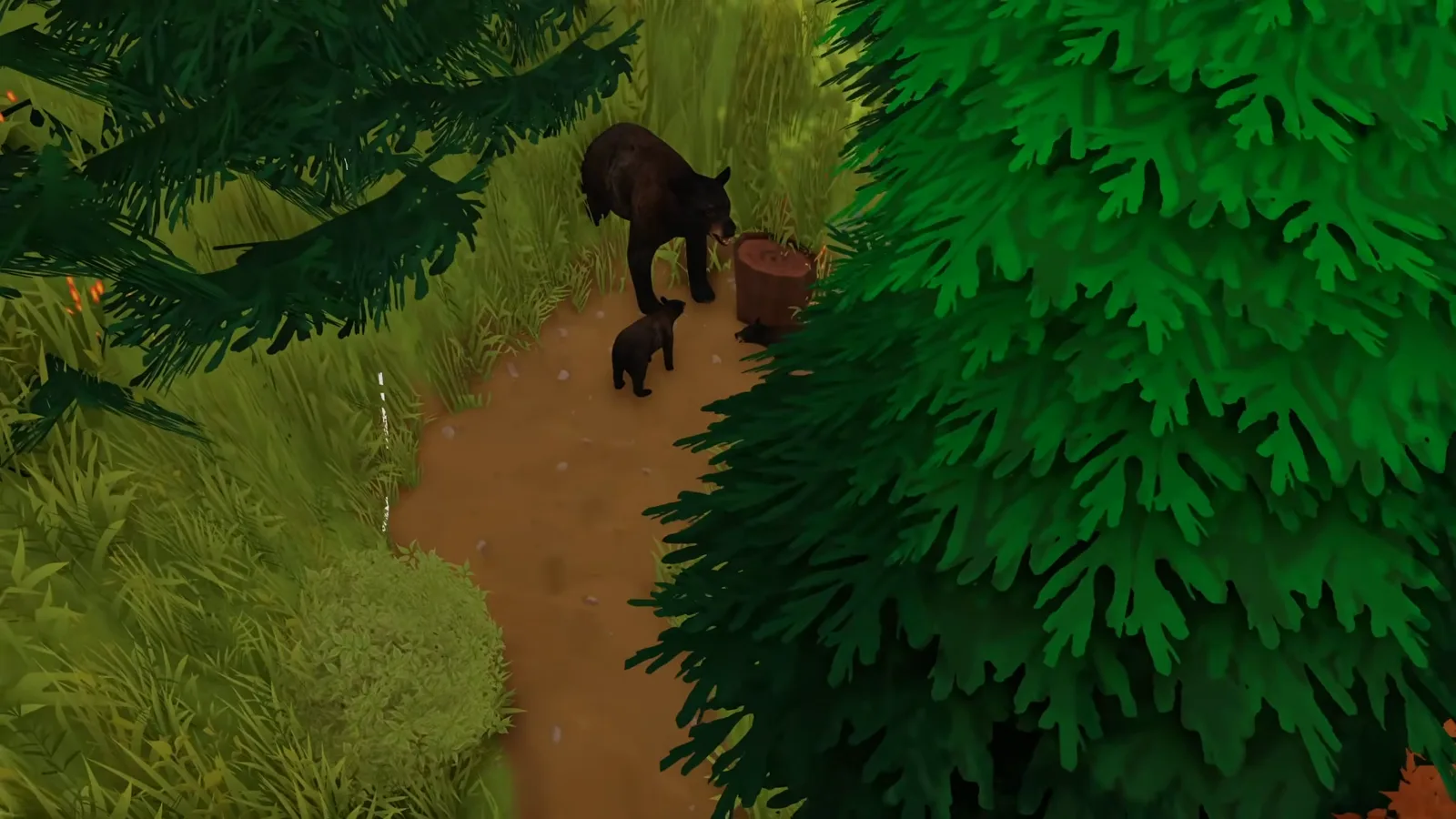
The deepest trail gets the teeth — by design.Watch at 4:57 - 14
Stage the gentle wildlife where it shows (mod)
Deer gather in small groups — fawns beside much larger stags — and some are placed climbing or standing on rocks, because animals on rock formations read as natural. Wild goats go near the roads, squirrels perch on the hut roof, and tiny pumpkins plus colourfully wrong mushrooms (also new in his mods) finish the forest floor.
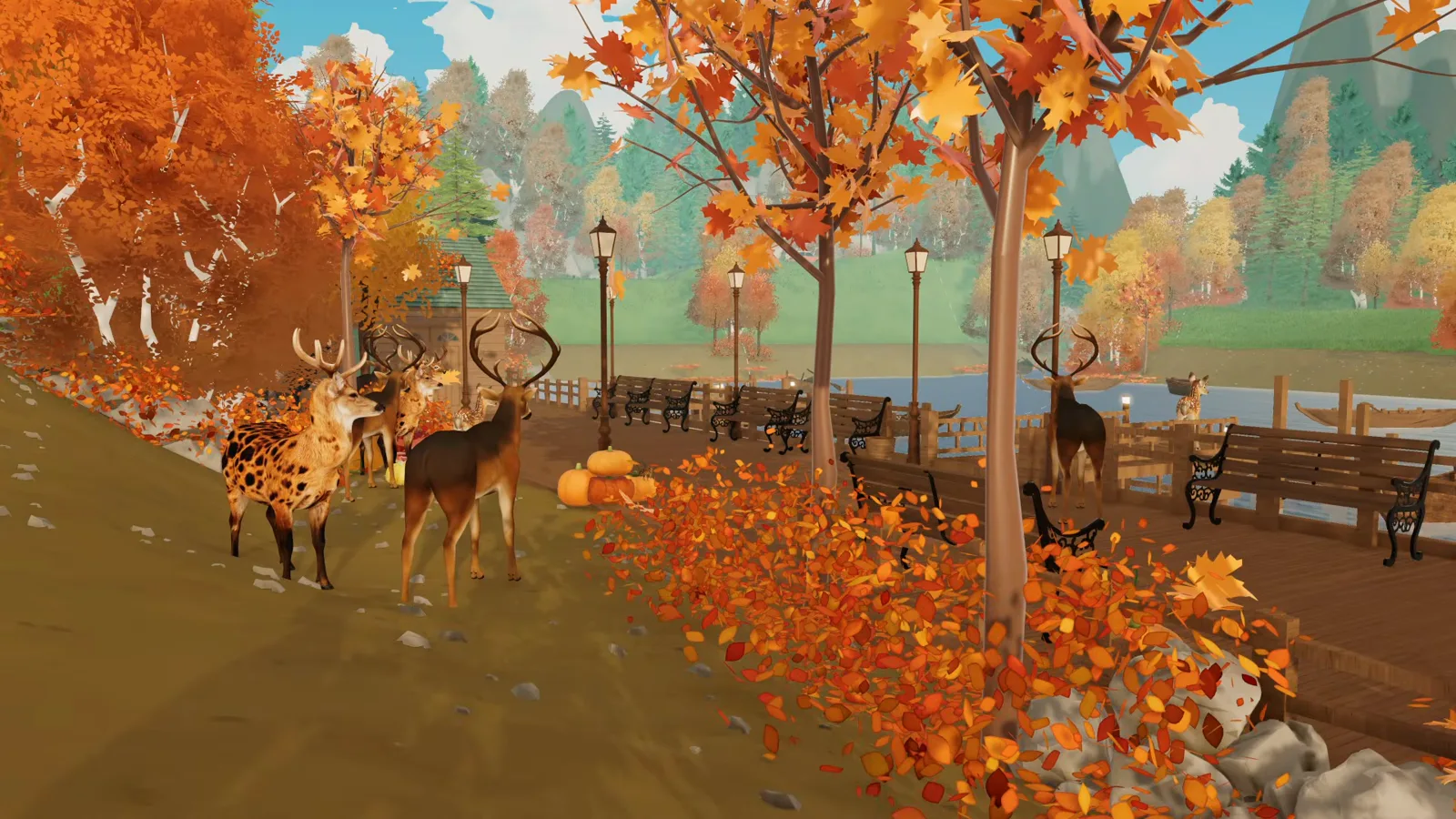
Groups, heights and rocks — wildlife staging in three moves.Watch at 39:12 - 15
Test the waterfront after dark
Warm wood, lanterns and benches were chosen so the promenade would feel safe at night — and the finished version holds: lamps line the wooden walkway, leaves float at the water's edge, and a Para sits on a bench. The sitting matters: the first benches in this build were swapped out entirely because Paras refused to use them — a glitch the creator worked around by replacing every one.
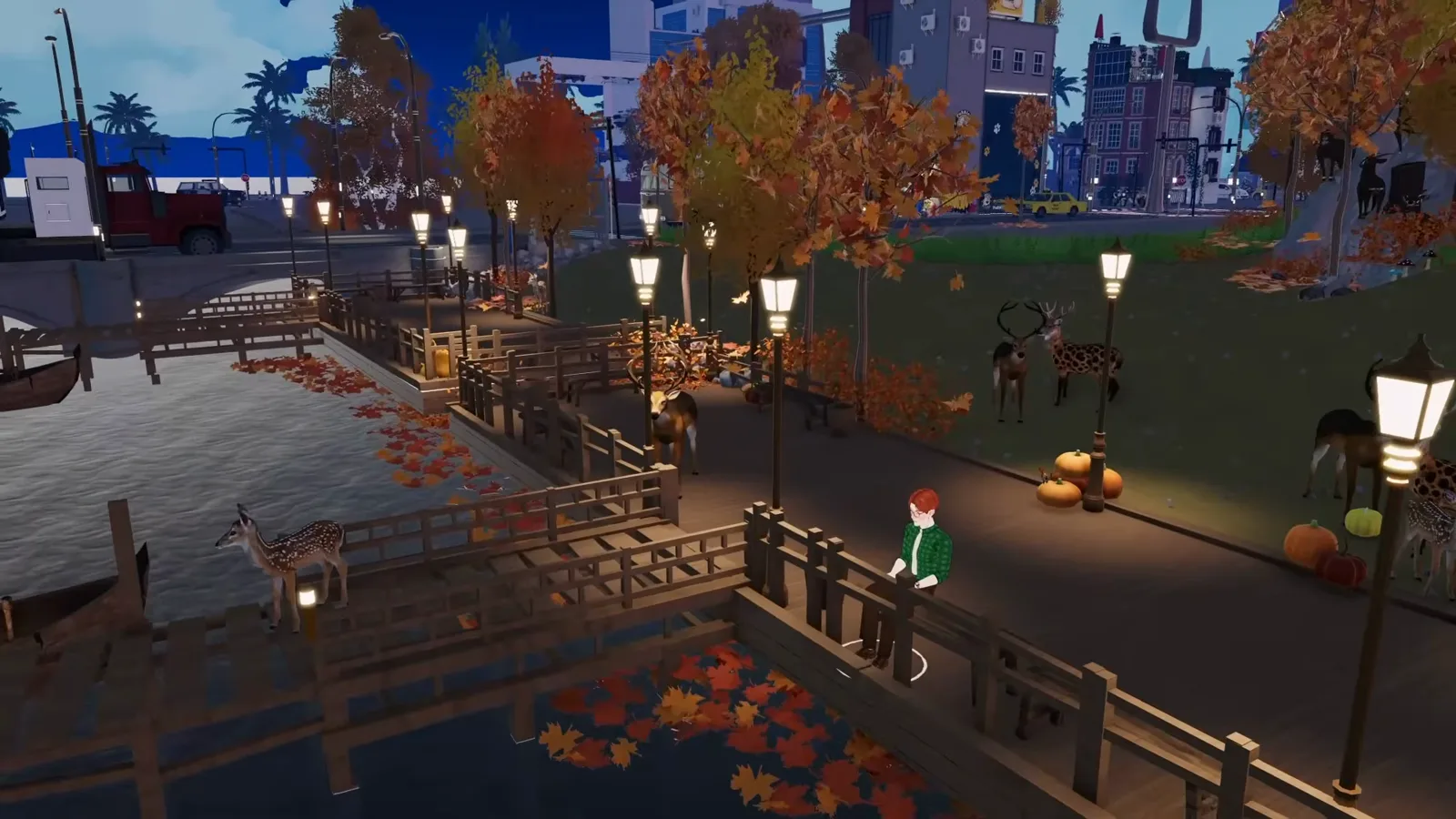
Night pass passed: lit, walkable, and somewhere to sit.Watch at 6:51
Mods vs base game: what this build actually uses
Four of the episode's signatures are the creator's own free Steam Workshop mods, released alongside the video: autumn trees with fallen leaves and ground leaf piles; the boats; the stone bridges; and the forest wildlife — deer, wolves, bears, wild goats, squirrels, rabbits and moose — plus the tiny pumpkins and mushrooms. Wherever a step above depends on one of those, it says so. None of them exist in the base game.
The techniques underneath are base game: Shift placement for trees, wall-shell construction for the dock, wall painting, the staircase pathing rule, buying lot sections in city editing, and the Terrain tool's single-step trick. You can follow every planting and waterfront step on an unmodded install — you just won't get the leaf piles, boats, bridges or bears without the creator's workshop items.
Two things the video never shows, so we won't guess: how the city gets its name (Bellora is the creator's own custom world and no rename flow appears on screen — see our edit-town guide for editing existing towns), and whether Paralives will ship real seasons. The creator's own line is that seasons aren't in the game yet — every autumn cue here is staged by hand.
Custom city FAQ
- Can you build your own city in Paralives?
- Yes. Bellora is a custom city built from scratch on the empty terrain — 67+ hours across five episodes, using the town-editing unlock our create-a-world guide documents. This episode works in city editing: buying lot sections from the For Sale map, placing town water, and building out past the default town limits.
- Do I need mods to follow this guide?
- No for the techniques — trees, wall-shell docks, painting, stairs, lot purchase and terrain work are all base game, checked on Early Access 0.1.9. Yes for the exact autumn look: the leaf-pile trees, boats, stone bridges and every animal are the creator's own free workshop mods, and nothing equivalent ships with the game.
- Why won't Paras walk on my dock?
- In the video, Paras refuse to enter any dock without a functional staircase — placement is the whole test. Put a staircase against the deck edge, bring a Para over, and watch them climb before you decorate. If you don't want visible stairs, lower the shore with the Terrain tool until one shallow step is climbable — that's the episode's own workaround.
- Why does my dock have no floor or ceiling?
- Because it's outside a lot. The episode shows wall shells over open water generating no ceiling, and without a ceiling there's no surface to lower into a walkable deck. The fix: open city editing and create or buy a lot section around the dock — the For Sale map in the video matches the Debug: Buy All Lot Types flow in our edit-town guide — then build the dock inside it.
- Can I name my own city?
- This video never shows a naming or rename flow — no on-screen step for it, so we won't invent one (unverified). Bellora is the creator's own custom world. For editing and renaming existing towns, see our edit-town guide; for starting from an empty map, see create-a-world.
- Does Paralives have seasons?
- Not as a game system — the creator says it himself while placing leaves: it's "not really a season yet in Paralives". Every autumn cue in this build is staged by hand: deciduous tree varieties, ground leaf piles (a mod), floating leaves on the water and warm lighting. Nothing changes on its own.
Keep building
Edit an existing town
Rename lots, flip Debug: Buy All Lot Types and rebuild locked venues — the town-editing toolbox this page borrows its For Sale map from.
Create a world
No world editor exists yet — how the empty terrain plus a console command unlocks town editing, so a from-scratch city like Bellora is possible.
Community lots
Make a custom city function: venue types, opening hours and staffing for the public buildings your districts need.
Terrain tools
The height, smooth and flatten brushes in depth — the toolkit behind this page's one-step shoreline trick.
Garden build guide
Paralives has no gardening system either — terraces, atriums and staged greenery, the same staging discipline as this waterfront.
Farm build
Cows and crops staged with statues and mods — production landscapes when the game doesn't ship animals.