
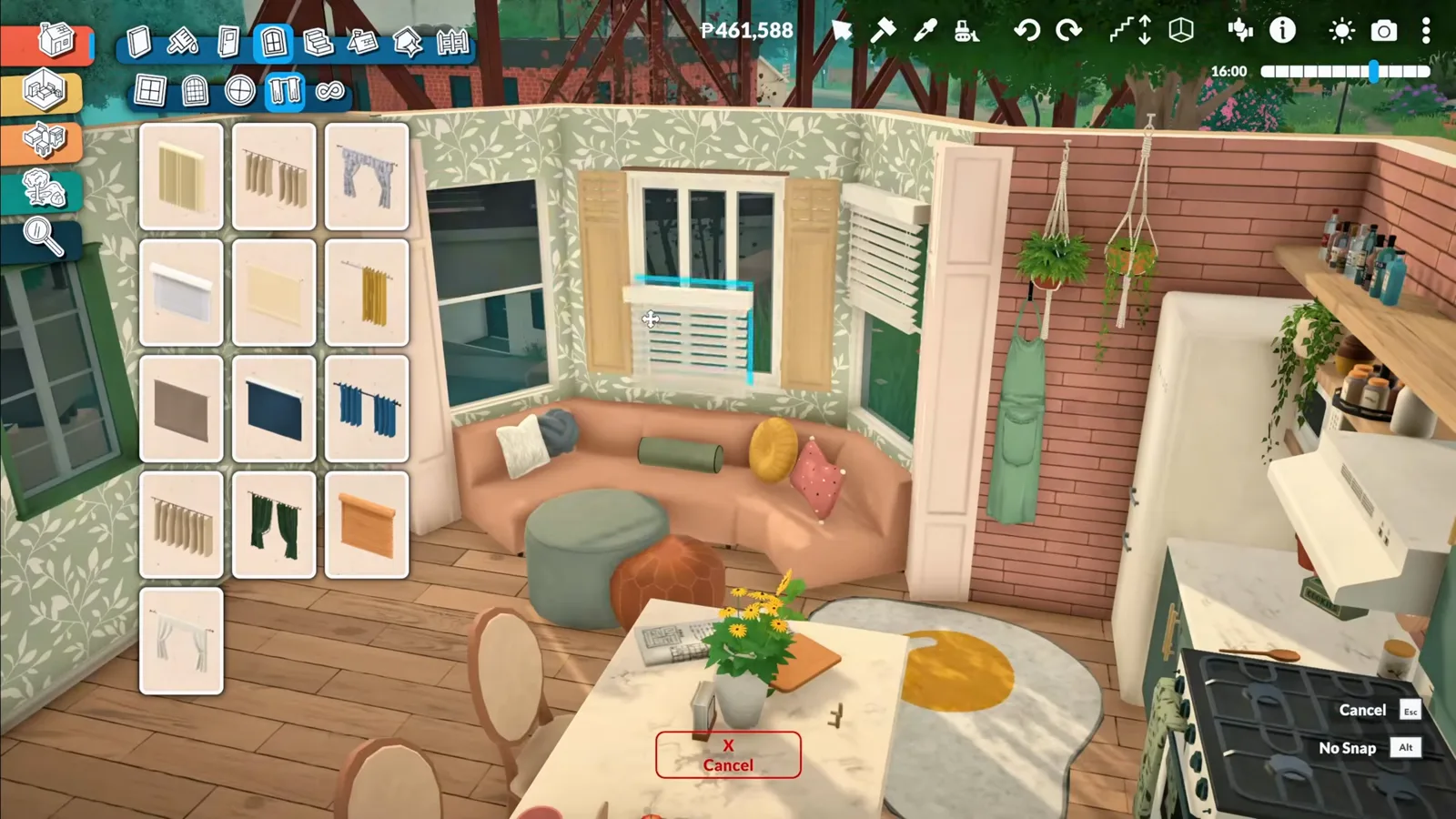
At a glance
Paralives’ catalogue is small on purpose — but the advanced transform tool turns a few dozen parts into effectively infinite furniture. This page rebuilds the highlights of zoibean’s no-mod cozy starter home, step by step, with every fact taken from the video itself.
- No curved sofa and no kitchen island ship with the game — both are buildable in minutes with the advanced transform tool.
- Lift a floor cabinet onto the wall for instant upper storage; a shelf insert makes the run read as one built-in unit.
- The island recipe: a table as the countertop, cabinets stretched vertically underneath — stools snap and stay usable.
- Curved sofas are individual seats rotated and overlapped; select any chair to see every snap slot highlighted.
- In live mode the desk, island and sofa all work — with honest Early Access quirks worth knowing first.
- Everything here is vanilla build mode; for genuinely new objects you want the official mod editor instead.
Step group 1
The tool that makes it possible
Every recipe on this page runs on one built-in gizmo — no mods, no debug menus, just the advanced transform tool that ships with Build Mode.
- 1
Open the advanced transform tool on any object
Select the stock sink, toggle the advanced transform tool, and the gizmo appears: drag its rings and arrows to resize, stretch, flatten or rotate. This sink was too small for the counter run, so it simply gets stretched to fit — no replacement needed.
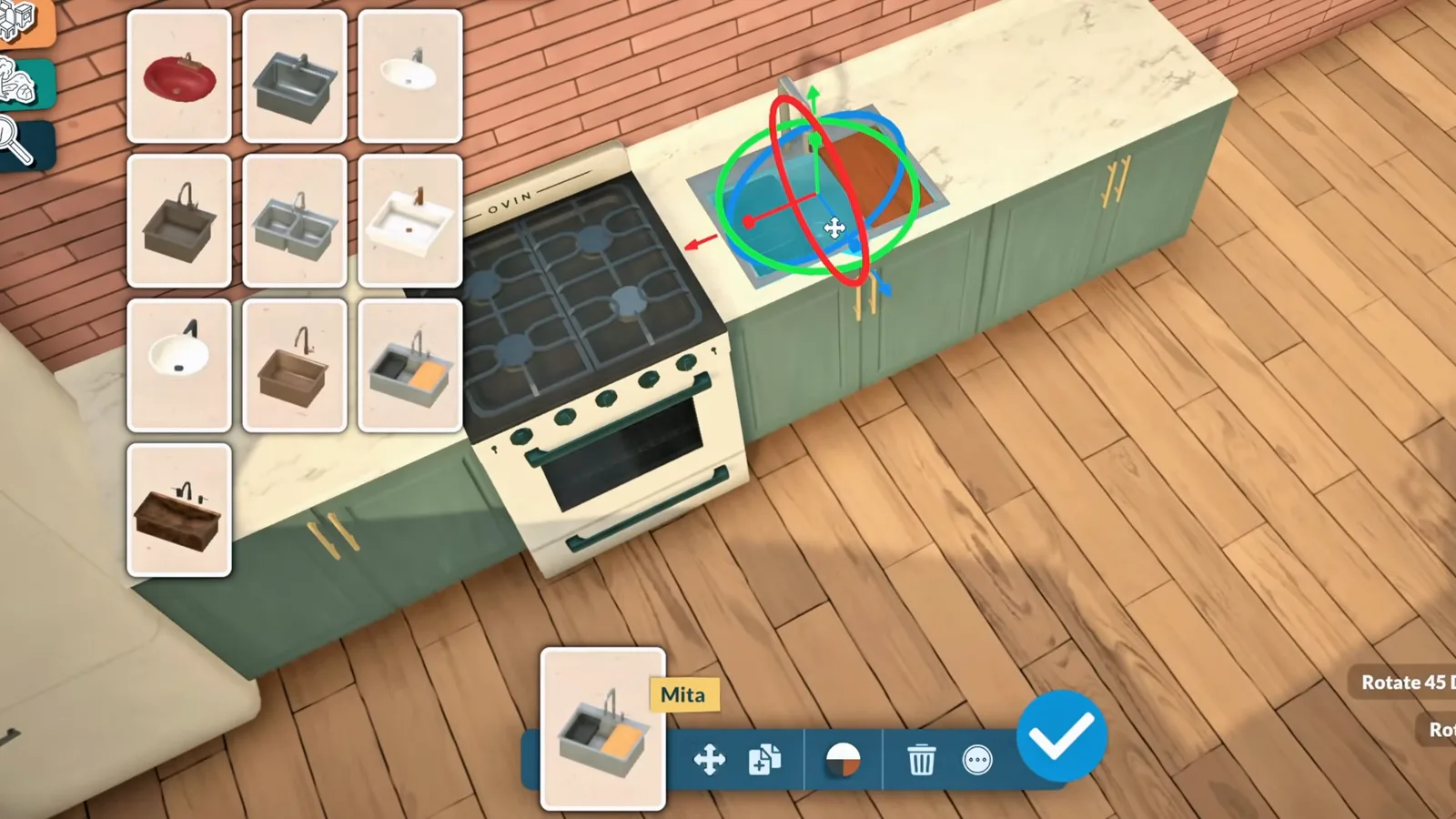
The stock sink, reshaped in place instead of replaced.Watch at 1:19
Step group 2
A built-in cabinet wall from one floor cabinet
The catalogue ships exactly one proper upper cabinet. Here is how a full built-in wall gets around that.
- 2
Lift a floor cabinet onto the wall
Upper storage starts with a trick: grab an ordinary floor cabinet, raise it to upper-cabinet height, and let it snap into place on the wall like it always lived there.
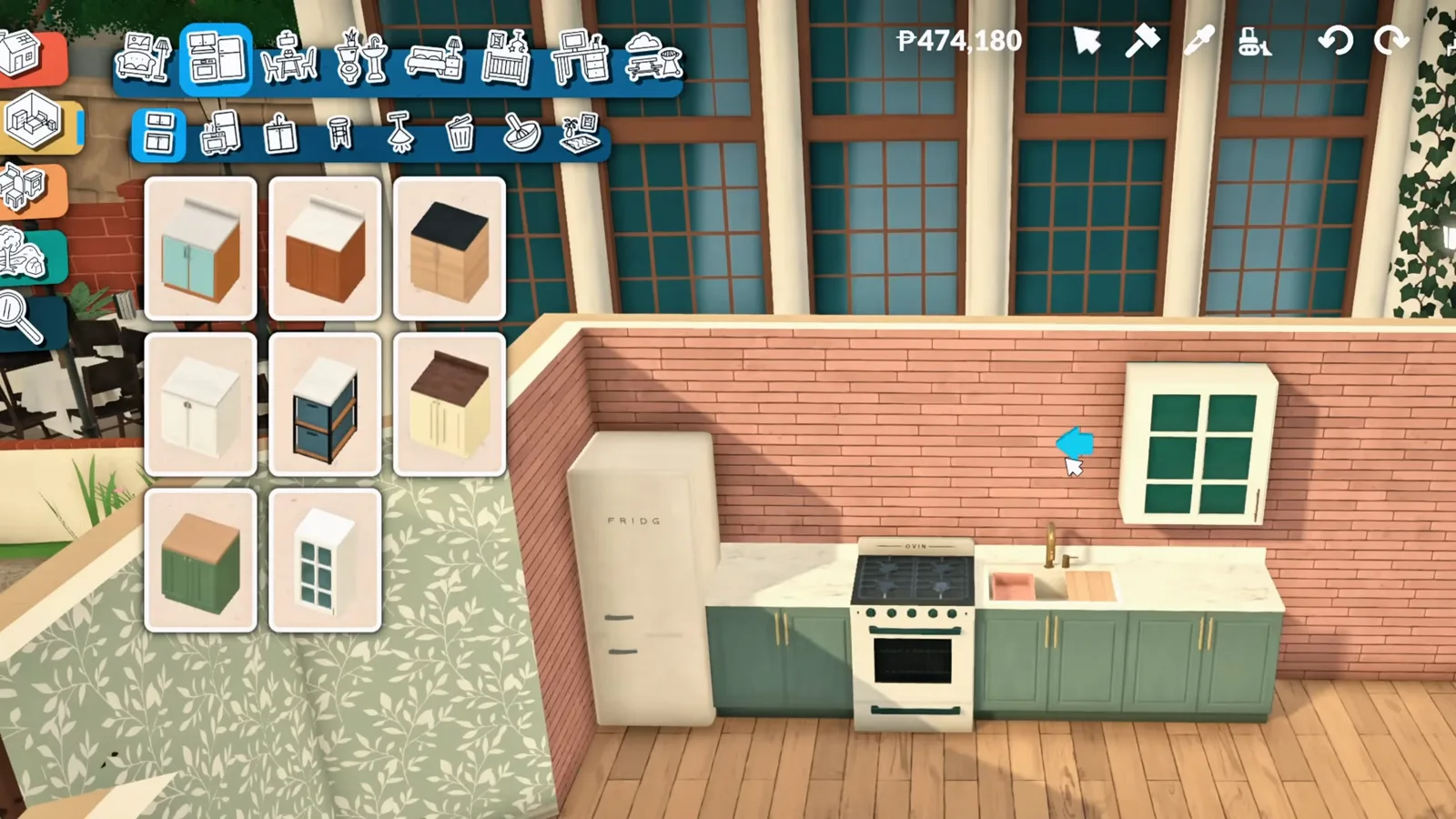
Upper storage starts life as an ordinary floor cabinet.Watch at 1:37 - 3
Flatten and stretch it to match its neighbour
With the advanced transform tool toggled — the tooltip in this frame marks exactly where it lives — the raised cabinet is flattened and widened until its proportions line up with the glass-front cabinet beside it.
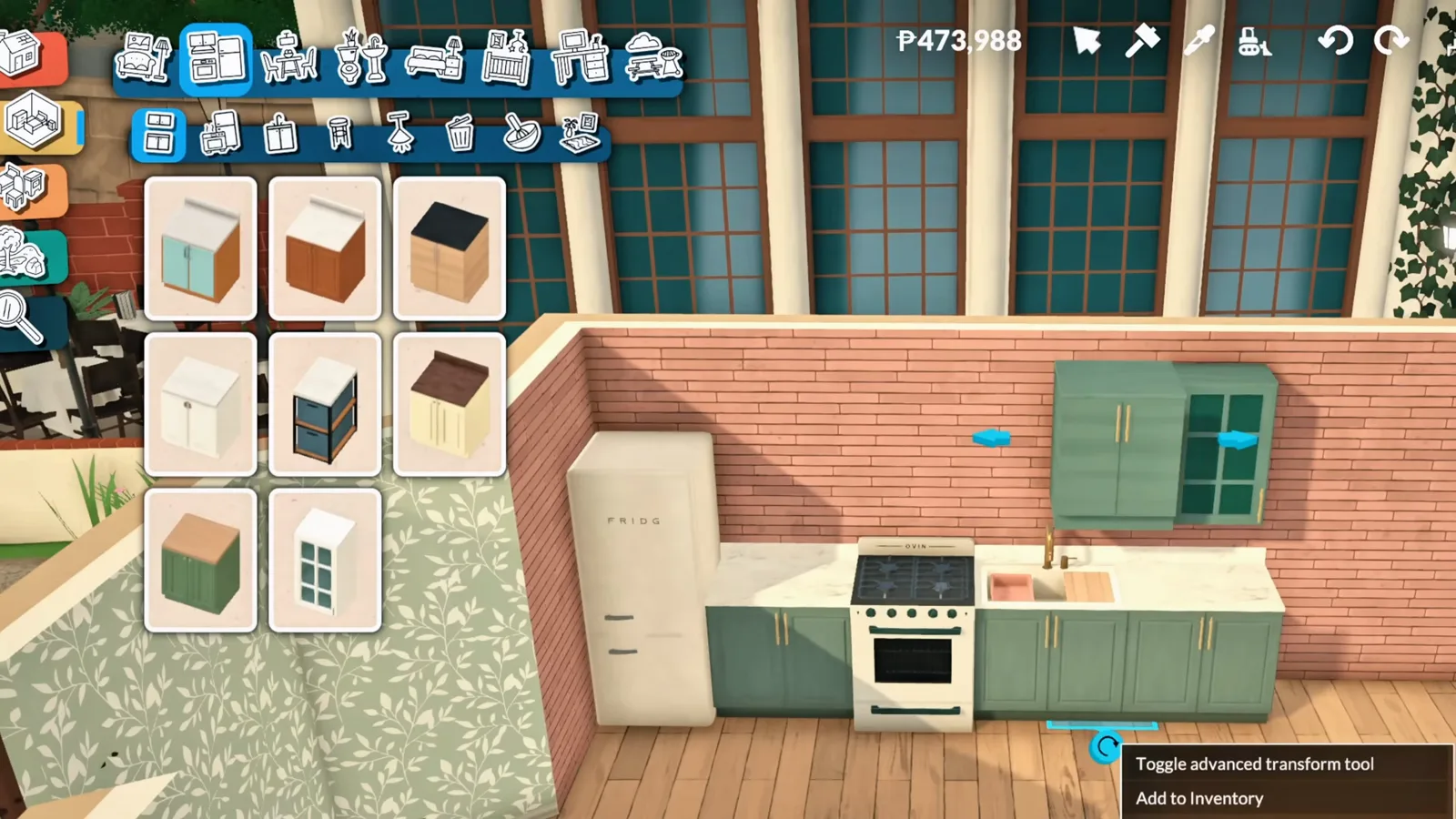
Same tool, second job: matching proportions against the glass cabinet.Watch at 1:43 - 4
Add a shelving section in the middle
A small storage unit dropped into the gap turns two cabinets into three: the open middle section holds dishes and clutter, and the run suddenly reads as one built-in wall instead of separate catalogue pieces.
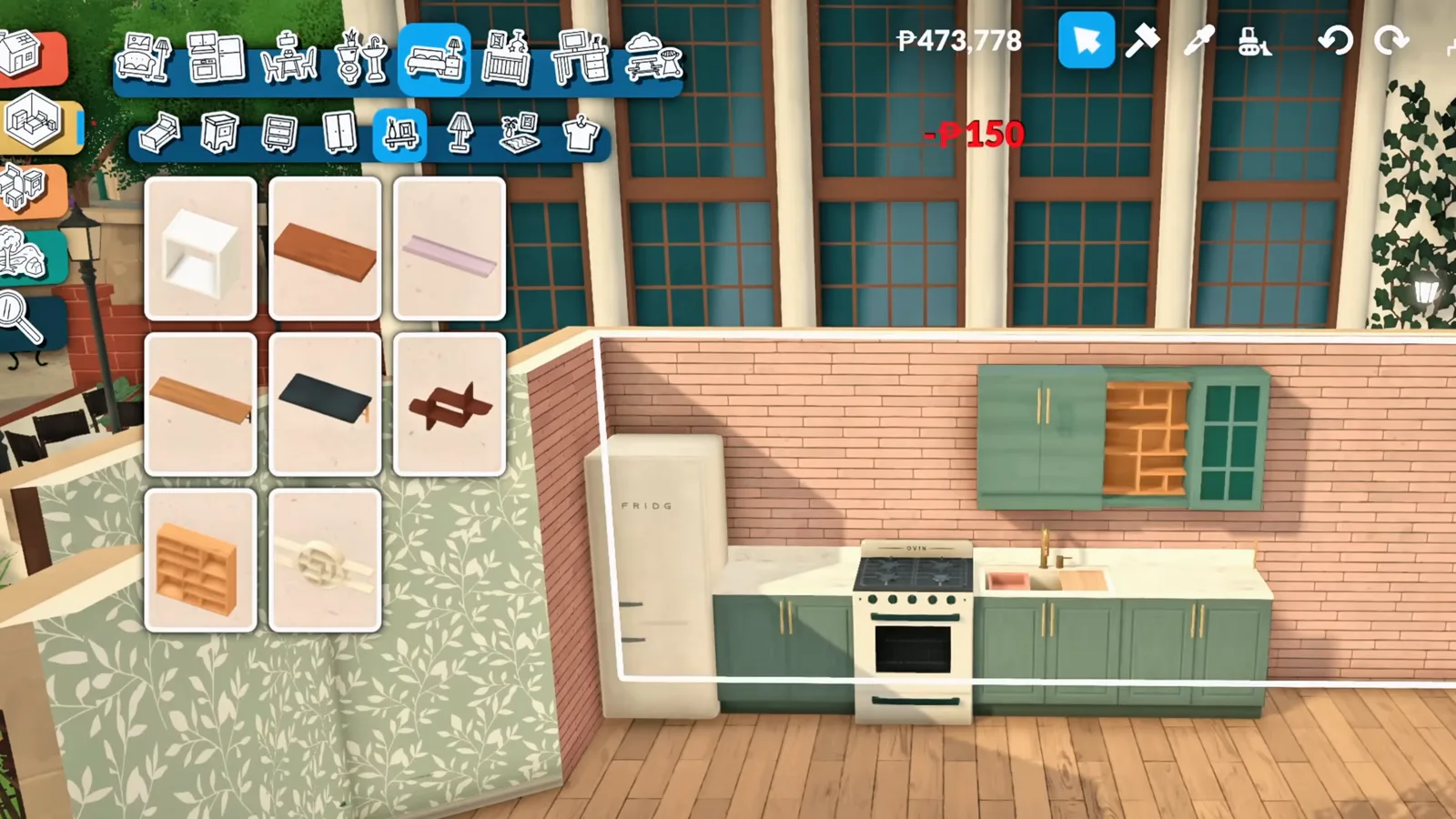
The shelf insert that makes the run look factory-built.Watch at 2:07 - 5
Fill the wall with open shelving
A long wooden shelf runs the width of the wall above the stove’s tiled backsplash, with more shelving stacked beside it — clutter space for the jars, plants and pans that make a kitchen feel lived-in. Columns frame the whole room afterwards for a finished, built-in look.
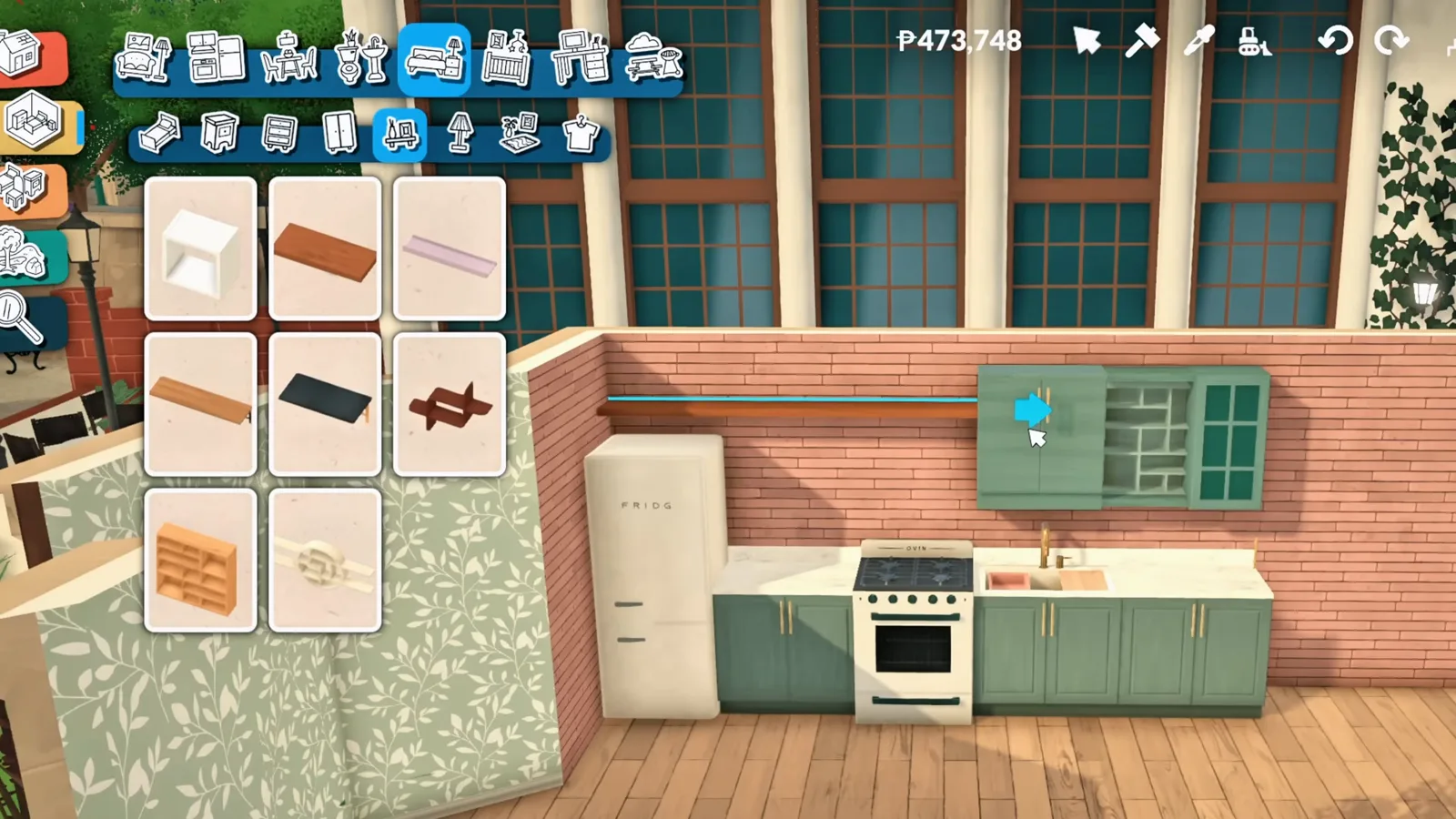
Open shelving doubles as clutter space above the stove.Watch at 2:15
Step group 3
The kitchen island the game never shipped
Zero kitchen islands are in the catalogue right now. A plain table and two cabinets politely disagree.
- 6
Start the island with an ordinary table
Paralives has zero kitchen islands in the catalogue right now — the same gap our kitchen island guide solves with wall shells. This recipe starts instead from a plain dining table, placed dead centre of the kitchen.
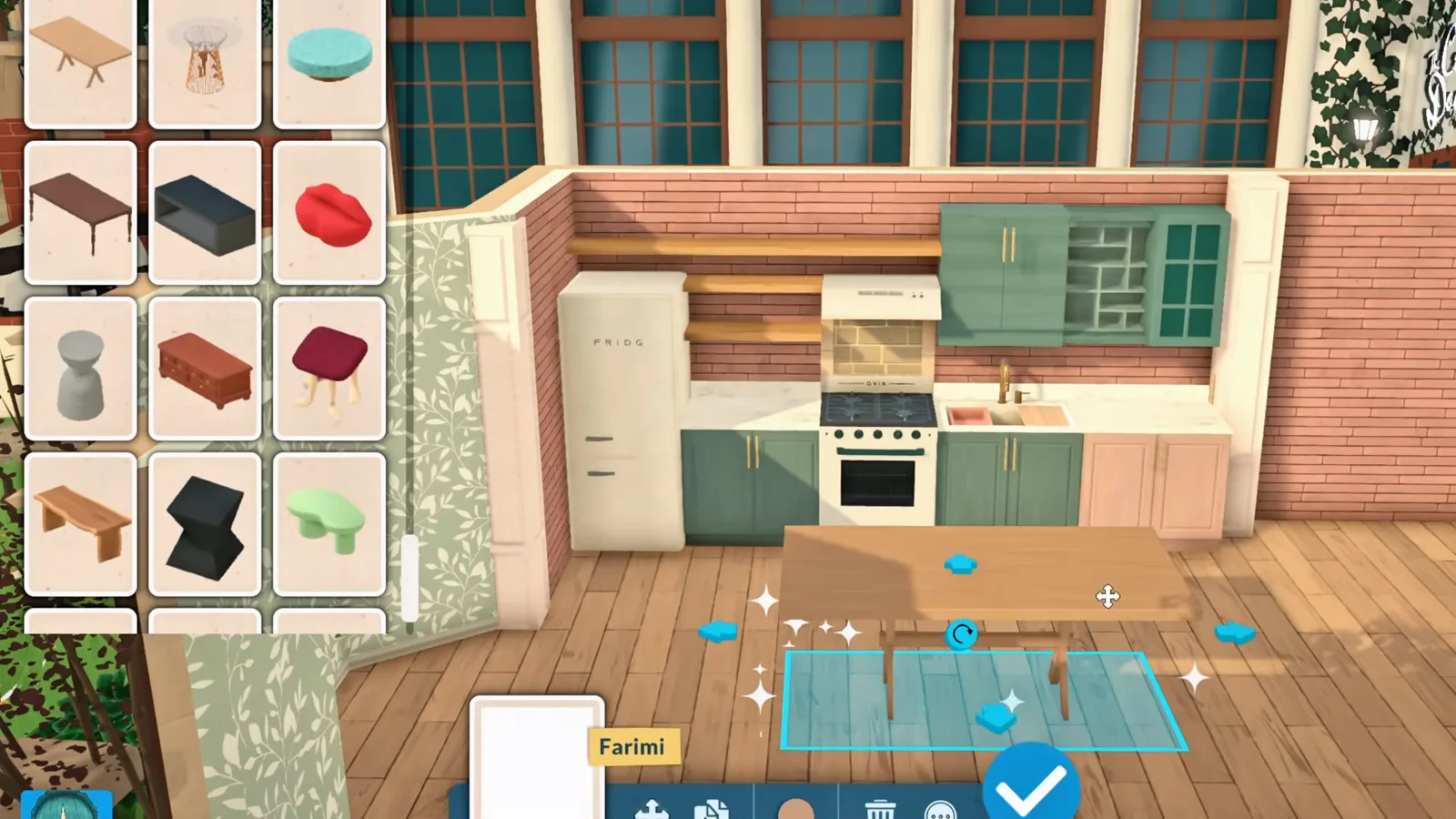
Island recipe two: this countertop is a table.Watch at 2:39 - 7
Tuck cabinets underneath and stretch them to fit
Two cabinets slide under the table and get resized vertically with the advanced transform tool until they fill the gap exactly — cabinet fronts below, marble countertop above, and nobody can tell it started life as a dining table.
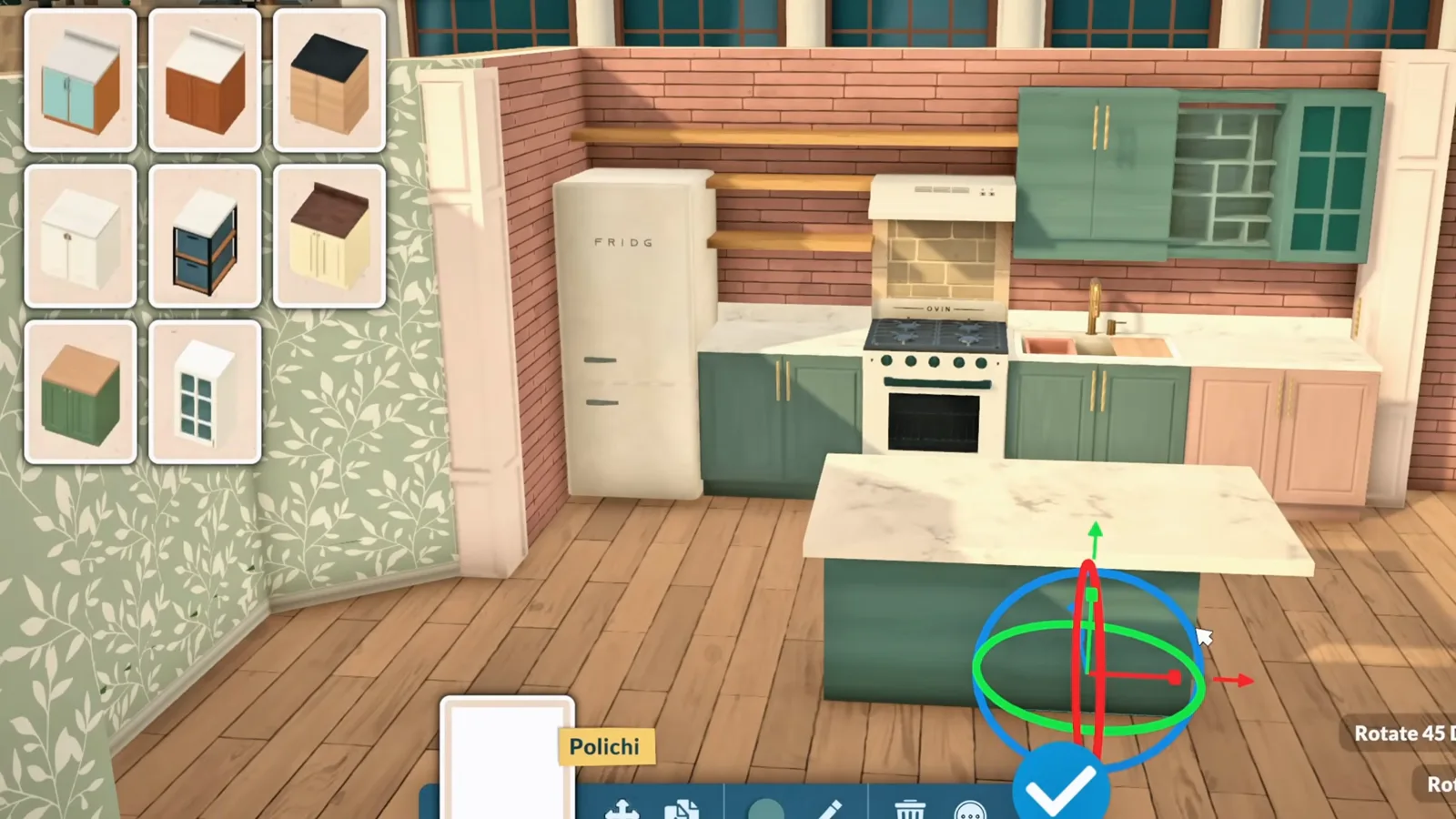
Vertical resize turns a sideboard into an island base.Watch at 2:51 - 8
Rescale the small stuff, then pull up stools
The transform trick scales down to decor too — this coffee machine gets stretched wider to own its corner. Stools then snap into the island’s sides on their own, and the whole thing behaves like real seating.
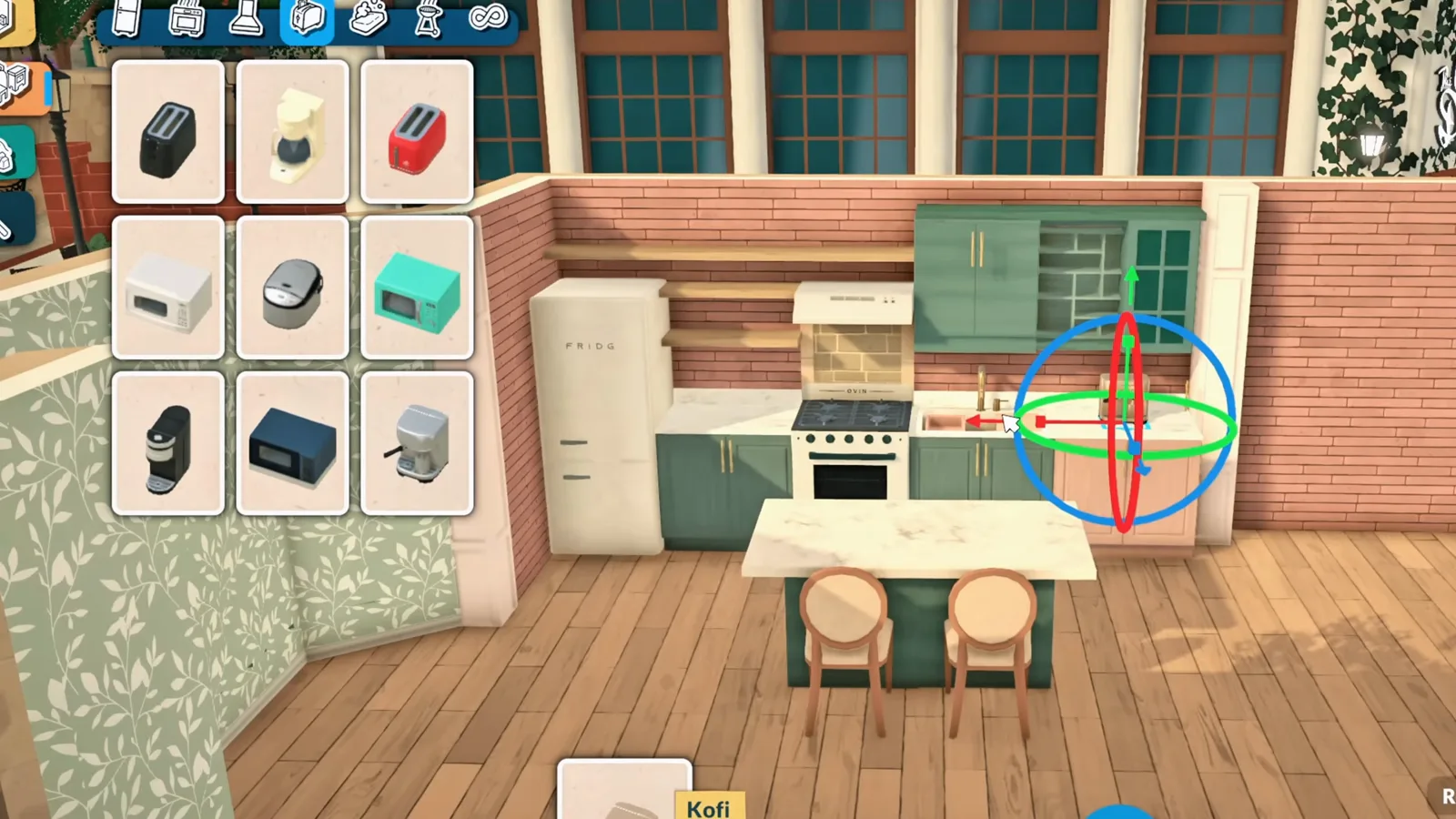
Stools snap themselves; the coffee machine just needed width.Watch at 3:03
Step group 4
The curved sofa that doesn’t exist
No curved sofa is sold anywhere in Build Mode — so individual seats get rotated, overlapped and bent into one.
- 9
Overlap individual seats into one curve
There is no curved sofa in Paralives, so this one is assembled from individual seating pieces: each is rotated a few degrees, overlapped against the last, and the snap markers confirm every joint. Slowly the sections bend into a single curve.
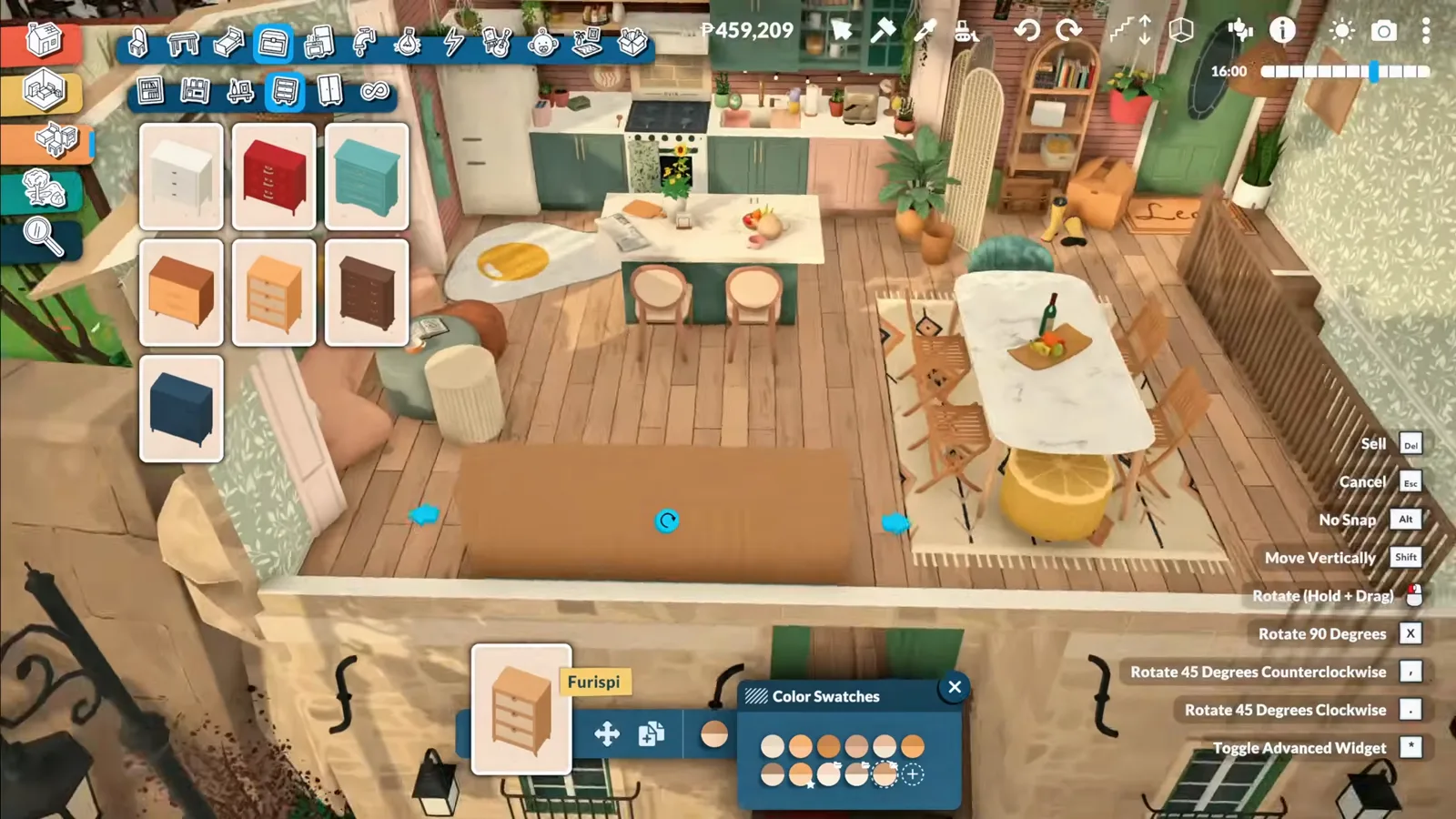
One seat at a time, the sections bend into a curve.Watch at 5:40 - 10
Meet the sofa the catalogue will never sell you
The finished curve: a wraparound sofa with throw pillows and two poufs, fitted into a window nook that a rectangular couch would ruin. Every segment is a separate seat — which is exactly what makes the shape possible.
The signature build: a curved sofa made of straight parts.Watch at 5:12 - 11
Let the game show you where seats can go
Select a chair and Paralives instantly outlines every slot where it can snap and stay functional — the blue chevrons around this table. Style Creation stays open meanwhile, so the same visit can restyle the table top with a hex code or a saved swatch.
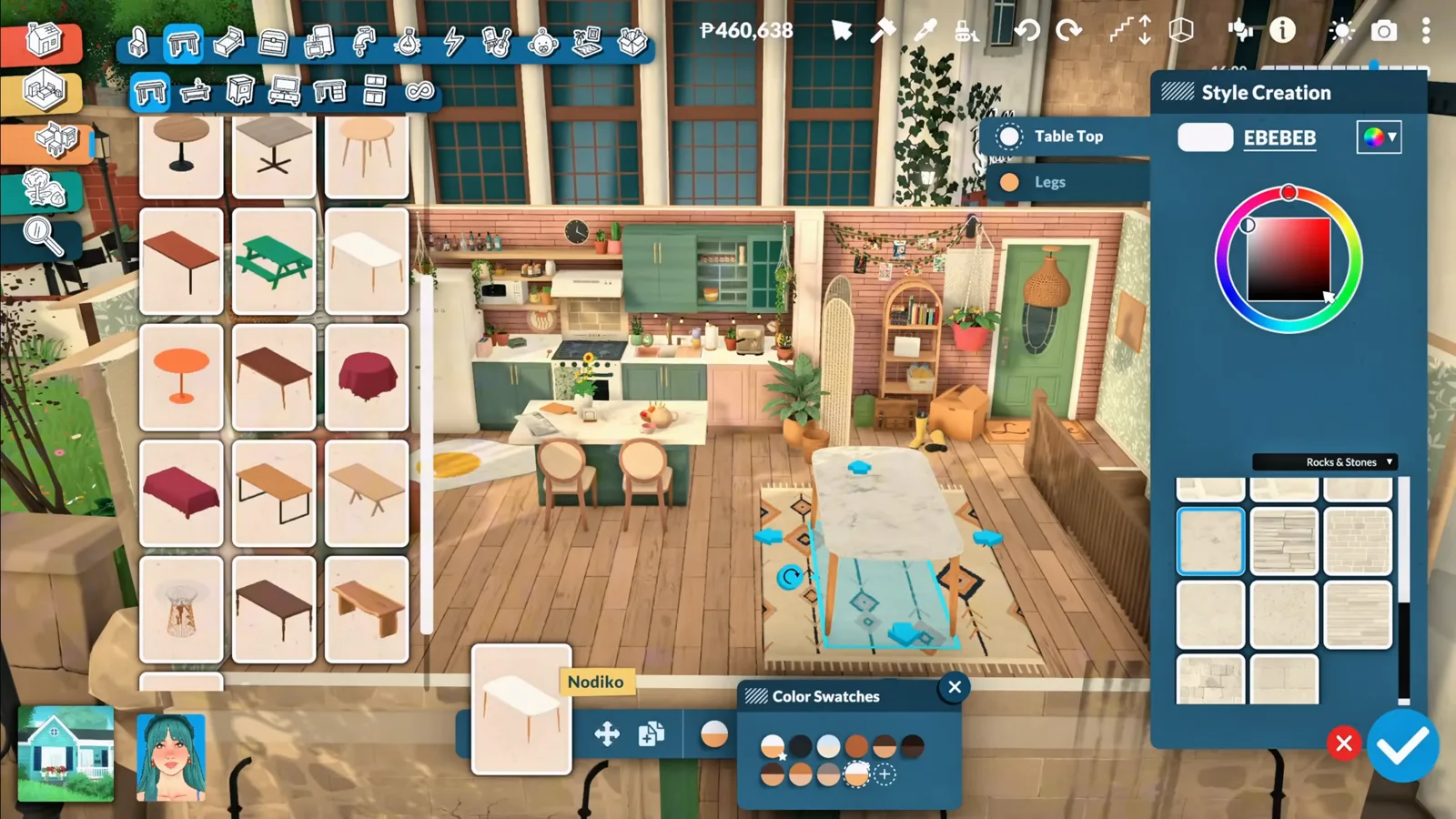
Blue chevrons mark every functional seat slot.Watch at 5:20
Step group 5
Downstairs: shower, mudroom, bed, desk
The same three moves — lift, stretch, overlap — keep paying rent on the lower floor.
- 12
Decorate inside the shower
A happy accident: decorative objects can be placed inside the shower enclosure. Shampoo bottles and bath products sit right on the shower shelf — exactly the kind of tiny realism the catalogue alone doesn’t cover.
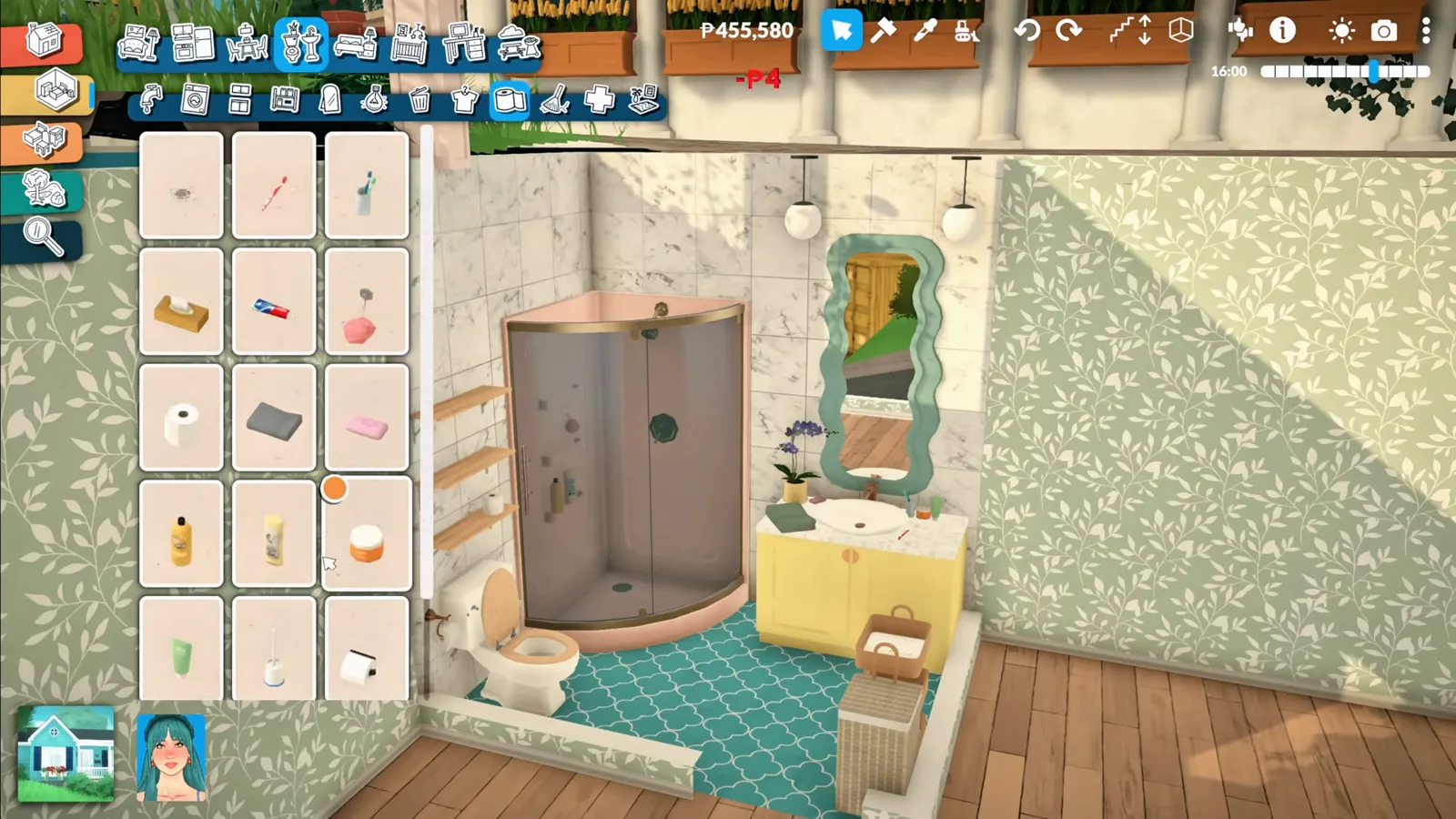
Decor placement works inside the shower glass.Watch at 6:49 - 13
Build a mudroom from mismatched pieces
The entry gets the same built-in treatment: a three-door wardrobe, upper shelving, extra storage below and poufs as a shoe bench. Every object has its depth adjusted individually so fronts and tops line up flush.
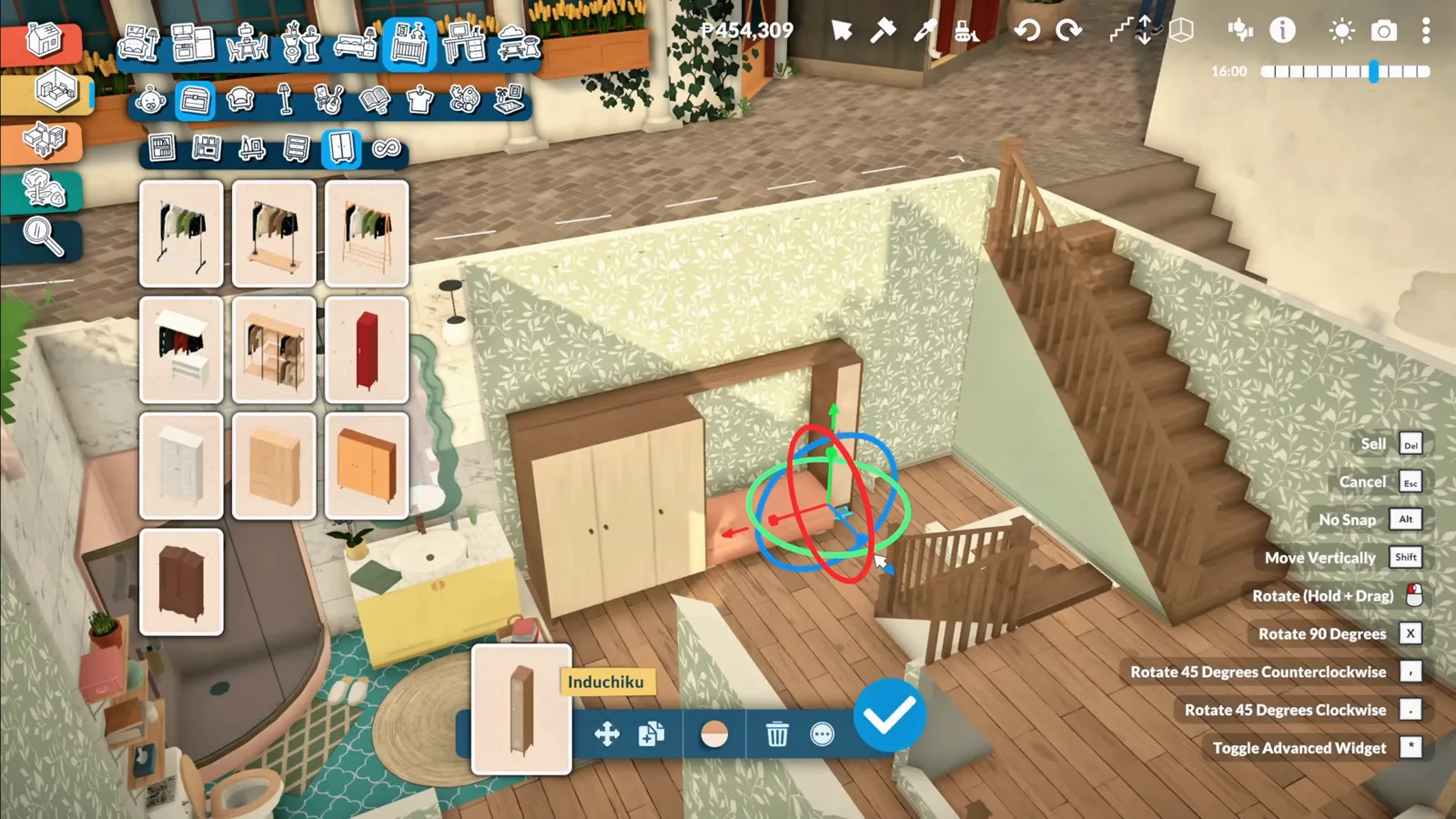
Depth tweaks make separate pieces read as one unit.Watch at 7:29 - 14
Cozy bedroom, tiny footprint
The downstairs bedroom gets a low bed dressed in pillows — the tiny rooms are the point of a starter home, and the small footprint leaves room for the window seat and the desk coming up next.
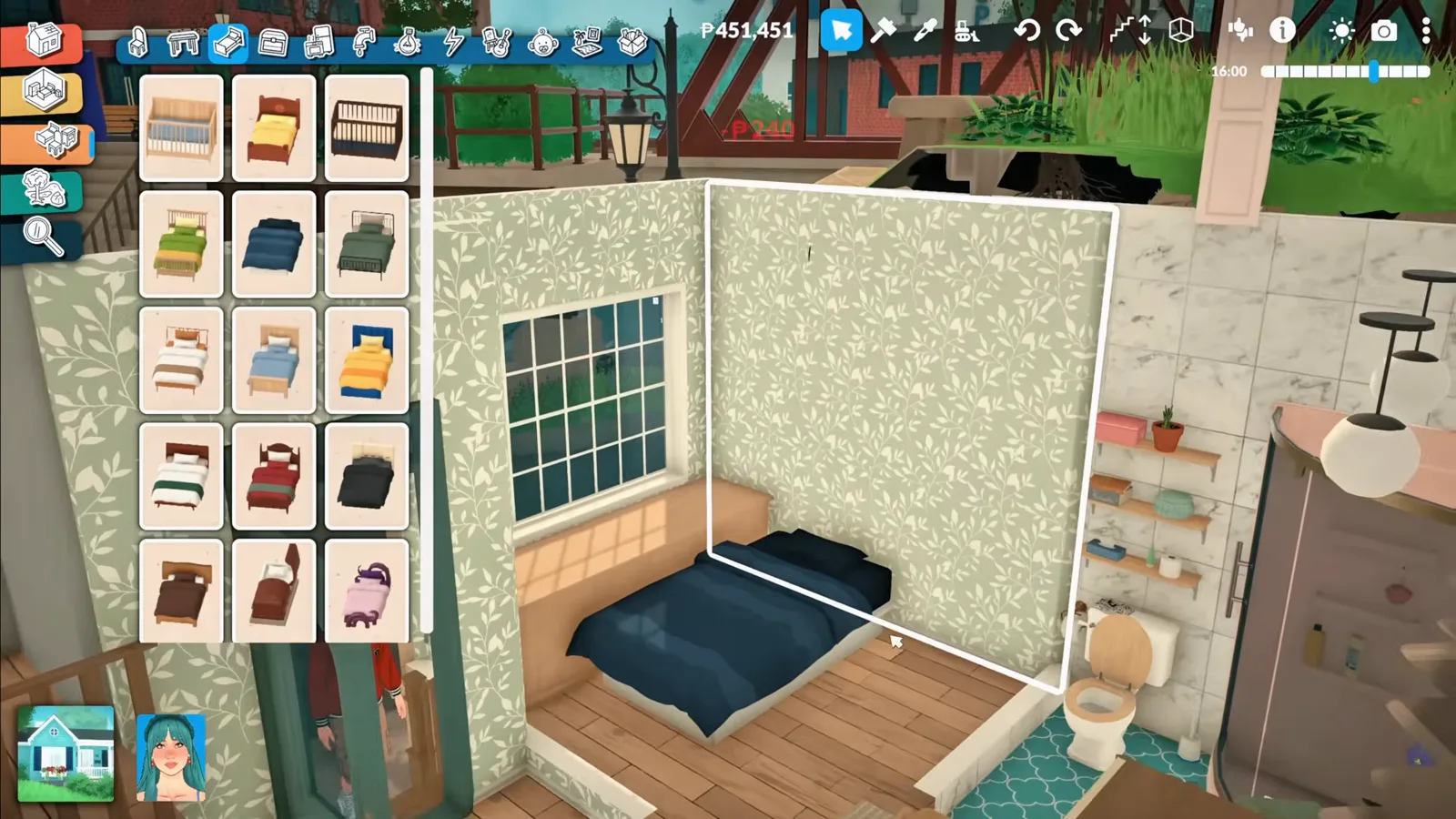
Small rooms first: the bed goes in low and cozy.Watch at 7:53 - 15
Two desks make one L-shaped corner desk
Two ordinary desks are overlapped at a right angle into an L-shaped corner desk under the stairs — a workstation the catalogue doesn’t sell in one piece, with the computer and chair dropped straight onto it.
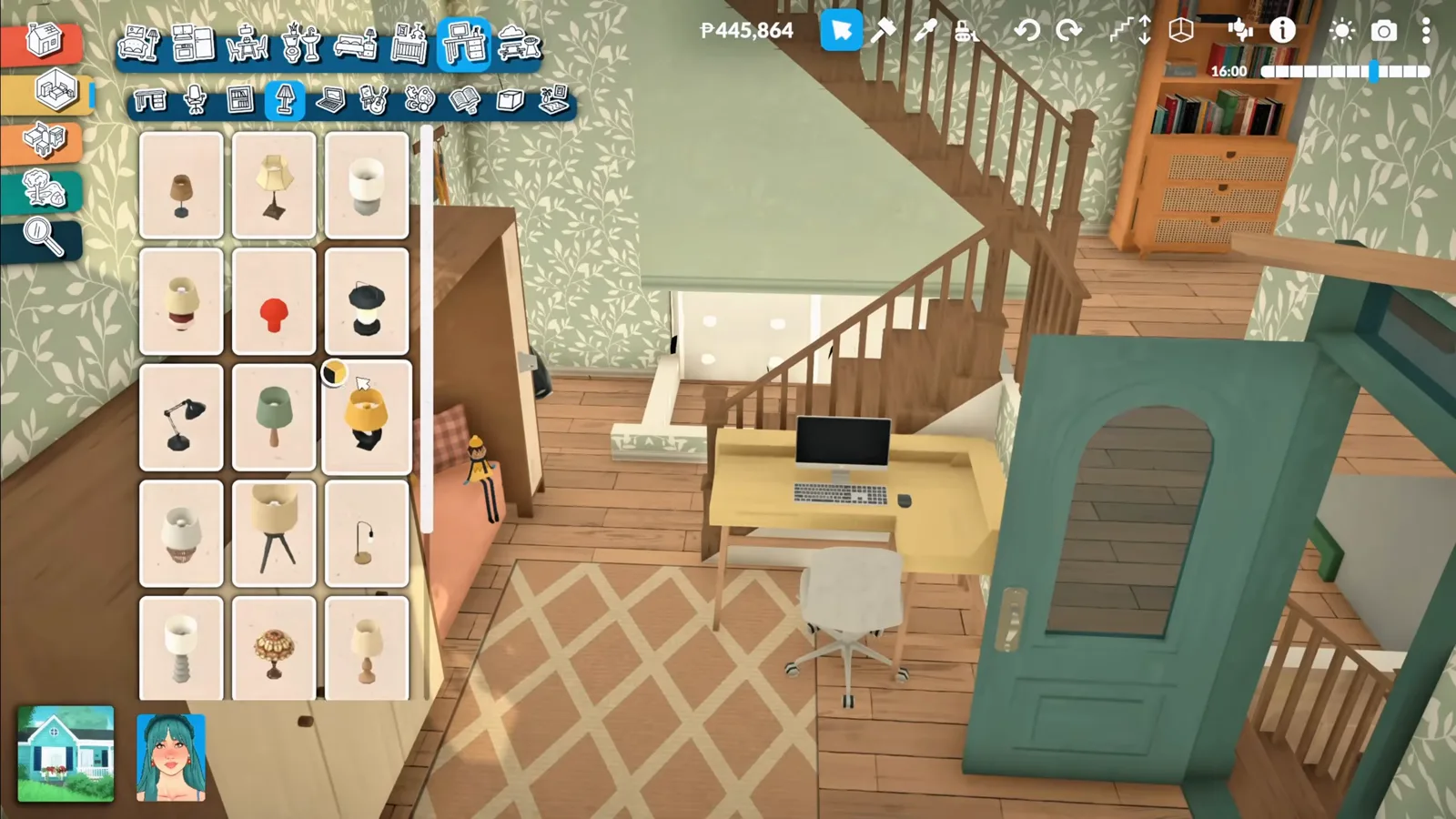
Two flat-pack desks, one corner workstation.Watch at 8:56
Step group 6
Proof: a Para can actually use all of it
A custom piece is only real if a Para can sit on it, cook on it and sleep in it. Every build above gets tested.
- 16
Sit down at the custom desk
In live mode the Para walks straight to the overlapped desk and starts typing — the game treats the L-shape as a fully functional computer station, no special handling required.
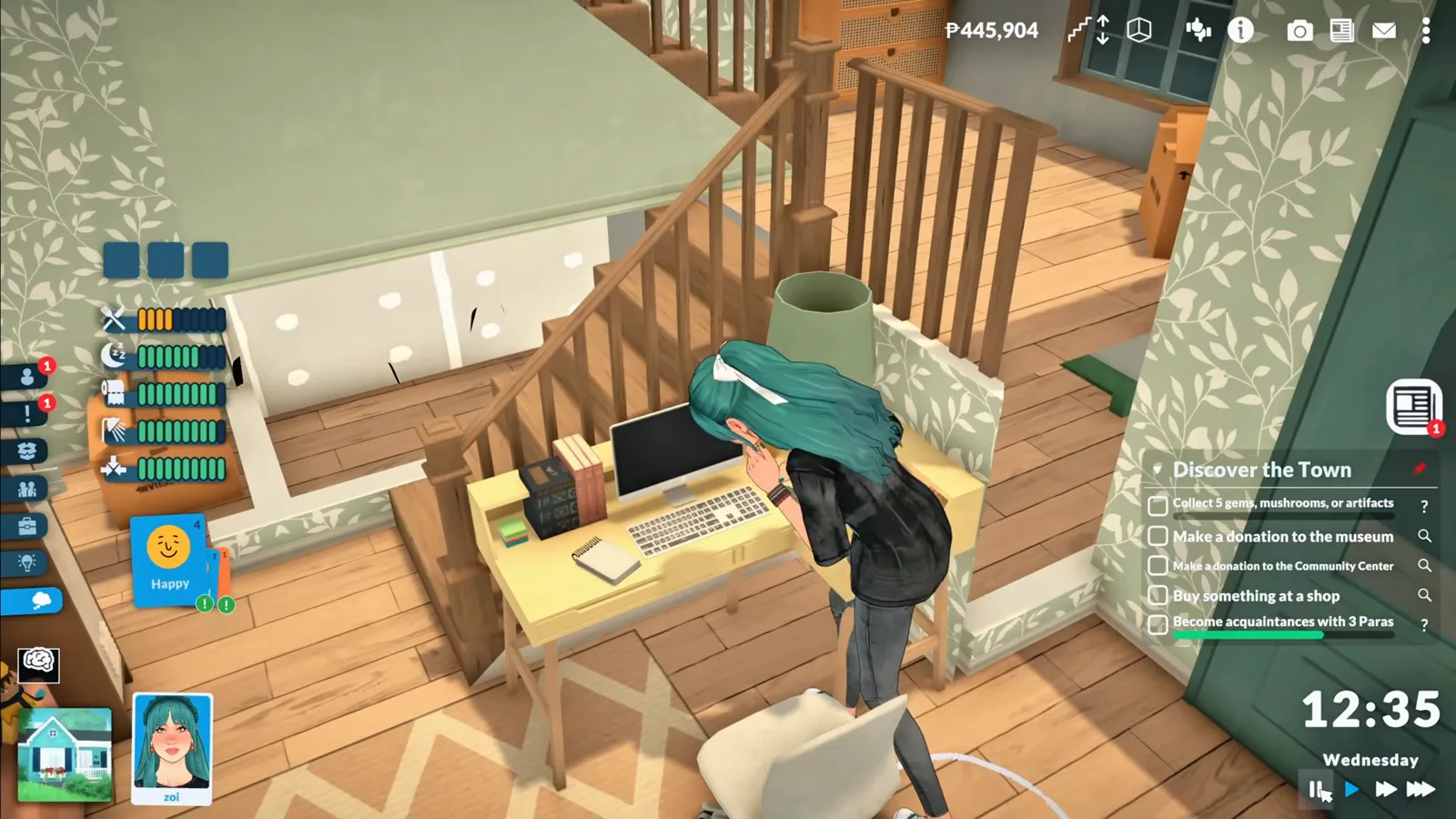
Live mode approves of the corner office.Watch at 9:13 - 17
Use the curved sofa — with one quirk
The Para can sit on the curved sofa, though in this footage she only accepts the same corner section, and the overlapped pillows clip a little. The creator flags both as Early Access rough edges rather than broken functionality — observed in this build, not documented anywhere official.
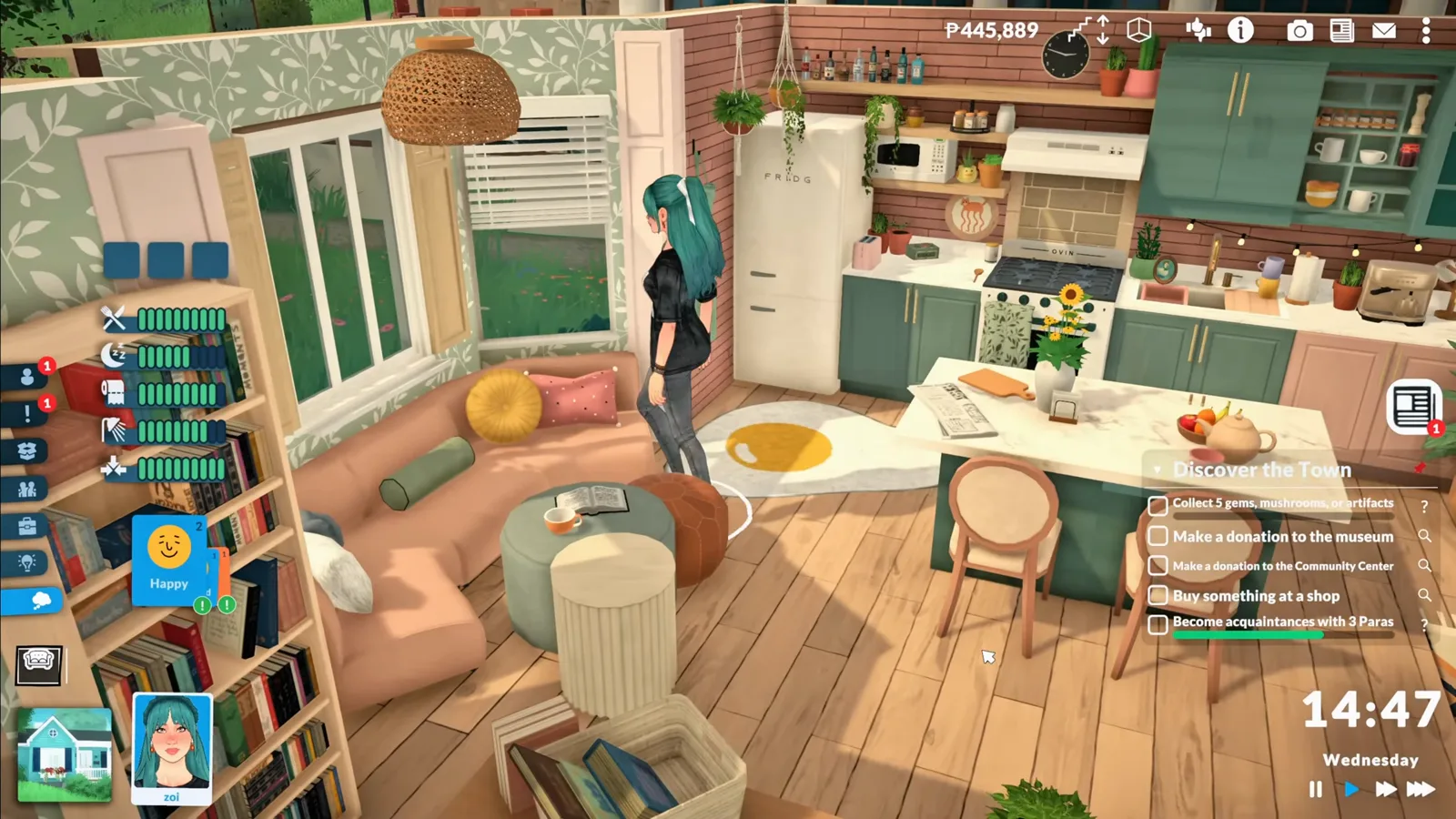
Functional, with honest Early Access quirks.Watch at 9:28 - 18
The island, the bed, and one goofy blanket
The kitchen island works perfectly — stools snap, meals happen. The bed works too, though the blanket animation is still a little goofy as the Para gets in. Everything built in this video survives contact with an actual household.
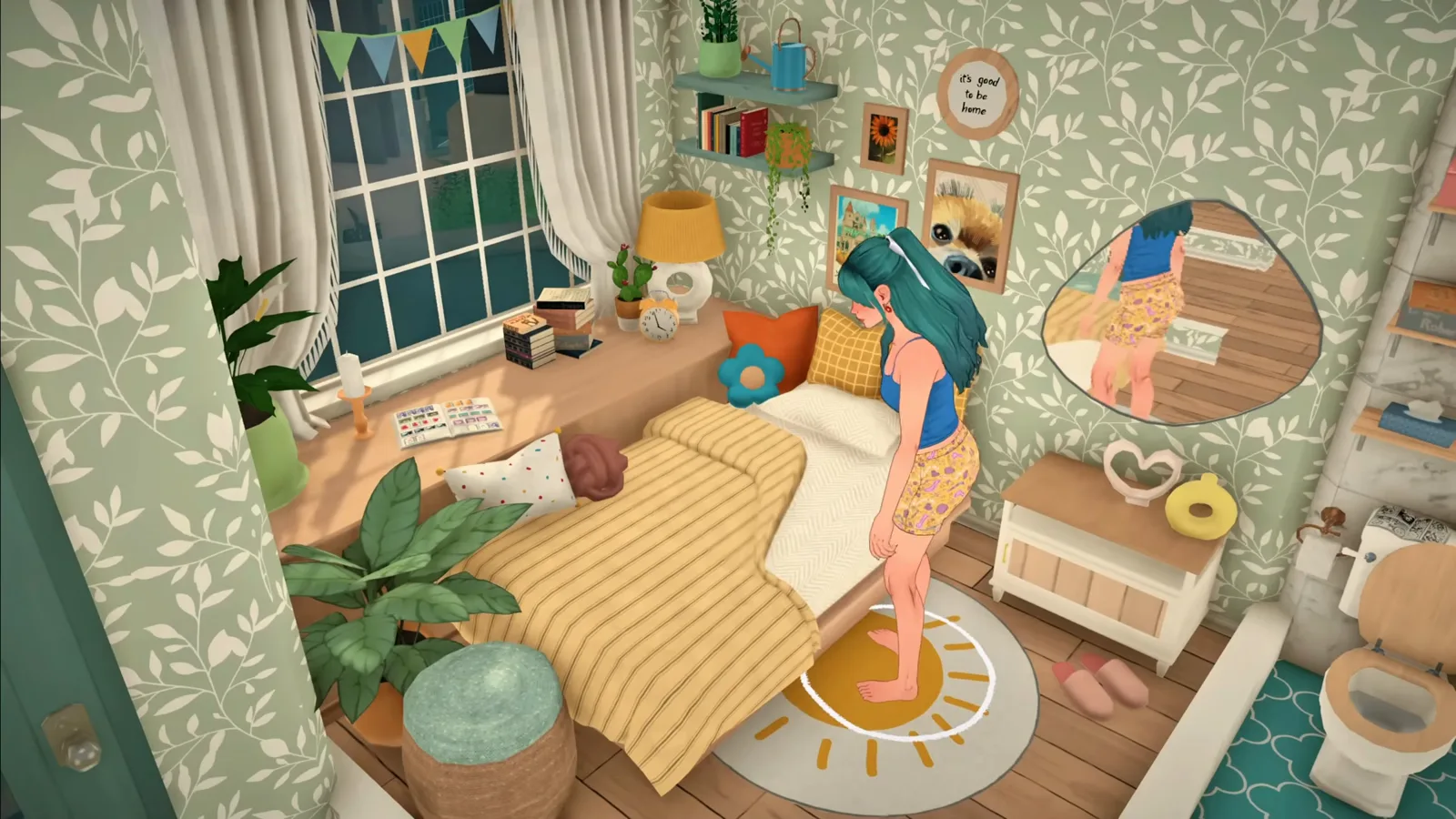
Blanket physics: still a work in progress.Watch at 9:50
No mods needed — what “custom” means here
Everything on this page is vanilla: the advanced transform tool, ordinary catalogue pieces, and patient overlapping. Nothing is downloaded, injected or unlocked — which also means nothing breaks when the game updates.
If you want furniture that genuinely doesn’t exist as pieces — new meshes, new objects — that is what the official mod editor and custom content are for.
And if you’d rather build with hidden ready-made objects instead of making your own, debug catalogue items are a third route.
Custom furniture FAQ
- Does Paralives have custom furniture without mods?
- Yes — in the sense of furniture the catalogue doesn’t sell. The advanced transform tool lets you resize, stretch, flatten and rotate ordinary pieces into sinks, cabinet walls, islands, corner desks and curved sofas, as this walkthrough shows. Genuinely new objects (new meshes) require the official mod editor and count as custom content instead.
- How do you make a curved sofa in Paralives?
- Place individual seating pieces, rotate each one a few degrees, and overlap them so the sections bend into a curve. Blue snap markers confirm the joints while you work. The game never highlights the overlap as an error, and the finished sofa remains sit-able — though in this footage the Para only accepted one corner section.
- Is there a kitchen island in Paralives?
- No — as of Early Access 0.1.8b the catalogue ships zero kitchen islands. Two creator recipes fill the gap: this page’s table-with-cabinets-underneath build, and the separator-wall shell method in our kitchen island guide. Both end fully functional, with snapping stools.
- What is the advanced transform tool in Paralives?
- It’s the build-mode gizmo that appears when you toggle advanced transformation on a selected object: rings and arrows that resize, stretch, flatten and rotate it. The in-game tooltip calls it “Toggle advanced transform tool”; players also say “advanced editing tool”. It is the single tool every recipe on this page depends on.
- Does custom-built furniture stay functional in live mode?
- In this video: yes, with caveats. The Para used the overlapped corner desk, cooked and ate at the island (stools snapping correctly), and sat on the curved sofa. Quirks observed by the creator: the sofa only accepted one corner section, overlapped pillows clipped slightly, and the bed’s blanket animation looked goofy. All three read as Early Access polish issues, not broken builds.
- Can you put decorations inside the shower in Paralives?
- Yes — decorative objects can be placed inside the shower enclosure. The creator discovered this by accident and stocked the shower with shampoo and bath products. It’s placement-as-usual: pick a small decor item and put it in, no tool changes needed.
- Can I download the house from this video?
- The creator shares the finished starter home on the Steam Workshop — the link lives in the video’s description and pinned comment. We link the source video from this page rather than the workshop file, so you’re always one click from the uploader’s own instructions.
Keep building
Kitchen island build guide
The separator-wall shell method — the other creator recipe for the island the catalogue never shipped.
Colour wheel & hex codes
Restyle every stretched, flattened, overlapped piece with exact hex codes and saved swatches.
Move objects guide
Placement rules and stacking basics that recipes like these build on.
More build hacks
Fifteen more advanced build tricks, each with the same honesty about what the tools won’t do.
Custom content (CC)
When you want genuinely new objects: the official mod editor, from FBX to Workshop upload.
Debug & hidden items
Prefer ready-made hidden objects to DIY? A community mod unlocks the debug catalogue.
Decorating guide
Where transform tricks meet interior design: clutter, colour and room styling basics.