
The short version
Paralives ships a secret build catalogue — the debug items players keep searching for — but locks the door. A Steam Workshop mod holds the key. Six things to know before you subscribe:
- Hidden debug objects — café props, signs, a greenhouse roof, market carts, a whole camper set — ship inside the game but have no catalogue entry in 0.1.8b.
- Access comes from Zerbu's Debug Objects Category mod on the official Steam Workshop; enable it in the Mods menu after subscribing.
- The mod adds one catalogue category with four subcategories and makes hidden items show up in search.
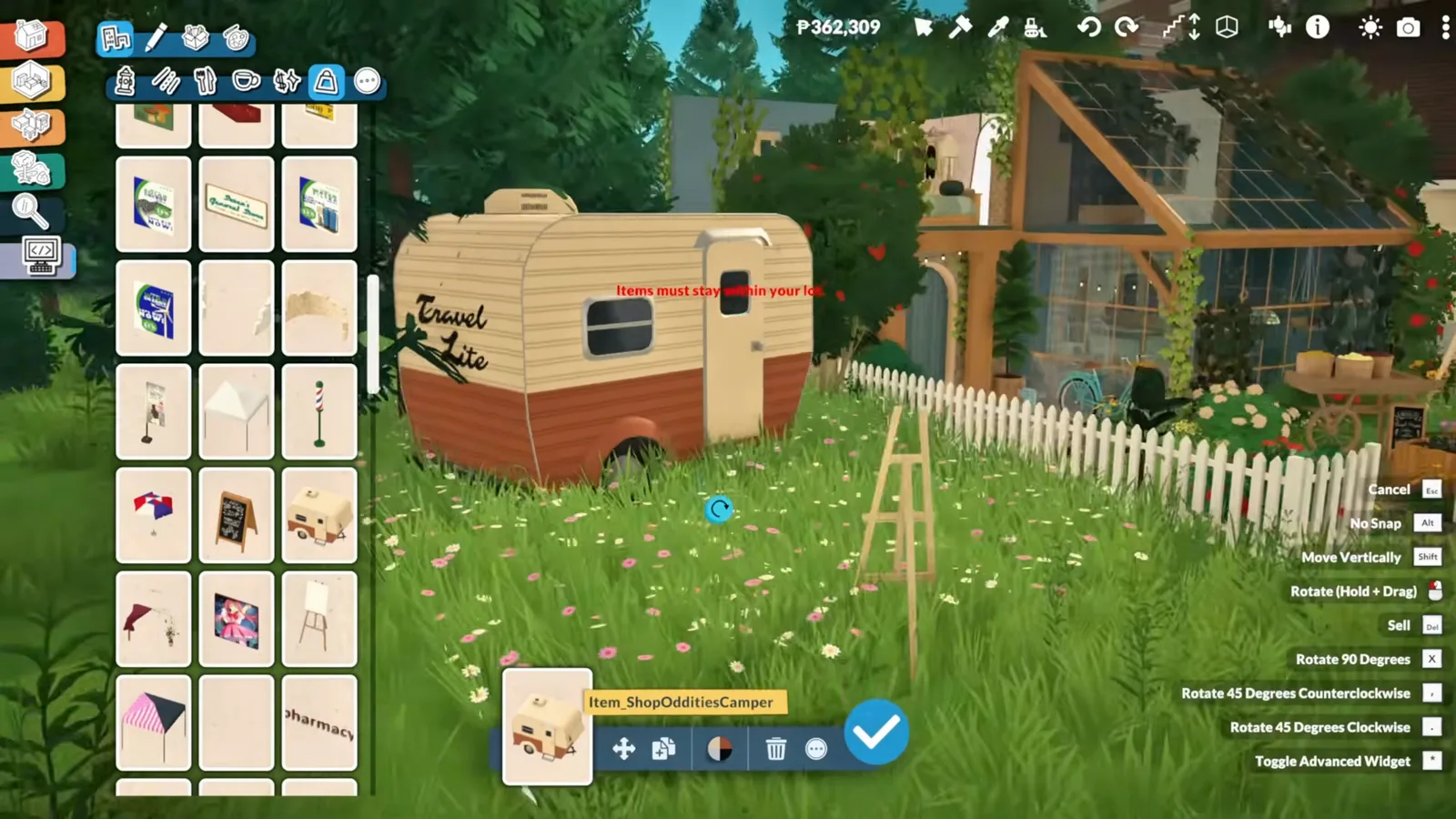
- Hidden objects behave like normal ones: resize, recolour, move — tooltips even show internal names such as Item_ShopOdditiesCamper.
- Building on public lots needs no mod: run TOGGLEEDITTOWN in the cheat console (Ctrl + F1), a vanilla command.
- Debug builds can be purely decorative — the demo bookstore is set dressing your Para cannot use.
Step one
Get the hidden catalogue
Paralives has no debug toggle and no hidden-objects cheat — as of 0.1.8b the only way in is a Workshop mod. Three minutes of setup, and the catalogue gains a category the game always contained but never showed.
- 1
Subscribe to the Debug Objects Category mod
The hidden objects are not behind a cheat: Paralives ships them for its public venues and simply never shows a way to reach them. Zerbu's Debug Objects Category on the official Steam Workshop is what opens the door — visit the mod's Workshop page and subscribe, exactly like any other Paralives mod.
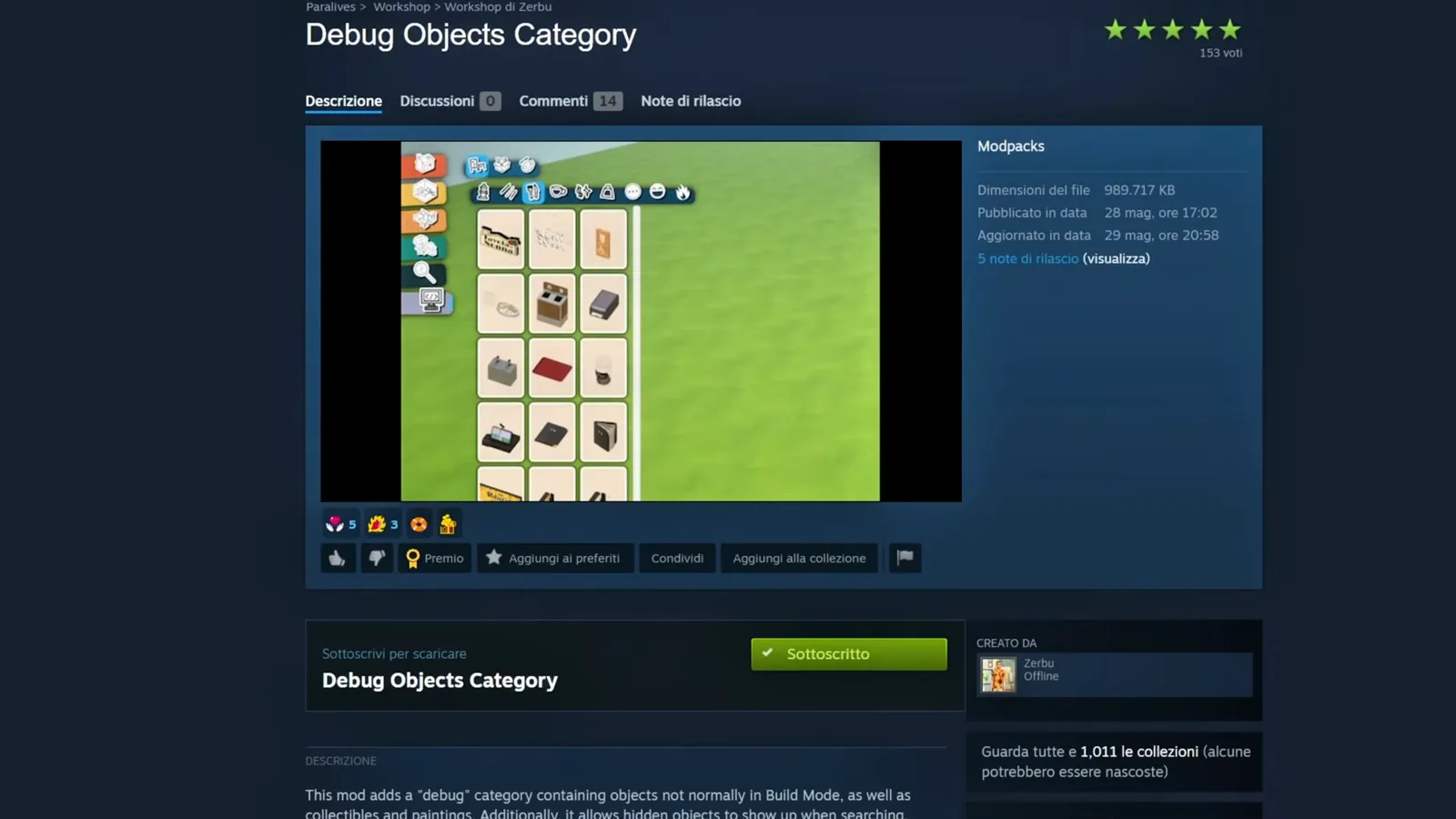
Published on the official Paralives Steam Workshop by a veteran creator from The Sims modding scene.Watch at 1:06 - 2
Switch the mod on in the Mods menu
From the main menu, open Mods and make sure Debug Objects Category is enabled before you load your save. If the new catalogue category never shows up later, an unenabled mod is the first thing to rule out — the same checklist as for any mod that is not working.
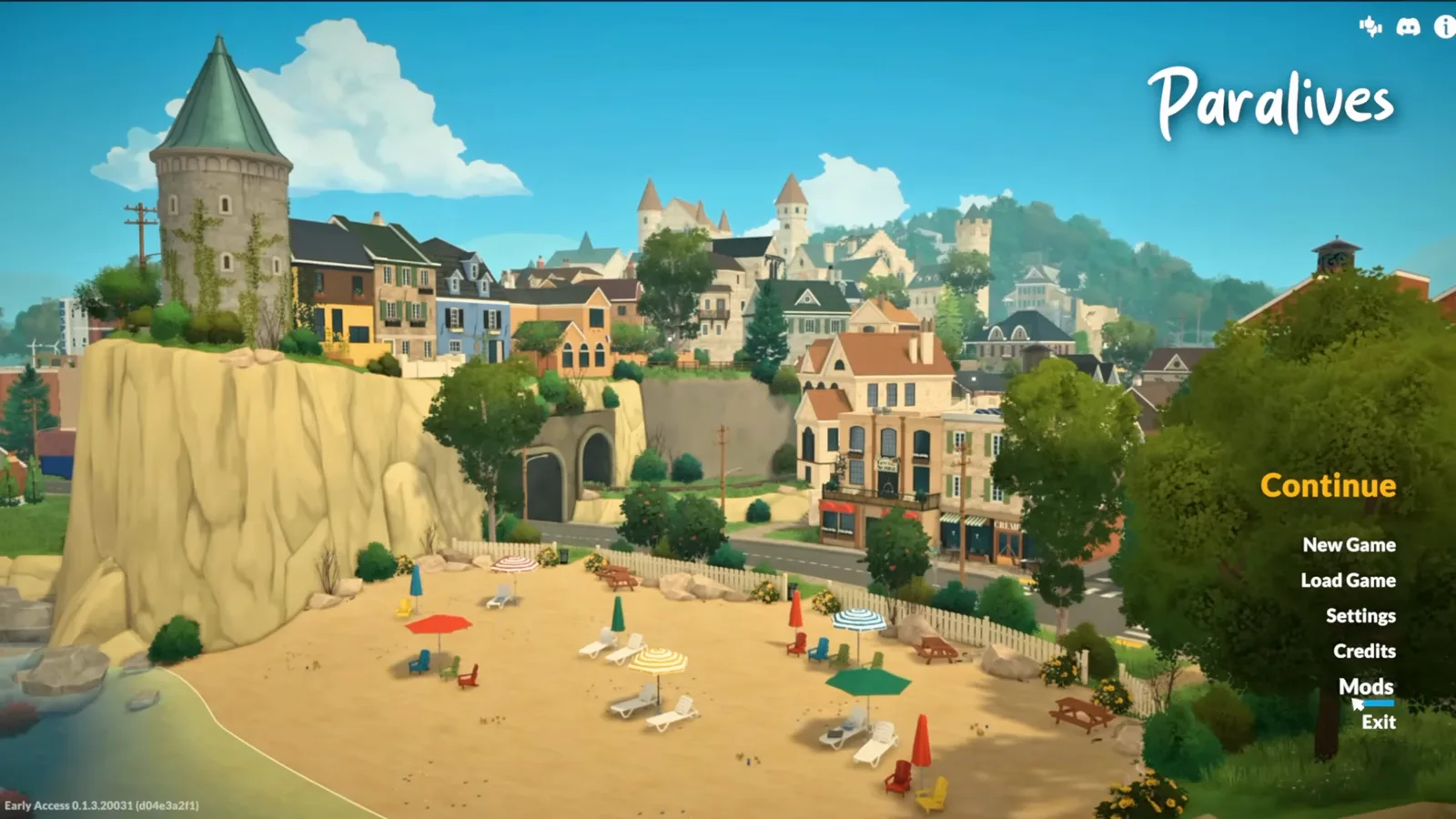
Subscribing installs the mod; the Mods menu is what switches it on.Watch at 1:33 - 3
Enter build mode and open the new category
Load a save, switch to build mode with Tab, and the catalogue now carries one extra category tab at the end of the row. Inside sit hundreds of objects the standard catalogue never lists, sorted into four subcategories — café props, shop oddities, garden pieces and more.
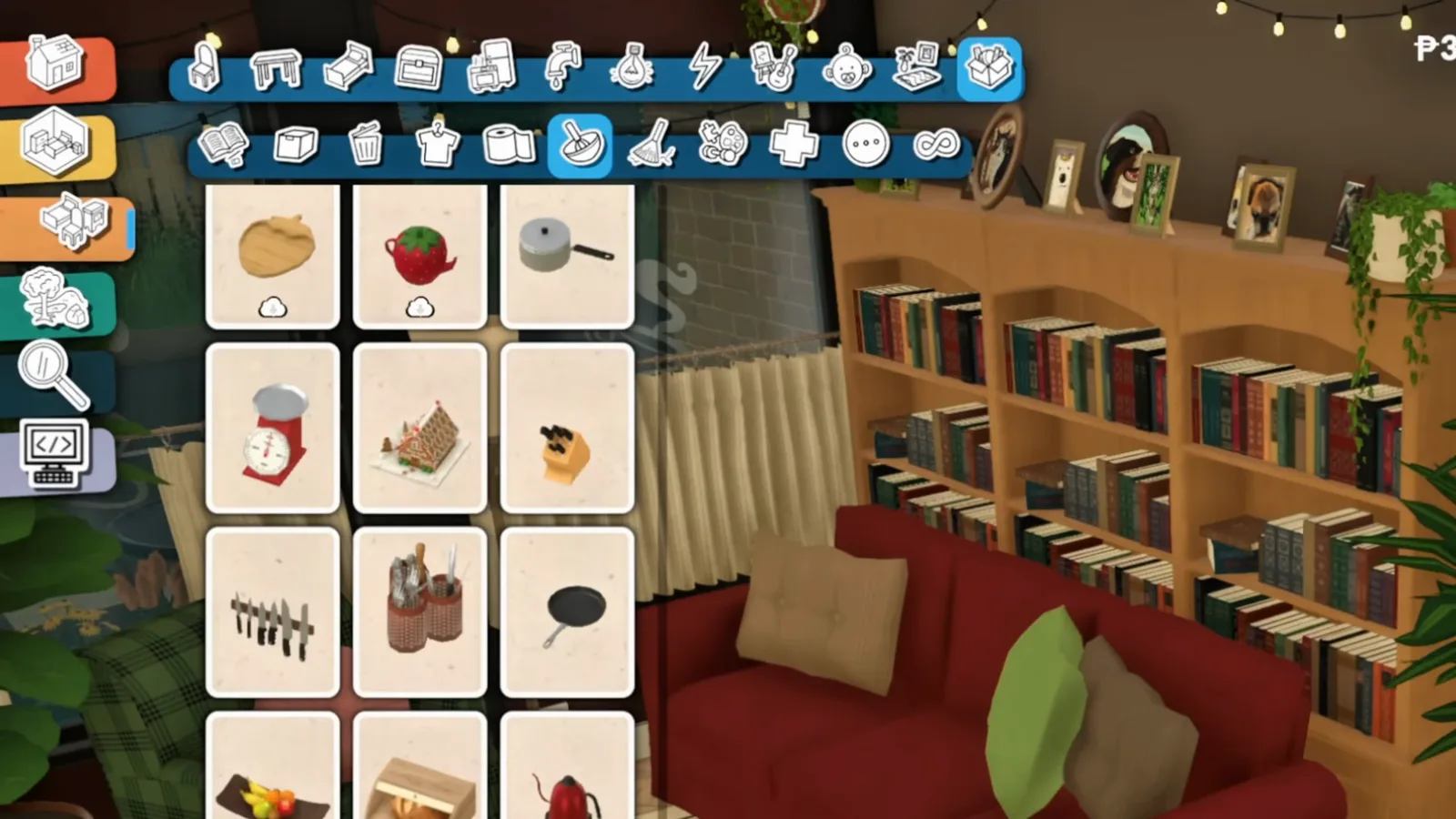
One new tab, four subcategories, hundreds of objects the game always shipped.Watch at 1:47 - 4
Search the catalogue — hidden items answer too
The mod's quiet superpower: hidden objects also respond to the catalogue search (Ctrl + F). Type a word and the debug stock mingles with the regular results, which is by far the fastest way to pull one specific prop out of hundreds.
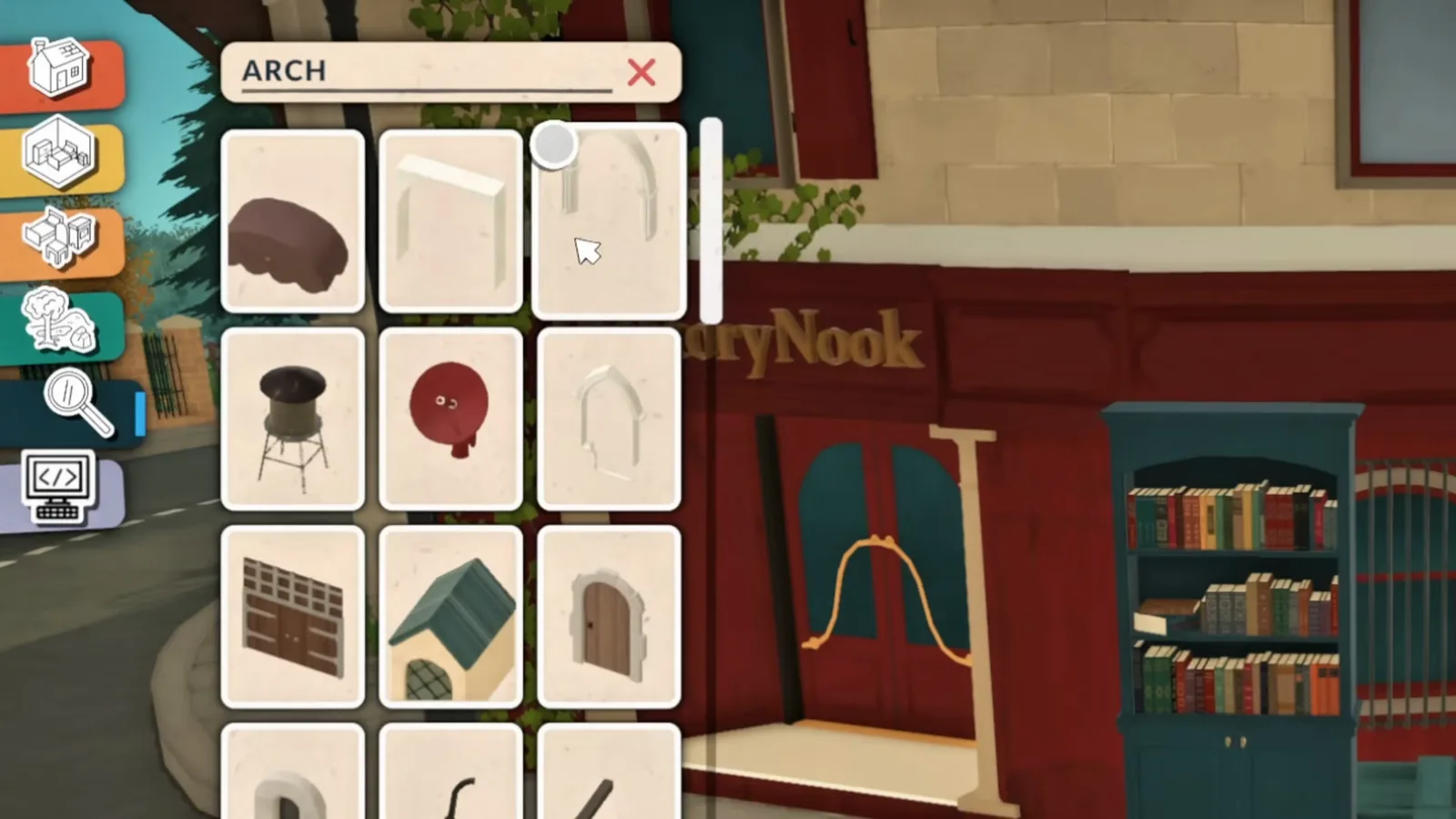
Search now reaches into the hidden stock as well.Watch at 1:31
The tour
What is inside the debug category
The source video walks the four subcategories end to end. These are the pieces worth knowing about — every one placeable, recolourable and resizable like any regular object.
- 5
You have already seen these objects downtown
The florist's bouquets and chalkboard signs, the café's menu boards, the corner counter at the ice-cream parlour — the game has been decorating its public venues with objects the build catalogue never offered. The mod does not add anything; it un-hides stock that has been installed all along.
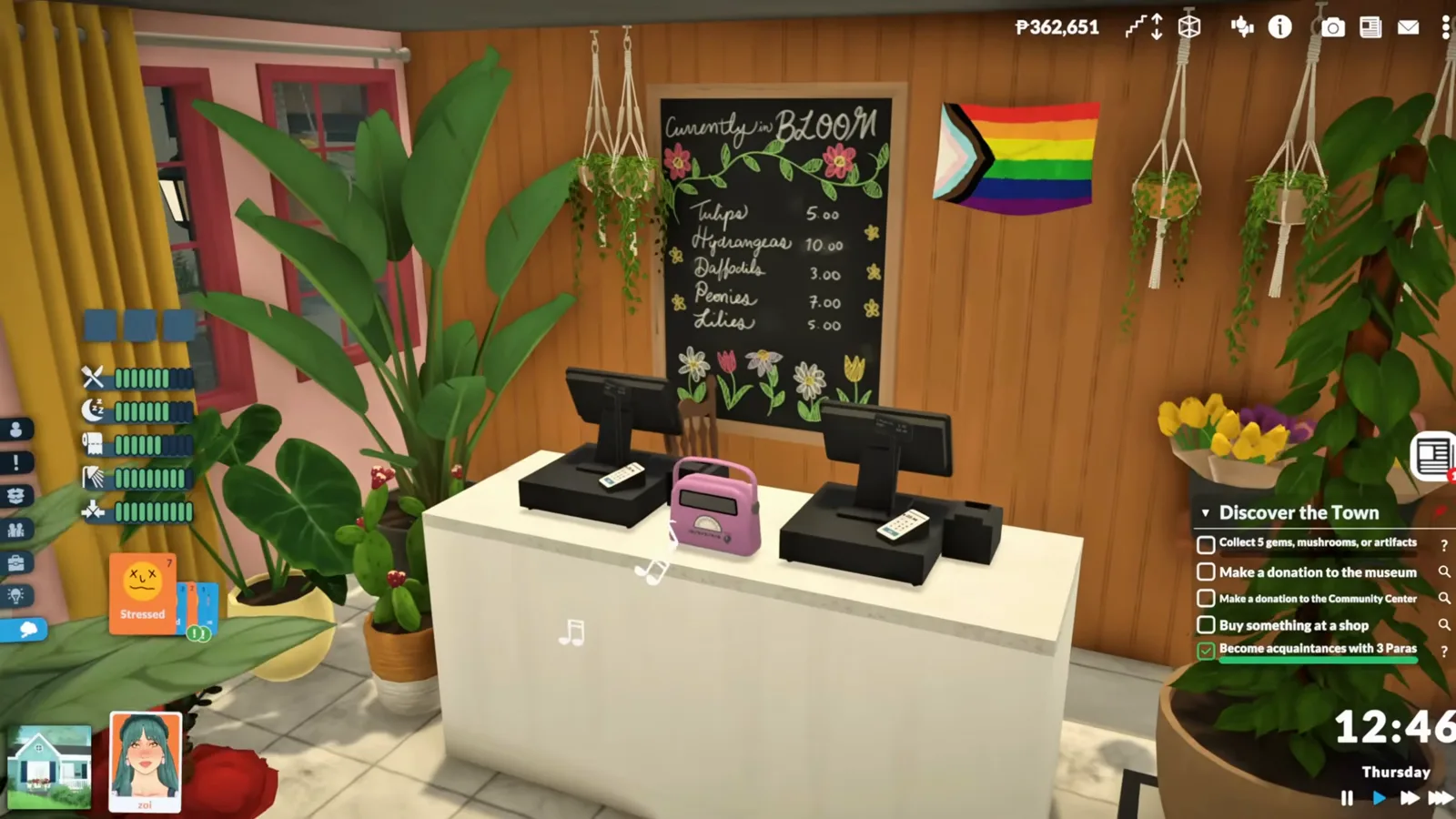
Downtown venues were the showcase for objects players could never place.Watch at 0:33 - 6
Café and restaurant: menu boards and shop signs
The subcategory everyone gravitates to first is the café and restaurant set: hanging menu boards, chalkboard specials, recipe boards and the counter pieces. Everything recolours, resizes and moves exactly like a normal object.
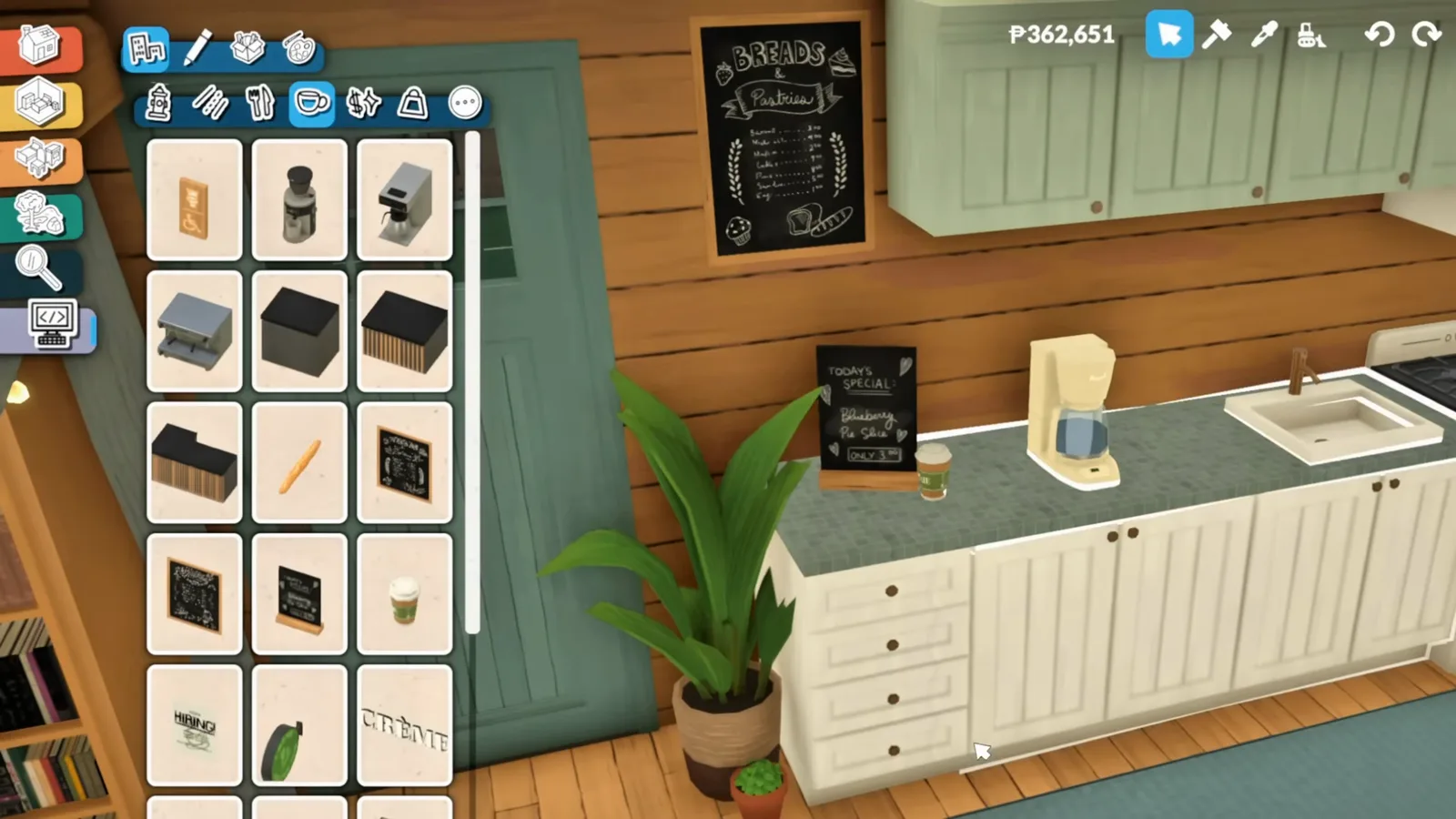
Menu boards and specials signs that used to be venue-only.Watch at 2:08 - 7
Antique signs, dress forms and the corner counter
The misc subcategory gets delightfully odd: Antiques wall signs, dress forms with dresses, sandwich boards, and that white corner counter from the flower shop. None of it was meant for player builds — which is exactly why nobody else's lot will look like yours.
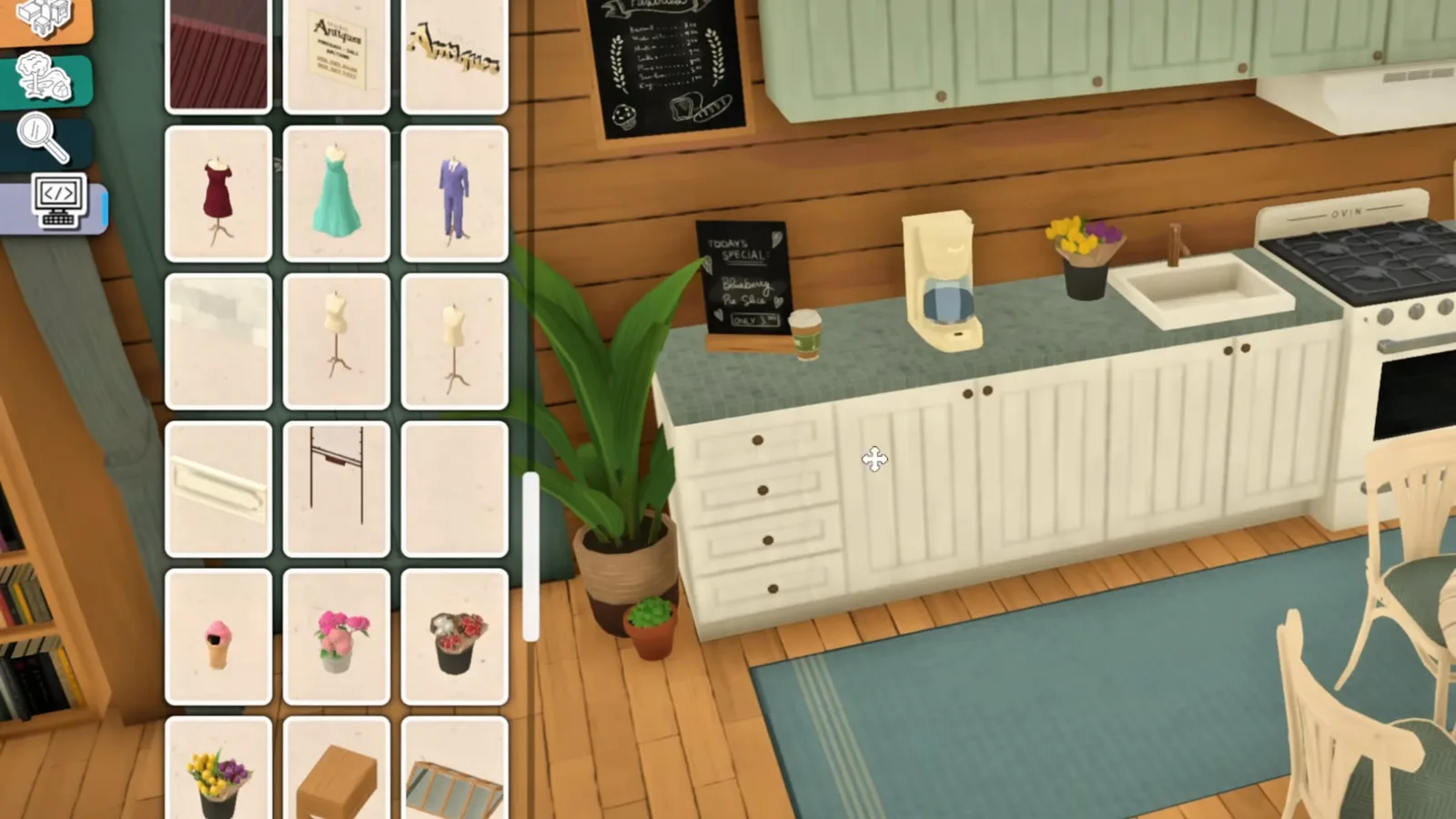
Retail-style props the regular catalogue never shipped.Watch at 2:28 - 8
A ready-made greenhouse roof
The biggest surprise is architectural: a glass greenhouse roof panel, and its tooltip gives the game away — Shop Florist, price P0. Players hand-building conservatory roofs from ordinary windows could have saved the trouble; the finished panel was in the files all along.
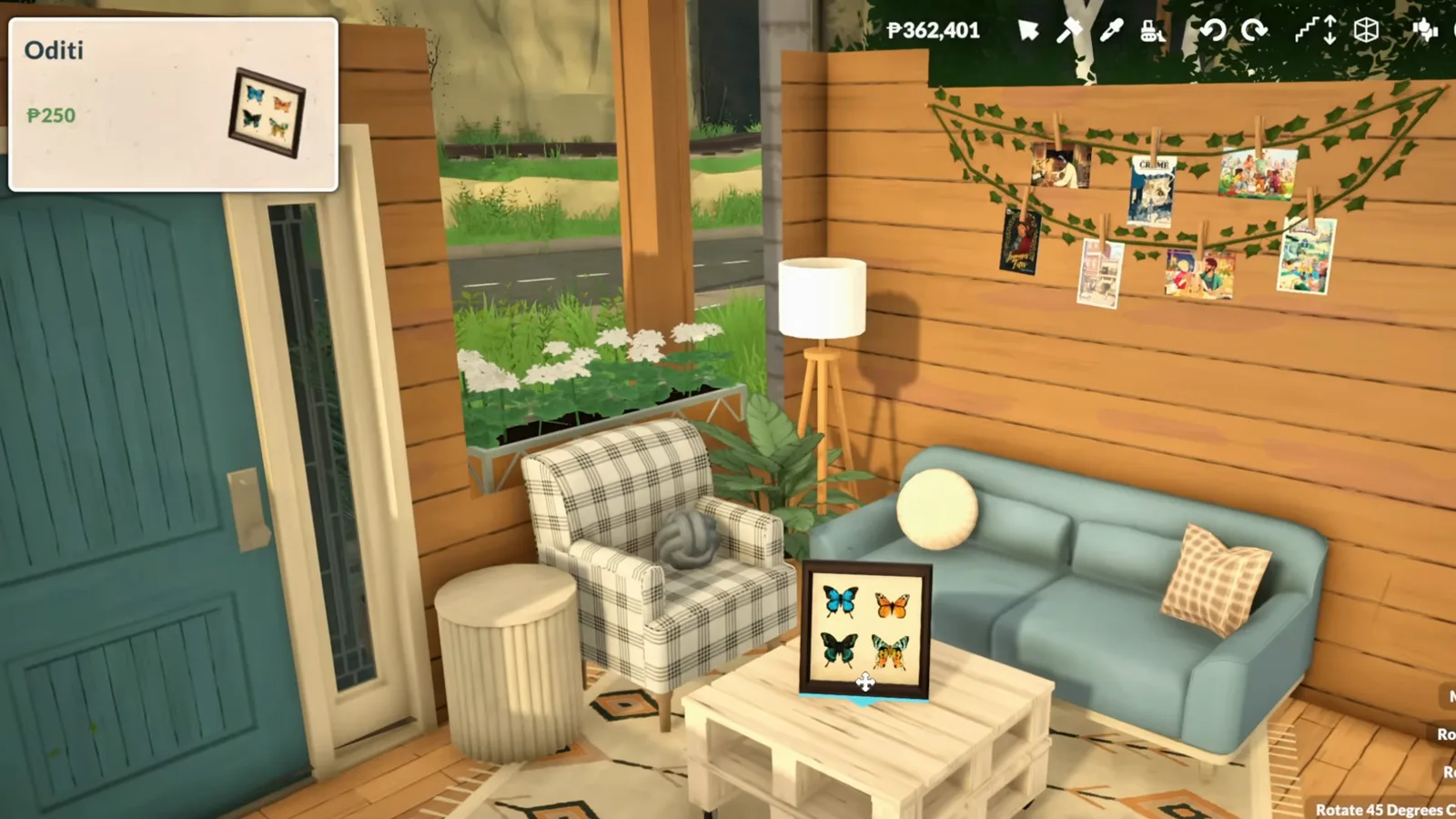
Venue furniture at P0 — the debug category even hides architecture.Watch at 2:32 - 9
Market carts made for street stalls
The wooden market cart is the sleeper hit of the category: baskets of produce, a chalkboard A-frame, even mushrooms for the ground around it. It is fully recolourable and sturdy enough to build on — which is precisely what the demo build later does.
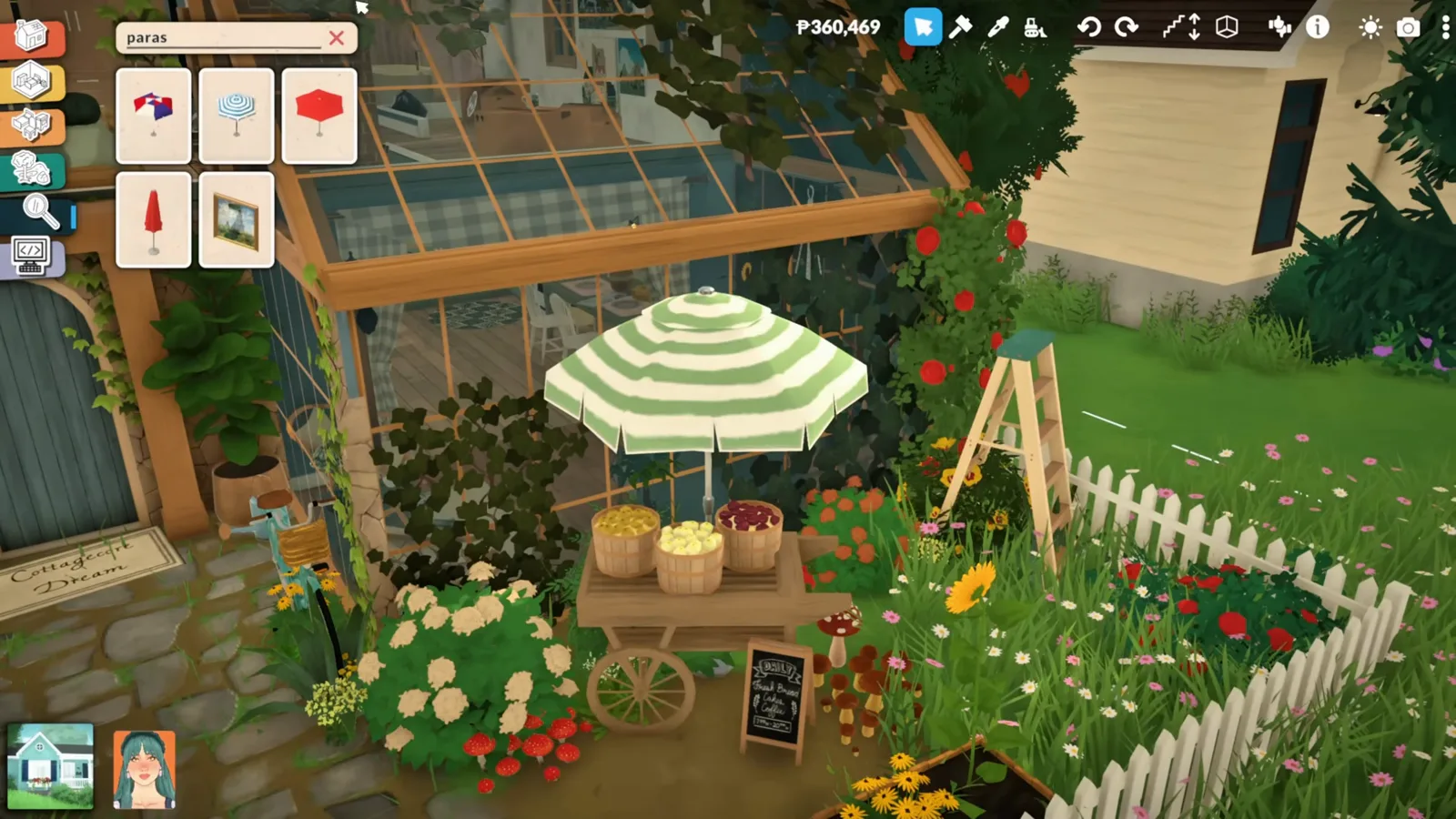
A farm stand in a single object — baskets, chalkboard and all.Watch at 3:12 - 10
Paintings, prints and prop clutter
Further in sit walls' worth of paintings, posters and prints the standard catalogue never shipped, alongside clutter like leather bags and display ladders. For gallery walls and studied-mess corners this subcategory is the difference between a bare room and a lived-in one.
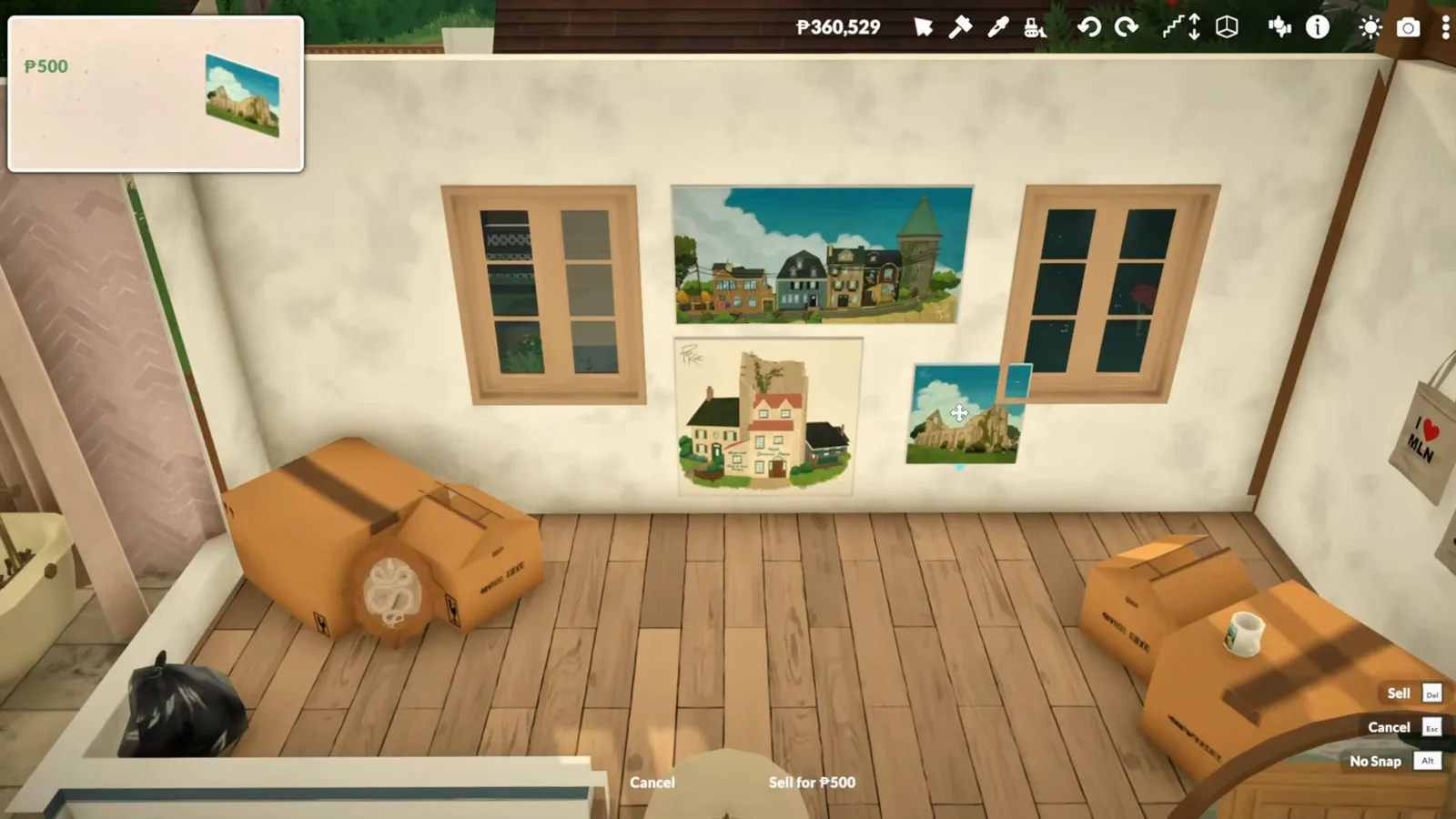
Artwork and clutter that previously only dressed downtown interiors.Watch at 4:03 - 11
The tiny camper and its matching add-ons
The star of the category is a vintage camper trailer you can park anywhere — and it ships with its own accessory set: stairs, curtains, potted plants and string lights designed to attach to it. Place the shell, then dress it piece by piece.
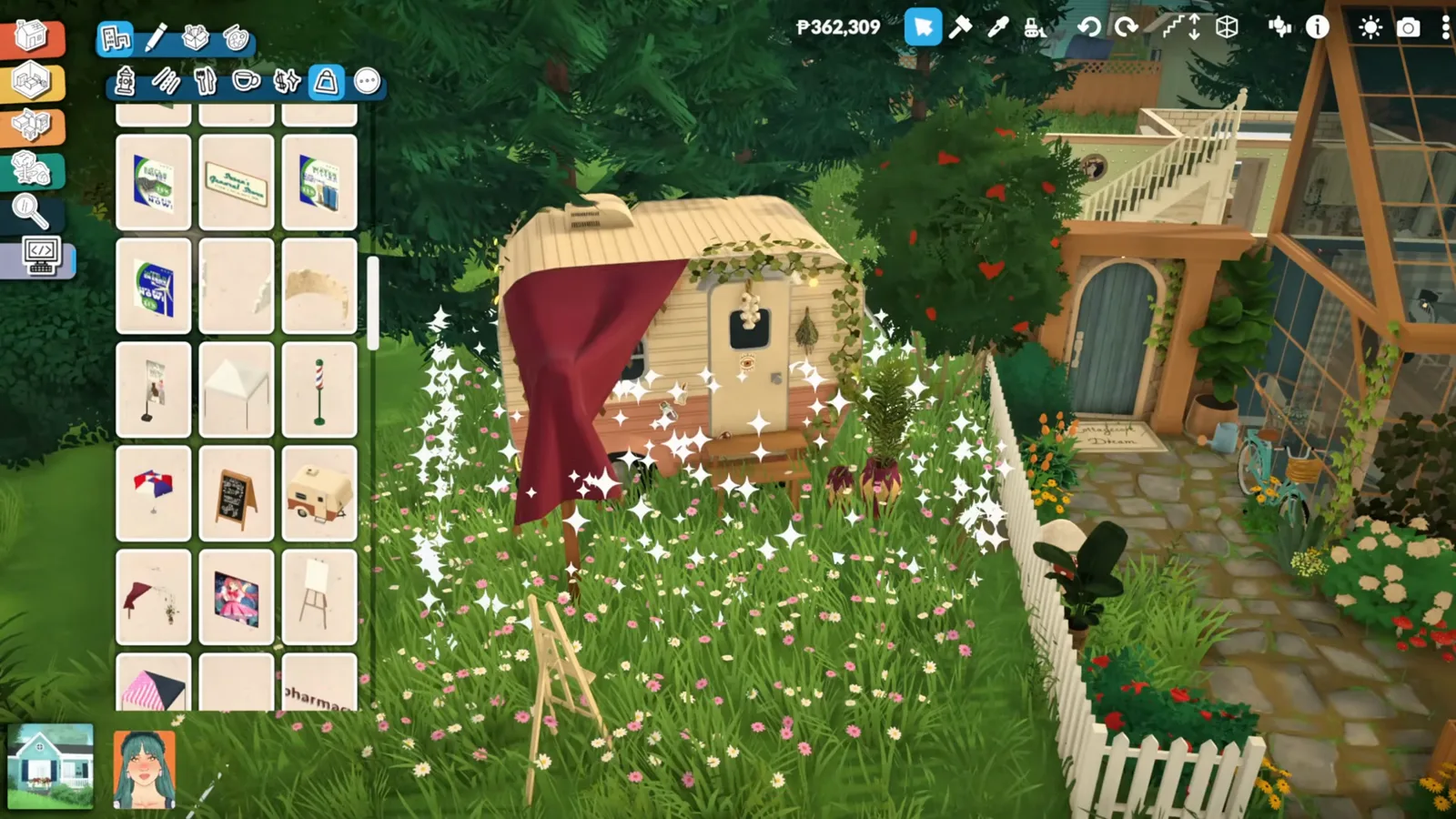
A camper with its own wardrobe of add-on pieces.Watch at 3:52
Put it to work
Build with hidden objects
Objects you can only look at are no fun. The video closes with a mobile bookstore built entirely from hidden stock on a public street — here is how that works, including the one vanilla cheat it needs.
- 12
Proof in the tooltip: internal debug names
Hover a hidden object and the tooltip shows raw internal names like Item_ShopOdditiesCamper — the clearest sign these items were always in the game files, tagged for venues and developers rather than players. The mod adds nothing; it changes visibility.
Internal names like Item_ShopOdditiesCamper give the game away.Watch at 3:42 - 13
Open the cheat console and enable town editing
To decorate a public lot — the demo builds its mobile bookstore on the street outside the Story Nook — press Ctrl + F1 and run TOGGLEEDITTOWN. That cheat is vanilla, no mod needed. Fair warning from the community wiki: it is not the official edit-world feature, so use it on a save where you can accept changes.
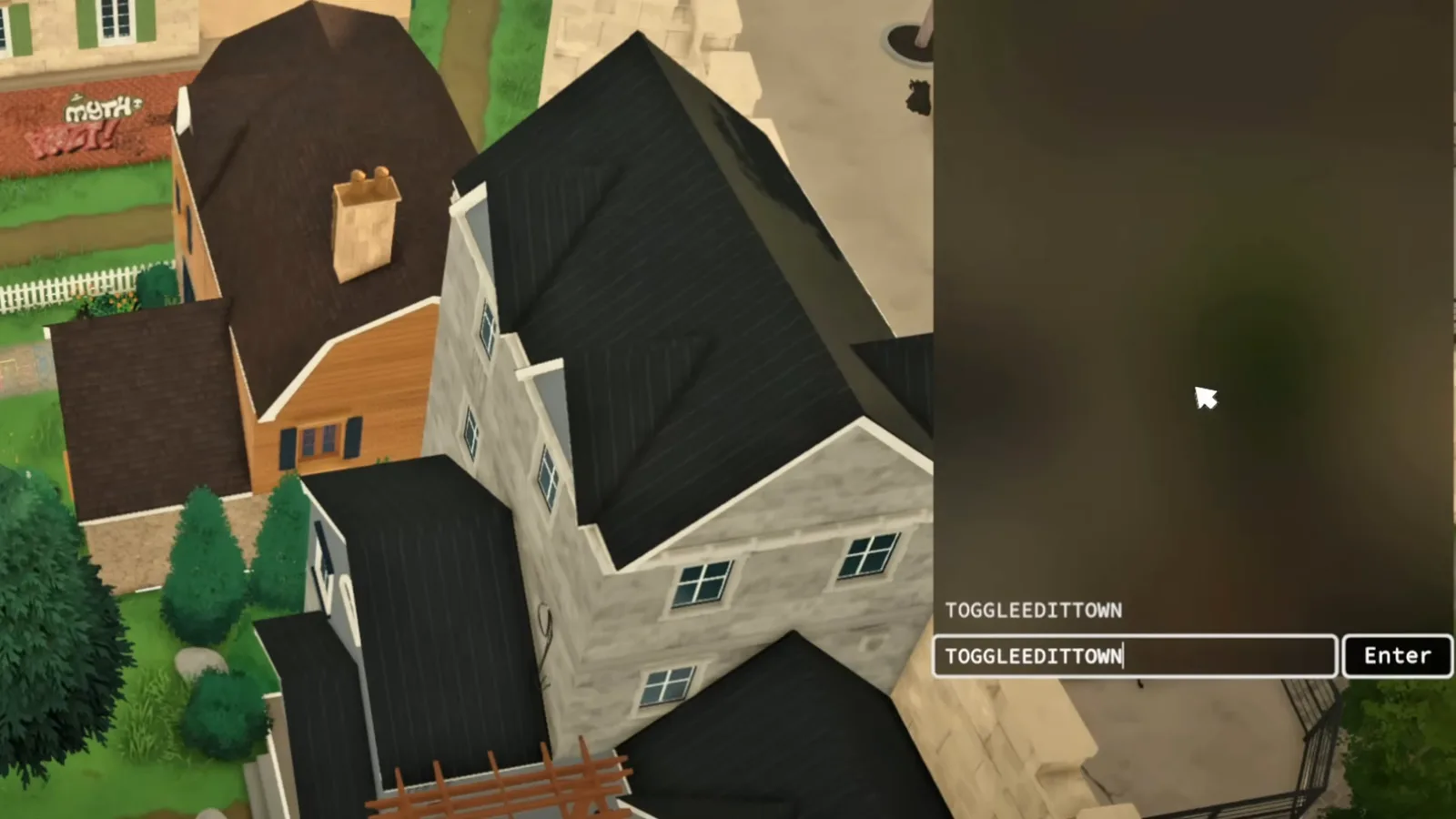
TOGGLEEDITTOWN comes with the game — the mod is only for the objects.Watch at 4:13 - 14
Build up from a market cart
The demo's mobile bookstore starts from the hidden market carts, recoloured and parked kerbside, with hidden bookshelves stacked on top to form the body. One honest caveat the creator repeats: a decorative build like this is set dressing — your Para cannot actually buy a book from it.
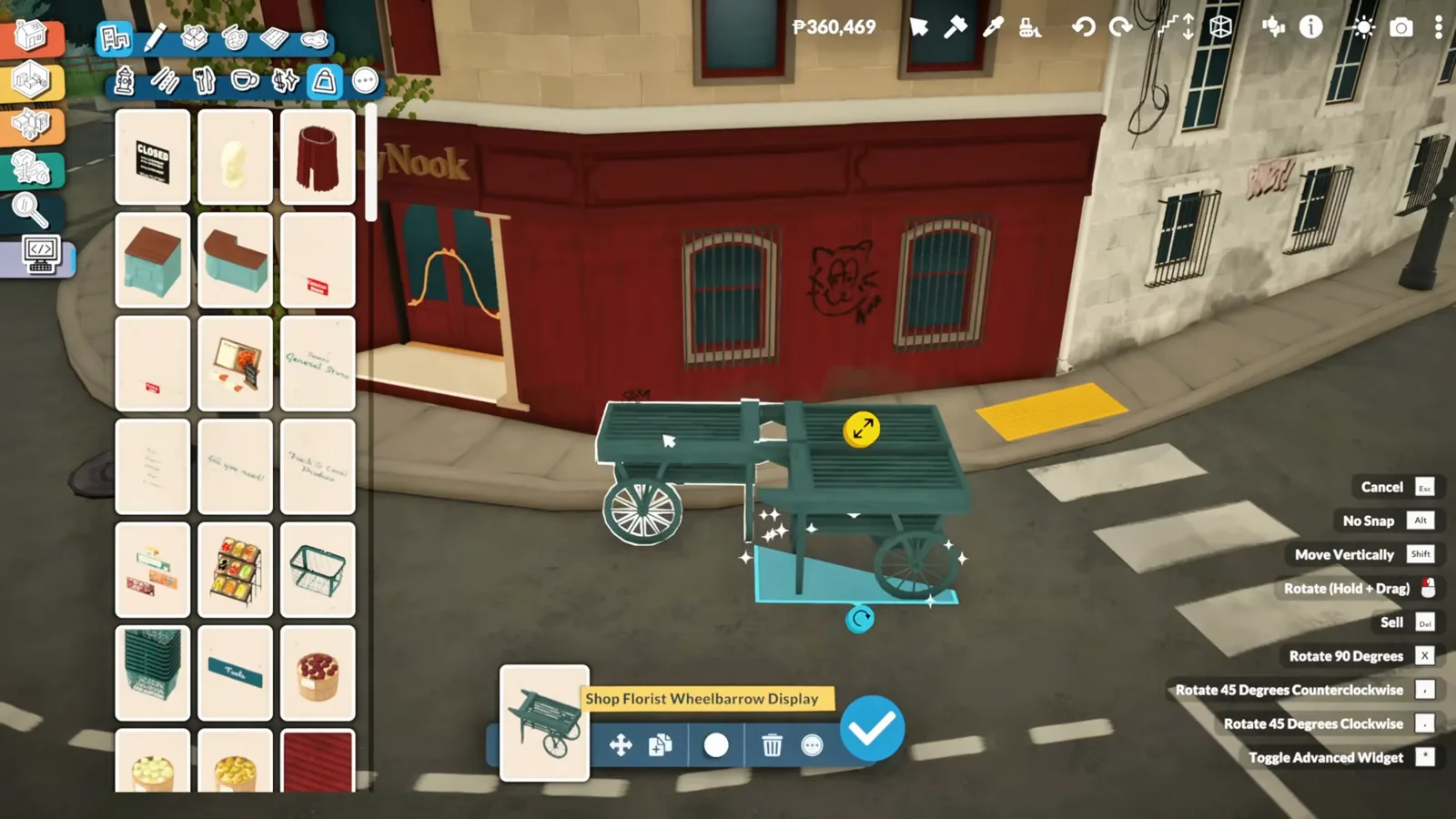
Carts as a base, bookshelves as walls — a shop built from hidden stock.Watch at 4:38 - 15
Custom text on a hidden sign
Among the hidden signs is a customizable one that accepts your own text — the demo crowns its bookstore with a hand-typed THE BOOKWORM plaque. Add the hidden string lights that clip onto carts instead of walls, and the details start selling the whole build.
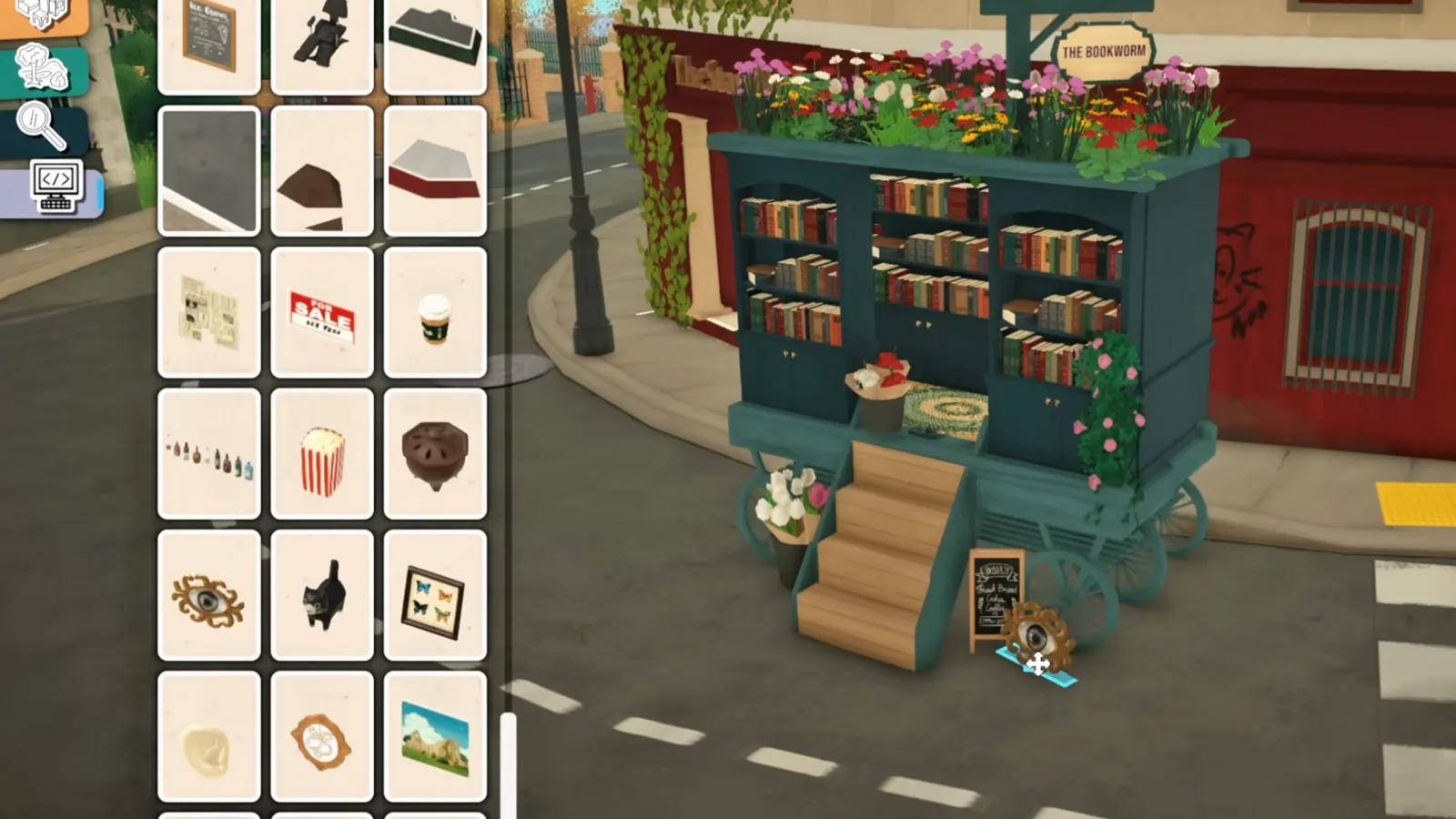
The plaque text is typed in-game; the sign itself comes from the debug category.Watch at 6:42 - 16
A build the regular catalogue could not make
The finished mobile bookstore — flower-covered roof, overflowing shelves, string lights — sits outside the Story Nook as if it always belonged there. That is the case for the debug category: hundreds of objects Paralives never meant to hand you, and a catalogue you will never browse the same way again.
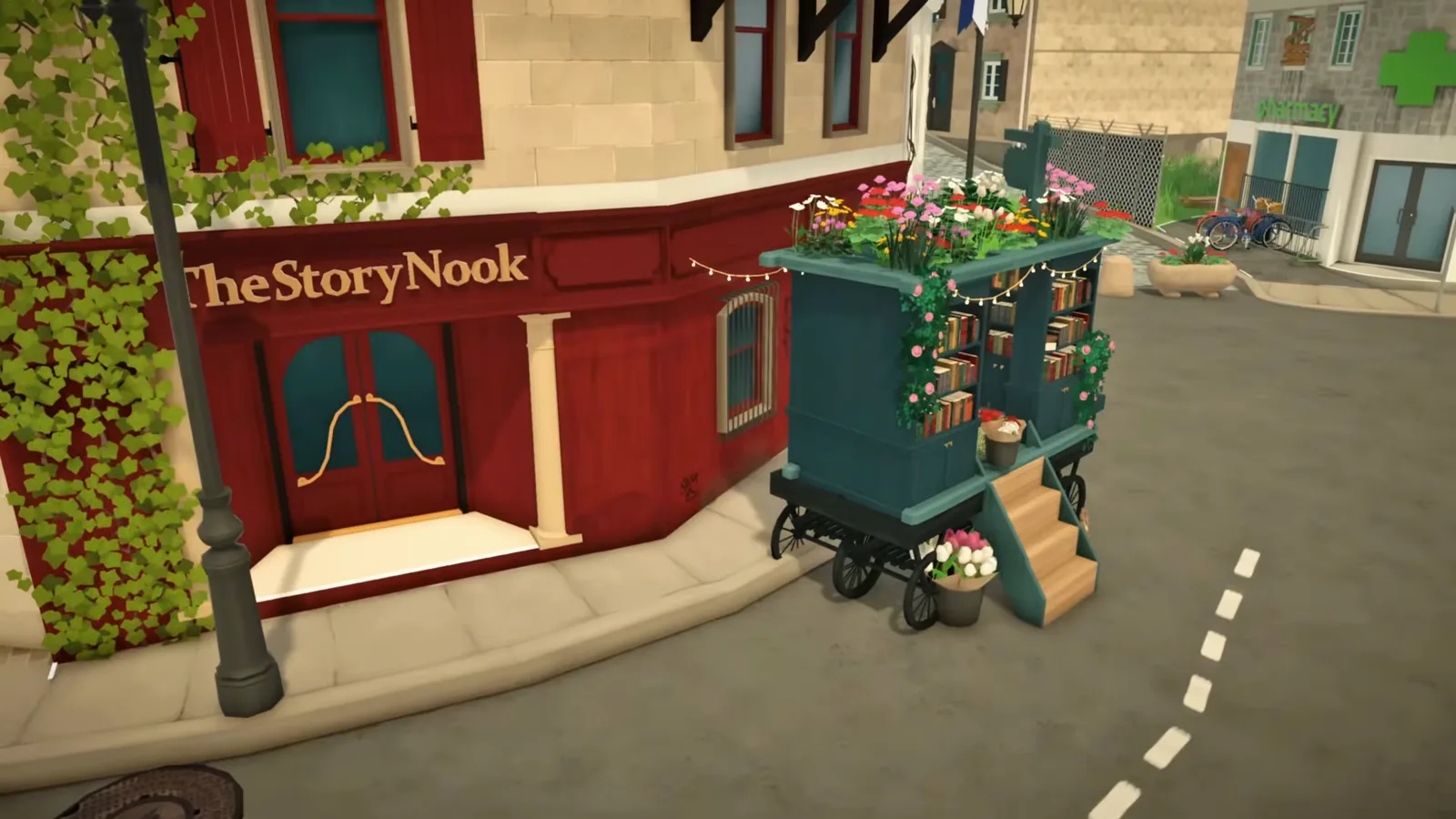
Every prop on this cart came out of the hidden catalogue.Watch at 7:36
What debug items are — and what can change
Debug items are the game's own backstage stock. Paralives dresses its public venues — the florist, Café Crème, the Story Nook — with objects the build catalogue never lists, and the tooltips even carry internal names like Item_ShopOdditiesCamper. The Debug Objects Category mod does not inject content; it flips those items from hidden to visible and lets search find them.
Treat the category as a bonus, not a promise. The community wiki's cheat documentation quotes a September 2025 developer chat in which Jérémie Tessier put the internal cheat list at roughly 300 entries, most of which "might not make sense for regular players" and could be removed or hidden over time. Hidden-object visibility sits in the same grey zone — and a patch (the video above was recorded on Early Access 0.1.3; the game is now on 0.1.8b) can temporarily break the mod until its author updates it.
One honest unknown: no public source documents what happens to already-placed hidden objects if you later unsubscribe from the mod. Before a large debug build, keep a save from before you start — that advice costs nothing and covers every outcome.
Debug items FAQ
- Does Paralives have debug items without mods?
- Not in build mode as of 0.1.8b. The hidden objects ship inside the game — they furnish public venues like the florist and Café Crème — but there is no debug category, toggle or cheat to reach them. Zerbu's Debug Objects Category mod on the official Steam Workshop is currently the only way in.
- Is the Debug Objects Category mod safe?
- It is unofficial, but its pedigree is good: the author is Zerbu, a veteran from The Sims modding scene, and distribution runs through the Paralives Steam Workshop — the game's own mod channel. The mod only changes catalogue visibility and search. As with any mod, a new patch can break it until the author updates; the Workshop page's change notes are the place to check.
- What is a debug Para in Paralives?
- Nobody has publicly documented one. A Para is the game's word for its characters, and "debug Para" looks like a search guess at test characters — but no developer chat, patch note or wiki page describes any debug Para you can spawn or edit. For character control the cheat console (Ctrl + Shift + C) is the real tool, with commands like EDITCHARACTER.
- Can Paras use builds made from debug objects?
- In the source video, no — the creator says the mobile bookstore is purely decorative, and your Para cannot interact with it. Many hidden props are display-only. Treat debug builds as photography and world-building sets; if a hidden object does turn out to be functional, it behaves like its regular-catalogue twin.
- Are hidden items the same as hidden treasure collectibles?
- Different systems. Paralives' hidden treasure — the collectibles from town treasure hunts — is a gameplay list of its own, not a build catalogue. The mod's description does note that some collectibles and paintings surface in the debug category as placeable objects, but for the hunt itself, follow the collectibles guide instead.
- Why don't hidden objects show up after installing the mod?
- In order of likelihood: the mod is not enabled in the Mods menu, the game has not been restarted since subscribing, or a recent patch broke the mod until its author updates it. If the category appears but objects misbehave, the mods-not-working checklist covers the usual fixes.
Keep digging
How to install Paralives mods
Subscribe, enable, restart, load — the full routine the debug category depends on, with pitfalls for each step.
Open the cheat console
Every console command, including TOGGLEEDITTOWN and the Ctrl + F1 shortcut this page uses to build on public lots.
Advanced placement and move-objects
The advanced widget and no-snap tricks behind clutter stacks like the demo's bookshelf tower.
Hidden treasure collectibles
The other kind of Paralives "hidden items": the treasure-hunt collectibles, listed in one place.
16 hidden features
Gameplay Paralives never explains — a different kind of hidden than debug objects, but the same thrill.
Paralives custom content
How CC works in Paralives and how to model your own items in Blender and import them with the built-in mod editor.
Mod not working?
The standard checklist for a subscribed mod that will not show up, including post-patch breakage.