
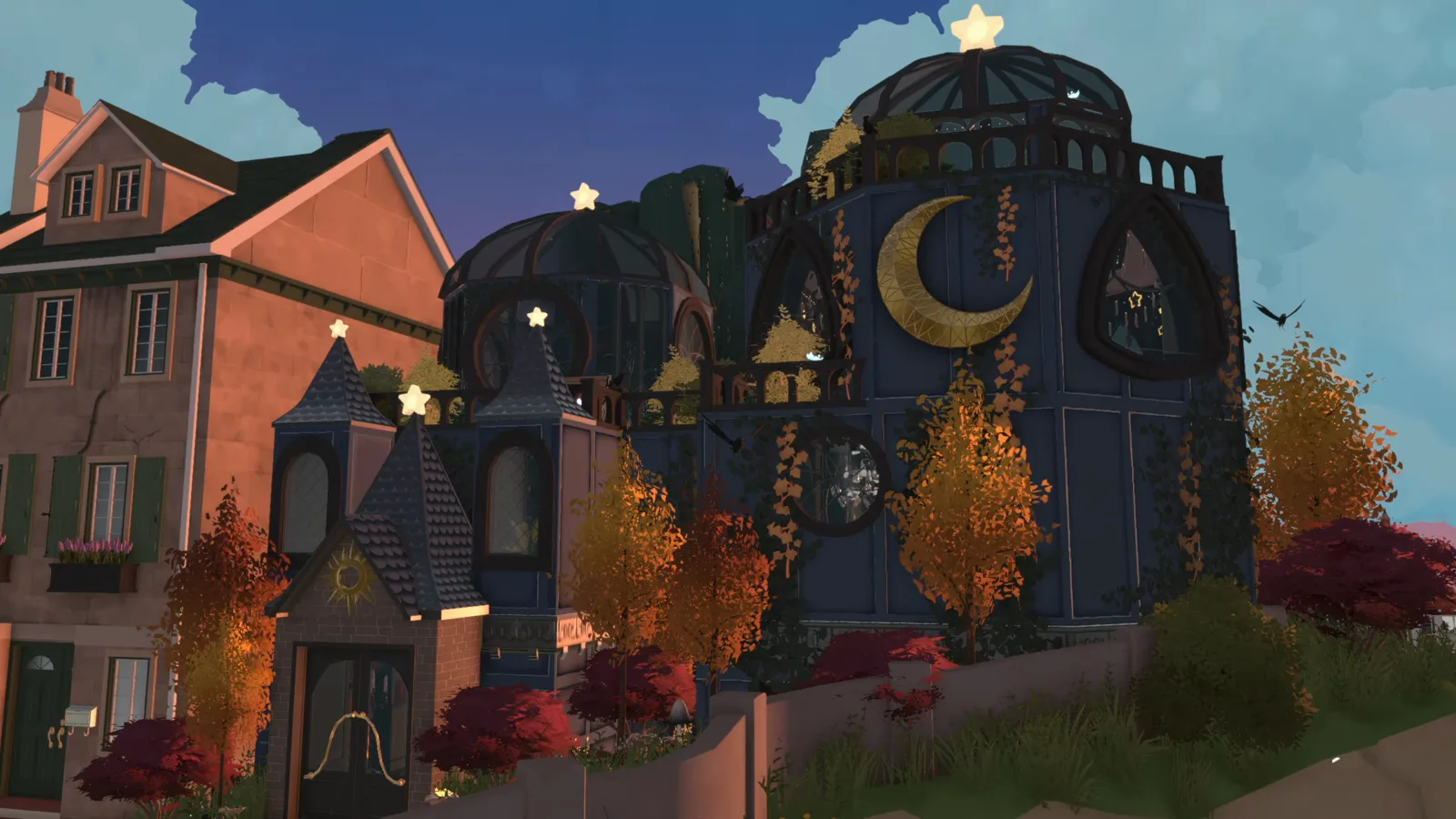
The floating trick in one look
Nothing in this build is animated. Every floating object — the flying library books, the hanging plants, the glass dome held over the tower — is placed with the base game's own build-mode controls and lifted into the air. The only mod in the video buys the lot, not the levitation.
- Right-click a placed object: Move Vertically (hold Shift) lifts it, No Snap (hold Alt) frees it from the grid.
- The flying books are open-book decor pieces from the books catalogue, raised one by one along the shelf wall.
- The trick scales up: the observatory dome is hovered into place as a single piece.
- The one mod — Can Buy All Lot Type — buys the public beach lot; the base game never sells public lots.
- The narrator's warning from the loft: closing a floor underneath can lift the structure — save before you try.
- Unverified everywhere: whether suspended decor survives live mode, saves, or Paras brushing past.
The technique
How the floating actually works
Two frames of setup — where the build stands and why the ground needs a mod — then the floating itself: one book, one menu, and the finished swarm of flying books.
- 1
Meet the mod that unlocks the lot
The build opens on a Steam Workshop overlay: Can Buy All Lot Type, a mod by AmityAlcove herself. The narration explains why it exists: this wizard observatory stands on a public beach lot the vanilla game never lets you purchase. Everything about where the build sits is mod territory — the floating itself is not.
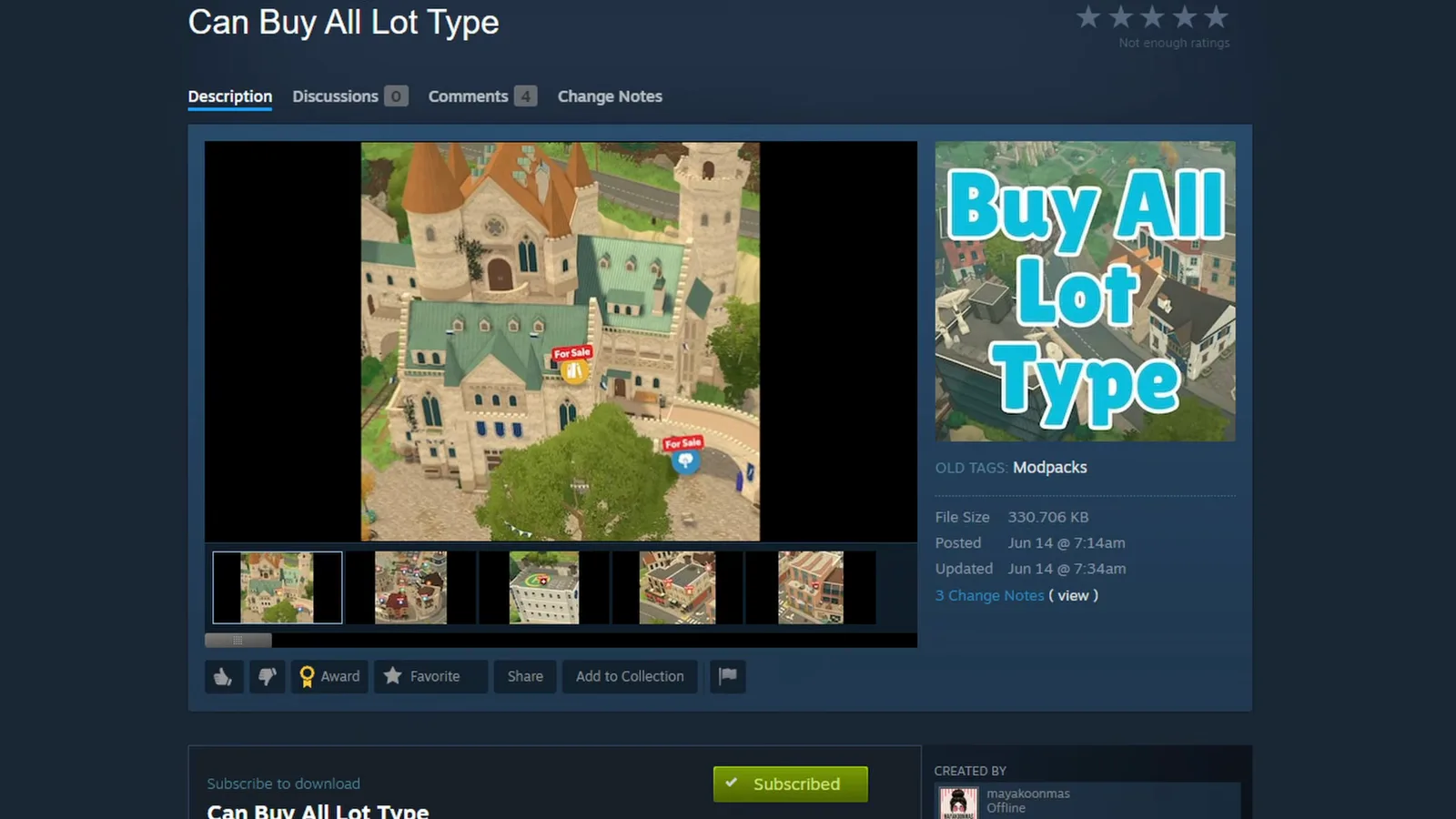
The video shows the mod page itself: public lots are not buyable in the base game.Watch at 0:27 - 2
Start drawing on the empty public lot
With the mod in place, the octagonal floor plan begins straight on the grass of the public beach lot in Wall Placement Mode. The narration adds a detail only a public lot gives you: once lived in, town Paras wander in on their own — which is why the rooms get real purposes, a library to browse and a potion room to visit.
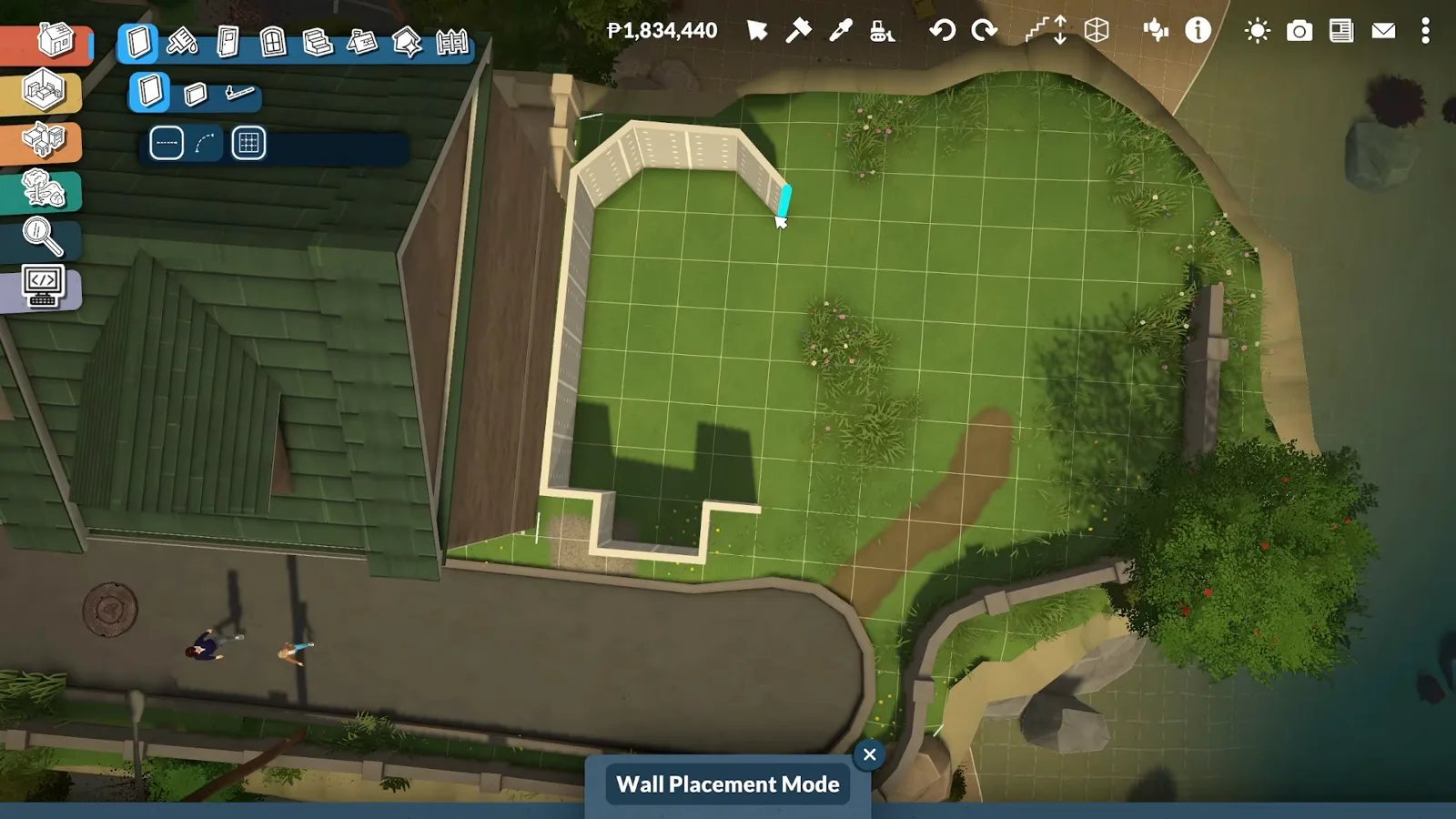
Mod-purchased ground: the whole build starts where vanilla play cannot.Watch at 0:31 - 3
Pick a book from the decor catalogue
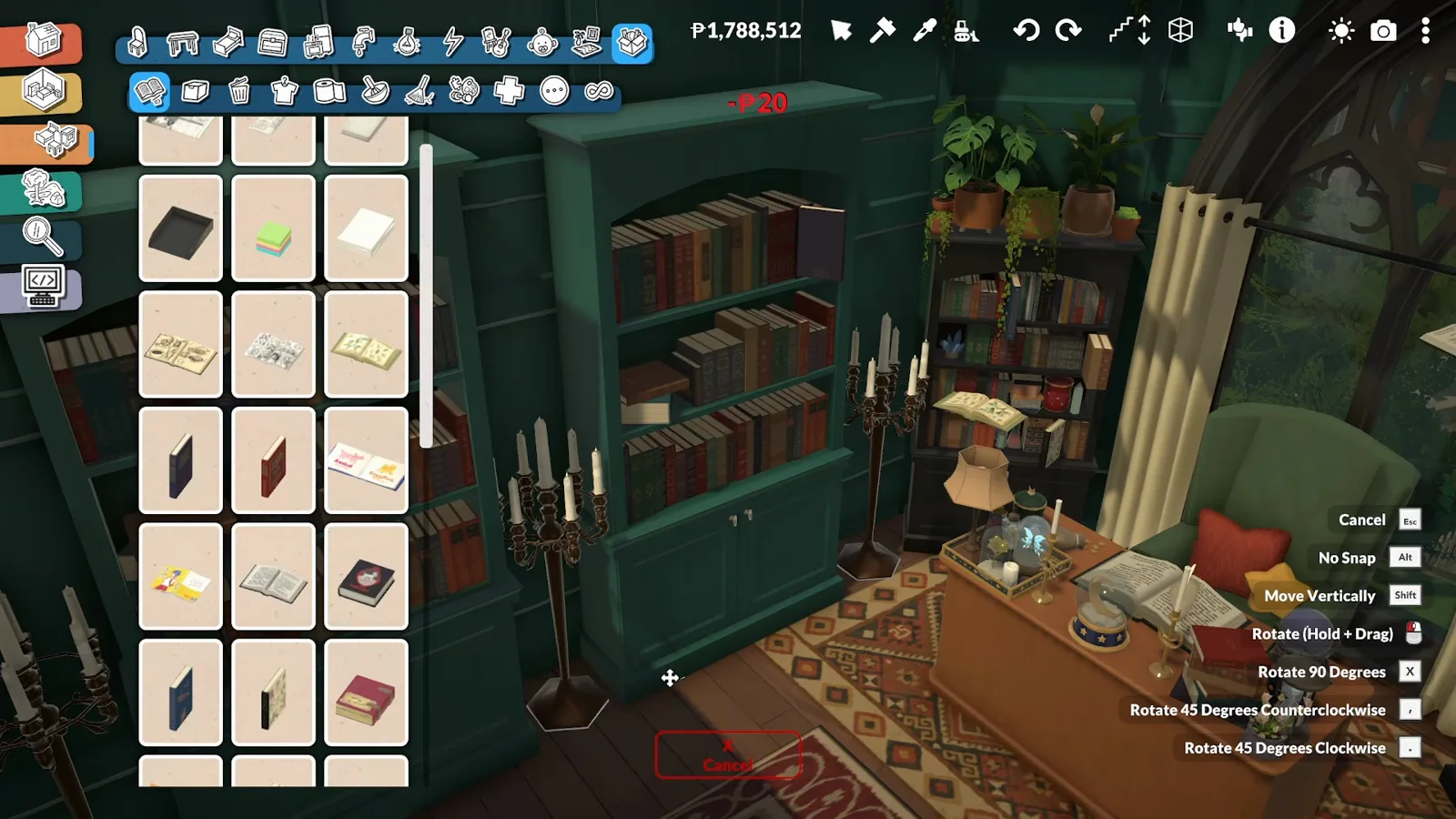
The flying books are ordinary decor: open-book and book-stack pieces from the books catalogue, placed like any other item. In this frame one open book rides the dotted vertical placement guide up beside the shelf wall — no custom content, no animation, just placement.
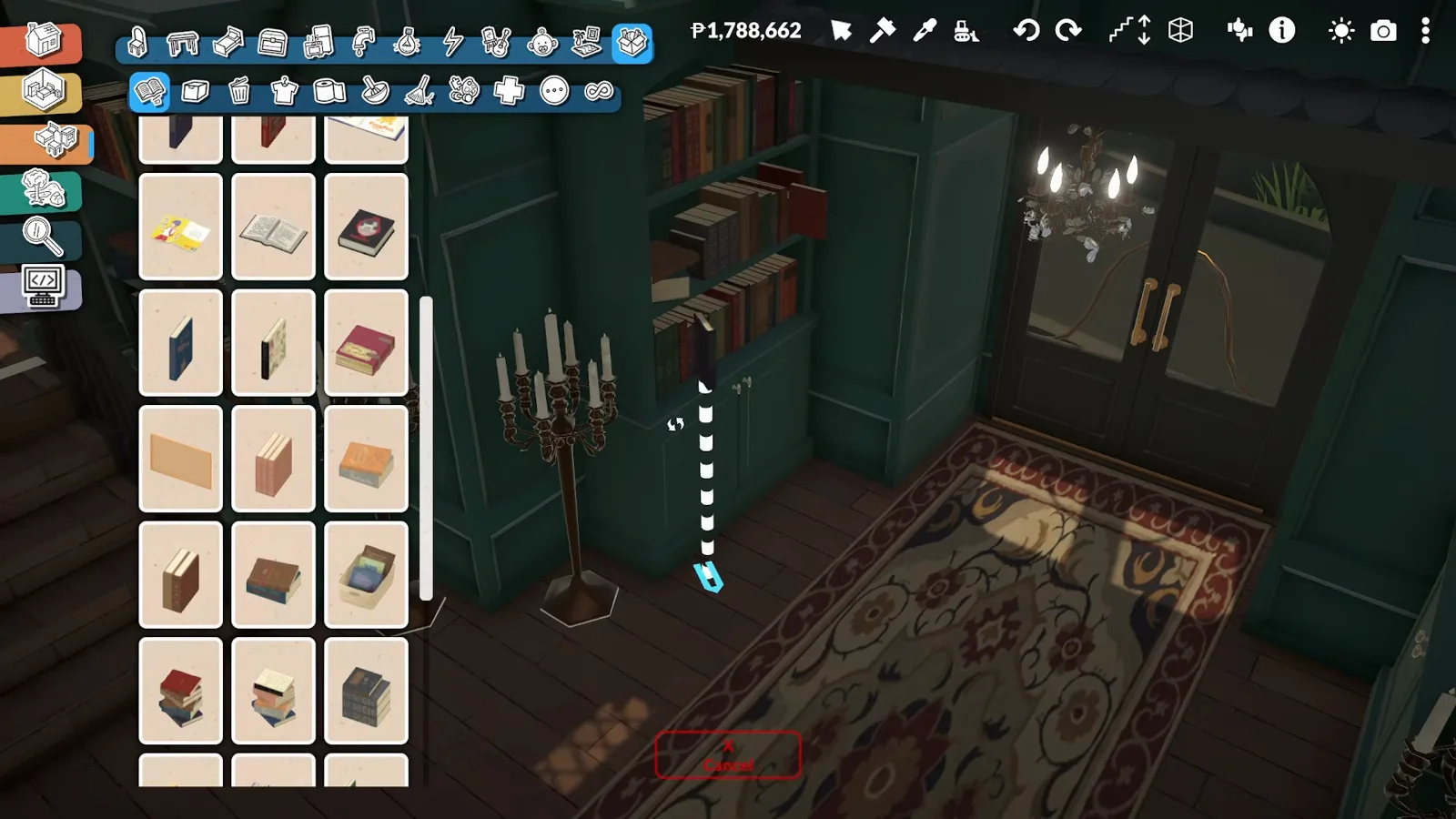
An open-book prop on its way up the shelf wall — the whole spell is placement.Watch at 7:38 - 4
Right-click for No Snap and Move Vertically
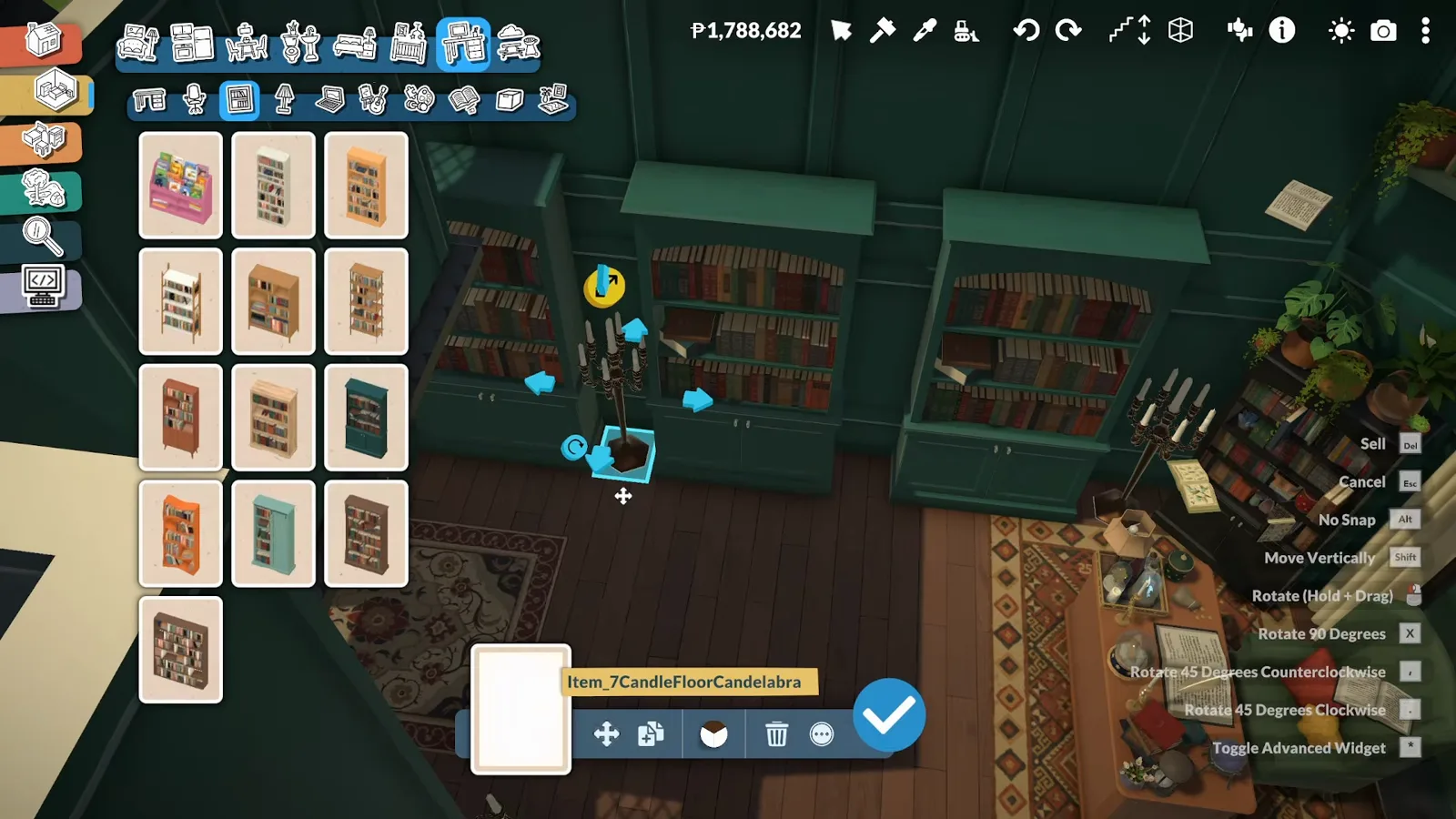
The object menu captured in the video lists the two base-game controls that do the floating: Move Vertically (hold Shift) lifts an item off the floor, and No Snap (hold Alt) frees it from the grid so it can hang between shelves or out in the open. Both come straight from the game's own menu — no mod involved.
The two controls behind every floating object in this build — both base game.Watch at 7:48 - 5
Scatter books in mid-air along the shelves
Repeat a dozen times and the library wall becomes a swarm of open books hovering at head height, as if a spell were shelving them. The narration ties the idea to Howl's Moving Castle: books that organize themselves, so the wizard's assistant only handles check-outs.
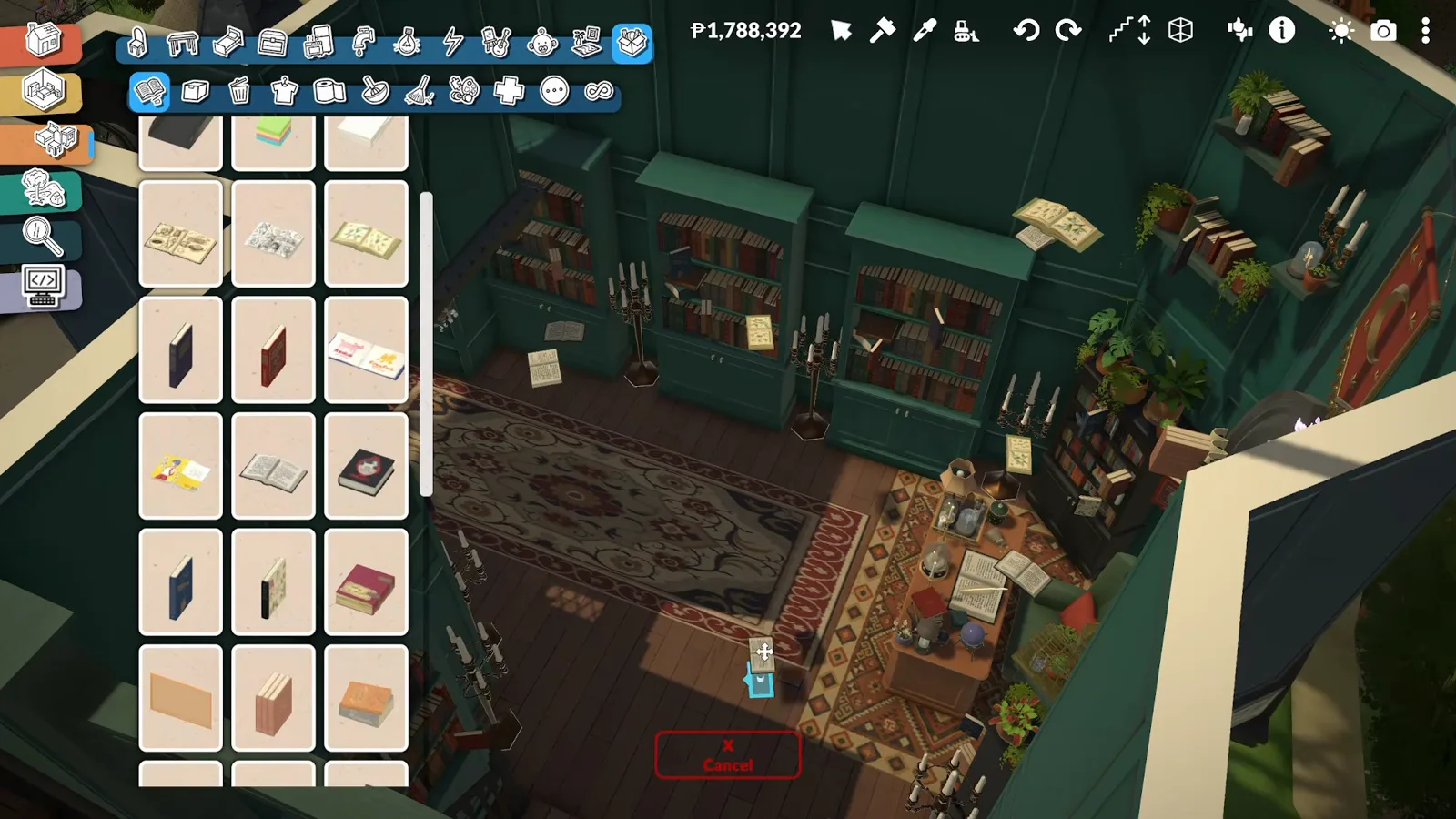
The finished effect: a library where the books fly themselves.Watch at 7:53
Applications
What players float once they can
The same lift shows up all over the library: props scattered in mid-air, greenery hanging off the loft edge, and a whole dome lowered onto the tower by hand.
- 6
Build the shelf wall the books float against
Floating props need something to belong to. The library wall runs floor to ceiling with tall green bookcases, red banners and a gothic arched window — the maximalist styling the narration describes, with enough shelves and trinkets that a hovering book reads as magic, not a bug.
Dense shelving gives the floating books a world to belong to.Watch at 7:30 - 7
Drop fallen books around the reading table
Not every book flies. Open-book props lie scattered across the rug around the librarian's table — the grounded half of the same catalogue, and the contrast that makes the hovering ones read as mid-spell rather than mislaid.
Fallen books on the floor sell the ones still in the air.Watch at 8:30 - 8
Suspend greenery from the loft edge
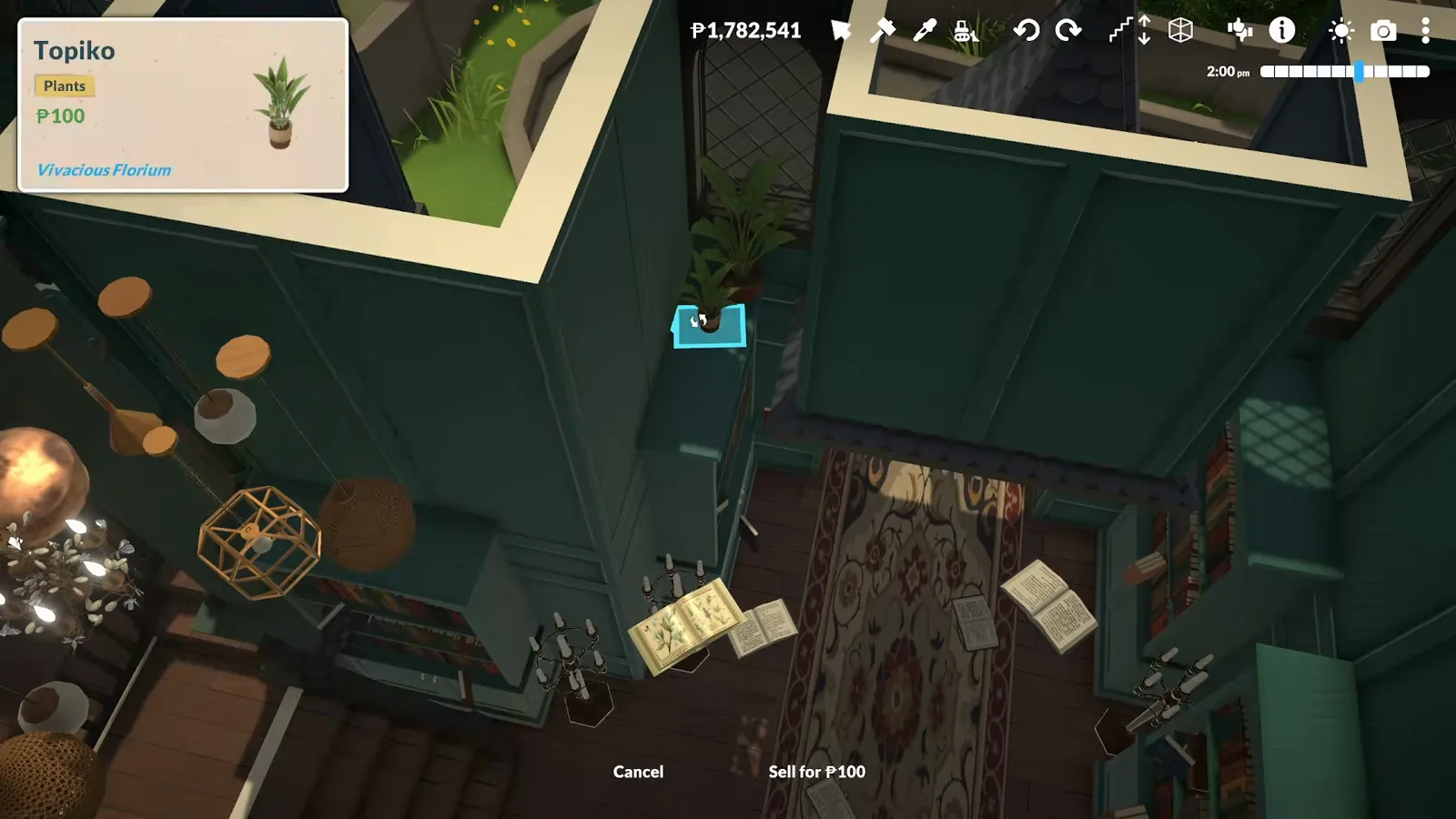
The same vertical freedom works on plants: trailing pots hang from the loft railing and spill down toward the library floor. The narration credits the greenery with keeping the dark interior feeling alive — and it doubles as one more thing floating in mid-air.
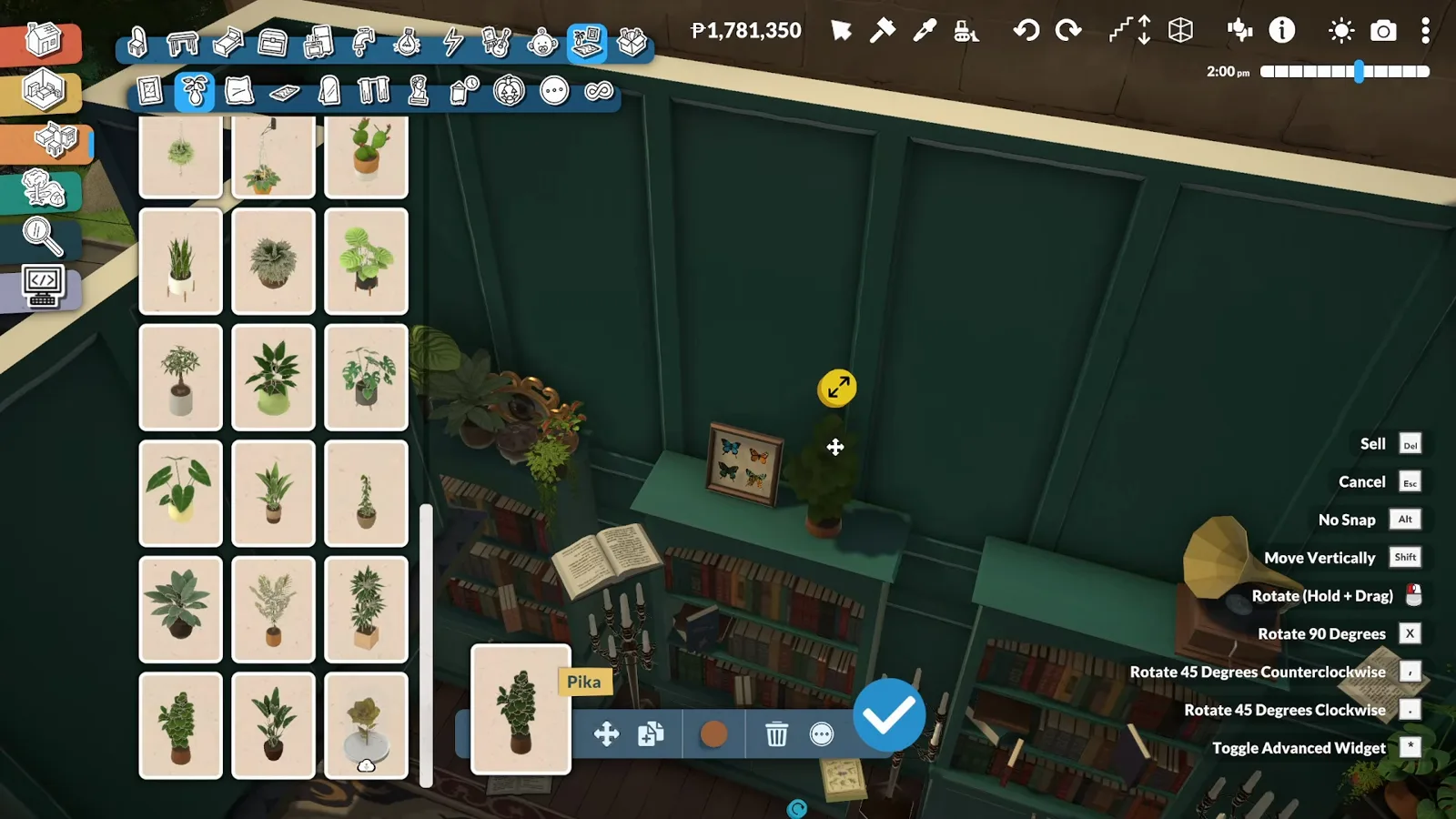
Plants hung off the loft lip — floating as styling, not a stunt.Watch at 8:55 - 9
Lower the dome onto the tower by hand
Floating is not only for small props. The observatory's glass dome is carried as one free piece and lowered onto the octagonal tower walls — the same object menu from step 4 open in the corner. Big structure pieces place exactly the way books do.
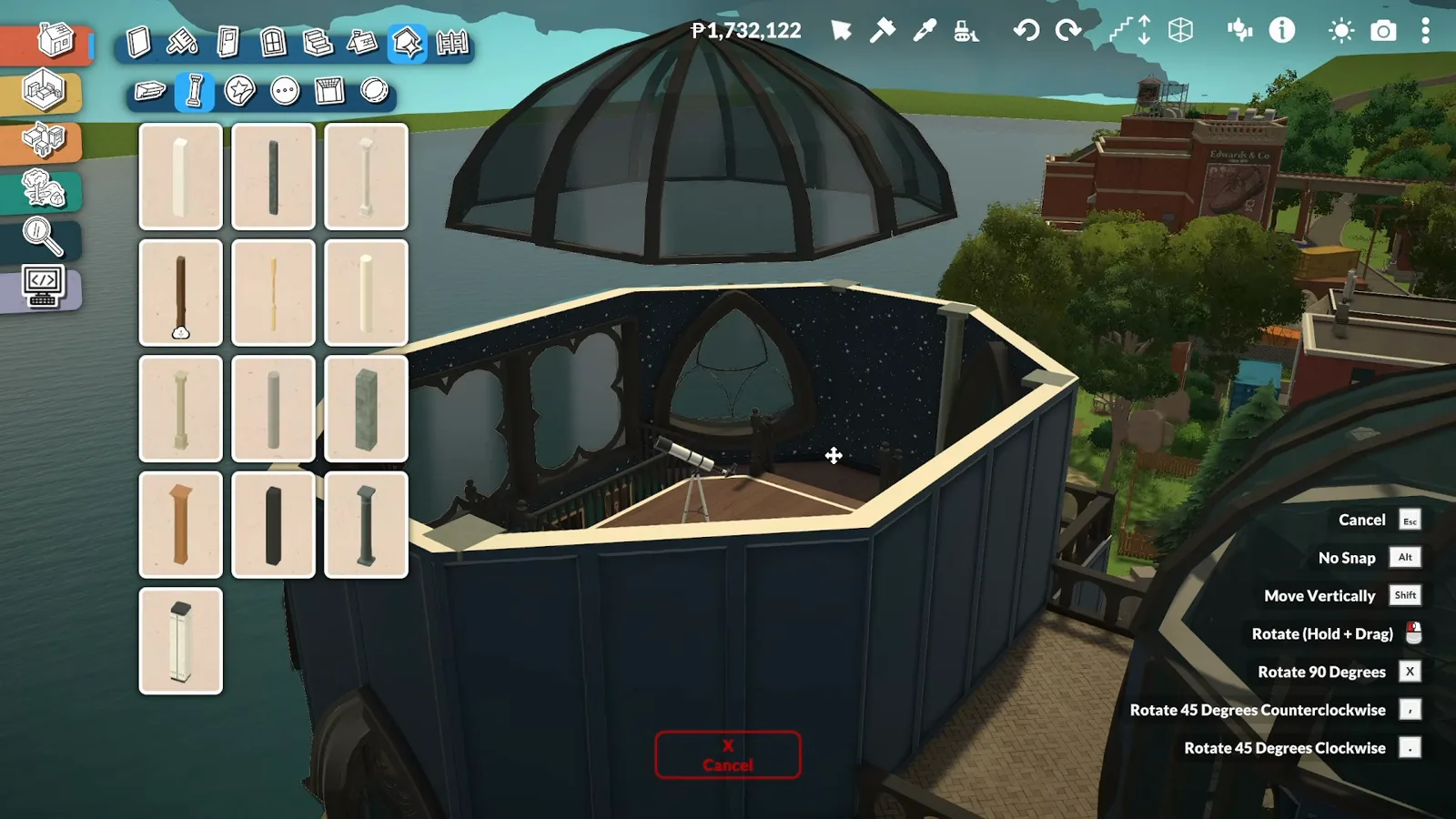
A dome is just another object: pick it up, hover it, drop it.Watch at 13:55
The house around the trick
Building the observatory that carries them
Floating decor needs a stage: a glass roof over a double-height library, a curtained sleeping loft, a star-papered observatory and a moon on the tower.
- 10
Open the roof with glass above the library
Over on the main body of the house, the roof above the double-height library gets a glazed section so the sky reaches indoors. The narration admits the classic mistake that followed: the ceiling underneath was never removed, so the whole roof had to be rebuilt once the sky failed to show up.
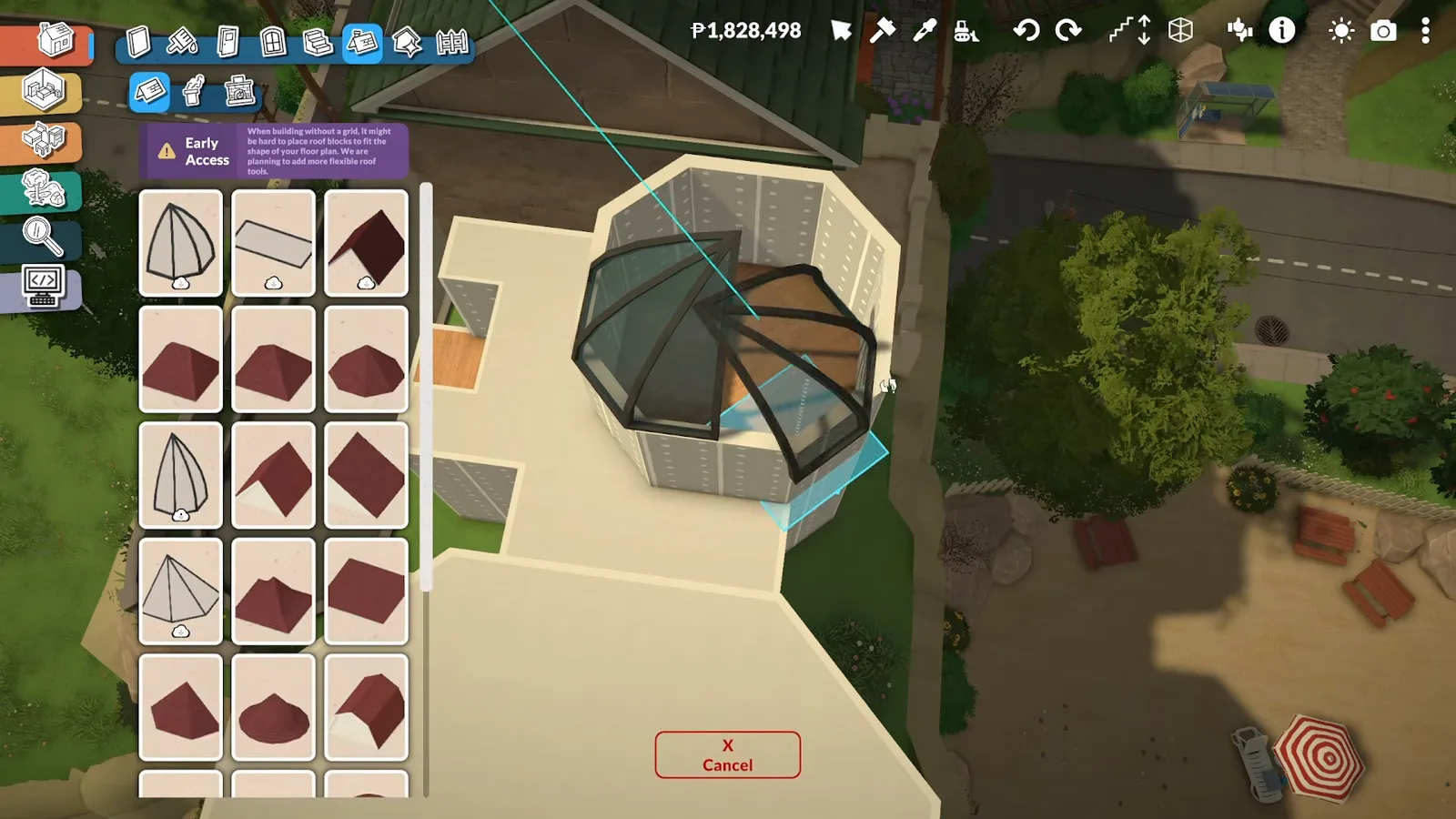
Glass roof going in — remember the ceiling underneath, or build it twice.Watch at 1:37 - 11
Close the loft — and expect the floor to bite
Sealing the space under the loft, the narration says, lifted the floor and nearly destroyed the build. The save-friendly fix: leave the gap open and hide the wall behind full-height bookshelves instead. The video also repeats the habit that saved the project — save the game periodically.
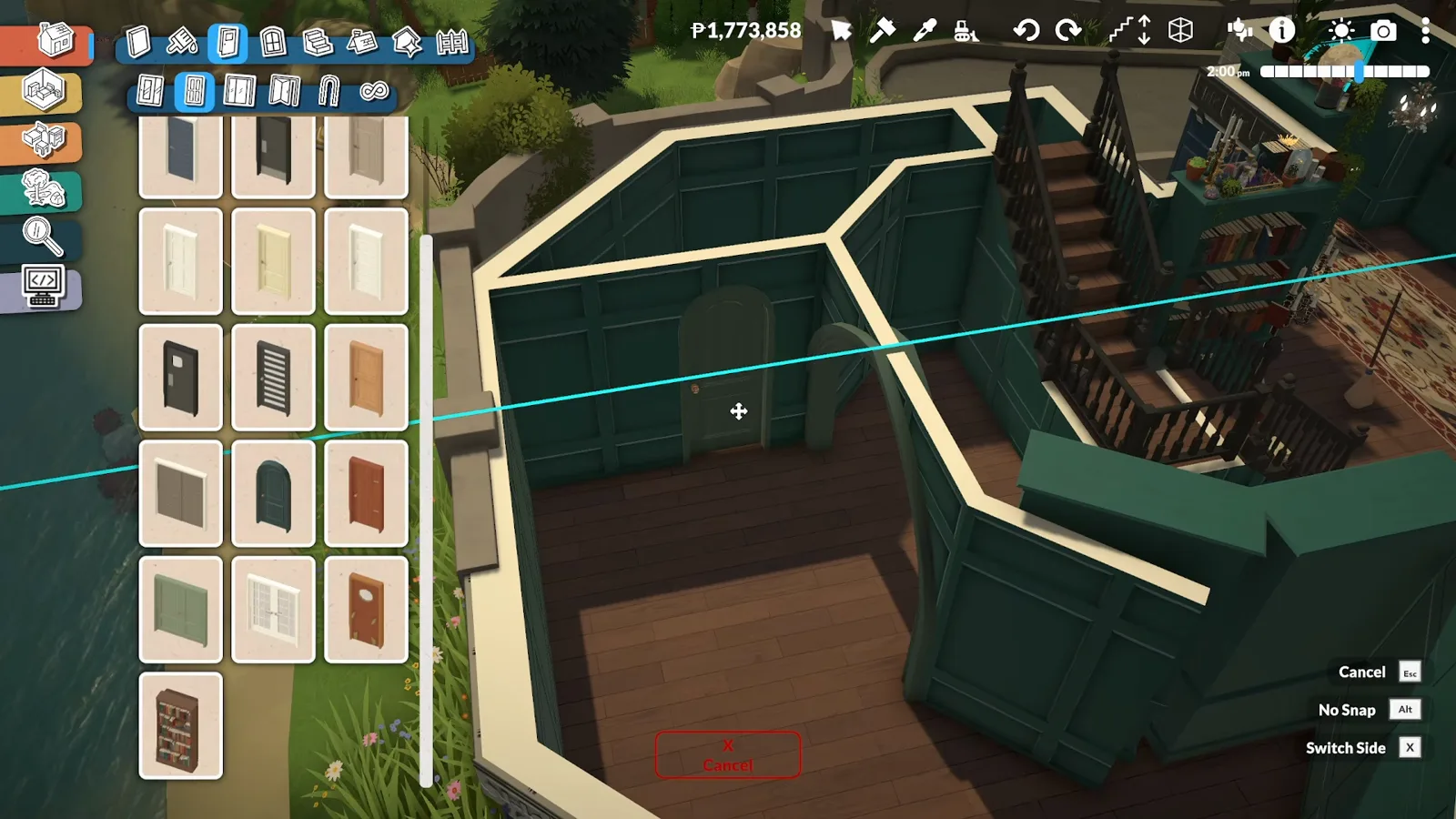
The closing attempt that nearly wrecked the build — bookshelves ended up hiding the gap.Watch at 9:30 - 12
Curtain off the wizard's sleeping loft
The loft becomes the wizard's bedroom: a bed in a built-in niche, wrapped by curtains the narration describes as carving out a cozy, secluded corner hidden above the potion room.
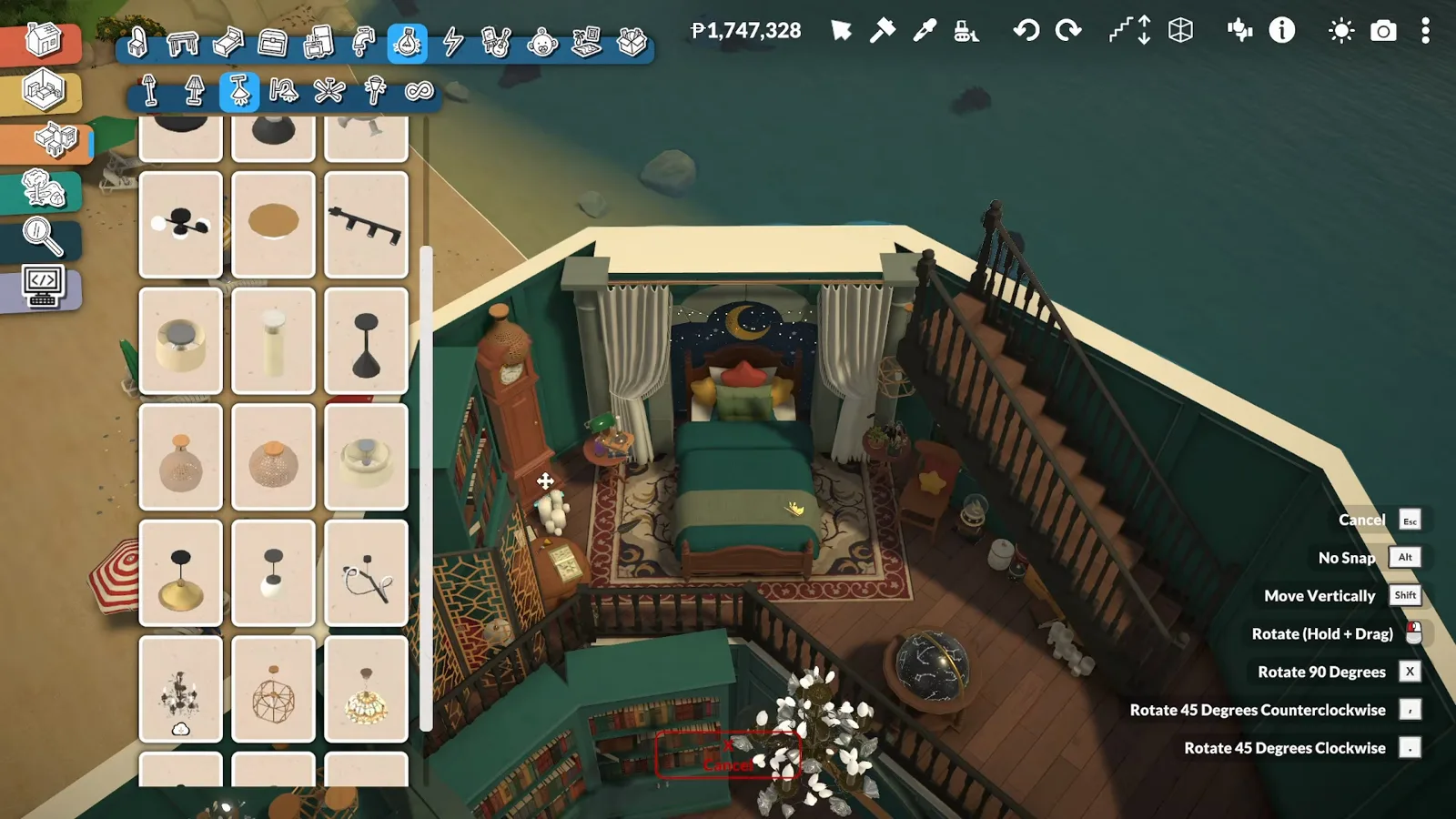
Bed in a niche, curtains all around — the loft reads as its own room.Watch at 12:53 - 13
Paper the observatory in stars
The tower room that inspired the whole build gets star-patterned wallpaper plus glow-in-the-dark star decals, with the telescope parked on a rug at the center. The narration is deliberate about restraint: few objects, so nothing competes with the night sky through the dome.
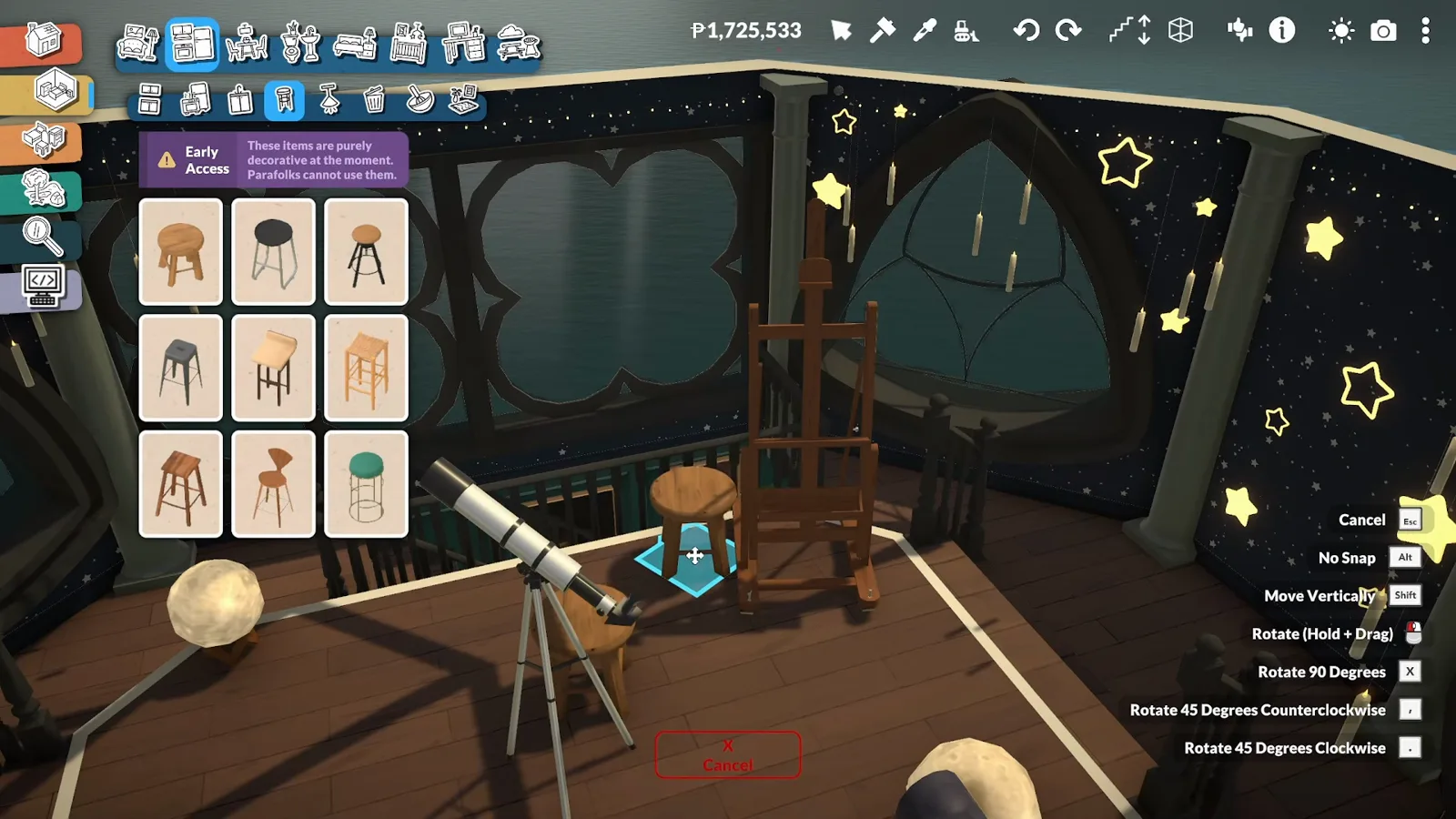
Wallpaper stars plus glow stars — the room the whole house was built for.Watch at 14:50 - 14
Finish with a giant moon and golden trees
Outside, a giant golden crescent moon goes up on the tower so the building reads as an observatory from across the beach, and golden-yellow trees ring the dark blue walls — the contrast the narration credits with making the whole build stand out.
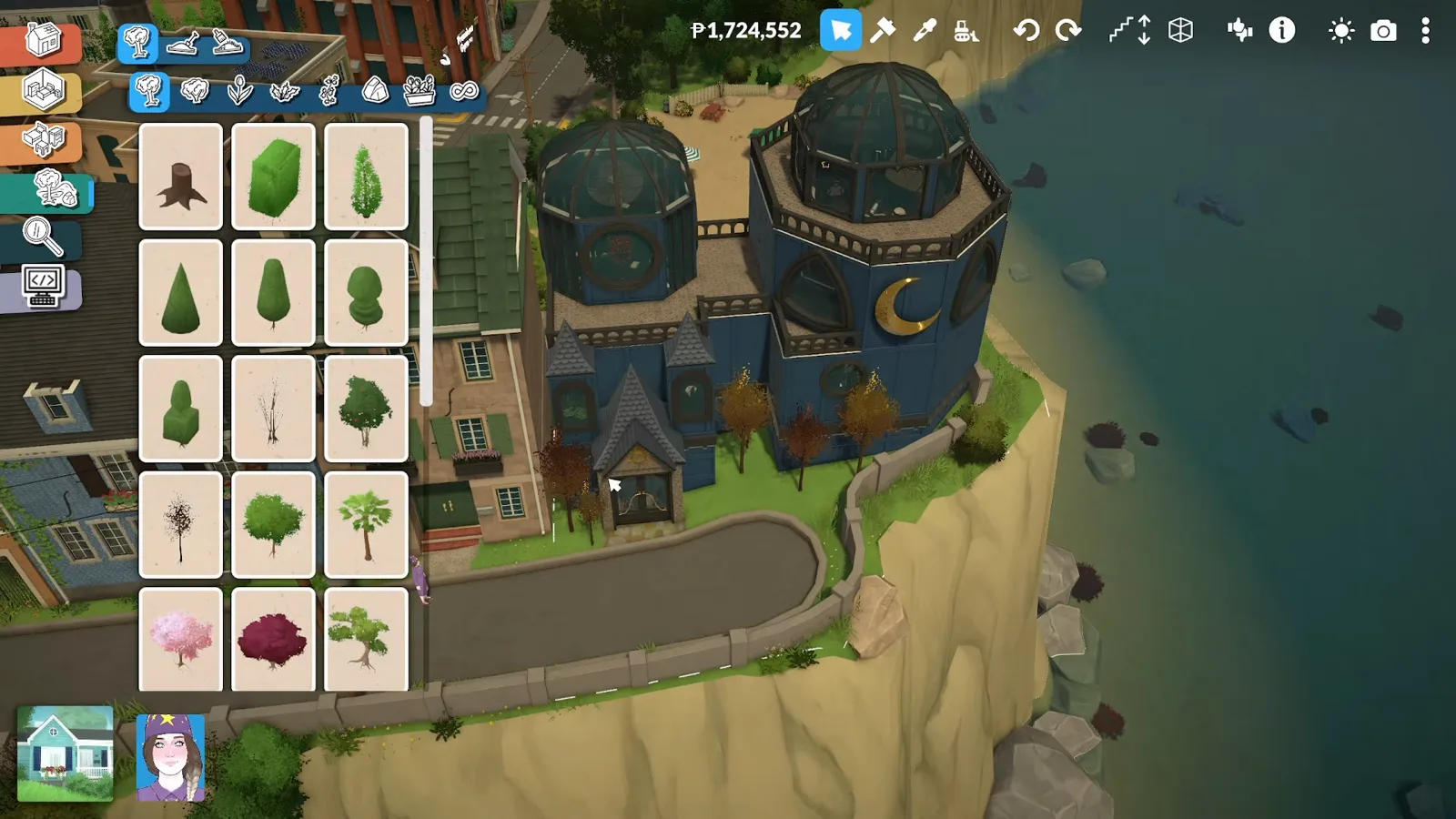
Moon on the tower, gold against dark blue — visible from across the beach.Watch at 15:25
Base game, mod, unverified: what is actually floating here
Base game — every floating object. The video's own right-click menu lists No Snap (hold Alt) and Move Vertically (hold Shift), the wiki-documented build-mode controls. The books, the plants, the dome and the moon all move with those two; no custom content is involved.
Mod — the ground under the house. The narration calls the lot "usually impossible to purchase", and the workshop page shown in the video names the mod: Can Buy All Lot Type by AmityAlcove. Without a mod like it, this location does not exist — but every floating technique on this page transfers to an ordinary residential lot.
Unverified — how floats behave outside build mode. The video never returns to live mode on this lot, so whether the flying books stay up when a Para wanders in (the narration expects visitors), after a save or after a patch is not documented anywhere this page trusts. Competing guides guess; this page leaves the question open until it can be tested.
Floating objects FAQ
- How do you make objects float in Paralives?
- Place any decor piece, right-click it and use Move Vertically (hold Shift) to lift it off the floor; No Snap (hold Alt) takes it off the grid so it can hang between shelves or out in the open. Both are base-game build-mode controls, and the video this page follows shows them in its own object menu.
- Do you need a mod to make objects float?
- No. The flying books, the hanging plants and the hovered dome are all base-game placement. The creator's mod — Can Buy All Lot Type — only makes the public beach lot buyable, which the base game does not allow.
- Will floating objects disappear or fall in live mode?
- Nobody has published a verified answer. The source video stays in build mode, so how suspended decor behaves when Paras walk through the room, after saving and reloading, or after a patch is untested here. Keep a saved copy of the lot before you float anything you care about.
- Can you build on a public lot like in the video?
- Only with a mod. The narration says the plot is usually impossible to purchase, and the video opens on the Can Buy All Lot Type workshop page. On a normal save, every technique on this page works the same on a residential lot.
- How were the flying books made?
- From ordinary decor: open-book and book-stack pieces in the books catalogue. Each one is placed like any object, then lifted along the shelf wall with Move Vertically. Books left lying on the rug complete the spell-gone-sideways look.
- Does floating work on big structures too?
- The video lifts the glass dome as one piece and lowers it onto the observatory tower, so size is not the limit. What it never shows is a whole house hovering: the observatory stands on its lot, and only its decor and dome ever leave the ground.
Keep building
Paralives Move Objects Guide
Picking objects up, grid-free placement — and how to fix furniture that floats by accident.
Platforms & Raised Floors
Platform tools for lofts, split levels and raised stages — the structure this build's loft imitates.
Build Mode Hacks
The wider bag of build-mode tricks, including the object menu this page's floating relies on.
Witch House Ideas
Cauldrons, candlelight and moon-phase rugs — the magic aesthetic this observatory sits in.
Curved Walls & Domes
Bent walls and curved roof pieces — the octagonal geometry this observatory is drawn with.